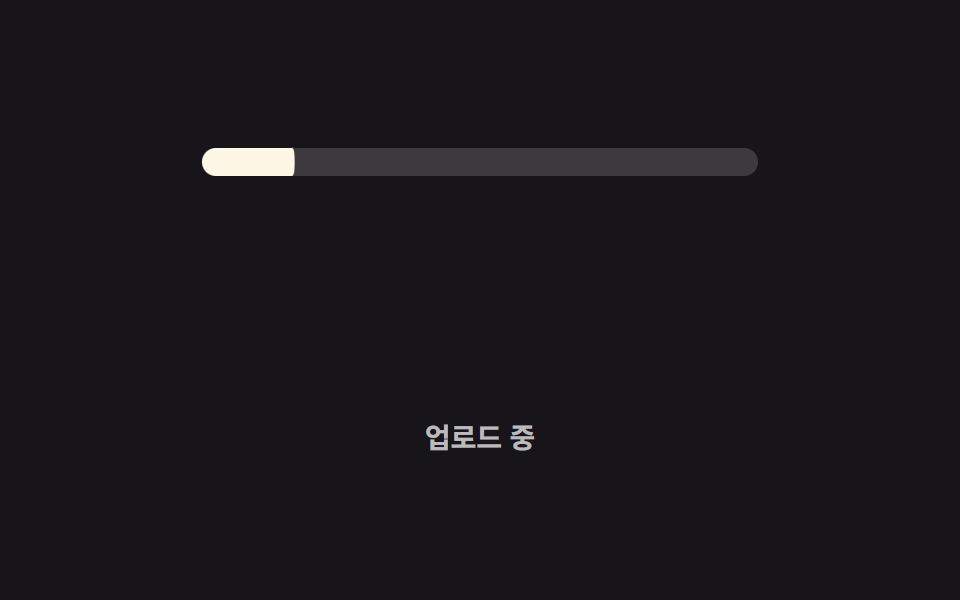
01Thanh chạy đầy cơ bản
Thanh chạy đầy bên trong giãn theo scaleX đúng bằng giá trị custom property --percent, phản ánh một con số tiến trình thật — như phần trăm tải lên — chứ không phải vị trí cuộn.
Dùng choHiển thị tiến trình tải file lên, báo tiến trình gửi form
scaleX@property2초 루프

<main class="stage">
  <div class="track is-demo" role="progressbar" aria-valuemin="0" aria-valuemax="100" aria-valuenow="76" aria-label="Đang tải lên">
    <div class="bar"></div>
  </div>
  <p class="cap">Đang tải lên</p>
</main>
@use "../../../../site/static/demo-tokens" as *;
// ── 변수 3개. 변형은 이것만 바꾼다 ──────────────────────────
$duration: $dur-loop; // 0 → 목표값까지 차는 시간
$easing: $ease-out;
$color: $subject-cream; // 채워지는 색
@include stage($stage-ink);
// 값은 등록된 숫자 커스텀 속성으로 애니메이션한다 (scroll() 이 아니라 실제 진행률 숫자)
@property --percent {
syntax: "<number>";
inherits: true; // .bar 가 부모 .track 의 애니메이션 값을 그대로 물려받는다
initial-value: 0;
}
.track {
--percent: 0;
position: relative;
width: clamp(200px, 58vw, 280px);
height: 14px;
border-radius: $r-pill;
background: rgba(255, 255, 255, .16);
overflow: hidden;
}
.bar {
position: absolute;
inset: 0;
border-radius: inherit;
background: $color;
transform: scaleX(calc(var(--percent) / 100)); // width 대신 scaleX 로만 채운다
transform-origin: left center;
}
.track.is-demo { animation: fill $duration $easing infinite; }
@keyframes fill {
0% { --percent: 0; }
60% { --percent: 76; }
100% { --percent: 76; }
}
.cap {
margin: 14px 0 0;
color: rgba(255, 255, 255, .7);
font: 600 clamp(12px, 3.2vw, 14px)/1 -apple-system, "Segoe UI", "Noto Sans KR", sans-serif;
}
// ── 접근성: 움직임 줄이기 설정이면 목표값에서 정지 ────────────
@media (prefers-reduced-motion: reduce) {
.track.is-demo { animation: none; --percent: 76; }
}html, body {
margin: 0;
overflow: hidden;
}
.stage {
box-sizing: border-box;
min-height: 100vh;
display: grid;
place-items: center;
margin: 0;
background: #17141a;
font-family: -apple-system, "Segoe UI", "Noto Sans KR", sans-serif;
padding: clamp(8px, 4vw, 24px);
}
@property --percent {
syntax: "<number>";
inherits: true;
initial-value: 0;
}
.track {
--percent: 0;
position: relative;
width: clamp(200px, 58vw, 280px);
height: 14px;
border-radius: 999px;
background: rgba(255, 255, 255, 0.16);
overflow: hidden;
}
.bar {
position: absolute;
inset: 0;
border-radius: inherit;
background: #fff7e6;
transform: scaleX(calc(var(--percent) / 100));
transform-origin: left center;
}
.track.is-demo {
animation: fill 2s ease-out infinite;
}
@keyframes fill {
0% {
--percent: 0;
}
60% {
--percent: 76;
}
100% {
--percent: 76;
}
}
.cap {
margin: 14px 0 0;
color: rgba(255, 255, 255, 0.7);
font: 600 clamp(12px, 3.2vw, 14px)/1 -apple-system, "Segoe UI", "Noto Sans KR", sans-serif;
}
@media (prefers-reduced-motion: reduce) {
.track.is-demo {
animation: none;
--percent: 76;
}
}import type { CSSProperties } from "react";
import styles from "./LinearFillBar.module.scss";
export type LinearFillBarProps = {
/** 0~100. 실제 진행률 숫자 그대로 넘긴다 (스크롤이 아니다) */
percent: number;
duration?: number;
easing?: string;
color?: string;
label?: string;
};
type Vars = CSSProperties & {
"--duration"?: string;
"--easing"?: string;
"--color"?: string;
"--percent"?: number;
};
export default function LinearFillBar({
percent,
duration = 600,
easing = "cubic-bezier(.2,.8,.2,1)",
color = "#fff7e6",
label,
}: LinearFillBarProps) {
const p = Math.max(0, Math.min(100, percent));
const vars: Vars = { "--duration": `${duration}ms`, "--easing": easing, "--color": color, "--percent": p };
return (
<div
className={styles.track}
style={vars}
role="progressbar"
aria-valuemin={0}
aria-valuemax={100}
aria-valuenow={p}
aria-label={label}
>
<div className={styles.bar} />
</div>
);
}01 Thanh chạy đầy cơ bản — Diện tích đo được 2.051% · khung hình chuyển động 15/23Nguyên tác GODRICH · SCSS và React nằm trong tệp zip · 9 CSS Progress Bar Circle Gauges — chỉ cần đổi số
Bài viết chứa demo này
 9 CSS Progress Bar Circle Gauges — chỉ cần đổi sốCSS progress bar circle là thanh và vòng tiến trình chỉ cần đổi một con số để vẽ lại toàn bộ. Chín kiểu dưới đây đều chạ Xem tất cả demo trong bài này