06Tiến trình bước gọi công cụ
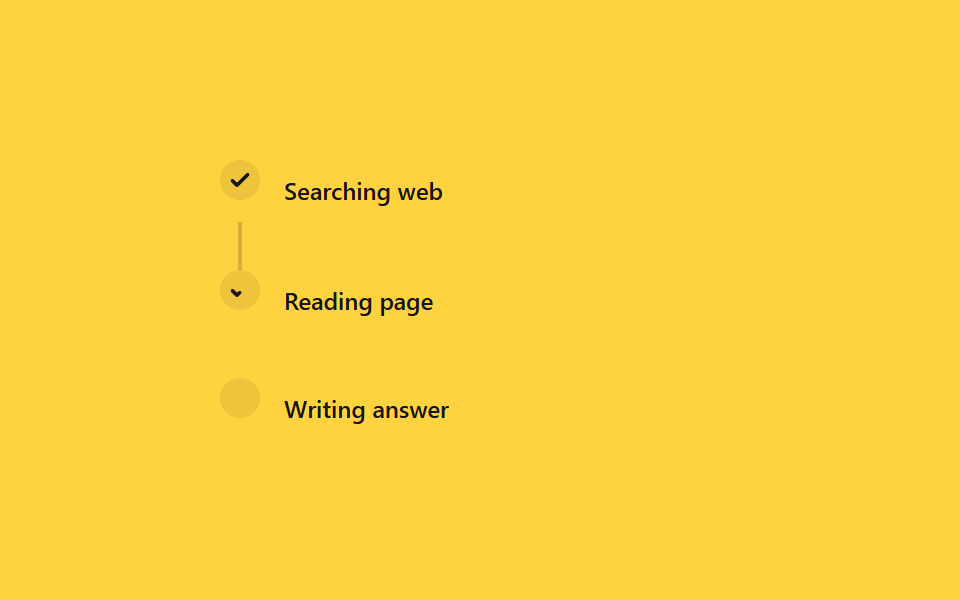
Các bước kiểu 'Đang tìm → Đang đọc → Đang viết câu trả lời' xếp thẳng dọc, mỗi bước xong thì vòng tròn hóa thành dấu check còn đường nối phủ dần xuống dưới bằng transform: scaleY.
Dùng choLog công cụ của agent, chỉ báo tiến độ tác vụ nhiều bước
scaleYstroke-dashoffsetJS 6줄
<main class="stage">
  <div class="ts-list is-demo">
    <div class="ts-step">
      <span class="ts-icon ts-icon--1"><svg viewBox="0 0 16 16"><path d="M3 8.5l3 3 7-7"/></svg></span>
      <span class="ts-label">Searching web</span>
    </div>
    <span class="ts-line ts-line--1"></span>
    <div class="ts-step">
      <span class="ts-icon ts-icon--2"><svg viewBox="0 0 16 16"><path d="M3 8.5l3 3 7-7"/></svg></span>
      <span class="ts-label">Reading page</span>
    </div>
    <span class="ts-line ts-line--2"></span>
    <div class="ts-step">
      <span class="ts-icon ts-icon--3"><svg viewBox="0 0 16 16"><path d="M3 8.5l3 3 7-7"/></svg></span>
      <span class="ts-label">Writing answer</span>
    </div>
  </div>
</main>
@use "../../../../site/static/demo-tokens" as *;
// ── 변수 3개 ──────────────────────────────────────────
$duration: 2s;
$easing: $ease-out;
$color: $subject-ink;
@include stage($stage-yellow);
.ts-list {
display: grid;
grid-template-columns: $sp-5 1fr;
column-gap: $sp-3;
width: min(260px, 84vw);
}
.ts-step { display: contents; }
.ts-icon {
grid-column: 1;
justify-self: center;
width: $sp-5;
height: $sp-5;
border-radius: $r-pill;
display: grid;
place-items: center;
background: rgba(23, 20, 26, .08);
color: $color;
svg { width: 12px; height: 12px; }
path {
fill: none;
stroke: currentColor;
stroke-width: 2.4;
stroke-linecap: round;
stroke-linejoin: round;
stroke-dasharray: 16;
stroke-dashoffset: 16;
}
}
.ts-icon--1 path { stroke-dashoffset: 0; } // 이미 끝난 첫 단계
.ts-label {
grid-column: 2;
align-self: center;
padding: $sp-2 0;
color: $color;
font: 500 12px/1.2 -apple-system, "Segoe UI", sans-serif;
}
.ts-line {
grid-column: 1;
justify-self: center;
width: 2px;
height: $sp-6;
background: rgba(23, 20, 26, .18);
transform-origin: top; // 규칙8: 세로 연결선 위변 채움
transform: scaleY(0);
}
// 실사용: 도구 이벤트마다 JS 가 .is-done 을 붙인다(위 스크립트). 데모 루프는 같은 순서를 keyframes 로 반복한다
@keyframes ts-line-fill { 0%, 5% { transform: scaleY(0); } 25%, 100% { transform: scaleY(1); } }
@keyframes ts-check-2 { 0%, 25% { stroke-dashoffset: 16; } 40%, 100% { stroke-dashoffset: 0; } }
@keyframes ts-line-fill2 { 0%, 40% { transform: scaleY(0); } 60%, 100% { transform: scaleY(1); } }
@keyframes ts-check-3 { 0%, 60% { stroke-dashoffset: 16; } 75%, 100% { stroke-dashoffset: 0; } }
.ts-list.is-demo .ts-line--1 { animation: ts-line-fill $duration $easing infinite; }
.ts-list.is-demo .ts-icon--2 path { animation: ts-check-2 $duration $easing infinite; }
.ts-list.is-demo .ts-line--2 { animation: ts-line-fill2 $duration $easing infinite; }
.ts-list.is-demo .ts-icon--3 path { animation: ts-check-3 $duration $easing infinite; }
@media (prefers-reduced-motion: reduce) {
.ts-list.is-demo .ts-line--1,
.ts-list.is-demo .ts-line--2 { animation: none !important; transform: scaleY(1) !important; }
.ts-list.is-demo .ts-icon--2 path,
.ts-list.is-demo .ts-icon--3 path { animation: none !important; stroke-dashoffset: 0 !important; }
}html, body {
margin: 0;
overflow: hidden;
}
.stage {
box-sizing: border-box;
min-height: 100vh;
display: grid;
place-items: center;
margin: 0;
background: #ffd23f;
font-family: -apple-system, "Segoe UI", "Noto Sans KR", sans-serif;
padding: clamp(8px, 4vw, 24px);
}
.ts-list {
display: grid;
grid-template-columns: 20px 1fr;
column-gap: 12px;
width: min(260px, 84vw);
}
.ts-step {
display: contents;
}
.ts-icon {
grid-column: 1;
justify-self: center;
width: 20px;
height: 20px;
border-radius: 999px;
display: grid;
place-items: center;
background: rgba(23, 20, 26, 0.08);
color: #17141a;
}
.ts-icon svg {
width: 12px;
height: 12px;
}
.ts-icon path {
fill: none;
stroke: currentColor;
stroke-width: 2.4;
stroke-linecap: round;
stroke-linejoin: round;
stroke-dasharray: 16;
stroke-dashoffset: 16;
}
.ts-icon--1 path {
stroke-dashoffset: 0;
}
.ts-label {
grid-column: 2;
align-self: center;
padding: 8px 0;
color: #17141a;
font: 500 12px/1.2 -apple-system, "Segoe UI", sans-serif;
}
.ts-line {
grid-column: 1;
justify-self: center;
width: 2px;
height: 24px;
background: rgba(23, 20, 26, 0.18);
transform-origin: top;
transform: scaleY(0);
}
@keyframes ts-line-fill {
0%, 5% {
transform: scaleY(0);
}
25%, 100% {
transform: scaleY(1);
}
}
@keyframes ts-check-2 {
0%, 25% {
stroke-dashoffset: 16;
}
40%, 100% {
stroke-dashoffset: 0;
}
}
@keyframes ts-line-fill2 {
0%, 40% {
transform: scaleY(0);
}
60%, 100% {
transform: scaleY(1);
}
}
@keyframes ts-check-3 {
0%, 60% {
stroke-dashoffset: 16;
}
75%, 100% {
stroke-dashoffset: 0;
}
}
.ts-list.is-demo .ts-line--1 {
animation: ts-line-fill 2s ease-out infinite;
}
.ts-list.is-demo .ts-icon--2 path {
animation: ts-check-2 2s ease-out infinite;
}
.ts-list.is-demo .ts-line--2 {
animation: ts-line-fill2 2s ease-out infinite;
}
.ts-list.is-demo .ts-icon--3 path {
animation: ts-check-3 2s ease-out infinite;
}
@media (prefers-reduced-motion: reduce) {
.ts-list.is-demo .ts-line--1,
.ts-list.is-demo .ts-line--2 {
animation: none !important;
transform: scaleY(1) !important;
}
.ts-list.is-demo .ts-icon--2 path,
.ts-list.is-demo .ts-icon--3 path {
animation: none !important;
stroke-dashoffset: 0 !important;
}
}// 실사용: 도구 호출 이벤트가 올 때마다 부른다 (이 데모의 자동 루프에는 연결하지 않는다)
function tsAdvance(list, n) {
var steps = list.querySelectorAll('.ts-step');
var lines = list.querySelectorAll('.ts-line');
for (var i = 0; i < n; i++) steps[i].classList.add('is-done');
for (var i = 0; i < n - 1; i++) lines[i].classList.add('is-done');
}import { CSSProperties } from "react";
import styles from "./ToolStepProgress.module.scss";
type Vars = CSSProperties & {
"--duration"?: string;
"--easing"?: string;
"--color"?: string;
};
export interface ToolStepProgressProps {
duration?: string;
easing?: string;
color?: string;
steps?: string[];
}
const Check = () => (
<svg viewBox="0 0 16 16">
<path d="M3 8.5l3 3 7-7" />
</svg>
);
export default function ToolStepProgress({
duration = "2s",
easing = "ease-out",
color = "#17141a",
steps = ["Searching web", "Reading page", "Writing answer"],
}: ToolStepProgressProps) {
const style: Vars = {
"--duration": duration,
"--easing": easing,
"--color": color,
};
return (
<div className={styles.list} style={style}>
<div className={styles.step}>
<span className={`${styles.icon} ${styles.icon1}`}><Check /></span>
<span className={styles.label}>{steps[0]}</span>
</div>
<span className={`${styles.line} ${styles.line1}`} />
<div className={styles.step}>
<span className={`${styles.icon} ${styles.icon2}`}><Check /></span>
<span className={styles.label}>{steps[1]}</span>
</div>
<span className={`${styles.line} ${styles.line2}`} />
<div className={styles.step}>
<span className={`${styles.icon} ${styles.icon3}`}><Check /></span>
<span className={styles.label}>{steps[2]}</span>
</div>
</div>
);
}06 Tiến trình bước gọi công cụ — Diện tích đo được 0.112% · khung hình chuyển động 16/23Nguyên tác GODRICH · SCSS và React nằm trong tệp zip · 9 css loading animation cho AI chat, copy-paste
Bài viết chứa demo này
 9 css loading animation cho AI chat, copy-pasteBa chấm nhấp nhô, con trỏ chớp tắt, chữ hiện dần lúc bạn chờ câu trả lời trong khung chat AI như ChatGPT hay Claude đều Xem tất cả demo trong bài này