06Skeleton responsive
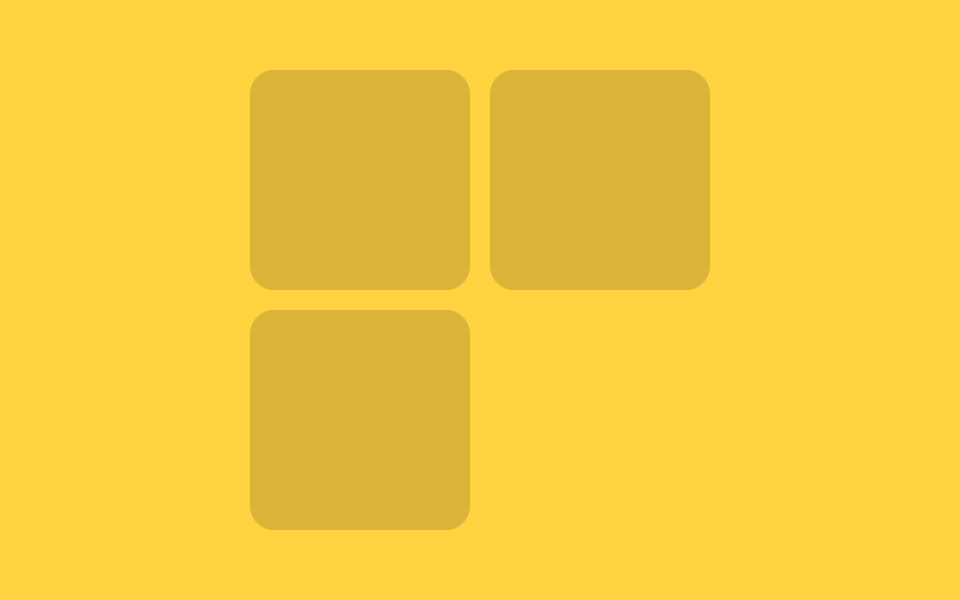
Số cột thay đổi theo độ rộng khung chứa, chỉ dùng một container query.
Dùng choCùng một file cho cả sidebar lẫn nội dung chính
3열2열 @ 480px1열 @ 320px
<main class="stage">
  <div class="wrap">
    <div class="grid">
      <div class="card"></div>
      <div class="card"></div>
      <div class="card"></div>
    </div>
  </div>
</main>
@use "../../../../site/static/demo-tokens" as *;
// ── 변수 3개 ──────────────────────────────────────────
$duration: $dur-loop; // 상자가 늘었다 줄었다 한 바퀴 도는 시간
$easing: $ease-spring;
$color: $subject-ink; // 카드 색 (노란 무대라 잉크 톤)
@include stage($stage-yellow);
// 이 상자의 실제 폭이 컨테이너 쿼리의 기준이다 (뷰포트 폭이 아니라)
.wrap {
container-type: inline-size;
container-name: skeleton;
max-width: 420px;
width: 94%;
// 데모용: 폭 자체를 keyframes 로 늘렸다 줄인다 — 컨테이너 쿼리는 transform 이 아니라
// 실제 박스 크기에만 반응하므로, 열 수 변화를 보여주려면 여기서는 예외적으로 width 를 움직인다
animation: resize $duration $easing infinite;
}
@keyframes resize {
0% { width: 94%; } // 3열이 보이는 폭
25% { width: 45%; } // 2열로 접히는 폭
50% { width: 15%; } // 1열까지 좁아진 폭
75% { width: 45%; }
100% { width: 94%; }
}
.grid {
display: grid;
grid-template-columns: repeat(3, 1fr);
gap: clamp(6px, 2vw, 10px);
}
.card {
min-width: 0;
aspect-ratio: 1 / 1;
border-radius: $r-control;
background: rgba($color, .16);
}
// 상자 폭 260px 아래 → 2열, 150px 아래 → 1열. 뷰포트가 아니라 .wrap 자신의 폭 기준
@container skeleton (max-width: 260px) {
.grid { grid-template-columns: repeat(2, 1fr); }
}
@container skeleton (max-width: 150px) {
.grid { grid-template-columns: 1fr; }
}
// ── 접근성: 폭이 오가는 움직임을 멈추고 가장 넓은(3열) 상태로 고정 ──
@media (prefers-reduced-motion: reduce) {
.wrap { animation: none !important; width: 94%; }
}html, body {
margin: 0;
overflow: hidden;
}
.stage {
box-sizing: border-box;
min-height: 100vh;
display: grid;
place-items: center;
margin: 0;
background: #ffd23f;
font-family: -apple-system, "Segoe UI", "Noto Sans KR", sans-serif;
padding: clamp(8px, 4vw, 24px);
}
.wrap {
container-type: inline-size;
container-name: skeleton;
max-width: 420px;
width: 94%;
animation: resize 2s cubic-bezier(0.2, 0.8, 0.2, 1) infinite;
}
@keyframes resize {
0% {
width: 94%;
}
25% {
width: 45%;
}
50% {
width: 15%;
}
75% {
width: 45%;
}
100% {
width: 94%;
}
}
.grid {
display: grid;
grid-template-columns: repeat(3, 1fr);
gap: clamp(6px, 2vw, 10px);
}
.card {
min-width: 0;
aspect-ratio: 1/1;
border-radius: 12px;
background: rgba(23, 20, 26, 0.16);
}
@container skeleton (max-width: 260px) {
.grid {
grid-template-columns: repeat(2, 1fr);
}
}
@container skeleton (max-width: 150px) {
.grid {
grid-template-columns: 1fr;
}
}
@media (prefers-reduced-motion: reduce) {
.wrap {
animation: none !important;
width: 94%;
}
}import type { CSSProperties } from "react";
import styles from "./ResponsiveSkeleton.module.scss";
export type ResponsiveSkeletonProps = {
/** 카드 색 */
color?: string;
/** 카드 수 (기본 3) */
count?: number;
className?: string;
};
// 이 컴포넌트는 뷰포트가 아니라 **자신을 담는 상자의 실제 폭**에 반응한다 (@container).
// 사이드바에 놓든 본문에 놓든 같은 파일이 알아서 열 수를 바꾼다.
export default function ResponsiveSkeleton({
color = "#17141a",
count = 3,
className = "",
}: ResponsiveSkeletonProps) {
const vars = { "--color": color } as CSSProperties;
return (
<div className={`${styles.wrap} ${className}`} style={vars}>
<div className={styles.grid}>
{Array.from({ length: count }).map((_, i) => <div key={i} className={styles.card} />)}
</div>
</div>
);
}06 Skeleton responsive — Diện tích đo được 56.241% · khung hình chuyển động 22/23Nguyên tác GODRICH · SCSS và React nằm trong tệp zip · 9 hiệu ứng css skeleton loading copy-paste
Bài viết chứa demo này
 9 hiệu ứng css skeleton loading copy-pasteCss skeleton loading là kỹ thuật hiện khối xám giữ đúng hình dạng của nội dung thật trong lúc chờ dữ liệu, thay cho màn Xem tất cả demo trong bài này


