07Chuyển sang nội dung
Thanh skeleton chuyển mượt sang nội dung thật, không bị giật.
Dùng choKhung hình cuối của mọi skeleton
300ms위로 살짝페이드만
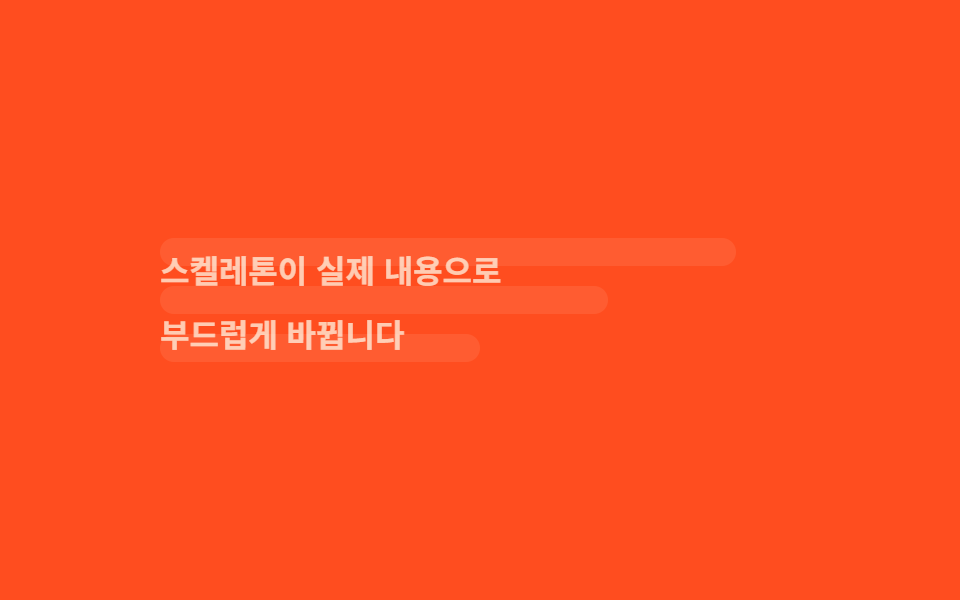
<main class="stage">
  <div class="card">
    <div class="skeleton">
      <div class="bar b1"></div>
      <div class="bar b2"></div>
      <div class="bar b3"></div>
    </div>
    <div class="content">
      <p class="t1">Skeleton chuyển thành nội dung thật</p>
      <p class="t2">một cách mượt mà.</p>
    </div>
  </div>
</main>
@use "../../../../site/static/demo-tokens" as *;
// ── 변수 3개 ──────────────────────────────────────────
$duration: $dur-loop; // 막대 ↔ 내용 한 바퀴
$easing: $ease-out;
$color: $subject-cream; // 내용 글자·막대 색 (주황 무대라 크림)
@include stage($stage-orange);
.card {
width: clamp(200px, 74%, 320px);
display: grid; // 두 레이어를 같은 칸에 겹친다
}
.skeleton, .content {
grid-area: 1 / 1;
display: grid;
gap: clamp(8px, 2.6vw, 10px);
align-content: center;
}
// ── 막대: 튀지 않게 페이드만 ──────────────────────────
.skeleton {
animation: fade-out $duration $easing infinite;
}
.bar { height: clamp(11px, 3.4vw, 14px); border-radius: $r-control; background: rgba($color, .35); }
.bar.b1 { width: 90%; }
.bar.b2 { width: 70%; }
.bar.b3 { width: 50%; }
@keyframes fade-out {
0%, 40% { opacity: 1; }
55%, 85% { opacity: 0; }
100% { opacity: 1; }
}
// ── 내용: 페이드 + 위로 살짝 (300ms) ───────────────────
.content {
color: $color;
font: 600 clamp(13px, 3.6vw, 16px)/1.4 -apple-system, "Segoe UI", "Noto Sans KR", sans-serif;
animation: fade-in $duration $easing infinite;
}
.content p { margin: 0; }
@keyframes fade-in {
0%, 40% { opacity: 0; transform: translateY(6px); }
55%, 85% { opacity: 1; transform: translateY(0); }
100% { opacity: 0; transform: translateY(6px); }
}
// ── 접근성: 전환 반복을 멈추고 내용이 보이는 상태로 고정 ──────
@media (prefers-reduced-motion: reduce) {
.skeleton { display: none; }
.content { animation: none !important; opacity: 1; transform: translateY(0); }
}html, body {
margin: 0;
overflow: hidden;
}
.stage {
box-sizing: border-box;
min-height: 100vh;
display: grid;
place-items: center;
margin: 0;
background: #ff4d1f;
font-family: -apple-system, "Segoe UI", "Noto Sans KR", sans-serif;
padding: clamp(8px, 4vw, 24px);
}
.card {
width: clamp(200px, 74%, 320px);
display: grid;
}
.skeleton, .content {
grid-area: 1/1;
display: grid;
gap: clamp(8px, 2.6vw, 10px);
align-content: center;
}
.skeleton {
animation: fade-out 2s ease-out infinite;
}
.bar {
height: clamp(11px, 3.4vw, 14px);
border-radius: 12px;
background: rgba(255, 247, 230, 0.35);
}
.bar.b1 {
width: 90%;
}
.bar.b2 {
width: 70%;
}
.bar.b3 {
width: 50%;
}
@keyframes fade-out {
0%, 40% {
opacity: 1;
}
55%, 85% {
opacity: 0;
}
100% {
opacity: 1;
}
}
.content {
color: #fff7e6;
font: 600 clamp(13px, 3.6vw, 16px)/1.4 -apple-system, "Segoe UI", "Noto Sans KR", sans-serif;
animation: fade-in 2s ease-out infinite;
}
.content p {
margin: 0;
}
@keyframes fade-in {
0%, 40% {
opacity: 0;
transform: translateY(6px);
}
55%, 85% {
opacity: 1;
transform: translateY(0);
}
100% {
opacity: 0;
transform: translateY(6px);
}
}
@media (prefers-reduced-motion: reduce) {
.skeleton {
display: none;
}
.content {
animation: none !important;
opacity: 1;
transform: translateY(0);
}
}import type { CSSProperties, ReactNode } from "react";
import styles from "./SkeletonToContent.module.scss";
export type SkeletonToContentProps = {
loading: boolean;
children: ReactNode;
/** 막대 ↔ 내용 전환 시간 (기본 300ms) */
duration?: number;
easing?: string;
color?: string;
className?: string;
};
export default function SkeletonToContent({
loading,
children,
duration = 300,
easing = "ease-out",
color = "#fff7e6",
className = "",
}: SkeletonToContentProps) {
const vars = { "--duration": `${duration}ms`, "--easing": easing, "--color": color } as CSSProperties;
return (
<div className={`${styles.card} ${className}`} style={vars} aria-busy={loading}>
<div className={`${styles.skeleton} ${loading ? "" : styles.hide}`} aria-hidden={!loading}>
<div className={styles.bar} style={{ width: "90%" } as CSSProperties} />
<div className={styles.bar} style={{ width: "70%" } as CSSProperties} />
<div className={styles.bar} style={{ width: "50%" } as CSSProperties} />
</div>
<div className={`${styles.content} ${loading ? styles.hide : ""}`}>{children}</div>
</div>
);
}07 Chuyển sang nội dung — Diện tích đo được 8.035% · khung hình chuyển động 7/23Nguyên tác GODRICH · SCSS và React nằm trong tệp zip · 9 hiệu ứng css skeleton loading copy-paste
Bài viết chứa demo này
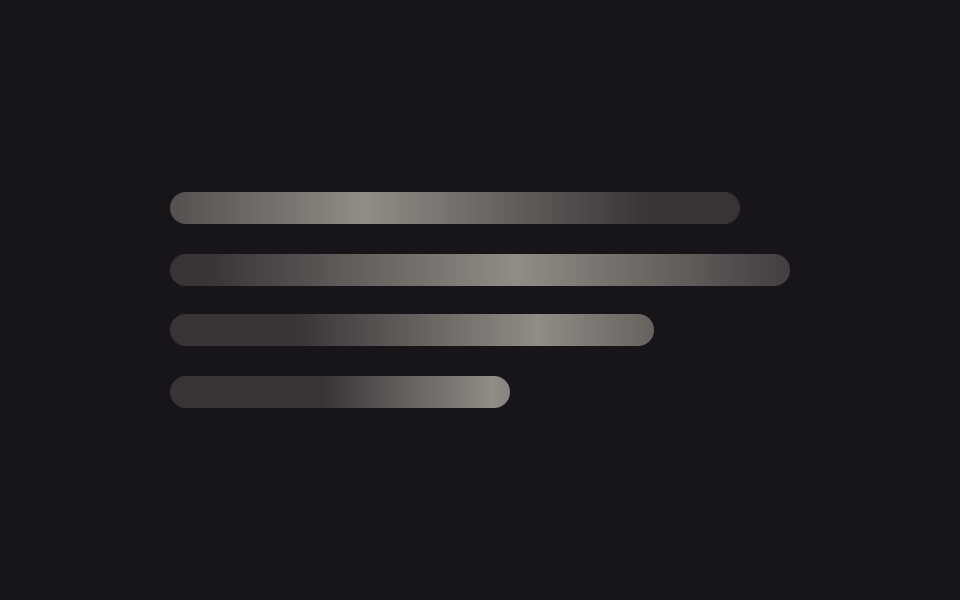 9 hiệu ứng css skeleton loading copy-pasteCss skeleton loading là kỹ thuật hiện khối xám giữ đúng hình dạng của nội dung thật trong lúc chờ dữ liệu, thay cho màn Xem tất cả demo trong bài này


