02Mờ dần và phóng to bật lên
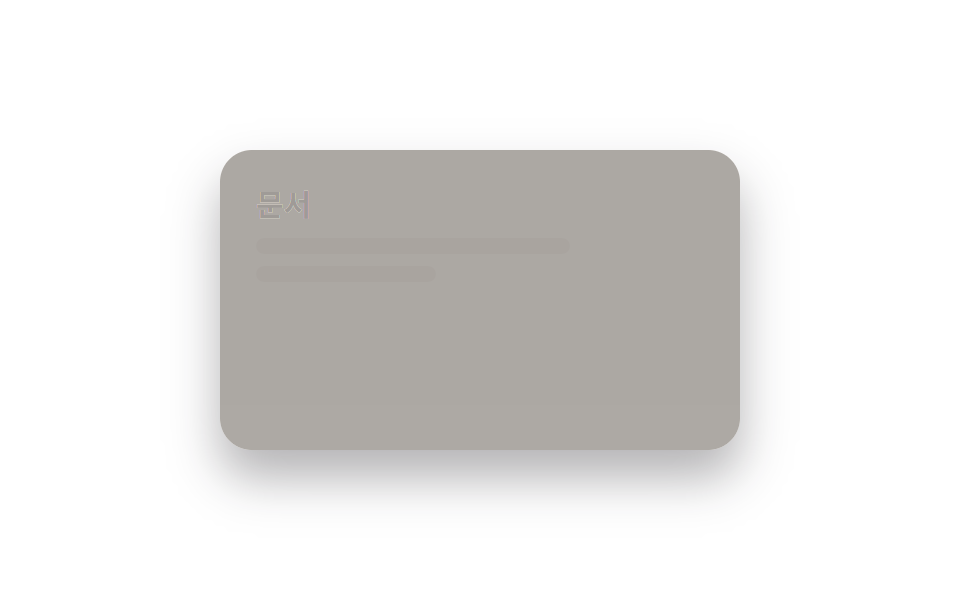
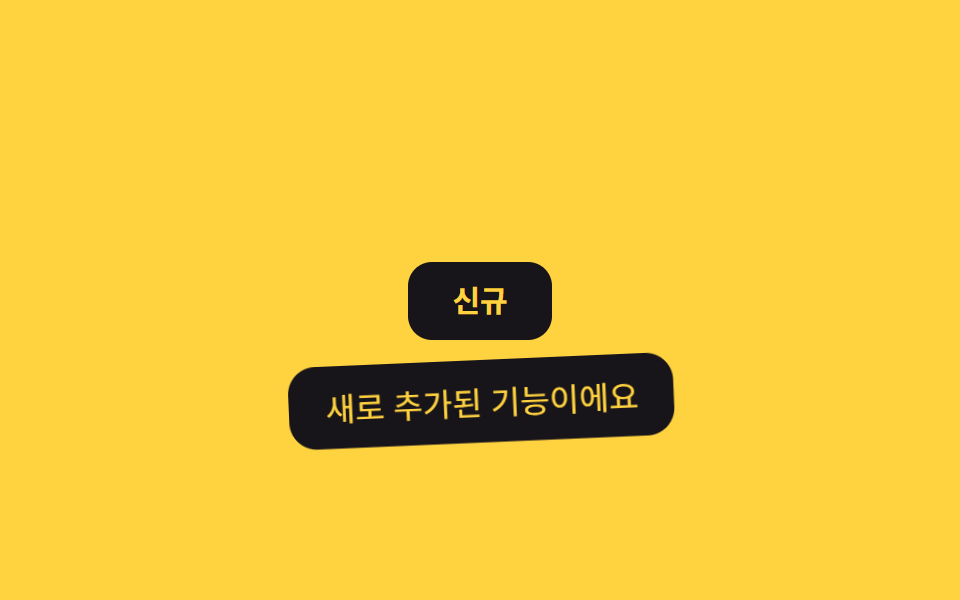
Tooltip bắt đầu từ trạng thái hơi thu nhỏ rồi phóng to lên đúng kích thước như vừa bật ra, tạo cảm giác mới xuất hiện chứ không phải một khung thông tin cứng nhắc.
Dùng chohuy hiệu tính năng mới, icon trên toolbar cần gây chú ý
scale(.9)→1cubic-bezier 팝180ms
<main class="stage">
  <div class="tip-wrap">
    <button class="info-btn" type="button" aria-describedby="tip02">Mới</button>
    <span class="tooltip is-demo" role="tooltip" id="tip02">Tính năng vừa được thêm</span>
  </div>
</main>
@use "../../../../site/static/demo-tokens" as *;
$duration: $dur-loop; // 숨김→표시→숨김 한 주기
$easing: $ease-pop; // 끝에서 살짝 튀는 팝 이징
$color: $subject-ink; // 트리거 버튼 색 (노란 무대라 먹색)
@include stage($stage-yellow);
.tip-wrap { position: relative; }
.info-btn {
border: 0;
border-radius: $r-control;
padding: 12px 22px;
font-weight: 700;
font-size: 15px;
line-height: 1;
font-family: inherit;
color: $stage-yellow;
background: $color;
cursor: pointer;
}
.tooltip {
position: absolute;
top: calc(100% + 10px); // 버튼 아래쪽에 표시
left: 50%;
transform-origin: top center; // 규칙8: 버튼 아래변에서 펼침
transform: translateX(-50%) scale(.85);
opacity: 0;
background: $stage-ink;
color: $stage-yellow;
padding: 8px 16px;
border-radius: $r-control;
font-size: clamp(12px, 3.4vw, 14px);
white-space: nowrap;
pointer-events: none;
}
.tooltip.is-demo {
animation: pop-loop $duration $easing infinite;
}
// 등장 스프링 한 겹 — 스케일은 .85 → 1.14 오버슛 뒤 감쇠 반동(.94 → 1.02)으로 멎고,
// 회전은 화살표 축(윗변 중심)을 중심으로 -2.4° → 1.4° → -.5° 로 감쇠하며 흔들린다
@keyframes pop-loop {
0% { opacity: 0; transform: translateX(-50%) scale(.85) rotate(0deg); }
12% { opacity: 1; transform: translateX(-50%) scale(1.14) rotate(-2.4deg); }
22% { opacity: 1; transform: translateX(-50%) scale(.94) rotate(1.4deg); }
30% { opacity: 1; transform: translateX(-50%) scale(1.02) rotate(-.5deg); }
36%, 55% { opacity: 1; transform: translateX(-50%) scale(1) rotate(0deg); }
80% { opacity: 0; transform: translateX(-50%) scale(.85) rotate(0deg); }
100% { opacity: 0; transform: translateX(-50%) scale(.85) rotate(0deg); }
}
@media (prefers-reduced-motion: reduce) {
.tooltip.is-demo { animation: none; opacity: 1; transform: translateX(-50%) scale(1) rotate(0deg); }
}html, body {
margin: 0;
overflow: hidden;
}
.stage {
box-sizing: border-box;
min-height: 100vh;
display: grid;
place-items: center;
margin: 0;
background: #ffd23f;
font-family: -apple-system, "Segoe UI", "Noto Sans KR", sans-serif;
padding: clamp(8px, 4vw, 24px);
}
.tip-wrap {
position: relative;
}
.info-btn {
border: 0;
border-radius: 12px;
padding: 12px 22px;
font-weight: 700;
font-size: 15px;
line-height: 1;
font-family: inherit;
color: #ffd23f;
background: #17141a;
cursor: pointer;
}
.tooltip {
position: absolute;
top: calc(100% + 10px);
left: 50%;
transform-origin: top center;
transform: translateX(-50%) scale(0.85);
opacity: 0;
background: #17141a;
color: #ffd23f;
padding: 8px 16px;
border-radius: 12px;
font-size: clamp(12px, 3.4vw, 14px);
white-space: nowrap;
pointer-events: none;
}
.tooltip.is-demo {
animation: pop-loop 2s cubic-bezier(0.2, 1.4, 0.4, 1) infinite;
}
@keyframes pop-loop {
0% {
opacity: 0;
transform: translateX(-50%) scale(0.85) rotate(0deg);
}
12% {
opacity: 1;
transform: translateX(-50%) scale(1.14) rotate(-2.4deg);
}
22% {
opacity: 1;
transform: translateX(-50%) scale(0.94) rotate(1.4deg);
}
30% {
opacity: 1;
transform: translateX(-50%) scale(1.02) rotate(-0.5deg);
}
36%, 55% {
opacity: 1;
transform: translateX(-50%) scale(1) rotate(0deg);
}
80% {
opacity: 0;
transform: translateX(-50%) scale(0.85) rotate(0deg);
}
100% {
opacity: 0;
transform: translateX(-50%) scale(0.85) rotate(0deg);
}
}
@media (prefers-reduced-motion: reduce) {
.tooltip.is-demo {
animation: none;
opacity: 1;
transform: translateX(-50%) scale(1) rotate(0deg);
}
}import { useState } from "react";
import type { CSSProperties, ReactNode } from "react";
import styles from "./PopTooltip.module.scss";
export type PopTooltipProps = {
label: ReactNode;
text: string;
/** 팝 애니메이션 시간 (기본 220ms) */
duration?: number;
easing?: string;
color?: string;
};
type Vars = CSSProperties & { "--duration"?: string; "--easing"?: string; "--color"?: string };
export default function PopTooltip({
label,
text,
duration = 220,
easing = "cubic-bezier(.2,1.4,.4,1)",
color = "#17141a",
}: PopTooltipProps) {
const [open, setOpen] = useState(false);
const vars: Vars = { "--duration": `${duration}ms`, "--easing": easing, "--color": color };
return (
<span className={styles.wrap} style={vars}>
<button
type="button"
className={styles.btn}
aria-describedby="pop-tooltip"
onMouseEnter={() => setOpen(true)}
onMouseLeave={() => setOpen(false)}
onFocus={() => setOpen(true)}
onBlur={() => setOpen(false)}
>
{label}
</button>
<span id="pop-tooltip" role="tooltip" className={styles.tooltip} data-open={open}>
{text}
</span>
</span>
);
}02 Mờ dần và phóng to bật lên — Diện tích đo được 5.799% · khung hình chuyển động 11/23Nguyên tác GODRICH · SCSS và React nằm trong tệp zip · 9 CSS tooltip examples — copy dán một dòng là chạy
Bài viết chứa demo này
 9 CSS tooltip examples — copy dán một dòng là chạyCSS tooltip examples ở đây là chín kiểu bong bóng chú thích hiện lên khi bạn hover hoặc focus vào một phần tử, hầu hết c Xem tất cả demo trong bài này