08Thanh chọn nhiều mục
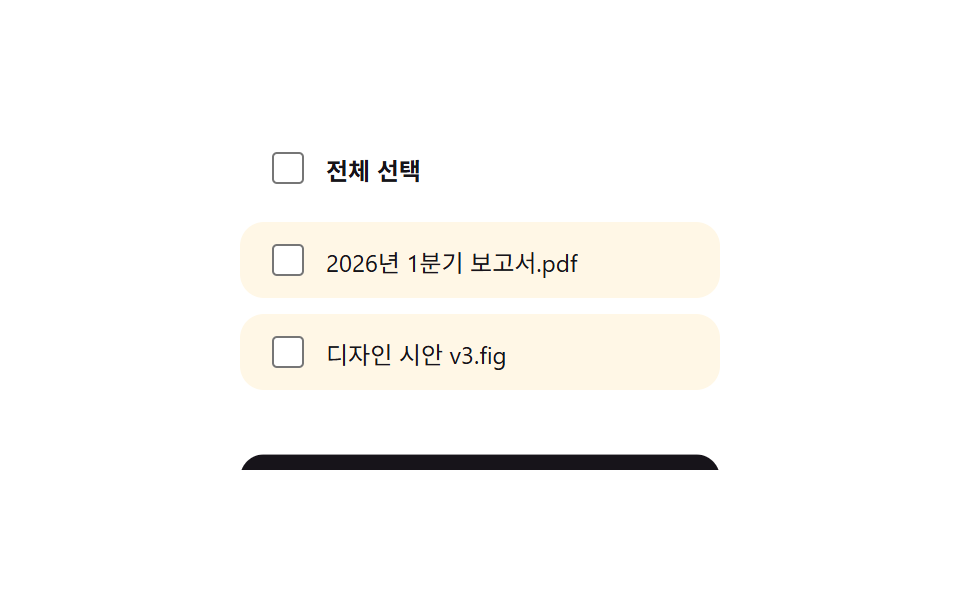
Chỉ cần chọn một checkbox dòng, thanh công cụ hành động hàng loạt (xóa, di chuyển) sẽ trượt lên từ dưới.
Dùng choXóa hàng loạt email, thao tác hàng loạt trong danh sách quản trị
indeterminate checkboxtranslateY(120%)selectall 동기화
<main class="stage">
  <div class="bulk-list is-demo">
    <label class="bulk-list__row bulk-list__row--all">
      <input type="checkbox" class="bulk-list__selectall">
      <span>Chọn tất cả</span>
    </label>
    <label class="bulk-list__row">
      <input type="checkbox" class="bulk-list__item">
      <span>Bao-cao-Q1-2026.pdf</span>
    </label>
    <label class="bulk-list__row">
      <input type="checkbox" class="bulk-list__item">
      <span>ban-thiet-ke-v3.fig</span>
    </label>
    <div class="bulk-list__toolbar">
      <span class="bulk-list__count"><span class="bulk-list__count-num">0</span> mục đã chọn</span>
      <button type="button">Di chuyển</button>
      <button type="button">Xóa</button>
    </div>
  </div>
</main>
@use "../../../../site/static/demo-tokens" as *;
$duration: $dur-base; // 툴바가 올라오는 시간
$easing: $ease-spring;
$color: $subject-blue; // 체크박스·툴바 강조 색
@include stage($stage-paper);
.bulk-list {
position: relative;
overflow: hidden;
width: min(240px, 78vw);
display: flex;
flex-direction: column;
gap: $sp-2;
padding-bottom: $sp-10;
}
.bulk-list__row {
display: flex;
align-items: center;
gap: $sp-2;
padding: $sp-2 $sp-3;
border-radius: $r-control;
background: $subject-cream;
font-size: 12px;
color: $stage-ink;
cursor: pointer;
}
.bulk-list__row--all { background: none; font-weight: 700; padding-left: $sp-3; }
.bulk-list input[type="checkbox"] {
width: 16px;
height: 16px;
accent-color: $color;
}
.bulk-list input[type="checkbox"]:focus-visible { outline: 2px solid $color; outline-offset: 2px; }
.bulk-list__toolbar {
position: absolute;
left: 0;
right: 0;
bottom: 0;
display: flex;
align-items: center;
gap: $sp-2;
padding: $sp-2 $sp-3;
border-radius: $r-control;
background: $stage-ink;
color: $stage-paper;
transform: translateY(0); // 정지 상태는 보이는 자리 — 반복 재생은 .is-demo 에서만
transition: transform $duration $easing;
button {
margin-left: auto;
border: 0;
border-radius: $r-pill;
padding: $sp-1 $sp-3;
background: $color;
color: $stage-paper;
font-size: 11px;
font-weight: 700;
font-family: inherit;
cursor: pointer;
& + button { margin-left: $sp-1; background: $error; }
}
}
.bulk-list__count { font-size: 11px; }
.bulk-list.has-selection .bulk-list__toolbar { transform: translateY(0); }
.bulk-list.is-demo .bulk-list__toolbar { animation: bulk-toolbar-loop $dur-loop $easing infinite; }
@keyframes bulk-toolbar-loop {
0%, 15% { transform: translateY(120%); }
45%, 65% { transform: translateY(0); }
95%, 100% { transform: translateY(120%); }
}
@media (prefers-reduced-motion: reduce) {
.bulk-list__toolbar { transition: none; }
.bulk-list.is-demo .bulk-list__toolbar { animation: none; transform: translateY(0); }
}html, body {
margin: 0;
overflow: hidden;
}
.stage {
box-sizing: border-box;
min-height: 100vh;
display: grid;
place-items: center;
margin: 0;
background: #ffffff;
font-family: -apple-system, "Segoe UI", "Noto Sans KR", sans-serif;
padding: clamp(8px, 4vw, 24px);
}
.bulk-list {
position: relative;
overflow: hidden;
width: min(240px, 78vw);
display: flex;
flex-direction: column;
gap: 8px;
padding-bottom: 40px;
}
.bulk-list__row {
display: flex;
align-items: center;
gap: 8px;
padding: 8px 12px;
border-radius: 12px;
background: #fff7e6;
font-size: 12px;
color: #17141a;
cursor: pointer;
}
.bulk-list__row--all {
background: none;
font-weight: 700;
padding-left: 12px;
}
.bulk-list input[type=checkbox] {
width: 16px;
height: 16px;
accent-color: #2f6df6;
}
.bulk-list input[type=checkbox]:focus-visible {
outline: 2px solid #2f6df6;
outline-offset: 2px;
}
.bulk-list__toolbar {
position: absolute;
left: 0;
right: 0;
bottom: 0;
display: flex;
align-items: center;
gap: 8px;
padding: 8px 12px;
border-radius: 12px;
background: #17141a;
color: #ffffff;
transform: translateY(0);
transition: transform 300ms cubic-bezier(0.2, 0.8, 0.2, 1);
}
.bulk-list__toolbar button {
margin-left: auto;
border: 0;
border-radius: 999px;
padding: 4px 12px;
background: #2f6df6;
color: #ffffff;
font-size: 11px;
font-weight: 700;
font-family: inherit;
cursor: pointer;
}
.bulk-list__toolbar button + button {
margin-left: 4px;
background: #c2361a;
}
.bulk-list__count {
font-size: 11px;
}
.bulk-list.has-selection .bulk-list__toolbar {
transform: translateY(0);
}
.bulk-list.is-demo .bulk-list__toolbar {
animation: bulk-toolbar-loop 2s cubic-bezier(0.2, 0.8, 0.2, 1) infinite;
}
@keyframes bulk-toolbar-loop {
0%, 15% {
transform: translateY(120%);
}
45%, 65% {
transform: translateY(0);
}
95%, 100% {
transform: translateY(120%);
}
}
@media (prefers-reduced-motion: reduce) {
.bulk-list__toolbar {
transition: none;
}
.bulk-list.is-demo .bulk-list__toolbar {
animation: none;
transform: translateY(0);
}
}(function () {
var list = document.querySelector('.bulk-list');
var all = list.querySelector('.bulk-list__selectall');
var items = Array.prototype.slice.call(list.querySelectorAll('.bulk-list__item'));
var count = list.querySelector('.bulk-list__count-num');
function sync() {
var n = items.filter(function (c) { return c.checked; }).length;
all.checked = n === items.length;
all.indeterminate = n > 0 && n < items.length;
list.classList.toggle('has-selection', n > 0);
list.classList.remove('is-demo');
count.textContent = String(n);
}
all.addEventListener('change', function () {
items.forEach(function (c) { c.checked = all.checked; });
sync();
});
items.forEach(function (c) { c.addEventListener('change', sync); });
})();import { useEffect, useMemo, useRef, useState, type CSSProperties } from "react";
import styles from "./BulkSelectToolbar.module.scss";
export type BulkSelectToolbarProps = {
files: string[];
/** 툴바가 올라오는 시간 (기본 300ms) */
duration?: number;
easing?: string;
/** 체크박스·툴바 강조 색 */
color?: string;
};
type Vars = CSSProperties & { "--duration"?: string; "--easing"?: string; "--color"?: string };
export default function BulkSelectToolbar({
files,
duration = 300,
easing = "cubic-bezier(.2, .8, .2, 1)",
color = "#2f6df6",
}: BulkSelectToolbarProps) {
const [checked, setChecked] = useState<boolean[]>(files.map(() => false));
const vars: Vars = { "--duration": `${duration}ms`, "--easing": easing, "--color": color };
const count = useMemo(() => checked.filter(Boolean).length, [checked]);
const allChecked = count === files.length;
const someChecked = count > 0 && !allChecked;
const allRef = useRef<HTMLInputElement | null>(null);
// .indeterminate 는 DOM 프로퍼티일 뿐 HTML 속성이 아니라서 JSX 에 그대로 못 준다 — ref 로 직접 써야 한다
// (vanilla 판의 all.indeterminate = n > 0 && n < items.length 와 동일한 지점)
useEffect(() => {
if (allRef.current) allRef.current.indeterminate = someChecked;
}, [someChecked]);
const toggleOne = (i: number) => {
const next = checked.slice();
next[i] = !next[i];
setChecked(next);
};
const toggleAll = () => setChecked(files.map(() => !allChecked));
return (
<div className={`${styles.list} ${count > 0 ? styles.hasSelection : ""}`} style={vars}>
<label className={`${styles.row} ${styles.rowAll}`}>
<input ref={allRef} type="checkbox" checked={allChecked} onChange={toggleAll} />
<span>전체 선택</span>
</label>
{files.map((f, i) => (
<label className={styles.row} key={f}>
<input type="checkbox" checked={checked[i]} onChange={() => toggleOne(i)} />
<span>{f}</span>
</label>
))}
<div className={styles.toolbar}>
<span className={styles.count}>{count}개 선택됨</span>
<button type="button">이동</button>
<button type="button">삭제</button>
</div>
</div>
);
}08 Thanh chọn nhiều mục — Diện tích đo được 6.635% · khung hình chuyển động 11/23Nguyên tác GODRICH · SCSS và React nằm trong tệp zip · 9 mẫu List UI: swipe to delete css và phân trang
Bài viết chứa demo này
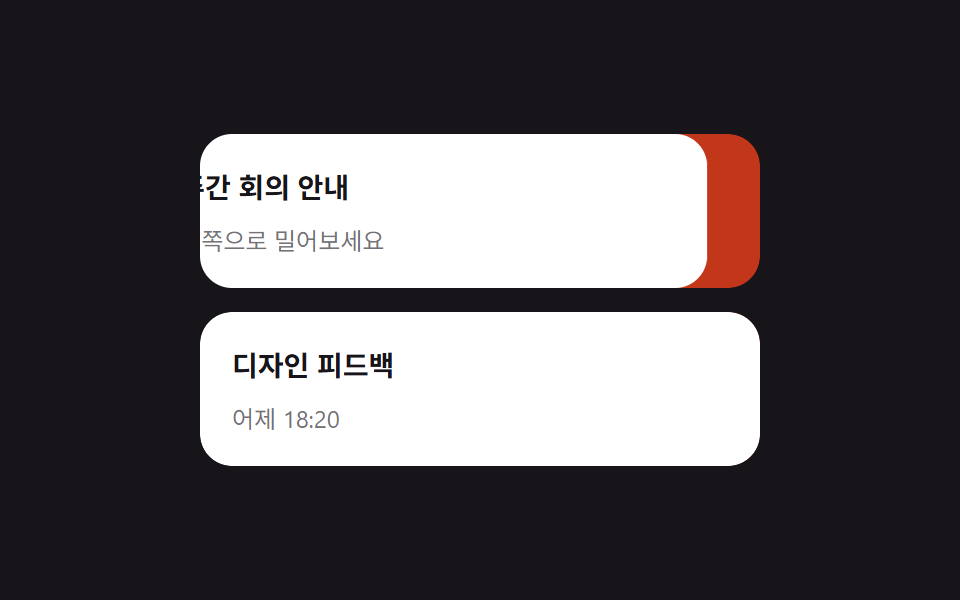 9 mẫu List UI: swipe to delete css và phân trangSwipe to delete css là vuốt một dòng để lộ nút xóa phía sau — thao tác bạn hay thấy trong app, giờ có luôn trên web. Bài Xem tất cả demo trong bài này