06Emoji bật nảy kèm số đếm
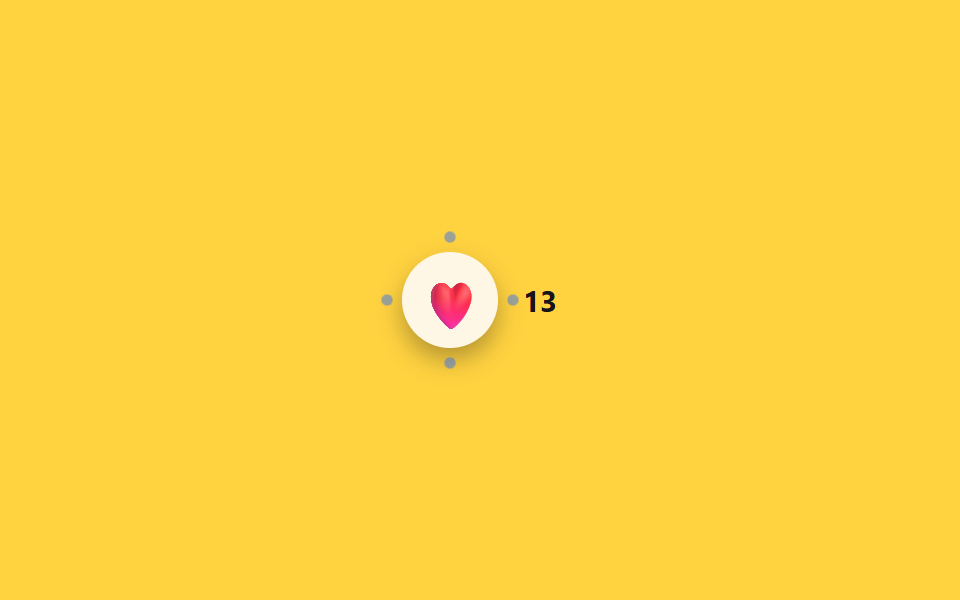
Chọn một emoji thì emoji đó bật scale lớn lên, bốn chấm nhỏ văng ra ngoài rồi mờ dần, số trên badge bên cạnh tăng thêm 1.
Dùng choThả tim trên video ngắn, hiển thị số lượt phản ứng trên bài viết cộng đồng
scale 바운스burst dot ×4aria-live
<main class="stage">
  <div class="bc is-demo">
    <button type="button" class="bc__btn" aria-label="Thả tim phản ứng">
      <span class="bc__emoji" aria-hidden="true">❤️</span>
      <span class="bc__burst" aria-hidden="true"></span>
    </button>
    <span class="bc__count" aria-live="polite"><span class="sr-only">Số lượt phản ứng</span> 12</span>
  </div>
</main>
@use "../../../../site/static/demo-tokens" as *;
// ── 변수 3개 ──────────────────────────────
$duration: $dur-enter;
$easing: $ease-pop;
$color: $subject-blue;
@include stage($stage-yellow);
.sr-only {
position: absolute; width: 1px; height: 1px; padding: 0; margin: -1px;
overflow: hidden; clip: rect(0, 0, 0, 0); white-space: nowrap; border: 0;
}
.bc { display: flex; align-items: center; gap: $sp-3; }
.bc__btn {
position: relative;
display: grid; place-items: center;
width: $sp-12; height: $sp-12;
border: 0; border-radius: 50%;
background: $subject-cream;
box-shadow: $shadow-press;
cursor: pointer;
-webkit-tap-highlight-color: transparent;
}
.bc__emoji { display: inline-block; font-size: 24px; transform: scale(1); }
.bc__burst {
position: absolute; inset: 0; border-radius: 50%;
background:
radial-gradient($color 40%, transparent 41%) 50% 4% / 6px 6px no-repeat,
radial-gradient($color 40%, transparent 41%) 96% 50% / 6px 6px no-repeat,
radial-gradient($color 40%, transparent 41%) 50% 96% / 6px 6px no-repeat,
radial-gradient($color 40%, transparent 41%) 4% 50% / 6px 6px no-repeat;
opacity: 0;
transform: scale(.4);
}
.bc__count {
font-weight: 700; font-size: 15px; font-family: inherit; color: $subject-ink;
}
.bc.is-play .bc__emoji { animation: bc-emoji-jelly $duration $easing; }
.bc.is-play .bc__burst { animation: bc-burst $duration $easing; }
@keyframes bc-emoji {
0% { transform: scale(1); }
35% { transform: scale(1.5); }
60% { transform: scale(.9); }
100% { transform: scale(1); }
}
// 젤리 스트레치: 피크에서 x/y 눌림-늘림을 교차시켜 바운스에 물성을 얹는다
@keyframes bc-emoji-jelly {
0% { transform: scale(1); }
35% { transform: scaleX(1.35) scaleY(.8); }
60% { transform: scaleX(.85) scaleY(1.15); }
100% { transform: scale(1); }
}
@keyframes bc-burst {
0% { opacity: 1; transform: scale(.4); }
70% { opacity: .5; }
100% { opacity: 0; transform: scale(1.6); }
}
@media (prefers-reduced-motion: reduce) {
.bc.is-play .bc__emoji, .bc.is-play .bc__burst { animation: none !important; }
}html, body {
margin: 0;
overflow: hidden;
}
.stage {
box-sizing: border-box;
min-height: 100vh;
display: grid;
place-items: center;
margin: 0;
background: #ffd23f;
font-family: -apple-system, "Segoe UI", "Noto Sans KR", sans-serif;
padding: clamp(8px, 4vw, 24px);
}
.sr-only {
position: absolute;
width: 1px;
height: 1px;
padding: 0;
margin: -1px;
overflow: hidden;
clip: rect(0, 0, 0, 0);
white-space: nowrap;
border: 0;
}
.bc {
display: flex;
align-items: center;
gap: 12px;
}
.bc__btn {
position: relative;
display: grid;
place-items: center;
width: 48px;
height: 48px;
border: 0;
border-radius: 50%;
background: #fff7e6;
box-shadow: 0 6px 12px rgba(23, 20, 26, 0.32);
cursor: pointer;
-webkit-tap-highlight-color: transparent;
}
.bc__emoji {
display: inline-block;
font-size: 24px;
transform: scale(1);
}
.bc__burst {
position: absolute;
inset: 0;
border-radius: 50%;
background: radial-gradient(#2f6df6 40%, transparent 41%) 50% 4%/6px 6px no-repeat, radial-gradient(#2f6df6 40%, transparent 41%) 96% 50%/6px 6px no-repeat, radial-gradient(#2f6df6 40%, transparent 41%) 50% 96%/6px 6px no-repeat, radial-gradient(#2f6df6 40%, transparent 41%) 4% 50%/6px 6px no-repeat;
opacity: 0;
transform: scale(0.4);
}
.bc__count {
font-weight: 700;
font-size: 15px;
font-family: inherit;
color: #17141a;
}
.bc.is-play .bc__emoji {
animation: bc-emoji-jelly 600ms cubic-bezier(0.2, 1.4, 0.4, 1);
}
.bc.is-play .bc__burst {
animation: bc-burst 600ms cubic-bezier(0.2, 1.4, 0.4, 1);
}
@keyframes bc-emoji {
0% {
transform: scale(1);
}
35% {
transform: scale(1.5);
}
60% {
transform: scale(0.9);
}
100% {
transform: scale(1);
}
}
@keyframes bc-emoji-jelly {
0% {
transform: scale(1);
}
35% {
transform: scaleX(1.35) scaleY(0.8);
}
60% {
transform: scaleX(0.85) scaleY(1.15);
}
100% {
transform: scale(1);
}
}
@keyframes bc-burst {
0% {
opacity: 1;
transform: scale(0.4);
}
70% {
opacity: 0.5;
}
100% {
opacity: 0;
transform: scale(1.6);
}
}
@media (prefers-reduced-motion: reduce) {
.bc.is-play .bc__emoji, .bc.is-play .bc__burst {
animation: none !important;
}
}// 실제 동작: 누를 때마다 이모지가 튀고 점이 흩어지며 카운트가 1 올라간다 (12줄)
var bc = document.querySelector('.bc'), btn = bc.querySelector('.bc__btn'), countEl = bc.querySelector('.bc__count');
var n = 12;
function burst() {
bc.classList.remove('is-play'); void bc.offsetWidth; bc.classList.add('is-play');
n++; countEl.lastChild.textContent = ' ' + n;
}
btn.addEventListener('click', function () { bc.classList.remove('is-demo'); clearInterval(loop); burst(); });
// .is-demo 자동 순환 — 일정 간격으로 스스로 누른다 (실제 클릭이 오면 멈춘다)
burst();
var loop = setInterval(burst, 1100);import { useState } from "react";
import type { CSSProperties } from "react";
import styles from "./EmojiReactionBurstCountBadge.module.scss";
export type EmojiReactionBurstCountBadgeProps = {
ariaLabel?: string;
emoji?: string;
initialCount?: number;
duration?: number;
easing?: string;
burstColor?: string;
};
type Vars = CSSProperties & { "--duration"?: string; "--easing"?: string; "--burst"?: string };
export default function EmojiReactionBurstCountBadge({
ariaLabel = "Leave a heart reaction",
emoji = "❤️",
initialCount = 12,
duration = 600,
easing = "cubic-bezier(.2,1.4,.4,1)",
burstColor = "#2f6df6",
}: EmojiReactionBurstCountBadgeProps) {
const [count, setCount] = useState(initialCount);
const [playKey, setPlayKey] = useState(0);
const vars: Vars = { "--duration": `${duration}ms`, "--easing": easing, "--burst": burstColor };
function react() {
setCount((c) => c + 1);
setPlayKey((k) => k + 1);
}
return (
<div className={styles.bc} style={vars}>
<button type="button" className={styles.btn} aria-label={ariaLabel} onClick={react}>
<span className={styles.emoji} key={`e${playKey}`} data-play={playKey > 0}>{emoji}</span>
<span className={styles.burst} key={`b${playKey}`} data-play={playKey > 0} aria-hidden="true" />
</button>
<span className={styles.count} aria-live="polite">
<span className={styles.srOnly}>Reaction count</span> {count}
</span>
</div>
);
}06 Emoji bật nảy kèm số đếm — Diện tích đo được 0.487% · khung hình chuyển động 9/23Nguyên tác GODRICH · SCSS và React nằm trong tệp zip · 9 Segmented Control UI — dán là chạy
Bài viết chứa demo này
 9 Segmented Control UI — dán là chạySegmented control là nút chuyển tab hình viên thuốc mà bạn hay thấy trong màn hình cài đặt iOS, chọn một trong vài lựa c Xem tất cả demo trong bài này