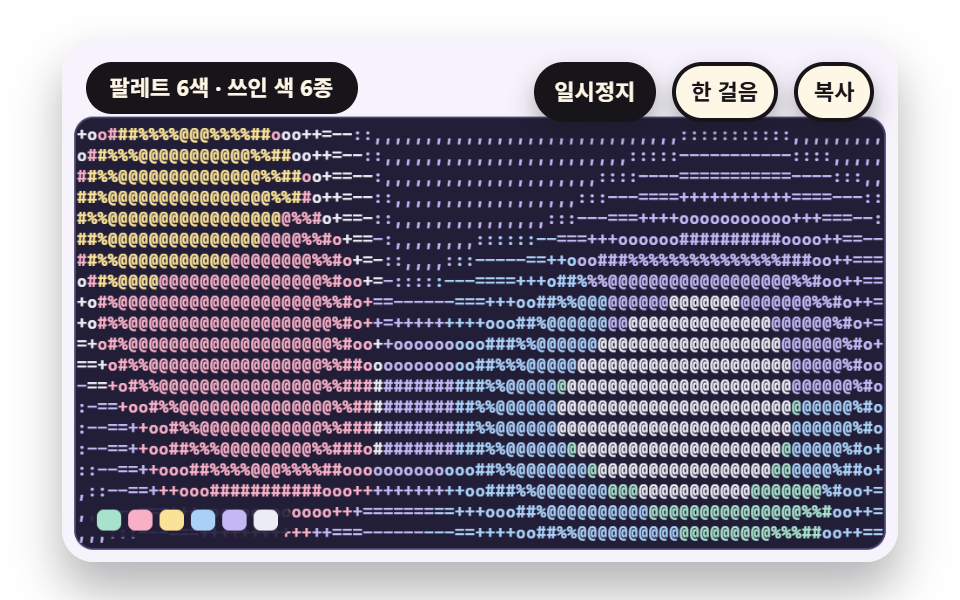
08A Palette Tint That Colors Each Glyph With Its Cell's Mean Color
Apart from choosing glyphs by brightness, the mean color inside each cell is computed separately and used as the glyph color. The color direction with brightness removed is matched to the nearest of six pastel colors so the color count stays fixed, and where blobs of light overlap, the mixed color falls to the nearest palette color.
Best forPosters and profile images that add color to a glyph picture
PALETTE_NnearestColorchroma
<main class="stage">
<div class="vj is-demo" id="vj">
  <div class="vj__pad" data-role="pad" tabindex="0" role="application" aria-label="ASCII art stage: Enter or Space pauses, N steps once, R restarts, C copies the glyph board">
    <canvas class="vj__canvas" data-role="canvas" width="480" height="300" role="img" aria-label="Five blobs of light drift and overlap on a dark ground. Each cell mean color is matched to the nearest of six pastel colors and tints that cell glyph; brightness reads as glyph density and hue as glyph color"></canvas>
  </div>
  <p class="vj__status" data-role="status" aria-live="off">ASCII art demo</p>
  <div class="vj__ctrl">
    <button class="vj__pause" data-role="pause" type="button" aria-pressed="false">Pause</button>
    <button class="vj__step" data-role="step" type="button">Step</button>
    <button class="vj__copy" data-role="copy" type="button">Copy</button>
  </div>
  <p class="vj__done" data-role="done" role="status" aria-live="polite"></p>
</div>
</main>
@use "../../../../site/static/demo-tokens" as *;
@include stage($stage-paper);
.vj {
position: relative;
width: min(92vw, calc(160vh - 12.8vw));
aspect-ratio: 480 / 300;
margin: 0 auto;
border-radius: $r-card;
overflow: hidden;
box-shadow: $shadow-raised;
background: $subject-cream;
}
// 무대 상자 — 여기서 시작한 터치만 칸 누르기로 읽는다(touch-action: none 은 이 상자에만). 무대 밖 터치는 페이지 스크롤 그대로
.vj__pad {
position: absolute;
inset: 0;
border-radius: inherit;
outline: none;
touch-action: none;
cursor: pointer;
}
// 바깥 .vj 가 넘침을 자르므로 포커스 테두리는 안쪽으로 들인다
.vj__pad:focus-visible {
outline: 3px solid $subject-ink;
outline-offset: -3px;
}
.vj__canvas {
position: absolute;
inset: 0;
display: block;
width: 100%;
height: 100%;
}
.vj__ctrl {
position: absolute;
right: $sp-3;
top: $sp-3;
display: flex;
gap: $sp-2;
}
.vj__pause,
.vj__step,
.vj__copy {
padding: $sp-1 $sp-2;
border: 2px solid $subject-ink;
border-radius: $r-pill;
background: $subject-ink;
color: $subject-cream;
font-family: inherit;
font-weight: 700;
font-size: 11px;
line-height: 1.6;
cursor: pointer;
box-shadow: $shadow-press;
transition: transform $dur-quick $ease-spring;
}
.vj__step,
.vj__copy {
background: $subject-cream;
color: $subject-ink;
}
// 스크린리더에만 읽히는 완료 알림
.vj__done {
position: absolute;
width: 1px;
height: 1px;
margin: 0;
overflow: hidden;
clip-path: inset(50%);
white-space: nowrap;
}
// 눌린 상태(멈춤) — 바탕과 글자색을 뒤집어 aria-pressed 가 눈에도 보이게
.vj__pause[aria-pressed="true"] {
background: $subject-cream;
color: $subject-ink;
}
.vj__pause:hover,
.vj__step:hover,
.vj__copy:hover {
transform: translateY(-2px);
}
.vj__pause:active,
.vj__step:active,
.vj__copy:active {
transform: translateY(1px);
}
.vj__pause:focus-visible,
.vj__step:focus-visible,
.vj__copy:focus-visible {
outline: 3px solid $subject-ink;
outline-offset: 3px;
}
// 상태 줄 — 지금 장면의 수치를 글자로. 시연 중에는 aria-live off, 사람이 처음 손대면 polite
.vj__status {
position: absolute;
left: $sp-3;
top: $sp-3;
max-width: calc(100% - 214px);
margin: 0;
padding: $sp-1 $sp-3;
border-radius: $r-pill;
background: $subject-ink;
color: $subject-cream;
font-weight: 700;
font-size: 11px;
line-height: 1.6;
white-space: nowrap;
overflow: hidden;
text-overflow: ellipsis;
pointer-events: none;
}
@media (max-width: 340px) {
.vj__pause,
.vj__step,
.vj__copy,
.vj__status { font-size: 10px; padding: 0 $sp-2; }
}
// 움직임 줄이기 — 장면은 스크립트가 정지 장면 한 장으로 멈춘다. 버튼도 떠오르지 않게
@media (prefers-reduced-motion: reduce) {
.vj__pause,
.vj__step,
.vj__copy { transition: none !important; }
.vj__pause:hover,
.vj__pause:active,
.vj__step:hover,
.vj__step:active,
.vj__copy:hover,
.vj__copy:active { transform: none !important; }
}html, body {
margin: 0;
overflow: hidden;
}
.stage {
box-sizing: border-box;
min-height: 100vh;
display: grid;
place-items: center;
margin: 0;
background: #ffffff;
font-family: -apple-system, "Segoe UI", "Noto Sans KR", sans-serif;
padding: clamp(8px, 4vw, 24px);
}
.vj {
position: relative;
width: min(92vw, 160vh - 12.8vw);
aspect-ratio: 480/300;
margin: 0 auto;
border-radius: 16px;
overflow: hidden;
box-shadow: 0 14px 24px rgba(23, 20, 26, 0.32);
background: #fff7e6;
}
.vj__pad {
position: absolute;
inset: 0;
border-radius: inherit;
outline: none;
touch-action: none;
cursor: pointer;
}
.vj__pad:focus-visible {
outline: 3px solid #17141a;
outline-offset: -3px;
}
.vj__canvas {
position: absolute;
inset: 0;
display: block;
width: 100%;
height: 100%;
}
.vj__ctrl {
position: absolute;
right: 12px;
top: 12px;
display: flex;
gap: 8px;
}
.vj__pause,
.vj__step,
.vj__copy {
padding: 4px 8px;
border: 2px solid #17141a;
border-radius: 999px;
background: #17141a;
color: #fff7e6;
font-family: inherit;
font-weight: 700;
font-size: 11px;
line-height: 1.6;
cursor: pointer;
box-shadow: 0 6px 12px rgba(23, 20, 26, 0.32);
transition: transform 220ms cubic-bezier(0.2, 0.8, 0.2, 1);
}
.vj__step,
.vj__copy {
background: #fff7e6;
color: #17141a;
}
.vj__done {
position: absolute;
width: 1px;
height: 1px;
margin: 0;
overflow: hidden;
clip-path: inset(50%);
white-space: nowrap;
}
.vj__pause[aria-pressed=true] {
background: #fff7e6;
color: #17141a;
}
.vj__pause:hover,
.vj__step:hover,
.vj__copy:hover {
transform: translateY(-2px);
}
.vj__pause:active,
.vj__step:active,
.vj__copy:active {
transform: translateY(1px);
}
.vj__pause:focus-visible,
.vj__step:focus-visible,
.vj__copy:focus-visible {
outline: 3px solid #17141a;
outline-offset: 3px;
}
.vj__status {
position: absolute;
left: 12px;
top: 12px;
max-width: calc(100% - 214px);
margin: 0;
padding: 4px 12px;
border-radius: 999px;
background: #17141a;
color: #fff7e6;
font-weight: 700;
font-size: 11px;
line-height: 1.6;
white-space: nowrap;
overflow: hidden;
text-overflow: ellipsis;
pointer-events: none;
}
@media (max-width: 340px) {
.vj__pause,
.vj__step,
.vj__copy,
.vj__status {
font-size: 10px;
padding: 0 8px;
}
}
@media (prefers-reduced-motion: reduce) {
.vj__pause,
.vj__step,
.vj__copy {
transition: none !important;
}
.vj__pause:hover,
.vj__pause:active,
.vj__step:hover,
.vj__step:active,
.vj__copy:hover,
.vj__copy:active {
transform: none !important;
}
}(function () {
const root = document.getElementById("vj");
if (!root) return;
// 무대 좌표 — 캔버스 안 계산은 늘 480×300. 화면에 보이는 크기와 상관없다
const W = 480;
const H = 300;
const TAU = Math.PI * 2;
function clamp(v, lo, hi) { return v < lo ? lo : (v > hi ? hi : v); }
function lerp(a, b, k) { return a + (b - a) * k; }
function smooth(a, b, v) { const k = clamp((v - a) / (b - a), 0, 1); return k * k * (3 - 2 * k); }
// 파스텔 팔레트 — 글자 판은 짙은 남보라 바탕 위에 옅은 라벤더 글자(대비 12 이상), 바깥 무대는 크림 라벤더
const PAGE = [246, 243, 252];
const BOARD = [34, 30, 56];
const BOARD_EDGE = [74, 68, 112];
const GLYPH = [226, 219, 250];
const MINT = [168, 226, 204];
const ROSE = [248, 176, 198];
const BUTTER = [250, 226, 150];
const SKY = [170, 208, 248];
const LAV = [196, 184, 244];
const INK = [40, 36, 54];
const PAPER = [250, 246, 240];
function rgba(c, a) {
return 'rgba(' + Math.round(clamp(c[0], 0, 255)) + ',' + Math.round(clamp(c[1], 0, 255)) + ',' + Math.round(clamp(c[2], 0, 255)) + ',' + clamp(a, 0, 1).toFixed(3) + ')';
}
function grayStr(l, a) {
const v = Math.round(clamp(l, 0, 1) * 255);
return 'rgba(' + v + ',' + v + ',' + v + ',' + clamp(a, 0, 1).toFixed(3) + ')';
}
// 장면 시계(초) — 한 바퀴 LAP_S 초이고 장면의 모든 움직임은 위상 ph = sceneT / LAP_S 의 정수배라 바퀴 끝에서 이음매가 없다
let sceneT = 0;
let lap = 0;
// 외부 웹폰트는 부르지 않는다 — 기기에 있는 고정폭 글꼴 목록만
const MONO = 'ui-monospace, "Cascadia Mono", Consolas, Menlo, "DejaVu Sans Mono", "Courier New", monospace';
const FONT_STACK = 'system-ui, -apple-system, "Segoe UI", "Noto Sans KR", sans-serif';
// 글자 한 줄 높이 = 글자 크기의 1.2 배. 폭은 글꼴에서 잰 값(advRatio)을 쓴다
const LINE_K = 1.2;
let advRatio = 0.6;
// ── 원본 장면 캔버스 — 화면에 붙이지 않는 두 번째 캔버스. 장면은 여기 그리고 화소를 읽는다 ──
const srcCv = document.createElement('canvas');
const srcRaw = srcCv.getContext('2d', { willReadFrequently: true });
if (!srcRaw) {
return;
}
const sctx = srcRaw;
// ss = 원본 화소 / 판 화소. 1 이면 판 크기 그대로, 0.5 면 가로세로 절반 해상도로 계산해 읽는다
let srcSs = 1;
function setSrc(w, h, ss) {
const sw = Math.round(w * ss);
const sh = Math.round(h * ss);
if (srcCv.width !== sw || srcCv.height !== sh) {
srcCv.width = sw;
srcCv.height = sh;
}
srcSs = ss;
sctx.setTransform(ss, 0, 0, ss, 0, 0);
}
// cols×rows 칸을 왼쪽 위부터 읽는다. 칸 하나가 원본에서 덮는 영역은 가로 cw, 세로 sh (판 화소 단위)
function readGrid(cols, rows, cw, sh) {
const sw = srcCv.width;
const shp = srcCv.height;
const data = sctx.getImageData(0, 0, sw, shp).data;
const grid = { cols: cols, rows: rows, cw: cw, sh: sh, lum: [], r: [], g: [], b: [] };
for (let cy = 0; cy < rows; cy += 1) {
const y0 = Math.min(shp - 1, Math.floor(cy * sh * srcSs));
const y1 = Math.max(y0 + 1, Math.min(shp, Math.floor((cy + 1) * sh * srcSs)));
for (let cx = 0; cx < cols; cx += 1) {
const x0 = Math.min(sw - 1, Math.floor(cx * cw * srcSs));
const x1 = Math.max(x0 + 1, Math.min(sw, Math.floor((cx + 1) * cw * srcSs)));
let sr = 0;
let sg = 0;
let sb = 0;
let n = 0;
for (let y = y0; y < y1; y += 1) {
let p = (y * sw + x0) * 4;
for (let x = x0; x < x1; x += 1) {
sr += data[p];
sg += data[p + 1];
sb += data[p + 2];
n += 1;
p += 4;
}
}
const mr = sr / n;
const mg = sg / n;
const mb = sb / n;
grid.r.push(mr);
grid.g.push(mg);
grid.b.push(mb);
grid.lum.push((0.2126 * mr + 0.7152 * mg + 0.0722 * mb) / 255);
}
}
return grid;
}
// ── 글자 램프 — 성긴 글자에서 짙은 글자 순서 열여섯 개. n 단계 램프는 이 줄에서 고르게 n 개를 뽑는다 ──
const RAMP_FULL = ' .,:;-~=+*ox#%&@';
function rampOf(n) {
let s = '';
for (let i = 0; i < n; i += 1) {
s += RAMP_FULL.charAt(Math.round(i * (RAMP_FULL.length - 1) / (n - 1)));
}
return s;
}
// 밝기 v(0 에서 1)를 램프 번호로 — 단계 폭 1/n 으로 나눠 내림
function glyphIndex(v, n) { return Math.min(n - 1, Math.max(0, Math.floor(v * n))); }
// 칸 크기 — 글자 크기 fp 를 주면 폭은 글꼴에서 잰 글자 폭, 높이는 줄 높이
function cellW(fp) { return advRatio * fp; }
function cellH(fp) { return LINE_K * fp; }
function measureAdv() {
ctx.font = '100px ' + MONO;
const m = ctx.measureText('M').width / 100;
advRatio = m > 0.3 && m < 0.9 ? m : 0.6;
}
// ── 그리기 도구 ──
function box(x, y, w, h, r, c, a) {
if (w <= 0.2 || h <= 0.2 || a <= 0) {
return;
}
ctx.beginPath();
ctx.roundRect(x, y, w, h, Math.max(0, Math.min(r, w / 2, h / 2)));
ctx.fillStyle = rgba(c, a);
ctx.fill();
}
function text(s, x, y, c, a, px, weight, align) {
ctx.font = weight + ' ' + px + 'px ' + FONT_STACK;
ctx.textAlign = align;
ctx.textBaseline = 'middle';
ctx.fillStyle = rgba(c, a);
ctx.fillText(s, x, y);
}
// 글자 이름표 — 바탕 알약 위에 글자
function tag(s, x, y, bg, fg, px, align) {
ctx.font = '700 ' + px + 'px ' + FONT_STACK;
const w = ctx.measureText(s).width + px * 1.1;
const left = align === 'center' ? x - w / 2 : (align === 'right' ? x - w : x);
box(left, y - px * 0.82, w, px * 1.64, px * 0.82, bg, 0.92);
text(s, left + w / 2, y + 0.5, fg, 1, px, 700, 'center');
}
function paintPage() {
ctx.fillStyle = rgba(PAGE, 1);
ctx.fillRect(0, 0, W, H);
}
// 글자 판 바탕 — 짙은 남보라 둥근 사각형
function panel(x, y, w, h) {
box(x - 1, y - 1, w + 2, h + 2, 11, BOARD_EDGE, 1);
box(x, y, w, h, 10, BOARD, 1);
}
// 글자 판 그리기 — chars 는 칸마다 글자 하나(왼쪽 위부터 줄 순서). colorIdx 가 있으면 칸마다 팔레트 번호, 없으면 모두 pal[0].
// 같은 색이 이어지는 칸은 한 번에 찍어 한 판에 fillText 가 줄 수 × 색 조각 수만큼만 불린다
function drawGlyphs(x, y, fp, g, chars, colorIdx, pal) {
const cw = cellW(fp);
const ch = cellH(fp);
ctx.font = '600 ' + fp + 'px ' + MONO;
ctx.textAlign = 'left';
ctx.textBaseline = 'middle';
for (let r = 0; r < g.rows; r += 1) {
let c = 0;
while (c < g.cols) {
const ci = colorIdx ? colorIdx[r * g.cols + c] : 0;
let run = '';
let e = c;
while (e < g.cols && (colorIdx ? colorIdx[r * g.cols + e] : 0) === ci) {
run += chars[r * g.cols + e];
e += 1;
}
if (run.trim().length > 0) {
ctx.fillStyle = rgba(pal[ci], 1);
ctx.fillText(run, x + c * cw, y + (r + 0.5) * ch + 0.5);
}
c = e;
}
}
}
// 판의 글자를 줄바꿈으로 이은 텍스트 — Copy 단추가 이 글을 클립보드에 넣는다
function plainOf(g, chars) {
const lines = [];
for (let r = 0; r < g.rows; r += 1) {
lines.push(chars.slice(r * g.cols, (r + 1) * g.cols).join('').replace(/\s+$/, ''));
}
return lines.join('\n');
}
// 쓰인 서로 다른 글자 수(공백 포함)와 글자별 횟수
function usage(chars, ramp) {
const out = [];
for (let i = 0; i < ramp.length; i += 1) {
out.push(0);
}
for (const c of chars) {
const k = ramp.indexOf(c);
if (k >= 0) {
out[k] += 1;
}
}
return out;
}
function kinds(u) {
let n = 0;
for (const v of u) {
if (v > 0) {
n += 1;
}
}
return n;
}
// 글자별 사용 횟수 막대 — 판 아래 띠에 램프 순서대로
function usageBars(x, y, w, h, u, c) {
let mx = 1;
for (const v of u) {
if (v > mx) {
mx = v;
}
}
const bw = w / u.length;
for (let i = 0; i < u.length; i += 1) {
const bh = Math.max(u[i] > 0 ? 2 : 0, h * u[i] / mx);
box(x + i * bw + 1, y + h - bh, bw - 2, bh, 2, c, 0.95);
}
}
// 두 번째 캔버스에 쓰는 회색 장면 도구 — 중심에서 번지는 둥근 빛
function glow(x, y, r, l, a) {
const g = sctx.createRadialGradient(x, y, 0, x, y, r);
g.addColorStop(0, grayStr(l, a));
g.addColorStop(1, grayStr(l, 0));
sctx.fillStyle = g;
sctx.fillRect(x - r, y - r, r * 2, r * 2);
}
function vgrad(w, h, l0, l1) {
const g = sctx.createLinearGradient(0, 0, 0, h);
g.addColorStop(0, grayStr(l0, 1));
g.addColorStop(1, grayStr(l1, 1));
sctx.fillStyle = g;
sctx.fillRect(0, 0, w, h);
}
// 판 배치 — 위 46 은 상태 줄·단추 자리. 판 둘이면 가로 228, 하나면 464
const PY = 46;
const PH = 246;
const PW2 = 228;
const PW1 = 464;
const PX_L = 8;
const PX_R = 244;
// Copy 단추를 누른 뒤 상태 줄에 잠깐 뜨는 말
const COPY_OK = 'Glyph board copied as text';
const COPY_FAIL = 'Copy failed - select the glyph board and copy it by hand';
const canvasEl = root.querySelector('[data-role="canvas"]');
const padEl = root.querySelector('[data-role="pad"]');
const pauseEl = root.querySelector('[data-role="pause"]');
const statusEl = root.querySelector('[data-role="status"]');
const stepEl = root.querySelector('[data-role="step"]');
const copyEl = root.querySelector('[data-role="copy"]');
const doneEl = root.querySelector('[data-role="done"]');
const ctxRaw = canvasEl ? canvasEl.getContext('2d') : null;
if (!canvasEl || !ctxRaw || !pauseEl || !padEl || !stepEl || !copyEl || !doneEl) {
return;
}
const cv = canvasEl;
const ctx = ctxRaw;
const pauseBtn = pauseEl;
const stepBtn = stepEl;
const copyBtn = copyEl;
const doneP = doneEl;
const pad = padEl;
let dpr = 1;
function fitCanvas() {
// 배율은 2 에서 자른다 — 배율 3 기기에서 화소가 2.25배로 늘지 않게
dpr = Math.min(window.devicePixelRatio || 1, 2);
cv.width = Math.round(W * dpr);
cv.height = Math.round(H * dpr);
ctx.setTransform(dpr, 0, 0, dpr, 0, 0);
measureAdv();
}
// 지금 화면에 찍힌 글자 판 — Copy 단추가 이 텍스트를 넣는다
let plainText = '';
let copyFlash = 0;
let shownStatus = '';
function pushStatus(s) {
if (!statusEl || s === shownStatus) {
return;
}
shownStatus = s;
statusEl.textContent = s;
}
let paused = false;
const reduceQuery = window.matchMedia('(prefers-reduced-motion: reduce)');
// 페이지를 연 채 움직임 줄이기 설정을 바꿔도 change 리스너가 다시 읽는다
let still = reduceQuery.matches;
// 자동 시연 표시 — 사람이 처음 손대면 떼고 상태 줄을 polite 로 켠다
let demo = root.classList.contains('is-demo');
const off = new AbortController();
function wake() {
if (!demo) {
return;
}
demo = false;
root.classList.remove('is-demo');
if (statusEl) {
statusEl.setAttribute('aria-live', 'polite');
}
}
// 한 판 시연이 끝났음을 스크린리더에 한 번만 알린다 — 판이 되풀이돼도 다시 읽지 않는다
let doneSaid = false;
function checkDone() {
if (!doneSaid && sceneT >= LAP_S - 0.6) {
doneSaid = true;
doneP.textContent = statusText();
}
}
function advance(dt) {
sceneT += dt;
if (copyFlash > 0) {
copyFlash = Math.max(0, copyFlash - dt);
}
if (sceneT >= LAP_S) {
sceneT -= LAP_S;
lap += 1;
}
}
const DT_MAX = 0.05;
const STEP_S = 0.4;
function showNow() {
draw();
pushStatus(copyFlash > 0 ? copyNote : statusText());
checkDone();
}
let copyNote = '';
let rafId = 0;
let lastTs = -1;
function frame(ts) {
if (still || paused) {
rafId = 0;
return;
}
if (lastTs < 0) {
lastTs = ts;
}
const dt = Math.min((ts - lastTs) / 1000, DT_MAX);
lastTs = ts;
if (dt > 0) {
advance(dt);
}
showNow();
rafId = window.requestAnimationFrame(frame);
}
function startLoop() {
if (rafId) {
return;
}
// 멈췄던 사이의 시간을 첫 프레임 dt 로 넘기지 않는다
lastTs = -1;
rafId = window.requestAnimationFrame(frame);
}
function stopLoop() {
if (rafId) {
window.cancelAnimationFrame(rafId);
rafId = 0;
}
}
// 움직임 줄이기 — 루프 없이 장면이 한창인 순간의 정지 장면 한 장
function showRest() {
stopLoop();
sceneT = REST_S;
showNow();
}
function togglePause() {
paused = !paused;
pauseBtn.setAttribute('aria-pressed', paused ? 'true' : 'false');
wake();
if (paused) {
stopLoop();
}
else if (!still) {
startLoop();
}
}
function restart() {
wake();
sceneT = START_S;
lap = 0;
doneSaid = false;
showNow();
}
// Step — 멈춘 채 장면 시계를 0.4 초 앞으로
function stepOnce() {
wake();
if (!paused) {
paused = true;
pauseBtn.setAttribute('aria-pressed', 'true');
stopLoop();
}
advance(STEP_S);
showNow();
}
// Copy — 화면에 있는 글자 판을 텍스트로 클립보드에. 임시 입력칸을 만들어 선택하고 Copy 명령을 부른다
function copyBoard() {
wake();
const ta = document.createElement('textarea');
ta.value = plainText;
ta.setAttribute('readonly', '');
ta.style.position = 'fixed';
ta.style.left = '-9999px';
ta.style.opacity = '0';
document.body.appendChild(ta);
ta.select();
let ok = false;
try {
ok = document.execCommand('copy');
}
catch (err) {
ok = false;
}
document.body.removeChild(ta);
copyNote = ok ? COPY_OK : COPY_FAIL;
copyFlash = 1.6;
pushStatus(copyNote);
}
pauseBtn.addEventListener('click', togglePause, { signal: off.signal });
stepBtn.addEventListener('click', stepOnce, { signal: off.signal });
copyBtn.addEventListener('click', copyBoard, { signal: off.signal });
// 키보드 — 무대에 포커스가 있을 때만. Enter·Space·P 는 Pause, N 은 Step, R 은 처음부터, C 는 글자 판 Copy
pad.addEventListener('keydown', function (e) {
if (e.altKey || e.ctrlKey || e.metaKey) {
return;
}
const k = e.key;
if (k === 'Enter' || k === ' ' || k === 'p' || k === 'P') {
e.preventDefault();
togglePause();
}
else if (k === 'n' || k === 'N') {
e.preventDefault();
stepOnce();
}
else if (k === 'r' || k === 'R') {
e.preventDefault();
restart();
}
else if (k === 'c' || k === 'C') {
e.preventDefault();
copyBoard();
}
}, { signal: off.signal });
// 마우스·터치 — 무대를 누르면 Pause 토글
pad.addEventListener('click', function () { togglePause(); }, { signal: off.signal });
// 탭이 숨으면 멈추고, 돌아오면 시계를 다시 맞춰 시작 — 숨은 동안의 몇 초가 한 프레임에 몰리지 않게
document.addEventListener('visibilitychange', function () {
if (document.hidden) {
stopLoop();
}
else if (!paused && !still) {
startLoop();
}
}, { signal: off.signal });
// 설정이 바뀌면 — 켜지면 정지 장면 한 장, 꺼지면 다시 움직인다
reduceQuery.addEventListener('change', function () {
still = reduceQuery.matches;
if (still) {
showRest();
}
else {
sceneT = START_S;
showNow();
if (!paused) {
startLoop();
}
}
}, { signal: off.signal });
window.addEventListener('resize', function () {
fitCanvas();
showNow();
}, { signal: off.signal });
// ── 08 칸의 평균 색에 가장 가까운 팔레트 색을 글자마다 입히는 틴트 ───────────────
const LAP_S = 10;
const START_S = 0.6;
const REST_S = 2.6;
const FONT_PX = 10;
const RAMP = rampOf(10);
// 글자 색 팔레트 — 파스텔 여섯 색. 칸의 평균 색에서 밝기를 덜어 낸 색 방향이 가장 가까운 것을 고른다
const PALETTE = [MINT, ROSE, BUTTER, SKY, LAV, [236, 236, 244]];
const PALETTE_N = PALETTE.length;
let colorUse = [0, 0, 0, 0, 0, 0];
let lastKinds = 0;
// 색 방향 — 가장 큰 채널이 255 가 되게 맞춘 색
function chroma(r, g, b) {
const m = Math.max(r, g, b, 1);
return [r * 255 / m, g * 255 / m, b * 255 / m];
}
const PAL_DIR = PALETTE.map(function (c) { return chroma(c[0], c[1], c[2]); });
function nearestColor(r, g, b) {
const c = chroma(r, g, b);
let best = 0;
let bd = 1e9;
for (let i = 0; i < PALETTE_N; i += 1) {
const dr = c[0] - PAL_DIR[i][0];
const dg = c[1] - PAL_DIR[i][1];
const db = c[2] - PAL_DIR[i][2];
const dd = dr * dr + dg * dg + db * db;
if (dd < bd) {
bd = dd;
best = i;
}
}
return best;
}
// 원본 장면 — 어두운 바탕 위에 다섯 가지 빛 덩어리가 떠다니며 겹친다(겹치면 색이 섞인다)
function paintScene(w, h, a) {
sctx.globalCompositeOperation = 'source-over';
sctx.fillStyle = 'rgb(26,24,42)';
sctx.fillRect(0, 0, w, h);
sctx.globalCompositeOperation = 'lighter';
for (let k = 0; k < PALETTE_N - 1; k += 1) {
const c = PALETTE[k];
const x = w * (0.5 + 0.36 * Math.cos(a * (1 + (k % 2)) + k * 1.3));
const y = h * (0.5 + 0.34 * Math.sin(a * (1 + ((k + 1) % 2)) + k * 2.1));
const g = sctx.createRadialGradient(x, y, 0, x, y, 120);
g.addColorStop(0, 'rgba(' + c[0] + ',' + c[1] + ',' + c[2] + ',0.95)');
g.addColorStop(1, 'rgba(' + c[0] + ',' + c[1] + ',' + c[2] + ',0)');
sctx.fillStyle = g;
sctx.fillRect(x - 120, y - 120, 240, 240);
}
sctx.globalCompositeOperation = 'source-over';
}
function draw() {
paintPage();
const a = sceneT / LAP_S * TAU;
setSrc(PW1, PH, 1);
paintScene(PW1, PH, a);
const cw = cellW(FONT_PX);
const ch = cellH(FONT_PX);
const cols = Math.floor(PW1 / cw);
const rows = Math.floor(PH / ch);
const g = readGrid(cols, rows, cw, ch);
const cA = [];
const col = [];
colorUse = [0, 0, 0, 0, 0, 0];
for (let i = 0; i < g.lum.length; i += 1) {
const gi = glyphIndex(Math.min(1, g.lum[i] * 1.5), RAMP.length);
cA.push(RAMP.charAt(gi));
const ci = nearestColor(g.r[i], g.g[i], g.b[i]);
col.push(ci);
if (gi > 0) {
colorUse[ci] += 1;
}
}
lastKinds = 0;
for (const n of colorUse) {
if (n > 0) {
lastKinds += 1;
}
}
plainText = plainOf(g, cA);
panel(PX_L, PY, PW1, PH);
drawGlyphs(PX_L + (PW1 - cols * cw) / 2, PY + (PH - rows * ch) / 2, FONT_PX, g, cA, col, PALETTE);
// 범례 — 팔레트 여섯 칸
box(PX_L + 8, PY + PH - 26, PALETTE_N * 18 + 8, 20, 10, BOARD, 0.9);
for (let k = 0; k < PALETTE_N; k += 1) {
box(PX_L + 12 + k * 18, PY + PH - 22, 14, 12, 4, PALETTE[k], 1);
}
}
function statusText() {
return 'Palette of {n} - {k} colors used'.replace('{n}', String(PALETTE_N)).replace('{k}', String(lastKinds));
}
fitCanvas();
if (still) {
showRest();
}
else {
sceneT = START_S;
showNow();
startLoop();
}
return function () {
stopLoop();
off.abort();
};
})();// PerGlyphColorTint - 같은 항목 vanilla index.html 의 React 판. 같은 계산을 useEffect 안에서 돌린다
import { useEffect, useRef } from "react";
import styles from "./PerGlyphColorTint.module.scss";
const cx = (s: string): string => s.split(" ").map((n) => styles[n] ?? n).join(" ");
export default function PerGlyphColorTint() {
const rootRef = useRef<HTMLDivElement | null>(null);
useEffect(() => {
const rootEl = rootRef.current;
if (!rootEl) return;
const root: HTMLElement = rootEl;
type RGB = [number, number, number];
// 무대 좌표 — 캔버스 안 계산은 늘 480×300. 화면에 보이는 크기와 상관없다
const W = 480;
const H = 300;
const TAU = Math.PI * 2;
function clamp(v: number, lo: number, hi: number): number { return v < lo ? lo : (v > hi ? hi : v); }
function lerp(a: number, b: number, k: number): number { return a + (b - a) * k; }
function smooth(a: number, b: number, v: number): number { const k = clamp((v - a) / (b - a), 0, 1); return k * k * (3 - 2 * k); }
// 파스텔 팔레트 — 글자 판은 짙은 남보라 바탕 위에 옅은 라벤더 글자(대비 12 이상), 바깥 무대는 크림 라벤더
const PAGE: RGB = [246, 243, 252];
const BOARD: RGB = [34, 30, 56];
const BOARD_EDGE: RGB = [74, 68, 112];
const GLYPH: RGB = [226, 219, 250];
const MINT: RGB = [168, 226, 204];
const ROSE: RGB = [248, 176, 198];
const BUTTER: RGB = [250, 226, 150];
const SKY: RGB = [170, 208, 248];
const LAV: RGB = [196, 184, 244];
const INK: RGB = [40, 36, 54];
const PAPER: RGB = [250, 246, 240];
function rgba(c: RGB, a: number): string {
return 'rgba(' + Math.round(clamp(c[0], 0, 255)) + ',' + Math.round(clamp(c[1], 0, 255)) + ',' + Math.round(clamp(c[2], 0, 255)) + ',' + clamp(a, 0, 1).toFixed(3) + ')';
}
function grayStr(l: number, a: number): string {
const v = Math.round(clamp(l, 0, 1) * 255);
return 'rgba(' + v + ',' + v + ',' + v + ',' + clamp(a, 0, 1).toFixed(3) + ')';
}
// 장면 시계(초) — 한 바퀴 LAP_S 초이고 장면의 모든 움직임은 위상 ph = sceneT / LAP_S 의 정수배라 바퀴 끝에서 이음매가 없다
let sceneT = 0;
let lap = 0;
// 외부 웹폰트는 부르지 않는다 — 기기에 있는 고정폭 글꼴 목록만
const MONO = 'ui-monospace, "Cascadia Mono", Consolas, Menlo, "DejaVu Sans Mono", "Courier New", monospace';
const FONT_STACK = 'system-ui, -apple-system, "Segoe UI", "Noto Sans KR", sans-serif';
// 글자 한 줄 높이 = 글자 크기의 1.2 배. 폭은 글꼴에서 잰 값(advRatio)을 쓴다
const LINE_K = 1.2;
let advRatio = 0.6;
// ── 원본 장면 캔버스 — 화면에 붙이지 않는 두 번째 캔버스. 장면은 여기 그리고 화소를 읽는다 ──
const srcCv: HTMLCanvasElement = document.createElement('canvas');
const srcRaw = srcCv.getContext('2d', { willReadFrequently: true });
if (!srcRaw) { return; }
const sctx: CanvasRenderingContext2D = srcRaw;
// ss = 원본 화소 / 판 화소. 1 이면 판 크기 그대로, 0.5 면 가로세로 절반 해상도로 계산해 읽는다
let srcSs = 1;
function setSrc(w: number, h: number, ss: number): void {
const sw = Math.round(w * ss);
const sh = Math.round(h * ss);
if (srcCv.width !== sw || srcCv.height !== sh) {
srcCv.width = sw;
srcCv.height = sh;
}
srcSs = ss;
sctx.setTransform(ss, 0, 0, ss, 0, 0);
}
// 칸 격자 — 칸마다 원본 화소의 평균 밝기(lum, 0 에서 1)와 평균 색을 담는다
type Grid = { cols: number; rows: number; cw: number; sh: number; lum: number[]; r: number[]; g: number[]; b: number[] };
// cols×rows 칸을 왼쪽 위부터 읽는다. 칸 하나가 원본에서 덮는 영역은 가로 cw, 세로 sh (판 화소 단위)
function readGrid(cols: number, rows: number, cw: number, sh: number): Grid {
const sw = srcCv.width;
const shp = srcCv.height;
const data = sctx.getImageData(0, 0, sw, shp).data;
const grid: Grid = { cols: cols, rows: rows, cw: cw, sh: sh, lum: [], r: [], g: [], b: [] };
for (let cy = 0; cy < rows; cy += 1) {
const y0 = Math.min(shp - 1, Math.floor(cy * sh * srcSs));
const y1 = Math.max(y0 + 1, Math.min(shp, Math.floor((cy + 1) * sh * srcSs)));
for (let cx = 0; cx < cols; cx += 1) {
const x0 = Math.min(sw - 1, Math.floor(cx * cw * srcSs));
const x1 = Math.max(x0 + 1, Math.min(sw, Math.floor((cx + 1) * cw * srcSs)));
let sr = 0;
let sg = 0;
let sb = 0;
let n = 0;
for (let y = y0; y < y1; y += 1) {
let p = (y * sw + x0) * 4;
for (let x = x0; x < x1; x += 1) {
sr += data[p];
sg += data[p + 1];
sb += data[p + 2];
n += 1;
p += 4;
}
}
const mr = sr / n;
const mg = sg / n;
const mb = sb / n;
grid.r.push(mr);
grid.g.push(mg);
grid.b.push(mb);
grid.lum.push((0.2126 * mr + 0.7152 * mg + 0.0722 * mb) / 255);
}
}
return grid;
}
// ── 글자 램프 — 성긴 글자에서 짙은 글자 순서 열여섯 개. n 단계 램프는 이 줄에서 고르게 n 개를 뽑는다 ──
const RAMP_FULL = ' .,:;-~=+*ox#%&@';
function rampOf(n: number): string {
let s = '';
for (let i = 0; i < n; i += 1) { s += RAMP_FULL.charAt(Math.round(i * (RAMP_FULL.length - 1) / (n - 1))); }
return s;
}
// 밝기 v(0 에서 1)를 램프 번호로 — 단계 폭 1/n 으로 나눠 내림
function glyphIndex(v: number, n: number): number { return Math.min(n - 1, Math.max(0, Math.floor(v * n))); }
// 칸 크기 — 글자 크기 fp 를 주면 폭은 글꼴에서 잰 글자 폭, 높이는 줄 높이
function cellW(fp: number): number { return advRatio * fp; }
function cellH(fp: number): number { return LINE_K * fp; }
function measureAdv(): void {
ctx.font = '100px ' + MONO;
const m = ctx.measureText('M').width / 100;
advRatio = m > 0.3 && m < 0.9 ? m : 0.6;
}
// ── 그리기 도구 ──
function box(x: number, y: number, w: number, h: number, r: number, c: RGB, a: number): void {
if (w <= 0.2 || h <= 0.2 || a <= 0) { return; }
ctx.beginPath();
ctx.roundRect(x, y, w, h, Math.max(0, Math.min(r, w / 2, h / 2)));
ctx.fillStyle = rgba(c, a);
ctx.fill();
}
function text(s: string, x: number, y: number, c: RGB, a: number, px: number, weight: number, align: CanvasTextAlign): void {
ctx.font = weight + ' ' + px + 'px ' + FONT_STACK;
ctx.textAlign = align;
ctx.textBaseline = 'middle';
ctx.fillStyle = rgba(c, a);
ctx.fillText(s, x, y);
}
// 글자 이름표 — 바탕 알약 위에 글자
function tag(s: string, x: number, y: number, bg: RGB, fg: RGB, px: number, align: CanvasTextAlign): void {
ctx.font = '700 ' + px + 'px ' + FONT_STACK;
const w = ctx.measureText(s).width + px * 1.1;
const left = align === 'center' ? x - w / 2 : (align === 'right' ? x - w : x);
box(left, y - px * 0.82, w, px * 1.64, px * 0.82, bg, 0.92);
text(s, left + w / 2, y + 0.5, fg, 1, px, 700, 'center');
}
function paintPage(): void {
ctx.fillStyle = rgba(PAGE, 1);
ctx.fillRect(0, 0, W, H);
}
// 글자 판 바탕 — 짙은 남보라 둥근 사각형
function panel(x: number, y: number, w: number, h: number): void {
box(x - 1, y - 1, w + 2, h + 2, 11, BOARD_EDGE, 1);
box(x, y, w, h, 10, BOARD, 1);
}
// 글자 판 그리기 — chars 는 칸마다 글자 하나(왼쪽 위부터 줄 순서). colorIdx 가 있으면 칸마다 팔레트 번호, 없으면 모두 pal[0].
// 같은 색이 이어지는 칸은 한 번에 찍어 한 판에 fillText 가 줄 수 × 색 조각 수만큼만 불린다
function drawGlyphs(x: number, y: number, fp: number, g: Grid, chars: string[], colorIdx: number[] | null, pal: RGB[]): void {
const cw = cellW(fp);
const ch = cellH(fp);
ctx.font = '600 ' + fp + 'px ' + MONO;
ctx.textAlign = 'left';
ctx.textBaseline = 'middle';
for (let r = 0; r < g.rows; r += 1) {
let c = 0;
while (c < g.cols) {
const ci = colorIdx ? colorIdx[r * g.cols + c] : 0;
let run = '';
let e = c;
while (e < g.cols && (colorIdx ? colorIdx[r * g.cols + e] : 0) === ci) { run += chars[r * g.cols + e]; e += 1; }
if (run.trim().length > 0) {
ctx.fillStyle = rgba(pal[ci], 1);
ctx.fillText(run, x + c * cw, y + (r + 0.5) * ch + 0.5);
}
c = e;
}
}
}
// 판의 글자를 줄바꿈으로 이은 텍스트 — 복사 단추가 이 글을 클립보드에 넣는다
function plainOf(g: Grid, chars: string[]): string {
const lines: string[] = [];
for (let r = 0; r < g.rows; r += 1) {
lines.push(chars.slice(r * g.cols, (r + 1) * g.cols).join('').replace(/\s+$/, ''));
}
return lines.join('\n');
}
// 쓰인 서로 다른 글자 수(공백 포함)와 글자별 횟수
function usage(chars: string[], ramp: string): number[] {
const out: number[] = [];
for (let i = 0; i < ramp.length; i += 1) { out.push(0); }
for (const c of chars) {
const k = ramp.indexOf(c);
if (k >= 0) { out[k] += 1; }
}
return out;
}
function kinds(u: number[]): number {
let n = 0;
for (const v of u) { if (v > 0) { n += 1; } }
return n;
}
// 글자별 사용 횟수 막대 — 판 아래 띠에 램프 순서대로
function usageBars(x: number, y: number, w: number, h: number, u: number[], c: RGB): void {
let mx = 1;
for (const v of u) { if (v > mx) { mx = v; } }
const bw = w / u.length;
for (let i = 0; i < u.length; i += 1) {
const bh = Math.max(u[i] > 0 ? 2 : 0, h * u[i] / mx);
box(x + i * bw + 1, y + h - bh, bw - 2, bh, 2, c, 0.95);
}
}
// 두 번째 캔버스에 쓰는 회색 장면 도구 — 중심에서 번지는 둥근 빛
function glow(x: number, y: number, r: number, l: number, a: number): void {
const g = sctx.createRadialGradient(x, y, 0, x, y, r);
g.addColorStop(0, grayStr(l, a));
g.addColorStop(1, grayStr(l, 0));
sctx.fillStyle = g;
sctx.fillRect(x - r, y - r, r * 2, r * 2);
}
function vgrad(w: number, h: number, l0: number, l1: number): void {
const g = sctx.createLinearGradient(0, 0, 0, h);
g.addColorStop(0, grayStr(l0, 1));
g.addColorStop(1, grayStr(l1, 1));
sctx.fillStyle = g;
sctx.fillRect(0, 0, w, h);
}
// 판 배치 — 위 46 은 상태 줄·단추 자리. 판 둘이면 가로 228, 하나면 464
const PY = 46;
const PH = 246;
const PW2 = 228;
const PW1 = 464;
const PX_L = 8;
const PX_R = 244;
// 복사 단추를 누른 뒤 상태 줄에 잠깐 뜨는 말
const COPY_OK = '글자 판을 텍스트로 복사했다';
const COPY_FAIL = '복사하지 못했다 — 글자 판을 직접 선택해 복사';
const canvasEl = root.querySelector('[data-role="canvas"]') as HTMLCanvasElement | null;
const padEl = root.querySelector('[data-role="pad"]') as HTMLElement | null;
const pauseEl = root.querySelector('[data-role="pause"]') as HTMLButtonElement | null;
const statusEl = root.querySelector('[data-role="status"]') as HTMLElement | null;
const stepEl = root.querySelector('[data-role="step"]') as HTMLButtonElement | null;
const copyEl = root.querySelector('[data-role="copy"]') as HTMLButtonElement | null;
const doneEl = root.querySelector('[data-role="done"]') as HTMLElement | null;
const ctxRaw = canvasEl ? canvasEl.getContext('2d') : null;
if (!canvasEl || !ctxRaw || !pauseEl || !padEl || !stepEl || !copyEl || !doneEl) { return; }
const cv: HTMLCanvasElement = canvasEl;
const ctx: CanvasRenderingContext2D = ctxRaw;
const pauseBtn: HTMLButtonElement = pauseEl;
const stepBtn: HTMLButtonElement = stepEl;
const copyBtn: HTMLButtonElement = copyEl;
const doneP: HTMLElement = doneEl;
const pad: HTMLElement = padEl;
let dpr = 1;
function fitCanvas(): void {
// 배율은 2 에서 자른다 — 배율 3 기기에서 화소가 2.25배로 늘지 않게
dpr = Math.min(window.devicePixelRatio || 1, 2);
cv.width = Math.round(W * dpr);
cv.height = Math.round(H * dpr);
ctx.setTransform(dpr, 0, 0, dpr, 0, 0);
measureAdv();
}
// 지금 화면에 찍힌 글자 판 — 복사 단추가 이 텍스트를 넣는다
let plainText = '';
let copyFlash = 0;
let shownStatus = '';
function pushStatus(s: string): void {
if (!statusEl || s === shownStatus) { return; }
shownStatus = s;
statusEl.textContent = s;
}
let paused = false;
const reduceQuery = window.matchMedia('(prefers-reduced-motion: reduce)');
// 페이지를 연 채 움직임 줄이기 설정을 바꿔도 change 리스너가 다시 읽는다
let still = reduceQuery.matches;
// 자동 시연 표시 — 사람이 처음 손대면 떼고 상태 줄을 polite 로 켠다
let demo = root.classList.contains('is-demo');
const off = new AbortController();
function wake(): void {
if (!demo) { return; }
demo = false;
root.classList.remove('is-demo');
if (statusEl) { statusEl.setAttribute('aria-live', 'polite'); }
}
// 한 판 시연이 끝났음을 스크린리더에 한 번만 알린다 — 판이 되풀이돼도 다시 읽지 않는다
let doneSaid = false;
function checkDone(): void {
if (!doneSaid && sceneT >= LAP_S - 0.6) {
doneSaid = true;
doneP.textContent = statusText();
}
}
function advance(dt: number): void {
sceneT += dt;
if (copyFlash > 0) { copyFlash = Math.max(0, copyFlash - dt); }
if (sceneT >= LAP_S) { sceneT -= LAP_S; lap += 1; }
}
const DT_MAX = 0.05;
const STEP_S = 0.4;
function showNow(): void {
draw();
pushStatus(copyFlash > 0 ? copyNote : statusText());
checkDone();
}
let copyNote = '';
let rafId = 0;
let lastTs = -1;
function frame(ts: number): void {
if (still || paused) { rafId = 0; return; }
if (lastTs < 0) { lastTs = ts; }
const dt = Math.min((ts - lastTs) / 1000, DT_MAX);
lastTs = ts;
if (dt > 0) { advance(dt); }
showNow();
rafId = window.requestAnimationFrame(frame);
}
function startLoop(): void {
if (rafId) { return; }
// 멈췄던 사이의 시간을 첫 프레임 dt 로 넘기지 않는다
lastTs = -1;
rafId = window.requestAnimationFrame(frame);
}
function stopLoop(): void {
if (rafId) { window.cancelAnimationFrame(rafId); rafId = 0; }
}
// 움직임 줄이기 — 루프 없이 장면이 한창인 순간의 정지 장면 한 장
function showRest(): void {
stopLoop();
sceneT = REST_S;
showNow();
}
function togglePause(): void {
paused = !paused;
pauseBtn.setAttribute('aria-pressed', paused ? 'true' : 'false');
wake();
if (paused) { stopLoop(); } else if (!still) { startLoop(); }
}
function restart(): void {
wake();
sceneT = START_S;
lap = 0;
doneSaid = false;
showNow();
}
// 한 걸음 — 멈춘 채 장면 시계를 0.4 초 앞으로
function stepOnce(): void {
wake();
if (!paused) {
paused = true;
pauseBtn.setAttribute('aria-pressed', 'true');
stopLoop();
}
advance(STEP_S);
showNow();
}
// 복사 — 화면에 있는 글자 판을 텍스트로 클립보드에. 임시 입력칸을 만들어 선택하고 복사 명령을 부른다
function copyBoard(): void {
wake();
const ta = document.createElement('textarea');
ta.value = plainText;
ta.setAttribute('readonly', '');
ta.style.position = 'fixed';
ta.style.left = '-9999px';
ta.style.opacity = '0';
document.body.appendChild(ta);
ta.select();
let ok = false;
try { ok = document.execCommand('copy'); } catch (err) { ok = false; }
document.body.removeChild(ta);
copyNote = ok ? COPY_OK : COPY_FAIL;
copyFlash = 1.6;
pushStatus(copyNote);
}
pauseBtn.addEventListener('click', togglePause, { signal: off.signal });
stepBtn.addEventListener('click', stepOnce, { signal: off.signal });
copyBtn.addEventListener('click', copyBoard, { signal: off.signal });
// 키보드 — 무대에 포커스가 있을 때만. Enter·Space·P 는 일시정지, N 은 한 걸음, R 은 처음부터, C 는 글자 판 복사
pad.addEventListener('keydown', function (e: KeyboardEvent): void {
if (e.altKey || e.ctrlKey || e.metaKey) { return; }
const k = e.key;
if (k === 'Enter' || k === ' ' || k === 'p' || k === 'P') {
e.preventDefault();
togglePause();
} else if (k === 'n' || k === 'N') {
e.preventDefault();
stepOnce();
} else if (k === 'r' || k === 'R') {
e.preventDefault();
restart();
} else if (k === 'c' || k === 'C') {
e.preventDefault();
copyBoard();
}
}, { signal: off.signal });
// 마우스·터치 — 무대를 누르면 일시정지 토글
pad.addEventListener('click', function (): void { togglePause(); }, { signal: off.signal });
// 탭이 숨으면 멈추고, 돌아오면 시계를 다시 맞춰 시작 — 숨은 동안의 몇 초가 한 프레임에 몰리지 않게
document.addEventListener('visibilitychange', function (): void {
if (document.hidden) { stopLoop(); } else if (!paused && !still) { startLoop(); }
}, { signal: off.signal });
// 설정이 바뀌면 — 켜지면 정지 장면 한 장, 꺼지면 다시 움직인다
reduceQuery.addEventListener('change', function (): void {
still = reduceQuery.matches;
if (still) { showRest(); } else { sceneT = START_S; showNow(); if (!paused) { startLoop(); } }
}, { signal: off.signal });
window.addEventListener('resize', function (): void {
fitCanvas();
showNow();
}, { signal: off.signal });
// ── 08 칸의 평균 색에 가장 가까운 팔레트 색을 글자마다 입히는 틴트 ───────────────
const LAP_S = 10;
const START_S = 0.6;
const REST_S = 2.6;
const FONT_PX = 10;
const RAMP = rampOf(10);
// 글자 색 팔레트 — 파스텔 여섯 색. 칸의 평균 색에서 밝기를 덜어 낸 색 방향이 가장 가까운 것을 고른다
const PALETTE: RGB[] = [MINT, ROSE, BUTTER, SKY, LAV, [236, 236, 244]];
const PALETTE_N = PALETTE.length;
let colorUse: number[] = [0, 0, 0, 0, 0, 0];
let lastKinds = 0;
// 색 방향 — 가장 큰 채널이 255 가 되게 맞춘 색
function chroma(r: number, g: number, b: number): RGB {
const m = Math.max(r, g, b, 1);
return [r * 255 / m, g * 255 / m, b * 255 / m];
}
const PAL_DIR: RGB[] = PALETTE.map(function (c: RGB): RGB { return chroma(c[0], c[1], c[2]); });
function nearestColor(r: number, g: number, b: number): number {
const c = chroma(r, g, b);
let best = 0;
let bd = 1e9;
for (let i = 0; i < PALETTE_N; i += 1) {
const dr = c[0] - PAL_DIR[i][0];
const dg = c[1] - PAL_DIR[i][1];
const db = c[2] - PAL_DIR[i][2];
const dd = dr * dr + dg * dg + db * db;
if (dd < bd) { bd = dd; best = i; }
}
return best;
}
// 원본 장면 — 어두운 바탕 위에 다섯 가지 빛 덩어리가 떠다니며 겹친다(겹치면 색이 섞인다)
function paintScene(w: number, h: number, a: number): void {
sctx.globalCompositeOperation = 'source-over';
sctx.fillStyle = 'rgb(26,24,42)';
sctx.fillRect(0, 0, w, h);
sctx.globalCompositeOperation = 'lighter';
for (let k = 0; k < PALETTE_N - 1; k += 1) {
const c = PALETTE[k];
const x = w * (0.5 + 0.36 * Math.cos(a * (1 + (k % 2)) + k * 1.3));
const y = h * (0.5 + 0.34 * Math.sin(a * (1 + ((k + 1) % 2)) + k * 2.1));
const g = sctx.createRadialGradient(x, y, 0, x, y, 120);
g.addColorStop(0, 'rgba(' + c[0] + ',' + c[1] + ',' + c[2] + ',0.95)');
g.addColorStop(1, 'rgba(' + c[0] + ',' + c[1] + ',' + c[2] + ',0)');
sctx.fillStyle = g;
sctx.fillRect(x - 120, y - 120, 240, 240);
}
sctx.globalCompositeOperation = 'source-over';
}
function draw(): void {
paintPage();
const a = sceneT / LAP_S * TAU;
setSrc(PW1, PH, 1);
paintScene(PW1, PH, a);
const cw = cellW(FONT_PX);
const ch = cellH(FONT_PX);
const cols = Math.floor(PW1 / cw);
const rows = Math.floor(PH / ch);
const g = readGrid(cols, rows, cw, ch);
const cA: string[] = [];
const col: number[] = [];
colorUse = [0, 0, 0, 0, 0, 0];
for (let i = 0; i < g.lum.length; i += 1) {
const gi = glyphIndex(Math.min(1, g.lum[i] * 1.5), RAMP.length);
cA.push(RAMP.charAt(gi));
const ci = nearestColor(g.r[i], g.g[i], g.b[i]);
col.push(ci);
if (gi > 0) { colorUse[ci] += 1; }
}
lastKinds = 0;
for (const n of colorUse) { if (n > 0) { lastKinds += 1; } }
plainText = plainOf(g, cA);
panel(PX_L, PY, PW1, PH);
drawGlyphs(PX_L + (PW1 - cols * cw) / 2, PY + (PH - rows * ch) / 2, FONT_PX, g, cA, col, PALETTE);
// 범례 — 팔레트 여섯 칸
box(PX_L + 8, PY + PH - 26, PALETTE_N * 18 + 8, 20, 10, BOARD, 0.9);
for (let k = 0; k < PALETTE_N; k += 1) { box(PX_L + 12 + k * 18, PY + PH - 22, 14, 12, 4, PALETTE[k], 1); }
}
function statusText(): string {
return '팔레트 {n}색 · 쓰인 색 {k}종'.replace('{n}', String(PALETTE_N)).replace('{k}', String(lastKinds));
}
fitCanvas();
if (still) { showRest(); } else { sceneT = START_S; showNow(); startLoop(); }
return function (): void {
stopLoop();
off.abort();
};
}, []);
return (
<div className={cx("vj") + " is-demo"} ref={rootRef}>
<div className={cx("vj__pad")} data-role="pad" tabIndex={0} role="application" aria-label={'아스키 아트 시연 무대 — Enter 나 Space 로 일시정지, N 으로 한 걸음, R 로 처음부터, C 로 글자 판 복사'}>
<canvas className={cx("vj__canvas")} data-role="canvas" width={480} height={300} role="img" aria-label={'어두운 바탕 위에 다섯 빛 덩어리가 떠다니며 겹치는 장면의 칸마다 평균 색을 구해, 파스텔 여섯 색 가운데 가장 가까운 색을 그 칸의 글자에 입힌 판. 밝기는 글자 농도로, 색은 글자 색으로 읽힌다'}></canvas>
</div>
<p className={cx("vj__status")} data-role="status" aria-live="off">{'아스키 아트 시연'}</p>
<div className={cx("vj__ctrl")}>
<button className={cx("vj__pause")} data-role="pause" type="button" aria-pressed="false">{'일시정지'}</button>
<button className={cx("vj__step")} data-role="step" type="button">{'한 걸음'}</button>
<button className={cx("vj__copy")} data-role="copy" type="button">{'복사'}</button>
</div>
<p className={cx("vj__done")} data-role="done" role="status" aria-live="polite"></p>
</div>
);
}08 A Palette Tint That Colors Each Glyph With Its Cell's Mean Color — Measured area 45.06% · moving frames 23/23Original by GODRICH · SCSS and React ship in the zip · ASCII Art JavaScript: 9 Canvas Glyph Scenes
The post this demo lives in
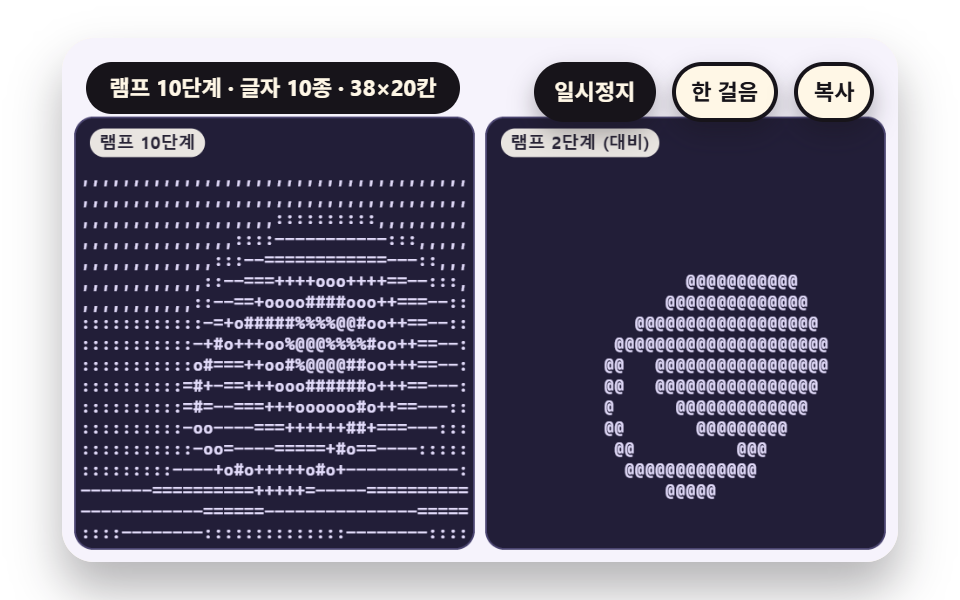 ASCII Art JavaScript: 9 Canvas Glyph ScenesHow does ASCII art turn a picture into characters? 01 picks a glyph by each cell's mean brightness, 05 chooses slash or See all demos in this post
If you like this effect - similar demos
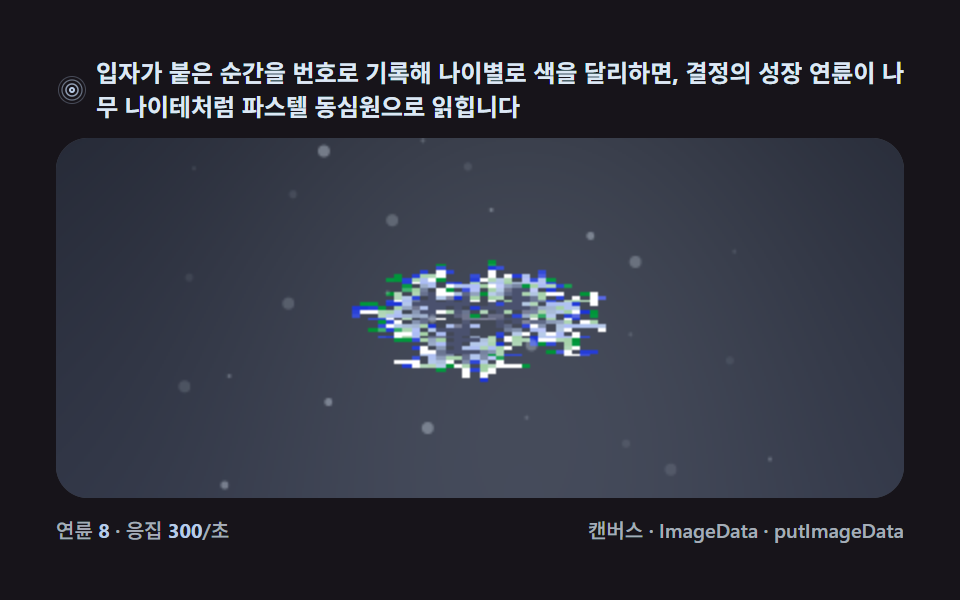 Creative UI06 Lattice coloring — etching the age of each cell as pastel ringsSnowflake Generator, 9 Ways (DLA, No Library)
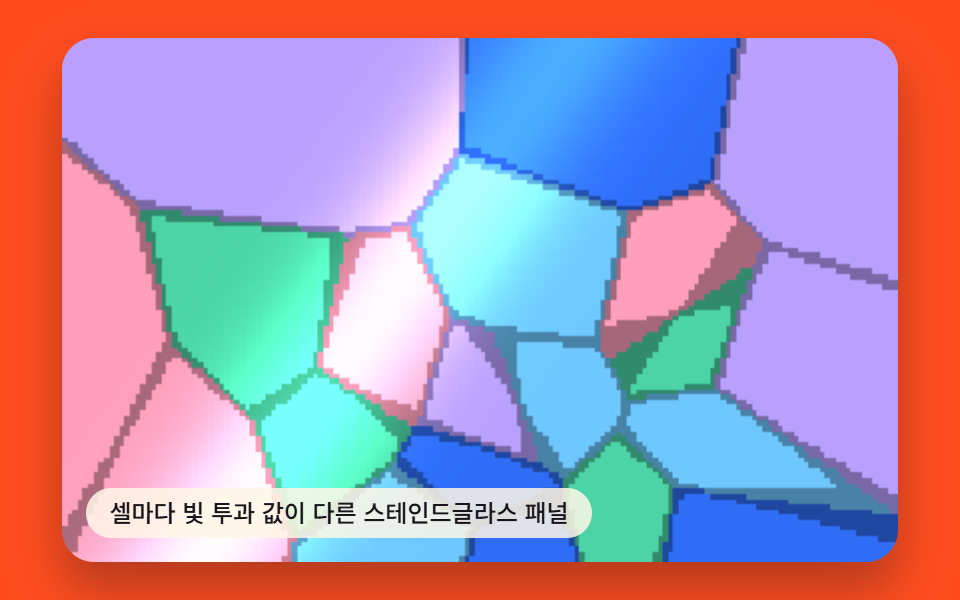 Creative UI03 Stained-glass Panel Where Each Cell Carries Its Own Light-transmission ValueVoronoi Diagram Generator — 9 Patterns
 Creative UI06 Layered Ridges That Melt Into the Sky Color With DistanceCSS Sunset Gradient: 9 Demos With a Living Sky