06Icon swap on a spin
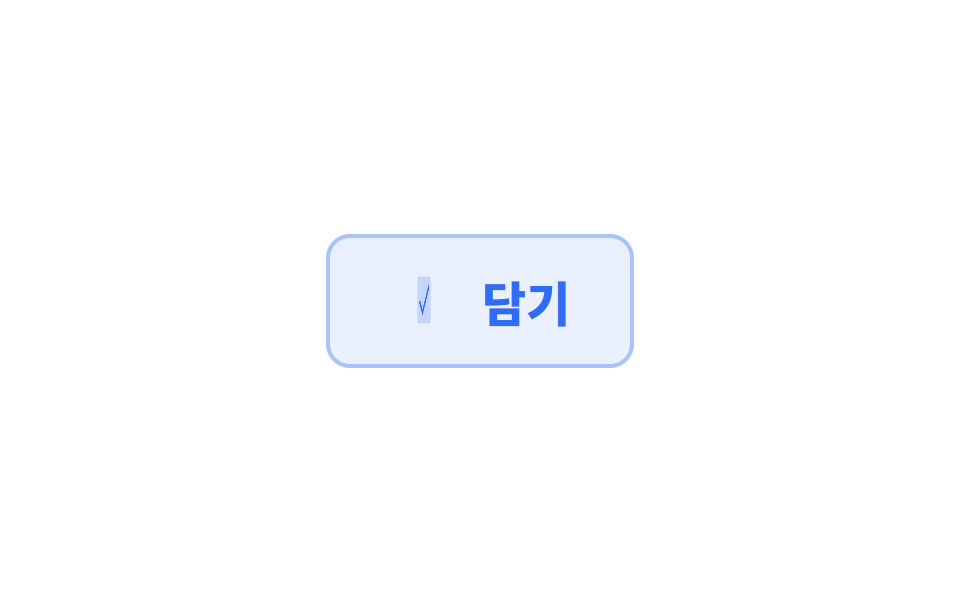
The icon spins half a turn on its vertical axis and comes back as a different icon. Two icons stack in the same spot, each hiding its own back face.
Best forWhen a button's meaning changes, from add to added, and you want the icon to say it while the label stays put
rotateYbackface-visibilityPhosphor
<main class="stage">
  <button class="swap is-demo" type="button">
    <span class="swap__ic" aria-hidden="true">
      <span class="swap__face swap__face--front"><svg viewBox="0 0 256 256" width="34" height="34"><g fill="currentColor"><path d="m232 72l-25.63 92.28A16 16 0 0 1 191 176H92.16a16 16 0 0 1-15.41-11.72L51.11 72Z" opacity=".2"/><path d="M104 216a16 16 0 1 1-16-16a16 16 0 0 1 16 16m88-16a16 16 0 1 0 16 16a16 16 0 0 0-16-16m47.71-125.86l-25.64 92.28A24.06 24.06 0 0 1 191 184H92.16A24.06 24.06 0 0 1 69 166.42L33.92 40H16a8 8 0 0 1 0-16h24a8 8 0 0 1 7.71 5.86L57.19 64H232a8 8 0 0 1 7.71 10.14M221.47 80H61.64l22.81 82.14a8 8 0 0 0 7.71 5.86H191a8 8 0 0 0 7.71-5.86Z"/></g></svg></span>
      <span class="swap__face swap__face--back"><svg viewBox="0 0 256 256" width="34" height="34"><g fill="currentColor"><path d="M232 56v144a16 16 0 0 1-16 16H40a16 16 0 0 1-16-16V56a16 16 0 0 1 16-16h176a16 16 0 0 1 16 16" opacity=".2"/><path d="m205.66 85.66l-96 96a8 8 0 0 1-11.32 0l-40-40a8 8 0 0 1 11.32-11.32L104 164.69l90.34-90.35a8 8 0 0 1 11.32 11.32"/></g></svg></span>
    </span>
    <span class="swap__label">Add</span>
  </button>
</main>
@use "../../../../site/static/demo-tokens" as *;
// 변형은 이 세 줄만 바꾼다
$duration: $dur-loop;
$easing: $ease-spring;
$color: $subject-blue;
@include stage($stage-paper);
.swap {
display: inline-flex;
align-items: center;
gap: $sp-3;
border: 0;
cursor: pointer;
padding: $sp-4 $sp-8;
border-radius: $r-control;
background: rgba($color, .10);
color: $color;
font-family: inherit;
font-size: clamp(18px, 5.5vw, 24px);
font-weight: 800;
box-shadow: inset 0 0 0 2px rgba($color, .35);
}
// 두 아이콘이 같은 자리에 앞뒤로 겹친다. 뒷면을 가려야 한 장만 보인다
.swap__ic {
position: relative;
width: 34px;
height: 34px;
transform-style: preserve-3d;
}
.swap__face {
position: absolute;
inset: 0;
display: flex;
backface-visibility: hidden;
}
.swap__face--back { transform: rotateY(180deg); }
.swap.is-demo .swap__ic { animation: swap-spin $duration $easing infinite; }
// 360deg 로 끝내야 다음 바퀴의 0deg 와 이어진다. 180deg 에서 끊고 0 으로 돌리면 되감기가 보인다
@keyframes swap-spin {
0%, 22% { transform: rotateY(0deg); }
50%, 72% { transform: rotateY(180deg); }
100% { transform: rotateY(360deg); }
}
@media (prefers-reduced-motion: reduce) {
.swap.is-demo .swap__ic { animation: none; }
}html, body {
margin: 0;
overflow: hidden;
}
.stage {
box-sizing: border-box;
min-height: 100vh;
display: grid;
place-items: center;
margin: 0;
background: #ffffff;
font-family: -apple-system, "Segoe UI", "Noto Sans KR", sans-serif;
padding: clamp(8px, 4vw, 24px);
}
.swap {
display: inline-flex;
align-items: center;
gap: 12px;
border: 0;
cursor: pointer;
padding: 16px 32px;
border-radius: 12px;
background: rgba(47, 109, 246, 0.1);
color: #2f6df6;
font-family: inherit;
font-size: clamp(18px, 5.5vw, 24px);
font-weight: 800;
box-shadow: inset 0 0 0 2px rgba(47, 109, 246, 0.35);
}
.swap__ic {
position: relative;
width: 34px;
height: 34px;
transform-style: preserve-3d;
}
.swap__face {
position: absolute;
inset: 0;
display: flex;
backface-visibility: hidden;
}
.swap__face--back {
transform: rotateY(180deg);
}
.swap.is-demo .swap__ic {
animation: swap-spin 2s cubic-bezier(0.2, 0.8, 0.2, 1) infinite;
}
@keyframes swap-spin {
0%, 22% {
transform: rotateY(0deg);
}
50%, 72% {
transform: rotateY(180deg);
}
100% {
transform: rotateY(360deg);
}
}
@media (prefers-reduced-motion: reduce) {
.swap.is-demo .swap__ic {
animation: none;
}
}import type { CSSProperties, ReactNode } from "react";
import styles from "./IconSwapButton.module.scss";
export type IconSwapButtonProps = {
label?: string;
front?: ReactNode;
back?: ReactNode;
duration?: number;
easing?: string;
color?: string;
};
type Vars = CSSProperties & { "--duration"?: string; "--easing"?: string; "--color"?: string };
const cart = (
<svg viewBox="0 0 256 256" width="34" height="34">
<g fill="currentColor">
<path d="m232 72l-25.63 92.28A16 16 0 0 1 191 176H92.16a16 16 0 0 1-15.41-11.72L51.11 72Z" opacity=".2" />
<path d="M104 216a16 16 0 1 1-16-16a16 16 0 0 1 16 16m88-16a16 16 0 1 0 16 16a16 16 0 0 0-16-16m47.71-125.86l-25.64 92.28A24.06 24.06 0 0 1 191 184H92.16A24.06 24.06 0 0 1 69 166.42L33.92 40H16a8 8 0 0 1 0-16h24a8 8 0 0 1 7.71 5.86L57.19 64H232a8 8 0 0 1 7.71 10.14M221.47 80H61.64l22.81 82.14a8 8 0 0 0 7.71 5.86H191a8 8 0 0 0 7.71-5.86Z" />
</g>
</svg>
);
const check = (
<svg viewBox="0 0 256 256" width="34" height="34">
<g fill="currentColor">
<path d="M232 56v144a16 16 0 0 1-16 16H40a16 16 0 0 1-16-16V56a16 16 0 0 1 16-16h176a16 16 0 0 1 16 16" opacity=".2" />
<path d="m205.66 85.66l-96 96a8 8 0 0 1-11.32 0l-40-40a8 8 0 0 1 11.32-11.32L104 164.69l90.34-90.35a8 8 0 0 1 11.32 11.32" />
</g>
</svg>
);
export default function IconSwapButton({
label = "Add",
front = cart,
back = check,
duration = 2000,
easing = "cubic-bezier(.2,.8,.2,1)",
color = "#2f6df6",
}: IconSwapButtonProps) {
const vars: Vars = { "--duration": `${duration}ms`, "--easing": easing, "--color": color };
return (
<button type="button" className={styles.swap} style={vars}>
<span className={styles.ic} aria-hidden="true">
<span className={styles.face}>{front}</span>
<span className={`${styles.face} ${styles.back}`}>{back}</span>
</span>
<span>{label}</span>
</button>
);
}06 Icon swap on a spin — Measured area 0.485% · moving frames 9/23Original by GODRICH · SCSS and React ship in the zip · 9 button hover effects css that award sites reuse
The post this demo lives in
 9 button hover effects css that award sites reuseThese button hover effects css techniques are the reactions a button gives when a pointer arrives, sorted by what each s See all demos in this post