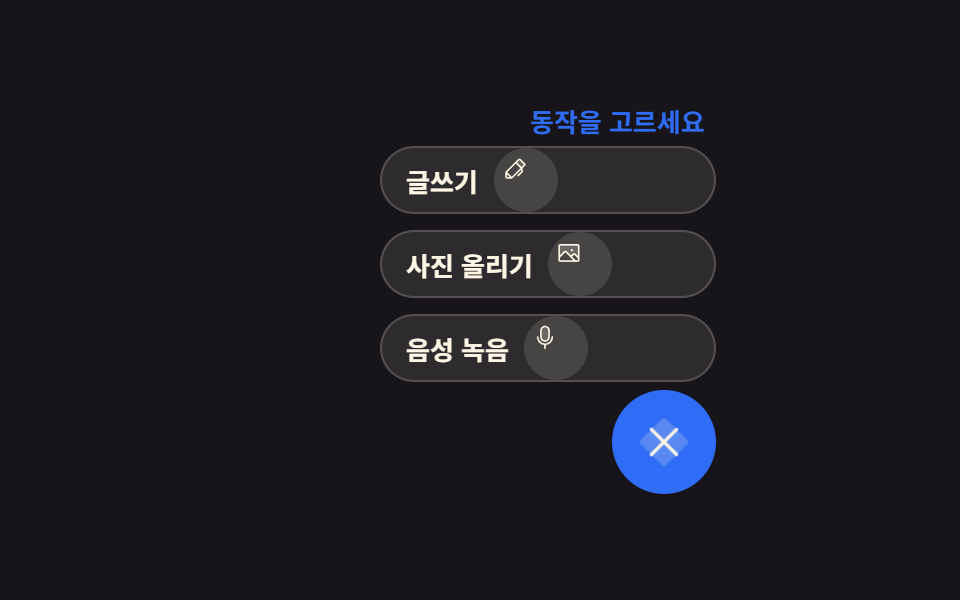
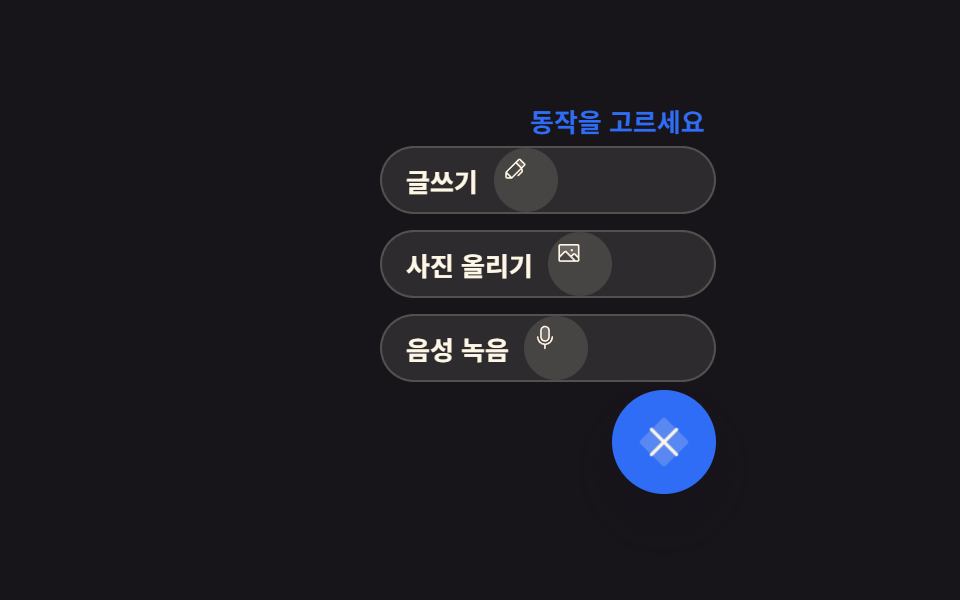
01Speed dial that turns 45 degrees to hand out actions
Pressing the FAB turns its plus icon by rotate(45deg) into a close mark, and three helper buttons stack upward with a transition-delay offset, the open state recorded in aria-expanded.
Best forContent apps that keep create tools such as write, photo, and voice in one corner
aria-expandedrotate(45deg)transition-delay
<main class="stage">
  <section class="sd is-demo" id="sd" aria-label="Create tools speed dial">
    <p class="sd__hint" id="sd-hint"><span class="sd__hint-a">What will you make?</span><span class="sd__hint-b">Pick an action</span></p>
    <ul class="sd__menu" id="sd-menu">
      <li class="sd__item">
        <button class="sd__sub" type="button" aria-label="Write">
          <span class="sd__tag">Write</span>
          <span class="sd__ic" aria-hidden="true"><svg viewBox="0 0 256 256" width="1em" height="1em" fill="currentColor"><path d="M221.66,90.34,192,120,136,64l29.66-29.66a8,8,0,0,1,11.31,0L221.66,79A8,8,0,0,1,221.66,90.34Z" opacity=".2"/><path d="M227.32,73.37,182.63,28.69a16,16,0,0,0-22.63,0L36.69,152A15.86,15.86,0,0,0,32,163.31V208a16,16,0,0,0,16,16H92.69A15.86,15.86,0,0,0,104,219.31l83.67-83.66,3.48,13.9-36.8,36.79a8,8,0,0,0,11.31,11.32l40-40a8,8,0,0,0,2.11-7.6l-6.9-27.61L227.32,96A16,16,0,0,0,227.32,73.37ZM48,208V179.31L76.69,208Zm48-3.31L51.31,160,136,75.31,180.69,120Zm96-96L147.32,64l24-24L216,84.69Z"/></svg></span>
        </button>
      </li>
      <li class="sd__item">
        <button class="sd__sub" type="button" aria-label="Upload a photo">
          <span class="sd__tag">Upload a photo</span>
          <span class="sd__ic" aria-hidden="true"><svg viewBox="0 0 256 256" width="1em" height="1em" fill="currentColor"><path d="M224,56V178.06l-39.72-39.72a8,8,0,0,0-11.31,0L147.31,164,97.66,114.34a8,8,0,0,0-11.32,0L32,168.69V56a8,8,0,0,1,8-8H216A8,8,0,0,1,224,56Z" opacity=".2"/><path d="M216,40H40A16,16,0,0,0,24,56V200a16,16,0,0,0,16,16H216a16,16,0,0,0,16-16V56A16,16,0,0,0,216,40Zm0,16V158.75l-26.07-26.06a16,16,0,0,0-22.63,0l-20,20-44-44a16,16,0,0,0-22.62,0L40,149.37V56ZM40,172l52-52,80,80H40Zm176,28H194.63l-36-36,20-20L216,181.38V200ZM144,100a12,12,0,1,1,12,12A12,12,0,0,1,144,100Z"/></svg></span>
        </button>
      </li>
      <li class="sd__item">
        <button class="sd__sub" type="button" aria-label="Record voice">
          <span class="sd__tag">Record voice</span>
          <span class="sd__ic" aria-hidden="true"><svg viewBox="0 0 256 256" width="1em" height="1em" fill="currentColor"><path d="M168,64v64a40,40,0,0,1-40,40h0a40,40,0,0,1-40-40V64a40,40,0,0,1,40-40h0A40,40,0,0,1,168,64Z" opacity=".2"/><path d="M128,176a48.05,48.05,0,0,0,48-48V64a48,48,0,0,0-96,0v64A48.05,48.05,0,0,0,128,176ZM96,64a32,32,0,0,1,64,0v64a32,32,0,0,1-64,0Zm40,143.6V240a8,8,0,0,1-16,0V207.6A80.11,80.11,0,0,1,48,128a8,8,0,0,1,16,0,64,64,0,0,0,128,0,8,8,0,0,1,16,0A80.11,80.11,0,0,1,136,207.6Z"/></svg></span>
        </button>
      </li>
    </ul>
    <div class="sd__dock">
      <button class="sd__fab" type="button" id="sd-fab" aria-expanded="false" aria-controls="sd-menu" aria-label="Open the create menu">
        <span class="sd__plus" aria-hidden="true"><svg viewBox="0 0 256 256" width="1em" height="1em" fill="currentColor"><path d="M216,56V200a16,16,0,0,1-16,16H56a16,16,0,0,1-16-16V56A16,16,0,0,1,56,40H200A16,16,0,0,1,216,56Z" opacity=".2"/><path d="M224,128a8,8,0,0,1-8,8H136v80a8,8,0,0,1-16,0V136H40a8,8,0,0,1,0-16h80V40a8,8,0,0,1,16,0v80h80A8,8,0,0,1,224,128Z"/></svg></span>
      </button>
    </div>
  </section>
</main>@use "sass:color";
@use "../../../../site/static/demo-tokens" as *;
// 스피드 다이얼 FAB — 더하기가 45도 돌아 닫기 표시가 되고 보조 버튼이 시차로 쌓인다
$duration: $dur-quick;
$easing: $ease-pop;
$color: $subject-blue;
@include stage($stage-ink);
$line: rgba(255, 247, 230, .18);
$soft: color.mix($subject-cream, $stage-ink, 10%);
.sd {
position: relative;
box-sizing: border-box;
width: min(236px, 92vw);
display: grid;
justify-items: end;
gap: $sp-1;
}
.sd__hint {
display: inline-grid;
margin: 0;
color: rgba(255, 247, 230, .62);
font-size: 13px;
font-weight: 700;
line-height: 1.3;
}
// 두 문구를 겹쳐 두고 컷으로 갈아 끼운다 — 반투명 겹침이 생기지 않는다
.sd__hint-a,
.sd__hint-b { grid-area: 1 / 1; }
.sd__hint-b { opacity: 0; color: $color; }
.sd.is-open .sd__hint-a { opacity: 0; }
.sd.is-open .sd__hint-b { opacity: 1; }
// ── 보조 동작 스택: 자리는 항상 확보(절대배치 넘침 방지), 보임만 변한다 ──
.sd__menu {
display: grid;
justify-items: end;
gap: $sp-2;
margin: 0;
padding: 0;
list-style: none;
}
.sd__item { display: grid; }
.sd__sub {
display: inline-flex;
align-items: center;
gap: $sp-2;
min-width: 168px;
margin: 0;
padding: 0 $sp-2 0 $sp-3;
border: 1px solid $line;
border-radius: $r-pill;
background: $soft;
color: $subject-cream;
font-family: inherit;
font-size: 13px;
font-weight: 700;
line-height: 1;
cursor: pointer;
transform: translateY(12px) scale(.6);
opacity: 0;
pointer-events: none;
transition: transform $duration $easing, opacity $dur-instant linear;
}
.sd__sub:focus-visible { outline: 2px solid $color; outline-offset: 2px; }
.sd__tag { order: 0; }
.sd__ic {
order: 1;
display: inline-flex;
width: 24px;
height: 24px;
padding: $sp-1;
border-radius: 50%;
background: rgba(255, 247, 230, .12);
}
// 정적(손으로 조작) 경로 — .is-demo 가 없어도 열린 모습이 그대로 보인다
.sd.is-open .sd__sub {
transform: translateY(0) scale(1);
opacity: 1;
pointer-events: auto;
}
.sd__item:nth-child(1) .sd__sub { transition-delay: 0ms; }
.sd__item:nth-child(2) .sd__sub { transition-delay: 40ms; }
.sd__item:nth-child(3) .sd__sub { transition-delay: 80ms; }
// ── FAB: 더하기 아이콘이 rotate(45deg) 로 닫기 표시가 된다 ──
.sd__dock { display: grid; }
.sd__fab {
display: inline-grid;
place-items: center;
width: 52px;
height: 52px;
margin: 0;
padding: 0;
border: 0;
border-radius: 50%;
background: $color;
color: $subject-cream;
font-size: 26px;
line-height: 1;
cursor: pointer;
box-shadow: $shadow-raised;
}
.sd__fab:focus-visible { outline: 2px solid $subject-cream; outline-offset: 2px; }
.sd__plus {
display: inline-flex;
transition: transform $dur-base $ease-spring;
}
.sd.is-open .sd__plus { transform: rotate(45deg); }
.sd__fab:active .sd__plus { transform: rotate(45deg) scale(.92); }
// ── 격자 미리보기 전용 2초 루프 ──
// 등장: 보임은 컷으로 자르고(반투명 유령 금지) 자리 잡기는 transform 이 채운다
// 퇴장은 한 장씩 시각을 벌리고 크기만 줄여(면적 작게) 등장 쪽이 최대 변화가 되게 한다
@keyframes sd-in-1 {
0%, 11% { transform: translateY(12px) scale(.6); opacity: 0; }
12% { opacity: 1; }
12.01%, 24% { transform: translateY(0) scale(1); opacity: 1; }
72% { transform: translateY(0) scale(1); opacity: 1; }
78% { transform: translateY(8px) scale(.6); opacity: 0; }
78.01%, 100% { transform: translateY(12px) scale(.6); opacity: 0; }
}
@keyframes sd-in-2 {
0%, 19% { transform: translateY(12px) scale(.6); opacity: 0; }
20% { opacity: 1; }
20.01%, 32% { transform: translateY(0) scale(1); opacity: 1; }
78% { transform: translateY(0) scale(1); opacity: 1; }
84% { transform: translateY(8px) scale(.6); opacity: 0; }
84.01%, 100% { transform: translateY(12px) scale(.6); opacity: 0; }
}
@keyframes sd-in-3 {
0%, 27% { transform: translateY(12px) scale(.6); opacity: 0; }
28% { opacity: 1; }
28.01%, 40% { transform: translateY(0) scale(1); opacity: 1; }
84% { transform: translateY(0) scale(1); opacity: 1; }
90% { transform: translateY(8px) scale(.6); opacity: 0; }
90.01%, 100% { transform: translateY(12px) scale(.6); opacity: 0; }
}
@keyframes sd-turn {
0%, 10% { transform: rotate(0deg); }
24% { transform: rotate(45deg); }
84% { transform: rotate(45deg); }
94%, 100% { transform: rotate(0deg); }
}
@keyframes sd-press {
0%, 8% { transform: scale(1); }
12% { transform: scale(.92); }
18%, 100% { transform: scale(1); }
}
@keyframes sd-hint-a {
0%, 27% { opacity: 1; }
28%, 89% { opacity: 0; }
90%, 100% { opacity: 1; }
}
@keyframes sd-hint-b {
0%, 27% { opacity: 0; }
28%, 89% { opacity: 1; }
90%, 100% { opacity: 0; }
}
.sd.is-demo {
.sd__item:nth-child(1) .sd__sub { animation-name: sd-in-1; }
.sd__item:nth-child(2) .sd__sub { animation-name: sd-in-2; }
.sd__item:nth-child(3) .sd__sub { animation-name: sd-in-3; }
.sd__sub {
animation-duration: $dur-loop;
animation-timing-function: $easing;
animation-iteration-count: infinite;
animation-fill-mode: backwards;
}
.sd__plus {
animation-name: sd-turn;
animation-duration: $dur-loop;
animation-timing-function: $ease-spring;
animation-iteration-count: infinite;
}
.sd__fab {
animation-name: sd-press;
animation-duration: $dur-loop;
animation-timing-function: $easing;
animation-iteration-count: infinite;
}
.sd__hint-a {
animation-name: sd-hint-a;
animation-duration: $dur-loop;
animation-timing-function: steps(1, end);
animation-iteration-count: infinite;
}
.sd__hint-b {
animation-name: sd-hint-b;
animation-duration: $dur-loop;
animation-timing-function: steps(1, end);
animation-iteration-count: infinite;
}
}
@media (max-width: 340px) {
.sd { gap: $sp-1; }
.sd__hint { font-size: 11px; }
.sd__menu { gap: $sp-1; }
.sd__sub { min-width: 140px; font-size: 11px; }
.sd__ic { width: 18px; height: 18px; }
.sd__fab { width: 44px; height: 44px; font-size: 22px; }
}
@media (prefers-reduced-motion: reduce) {
.sd.is-demo .sd__sub,
.sd.is-demo .sd__plus,
.sd.is-demo .sd__fab,
.sd.is-demo .sd__hint-a,
.sd.is-demo .sd__hint-b { animation: none !important; transform: none !important; }
// 움직임만 끄고 열린 결과는 남긴다
.sd.is-demo .sd__sub { opacity: 1 !important; pointer-events: auto !important; }
.sd.is-demo .sd__plus { transform: rotate(45deg) !important; }
.sd.is-demo .sd__hint-a { opacity: 0 !important; }
.sd.is-demo .sd__hint-b { opacity: 1 !important; }
}html, body {
margin: 0;
overflow: hidden;
}
.stage {
box-sizing: border-box;
min-height: 100vh;
display: grid;
place-items: center;
margin: 0;
background: #17141a;
font-family: -apple-system, "Segoe UI", "Noto Sans KR", sans-serif;
padding: clamp(8px, 4vw, 24px);
}
.sd {
position: relative;
box-sizing: border-box;
width: min(236px, 92vw);
display: grid;
justify-items: end;
gap: 4px;
}
.sd__hint {
display: inline-grid;
margin: 0;
color: rgba(255, 247, 230, 0.62);
font-size: 13px;
font-weight: 700;
line-height: 1.3;
}
.sd__hint-a,
.sd__hint-b {
grid-area: 1/1;
}
.sd__hint-b {
opacity: 0;
color: #2f6df6;
}
.sd.is-open .sd__hint-a {
opacity: 0;
}
.sd.is-open .sd__hint-b {
opacity: 1;
}
.sd__menu {
display: grid;
justify-items: end;
gap: 8px;
margin: 0;
padding: 0;
list-style: none;
}
.sd__item {
display: grid;
}
.sd__sub {
display: inline-flex;
align-items: center;
gap: 8px;
min-width: 168px;
margin: 0;
padding: 0 8px 0 12px;
border: 1px solid rgba(255, 247, 230, 0.18);
border-radius: 999px;
background: rgb(18.1176470588%, 16.7450980392%, 18.1960784314%);
color: #fff7e6;
font-family: inherit;
font-size: 13px;
font-weight: 700;
line-height: 1;
cursor: pointer;
transform: translateY(12px) scale(0.6);
opacity: 0;
pointer-events: none;
transition: transform 220ms cubic-bezier(0.2, 1.4, 0.4, 1), opacity 140ms linear;
}
.sd__sub:focus-visible {
outline: 2px solid #2f6df6;
outline-offset: 2px;
}
.sd__tag {
order: 0;
}
.sd__ic {
order: 1;
display: inline-flex;
width: 24px;
height: 24px;
padding: 4px;
border-radius: 50%;
background: rgba(255, 247, 230, 0.12);
}
.sd.is-open .sd__sub {
transform: translateY(0) scale(1);
opacity: 1;
pointer-events: auto;
}
.sd__item:nth-child(1) .sd__sub {
transition-delay: 0ms;
}
.sd__item:nth-child(2) .sd__sub {
transition-delay: 40ms;
}
.sd__item:nth-child(3) .sd__sub {
transition-delay: 80ms;
}
.sd__dock {
display: grid;
}
.sd__fab {
display: inline-grid;
place-items: center;
width: 52px;
height: 52px;
margin: 0;
padding: 0;
border: 0;
border-radius: 50%;
background: #2f6df6;
color: #fff7e6;
font-size: 26px;
line-height: 1;
cursor: pointer;
box-shadow: 0 14px 24px rgba(23, 20, 26, 0.32);
}
.sd__fab:focus-visible {
outline: 2px solid #fff7e6;
outline-offset: 2px;
}
.sd__plus {
display: inline-flex;
transition: transform 300ms cubic-bezier(0.2, 0.8, 0.2, 1);
}
.sd.is-open .sd__plus {
transform: rotate(45deg);
}
.sd__fab:active .sd__plus {
transform: rotate(45deg) scale(0.92);
}
@keyframes sd-in-1 {
0%, 11% {
transform: translateY(12px) scale(0.6);
opacity: 0;
}
12% {
opacity: 1;
}
12.01%, 24% {
transform: translateY(0) scale(1);
opacity: 1;
}
72% {
transform: translateY(0) scale(1);
opacity: 1;
}
78% {
transform: translateY(8px) scale(0.6);
opacity: 0;
}
78.01%, 100% {
transform: translateY(12px) scale(0.6);
opacity: 0;
}
}
@keyframes sd-in-2 {
0%, 19% {
transform: translateY(12px) scale(0.6);
opacity: 0;
}
20% {
opacity: 1;
}
20.01%, 32% {
transform: translateY(0) scale(1);
opacity: 1;
}
78% {
transform: translateY(0) scale(1);
opacity: 1;
}
84% {
transform: translateY(8px) scale(0.6);
opacity: 0;
}
84.01%, 100% {
transform: translateY(12px) scale(0.6);
opacity: 0;
}
}
@keyframes sd-in-3 {
0%, 27% {
transform: translateY(12px) scale(0.6);
opacity: 0;
}
28% {
opacity: 1;
}
28.01%, 40% {
transform: translateY(0) scale(1);
opacity: 1;
}
84% {
transform: translateY(0) scale(1);
opacity: 1;
}
90% {
transform: translateY(8px) scale(0.6);
opacity: 0;
}
90.01%, 100% {
transform: translateY(12px) scale(0.6);
opacity: 0;
}
}
@keyframes sd-turn {
0%, 10% {
transform: rotate(0deg);
}
24% {
transform: rotate(45deg);
}
84% {
transform: rotate(45deg);
}
94%, 100% {
transform: rotate(0deg);
}
}
@keyframes sd-press {
0%, 8% {
transform: scale(1);
}
12% {
transform: scale(0.92);
}
18%, 100% {
transform: scale(1);
}
}
@keyframes sd-hint-a {
0%, 27% {
opacity: 1;
}
28%, 89% {
opacity: 0;
}
90%, 100% {
opacity: 1;
}
}
@keyframes sd-hint-b {
0%, 27% {
opacity: 0;
}
28%, 89% {
opacity: 1;
}
90%, 100% {
opacity: 0;
}
}
.sd.is-demo .sd__item:nth-child(1) .sd__sub {
animation-name: sd-in-1;
}
.sd.is-demo .sd__item:nth-child(2) .sd__sub {
animation-name: sd-in-2;
}
.sd.is-demo .sd__item:nth-child(3) .sd__sub {
animation-name: sd-in-3;
}
.sd.is-demo .sd__sub {
animation-duration: 2s;
animation-timing-function: cubic-bezier(0.2, 1.4, 0.4, 1);
animation-iteration-count: infinite;
animation-fill-mode: backwards;
}
.sd.is-demo .sd__plus {
animation-name: sd-turn;
animation-duration: 2s;
animation-timing-function: cubic-bezier(0.2, 0.8, 0.2, 1);
animation-iteration-count: infinite;
}
.sd.is-demo .sd__fab {
animation-name: sd-press;
animation-duration: 2s;
animation-timing-function: cubic-bezier(0.2, 1.4, 0.4, 1);
animation-iteration-count: infinite;
}
.sd.is-demo .sd__hint-a {
animation-name: sd-hint-a;
animation-duration: 2s;
animation-timing-function: steps(1, end);
animation-iteration-count: infinite;
}
.sd.is-demo .sd__hint-b {
animation-name: sd-hint-b;
animation-duration: 2s;
animation-timing-function: steps(1, end);
animation-iteration-count: infinite;
}
@media (max-width: 340px) {
.sd {
gap: 4px;
}
.sd__hint {
font-size: 11px;
}
.sd__menu {
gap: 4px;
}
.sd__sub {
min-width: 140px;
font-size: 11px;
}
.sd__ic {
width: 18px;
height: 18px;
}
.sd__fab {
width: 44px;
height: 44px;
font-size: 22px;
}
}
@media (prefers-reduced-motion: reduce) {
.sd.is-demo .sd__sub,
.sd.is-demo .sd__plus,
.sd.is-demo .sd__fab,
.sd.is-demo .sd__hint-a,
.sd.is-demo .sd__hint-b {
animation: none !important;
transform: none !important;
}
.sd.is-demo .sd__sub {
opacity: 1 !important;
pointer-events: auto !important;
}
.sd.is-demo .sd__plus {
transform: rotate(45deg) !important;
}
.sd.is-demo .sd__hint-a {
opacity: 0 !important;
}
.sd.is-demo .sd__hint-b {
opacity: 1 !important;
}
}// 스피드 다이얼 FAB: 열림은 aria-expanded 에 기록하고, 닫기는 Escape 로도 된다.
var sd = document.getElementById('sd');
var sdFab = document.getElementById('sd-fab');
var sdMenu = document.getElementById('sd-menu');
function sdOpen(v) {
sd.classList.remove('is-demo');
sd.classList.toggle('is-open', v);
sdFab.setAttribute('aria-expanded', v ? 'true' : 'false');
sdFab.setAttribute('aria-label', v ? 'Close the create menu' : 'Open the create menu');
}
sdFab.addEventListener('click', function () {
sdOpen(!sd.classList.contains('is-open'));
});
sdMenu.querySelectorAll('.sd__sub').forEach(function (b) {
b.addEventListener('click', function () { sdOpen(false); });
});
sd.addEventListener('keydown', function (e) {
if (e.key === 'Escape') sdOpen(false);
});import { useState } from "react";
import type { CSSProperties } from "react";
import styles from "./SpeedDialFab.module.scss";
export type SpeedDialFabProps = {
/** 보조 동작 라벨 — 아이콘은 순서대로 글쓰기·사진·녹음 3종이 돌아간다 */
actions?: string[];
hintIdle?: string;
hintOpen?: string;
hintPicked?: string;
openLabel?: string;
closeLabel?: string;
groupLabel?: string;
/** 격자 미리보기용 2초 자동 루프. 사람이 손대면 꺼진다 */
demo?: boolean;
duration?: number;
easing?: string;
color?: string;
};
type Vars = CSSProperties & { "--duration"?: string; "--easing"?: string; "--color"?: string };
// ambient 가 얇아 KeyboardEvent 를 못 쓴다 — 필요한 꼴만 로컬 타입으로 선언
type KeyEvt = { key: string };
const DEFAULT_ACTIONS = ["Write a post", "Upload a photo", "Record a voice note"];
let seq = 0;
function PencilIcon() {
return (
<svg viewBox="0 0 256 256" width="1em" height="1em" fill="currentColor"><path d="M221.66,90.34,192,120,136,64l29.66-29.66a8,8,0,0,1,11.31,0L221.66,79A8,8,0,0,1,221.66,90.34Z" opacity=".2"/><path d="M227.32,73.37,182.63,28.69a16,16,0,0,0-22.63,0L36.69,152A15.86,15.86,0,0,0,32,163.31V208a16,16,0,0,0,16,16H92.69A15.86,15.86,0,0,0,104,219.31l83.67-83.66,3.48,13.9-36.8,36.79a8,8,0,0,0,11.31,11.32l40-40a8,8,0,0,0,2.11-7.6l-6.9-27.61L227.32,96A16,16,0,0,0,227.32,73.37ZM48,208V179.31L76.69,208Zm48-3.31L51.31,160,136,75.31,180.69,120Zm96-96L147.32,64l24-24L216,84.69Z"/></svg>
);
}
function ImageIcon() {
return (
<svg viewBox="0 0 256 256" width="1em" height="1em" fill="currentColor"><path d="M224,56V178.06l-39.72-39.72a8,8,0,0,0-11.31,0L147.31,164,97.66,114.34a8,8,0,0,0-11.32,0L32,168.69V56a8,8,0,0,1,8-8H216A8,8,0,0,1,224,56Z" opacity=".2"/><path d="M216,40H40A16,16,0,0,0,24,56V200a16,16,0,0,0,16,16H216a16,16,0,0,0,16-16V56A16,16,0,0,0,216,40Zm0,16V158.75l-26.07-26.06a16,16,0,0,0-22.63,0l-20,20-44-44a16,16,0,0,0-22.62,0L40,149.37V56ZM40,172l52-52,80,80H40Zm176,28H194.63l-36-36,20-20L216,181.38V200ZM144,100a12,12,0,1,1,12,12A12,12,0,0,1,144,100Z"/></svg>
);
}
function MicIcon() {
return (
<svg viewBox="0 0 256 256" width="1em" height="1em" fill="currentColor"><path d="M168,64v64a40,40,0,0,1-40,40h0a40,40,0,0,1-40-40V64a40,40,0,0,1,40-40h0A40,40,0,0,1,168,64Z" opacity=".2"/><path d="M128,176a48.05,48.05,0,0,0,48-48V64a48,48,0,0,0-96,0v64A48.05,48.05,0,0,0,128,176ZM96,64a32,32,0,0,1,64,0v64a32,32,0,0,1-64,0Zm40,143.6V240a8,8,0,0,1-16,0V207.6A80.11,80.11,0,0,1,48,128a8,8,0,0,1,16,0,64,64,0,0,0,128,0,8,8,0,0,1,16,0A80.11,80.11,0,0,1,136,207.6Z"/></svg>
);
}
const ICONS = [PencilIcon, ImageIcon, MicIcon];
export default function SpeedDialFab({
actions = DEFAULT_ACTIONS,
hintIdle = "What do you want to make?",
hintOpen = "Pick an action",
hintPicked = "Coming soon",
openLabel = "Open create menu",
closeLabel = "Close create menu",
groupLabel = "Create tools speed dial",
demo = true,
duration = 220,
easing = "cubic-bezier(.2,1.4,.4,1)",
color = "#2f6df6",
}: SpeedDialFabProps) {
const [open, setOpen] = useState(false);
const [live, setLive] = useState(demo);
const [hint, setHint] = useState(hintIdle);
const [menuId] = useState<string>(() => "speed-dial-menu-" + String(++seq));
const vars: Vars = { "--duration": `${duration}ms`, "--easing": easing, "--color": color };
function toggle() {
setLive(false);
const next = !open;
setOpen(next);
setHint(next ? hintOpen : hintIdle);
}
function pick() {
// 보조 동작을 고르면 다이얼은 접히고 안내만 바뀐다
setLive(false);
setOpen(false);
setHint(hintPicked);
}
function onKeyDown(e: KeyEvt) {
if (e.key !== "Escape") return;
setLive(false);
setOpen(false);
setHint(hintIdle);
}
const cls = [styles.sd, live ? styles.isDemo : "", open ? styles.isOpen : ""].filter(Boolean).join(" ");
return (
<section className={cls} style={vars} aria-label={groupLabel} onKeyDown={onKeyDown}>
<p className={styles.hint}>{hint}</p>
<ul className={styles.menu} id={menuId}>
{actions.map((label, i) => {
const Icon = ICONS[i % ICONS.length];
return (
<li className={styles.item} key={label}>
<button className={styles.sub} type="button" aria-label={label} onClick={pick}>
<span className={styles.tag}>{label}</span>
<span className={styles.ic} aria-hidden="true"><Icon /></span>
</button>
</li>
);
})}
</ul>
<div className={styles.dock}>
<button
className={styles.fab}
type="button"
aria-expanded={open}
aria-controls={menuId}
aria-label={open ? closeLabel : openLabel}
onClick={toggle}
>
<span className={styles.plus} aria-hidden="true">
<svg viewBox="0 0 256 256" width="1em" height="1em" fill="currentColor"><path d="M216,56V200a16,16,0,0,1-16,16H56a16,16,0,0,1-16-16V56A16,16,0,0,1,56,40H200A16,16,0,0,1,216,56Z" opacity=".2"/><path d="M224,128a8,8,0,0,1-8,8H136v80a8,8,0,0,1-16,0V136H40a8,8,0,0,1,0-16h80V40a8,8,0,0,1,16,0v80h80A8,8,0,0,1,224,128Z"/></svg>
</span>
</button>
</div>
</section>
);
}01 Speed dial that turns 45 degrees to hand out actions — Measured area 12.706% · moving frames 10/23Original by GODRICH · SCSS and React ship in the zip · 9 Icon Button CSS Patterns — Press, Drag, Expand
The post this demo lives in
 9 Icon Button CSS Patterns — Press, Drag, ExpandAn icon button css pattern trades the label for a picture, so the meaning has to survive for anyone who never sees it. A See all demos in this post
If you like this effect - similar demos
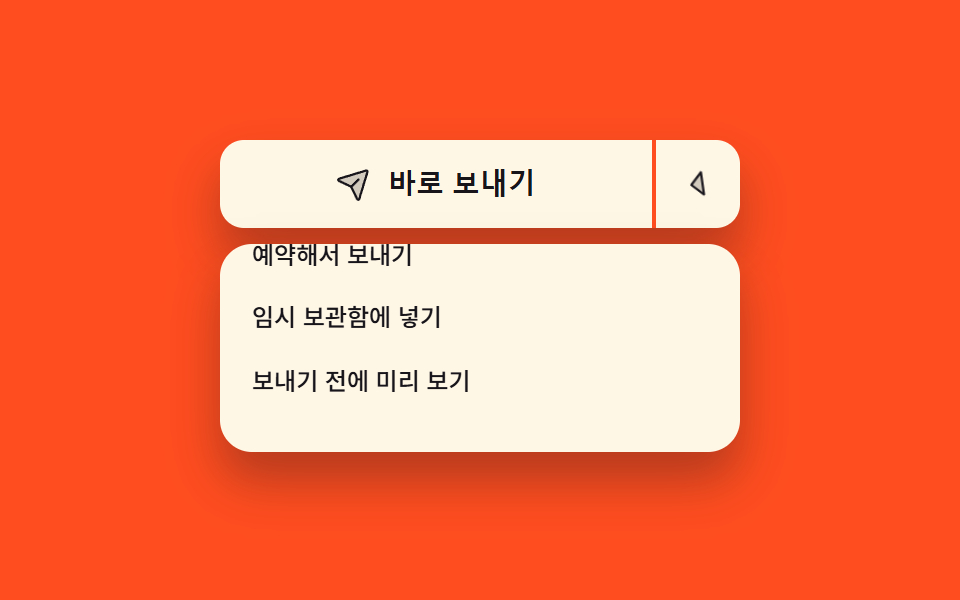 Buttons07 Primary action with other routes attached9 button state css patterns, loading to done
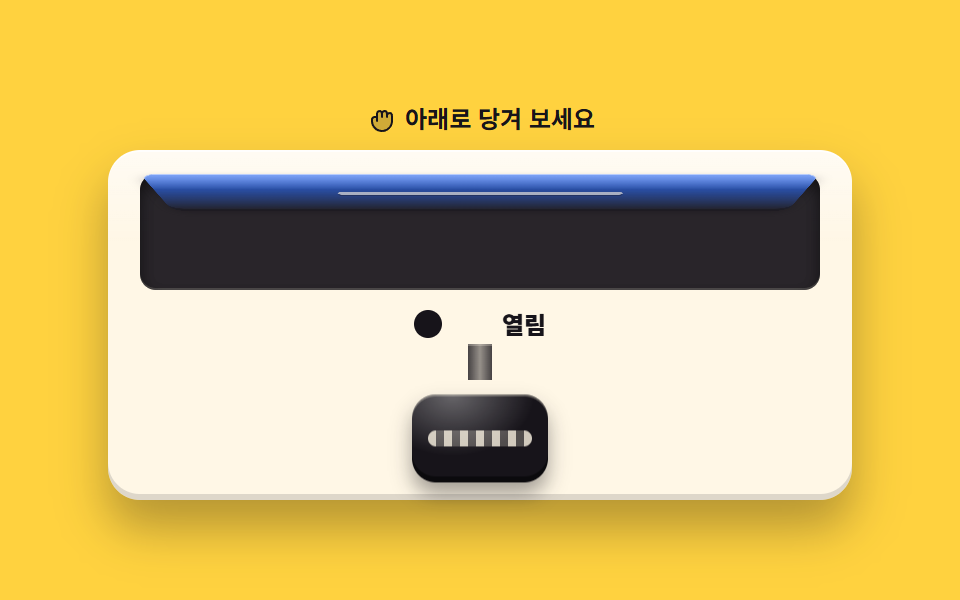 Buttons06 Pull-to-open knobCSS Switch Button 9 Ways — Rocker to Tape Eject
 Buttons05 3D flip face — a button whose rotation value turns to 180 degrees on click, revealing its opposite faceCTA Button Design: 9 Interaction Patterns