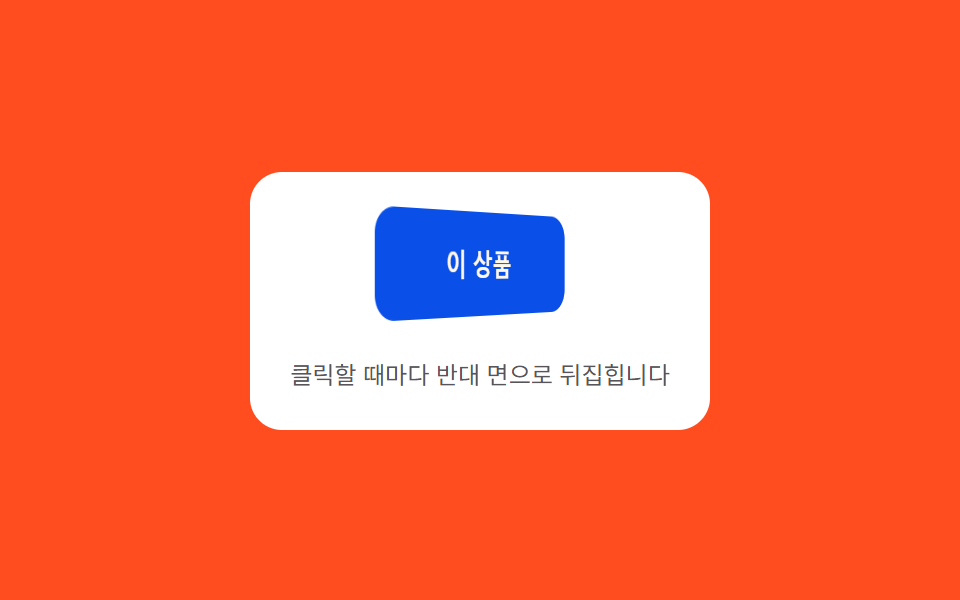
053D flip face — a button whose rotation value turns to 180 degrees on click, revealing its opposite face
On click, the button's rotation value turns until it reaches 180 degrees, revealing the opposite face, passing through a state where the rotation value slightly overshoots the target before settling back.
Best forA pick-one CTA, a comparison CTA
OVERSHOOT_DEG=18flipease
<main class="stage">
<div class="ctaflp is-demo" id="ctaflp">
  <div class="ctaflp__panel">
    <div class="ctaflp__scene">
      <button class="ctaflp__btn" id="ctaflpBtn" type="button">
        <span class="ctaflp__face ctaflp__face--front">This item</span>
        <span class="ctaflp__face ctaflp__face--back">That item</span>
      </button>
    </div>
    <span class="ctaflp__hint">Each click flips to the opposite face</span>
  </div>
</div>
</main>
@use "../../../../site/static/demo-tokens" as *;
// 계산 겹(오버슈트 감쇠 진동)은 JS 에 있다 — 여기는 정적 배치·원근만.
@include stage($stage-orange);
.stage { position: relative; }
.ctaflp__panel {
display: flex;
flex-direction: column;
align-items: center;
gap: $sp-4;
padding: $sp-5;
border-radius: $r-card;
background: $stage-paper;
}
.ctaflp__scene {
perspective: 480px;
}
.ctaflp__btn {
position: relative;
width: 140px;
height: 52px;
border: 0;
border-radius: $r-control;
background: none;
padding: 0;
cursor: pointer;
transform-style: preserve-3d;
}
.ctaflp__face {
position: absolute;
inset: 0;
display: grid;
place-items: center;
border-radius: $r-control;
font-family: inherit;
font-weight: 700;
font-size: 15px;
backface-visibility: hidden;
}
.ctaflp__face--front {
background: $subject-blue-deep;
color: $subject-cream;
}
.ctaflp__face--back {
background: $subject-lilac;
color: $subject-ink;
transform: rotateY(180deg);
}
.ctaflp__hint {
color: rgba($subject-ink, .72);
font-size: 12px;
text-align: center;
}
@media (max-width: 340px) {
.ctaflp__panel { padding: $sp-4; gap: $sp-3; }
.ctaflp__btn { width: 120px; height: 46px; }
.ctaflp__face { font-size: 14px; }
}
@media (prefers-reduced-motion: reduce) {
.ctaflp__btn { transition: none !important; }
}html, body {
margin: 0;
overflow: hidden;
}
.stage {
box-sizing: border-box;
min-height: 100vh;
display: grid;
place-items: center;
margin: 0;
background: #ff4d1f;
font-family: -apple-system, "Segoe UI", "Noto Sans KR", sans-serif;
padding: clamp(8px, 4vw, 24px);
}
.stage {
position: relative;
}
.ctaflp__panel {
display: flex;
flex-direction: column;
align-items: center;
gap: 16px;
padding: 20px;
border-radius: 16px;
background: #ffffff;
}
.ctaflp__scene {
perspective: 480px;
}
.ctaflp__btn {
position: relative;
width: 140px;
height: 52px;
border: 0;
border-radius: 12px;
background: none;
padding: 0;
cursor: pointer;
transform-style: preserve-3d;
}
.ctaflp__face {
position: absolute;
inset: 0;
display: grid;
place-items: center;
border-radius: 12px;
font-family: inherit;
font-weight: 700;
font-size: 15px;
backface-visibility: hidden;
}
.ctaflp__face--front {
background: #0a4fe8;
color: #fff7e6;
}
.ctaflp__face--back {
background: #b9a0ff;
color: #17141a;
transform: rotateY(180deg);
}
.ctaflp__hint {
color: rgba(23, 20, 26, 0.72);
font-size: 12px;
text-align: center;
}
@media (max-width: 340px) {
.ctaflp__panel {
padding: 16px;
gap: 12px;
}
.ctaflp__btn {
width: 120px;
height: 46px;
}
.ctaflp__face {
font-size: 14px;
}
}
@media (prefers-reduced-motion: reduce) {
.ctaflp__btn {
transition: none !important;
}
}(function () {
var root = document.getElementById('ctaflp');
var btn = document.getElementById('ctaflpBtn');
// 계산 겹: 회전 값이 목표(180도 배수)를 향해 감쇠 진동식으로 접근한다 —
// 매 프레임 목표를 살짝 넘었다가(오버슈트) 스프링 곡선으로 제자리에 앉는다.
var current = 0, base = 0, raf = null, startT = 0;
var OVERSHOOT_DEG = 18, FREQ = 14, DECAY = 9, DUR = 500;
function ease(tSec) {
if (tSec <= 0) { return 0; }
var settle = 1 - Math.exp(-DECAY * tSec);
var wobble = Math.sin(tSec * FREQ) * Math.exp(-DECAY * tSec) * (OVERSHOOT_DEG / 180);
return settle + wobble;
}
function frame(now) {
var t = (now - startT) / 1000;
var p = Math.min(1, ease(t));
current = base + p * 180;
btn.style.transform = 'rotateY(' + current.toFixed(2) + 'deg)';
if (t < DUR / 1000) {
raf = requestAnimationFrame(frame);
} else {
base = base + 180;
current = base;
btn.style.transform = 'rotateY(' + current.toFixed(2) + 'deg)';
raf = null;
}
}
function flip() {
if (raf) { return; }
startT = performance.now();
raf = requestAnimationFrame(frame);
}
function wireReal() {
btn.addEventListener('click', function () { root.classList.remove('is-demo'); stopAutoplay(); flip(); });
btn.addEventListener('keydown', function (e) {
if (e.key === 'Enter' || e.key === ' ') { root.classList.remove('is-demo'); stopAutoplay(); flip(); }
});
}
wireReal();
var autoplayTimer = null;
function stopAutoplay() { if (autoplayTimer) { clearInterval(autoplayTimer); autoplayTimer = null; } }
var reduce = window.matchMedia('(prefers-reduced-motion: reduce)').matches;
if (!reduce) { autoplayTimer = setInterval(flip, 700); }
})();import { useEffect, useRef } from "react";
import styles from "./CtaBtnFlip3dFace.module.scss";
export type CtaBtnFlip3dFaceProps = {
color?: string;
};
export default function CtaBtnFlip3dFace({
color = "#0a4fe8",
}: CtaBtnFlip3dFaceProps) {
const rootRef = useRef<HTMLDivElement | null>(null);
useEffect(() => {
const root = rootRef.current;
if (!root) return;
const btn = root.querySelector<HTMLButtonElement>(`.${styles.btn}`);
if (!btn) return;
// 계산 겹: 회전 값이 목표(180도 배수)를 향해 감쇠 진동식으로 접근한다 —
// 매 프레임 목표를 살짝 넘었다가(오버슈트) 스프링 곡선으로 제자리에 앉는다.
let base = 0;
let raf: number | null = null;
let startT = 0;
const OVERSHOOT_DEG = 18, FREQ = 14, DECAY = 9, DUR = 500;
function ease(tSec: number) {
if (tSec <= 0) return 0;
const settle = 1 - Math.exp(-DECAY * tSec);
const wobble = Math.sin(tSec * FREQ) * Math.exp(-DECAY * tSec) * (OVERSHOOT_DEG / 180);
return settle + wobble;
}
function frame(now: number) {
const t = (now - startT) / 1000;
const p = Math.min(1, ease(t));
const current = base + p * 180;
btn!.style.transform = "rotateY(" + current.toFixed(2) + "deg)";
if (t < DUR / 1000) {
raf = requestAnimationFrame(frame);
} else {
base = base + 180;
btn!.style.transform = "rotateY(" + base.toFixed(2) + "deg)";
raf = null;
}
}
function flip() {
if (raf !== null) return;
startT = performance.now();
raf = requestAnimationFrame(frame);
}
function onClick() { stopAutoplay(); flip(); }
function onKeydown(e: KeyboardEvent) { if (e.key === "Enter" || e.key === " ") { stopAutoplay(); flip(); } }
btn.addEventListener("click", onClick);
btn.addEventListener("keydown", onKeydown);
let autoplayTimer: number | null = null;
function stopAutoplay() { if (autoplayTimer !== null) { window.clearInterval(autoplayTimer); autoplayTimer = null; } }
const reduce = window.matchMedia("(prefers-reduced-motion: reduce)").matches;
if (!reduce) { autoplayTimer = window.setInterval(flip, 700); }
return () => {
stopAutoplay();
if (raf !== null) { cancelAnimationFrame(raf); }
btn.removeEventListener("click", onClick);
btn.removeEventListener("keydown", onKeydown);
};
}, []);
return (
<div ref={rootRef} className={styles.stage}>
<div className={styles.panel}>
<div className={styles.scene}>
<button className={styles.btn} type="button">
<span className={styles.faceFront} style={{ background: color }}>이 상품</span>
<span className={styles.faceBack}>저 상품</span>
</button>
</div>
<span className={styles.hint}>클릭할 때마다 반대 면으로 뒤집힙니다</span>
</div>
</div>
);
}05 3D flip face — a button whose rotation value turns to 180 degrees on click, revealing its opposite face — Measured area 5.267% · moving frames 16/23Original by GODRICH · SCSS and React ship in the zip · CTA Button Design: 9 Interaction Patterns
The post this demo lives in
 CTA Button Design: 9 Interaction PatternsOne shadow length value grows and shrinks with hover state, one perimeter progress value depletes to zero over time, and See all demos in this post
If you like this effect - similar demos
 Buttons05 Split-dual value reveal — when a confirm value turns on, the button splits into two pieces, each revealing a different valueExpanding Button UI: 9 Shape-Morph Patterns
 Buttons04 Exclusive pressed state — when one button's pressed value turns on, every other button's pressed value turns off at the same instantButton Group CSS: 9 Adjoined Patterns
 Buttons09 Button Whose Value Drifts on Its Own When No Pointer Is Near9 CSS 3D Button Effects — Copy-paste Ready