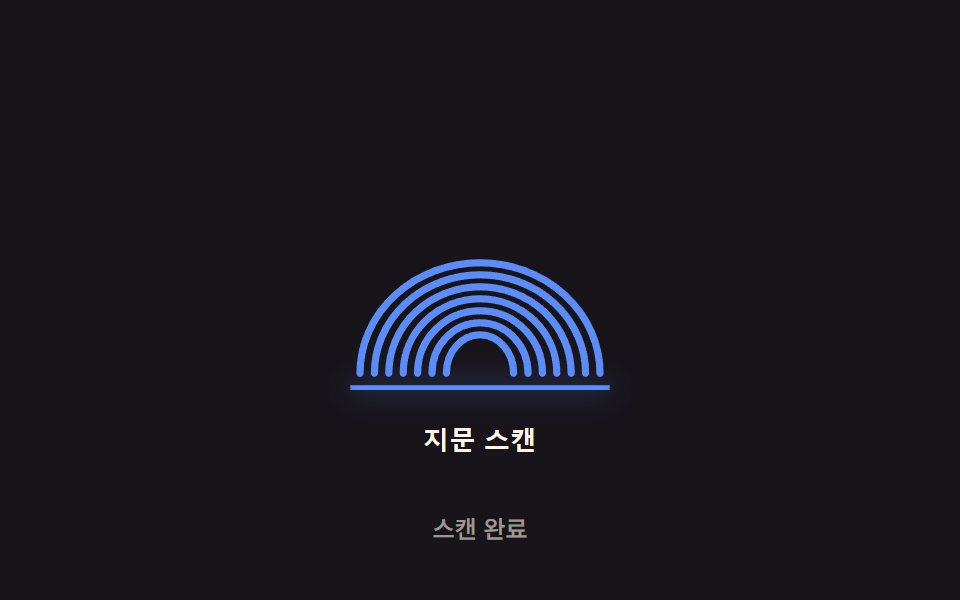
01Scan-line sweep — a scan-progress value moves top to bottom while the ridge-brightness value at each passed line rises in order
As the scan-progress value moves downward, the ridge-brightness value at that position rises in turn, so every ridge is lit once the scan finishes.
Best forA biometric-wait button on a login screen, an app unlock screen
BASE_MS$subject-blue-lightGLOW_BAND
<main class="stage">
<div class="scan-wrap">
<button type="button" class="scan is-demo" id="scan" aria-pressed="false">
  <svg class="scan__icon" viewBox="0 0 120 130" aria-hidden="true">
    <path class="scan__ridge" data-apex="72" d="M10,118 A50 46 0 0 1 110,118"></path>
    <path class="scan__ridge" data-apex="77" d="M16,118 A44 41 0 0 1 104,118"></path>
    <path class="scan__ridge" data-apex="82" d="M22,118 A38 36 0 0 1 98,118"></path>
    <path class="scan__ridge" data-apex="87" d="M28,118 A32 31 0 0 1 92,118"></path>
    <path class="scan__ridge" data-apex="92" d="M34,118 A26 26 0 0 1 86,118"></path>
    <path class="scan__ridge" data-apex="97" d="M40,118 A20 21 0 0 1 80,118"></path>
    <path class="scan__ridge" data-apex="102" d="M46,118 A14 16 0 0 1 74,118"></path>
    <line class="scan__beam" id="beam" x1="6" x2="114" y1="6" y2="6"></line>
  </svg>
  <span class="scan__label">Fingerprint scan</span>
</button>
<p class="scan__status" id="status">Idle</p>
</div>
</main>
@use "../../../../site/static/demo-tokens" as *;
// 계산 겹은 index.html 의 apply() 에 있다 — 능선마다 정점(apex) y 와 스캔 라인 y 의 차를 GLOW_BAND 로
// 나눈 활성 값(act)을 opacity 에 매 프레임 반영한다. 여기는 무대·모양만 맡는다.
@include stage($stage-ink);
.scan-wrap {
display: flex;
flex-direction: column;
align-items: center;
gap: $sp-3;
}
.scan {
appearance: none;
border: none;
background: transparent;
display: flex;
flex-direction: column;
align-items: center;
gap: $sp-3;
cursor: pointer;
padding: $sp-4;
border-radius: $r-card;
&:focus-visible { outline: 2px solid $subject-blue-light; outline-offset: 4px; }
}
.scan__icon {
width: clamp(120px, 30vw, 160px);
height: auto;
overflow: visible;
}
.scan__ridge {
fill: none;
stroke: $subject-blue-light;
stroke-width: 3;
stroke-linecap: round;
opacity: .26;
}
.scan__beam {
stroke: $subject-blue-light;
stroke-width: 2;
filter: drop-shadow(0 0 6px rgba($subject-blue-light, .9));
}
.scan__label {
color: $subject-cream;
font-weight: 600;
font-size: 13px;
line-height: 1.2;
letter-spacing: .02em;
}
.scan__status {
margin: 0;
color: rgba($subject-cream, .58);
font-weight: 500;
font-size: 12px;
line-height: 1.2;
}
@media (max-width: 340px) {
.stage { padding: $sp-2; }
.scan-wrap { gap: $sp-2; }
.scan { padding: $sp-2 $sp-3; gap: $sp-2; }
.scan__icon { width: 104px; }
.scan__label { font-size: 12px; }
.scan__status { font-size: 11px; }
}
@media (prefers-reduced-motion: reduce) {
.scan__ridge, .scan__beam { transition: none; }
}html, body {
margin: 0;
overflow: hidden;
}
.stage {
box-sizing: border-box;
min-height: 100vh;
display: grid;
place-items: center;
margin: 0;
background: #17141a;
font-family: -apple-system, "Segoe UI", "Noto Sans KR", sans-serif;
padding: clamp(8px, 4vw, 24px);
}
.scan-wrap {
display: flex;
flex-direction: column;
align-items: center;
gap: 12px;
}
.scan {
appearance: none;
border: none;
background: transparent;
display: flex;
flex-direction: column;
align-items: center;
gap: 12px;
cursor: pointer;
padding: 16px;
border-radius: 16px;
}
.scan:focus-visible {
outline: 2px solid #5b8cf8;
outline-offset: 4px;
}
.scan__icon {
width: clamp(120px, 30vw, 160px);
height: auto;
overflow: visible;
}
.scan__ridge {
fill: none;
stroke: #5b8cf8;
stroke-width: 3;
stroke-linecap: round;
opacity: 0.26;
}
.scan__beam {
stroke: #5b8cf8;
stroke-width: 2;
filter: drop-shadow(0 0 6px rgba(91, 140, 248, 0.9));
}
.scan__label {
color: #fff7e6;
font-weight: 600;
font-size: 13px;
line-height: 1.2;
letter-spacing: 0.02em;
}
.scan__status {
margin: 0;
color: rgba(255, 247, 230, 0.58);
font-weight: 500;
font-size: 12px;
line-height: 1.2;
}
@media (max-width: 340px) {
.stage {
padding: 8px;
}
.scan-wrap {
gap: 8px;
}
.scan {
padding: 8px 12px;
gap: 8px;
}
.scan__icon {
width: 104px;
}
.scan__label {
font-size: 12px;
}
.scan__status {
font-size: 11px;
}
}
@media (prefers-reduced-motion: reduce) {
.scan__ridge, .scan__beam {
transition: none;
}
}(function () {
// 계산 겹: 능선 stagger 순서 계산 — 능선마다 정점(apex) y 값이 다르고, 스캔 라인 y 값이 그 정점을
// 지난 만큼(GLOW_BAND 로 나눈 비율)을 활성 값(act, 0~1)으로 써서 밝기를 매긴다. 정점이 위(작은 y)일수록
// 먼저 활성되므로 "능선이 순서대로 밝아지는" 흐름이 실제 계산으로 나온다.
var SWEEP_SPEED = 1.4; // 변형 01: SWEEP_SPEED 1.4 → 0.6 (스윕 속도)
var BASE_MS = 1000; // 기준 스윕 시간 — 실제 소요는 BASE_MS / SWEEP_SPEED
var GLOW_BAND = 16; // 스캔 라인이 능선 정점을 지난 뒤 완전히 밝아지기까지의 svg 단위 거리
var HOLD_MS = 500; // Scan complete 뒤 전체 밝기를 유지하는 시간
var GAP_MS = 700; // 다음 자동 스캔까지 대기하는 시간
var TOP = 6, BOTTOM = 124;
var reduce = window.matchMedia('(prefers-reduced-motion: reduce)').matches;
var DUR = reduce ? 1 : (BASE_MS / SWEEP_SPEED);
var root = document.getElementById('scan');
var beam = document.getElementById('beam');
var ridges = Array.prototype.slice.call(document.querySelectorAll('.scan__ridge'));
var status = document.getElementById('status');
var STRINGS = { idle: 'Idle', scanning: 'Scanning', done: 'Scan complete' };
var isDemo = true;
var running = false;
var startTs = 0;
function apply(scanY) {
beam.setAttribute('y1', scanY.toFixed(2));
beam.setAttribute('y2', scanY.toFixed(2));
for (var i = 0; i < ridges.length; i++) {
var apex = parseFloat(ridges[i].getAttribute('data-apex'));
var act = Math.max(0, Math.min(1, (scanY - apex) / GLOW_BAND + 0.001));
ridges[i].style.opacity = (0.26 + 0.74 * act).toFixed(3);
}
}
function runScan(ts) {
if (!startTs) startTs = ts;
var t = ts - startTs;
if (t <= DUR) {
apply(TOP + (BOTTOM - TOP) * (t / DUR));
status.textContent = STRINGS.scanning;
requestAnimationFrame(runScan);
} else if (t <= DUR + HOLD_MS) {
apply(BOTTOM);
status.textContent = STRINGS.done;
requestAnimationFrame(runScan);
} else {
apply(TOP);
status.textContent = STRINGS.idle;
running = false;
root.setAttribute('aria-pressed', 'false');
}
}
function trigger() {
if (running) return;
running = true;
startTs = 0;
root.setAttribute('aria-pressed', 'true');
requestAnimationFrame(runScan);
}
function human() { if (isDemo) { root.classList.remove('is-demo'); isDemo = false; } }
root.addEventListener('click', function () { human(); trigger(); });
root.addEventListener('keydown', function (e) {
if (e.key === ' ' || e.key === 'Enter') { human(); }
});
apply(TOP);
var cycleStart = 0;
var PERIOD = DUR + HOLD_MS + GAP_MS;
function loop(ts) {
if (isDemo && !reduce) {
if (!cycleStart) cycleStart = ts;
var phase = (ts - cycleStart) % PERIOD;
if (phase < 16 && !running) trigger();
}
requestAnimationFrame(loop);
}
requestAnimationFrame(loop);
})();// ScanSweepLine — vanilla 판(run/371/demo/01-biometric-scan-sweep-line/index.html) 의 React 포트.
// 계산 겹(능선 stagger 순서 계산)은 useScanSweep 훅 안에 있다: 능선 정점(apex) y 와 스캔 라인 y 의
// 차를 GLOW_BAND 로 나눈 활성 값(act)을 매 프레임 svg style.opacity 에 반영한다.
import { useEffect, useRef, useState } from "react";
import styles from "./ScanSweepLine.module.scss";
type Box<T> = { current: T };
const RIDGES = [
{ apex: 72, d: "M10,118 A50 46 0 0 1 110,118" },
{ apex: 77, d: "M16,118 A44 41 0 0 1 104,118" },
{ apex: 82, d: "M22,118 A38 36 0 0 1 98,118" },
{ apex: 87, d: "M28,118 A32 31 0 0 1 92,118" },
{ apex: 92, d: "M34,118 A26 26 0 0 1 86,118" },
{ apex: 97, d: "M40,118 A20 21 0 0 1 80,118" },
{ apex: 102, d: "M46,118 A14 16 0 0 1 74,118" },
];
const STRINGS: Record<string, string> = { idle: "대기 중", scanning: "스캔 중", done: "스캔 완료" };
function useScanSweep(
rootRef: Box<HTMLButtonElement>,
beamRef: Box<SVGLineElement>,
ridgeRefs: Box<SVGPathElement[]>,
setStatus: (s: string) => void,
setPressed: (b: boolean) => void
) {
useEffect(() => {
const SWEEP_SPEED = 1.4; // 변형 01: SWEEP_SPEED 1.4 → 0.6
const BASE_MS = 1000;
const GLOW_BAND = 16;
const HOLD_MS = 500;
const GAP_MS = 700;
const TOP = 6, BOTTOM = 124;
const reduce = window.matchMedia("(prefers-reduced-motion: reduce)").matches;
const DUR = reduce ? 1 : BASE_MS / SWEEP_SPEED;
const root = rootRef.current;
const beam = beamRef.current;
const ridges = ridgeRefs.current;
if (!root || !beam || ridges.length === 0) return;
let isDemo = true;
let running = false;
let startTs = 0;
let rafId = 0;
function apply(scanY: number) {
beam.setAttribute("y1", scanY.toFixed(2));
beam.setAttribute("y2", scanY.toFixed(2));
for (let i = 0; i < ridges.length; i++) {
const apex = RIDGES[i].apex;
const act = Math.max(0, Math.min(1, (scanY - apex) / GLOW_BAND + 0.001));
ridges[i].style.opacity = (0.26 + 0.74 * act).toFixed(3);
}
}
function runScan(ts: number) {
if (!startTs) startTs = ts;
const t = ts - startTs;
if (t <= DUR) {
apply(TOP + (BOTTOM - TOP) * (t / DUR));
setStatus(STRINGS.scanning);
rafId = requestAnimationFrame(runScan);
} else if (t <= DUR + HOLD_MS) {
apply(BOTTOM);
setStatus(STRINGS.done);
rafId = requestAnimationFrame(runScan);
} else {
apply(TOP);
setStatus(STRINGS.idle);
running = false;
setPressed(false);
}
}
function trigger() {
if (running) return;
running = true;
startTs = 0;
setPressed(true);
rafId = requestAnimationFrame(runScan);
}
function human() { if (isDemo) { root.classList.remove(styles.isDemo); isDemo = false; } }
function onClick() { human(); trigger(); }
function onKeyDown(e: KeyboardEvent) { if (e.key === " " || e.key === "Enter") human(); }
root.addEventListener("click", onClick);
root.addEventListener("keydown", onKeyDown);
apply(TOP);
let cycleStart = 0;
const PERIOD = DUR + HOLD_MS + GAP_MS;
function loop(ts: number) {
if (isDemo && !reduce) {
if (!cycleStart) cycleStart = ts;
const phase = (ts - cycleStart) % PERIOD;
if (phase < 16 && !running) trigger();
}
rafId = requestAnimationFrame(loop);
}
rafId = requestAnimationFrame(loop);
return () => {
root.removeEventListener("click", onClick);
root.removeEventListener("keydown", onKeyDown);
cancelAnimationFrame(rafId);
};
}, []);
}
export default function ScanSweepLine() {
const rootRef = useRef(null) as unknown as Box<HTMLButtonElement>;
const beamRef = useRef(null) as unknown as Box<SVGLineElement>;
const ridgeRefs = useRef([]) as unknown as Box<SVGPathElement[]>;
const [status, setStatus] = useState(STRINGS.idle);
const [pressed, setPressed] = useState(false);
useScanSweep(rootRef, beamRef, ridgeRefs, setStatus, setPressed);
return (
<main className={styles.stage}>
<div className={styles.scanWrap}>
<button
type="button"
className={styles.scan + " " + styles.isDemo}
ref={rootRef}
aria-pressed={pressed}
>
<svg className={styles.scanIcon} viewBox="0 0 120 130" aria-hidden="true">
{RIDGES.map((r, i) => (
<path
key={i}
className={styles.scanRidge}
d={r.d}
ref={(el: SVGPathElement | null) => { if (el) ridgeRefs.current[i] = el; }}
/>
))}
<line className={styles.scanBeam} ref={beamRef} x1={6} x2={114} y1={6} y2={6} />
</svg>
<span className={styles.scanLabel}>지문 스캔</span>
</button>
<p className={styles.scanStatus}>{status}</p>
</div>
</main>
);
}01 Scan-line sweep — a scan-progress value moves top to bottom while the ridge-brightness value at each passed line rises in order — Measured area 12.571% · moving frames 12/23Original by GODRICH · SCSS and React ship in the zip · Fingerprint Scan Animation: 9 Biometric UI Demos
The post this demo lives in
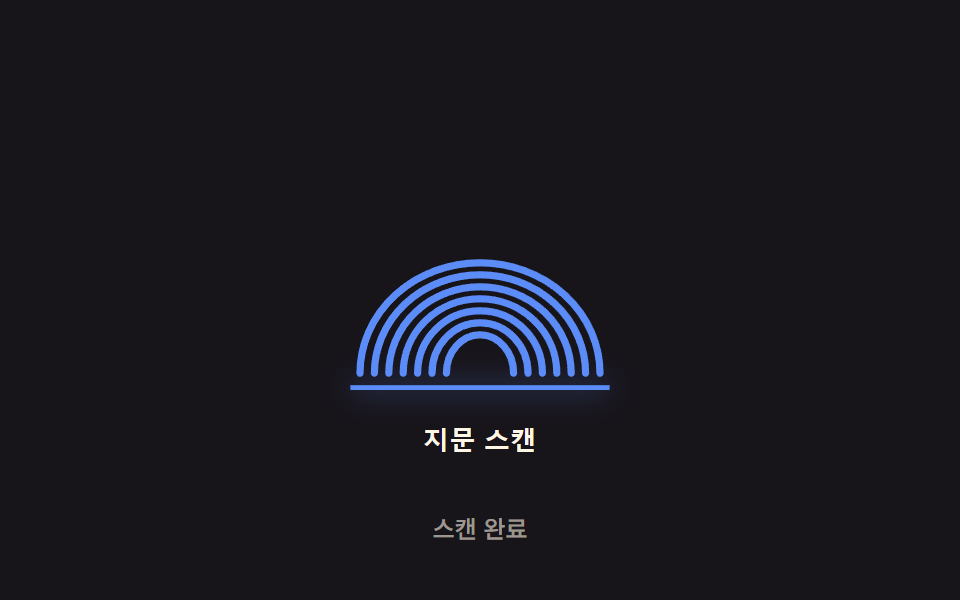 Fingerprint Scan Animation: 9 Biometric UI DemosNine fingerprint scan animation patterns: one lights ridges by scan-progress value, one shakes by spring-damping value o See all demos in this post
If you like this effect - similar demos
 Auth UI01 Remaining-tries shake — the remaining-tries value drops and the number shakes briefly each time login failsToo Many Failed Login Attempts: 9 Patterns
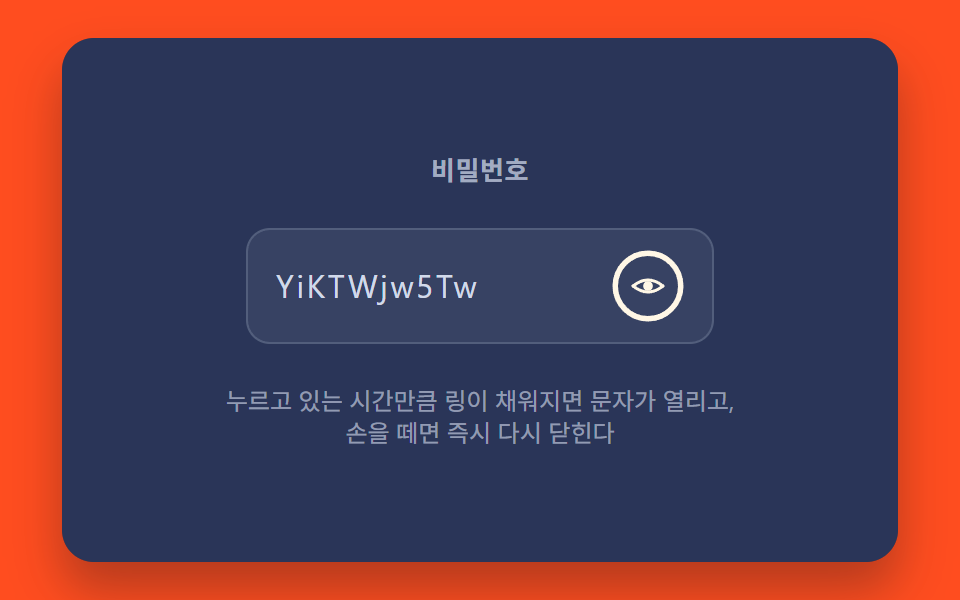 Auth UI07 Hold-to-Reveal With a Progress Ring While PressedShow Password Toggle Icon: 9 Reveal Patterns
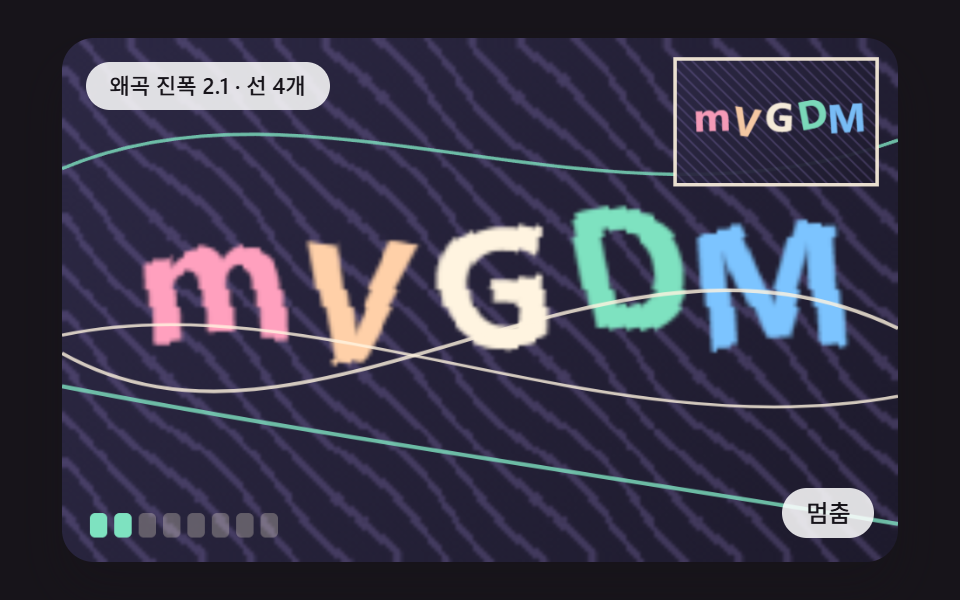 Auth UI01 A Glyph Board Where Each Pixel Column Slides Along a Sine Wave and the Letters BendCSS Captcha: 9 Warped Text and Rotate Checks