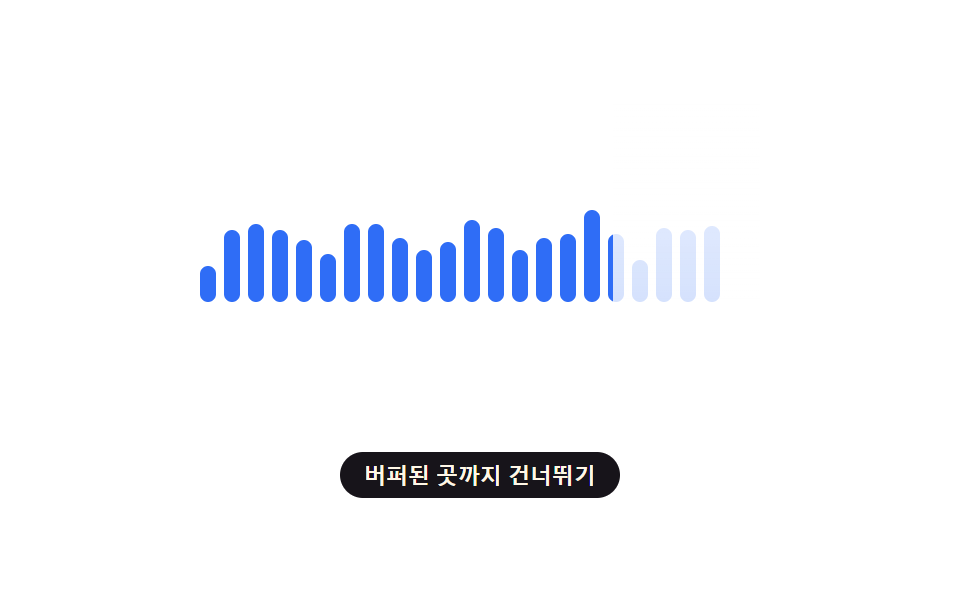
04Waveform That Fills as It Buffers
Lays a translucent film over a static waveform and peels it back only as far as the buffered range extends (a different demo from 291's live-analysis visualizer — here a single buffer-progress value alone drives how far the film retreats, with no mic or file analysis).
Best forPodcast/music player seek bars
mask-image--buffer-pctlinear-gradient
<main class="stage">
<div class="waveWrap is-demo" id="waveWrap" role="progressbar" aria-label="Audio buffer progress" aria-valuemin="0" aria-valuemax="100" aria-valuenow="0">
  <div class="bars" id="bars"></div>
  <div class="film" id="film"></div>
</div>
<button class="skipBtn" id="skipBtn" type="button">Skip to buffered point</button>
</main>
@use "../../../../site/static/demo-tokens" as *;
// 변수 3개
$duration: $dur-loop;
$easing: $ease-out;
$color: $subject-blue;
// 계산 겹: index.html 의 bezier() 가 WAVEFORM_FILL_EASE 문자열을 실제 3차 베지어 곡선으로 풀어
// 진행률(t)을 채움 비율로 바꾸고, 그 비율의 경계 막대에만 sin() 범프를 얹어 "채워지는 순간"을 표시한다.
@include stage($stage-paper);
.waveWrap {
position: relative;
width: 280px;
height: 100px;
}
.bars {
display: flex;
align-items: flex-end;
gap: 4px;
height: 100%;
}
.bar {
--h: 20px;
--bump: 0px;
display: block;
width: 8px;
border-radius: $r-xs;
background: $color;
// 막대는 바닥에서 자라는 파형 계기라 origin 을 bottom 으로 둔다
transform-origin: bottom;
height: calc(var(--h) + var(--bump));
}
.film {
position: absolute;
inset: 0;
background: linear-gradient(180deg, rgba($stage-paper, .92), rgba($stage-paper, .8));
mask-image: linear-gradient(to right, transparent var(--buffer-pct), #000 var(--buffer-pct));
-webkit-mask-image: linear-gradient(to right, transparent var(--buffer-pct), #000 var(--buffer-pct));
}
.skipBtn {
appearance: none;
border: none;
margin-top: $sp-3;
border-radius: $r-pill;
padding: $sp-1 $sp-3;
font-size: 11px;
font-weight: 600;
color: $subject-cream;
background: $subject-ink;
cursor: pointer;
&:focus-visible { outline: 2px solid $subject-blue-deep; outline-offset: 2px; }
}
@media (max-width: 340px) {
.waveWrap { width: 220px; height: 76px; }
.bar { width: 6px; }
.skipBtn { font-size: 10px; }
}
// reduce: 실사용 경로 적용 — 채움 이징(진행) 자체는 JS 가 멈춘 채 한 값으로 그리므로 scss 는 덧붙일 전환이 없다
@media (prefers-reduced-motion: reduce) {
.bar { transition: none; }
}html, body {
margin: 0;
overflow: hidden;
}
.stage {
box-sizing: border-box;
min-height: 100vh;
display: grid;
place-items: center;
margin: 0;
background: #ffffff;
font-family: -apple-system, "Segoe UI", "Noto Sans KR", sans-serif;
padding: clamp(8px, 4vw, 24px);
}
.waveWrap {
position: relative;
width: 280px;
height: 100px;
}
.bars {
display: flex;
align-items: flex-end;
gap: 4px;
height: 100%;
}
.bar {
--h: 20px;
--bump: 0px;
display: block;
width: 8px;
border-radius: 4px;
background: #2f6df6;
transform-origin: bottom;
height: calc(var(--h) + var(--bump));
}
.film {
position: absolute;
inset: 0;
background: linear-gradient(180deg, rgba(255, 255, 255, 0.92), rgba(255, 255, 255, 0.8));
mask-image: linear-gradient(to right, transparent var(--buffer-pct), #000 var(--buffer-pct));
-webkit-mask-image: linear-gradient(to right, transparent var(--buffer-pct), #000 var(--buffer-pct));
}
.skipBtn {
appearance: none;
border: none;
margin-top: 12px;
border-radius: 999px;
padding: 4px 12px;
font-size: 11px;
font-weight: 600;
color: #fff7e6;
background: #17141a;
cursor: pointer;
}
.skipBtn:focus-visible {
outline: 2px solid #0a4fe8;
outline-offset: 2px;
}
@media (max-width: 340px) {
.waveWrap {
width: 220px;
height: 76px;
}
.bar {
width: 6px;
}
.skipBtn {
font-size: 10px;
}
}
@media (prefers-reduced-motion: reduce) {
.bar {
transition: none;
}
}(function () {
var WAVEFORM_FILL_EASE = 'linear'; // 훅 — 변형이 cubic-bezier(.22,1,.36,1) 로 바꾸는 값
var BAR_COUNT = 22;
var LOOP_MS = 2000;
var TICK_MS = 70;
var BUMP_PX = 10; // Buffer 경계 막대가 채워지는 순간 살짝 솟는 최대 높이
// 고정 패턴(사인 두 겹 합성) — Math.random 없이 매번 같은 파형을 만든다
var HEIGHTS = [];
for (var i = 0; i < BAR_COUNT; i++) {
var v = 18 + 16 * Math.abs(Math.sin(i * 0.7)) + 8 * Math.abs(Math.sin(i * 1.9));
HEIGHTS.push(Math.round(v));
}
var wrap = document.getElementById('waveWrap');
var barsEl = document.getElementById('bars');
var film = document.getElementById('film');
var skipBtn = document.getElementById('skipBtn');
var reduce = window.matchMedia('(prefers-reduced-motion: reduce)').matches;
var bars = HEIGHTS.map(function (h, i) {
var b = document.createElement('span');
b.className = 'bar';
b.style.setProperty('--h', h + 'px');
barsEl.appendChild(b);
return b;
});
// 3차 베지어 이징 평가기 — WAVEFORM_FILL_EASE 값을 실제 진행률 곡선에 반영한다
function bezier(x1, y1, x2, y2) {
function s(a, b) { return 3 * a * (1 - 3 * b + 3 * a) + 3 * b * b * (0); }
function bx(t) { return 3 * (1 - t) * (1 - t) * t * x1 + 3 * (1 - t) * t * t * x2 + t * t * t; }
function by(t) { return 3 * (1 - t) * (1 - t) * t * y1 + 3 * (1 - t) * t * t * y2 + t * t * t; }
return function (x) {
var t = x;
for (var it = 0; it < 6; it++) {
var cx = bx(t) - x;
var d = 3 * (1 - t) * (1 - t) * x1 + 6 * (1 - t) * t * (x2 - x1) + 3 * t * t * (1 - x2);
if (Math.abs(d) < 1e-6) break;
t -= cx / d;
t = Math.min(1, Math.max(0, t));
}
return by(t);
};
}
function easeFn() {
if (WAVEFORM_FILL_EASE === 'linear') return function (x) { return x; };
var nums = WAVEFORM_FILL_EASE.replace('cubic-bezier(', '').replace(')', '').split(',').map(Number);
return bezier(nums[0], nums[1], nums[2], nums[3]);
}
var ease = easeFn();
function paint(pct) {
var pctStr = (pct * 100).toFixed(1) + '%';
film.style.setProperty('--buffer-pct', pctStr);
wrap.setAttribute('aria-valuenow', String(Math.round(pct * 100)));
var raw = pct * BAR_COUNT;
var idx = Math.min(BAR_COUNT - 1, Math.floor(raw));
var frac = raw - idx;
bars.forEach(function (b, i) {
var bump = i === idx ? Math.sin(frac * Math.PI) * BUMP_PX : 0;
b.style.setProperty('--bump', bump.toFixed(1) + 'px');
});
}
var manualPct = null;
function tick(elapsedMs) {
if (manualPct !== null) { paint(manualPct); return; }
var t = (elapsedMs % LOOP_MS) / LOOP_MS;
paint(ease(t));
}
var timer = null;
var start = 0;
function loop() { tick(performance.now() - start); }
function human() {
if (wrap.classList.contains('is-demo')) {
wrap.classList.remove('is-demo');
window.clearInterval(timer);
timer = null;
}
}
skipBtn.addEventListener('click', function () {
human();
manualPct = 1;
paint(1);
});
if (!reduce) {
start = performance.now();
tick(0);
timer = window.setInterval(loop, TICK_MS);
} else {
// reduce: 실사용 경로 — 채워지는 전환은 멈추고 Buffer 진행률을 고정된 한 장면으로만 보여준다
paint(0.55);
}
})();import { useEffect, useRef } from 'react';
import type { CSSProperties } from 'react';
import styles from './BufferingWaveformFill.module.scss';
const WAVEFORM_FILL_EASE: string = 'linear'; // 훅 — 변형이 cubic-bezier(.22,1,.36,1) 로 바꾸는 값
const BAR_COUNT = 22;
const LOOP_MS = 2000;
const TICK_MS = 70;
const BUMP_PX = 10; // 버퍼 경계 막대가 채워지는 순간 살짝 솟는 최대 높이
// 고정 패턴(사인 두 겹 합성) — Math.random 없이 매번 같은 파형을 만든다
const HEIGHTS: number[] = [];
for (let i = 0; i < BAR_COUNT; i++) {
const v = 18 + 16 * Math.abs(Math.sin(i * 0.7)) + 8 * Math.abs(Math.sin(i * 1.9));
HEIGHTS.push(Math.round(v));
}
// 3차 베지어 이징 평가기 — WAVEFORM_FILL_EASE 값을 실제 진행률 곡선에 반영한다
function bezier(x1: number, y1: number, x2: number, y2: number) {
function bx(t: number) { return 3 * (1 - t) * (1 - t) * t * x1 + 3 * (1 - t) * t * t * x2 + t * t * t; }
function by(t: number) { return 3 * (1 - t) * (1 - t) * t * y1 + 3 * (1 - t) * t * t * y2 + t * t * t; }
return function (x: number) {
let t = x;
for (let it = 0; it < 6; it++) {
const cx = bx(t) - x;
const d = 3 * (1 - t) * (1 - t) * x1 + 6 * (1 - t) * t * (x2 - x1) + 3 * t * t * (1 - x2);
if (Math.abs(d) < 1e-6) break;
t -= cx / d;
t = Math.min(1, Math.max(0, t));
}
return by(t);
};
}
function easeFn(): (x: number) => number {
if (WAVEFORM_FILL_EASE === 'linear') return (x: number) => x;
const nums = WAVEFORM_FILL_EASE.replace('cubic-bezier(', '').replace(')', '').split(',').map(Number);
return bezier(nums[0], nums[1], nums[2], nums[3]);
}
export default function BufferingWaveformFill() {
const wrapRef = useRef<HTMLDivElement>(null);
const filmRef = useRef<HTMLDivElement>(null);
const skipBtnRef = useRef<HTMLButtonElement>(null);
const barRefs = useRef<(HTMLSpanElement | null)[]>([]);
useEffect(() => {
const wrap = wrapRef.current;
const film = filmRef.current;
const skipBtn = skipBtnRef.current;
const bars = barRefs.current;
if (!wrap || !film || !skipBtn || !bars) return undefined;
const reduce = window.matchMedia('(prefers-reduced-motion: reduce)').matches;
const ease = easeFn();
function paint(pct: number) {
if (!film || !wrap) return;
const pctStr = (pct * 100).toFixed(1) + '%';
film.style.setProperty('--buffer-pct', pctStr);
wrap.setAttribute('aria-valuenow', String(Math.round(pct * 100)));
const raw = pct * BAR_COUNT;
const idx = Math.min(BAR_COUNT - 1, Math.floor(raw));
const frac = raw - idx;
bars!.forEach((b, i) => {
if (!b) return;
const bump = i === idx ? Math.sin(frac * Math.PI) * BUMP_PX : 0;
b.style.setProperty('--bump', bump.toFixed(1) + 'px');
});
}
let manualPct: number | null = null;
function tick(elapsedMs: number) {
if (manualPct !== null) { paint(manualPct); return; }
const t = (elapsedMs % LOOP_MS) / LOOP_MS;
paint(ease(t));
}
let timer: ReturnType<typeof window.setInterval> | null = null;
let start = 0;
function loop() {
tick(performance.now() - start);
}
function human() {
if (wrap && wrap.classList.contains(styles['is-demo'])) {
wrap.classList.remove(styles['is-demo']);
if (timer !== null) window.clearInterval(timer);
timer = null;
}
}
function onSkip() {
human();
manualPct = 1;
paint(1);
}
skipBtn.addEventListener('click', onSkip);
if (!reduce) {
start = performance.now();
tick(0);
timer = window.setInterval(loop, TICK_MS);
} else {
// reduce: 실사용 경로 — 채워지는 전환은 멈추고 버퍼 진행률을 고정된 한 장면으로만 보여준다
paint(0.55);
}
return () => {
if (timer !== null) window.clearInterval(timer);
skipBtn.removeEventListener('click', onSkip);
};
}, []);
return (
<>
<div
className={`${styles.waveWrap} ${styles['is-demo']}`}
ref={wrapRef}
role="progressbar"
aria-label="오디오 버퍼 진행률"
aria-valuemin={0}
aria-valuemax={100}
aria-valuenow={0}
>
<div className={styles.bars}>
{HEIGHTS.map((h, i) => (
<span
key={i}
className={styles.bar}
ref={(el: HTMLSpanElement | null) => { if (barRefs.current) barRefs.current[i] = el; }}
style={{ ['--h' as string]: h + 'px' } as CSSProperties}
/>
))}
</div>
<div className={styles.film} ref={filmRef} />
</div>
<button className={styles.skipBtn} ref={skipBtnRef} type="button">버퍼된 곳까지 건너뛰기</button>
</>
);
}04 Waveform That Fills as It Buffers — Measured area 4.609% · moving frames 23/23Original by GODRICH · SCSS and React ship in the zip · Buffering Animation CSS — 9 Loading Patterns
The post this demo lives in
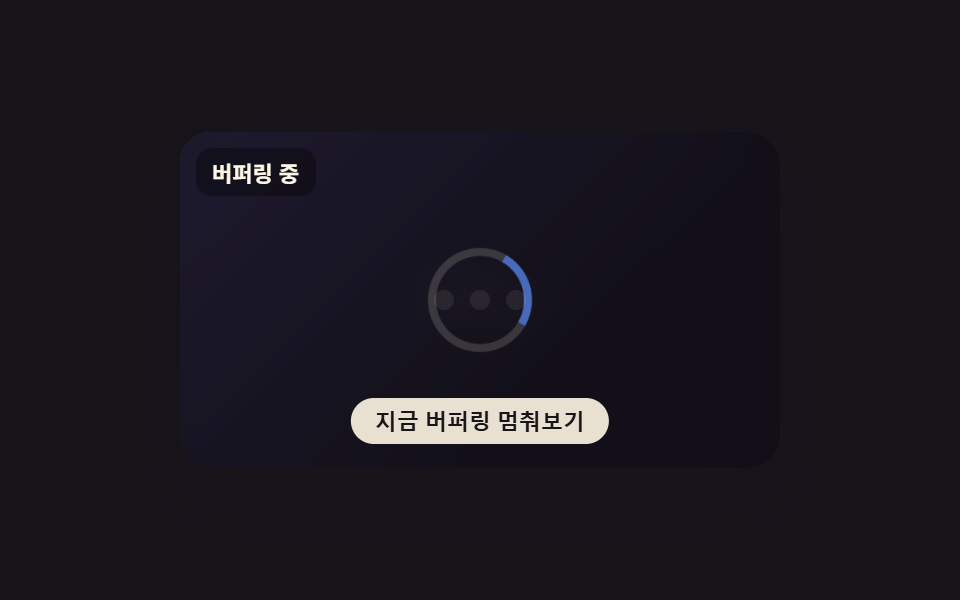 Buffering Animation CSS — 9 Loading PatternsAmong nine buffering animation css ideas, one draws two stacked rings for playback and buffer, one fills a waveform only See all demos in this post
If you like this effect - similar demos
 Loaders02 Button Background That Fills Like a Mini Progress BarLoading Button UI — 9 States, Spinner to Success
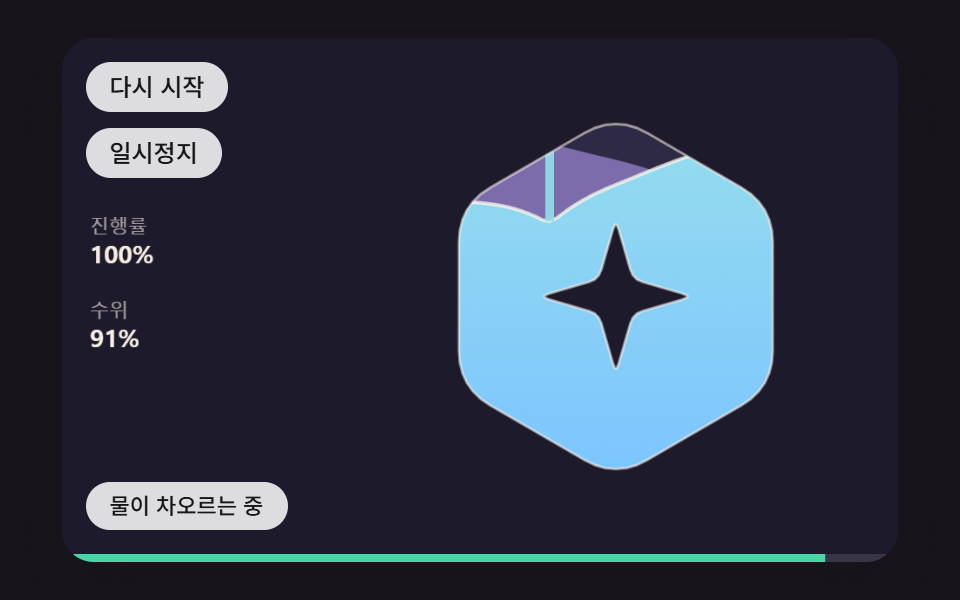 Loaders02 A Loader That Fills the Logo Shape With Water and a Sloshing SurfaceLogo Loading Animation: 9 Progress-Driven Marks
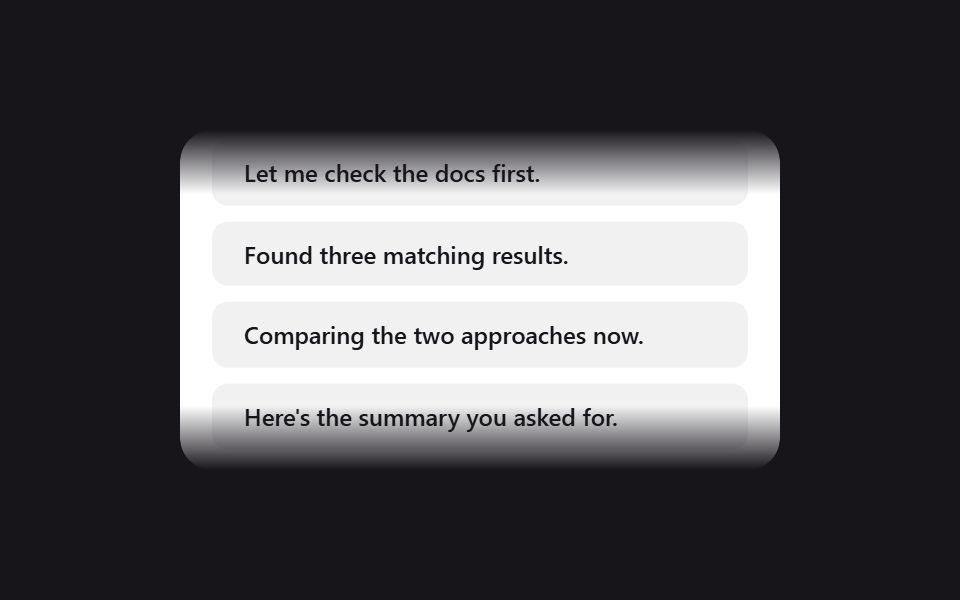 Loaders05 Scroll edge fade9 CSS AI Chat Loading Animations to Copy-Paste