06Button That Dissolves Into Smoke When a Disabled Value Turns On
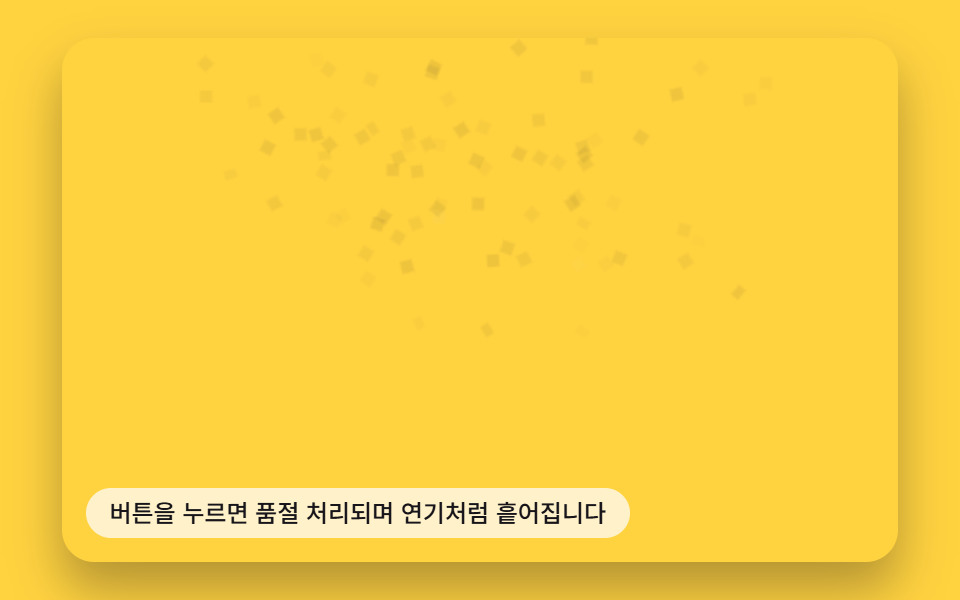
The moment a disabled value turns on, the button surface is split into a small grid, each cell given its own scatter-direction and fade-speed value, so the cells drift upward and fade following those values.
Best forDisabled buttons under unmet conditions, out-of-stock buttons
ASSEMBLE_SPEEDroundRecttoggle
<main class="stage">
<div class="sd is-demo" id="root">
  <canvas class="sd__cv" id="cv" width="480" height="300"></canvas>
  <button class="sd__btn" id="btn" type="button">Buy Now</button>
  <p class="sd__hint">Press the button and it marks sold-out, dissolving into smoke</p>
</div>
</main>
@use "../../../../site/static/demo-tokens" as *;
$duration: $dur-base;
$easing: $ease-pop;
$color: $subject-ink;
@include stage($stage-yellow);
.sd {
position: relative;
width: min(92vw, calc(160vh - 12.8vw));
aspect-ratio: 480 / 300;
margin: 0 auto;
border-radius: $r-card;
overflow: hidden;
box-shadow: $shadow-raised;
}
.sd__cv {
display: block;
width: 100%;
height: 100%;
}
.sd__btn {
position: absolute;
left: 50%;
top: 50%;
width: calc(224 / 480 * 100%);
height: calc(68 / 300 * 100%);
transform: translate(-50%, -50%);
z-index: 2;
border: 0;
border-radius: $r-control;
background: transparent;
color: transparent;
cursor: pointer;
font-size: 16px;
font-weight: 700;
}
.sd__btn:focus-visible {
outline: 2px solid $subject-ink;
outline-offset: 3px;
}
.sd__hint {
position: absolute;
left: $sp-3;
bottom: $sp-3;
margin: 0;
padding: $sp-1 $sp-3;
border-radius: $r-pill;
font-size: 12px;
line-height: 1.4;
font-weight: 500;
background: rgba(255, 255, 255, .72);
color: $subject-ink;
pointer-events: none;
z-index: 3;
}
@media (prefers-reduced-motion: reduce) {
.sd__btn { transition: none; }
}html, body {
margin: 0;
overflow: hidden;
}
.stage {
box-sizing: border-box;
min-height: 100vh;
display: grid;
place-items: center;
margin: 0;
background: #ffd23f;
font-family: -apple-system, "Segoe UI", "Noto Sans KR", sans-serif;
padding: clamp(8px, 4vw, 24px);
}
.sd {
position: relative;
width: min(92vw, 160vh - 12.8vw);
aspect-ratio: 480/300;
margin: 0 auto;
border-radius: 16px;
overflow: hidden;
box-shadow: 0 14px 24px rgba(23, 20, 26, 0.32);
}
.sd__cv {
display: block;
width: 100%;
height: 100%;
}
.sd__btn {
position: absolute;
left: 50%;
top: 50%;
width: 46.6666666667%;
height: 22.6666666667%;
transform: translate(-50%, -50%);
z-index: 2;
border: 0;
border-radius: 12px;
background: transparent;
color: transparent;
cursor: pointer;
font-size: 16px;
font-weight: 700;
}
.sd__btn:focus-visible {
outline: 2px solid #17141a;
outline-offset: 3px;
}
.sd__hint {
position: absolute;
left: 12px;
bottom: 12px;
margin: 0;
padding: 4px 12px;
border-radius: 999px;
font-size: 12px;
line-height: 1.4;
font-weight: 500;
background: rgba(255, 255, 255, 0.72);
color: #17141a;
pointer-events: none;
z-index: 3;
}
@media (prefers-reduced-motion: reduce) {
.sd__btn {
transition: none;
}
}(function () {
'use strict';
function makeLcg(seed) {
var s = seed >>> 0;
return function () { s = (s * 1664525 + 1013904223) >>> 0; return s / 4294967296; };
}
var W = 480, H = 300;
var SEED = 60611;
var rnd = makeLcg(SEED);
var BW = 224, BH = 68;
var BX = (W - BW) / 2, BY = (H - BH) / 2;
var CELL = 7;
var COLS = Math.ceil(BW / CELL), ROWS = Math.ceil(BH / CELL);
var ASSEMBLE_SPEED = 2.6; // 초당 조립도(0~1)가 목표를 따라가는 속도
var root = document.getElementById('root');
var cv = document.getElementById('cv');
var btn = document.getElementById('btn');
var ctx = cv.getContext('2d');
var reduceMQ = window.matchMedia('(prefers-reduced-motion: reduce)');
// 버튼을 한 번 오프스크린에 그려 실제 픽셀을 격자 단위로 표본한다.
var off = document.createElement('canvas');
off.width = BW; off.height = BH;
var octx = off.getContext('2d');
octx.fillStyle = '#17141a';
roundRect(octx, 0, 0, BW, BH, 12);
octx.fill();
octx.fillStyle = '#fff7e6';
octx.font = '700 18px system-ui, sans-serif';
octx.textAlign = 'center';
octx.textBaseline = 'middle';
octx.fillText('Buy Now', BW / 2, BH / 2 + 1);
function roundRect(c, x, y, w, h, r) {
c.beginPath();
c.moveTo(x + r, y);
c.arcTo(x + w, y, x + w, y + h, r);
c.arcTo(x + w, y + h, x, y + h, r);
c.arcTo(x, y + h, x, y, r);
c.arcTo(x, y, x + w, y, r);
c.closePath();
}
var offData = octx.getImageData(0, 0, BW, BH).data;
var shards = [];
for (var gy = 0; gy < ROWS; gy++) {
for (var gx = 0; gx < COLS; gx++) {
var sx = gx * CELL, sy = gy * CELL;
var sw = Math.min(CELL, BW - sx), sh = Math.min(CELL, BH - sy);
if (sw <= 0 || sh <= 0) continue;
var cxp = Math.min(BW - 1, sx + (sw / 2 | 0));
var cyp = Math.min(BH - 1, sy + (sh / 2 | 0));
var pi = (cyp * BW + cxp) * 4;
var a = offData[pi + 3];
if (a < 10) continue;
var ang = rnd() * Math.PI * 2;
var driftMag = 26 + rnd() * 54;
shards.push({
ox: BX + sx, oy: BY + sy, w: sw, h: sh,
r: offData[pi], g: offData[pi + 1], b: offData[pi + 2],
dirX: Math.cos(ang) * driftMag,
dirY: Math.sin(ang) * driftMag - 40 - rnd() * 46,
spin: (rnd() - 0.5) * 2.4,
delay: rnd() * 0.28
});
}
}
var assembly = 1, target = 1;
function render(dt) {
assembly += (target - assembly) * Math.min(1, dt * ASSEMBLE_SPEED);
ctx.clearRect(0, 0, W, H);
for (var i = 0; i < shards.length; i++) {
var s = shards[i];
var local = Math.max(0, Math.min(1, (assembly - s.delay) / (1 - s.delay)));
var scatter = 1 - local;
var px = s.ox + s.dirX * scatter * scatter;
var py = s.oy + s.dirY * scatter * scatter - scatter * 18;
var alpha = local;
if (alpha <= 0.01) continue;
ctx.save();
ctx.globalAlpha = alpha;
ctx.translate(px + s.w / 2, py + s.h / 2);
ctx.rotate(s.spin * scatter);
ctx.fillStyle = 'rgb(' + s.r + ',' + s.g + ',' + s.b + ')';
ctx.fillRect(-s.w / 2, -s.h / 2, s.w, s.h);
ctx.restore();
}
}
function toggle() {
root.classList.remove('is-demo');
target = target === 1 ? 0 : 1;
if (reduceMQ.matches) render(0.05);
}
btn.addEventListener('click', toggle);
btn.addEventListener('keydown', function (e) {
if (e.key !== 'Enter' && e.key !== ' ') return;
e.preventDefault();
toggle();
});
cv.addEventListener('pointerdown', function () { toggle(); });
window.addEventListener('resize', function () { render(0.016); });
var lastT = null;
function frame(now) {
if (!reduceMQ.matches) {
var dt = lastT === null ? 0.016 : Math.min(0.05, (now - lastT) / 1000);
lastT = now;
if (root.classList.contains('is-demo')) {
var t = now % 2200;
target = t < 1100 ? 0 : 1;
}
render(dt);
requestAnimationFrame(frame);
}
}
if (reduceMQ.matches) {
target = 0.4; assembly = 0.4;
render(0.05);
} else {
target = 0;
requestAnimationFrame(frame);
}
})();// SmokeDissolveButton — vanilla 판(run/404/demo/06-btn-canvas-smoke-dissolve-disable/index.html) 의 React 포트.
// 버튼을 오프스크린에 한 번 그려 실제 픽셀을 격자로 표본하고, 비활성(품절) 토글이 켜지는 순간
// 칸마다 정해진 방향 값·속도 값을 따라 위로 흩어지며 옅어진다. 다시 누르면 역순으로 모인다.
import { useEffect, useRef } from "react";
import styles from "./SmokeDissolveButton.module.scss";
type Box<T> = { current: T };
type KeyEvt = { key: string; preventDefault(): void };
type Shard = {
ox: number; oy: number; w: number; h: number;
r: number; g: number; b: number;
dirX: number; dirY: number; spin: number; delay: number;
};
const W = 480, H = 300;
const SEED = 60611;
const BW = 224, BH = 68;
const BX = (W - BW) / 2, BY = (H - BH) / 2;
const CELL = 7;
const COLS = Math.ceil(BW / CELL), ROWS = Math.ceil(BH / CELL);
const ASSEMBLE_SPEED = 2.6;
function makeLcg(seed: number) {
let s = seed >>> 0;
return function () {
s = (s * 1664525 + 1013904223) >>> 0;
return s / 4294967296;
};
}
function roundRect(c: CanvasRenderingContext2D, x: number, y: number, w: number, h: number, r: number): void {
c.beginPath();
c.moveTo(x + r, y);
c.arcTo(x + w, y, x + w, y + h, r);
c.arcTo(x + w, y + h, x, y + h, r);
c.arcTo(x, y + h, x, y, r);
c.arcTo(x, y, x + w, y, r);
c.closePath();
}
function buildShards(rnd: () => number): Shard[] {
const off = document.createElement("canvas");
off.width = BW; off.height = BH;
const octx = off.getContext("2d");
if (!octx) return [];
octx.fillStyle = "#17141a";
roundRect(octx, 0, 0, BW, BH, 12);
octx.fill();
octx.fillStyle = "#fff7e6";
octx.font = "700 18px system-ui, sans-serif";
octx.textAlign = "center";
octx.textBaseline = "middle";
octx.fillText("구매하기", BW / 2, BH / 2 + 1);
const offData = octx.getImageData(0, 0, BW, BH).data;
const list: Shard[] = [];
for (let gy = 0; gy < ROWS; gy++) {
for (let gx = 0; gx < COLS; gx++) {
const sx = gx * CELL, sy = gy * CELL;
const sw = Math.min(CELL, BW - sx), sh = Math.min(CELL, BH - sy);
if (sw <= 0 || sh <= 0) continue;
const cxp = Math.min(BW - 1, sx + (sw / 2 | 0));
const cyp = Math.min(BH - 1, sy + (sh / 2 | 0));
const pi = (cyp * BW + cxp) * 4;
const a = offData[pi + 3];
if (a < 10) continue;
const ang = rnd() * Math.PI * 2;
const driftMag = 26 + rnd() * 54;
list.push({
ox: BX + sx, oy: BY + sy, w: sw, h: sh,
r: offData[pi], g: offData[pi + 1], b: offData[pi + 2],
dirX: Math.cos(ang) * driftMag,
dirY: Math.sin(ang) * driftMag - 40 - rnd() * 46,
spin: (rnd() - 0.5) * 2.4,
delay: rnd() * 0.28,
});
}
}
return list;
}
export default function SmokeDissolveButton() {
const cvRef = useRef<HTMLCanvasElement | null>(null);
const btnRef = useRef<HTMLButtonElement | null>(null);
const rndRef = useRef(makeLcg(SEED)) as Box<() => number>;
const shardsRef = useRef<Shard[]>([]) as Box<Shard[]>;
const assemblyRef = useRef<number>(1) as Box<number>;
const targetRef = useRef<number>(1) as Box<number>;
const demoRef = useRef<boolean>(true) as Box<boolean>;
const reduceRef = useRef<boolean>(false) as Box<boolean>;
const lastTRef = useRef<number | null>(null) as Box<number | null>;
const frameRef = useRef<number>(0) as Box<number>;
function render(dt: number): void {
const cv = cvRef.current;
if (!cv) return;
const ctx = cv.getContext("2d");
if (!ctx) return;
assemblyRef.current += (targetRef.current - assemblyRef.current) * Math.min(1, dt * ASSEMBLE_SPEED);
const assembly = assemblyRef.current;
ctx.clearRect(0, 0, W, H);
const shards = shardsRef.current;
for (let i = 0; i < shards.length; i++) {
const s = shards[i];
const local = Math.max(0, Math.min(1, (assembly - s.delay) / (1 - s.delay)));
const scatter = 1 - local;
const px = s.ox + s.dirX * scatter * scatter;
const py = s.oy + s.dirY * scatter * scatter - scatter * 18;
const alpha = local;
if (alpha <= 0.01) continue;
ctx.save();
ctx.globalAlpha = alpha;
ctx.translate(px + s.w / 2, py + s.h / 2);
ctx.rotate(s.spin * scatter);
ctx.fillStyle = "rgb(" + s.r + "," + s.g + "," + s.b + ")";
ctx.fillRect(-s.w / 2, -s.h / 2, s.w, s.h);
ctx.restore();
}
}
function toggle(): void {
demoRef.current = false;
targetRef.current = targetRef.current === 1 ? 0 : 1;
if (reduceRef.current) render(0.05);
}
function onKeyDown(e: KeyEvt): void {
if (e.key !== "Enter" && e.key !== " ") return;
e.preventDefault();
toggle();
}
useEffect(() => {
shardsRef.current = buildShards(rndRef.current);
reduceRef.current = window.matchMedia("(prefers-reduced-motion: reduce)").matches;
if (reduceRef.current) {
targetRef.current = 0.4;
assemblyRef.current = 0.4;
render(0.05);
return;
}
targetRef.current = 0;
function frame(now: number): void {
const last = lastTRef.current;
const dt = last === null ? 0.016 : Math.min(0.05, (now - last) / 1000);
lastTRef.current = now;
if (demoRef.current) {
const t = now % 2200;
targetRef.current = t < 1100 ? 0 : 1;
}
render(dt);
frameRef.current = requestAnimationFrame(frame);
}
frameRef.current = requestAnimationFrame(frame);
return () => cancelAnimationFrame(frameRef.current);
}, []);
return (
<main className={styles.stage}>
<div className={styles.sd}>
<canvas className={styles.cv} ref={cvRef} width={W} height={H} onPointerDown={toggle} />
<button className={styles.btn} ref={btnRef} type="button" onClick={toggle} onKeyDown={onKeyDown}>
구매하기
</button>
<p className={styles.hint}>버튼을 누르면 품절 처리되며 연기처럼 흩어집니다</p>
</div>
</main>
);
}06 Button That Dissolves Into Smoke When a Disabled Value Turns On — Measured area 22.697% · moving frames 23/23Original by GODRICH · SCSS and React ship in the zip · Button Click Effect CSS: 9 Canvas Pixel Patterns
The post this demo lives in
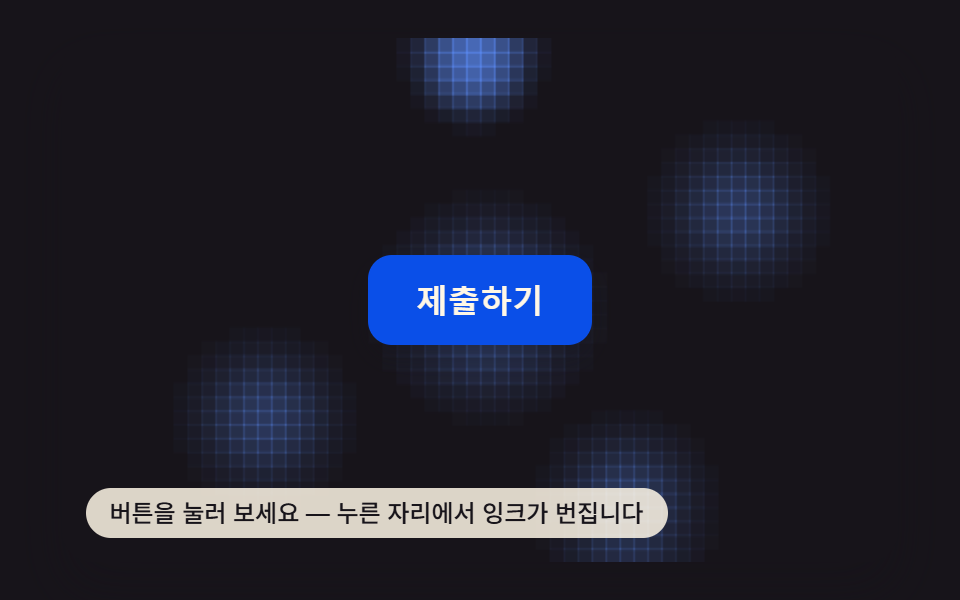 Button Click Effect CSS: 9 Canvas Pixel PatternsNine button click effect css demos. The button cracks like glass for one reason: a crack-angle value tied to a press-sta See all demos in this post
If you like this effect - similar demos
 Buttons05 Split-dual value reveal — when a confirm value turns on, the button splits into two pieces, each revealing a different valueExpanding Button UI: 9 Shape-Morph Patterns
 Buttons04 Exclusive pressed state — when one button's pressed value turns on, every other button's pressed value turns off at the same instantButton Group CSS: 9 Adjoined Patterns
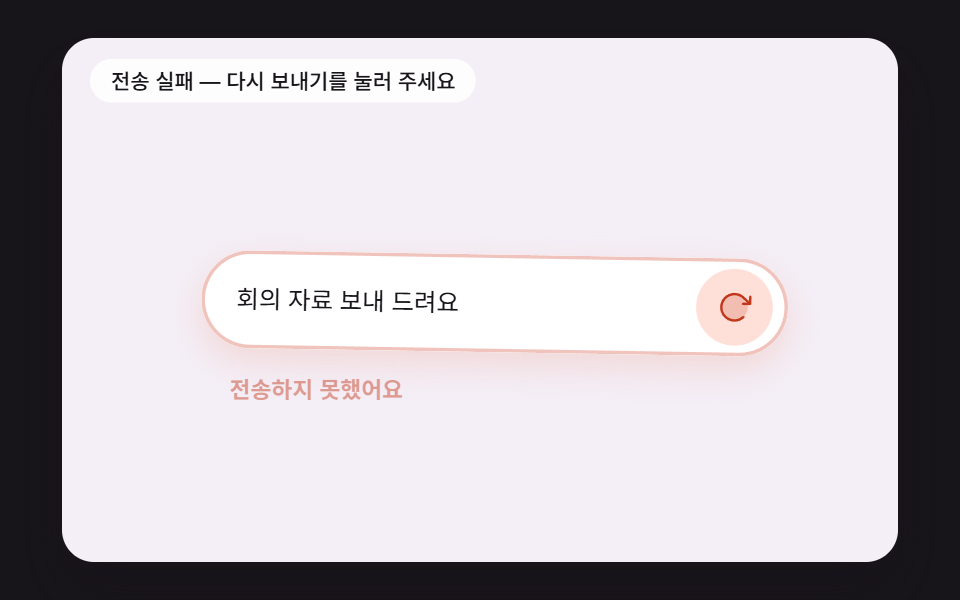 Buttons08 A Button That Reports a Failed Send With a Fading Shake and Turns Into RetrySend Button Animation CSS: 9 Fold-and-Fly Buttons