08Slanted Sheen Band Sweeping Over the Color
On hover a slanted bright band sweeps once across the gradient, brightening the color only where it passes before it returns.
Best forOne layer that adds a metal or glass feel to a gradient button
SWEEP_MSBAND_FROMBAND_TOPEAK_GLOW
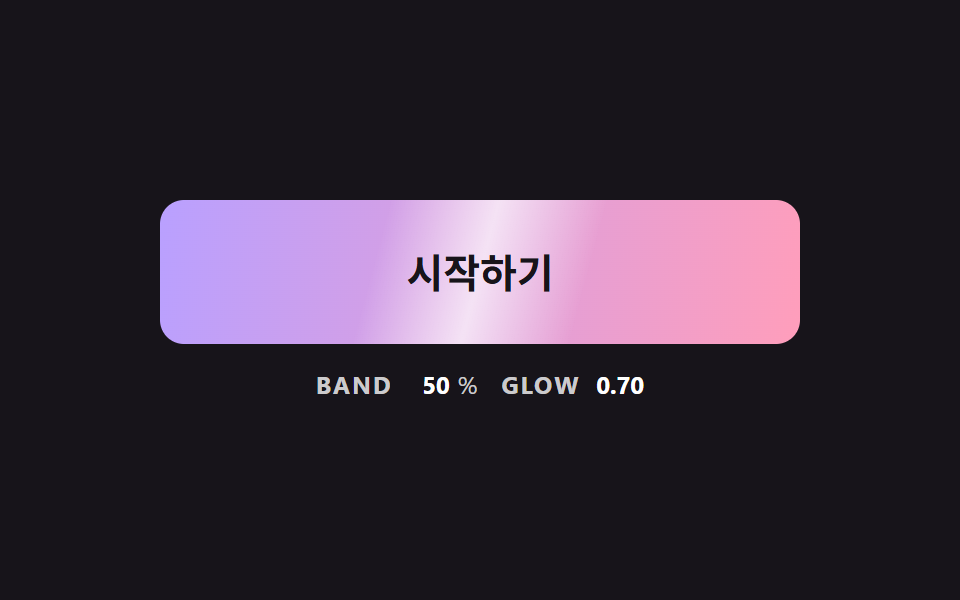
<main class="stage">
<div class="bc is-demo" id="bcRoot">
  <button class="bc__btn" id="bcBtn" type="button">Get started</button>
  <p class="bc__meta"><span class="bc__tag">BAND</span> <b id="bcX">-30</b><span>%</span> <span class="bc__tag">GLOW</span> <b id="bcA">0.00</b></p>
</div>
</main>
@use "../../../../site/static/demo-tokens" as *;
// 핵심: 밝은 띠는 별도 요소가 아니라 같은 background 의 위 겹 그라데이션이다. 위치(--x)와 세기(--glow)는 JS 가 매 프레임 계산한다.
$sheen-a: $subject-lilac;
$sheen-b: $subject-pink;
$sheen-skew: 105deg;
$sheen-half: 16%;
@include stage($stage-ink);
.bc {
width: min(100%, 320px);
display: grid;
gap: $sp-3;
justify-items: center;
}
.bc__btn {
--x: -30;
--glow: 0;
box-sizing: border-box;
width: 100%;
height: 72px;
border: 0;
border-radius: $r-control;
background:
linear-gradient(
$sheen-skew,
rgba(255, 255, 255, 0) calc(var(--x) * 1% - #{$sheen-half}),
rgba(255, 255, 255, var(--glow)) calc(var(--x) * 1%),
rgba(255, 255, 255, 0) calc(var(--x) * 1% + #{$sheen-half})
),
linear-gradient(100deg, $sheen-a, $sheen-b);
color: $subject-ink;
font-family: inherit;
font-size: 20px;
font-weight: 700;
line-height: 24px;
cursor: pointer;
}
.bc__btn:focus-visible { outline: 3px solid $stage-paper; outline-offset: 3px; }
.bc__meta {
margin: 0;
display: flex;
align-items: baseline;
flex-wrap: wrap;
justify-content: center;
gap: $sp-1;
font-size: 12px;
line-height: 16px;
color: rgba($stage-paper, .78);
}
.bc__tag { margin: 0 $sp-1 0 $sp-2; font-weight: 700; letter-spacing: .08em; }
.bc__tag:first-child { margin-left: 0; }
.bc__meta b { min-width: 3ch; text-align: right; font-variant-numeric: tabular-nums; color: $stage-paper; }
@media (prefers-reduced-motion: reduce) {
.bc__btn { transition: none; }
}html, body {
margin: 0;
overflow: hidden;
}
.stage {
box-sizing: border-box;
min-height: 100vh;
display: grid;
place-items: center;
margin: 0;
background: #17141a;
font-family: -apple-system, "Segoe UI", "Noto Sans KR", sans-serif;
padding: clamp(8px, 4vw, 24px);
}
.bc {
width: min(100%, 320px);
display: grid;
gap: 12px;
justify-items: center;
}
.bc__btn {
--x: -30;
--glow: 0;
box-sizing: border-box;
width: 100%;
height: 72px;
border: 0;
border-radius: 12px;
background: linear-gradient(105deg, rgba(255, 255, 255, 0) calc(var(--x) * 1% - 16%), rgba(255, 255, 255, var(--glow)) calc(var(--x) * 1%), rgba(255, 255, 255, 0) calc(var(--x) * 1% + 16%)), linear-gradient(100deg, #b9a0ff, #ff9ebb);
color: #17141a;
font-family: inherit;
font-size: 20px;
font-weight: 700;
line-height: 24px;
cursor: pointer;
}
.bc__btn:focus-visible {
outline: 3px solid #ffffff;
outline-offset: 3px;
}
.bc__meta {
margin: 0;
display: flex;
align-items: baseline;
flex-wrap: wrap;
justify-content: center;
gap: 4px;
font-size: 12px;
line-height: 16px;
color: rgba(255, 255, 255, 0.78);
}
.bc__tag {
margin: 0 4px 0 8px;
font-weight: 700;
letter-spacing: 0.08em;
}
.bc__tag:first-child {
margin-left: 0;
}
.bc__meta b {
min-width: 3ch;
text-align: right;
font-variant-numeric: tabular-nums;
color: #ffffff;
}
@media (prefers-reduced-motion: reduce) {
.bc__btn {
transition: none;
}
}(function () {
// 기법: 기울어진 밝은 띠의 위치(--x)와 세기(--glow)를 JS 가 계산한다. hover 가 시작되면 SWEEP_MS 동안 띠가 한 번 지나간다.
// 위치는 smoothstep 곡선, 세기는 사인 반 주기라서 띠가 들어올 때 서서히 밝아지고 나갈 때 서서히 사라진다.
var SWEEP_MS = 700;
var BAND_FROM = -30;
var BAND_TO = 130;
var PEAK_GLOW = 0.7;
var START_MS = 200;
var ON_MS = 900;
var CYCLE_MS = 2000;
var root = document.getElementById('bcRoot');
var btn = document.getElementById('bcBtn');
var xEl = document.getElementById('bcX');
var aEl = document.getElementById('bcA');
var reduce = window.matchMedia('(prefers-reduced-motion: reduce)').matches;
var pointerIn = false;
var kbFocus = false;
var wasOn = false;
var sweepAt = -1;
var t0 = null;
function demoOn(now) {
return root.classList.contains('is-demo') && now >= START_MS && (now - START_MS) % CYCLE_MS < ON_MS;
}
function paint(x, glow) {
btn.style.setProperty('--x', x.toFixed(1));
btn.style.setProperty('--glow', glow.toFixed(3));
xEl.textContent = String(Math.round(x));
aEl.textContent = glow.toFixed(2);
}
function stopDemo() { root.classList.remove('is-demo'); }
function staticState() {
if (pointerIn || kbFocus) paint(50, 0.5); else paint(BAND_FROM, 0);
}
btn.addEventListener('pointerenter', function () { stopDemo(); pointerIn = true; if (reduce) staticState(); });
btn.addEventListener('pointerleave', function () { pointerIn = false; if (reduce) staticState(); });
btn.addEventListener('focus', function () { kbFocus = btn.matches(':focus-visible'); if (kbFocus) stopDemo(); if (reduce) staticState(); });
btn.addEventListener('blur', function () { kbFocus = false; if (reduce) staticState(); });
function tick(ts) {
if (t0 === null) t0 = ts;
var now = ts - t0;
var on = demoOn(now) || pointerIn || kbFocus;
if (on && !wasOn) sweepAt = now;
wasOn = on;
var p = sweepAt < 0 ? 1 : Math.min(1, (now - sweepAt) / SWEEP_MS);
var eased = p * p * (3 - 2 * p);
if (p >= 1) paint(BAND_FROM, 0);
else paint(BAND_FROM + (BAND_TO - BAND_FROM) * eased, PEAK_GLOW * Math.sin(Math.PI * p));
requestAnimationFrame(tick);
}
if (reduce) {
stopDemo();
staticState();
} else {
requestAnimationFrame(tick);
}
})();// SheenSweepButton — vanilla 판(08-btn-gradient-sheen-sweep-skew) 의 React 포트.
// hover 가 시작되면 기울어진 밝은 띠가 SWEEP_MS 동안 한 번 지나간다. 위치는 smoothstep, 세기는 사인 반 주기.
import { useEffect, useRef } from "react";
import styles from "./SheenSweepButton.module.scss";
type Box<T> = { current: T };
const SWEEP_MS = 700;
const BAND_FROM = -30;
const BAND_TO = 130;
const PEAK_GLOW = 0.7;
const START_MS = 200;
const ON_MS = 900;
const CYCLE_MS = 2000;
export default function SheenSweepButton() {
const btnRef = useRef<HTMLButtonElement | null>(null) as Box<HTMLButtonElement | null>;
const xRef = useRef<HTMLElement | null>(null) as Box<HTMLElement | null>;
const aRef = useRef<HTMLElement | null>(null) as Box<HTMLElement | null>;
useEffect(() => {
const btn = btnRef.current;
const xEl = xRef.current;
const aEl = aRef.current;
if (!btn || !xEl || !aEl) return;
const reduce = window.matchMedia("(prefers-reduced-motion: reduce)").matches;
let demo = !reduce;
let pointerIn = false;
let kbFocus = false;
let wasOn = false;
let sweepAt = -1;
let t0: number | null = null;
let raf = 0;
const demoOn = (now: number): boolean => demo && now >= START_MS && (now - START_MS) % CYCLE_MS < ON_MS;
const paint = (x: number, glow: number): void => {
btn.style.setProperty("--x", x.toFixed(1));
btn.style.setProperty("--glow", glow.toFixed(3));
xEl.textContent = String(Math.round(x));
aEl.textContent = glow.toFixed(2);
};
const stopDemo = (): void => { demo = false; };
const staticState = (): void => {
if (pointerIn || kbFocus) paint(50, 0.5);
else paint(BAND_FROM, 0);
};
const onEnter = (): void => { stopDemo(); pointerIn = true; if (reduce) staticState(); };
const onLeave = (): void => { pointerIn = false; if (reduce) staticState(); };
const onFocus = (): void => { kbFocus = btn.matches(":focus-visible"); if (kbFocus) stopDemo(); if (reduce) staticState(); };
const onBlur = (): void => { kbFocus = false; if (reduce) staticState(); };
btn.addEventListener("pointerenter", onEnter);
btn.addEventListener("pointerleave", onLeave);
btn.addEventListener("focus", onFocus);
btn.addEventListener("blur", onBlur);
function tick(ts: number): void {
if (t0 === null) t0 = ts;
const now = ts - t0;
const on = demoOn(now) || pointerIn || kbFocus;
if (on && !wasOn) sweepAt = now;
wasOn = on;
const p = sweepAt < 0 ? 1 : Math.min(1, (now - sweepAt) / SWEEP_MS);
const eased = p * p * (3 - 2 * p);
if (p >= 1) paint(BAND_FROM, 0);
else paint(BAND_FROM + (BAND_TO - BAND_FROM) * eased, PEAK_GLOW * Math.sin(Math.PI * p));
raf = requestAnimationFrame(tick);
}
if (reduce) staticState();
else raf = requestAnimationFrame(tick);
return () => {
cancelAnimationFrame(raf);
btn.removeEventListener("pointerenter", onEnter);
btn.removeEventListener("pointerleave", onLeave);
btn.removeEventListener("focus", onFocus);
btn.removeEventListener("blur", onBlur);
};
}, []);
return (
<main className={styles.stage}>
<div className={styles.bc}>
<button className={styles.bc__btn} type="button" ref={btnRef}>시작하기</button>
<p className={styles.bc__meta}>
<span className={styles.bc__tag}>BAND</span> <b ref={xRef}>-30</b><span>%</span> <span className={styles.bc__tag}>GLOW</span> <b ref={aRef}>0.00</b>
</p>
</div>
</main>
);
}08 Slanted Sheen Band Sweeping Over the Color — Measured area 13.553% · moving frames 12/23Original by GODRICH · SCSS and React ship in the zip · CSS Button Color Transition: 9 Hover Demos
The post this demo lives in
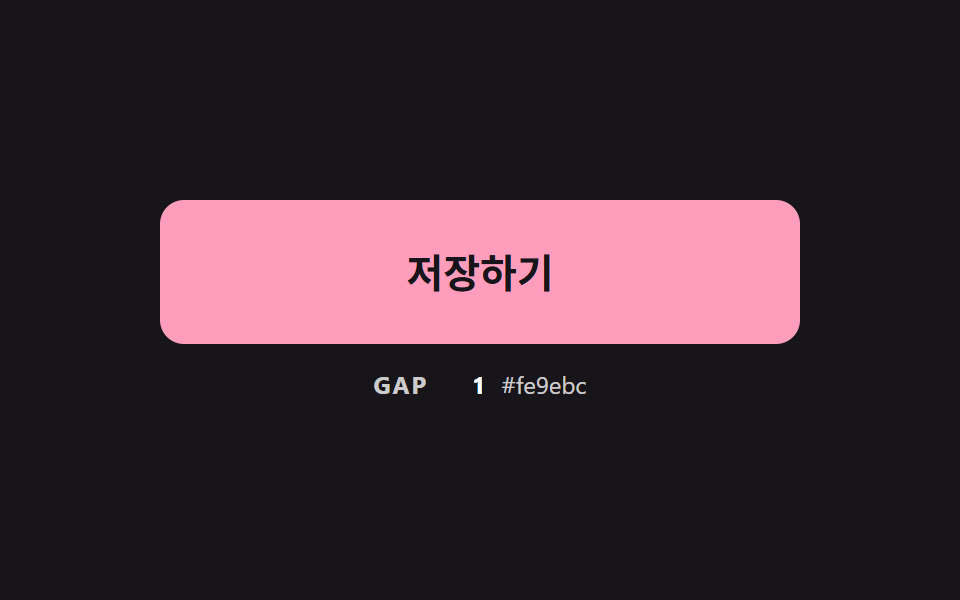 CSS Button Color Transition: 9 Hover DemosOne line recolors a button on hover, yet it muddies the midpoint, cannot move a gradient and loses the label midway — sc See all demos in this post
If you like this effect - similar demos
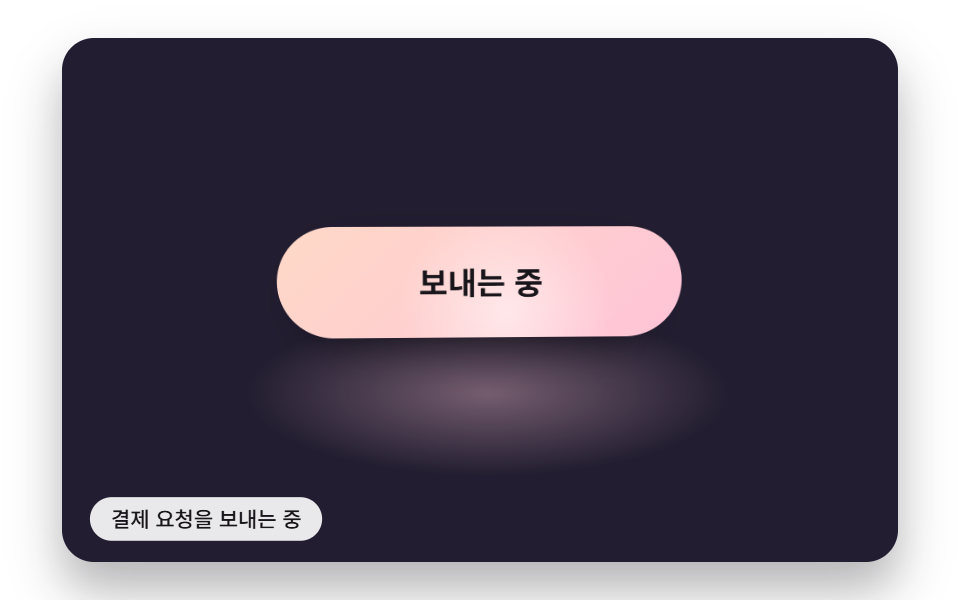 Buttons06 A Button With a Gloss Band While Sending and a Highlight That Follows the Pointer TiltSend Button Animation CSS: 9 Fold-and-Fly Buttons
 Buttons02 Button that unlocks when the form is valid9 button state css patterns, loading to done
 Buttons03 Icon ripple spreading from the exact press point9 Icon Button CSS Patterns — Press, Drag, Expand