09Loading Button That Freezes to a Single Static Dot for Reduced Motion
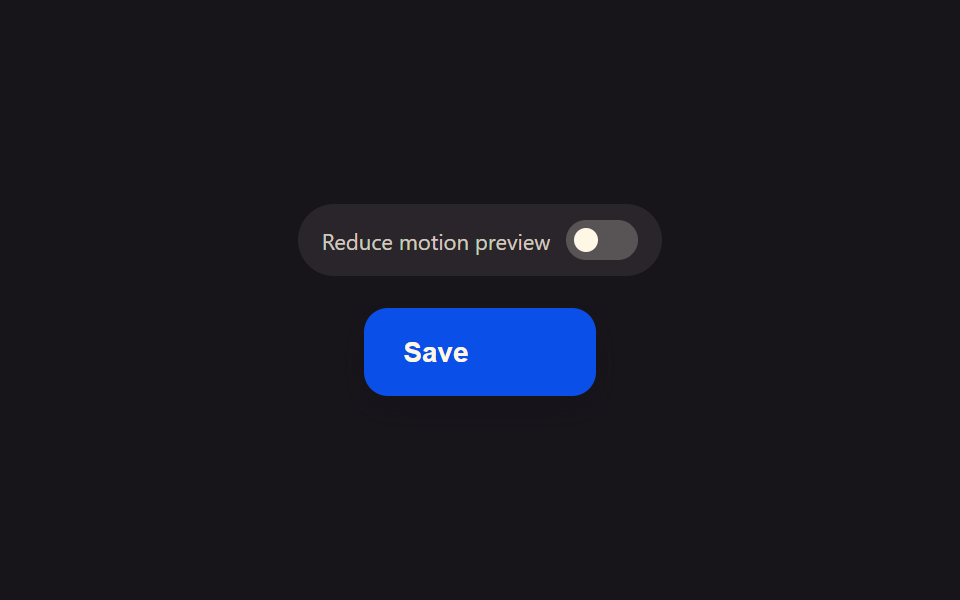
When the system's reduce-motion setting is on, the button skips the spinning ring and instead leaves a single steady dot beside its label, removing that dot only the instant loading ends and the result state takes over.
Best forAn alternative loading indicator for users sensitive to vestibular motion or dizziness
matchMediarole=switcharia-checked
<main class="stage">
<div class="scene is-demo" id="scene">
  <div class="togglePanel">
    <span class="toggleLabel" id="toggleLabel">Reduce motion preview</span>
    <button class="toggleSwitch" id="toggle" type="button" role="switch" aria-checked="false" aria-label="Reduce motion preview">
      <span class="toggleKnob" id="knob"></span>
    </button>
  </div>
  <button class="btn" id="btn" type="button">
    <span class="btnContent">
      <span class="btnLabel" id="label">Save</span>
      <span class="btnSpinnerWrap" id="spinnerWrap" aria-hidden="true"><span class="btnRing" id="ring"></span></span>
      <span class="btnDotWrap" id="dotWrap" aria-hidden="true"><span class="btnDot"></span></span>
    </span>
  </button>
  <span class="visuallyHidden" id="status" role="status" aria-live="polite"></span>
</div>
</main>
@use "../../../../site/static/demo-tokens" as *;
// 변수 3개
$duration: $dur-base;
$easing: $ease-out;
$color: $subject-blue-deep;
// 계산 겹: index.html 이 matchMedia 로 실제 OS 값을 읽어 시뮬 토글의 시작 상태로 삼고,
// 토글 상태에 따라 회전 스피너 루프 대신 정지된 점 하나를 고른다(둘 다 진짜 로딩 경로).
@include stage($stage-ink);
.scene {
display: grid;
place-items: center;
gap: $sp-4;
}
.togglePanel {
display: flex;
align-items: center;
gap: $sp-2;
padding: $sp-2 $sp-3;
border-radius: $r-pill;
background: rgba($subject-cream, .08);
}
.toggleLabel {
font-size: 11px;
color: rgba($subject-cream, .78);
white-space: nowrap;
}
.toggleSwitch {
position: relative;
width: 36px;
height: 20px;
padding: 4px;
border: none;
border-radius: $r-pill;
background: rgba($subject-cream, .22);
cursor: pointer;
&[aria-checked="true"] { background: $subject-mint; }
&:focus-visible { outline: 2px solid $subject-cream; outline-offset: 2px; }
}
.toggleKnob {
display: block;
width: 12px;
height: 12px;
border-radius: $r-pill;
background: $subject-cream;
transform: translateX(0px);
}
.btn {
position: relative;
display: inline-flex;
align-items: center;
justify-content: center;
height: 44px;
padding: 0 $sp-5;
border: none;
border-radius: $r-control;
background: $color;
color: $subject-cream;
font-weight: 600;
font-size: 14px;
line-height: 1;
box-shadow: $shadow-press;
cursor: pointer;
&:focus-visible { outline: 2px solid $subject-cream; outline-offset: 3px; }
&:disabled { cursor: default; }
}
.btnContent {
position: relative;
display: inline-flex;
align-items: center;
gap: $sp-2;
height: 18px;
}
.btnSpinnerWrap,
.btnDotWrap {
display: flex;
align-items: center;
justify-content: center;
width: 14px;
height: 14px;
opacity: 0;
}
.btnRing {
width: 13px;
height: 13px;
border-radius: $r-pill;
border: 2px solid rgba($subject-cream, .28);
border-top-color: $subject-cream;
}
.btnDot {
width: 6px;
height: 6px;
border-radius: $r-pill;
background: $subject-cream;
}
.visuallyHidden {
position: absolute;
width: 1px;
height: 1px;
overflow: hidden;
clip: rect(0 0 0 0);
white-space: nowrap;
}
@media (max-width: 340px) {
.btn { height: 40px; padding: 0 $sp-4; font-size: 13px; }
.toggleLabel { font-size: 10px; }
}
@media (prefers-reduced-motion: reduce) {
// 실사용 경로 적용 — index.html 이 osReduce 로 정지된 점 경로를 이미 고른다.
// scss 만: 토글 노브의 남은 트랜지션을 꺼서 조작도 즉시 반영되게 한다.
.toggleKnob { transition: none; }
}html, body {
margin: 0;
overflow: hidden;
}
.stage {
box-sizing: border-box;
min-height: 100vh;
display: grid;
place-items: center;
margin: 0;
background: #17141a;
font-family: -apple-system, "Segoe UI", "Noto Sans KR", sans-serif;
padding: clamp(8px, 4vw, 24px);
}
.scene {
display: grid;
place-items: center;
gap: 16px;
}
.togglePanel {
display: flex;
align-items: center;
gap: 8px;
padding: 8px 12px;
border-radius: 999px;
background: rgba(255, 247, 230, 0.08);
}
.toggleLabel {
font-size: 11px;
color: rgba(255, 247, 230, 0.78);
white-space: nowrap;
}
.toggleSwitch {
position: relative;
width: 36px;
height: 20px;
padding: 4px;
border: none;
border-radius: 999px;
background: rgba(255, 247, 230, 0.22);
cursor: pointer;
}
.toggleSwitch[aria-checked=true] {
background: #4cd4a6;
}
.toggleSwitch:focus-visible {
outline: 2px solid #fff7e6;
outline-offset: 2px;
}
.toggleKnob {
display: block;
width: 12px;
height: 12px;
border-radius: 999px;
background: #fff7e6;
transform: translateX(0px);
}
.btn {
position: relative;
display: inline-flex;
align-items: center;
justify-content: center;
height: 44px;
padding: 0 20px;
border: none;
border-radius: 12px;
background: #0a4fe8;
color: #fff7e6;
font-weight: 600;
font-size: 14px;
line-height: 1;
box-shadow: 0 6px 12px rgba(23, 20, 26, 0.32);
cursor: pointer;
}
.btn:focus-visible {
outline: 2px solid #fff7e6;
outline-offset: 3px;
}
.btn:disabled {
cursor: default;
}
.btnContent {
position: relative;
display: inline-flex;
align-items: center;
gap: 8px;
height: 18px;
}
.btnSpinnerWrap,
.btnDotWrap {
display: flex;
align-items: center;
justify-content: center;
width: 14px;
height: 14px;
opacity: 0;
}
.btnRing {
width: 13px;
height: 13px;
border-radius: 999px;
border: 2px solid rgba(255, 247, 230, 0.28);
border-top-color: #fff7e6;
}
.btnDot {
width: 6px;
height: 6px;
border-radius: 999px;
background: #fff7e6;
}
.visuallyHidden {
position: absolute;
width: 1px;
height: 1px;
overflow: hidden;
clip: rect(0 0 0 0);
white-space: nowrap;
}
@media (max-width: 340px) {
.btn {
height: 40px;
padding: 0 16px;
font-size: 13px;
}
.toggleLabel {
font-size: 10px;
}
}
@media (prefers-reduced-motion: reduce) {
.toggleKnob {
transition: none;
}
}(function () {
var FADE_MS = 180;
var SPIN_MS = 900;
var GAP_MS = 500;
var START_DELAY_MS = 200;
var TOGGLE_GAP_MS = 550;
var DEG_PER_MS = 360 / 650;
var scene = document.getElementById('scene');
var btn = document.getElementById('btn');
var label = document.getElementById('label');
var spinnerWrap = document.getElementById('spinnerWrap');
var ring = document.getElementById('ring');
var dotWrap = document.getElementById('dotWrap');
var status = document.getElementById('status');
var toggle = document.getElementById('toggle');
var knob = document.getElementById('knob');
// 실제 OS 설정을 진짜로 읽는다 — 기본 상태는 이 값을 따른다.
var mql = window.matchMedia('(prefers-reduced-motion: reduce)');
var osReduce = mql.matches;
var simReduce = osReduce;
var gen = 0;
var timers = [];
var rafId = 0;
function human() {
if (scene.classList.contains('is-demo')) {
scene.classList.remove('is-demo');
timers.forEach(function (t) { clearTimeout(t); });
timers = [];
}
}
function setToggleUI() {
toggle.setAttribute('aria-checked', simReduce ? 'true' : 'false');
knob.style.transform = simReduce ? 'translateX(16px)' : 'translateX(0px)';
}
function applyToggle(next) {
simReduce = next;
setToggleUI();
}
// 시뮬 토글 — 방문자가 실제 OS 설정과 무관하게 두 상태를 미리 볼 수 있다.
toggle.addEventListener('click', function () {
human();
applyToggle(!simReduce);
});
if (osReduce) setToggleUI();
// 실사용 경로 적용 — 진짜 OS 값이 바뀌면(브라우저·OS 설정 변경) 시뮬 토글도 따라간다.
function onOsChange(e) {
osReduce = e.matches;
applyToggle(osReduce);
}
if (mql.addEventListener) mql.addEventListener('change', onOsChange);
function easeInOutQuad(p) { return p < .5 ? 2 * p * p : 1 - Math.pow(-2 * p + 2, 2) / 2; }
function fade(el, from, to, ms, myGen, onDone) {
var start = null;
function step(now) {
if (myGen !== gen) return;
if (start === null) start = now;
var p = Math.min(1, (now - start) / ms);
el.style.opacity = String(from + (to - from) * easeInOutQuad(p));
if (p < 1) requestAnimationFrame(step); else if (onDone) onDone();
}
requestAnimationFrame(step);
}
function spinLoop(myGen) {
var start = null;
function step(now) {
if (myGen !== gen) return;
if (start === null) start = now;
var angle = ((now - start) * DEG_PER_MS) % 360;
ring.style.transform = 'rotate(' + angle.toFixed(1) + 'deg)';
rafId = requestAnimationFrame(step);
}
rafId = requestAnimationFrame(step);
}
function runLoad(myGen, useStaticDot, onDone) {
btn.disabled = true;
btn.setAttribute('aria-busy', 'true');
status.textContent = 'Saving';
if (useStaticDot) {
dotWrap.style.opacity = '1';
} else {
fade(spinnerWrap, 0, 1, FADE_MS, myGen, function () { spinLoop(myGen); });
}
timers.push(setTimeout(function () {
cancelAnimationFrame(rafId);
dotWrap.style.opacity = '0';
spinnerWrap.style.opacity = '0';
btn.disabled = false;
btn.removeAttribute('aria-busy');
status.textContent = 'Saved';
if (onDone) onDone();
}, SPIN_MS));
}
btn.addEventListener('click', function () {
if (btn.disabled) return;
human();
gen++;
runLoad(gen, simReduce);
});
// reduce: 시연 게이트만 — 아래 자동 루프는 reduce 여부와 무관하게 두 상태를 번갈아 보여주려고
// 계속 돈다(정지 표시 자체가 이 항목의 주제라 자동 루프를 완전히 끄면 데모가 항상 빈 화면이다).
// 실사용 경로는 위 runLoad(simReduce) 가 osReduce 시작값을 그대로 물려받아 처리한다.
function cycle() {
if (!scene.classList.contains('is-demo')) return;
gen++;
var myGen = gen;
var useStaticDot = simReduce;
runLoad(myGen, useStaticDot, function () {
timers.push(setTimeout(function () {
if (!scene.classList.contains('is-demo')) return;
applyToggle(!simReduce);
timers.push(setTimeout(cycle, TOGGLE_GAP_MS));
}, GAP_MS));
});
}
timers.push(setTimeout(cycle, START_DELAY_MS));
})();import { useEffect, useRef } from 'react';
import styles from './ButtonLoadingReducedMotionStatic.module.scss';
const FADE_MS = 180;
const SPIN_MS = 900;
const GAP_MS = 500;
const START_DELAY_MS = 200;
const TOGGLE_GAP_MS = 550;
const DEG_PER_MS = 360 / 650;
export default function ButtonLoadingReducedMotionStatic() {
const sceneRef = useRef<HTMLDivElement>(null);
const btnRef = useRef<HTMLButtonElement>(null);
const labelRef = useRef<HTMLSpanElement>(null);
const spinnerWrapRef = useRef<HTMLSpanElement>(null);
const ringRef = useRef<HTMLSpanElement>(null);
const dotWrapRef = useRef<HTMLSpanElement>(null);
const statusRef = useRef<HTMLSpanElement>(null);
const toggleRef = useRef<HTMLButtonElement>(null);
const knobRef = useRef<HTMLSpanElement>(null);
useEffect(() => {
const scene = sceneRef.current;
const btn = btnRef.current;
const label = labelRef.current;
const spinnerWrap = spinnerWrapRef.current;
const ring = ringRef.current;
const dotWrap = dotWrapRef.current;
const status = statusRef.current;
const toggle = toggleRef.current;
const knob = knobRef.current;
if (!scene || !btn || !label || !spinnerWrap || !ring || !dotWrap || !status || !toggle || !knob) return undefined;
// 실제 OS 설정을 진짜로 읽는다 — 기본 상태는 이 값을 따른다.
const mql = window.matchMedia('(prefers-reduced-motion: reduce)');
let osReduce = mql.matches;
let simReduce = osReduce;
let gen = 0;
let timers: number[] = [];
let rafId = 0;
function human() {
if (scene!.classList.contains(styles['is-demo'])) {
scene!.classList.remove(styles['is-demo']);
timers.forEach((t) => window.clearTimeout(t));
timers = [];
}
}
function setToggleUI() {
toggle!.setAttribute('aria-checked', simReduce ? 'true' : 'false');
knob!.style.transform = simReduce ? 'translateX(16px)' : 'translateX(0px)';
}
function applyToggle(next: boolean) {
simReduce = next;
setToggleUI();
}
// 시뮬 토글 — 방문자가 실제 OS 설정과 무관하게 두 상태를 미리 볼 수 있다.
function onToggleClick() {
human();
applyToggle(!simReduce);
}
toggle.addEventListener('click', onToggleClick);
if (osReduce) setToggleUI();
// 실사용 경로 적용 — 진짜 OS 값이 바뀌면(브라우저·OS 설정 변경) 시뮬 토글도 따라간다.
function onOsChange(e: MediaQueryListEvent) {
osReduce = e.matches;
applyToggle(osReduce);
}
if (mql.addEventListener) mql.addEventListener('change', onOsChange);
function easeInOutQuad(p: number) { return p < .5 ? 2 * p * p : 1 - Math.pow(-2 * p + 2, 2) / 2; }
function fade(el: HTMLElement, from: number, to: number, ms: number, myGen: number, onDone?: () => void) {
let start: number | null = null;
function step(now: number) {
if (myGen !== gen) return;
if (start === null) start = now;
const p = Math.min(1, (now - start) / ms);
el.style.opacity = String(from + (to - from) * easeInOutQuad(p));
if (p < 1) requestAnimationFrame(step); else if (onDone) onDone();
}
requestAnimationFrame(step);
}
function spinLoop(myGen: number) {
let start: number | null = null;
function step(now: number) {
if (myGen !== gen) return;
if (start === null) start = now;
const angle = ((now - start) * DEG_PER_MS) % 360;
ring!.style.transform = 'rotate(' + angle.toFixed(1) + 'deg)';
rafId = requestAnimationFrame(step);
}
rafId = requestAnimationFrame(step);
}
function runLoad(myGen: number, useStaticDot: boolean, onDone?: () => void) {
btn!.disabled = true;
btn!.setAttribute('aria-busy', 'true');
status!.textContent = '저장하는 중';
if (useStaticDot) {
dotWrap!.style.opacity = '1';
} else {
fade(spinnerWrap!, 0, 1, FADE_MS, myGen, () => { spinLoop(myGen); });
}
timers.push(window.setTimeout(() => {
cancelAnimationFrame(rafId);
dotWrap!.style.opacity = '0';
spinnerWrap!.style.opacity = '0';
btn!.disabled = false;
btn!.removeAttribute('aria-busy');
status!.textContent = '저장 완료';
if (onDone) onDone();
}, SPIN_MS));
}
function onClick() {
if (btn!.disabled) return;
human();
gen++;
runLoad(gen, simReduce);
}
btn.addEventListener('click', onClick);
// reduce: 시연 게이트만 — 아래 자동 루프는 reduce 여부와 무관하게 두 상태를 번갈아 보여주려고
// 계속 돈다(정지 표시 자체가 이 항목의 주제라 자동 루프를 완전히 끄면 데모가 항상 빈 화면이다).
// 실사용 경로는 위 runLoad(simReduce) 가 osReduce 시작값을 그대로 물려받아 처리한다.
function cycle() {
if (!scene!.classList.contains(styles['is-demo'])) return;
gen++;
const myGen = gen;
const useStaticDot = simReduce;
runLoad(myGen, useStaticDot, () => {
timers.push(window.setTimeout(() => {
if (!scene!.classList.contains(styles['is-demo'])) return;
applyToggle(!simReduce);
timers.push(window.setTimeout(cycle, TOGGLE_GAP_MS));
}, GAP_MS));
});
}
timers.push(window.setTimeout(cycle, START_DELAY_MS));
return () => {
btn.removeEventListener('click', onClick);
toggle.removeEventListener('click', onToggleClick);
if (mql.removeEventListener) mql.removeEventListener('change', onOsChange);
timers.forEach((t) => window.clearTimeout(t));
cancelAnimationFrame(rafId);
};
}, []);
return (
<main className={styles.stage}>
<div className={styles.scene + ' ' + styles['is-demo']} ref={sceneRef}>
<div className={styles.togglePanel}>
<span className={styles.toggleLabel}>Reduce motion preview</span>
<button
className={styles.toggleSwitch}
ref={toggleRef}
type="button"
role="switch"
aria-checked="false"
aria-label="Reduce motion preview"
>
<span className={styles.toggleKnob} ref={knobRef} />
</button>
</div>
<button className={styles.btn} ref={btnRef} type="button">
<span className={styles.btnContent}>
<span className={styles.btnLabel} ref={labelRef}>Save</span>
<span className={styles.btnSpinnerWrap} ref={spinnerWrapRef} aria-hidden="true">
<span className={styles.btnRing} ref={ringRef} />
</span>
<span className={styles.btnDotWrap} ref={dotWrapRef} aria-hidden="true">
<span className={styles.btnDot} />
</span>
</span>
</button>
<span className={styles.visuallyHidden} ref={statusRef} role="status" aria-live="polite" />
</div>
</main>
);
}09 Loading Button That Freezes to a Single Static Dot for Reduced Motion — Measured area 0.588% · moving frames 10/23Original by GODRICH · SCSS and React ship in the zip · Loading Button UI — 9 States, Spinner to Success
The post this demo lives in
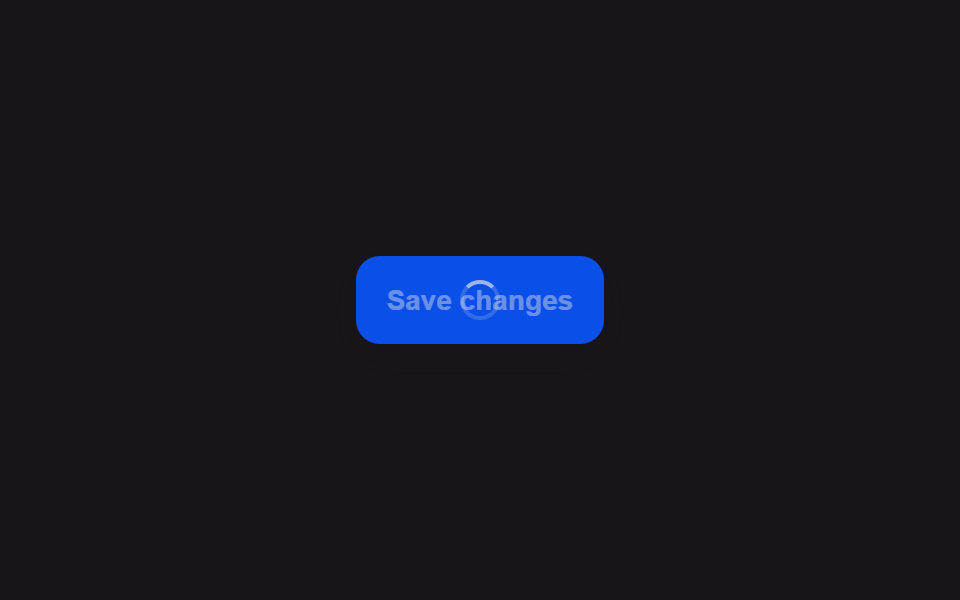 Loading Button UI — 9 States, Spinner to SuccessAmong nine loading button patterns, one turns its spinner into a checkmark, one swaps the label for three pulsing dots, See all demos in this post
If you like this effect - similar demos
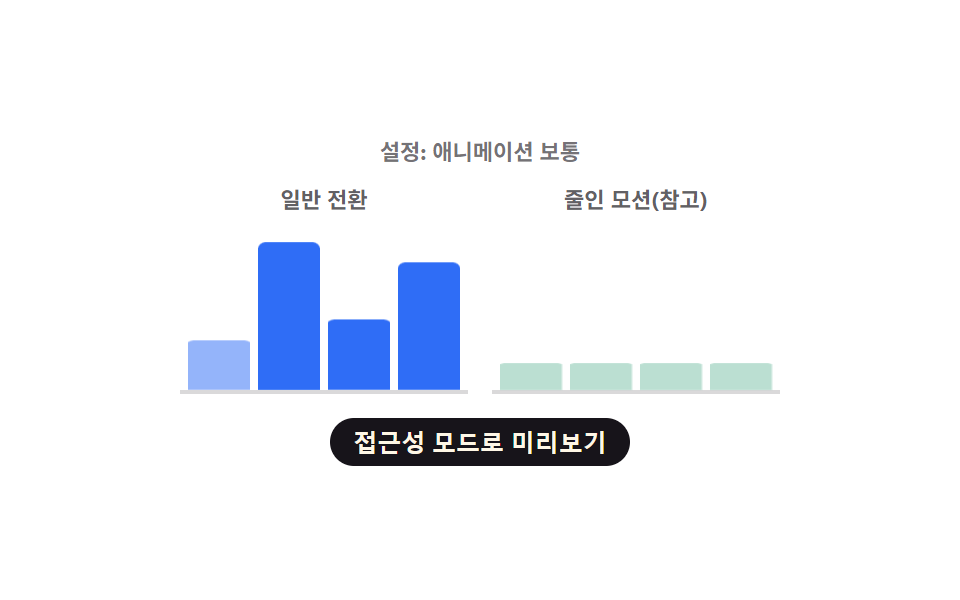 Loaders09 Chart Loading That Skips Computation and Swaps Instantly Under Reduced MotionChart Loading Animation — 9 Computed Patterns
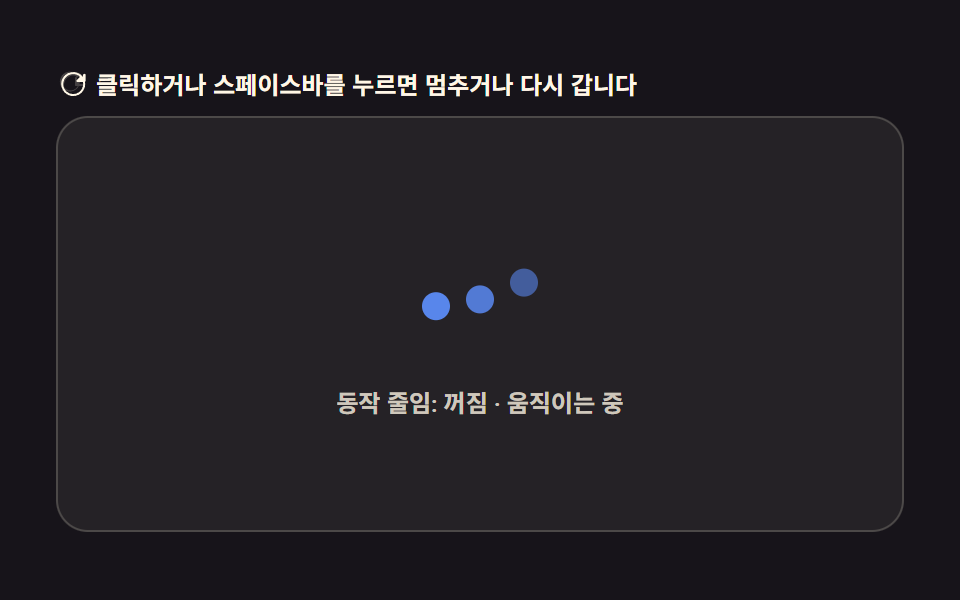 Loaders09 Processing Badge That Swaps to Static Text When a Reduced-motion Value Is DetectedAI Loading Animation: 9 Patterns by One Value
 Loaders09 Reduced-motion static badge9 CSS AI Chat Loading Animations to Copy-Paste