09Chart Loading That Skips Computation and Swaps Instantly Under Reduced Motion
When the screen prefers reduced motion, every delay and wave calculation is skipped and the skeleton switches straight over to the real values instead.
Best forAn accessibility setting for users sensitive to vestibular issues or distraction
--phasematchMediatransform-origin
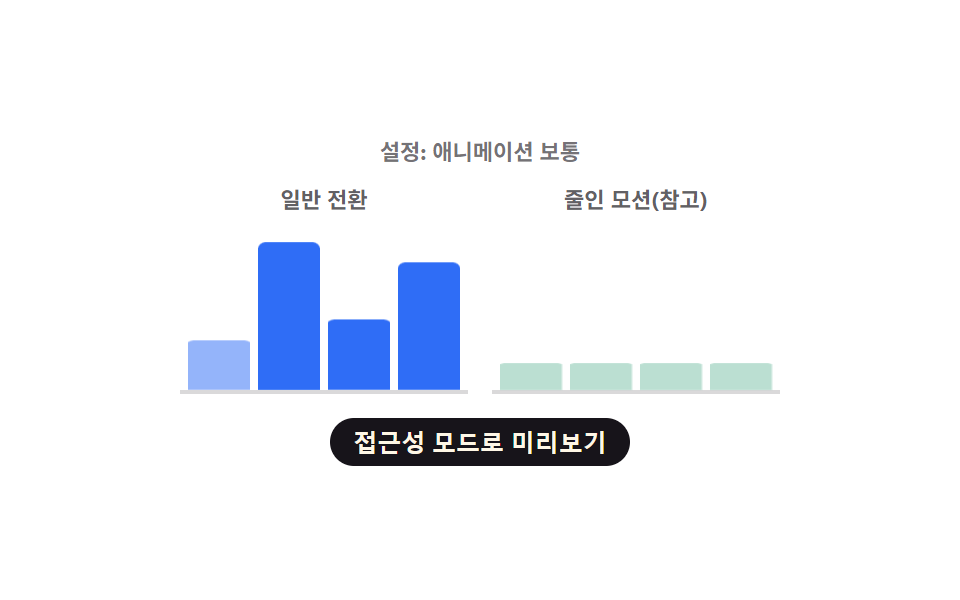
<main class="stage">
<div class="cr is-demo" id="cr">
  <p class="cr__status" id="crStatus" aria-live="polite">Setting: Normal animation</p>
  <div class="cr__row">
    <div class="cr__col">
      <span class="cr__label">Normal transition</span>
      <div class="cr__chart" role="img" aria-label="Normal transition bar chart" aria-busy="true">
        <div class="cr__bar cr__bar--normal" id="crN0"></div>
        <div class="cr__bar cr__bar--normal" id="crN1"></div>
        <div class="cr__bar cr__bar--normal" id="crN2"></div>
        <div class="cr__bar cr__bar--normal" id="crN3"></div>
      </div>
    </div>
    <div class="cr__col">
      <span class="cr__label">Reduced motion (reference)</span>
      <div class="cr__chart" role="img" aria-label="Reduced motion bar chart" aria-busy="true">
        <div class="cr__bar cr__bar--reduced" id="crR0"></div>
        <div class="cr__bar cr__bar--reduced" id="crR1"></div>
        <div class="cr__bar cr__bar--reduced" id="crR2"></div>
        <div class="cr__bar cr__bar--reduced" id="crR3"></div>
      </div>
    </div>
  </div>
  <button type="button" class="cr__toggle" id="crToggle" aria-pressed="false">Preview accessibility mode</button>
</div>
</main>@use "../../../../site/static/demo-tokens" as *;
// 변수 3개
$duration: $dur-loop;
$easing: $ease-spring;
$color: $subject-blue;
@include stage($stage-paper);
.cr { width: min(300px, 88vw); text-align: center; }
.cr__status { margin: 0 0 $sp-2; font-size: 11px; font-weight: 700; color: rgba($subject-ink, .6); }
.cr__row { display: flex; gap: $sp-3; }
.cr__col { flex: 1 1 0; min-width: 0; }
.cr__label { display: block; margin-bottom: $sp-1; font-size: 11px; font-weight: 700; color: rgba($subject-ink, .68); }
.cr__chart {
display: flex; align-items: flex-end; justify-content: space-between; gap: $sp-1;
height: 84px; padding: 0 $sp-1; border-bottom: 2px solid rgba($subject-ink, .16);
}
.cr__bar { width: 100%; height: 100%; border-radius: $r-xs $r-xs 0 0; transform-origin: bottom; transform: scaleY(.16); opacity: .32; }
.cr__bar--normal { background: $color; animation: crRevealSmooth $duration var(--phase, 0ms) $easing infinite; }
.cr__bar--reduced { background: $chart-3; animation: crRevealInstant $duration $easing infinite; }
.cr--force-instant .cr__bar--normal { animation-name: crRevealInstant; animation-delay: 0ms; }
.cr__toggle {
display: block; margin: $sp-3 auto 0; appearance: none; border: none; cursor: pointer;
background: $subject-ink; color: $subject-cream; font-weight: 700; font-size: 12px;
padding: $sp-1 $sp-3; border-radius: $r-pill;
}
.cr__toggle:focus-visible { outline: 2px solid $subject-ink; outline-offset: 2px; }
.cr__toggle[aria-pressed="true"] { background: $subject-blue; }
@keyframes crRevealSmooth {
0% { transform: scaleY(.16); opacity: .32; }
14% { transform: scaleY(.16); opacity: .32; }
46% { transform: scaleY(var(--real, .6)); opacity: 1; }
84% { transform: scaleY(var(--real, .6)); opacity: 1; }
100% { transform: scaleY(.16); opacity: .32; }
}
// 줄인 모션 참고 열: steps(1,end) 로 중간 프레임 없이 한 번에 바뀐다(진짜 즉시 전환)
@keyframes crRevealInstant {
0% { transform: scaleY(.16); opacity: .32; }
45% { transform: scaleY(.16); opacity: .32; }
46% { transform: scaleY(var(--real, .6)); opacity: 1; }
84% { transform: scaleY(var(--real, .6)); opacity: 1; }
85% { transform: scaleY(.16); opacity: .32; }
100% { transform: scaleY(.16); opacity: .32; }
}
.cr__bar--reduced, .cr--force-instant .cr__bar--normal {
animation-timing-function: steps(1, end);
}
@media (max-width: 340px) {
.cr { width: min(250px, 86vw); }
.cr__chart { height: 68px; }
}
@media (prefers-reduced-motion: reduce) {
// 실사용 경로 적용: 두 열 다 애니메이션을 멈추고 완성된 높이만 보인다
.cr__bar { animation: none; transform: scaleY(var(--real, .6)); opacity: 1; }
}html, body {
margin: 0;
overflow: hidden;
}
.stage {
box-sizing: border-box;
min-height: 100vh;
display: grid;
place-items: center;
margin: 0;
background: #ffffff;
font-family: -apple-system, "Segoe UI", "Noto Sans KR", sans-serif;
padding: clamp(8px, 4vw, 24px);
}
.cr {
width: min(300px, 88vw);
text-align: center;
}
.cr__status {
margin: 0 0 8px;
font-size: 11px;
font-weight: 700;
color: rgba(23, 20, 26, 0.6);
}
.cr__row {
display: flex;
gap: 12px;
}
.cr__col {
flex: 1 1 0;
min-width: 0;
}
.cr__label {
display: block;
margin-bottom: 4px;
font-size: 11px;
font-weight: 700;
color: rgba(23, 20, 26, 0.68);
}
.cr__chart {
display: flex;
align-items: flex-end;
justify-content: space-between;
gap: 4px;
height: 84px;
padding: 0 4px;
border-bottom: 2px solid rgba(23, 20, 26, 0.16);
}
.cr__bar {
width: 100%;
height: 100%;
border-radius: 4px 4px 0 0;
transform-origin: bottom;
transform: scaleY(0.16);
opacity: 0.32;
}
.cr__bar--normal {
background: #2f6df6;
animation: crRevealSmooth 2s var(--phase, 0ms) cubic-bezier(0.2, 0.8, 0.2, 1) infinite;
}
.cr__bar--reduced {
background: #2b9d74;
animation: crRevealInstant 2s cubic-bezier(0.2, 0.8, 0.2, 1) infinite;
}
.cr--force-instant .cr__bar--normal {
animation-name: crRevealInstant;
animation-delay: 0ms;
}
.cr__toggle {
display: block;
margin: 12px auto 0;
appearance: none;
border: none;
cursor: pointer;
background: #17141a;
color: #fff7e6;
font-weight: 700;
font-size: 12px;
padding: 4px 12px;
border-radius: 999px;
}
.cr__toggle:focus-visible {
outline: 2px solid #17141a;
outline-offset: 2px;
}
.cr__toggle[aria-pressed=true] {
background: #2f6df6;
}
@keyframes crRevealSmooth {
0% {
transform: scaleY(0.16);
opacity: 0.32;
}
14% {
transform: scaleY(0.16);
opacity: 0.32;
}
46% {
transform: scaleY(var(--real, 0.6));
opacity: 1;
}
84% {
transform: scaleY(var(--real, 0.6));
opacity: 1;
}
100% {
transform: scaleY(0.16);
opacity: 0.32;
}
}
@keyframes crRevealInstant {
0% {
transform: scaleY(0.16);
opacity: 0.32;
}
45% {
transform: scaleY(0.16);
opacity: 0.32;
}
46% {
transform: scaleY(var(--real, 0.6));
opacity: 1;
}
84% {
transform: scaleY(var(--real, 0.6));
opacity: 1;
}
85% {
transform: scaleY(0.16);
opacity: 0.32;
}
100% {
transform: scaleY(0.16);
opacity: 0.32;
}
}
.cr__bar--reduced, .cr--force-instant .cr__bar--normal {
animation-timing-function: steps(1, end);
}
@media (max-width: 340px) {
.cr {
width: min(250px, 86vw);
}
.cr__chart {
height: 68px;
}
}
@media (prefers-reduced-motion: reduce) {
.cr__bar {
animation: none;
transform: scaleY(var(--real, 0.6));
opacity: 1;
}
}(function () {
var VALUES = [64, 88, 42, 76];
var STAGGER_MS = 80;
var root = document.getElementById('cr');
var status = document.getElementById('crStatus');
var toggle = document.getElementById('crToggle');
var normalBars = [0, 1, 2, 3].map(function (i) { return document.getElementById('crN' + i); });
var reducedBars = [0, 1, 2, 3].map(function (i) { return document.getElementById('crR' + i); });
// 계산 겹: 같은 공식에 감쇠 계수(reduced)를 곱한다 — 줄인 모션이면 지연이 전부 0 으로 접힌다
function barDelay(i, reduced) { return reduced ? 0 : i * STAGGER_MS; }
normalBars.forEach(function (bar, i) {
bar.style.setProperty('--real', String(VALUES[i] / 100));
bar.style.setProperty('--phase', barDelay(i, false) + 'ms');
});
reducedBars.forEach(function (bar, i) {
bar.style.setProperty('--real', String(VALUES[i] / 100));
bar.style.setProperty('--phase', barDelay(i, true) + 'ms');
});
// 실사용 경로: 브라우저의 실제 설정을 읽는다(시뮬레이션이 아니다)
var mql = window.matchMedia('(prefers-reduced-motion: reduce)');
function updateStatus() {
var real = mql.matches;
var sim = root.classList.contains('cr--reduced-sim');
var forced = real || sim;
root.classList.toggle('cr--force-instant', forced);
if (real) {
status.textContent = 'Setting: Your browser has reduced motion turned on';
} else if (sim) {
status.textContent = 'Setting: Previewing accessibility mode (simulated)';
} else {
status.textContent = 'Setting: Normal animation';
}
}
if (mql.addEventListener) {
mql.addEventListener('change', updateStatus);
} else if (mql.addListener) {
mql.addListener(updateStatus);
}
updateStatus();
// 데모용 시뮬레이션 토글: 실제 OS 설정을 바꾸지 않고도 차이를 미리 보여준다
function human() {
root.classList.remove('is-demo');
var next = !root.classList.contains('cr--reduced-sim');
root.classList.toggle('cr--reduced-sim', next);
toggle.setAttribute('aria-pressed', String(next));
updateStatus();
}
toggle.addEventListener('click', human);
toggle.addEventListener('keydown', function (e) {
if (e.key === 'Enter' || e.key === ' ') { e.preventDefault(); human(); }
});
}());import { useEffect, useRef } from 'react';
import styles from './ChartLoadingReducedMotionInstantSwap.module.scss';
const VALUES = [64, 88, 42, 76];
const STAGGER_MS = 80;
// 시뮬레이션 상태만 표시하는 내부 플래그 클래스 — CSS 규칙이 없어 스타일 모듈 맵을 거치지 않는다(vanilla 와 동일)
const REDUCED_SIM_CLASS = 'crReducedSim';
export default function ChartLoadingReducedMotionInstantSwap() {
const rootRef = useRef<HTMLDivElement>(null);
const statusRef = useRef<HTMLParagraphElement>(null);
const toggleRef = useRef<HTMLButtonElement>(null);
const normalRefs = useRef<HTMLDivElement[]>([]);
const reducedRefs = useRef<HTMLDivElement[]>([]);
useEffect(() => {
const root = rootRef.current;
const status = statusRef.current;
const toggle = toggleRef.current;
if (!root || !status || !toggle) return undefined;
const normalBars = normalRefs.current!;
const reducedBars = reducedRefs.current!;
if (!normalBars || !reducedBars) return undefined;
// 계산 겹: 같은 공식에 감쇠 계수(reduced)를 곱한다 — 줄인 모션이면 지연이 전부 0 으로 접힌다
function barDelay(i: number, reduced: boolean) { return reduced ? 0 : i * STAGGER_MS; }
normalBars.forEach((bar, i) => {
bar.style.setProperty('--real', String(VALUES[i] / 100));
bar.style.setProperty('--phase', barDelay(i, false) + 'ms');
});
reducedBars.forEach((bar, i) => {
bar.style.setProperty('--real', String(VALUES[i] / 100));
bar.style.setProperty('--phase', barDelay(i, true) + 'ms');
});
// 실사용 경로: 브라우저의 실제 설정을 읽는다(시뮬레이션이 아니다)
const mql = window.matchMedia('(prefers-reduced-motion: reduce)');
function updateStatus() {
const real = mql.matches;
const sim = root!.classList.contains(REDUCED_SIM_CLASS);
const forced = real || sim;
root!.classList.toggle(styles.crForceInstant, forced);
if (real) {
status!.textContent = '설정: 브라우저의 애니메이션 줄이기가 켜져 있습니다';
} else if (sim) {
status!.textContent = '설정: 접근성 모드 미리보기 중(시뮬레이션)';
} else {
status!.textContent = '설정: 애니메이션 보통';
}
}
type LegacyMql = MediaQueryList & { addListener?: (cb: () => void) => void; removeListener?: (cb: () => void) => void };
const legacyMql = mql as LegacyMql;
if (mql.addEventListener) {
mql.addEventListener('change', updateStatus);
} else if (legacyMql.addListener) {
legacyMql.addListener(updateStatus);
}
updateStatus();
// 데모용 시뮬레이션 토글: 실제 OS 설정을 바꾸지 않고도 차이를 미리 보여준다
function human() {
root!.classList.remove(styles['is-demo']);
const next = !root!.classList.contains(REDUCED_SIM_CLASS);
root!.classList.toggle(REDUCED_SIM_CLASS, next);
toggle!.setAttribute('aria-pressed', String(next));
updateStatus();
}
function onClick() { human(); }
function onKey(e: KeyboardEvent) { if (e.key === 'Enter' || e.key === ' ') { e.preventDefault(); human(); } }
toggle.addEventListener('click', onClick);
toggle.addEventListener('keydown', onKey);
return () => {
toggle.removeEventListener('click', onClick);
toggle.removeEventListener('keydown', onKey);
if (mql.removeEventListener) {
mql.removeEventListener('change', updateStatus);
} else if (legacyMql.removeListener) {
legacyMql.removeListener(updateStatus);
}
};
}, []);
return (
<main className={styles.stage}>
<div className={styles.cr + ' ' + styles['is-demo']} ref={rootRef}>
<p className={styles.crStatus} ref={statusRef} aria-live="polite">설정: 애니메이션 보통</p>
<div className={styles.crRow}>
<div className={styles.crCol}>
<span className={styles.crLabel}>일반 전환</span>
<div className={styles.crChart} role="img" aria-label="일반 전환 막대 그래프" aria-busy="true">
{VALUES.map((_v, i) => (
<div
key={i}
className={styles.crBar + ' ' + styles.crBarNormal}
ref={(el: HTMLDivElement | null) => { if (el) normalRefs.current![i] = el; }}
/>
))}
</div>
</div>
<div className={styles.crCol}>
<span className={styles.crLabel}>줄인 모션(참고)</span>
<div className={styles.crChart} role="img" aria-label="줄인 모션 막대 그래프" aria-busy="true">
{VALUES.map((_v, i) => (
<div
key={i}
className={styles.crBar + ' ' + styles.crBarReduced}
ref={(el: HTMLDivElement | null) => { if (el) reducedRefs.current![i] = el; }}
/>
))}
</div>
</div>
</div>
<button type="button" className={styles.crToggle} ref={toggleRef} aria-pressed="false">접근성 모드로 미리보기</button>
</div>
</main>
);
}09 Chart Loading That Skips Computation and Swaps Instantly Under Reduced Motion — Measured area 9.878% · moving frames 15/23Original by GODRICH · SCSS and React ship in the zip · Chart Loading Animation — 9 Computed Patterns
The post this demo lives in
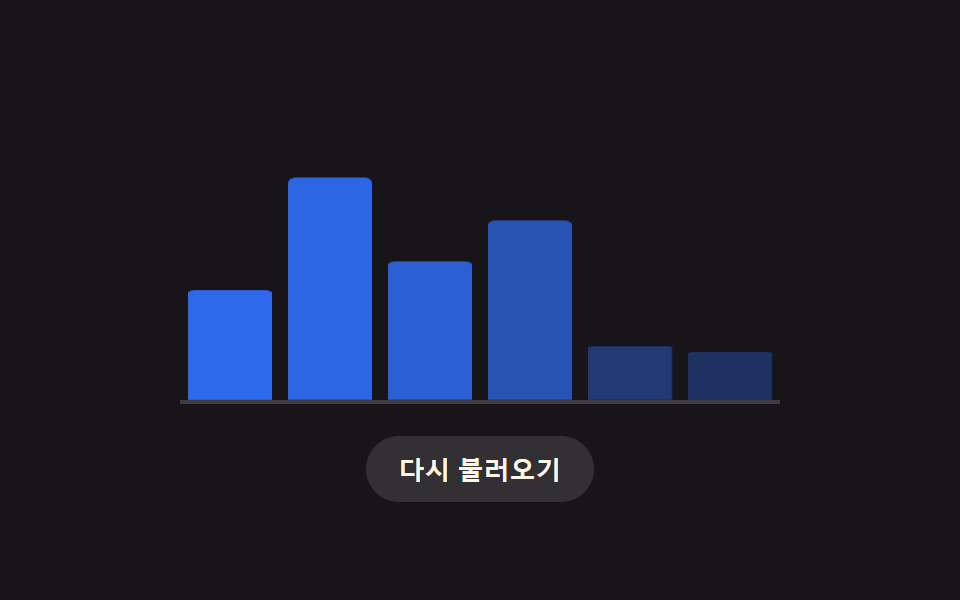 Chart Loading Animation — 9 Computed PatternsAmong nine chart loading animation patterns, a bar's delay comes from its column, a heatmap cell's from diagonal distanc See all demos in this post
If you like this effect - similar demos
 Loaders09 Loading Button That Freezes to a Single Static Dot for Reduced MotionLoading Button UI — 9 States, Spinner to Success
 Loaders09 Processing Badge That Swaps to Static Text When a Reduced-motion Value Is DetectedAI Loading Animation: 9 Patterns by One Value
 Loaders02 Color band that sweeps across and swaps the content behind itPage Loading Animation CSS: 9 Route-Change Demos