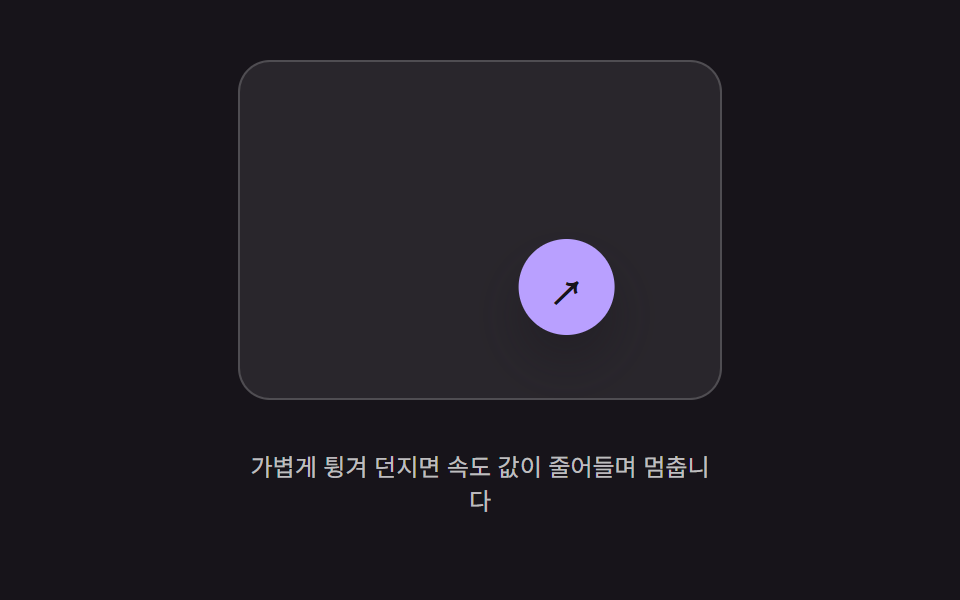
07Thrown-speed decay move — motion continues at the speed value captured at release, with that value shrinking over time until it stops
The motion inherits the speed value measured at the moment of release and keeps moving in that direction, slowing as the speed value decays until it stops.
Best forA floating button flicked away with a light throw, an action button that slides on inertia after a swipe
FRICTIONSTOP_VELCHIP_R
<main class="stage">
<div class="bft is-demo" id="bft">
  <div class="bft__field" id="bftField">
    <button class="bft__chip" id="bftChip" type="button" aria-label="Floating button">↗</button>
  </div>
  <p class="bft__hint">Flick it lightly and the speed value decays until it stops</p>
</div>
</main>
@use "../../../../site/static/demo-tokens" as *;
// 계산 겹(속도 감쇠 적분)은 JS 에 있다 — 여기는 정적 배치만.
@include stage($stage-ink);
.stage { position: relative; }
.bft {
display: flex;
flex-direction: column;
align-items: center;
gap: $sp-3;
}
.bft__field {
position: relative;
width: 240px;
height: 168px;
border-radius: $r-card;
background: rgba($stage-paper, .08);
border: 1px solid rgba($stage-paper, .18);
overflow: hidden;
}
.bft__chip {
position: absolute;
left: 0;
top: 0;
width: 48px;
height: 48px;
border: 0;
border-radius: $r-pill;
background: $subject-lilac;
color: $subject-ink;
font-size: 20px;
font-weight: 700;
cursor: grab;
touch-action: none;
box-shadow: $shadow-raised;
}
.bft__hint {
color: rgba($stage-paper, .72);
font-size: 12px;
text-align: center;
max-width: 240px;
}
@media (max-width: 340px) {
.bft__field { width: 170px; height: 100px; }
.bft__chip { width: 36px; height: 36px; font-size: 15px; }
}
@media (prefers-reduced-motion: reduce) {
.bft__chip { transition: none !important; }
}html, body {
margin: 0;
overflow: hidden;
}
.stage {
box-sizing: border-box;
min-height: 100vh;
display: grid;
place-items: center;
margin: 0;
background: #17141a;
font-family: -apple-system, "Segoe UI", "Noto Sans KR", sans-serif;
padding: clamp(8px, 4vw, 24px);
}
.stage {
position: relative;
}
.bft {
display: flex;
flex-direction: column;
align-items: center;
gap: 12px;
}
.bft__field {
position: relative;
width: 240px;
height: 168px;
border-radius: 16px;
background: rgba(255, 255, 255, 0.08);
border: 1px solid rgba(255, 255, 255, 0.18);
overflow: hidden;
}
.bft__chip {
position: absolute;
left: 0;
top: 0;
width: 48px;
height: 48px;
border: 0;
border-radius: 999px;
background: #b9a0ff;
color: #17141a;
font-size: 20px;
font-weight: 700;
cursor: grab;
touch-action: none;
box-shadow: 0 14px 24px rgba(23, 20, 26, 0.32);
}
.bft__hint {
color: rgba(255, 255, 255, 0.72);
font-size: 12px;
text-align: center;
max-width: 240px;
}
@media (max-width: 340px) {
.bft__field {
width: 170px;
height: 100px;
}
.bft__chip {
width: 36px;
height: 36px;
font-size: 15px;
}
}
@media (prefers-reduced-motion: reduce) {
.bft__chip {
transition: none !important;
}
}(function () {
var root = document.getElementById('bft');
var field = document.getElementById('bftField');
var chip = document.getElementById('bftChip');
var reduce = window.matchMedia('(prefers-reduced-motion: reduce)').matches;
// 계산 겹: 놓는 순간의 속도 값(vx, vy, px/s)을 물려받아 매 프레임 위치에 더하고,
// 그 속도 값 자체를 FRICTION 비율만큼 지수적으로 줄인다 — vel *= FRICTION**dt.
// 벽(WALL)에 닿으면 그 축의 속도만 0으로 죽여 멈춘 자리에서 정지한다.
var FRICTION = 0.05, STOP_VEL = 6, CHIP_R = 24;
var x = 100, y = 60, vx = 0, vy = 0, last = 0, raf = null;
var dragging = false, samples = [];
function bounds() { return { w: field.clientWidth, h: field.clientHeight }; }
function paint() { chip.style.transform = 'translate(' + (x - CHIP_R).toFixed(1) + 'px,' + (y - CHIP_R).toFixed(1) + 'px)'; }
function tick(now) {
var dt = Math.min((now - last) / 1000, 0.032);
last = now;
var decay = Math.pow(FRICTION, dt);
vx *= decay; vy *= decay;
x += vx * dt; y += vy * dt;
var b = bounds();
if (x < CHIP_R) { x = CHIP_R; vx = 0; }
if (x > b.w - CHIP_R) { x = b.w - CHIP_R; vx = 0; }
if (y < CHIP_R) { y = CHIP_R; vy = 0; }
if (y > b.h - CHIP_R) { y = b.h - CHIP_R; vy = 0; }
paint();
if (Math.abs(vx) < STOP_VEL && Math.abs(vy) < STOP_VEL) { vx = 0; vy = 0; raf = null; return; }
raf = requestAnimationFrame(tick);
}
function start() { if (raf === null) { last = performance.now(); raf = requestAnimationFrame(tick); } }
function throwWith(nvx, nvy) {
vx = nvx; vy = nvy;
if (reduce) { vx = 0; vy = 0; return; }
start();
}
function onDown(clientX, clientY) {
dragging = true; samples = [{ t: performance.now(), x: clientX, y: clientY }];
if (raf !== null) { cancelAnimationFrame(raf); raf = null; }
}
function onMove(clientX, clientY) {
if (!dragging) { return; }
var r = field.getBoundingClientRect();
var b = bounds();
x = Math.max(CHIP_R, Math.min(b.w - CHIP_R, clientX - r.left));
y = Math.max(CHIP_R, Math.min(b.h - CHIP_R, clientY - r.top));
paint();
samples.push({ t: performance.now(), x: clientX, y: clientY });
if (samples.length > 6) { samples.shift(); }
}
function onUp() {
if (!dragging) { return; }
dragging = false;
if (samples.length >= 2) {
var a = samples[0], b2 = samples[samples.length - 1];
var dt = Math.max(1, b2.t - a.t) / 1000;
throwWith((b2.x - a.x) / dt, (b2.y - a.y) / dt);
}
}
function wireReal() {
chip.addEventListener('pointerdown', function (e) { root.classList.remove('is-demo'); stopAutoplay(); onDown(e.clientX, e.clientY); });
window.addEventListener('pointermove', function (e) { onMove(e.clientX, e.clientY); });
window.addEventListener('pointerup', onUp);
}
wireReal();
paint();
// 자동 루프: 실제 드래그 대신 정해둔 속도 값으로 곧장 던져 같은 감쇠 경로를 반복 재현한다.
var autoTimer = null;
function autoTick() {
x = 30; y = 30;
throwWith(420, 260);
}
function stopAutoplay() { if (autoTimer) { clearInterval(autoTimer); autoTimer = null; } }
if (!reduce) { autoTick(); autoTimer = setInterval(autoTick, 1700); }
})();import { useEffect, useRef } from "react";
import styles from "./ButtonPhysicsFlickThrowDecay.module.scss";
export type ButtonPhysicsFlickThrowDecayProps = {
color?: string;
};
type Sample = { t: number; x: number; y: number };
export default function ButtonPhysicsFlickThrowDecay({
color = "#b9a0ff",
}: ButtonPhysicsFlickThrowDecayProps) {
const rootRef = useRef<HTMLDivElement | null>(null);
useEffect(() => {
const root = rootRef.current;
if (!root) return;
const field = root.querySelector<HTMLDivElement>(`.${styles.field}`);
const chip = root.querySelector<HTMLButtonElement>(`.${styles.chip}`);
if (!field || !chip) return;
const reduce = window.matchMedia("(prefers-reduced-motion: reduce)").matches;
// 계산 겹: 놓는 순간의 속도 값(vx, vy, px/s)을 물려받아 매 프레임 위치에 더하고,
// 그 속도 값 자체를 FRICTION 비율만큼 지수적으로 줄인다 — vel *= FRICTION**dt.
// 벽(WALL)에 닿으면 그 축의 속도만 0으로 죽여 멈춘 자리에서 정지한다.
const FRICTION = 0.05, STOP_VEL = 6, CHIP_R = 24;
let x = 100, y = 60, vx = 0, vy = 0, last = 0, raf: number | null = null;
let dragging = false, samples: Sample[] = [];
function bounds() { return { w: field!.clientWidth, h: field!.clientHeight }; }
function paint() { chip!.style.transform = "translate(" + (x - CHIP_R).toFixed(1) + "px," + (y - CHIP_R).toFixed(1) + "px)"; }
function tick(now: number) {
const dt = Math.min((now - last) / 1000, 0.032);
last = now;
const decay = Math.pow(FRICTION, dt);
vx *= decay; vy *= decay;
x += vx * dt; y += vy * dt;
const b = bounds();
if (x < CHIP_R) { x = CHIP_R; vx = 0; }
if (x > b.w - CHIP_R) { x = b.w - CHIP_R; vx = 0; }
if (y < CHIP_R) { y = CHIP_R; vy = 0; }
if (y > b.h - CHIP_R) { y = b.h - CHIP_R; vy = 0; }
paint();
if (Math.abs(vx) < STOP_VEL && Math.abs(vy) < STOP_VEL) { vx = 0; vy = 0; raf = null; return; }
raf = requestAnimationFrame(tick);
}
function start() { if (raf === null) { last = performance.now(); raf = requestAnimationFrame(tick); } }
function throwWith(nvx: number, nvy: number) {
vx = nvx; vy = nvy;
if (reduce) { vx = 0; vy = 0; return; }
start();
}
function onPointerDown(e: PointerEvent) {
stopAutoplay();
dragging = true; samples = [{ t: performance.now(), x: e.clientX, y: e.clientY }];
if (raf !== null) { cancelAnimationFrame(raf); raf = null; }
}
function onPointerMove(e: PointerEvent) {
if (!dragging) return;
const r = field!.getBoundingClientRect();
const b = bounds();
x = Math.max(CHIP_R, Math.min(b.w - CHIP_R, e.clientX - r.left));
y = Math.max(CHIP_R, Math.min(b.h - CHIP_R, e.clientY - r.top));
paint();
samples.push({ t: performance.now(), x: e.clientX, y: e.clientY });
if (samples.length > 6) { samples.shift(); }
}
function onPointerUp() {
if (!dragging) return;
dragging = false;
if (samples.length >= 2) {
const a = samples[0], b2 = samples[samples.length - 1];
const dt = Math.max(1, b2.t - a.t) / 1000;
throwWith((b2.x - a.x) / dt, (b2.y - a.y) / dt);
}
}
chip.addEventListener("pointerdown", onPointerDown);
window.addEventListener("pointermove", onPointerMove);
window.addEventListener("pointerup", onPointerUp);
paint();
let autoTimer: number | null = null;
function autoTick() {
x = 30; y = 30;
throwWith(420, 260);
}
function stopAutoplay() { if (autoTimer !== null) { window.clearInterval(autoTimer); autoTimer = null; } }
if (!reduce) { autoTick(); autoTimer = window.setInterval(autoTick, 1700); }
return () => {
stopAutoplay();
if (raf !== null) cancelAnimationFrame(raf);
chip.removeEventListener("pointerdown", onPointerDown);
window.removeEventListener("pointermove", onPointerMove);
window.removeEventListener("pointerup", onPointerUp);
};
}, []);
return (
<div ref={rootRef} className={styles.stage}>
<div className={styles.bft}>
<div className={styles.field}>
<button className={styles.chip} type="button" aria-label="플로팅 버튼" style={{ background: color }}>↗</button>
</div>
<p className={styles.hint}>가볍게 튕겨 던지면 속도 값이 줄어들며 멈춥니다</p>
</div>
</div>
);
}07 Thrown-speed decay move — motion continues at the speed value captured at release, with that value shrinking over time until it stops — Measured area 5.038% · moving frames 21/23Original by GODRICH · SCSS and React ship in the zip · Button Press Animation UI: 9 Calculation Patterns
The post this demo lives in
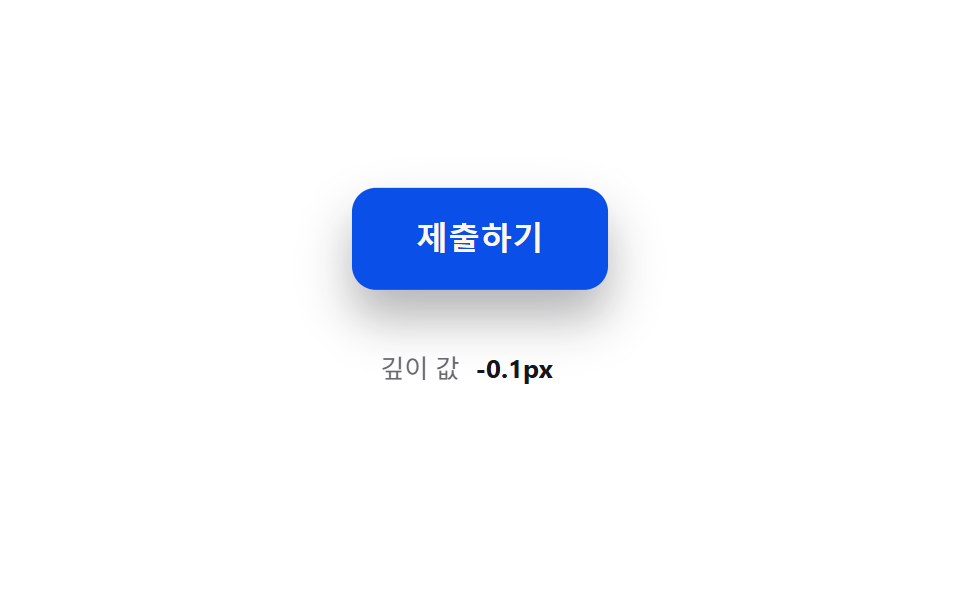 Button Press Animation UI: 9 Calculation PatternsOne value overshoots its target and swings back before settling, one falls and bounces off a floor value before resting, See all demos in this post
If you like this effect - similar demos
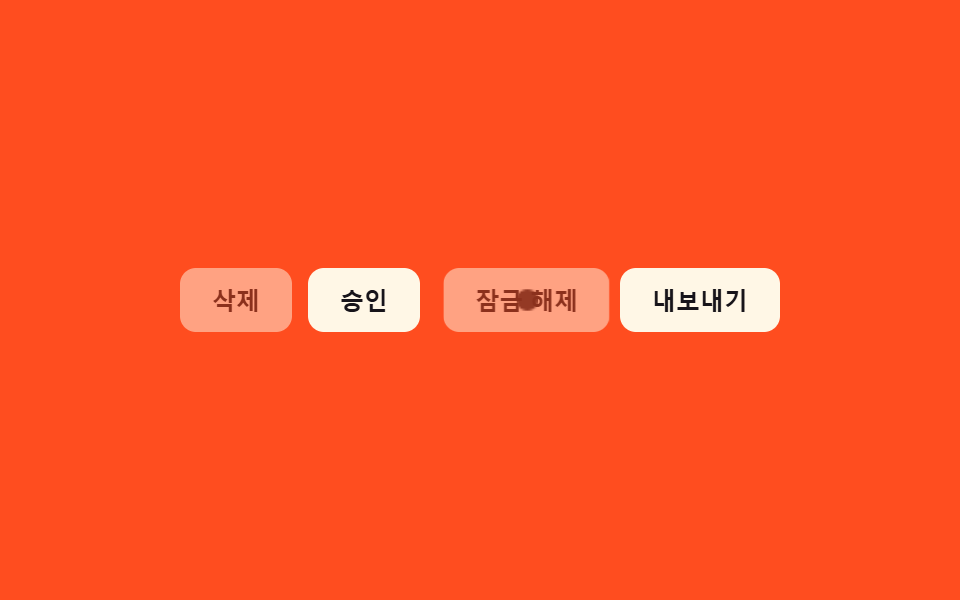 Buttons09 Disabled ripple block — pressing a button whose disabled value is on stops the ripple-spread value midway and answers with a shake value insteadButton Group CSS: 9 Adjoined Patterns
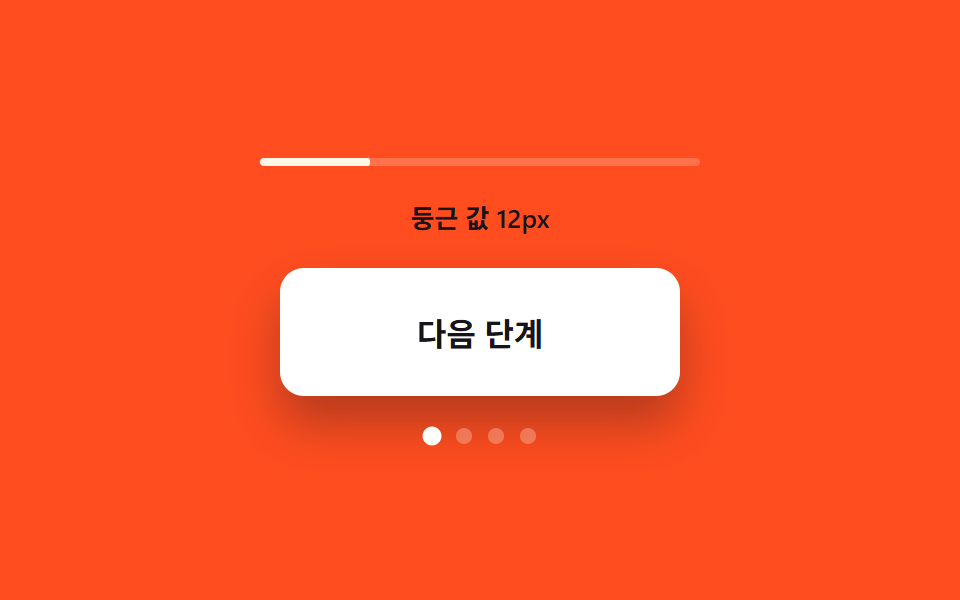 Buttons03 Corner-rounding value growth — the more the open value grows, the more the button's corner rounding grows with itExpanding Button UI: 9 Shape-Morph Patterns
 Buttons02 Crack-line Button That Splits With a Press-state ValueButton Click Effect CSS: 9 Canvas Pixel Patterns