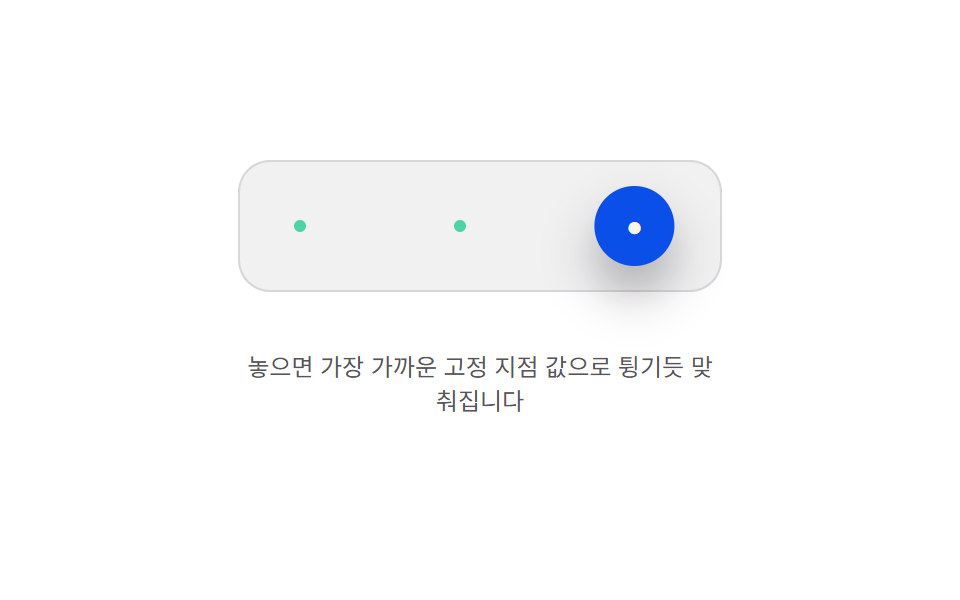
09Snap-to-anchor bounce — the released position value is pulled toward the nearest of several preset anchor values and settles with a bounce
The released position value is drawn toward whichever preset anchor value sits closest, snapping into place with a small bounce.
Best forA toggle button that settles into one of several positions, a widget button that aligns to a grid
ANCHORSKnearestAnchor
<main class="stage">
<div class="bma is-demo" id="bma">
  <div class="bma__field" id="bmaField">
    <span class="bma__anchor" style="left:30px"></span>
    <span class="bma__anchor" style="left:110px"></span>
    <span class="bma__anchor" style="left:190px"></span>
    <button class="bma__btn" id="bmaBtn" type="button" aria-label="Position-snapping toggle button">●</button>
  </div>
  <p class="bma__hint">Release it and it snaps to the nearest anchor value with a bounce</p>
</div>
</main>
@use "../../../../site/static/demo-tokens" as *;
// 계산 겹(가까운 고정 지점 값 탐색 + 스프링 튕김)은 JS 에 있다 — 여기는 정적 배치만.
@include stage($stage-paper);
.stage { position: relative; }
.bma {
display: flex;
flex-direction: column;
align-items: center;
gap: $sp-4;
}
.bma__field {
position: relative;
width: 240px;
height: 64px;
border-radius: $r-card;
background: rgba($subject-ink, .06);
border: 1px solid rgba($subject-ink, .12);
}
.bma__anchor {
position: absolute;
top: 50%;
width: 6px;
height: 6px;
margin-left: -3px;
margin-top: -3px;
border-radius: $r-pill;
background: $subject-mint;
}
.bma__btn {
position: absolute;
top: 50%;
left: 0;
width: 40px;
height: 40px;
margin-top: -20px;
margin-left: -20px;
border: 0;
border-radius: $r-pill;
background: $subject-blue-deep;
color: $subject-cream;
font-size: 14px;
cursor: grab;
touch-action: none;
box-shadow: $shadow-raised;
}
.bma__hint {
color: rgba($subject-ink, .72);
font-size: 12px;
text-align: center;
max-width: 240px;
}
@media (max-width: 340px) {
.bma__field { width: 190px; }
.bma__btn { width: 34px; height: 34px; margin-top: -17px; margin-left: -17px; font-size: 12px; }
}
@media (prefers-reduced-motion: reduce) {
.bma__btn { transition: none !important; }
}html, body {
margin: 0;
overflow: hidden;
}
.stage {
box-sizing: border-box;
min-height: 100vh;
display: grid;
place-items: center;
margin: 0;
background: #ffffff;
font-family: -apple-system, "Segoe UI", "Noto Sans KR", sans-serif;
padding: clamp(8px, 4vw, 24px);
}
.stage {
position: relative;
}
.bma {
display: flex;
flex-direction: column;
align-items: center;
gap: 16px;
}
.bma__field {
position: relative;
width: 240px;
height: 64px;
border-radius: 16px;
background: rgba(23, 20, 26, 0.06);
border: 1px solid rgba(23, 20, 26, 0.12);
}
.bma__anchor {
position: absolute;
top: 50%;
width: 6px;
height: 6px;
margin-left: -3px;
margin-top: -3px;
border-radius: 999px;
background: #4cd4a6;
}
.bma__btn {
position: absolute;
top: 50%;
left: 0;
width: 40px;
height: 40px;
margin-top: -20px;
margin-left: -20px;
border: 0;
border-radius: 999px;
background: #0a4fe8;
color: #fff7e6;
font-size: 14px;
cursor: grab;
touch-action: none;
box-shadow: 0 14px 24px rgba(23, 20, 26, 0.32);
}
.bma__hint {
color: rgba(23, 20, 26, 0.72);
font-size: 12px;
text-align: center;
max-width: 240px;
}
@media (max-width: 340px) {
.bma__field {
width: 190px;
}
.bma__btn {
width: 34px;
height: 34px;
margin-top: -17px;
margin-left: -17px;
font-size: 12px;
}
}
@media (prefers-reduced-motion: reduce) {
.bma__btn {
transition: none !important;
}
}(function () {
var root = document.getElementById('bma');
var field = document.getElementById('bmaField');
var btn = document.getElementById('bmaBtn');
var reduce = window.matchMedia('(prefers-reduced-motion: reduce)').matches;
// 계산 겹: 놓인 위치 값(x)에서 가장 가까운 고정 지점 값(ANCHORS 중 하나)을 골라 target 으로
// 삼고, 스프링(K·C)이 목표를 살짝 넘겼다가 되돌아오는 튕김으로 그 지점에 맞춘다.
var ANCHORS = [30, 110, 190], K = 340, C = 10, BTN_R = 20;
var x = ANCHORS[0], vel = 0, target = ANCHORS[0], dragging = false, startX = 0, startBtnX = 0, raf = null, last = 0;
function nearestAnchor(px) {
var best = ANCHORS[0], bestD = Infinity;
for (var i = 0; i < ANCHORS.length; i++) {
var d = Math.abs(ANCHORS[i] - px);
if (d < bestD) { bestD = d; best = ANCHORS[i]; }
}
return best;
}
function paint() { btn.style.transform = 'translateX(' + x.toFixed(1) + 'px)'; }
function tick(now) {
var dt = Math.min((now - last) / 1000, 0.032);
last = now;
var accel = -K * (x - target) - C * vel;
vel += accel * dt;
x += vel * dt;
paint();
if (Math.abs(x - target) < 0.05 && Math.abs(vel) < 0.4) { x = target; vel = 0; paint(); raf = null; return; }
raf = requestAnimationFrame(tick);
}
function startSpring() { if (raf === null) { last = performance.now(); raf = requestAnimationFrame(tick); } }
function onDown(clientX) {
dragging = true; startX = clientX; startBtnX = x;
if (raf !== null) { cancelAnimationFrame(raf); raf = null; }
}
function onMove(clientX) {
if (!dragging) { return; }
var dx = clientX - startX;
x = Math.max(BTN_R, Math.min(field.clientWidth - BTN_R, startBtnX + dx));
paint();
}
function onUp() {
if (!dragging) { return; }
dragging = false;
target = nearestAnchor(x);
if (reduce) { x = target; vel = 0; paint(); return; }
startSpring();
}
function wireReal() {
btn.addEventListener('pointerdown', function (e) { root.classList.remove('is-demo'); stopAutoplay(); onDown(e.clientX); });
window.addEventListener('pointermove', function (e) { onMove(e.clientX); });
window.addEventListener('pointerup', onUp);
}
wireReal();
paint();
// 자동 루프: 실제 드래그 대신 놓인 위치 값을 다음 고정 지점으로 옮겨 같은 스냅 경로를 반복한다.
var autoTimer = null, idx = 0;
function autoTick() {
idx = (idx + 1) % ANCHORS.length;
x = ANCHORS[idx] + (idx % 2 === 0 ? -18 : 18);
vel = 0;
target = nearestAnchor(x);
startSpring();
}
function stopAutoplay() { if (autoTimer) { clearInterval(autoTimer); autoTimer = null; } }
if (!reduce) { autoTimer = setInterval(autoTick, 900); }
})();import { useEffect, useRef } from "react";
import styles from "./ButtonPhysicsMagnetAnchorSnap.module.scss";
export type ButtonPhysicsMagnetAnchorSnapProps = {
color?: string;
};
export default function ButtonPhysicsMagnetAnchorSnap({
color = "#0a4fe8",
}: ButtonPhysicsMagnetAnchorSnapProps) {
const rootRef = useRef<HTMLDivElement | null>(null);
useEffect(() => {
const root = rootRef.current;
if (!root) return;
const field = root.querySelector<HTMLDivElement>(`.${styles.field}`);
const btn = root.querySelector<HTMLButtonElement>(`.${styles.btn}`);
if (!field || !btn) return;
const reduce = window.matchMedia("(prefers-reduced-motion: reduce)").matches;
// 계산 겹: 놓인 위치 값(x)에서 가장 가까운 고정 지점 값(ANCHORS 중 하나)을 골라 target 으로
// 삼고, 스프링(K·C)이 목표를 살짝 넘겼다가 되돌아오는 튕김으로 그 지점에 맞춘다.
const ANCHORS = [30, 110, 190], K = 340, C = 10, BTN_R = 20;
let x = ANCHORS[0], vel = 0, target = ANCHORS[0], dragging = false, startX = 0, startBtnX = 0, raf: number | null = null, last = 0;
function nearestAnchor(px: number) {
let best = ANCHORS[0], bestD = Infinity;
for (let i = 0; i < ANCHORS.length; i++) {
const d = Math.abs(ANCHORS[i] - px);
if (d < bestD) { bestD = d; best = ANCHORS[i]; }
}
return best;
}
function paint() { btn!.style.transform = "translateX(" + x.toFixed(1) + "px)"; }
function tick(now: number) {
const dt = Math.min((now - last) / 1000, 0.032);
last = now;
const accel = -K * (x - target) - C * vel;
vel += accel * dt;
x += vel * dt;
paint();
if (Math.abs(x - target) < 0.05 && Math.abs(vel) < 0.4) { x = target; vel = 0; paint(); raf = null; return; }
raf = requestAnimationFrame(tick);
}
function startSpring() { if (raf === null) { last = performance.now(); raf = requestAnimationFrame(tick); } }
function onPointerDown(e: PointerEvent) {
stopAutoplay();
dragging = true; startX = e.clientX; startBtnX = x;
if (raf !== null) { cancelAnimationFrame(raf); raf = null; }
}
function onPointerMove(e: PointerEvent) {
if (!dragging) return;
const dx = e.clientX - startX;
x = Math.max(BTN_R, Math.min(field!.clientWidth - BTN_R, startBtnX + dx));
paint();
}
function onPointerUp() {
if (!dragging) return;
dragging = false;
target = nearestAnchor(x);
if (reduce) { x = target; vel = 0; paint(); return; }
startSpring();
}
btn.addEventListener("pointerdown", onPointerDown);
window.addEventListener("pointermove", onPointerMove);
window.addEventListener("pointerup", onPointerUp);
paint();
let autoTimer: number | null = null, idx = 0;
function autoTick() {
idx = (idx + 1) % ANCHORS.length;
x = ANCHORS[idx] + (idx % 2 === 0 ? -18 : 18);
vel = 0;
target = nearestAnchor(x);
startSpring();
}
function stopAutoplay() { if (autoTimer !== null) { window.clearInterval(autoTimer); autoTimer = null; } }
if (!reduce) { autoTimer = window.setInterval(autoTick, 900); }
return () => {
stopAutoplay();
if (raf !== null) cancelAnimationFrame(raf);
btn.removeEventListener("pointerdown", onPointerDown);
window.removeEventListener("pointermove", onPointerMove);
window.removeEventListener("pointerup", onPointerUp);
};
}, []);
return (
<div ref={rootRef} className={styles.stage}>
<div className={styles.bma}>
<div className={styles.field}>
<span className={styles.anchor} style={{ left: "30px" }} />
<span className={styles.anchor} style={{ left: "110px" }} />
<span className={styles.anchor} style={{ left: "190px" }} />
<button className={styles.btn} type="button" aria-label="자리 잡는 토글 버튼" style={{ background: color }}>●</button>
</div>
<p className={styles.hint}>놓으면 가장 가까운 고정 지점 값으로 튕기듯 맞춰집니다</p>
</div>
</div>
);
}09 Snap-to-anchor bounce — the released position value is pulled toward the nearest of several preset anchor values and settles with a bounce — Measured area 6.549% · moving frames 18/23Original by GODRICH · SCSS and React ship in the zip · Button Press Animation UI: 9 Calculation Patterns
The post this demo lives in
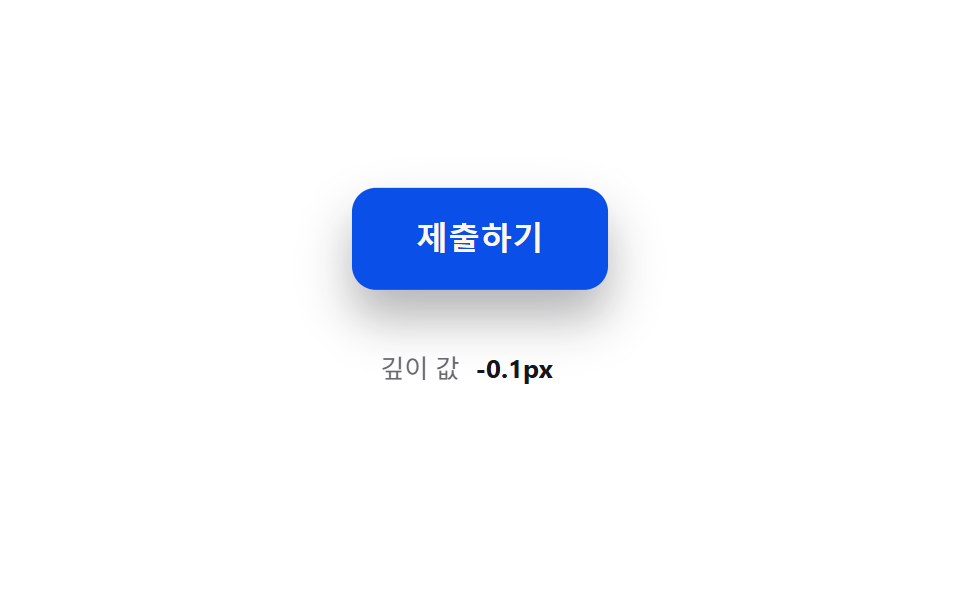 Button Press Animation UI: 9 Calculation PatternsOne value overshoots its target and swings back before settling, one falls and bounces off a floor value before resting, See all demos in this post
If you like this effect - similar demos
 Buttons01 Accordion-reveal value toggle — when the button's open value changes, its rounding and shadow values change along, presenting the content belowExpanding Button UI: 9 Shape-Morph Patterns
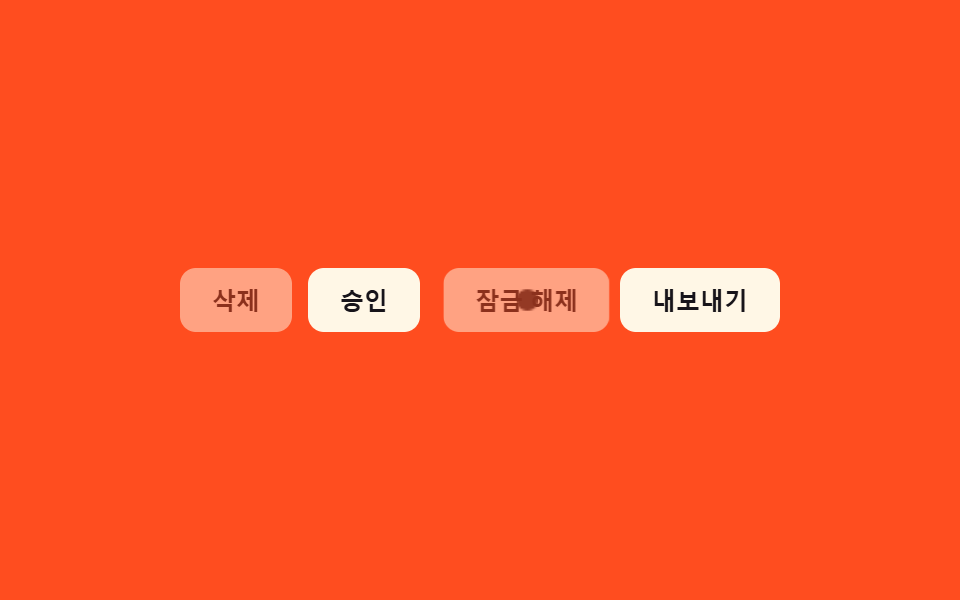 Buttons09 Disabled ripple block — pressing a button whose disabled value is on stops the ripple-spread value midway and answers with a shake value insteadButton Group CSS: 9 Adjoined Patterns
 Buttons01 Long-shadow retro — a button whose trailing shadow length value extends and retracts with hover stateCTA Button Design: 9 Interaction Patterns