02Button That Gradually Grows as the Distance Value Shrinks
As the cursor's distance value enters the threshold range, the button's size value grows continuously and slowly rather than switching on and off.
Best forCard-style button list emphasis
springStepSTIFFNESSDAMPING
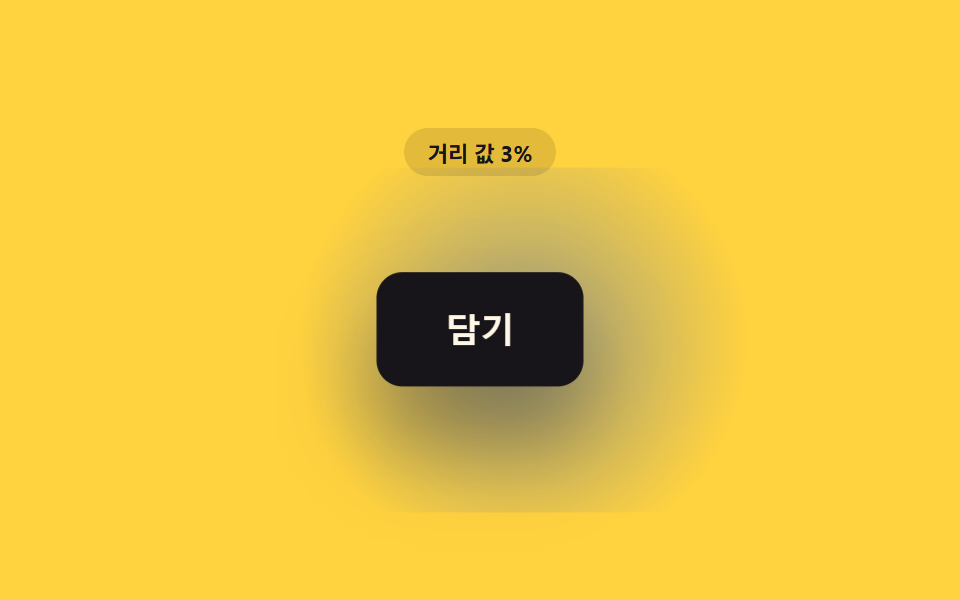
<main class="stage">
<div class="sl is-demo" id="sl">
  <p class="sl__badge" id="slBadge">Distance value 100%</p>
  <div class="sl__scene" id="slScene">
    <button class="sl__btn" id="slBtn" type="button">Add</button>
  </div>
</div>
</main>
@use "../../../../site/static/demo-tokens" as *;
// 핵심: 거리 값을 스프링 방정식(강성·감쇠)에 흘려 버튼 크기·들림을 연속으로 바꾼다.
// 이진적 켜짐·꺼짐이 아니라 목표를 살짝 넘겼다가 정착하는 계산 한 겹(오버슛)을 더했다.
$duration: $dur-loop;
$easing: $ease-lerp-settle;
$color: $subject-ink;
@include stage($stage-yellow);
.sl {
display: grid;
gap: $sp-4;
justify-items: center;
}
.sl__badge {
margin: 0;
padding: $sp-1 $sp-3;
border-radius: $r-pill;
background: rgba(23, 20, 26, .12);
color: $subject-ink;
font-weight: 700;
font-size: 11px;
font-variant-numeric: tabular-nums;
}
.sl__scene {
position: relative;
padding: $sp-10;
--tone-p: 0;
}
.sl__scene::before {
content: '';
position: absolute;
inset: 0;
margin: auto;
width: 220px;
height: 140px;
border-radius: $r-control;
background: radial-gradient(circle, rgba($subject-blue-deep, .4), transparent 70%);
transform: scale(calc(0.55 + var(--tone-p) * 0.7));
opacity: var(--tone-p);
pointer-events: none;
z-index: 0;
}
.sl__btn {
position: relative;
z-index: 1;
border: 0;
cursor: pointer;
padding: $sp-4 $sp-8;
border-radius: $r-control;
background: $color;
color: $subject-cream;
font-size: 16px;
font-weight: 700;
transform-origin: center;
will-change: transform, box-shadow;
}
.sl__btn:focus-visible {
outline: 2px solid $subject-cream;
outline-offset: 3px;
}
@media (max-width: 340px) {
.sl__scene { padding: $sp-6; }
.sl__btn { padding: $sp-3 $sp-6; font-size: 14px; }
}
@media (prefers-reduced-motion: reduce) {
.sl__btn { transition: none; }
}html, body {
margin: 0;
overflow: hidden;
}
.stage {
box-sizing: border-box;
min-height: 100vh;
display: grid;
place-items: center;
margin: 0;
background: #ffd23f;
font-family: -apple-system, "Segoe UI", "Noto Sans KR", sans-serif;
padding: clamp(8px, 4vw, 24px);
}
.sl {
display: grid;
gap: 16px;
justify-items: center;
}
.sl__badge {
margin: 0;
padding: 4px 12px;
border-radius: 999px;
background: rgba(23, 20, 26, 0.12);
color: #17141a;
font-weight: 700;
font-size: 11px;
font-variant-numeric: tabular-nums;
}
.sl__scene {
position: relative;
padding: 40px;
--tone-p: 0;
}
.sl__scene::before {
content: "";
position: absolute;
inset: 0;
margin: auto;
width: 220px;
height: 140px;
border-radius: 12px;
background: radial-gradient(circle, rgba(10, 79, 232, 0.4), transparent 70%);
transform: scale(calc(0.55 + var(--tone-p) * 0.7));
opacity: var(--tone-p);
pointer-events: none;
z-index: 0;
}
.sl__btn {
position: relative;
z-index: 1;
border: 0;
cursor: pointer;
padding: 16px 32px;
border-radius: 12px;
background: #17141a;
color: #fff7e6;
font-size: 16px;
font-weight: 700;
transform-origin: center;
will-change: transform, box-shadow;
}
.sl__btn:focus-visible {
outline: 2px solid #fff7e6;
outline-offset: 3px;
}
@media (max-width: 340px) {
.sl__scene {
padding: 24px;
}
.sl__btn {
padding: 12px 24px;
font-size: 14px;
}
}
@media (prefers-reduced-motion: reduce) {
.sl__btn {
transition: none;
}
}(function () {
var PROX_RADIUS_PX = 170;
var SL_SCALE_MAX = 0.08;
var SL_LIFT_MAX_PX = 6;
// 스프링 방정식(강성·감쇠) — lerp 보다 한 겹 더한 관성: 목표를 살짝 넘겼다가 정착한다.
var STIFFNESS = 0.22;
var DAMPING = 0.72;
var root = document.getElementById('sl');
var scene = document.getElementById('slScene');
var btn = document.getElementById('slBtn');
var badge = document.getElementById('slBadge');
var reduce = window.matchMedia('(prefers-reduced-motion: reduce)').matches;
function clamp(v, lo, hi) { return Math.max(lo, Math.min(hi, v)); }
var targetP = 0;
var pos = 0;
var vel = 0;
var hasPointer = false;
function distanceToButton(x, y) {
var r = btn.getBoundingClientRect();
var cx = r.left + r.width / 2;
var cy = r.top + r.height / 2;
return Math.hypot(x - cx, y - cy);
}
function render(p) {
var scale = 1 + p * SL_SCALE_MAX;
var lift = p * SL_LIFT_MAX_PX;
var depth = 8 + p * 18;
btn.style.transform = 'translateY(' + (-lift).toFixed(2) + 'px) scale(' + scale.toFixed(4) + ')';
btn.style.boxShadow = '0 ' + depth.toFixed(1) + 'px ' + (depth * 1.6).toFixed(1) + 'px rgba(23,20,26,' + (0.18 + p * 0.18).toFixed(2) + ')';
// 계산 레이어: 스프링 오버슛(p) 을 배경 톤(그림자 뒤 글로우)에도 같은 값으로 전파한다.
var tone = clamp(p, 0, 1.15);
scene.style.setProperty('--tone-p', tone.toFixed(3));
badge.textContent = 'Distance value ' + Math.round((1 - clamp(p, 0, 1)) * 100) + '%';
}
function springStep(target) {
var force = (target - pos) * STIFFNESS;
vel = (vel + force) * DAMPING;
pos += vel;
}
function syntheticOffset(t) {
var ang = t * 1.4 + 0.6;
var rad = 110 * (1 + Math.cos(t * Math.PI));
return [Math.cos(ang) * rad, Math.sin(ang) * rad];
}
var startTime = null;
function loop(now) {
if (startTime === null) { startTime = now; }
var t = (now - startTime) / 1000;
if (!hasPointer && !reduce) {
var off = syntheticOffset(t);
var d = Math.hypot(off[0], off[1]);
targetP = clamp(1 - d / PROX_RADIUS_PX, 0, 1);
}
springStep(targetP);
render(clamp(pos, -0.2, 1.2));
requestAnimationFrame(loop);
}
scene.addEventListener('pointermove', function (e) {
hasPointer = true;
root.classList.remove('is-demo');
var d = distanceToButton(e.clientX, e.clientY);
targetP = clamp(1 - d / PROX_RADIUS_PX, 0, 1);
if (reduce) { pos = targetP; render(pos); }
});
scene.addEventListener('pointerleave', function () {
hasPointer = false;
targetP = 0;
if (reduce) { pos = 0; render(0); }
});
btn.addEventListener('focus', function () {
hasPointer = true;
targetP = 1;
if (reduce) { pos = 1; render(1); }
});
btn.addEventListener('blur', function () {
hasPointer = false;
targetP = 0;
if (reduce) { pos = 0; render(0); }
});
if (reduce) {
render(0);
} else {
requestAnimationFrame(loop);
}
})();// ProximityScaleLiftButton — vanilla 판(run/408/demo/02-btn-proximity-scale-lift-hover/index.html) 의 React 포트.
// 거리 값을 스프링 방정식(강성 STIFFNESS·감쇠 DAMPING)에 흘려 목표를 살짝 넘겼다가 정착하는
// 오버슛 한 겹을 더한다 — 단순 lerp 보다 한 계산 층이 깊다.
import { useEffect, useRef, useState } from "react";
import type { PointerEvent as ReactPointerEvent } from "react";
import styles from "./ProximityScaleLiftButton.module.scss";
type Box<T> = { current: T };
const PROX_RADIUS_PX = 170;
const SL_SCALE_MAX = 0.08;
const SL_LIFT_MAX_PX = 6;
const STIFFNESS = 0.22;
const DAMPING = 0.72;
function clamp(v: number, lo: number, hi: number): number {
return Math.max(lo, Math.min(hi, v));
}
function syntheticOffset(t: number): [number, number] {
const ang = t * 1.4 + 0.6;
const rad = 110 * (1 + Math.cos(t * Math.PI));
return [Math.cos(ang) * rad, Math.sin(ang) * rad];
}
export default function ProximityScaleLiftButton() {
const sceneRef = useRef<HTMLDivElement | null>(null);
const btnRef = useRef<HTMLButtonElement | null>(null);
const badgeRef = useRef<HTMLParagraphElement | null>(null);
const targetPRef = useRef<number>(0) as Box<number>;
const posRef = useRef<number>(0) as Box<number>;
const velRef = useRef<number>(0) as Box<number>;
const hasPointerRef = useRef<boolean>(false) as Box<boolean>;
const frameRef = useRef<number>(0) as Box<number>;
const t0Ref = useRef<number>(0) as Box<number>;
const [demo, setDemo] = useState(true);
const [reduce, setReduce] = useState(false);
function render(p: number): void {
const btn = btnRef.current;
const badge = badgeRef.current;
const scene = sceneRef.current;
if (!btn || !badge || !scene) return;
const scale = 1 + p * SL_SCALE_MAX;
const lift = p * SL_LIFT_MAX_PX;
const depth = 8 + p * 18;
btn.style.transform = "translateY(" + (-lift).toFixed(2) + "px) scale(" + scale.toFixed(4) + ")";
btn.style.boxShadow = "0 " + depth.toFixed(1) + "px " + (depth * 1.6).toFixed(1) + "px rgba(23,20,26," + (0.18 + p * 0.18).toFixed(2) + ")";
// 계산 레이어: 스프링 오버슛 값(p, 1 을 넘나든다)을 장면 배경 글로우 크기·불투명도에도 전파한다.
const tone = clamp(p, 0, 1.15);
scene.style.setProperty("--tone-p", tone.toFixed(3));
badge.textContent = "거리 값 " + Math.round((1 - clamp(p, 0, 1)) * 100) + "%";
}
function springStep(target: number): void {
const force = (target - posRef.current) * STIFFNESS;
velRef.current = (velRef.current + force) * DAMPING;
posRef.current += velRef.current;
}
function distanceToButton(x: number, y: number): number {
const btn = btnRef.current;
if (!btn) return PROX_RADIUS_PX;
const r = btn.getBoundingClientRect();
const cx = r.left + r.width / 2;
const cy = r.top + r.height / 2;
return Math.hypot(x - cx, y - cy);
}
useEffect(() => {
setReduce(window.matchMedia("(prefers-reduced-motion: reduce)").matches);
}, []);
useEffect(() => {
if (reduce) {
render(0);
return;
}
function loop(now: number): void {
if (t0Ref.current === 0) t0Ref.current = now;
const t = (now - t0Ref.current) / 1000;
if (!hasPointerRef.current) {
const off = syntheticOffset(t);
const d = Math.hypot(off[0], off[1]);
targetPRef.current = clamp(1 - d / PROX_RADIUS_PX, 0, 1);
}
springStep(targetPRef.current);
render(clamp(posRef.current, -0.2, 1.2));
frameRef.current = requestAnimationFrame(loop);
}
frameRef.current = requestAnimationFrame(loop);
return () => cancelAnimationFrame(frameRef.current);
}, [reduce]);
function onPointerMove(event: ReactPointerEvent<HTMLDivElement>): void {
hasPointerRef.current = true;
setDemo(false);
const d = distanceToButton(event.clientX, event.clientY);
targetPRef.current = clamp(1 - d / PROX_RADIUS_PX, 0, 1);
if (reduce) { posRef.current = targetPRef.current; render(posRef.current); }
}
function onPointerLeave(): void {
hasPointerRef.current = false;
targetPRef.current = 0;
if (reduce) { posRef.current = 0; render(0); }
}
function onFocus(): void {
hasPointerRef.current = true;
targetPRef.current = 1;
if (reduce) { posRef.current = 1; render(1); }
}
function onBlur(): void {
hasPointerRef.current = false;
targetPRef.current = 0;
if (reduce) { posRef.current = 0; render(0); }
}
const cls = [styles.sl, demo ? styles.isDemo : ""].filter(Boolean).join(" ");
return (
<main className={styles.stage}>
<div className={cls}>
<p className={styles.badge} ref={badgeRef}>거리 값 100%</p>
<div className={styles.scene} ref={sceneRef} onPointerMove={onPointerMove} onPointerLeave={onPointerLeave}>
<button className={styles.btn} ref={btnRef} type="button" onFocus={onFocus} onBlur={onBlur}>담기</button>
</div>
</div>
</main>
);
}02 Button That Gradually Grows as the Distance Value Shrinks — Measured area 18.788% · moving frames 18/23Original by GODRICH · SCSS and React ship in the zip · CSS Button Hover Effects — 9 Proximity Patterns
The post this demo lives in
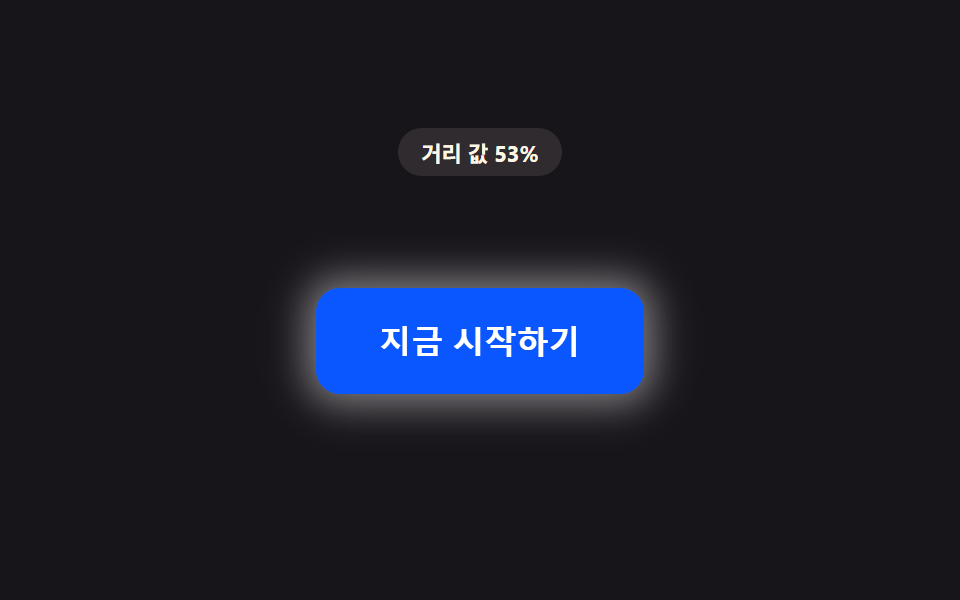 CSS Button Hover Effects — 9 Proximity PatternsThese are css button hover effects. If the cursor is still a hand-width away, the distance value stays large. As it shri See all demos in this post
If you like this effect - similar demos
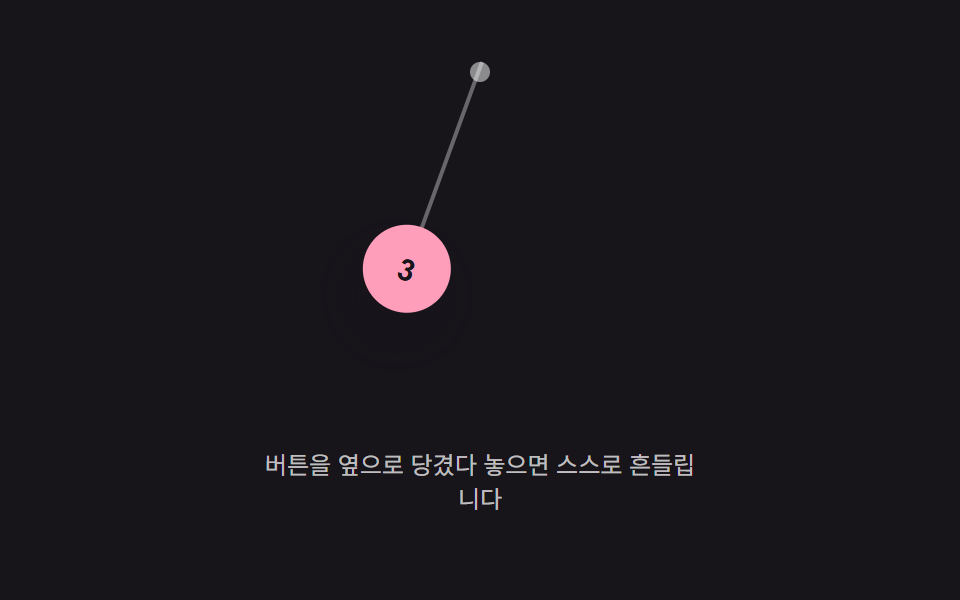 Buttons05 Hanging-angle swing — a value hung from a top point swings its angle value side to side while the swing shrinks over timeButton Press Animation UI: 9 Calculation Patterns
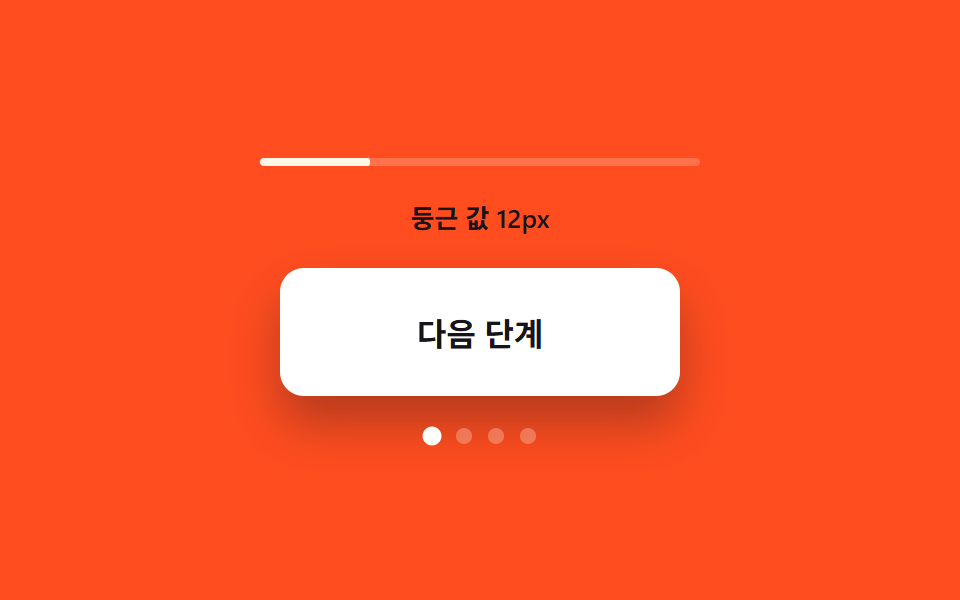 Buttons03 Corner-rounding value growth — the more the open value grows, the more the button's corner rounding grows with itExpanding Button UI: 9 Shape-Morph Patterns
 Buttons03 Divider fade — the opacity value of the line between buttons fades as the pointer nears an adjacent buttonButton Group CSS: 9 Adjoined Patterns