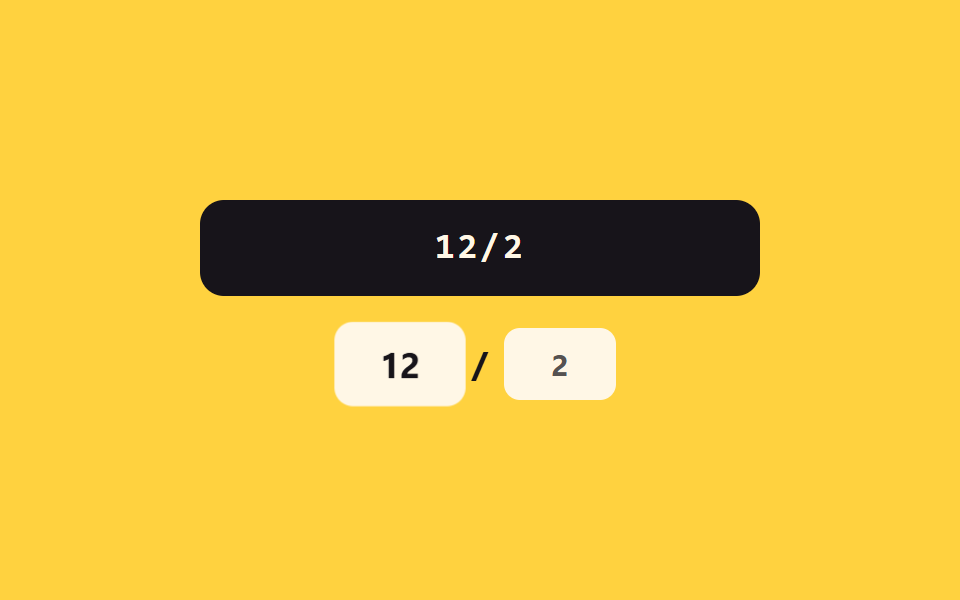
02Expiry-separator value toggle — once the month and year digit values fill in, a separator value automatically appears between them
The moment the month's digit value fills two places, a separator value appears right after it so input moves on to the year.
Best forAn expiry field in a checkout form, a subscription-billing registration screen
buildpulsedigitsOnly
<main class="stage">
<div class="ce is-demo" id="ce">
  <label class="ce__field">
    <input class="ce__input" id="ceInput" type="text" inputmode="numeric" autocomplete="off" spellcheck="false" maxlength="5" value="" placeholder="MM/YY">
  </label>
  <div class="ce__chips" id="ceChips" aria-hidden="true">
    <span class="ce__chip" id="ceMm">MM</span>
    <span class="ce__slash" id="ceSlash">/</span>
    <span class="ce__chip" id="ceYy">YY</span>
  </div>
</div>
</main>
@use "../../../../site/static/demo-tokens" as *;
// 계산 겹: 월 값을 01~12 로 clamp 하고, 완료 시 구분자 값을 자동 삽입한다(index.html).
@include stage($stage-yellow);
.ce {
width: 100%;
max-width: 280px;
display: grid;
gap: $sp-4;
justify-items: center;
}
.ce__field { display: block; width: 100%; }
.ce__input {
width: 100%;
box-sizing: border-box;
padding: $sp-3 $sp-4;
border-radius: $r-control;
border: 0;
background: $subject-ink;
color: $subject-cream;
font-weight: 600;
font-size: 18px;
line-height: 1.3;
font-family: "SFMono-Regular", Consolas, monospace;
letter-spacing: .08em;
text-align: center;
&::placeholder { color: rgba($subject-cream, .5); }
&:focus { outline: 2px solid $subject-blue-deep; outline-offset: 2px; }
}
.ce__chips {
display: flex;
align-items: center;
gap: $sp-2;
}
.ce__chip {
min-width: 56px;
box-sizing: border-box;
padding: $sp-2 $sp-3;
border-radius: $r-sm;
background: $subject-cream;
color: rgba($subject-ink, .4);
font-weight: 700;
font-size: 15px;
text-align: center;
transition: color $dur-quick $ease-out;
}
.ce__chip--on { color: $subject-ink; }
.ce__chip--pulse { animation: cePulse $dur-enter $ease-elastic; }
.ce__slash {
font-weight: 700;
font-size: 18px;
color: rgba($subject-ink, .35);
transform: scale(.4);
opacity: 0;
transition: transform $dur-quick $ease-elastic, opacity $dur-quick $ease-out;
}
.ce__slash--on {
transform: scale(1);
opacity: 1;
color: $subject-ink;
}
@keyframes cePulse {
0% { transform: scale(1); }
30% { transform: scale(1.16); }
60% { transform: scale(.96); }
100% { transform: scale(1); }
}
@media (max-width: 340px) {
.ce { max-width: 240px; }
.ce__input { padding: $sp-2 $sp-3; font-size: 16px; }
.ce__chip { min-width: 48px; font-size: 13px; }
}
@media (prefers-reduced-motion: reduce) {
.ce__slash { transition: none; }
.ce__chip--pulse { animation: none; }
.ce__chip { transition: none; }
}html, body {
margin: 0;
overflow: hidden;
}
.stage {
box-sizing: border-box;
min-height: 100vh;
display: grid;
place-items: center;
margin: 0;
background: #ffd23f;
font-family: -apple-system, "Segoe UI", "Noto Sans KR", sans-serif;
padding: clamp(8px, 4vw, 24px);
}
.ce {
width: 100%;
max-width: 280px;
display: grid;
gap: 16px;
justify-items: center;
}
.ce__field {
display: block;
width: 100%;
}
.ce__input {
width: 100%;
box-sizing: border-box;
padding: 12px 16px;
border-radius: 12px;
border: 0;
background: #17141a;
color: #fff7e6;
font-weight: 600;
font-size: 18px;
line-height: 1.3;
font-family: "SFMono-Regular", Consolas, monospace;
letter-spacing: 0.08em;
text-align: center;
}
.ce__input::placeholder {
color: rgba(255, 247, 230, 0.5);
}
.ce__input:focus {
outline: 2px solid #0a4fe8;
outline-offset: 2px;
}
.ce__chips {
display: flex;
align-items: center;
gap: 8px;
}
.ce__chip {
min-width: 56px;
box-sizing: border-box;
padding: 8px 12px;
border-radius: 8px;
background: #fff7e6;
color: rgba(23, 20, 26, 0.4);
font-weight: 700;
font-size: 15px;
text-align: center;
transition: color 220ms ease-out;
}
.ce__chip--on {
color: #17141a;
}
.ce__chip--pulse {
animation: cePulse 600ms cubic-bezier(0.34, 1.56, 0.64, 1);
}
.ce__slash {
font-weight: 700;
font-size: 18px;
color: rgba(23, 20, 26, 0.35);
transform: scale(0.4);
opacity: 0;
transition: transform 220ms cubic-bezier(0.34, 1.56, 0.64, 1), opacity 220ms ease-out;
}
.ce__slash--on {
transform: scale(1);
opacity: 1;
color: #17141a;
}
@keyframes cePulse {
0% {
transform: scale(1);
}
30% {
transform: scale(1.16);
}
60% {
transform: scale(0.96);
}
100% {
transform: scale(1);
}
}
@media (max-width: 340px) {
.ce {
max-width: 240px;
}
.ce__input {
padding: 8px 12px;
font-size: 16px;
}
.ce__chip {
min-width: 48px;
font-size: 13px;
}
}
@media (prefers-reduced-motion: reduce) {
.ce__slash {
transition: none;
}
.ce__chip--pulse {
animation: none;
}
.ce__chip {
transition: none;
}
}(function () {
var root = document.getElementById('ce');
var input = document.getElementById('ceInput');
var mmChip = document.getElementById('ceMm');
var yyChip = document.getElementById('ceYy');
var slash = document.getElementById('ceSlash');
// 계산 겹: 월 값의 범위를 01~12 로 clamp 하고, 월 자릿수 값이 2자리를 채우면
// 구분자(슬래시) 값을 자동으로 끼운다.
function digitsOnly(str) { return str.replace(/\D/g, '').slice(0, 4); }
function build(rawDigits) {
var mm = rawDigits.slice(0, 2);
var yy = rawDigits.slice(2, 4);
var clamped = false;
if (mm.length === 2) {
var n = parseInt(mm, 10);
if (n === 0) { mm = '01'; clamped = true; }
else if (n > 12) { mm = '12'; clamped = true; }
}
var slashOn = mm.length === 2;
return { display: mm + (slashOn ? '/' : '') + yy, mm: mm, yy: yy, slashOn: slashOn, clamped: clamped };
}
function pulse(el) {
el.classList.remove('ce__chip--pulse');
void el.offsetWidth;
el.classList.add('ce__chip--pulse');
}
function paint(r) {
mmChip.textContent = r.mm || 'MM';
mmChip.classList.toggle('ce__chip--on', r.mm.length > 0);
yyChip.textContent = r.yy || 'YY';
yyChip.classList.toggle('ce__chip--on', r.yy.length > 0);
slash.classList.toggle('ce__slash--on', r.slashOn);
if (r.clamped) pulse(mmChip);
}
function digitsBefore(str, upto) { return str.slice(0, upto).replace(/\D/g, '').length; }
input.addEventListener('input', function () {
root.classList.remove('is-demo');
stopAutoplay();
var prevDigits = digitsBefore(input.value, input.selectionStart);
var rawDigits = digitsOnly(input.value);
var r = build(rawDigits);
input.value = r.display;
var newCaret = Math.min(prevDigits + (r.slashOn && prevDigits >= 2 ? 1 : 0), input.value.length);
input.setSelectionRange(newCaret, newCaret);
paint(r);
});
// 자동 루프: 시드 고정 자릿수 값 — "13" 을 쳐서 월 범위 clamp("12")가 걸리는 장면 포함.
var SEQ = ['', '1', '13', '132', '1329', '132', '13', '1', ''];
var si = 0;
var autoTimer = null;
function autoTick() {
var rawDigits = SEQ[si];
var r = build(rawDigits);
input.value = r.display;
paint(r);
si = (si + 1) % SEQ.length;
}
function stopAutoplay() { if (autoTimer) { clearInterval(autoTimer); autoTimer = null; } }
var reduce = window.matchMedia('(prefers-reduced-motion: reduce)').matches;
if (!reduce) { autoTimer = setInterval(autoTick, 340); autoTick(); }
else { autoTick(); }
})();import { useEffect, useRef } from "react";
import styles from "./ExpiryAutoSlash.module.scss";
type Box<T> = { current: T };
type Built = { display: string; mm: string; yy: string; slashOn: boolean; clamped: boolean };
export default function ExpiryAutoSlash() {
const rootRef = useRef(null) as unknown as Box<HTMLDivElement | null>;
useEffect(() => {
const root = rootRef.current;
if (!root) return;
const input = root.querySelector(`.${styles.input}`) as HTMLInputElement | null;
const mmChip = root.querySelector(`.${styles.mm}`) as HTMLElement | null;
const yyChip = root.querySelector(`.${styles.yy}`) as HTMLElement | null;
const slash = root.querySelector(`.${styles.slash}`) as HTMLElement | null;
if (!input || !mmChip || !yyChip || !slash) return;
// 계산 겹: 월 값의 범위를 01~12 로 clamp 하고, 월 자릿수 값이 2자리를 채우면
// 구분자(슬래시) 값을 자동으로 끼운다.
function digitsOnly(str: string) { return str.replace(/\D/g, "").slice(0, 4); }
function build(rawDigits: string): Built {
let mm = rawDigits.slice(0, 2);
const yy = rawDigits.slice(2, 4);
let clamped = false;
if (mm.length === 2) {
const n = parseInt(mm, 10);
if (n === 0) { mm = "01"; clamped = true; }
else if (n > 12) { mm = "12"; clamped = true; }
}
const slashOn = mm.length === 2;
return { display: mm + (slashOn ? "/" : "") + yy, mm, yy, slashOn, clamped };
}
function pulse(el: HTMLElement) {
el.classList.remove(styles["chip--pulse"]);
void el.offsetWidth;
el.classList.add(styles["chip--pulse"]);
}
function paint(r: Built) {
mmChip!.textContent = r.mm || "MM";
mmChip!.classList.toggle(styles["chip--on"], r.mm.length > 0);
yyChip!.textContent = r.yy || "YY";
yyChip!.classList.toggle(styles["chip--on"], r.yy.length > 0);
slash!.classList.toggle(styles["slash--on"], r.slashOn);
if (r.clamped) pulse(mmChip!);
}
function digitsBefore(str: string, upto: number) {
return str.slice(0, upto).replace(/\D/g, "").length;
}
function onInput() {
root!.classList.remove(styles["is-demo"]);
stopAutoplay();
const prevDigits = digitsBefore(input!.value, input!.selectionStart || 0);
const rawDigits = digitsOnly(input!.value);
const r = build(rawDigits);
input!.value = r.display;
const newCaret = Math.min(prevDigits + (r.slashOn && prevDigits >= 2 ? 1 : 0), input!.value.length);
input!.setSelectionRange(newCaret, newCaret);
paint(r);
}
input.addEventListener("input", onInput);
// 자동 루프: 시드 고정 자릿수 값 — "13" 을 쳐서 월 범위 clamp("12")가 걸리는 장면 포함.
const SEQ = ["", "1", "13", "132", "1329", "132", "13", "1", ""];
let si = 0;
let autoTimer: number | null = null;
function autoTick() {
const rawDigits = SEQ[si];
const r = build(rawDigits);
input!.value = r.display;
paint(r);
si = (si + 1) % SEQ.length;
}
function stopAutoplay() {
if (autoTimer !== null) { window.clearInterval(autoTimer); autoTimer = null; }
}
const reduce = window.matchMedia("(prefers-reduced-motion: reduce)").matches;
if (!reduce) { autoTimer = window.setInterval(autoTick, 340); autoTick(); }
else { autoTick(); }
return () => {
stopAutoplay();
input.removeEventListener("input", onInput);
};
}, []);
return (
<div ref={rootRef} className={`${styles.stage} ${styles.ce} ${styles["is-demo"]}`}>
<label className={styles.field}>
<input className={styles.input} type="text" inputMode="numeric" autoComplete="off" spellCheck={false} maxLength={5} defaultValue="" placeholder="MM/YY" />
</label>
<div className={styles.chips} aria-hidden="true">
<span className={`${styles.chip} ${styles.mm}`}>MM</span>
<span className={styles.slash}>/</span>
<span className={`${styles.chip} ${styles.yy}`}>YY</span>
</div>
</div>
);
}02 Expiry-separator value toggle — once the month and year digit values fill in, a separator value automatically appears between them — Measured area 1.644% · moving frames 21/23Original by GODRICH · SCSS and React ship in the zip · Credit Card Input UI: 9 Patterns
The post this demo lives in
 Credit Card Input UI: 9 PatternsCredit card input UI: One of nine spaces digits into groups of four, one recalculates a validity value live as digits fi See all demos in this post
If you like this effect - similar demos
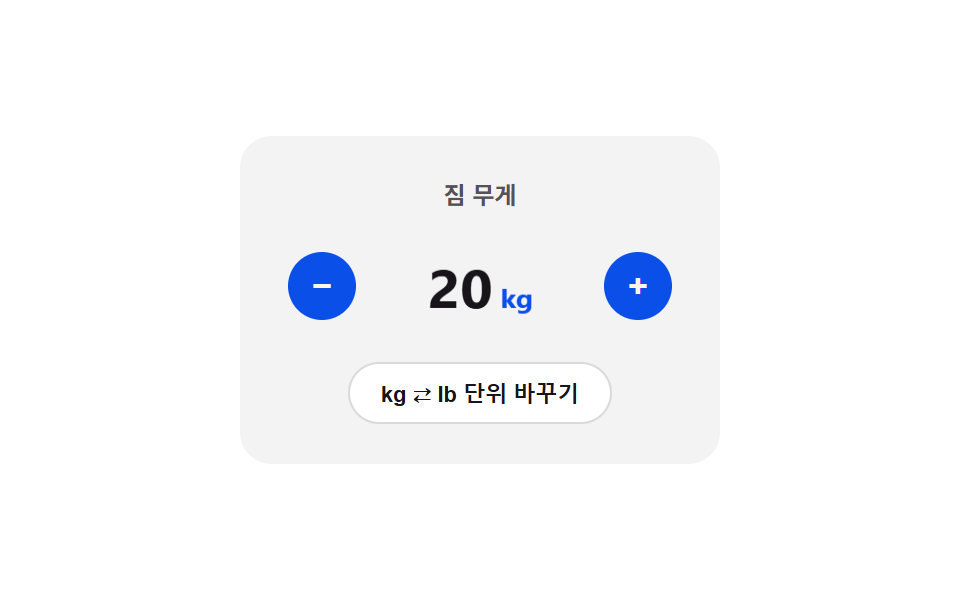 Inputs08 Unit toggle flip — the card folds over and the display value switches at the 90-degree point once the unit enters a changed stateNumber Stepper UI: 9 Interaction Patterns
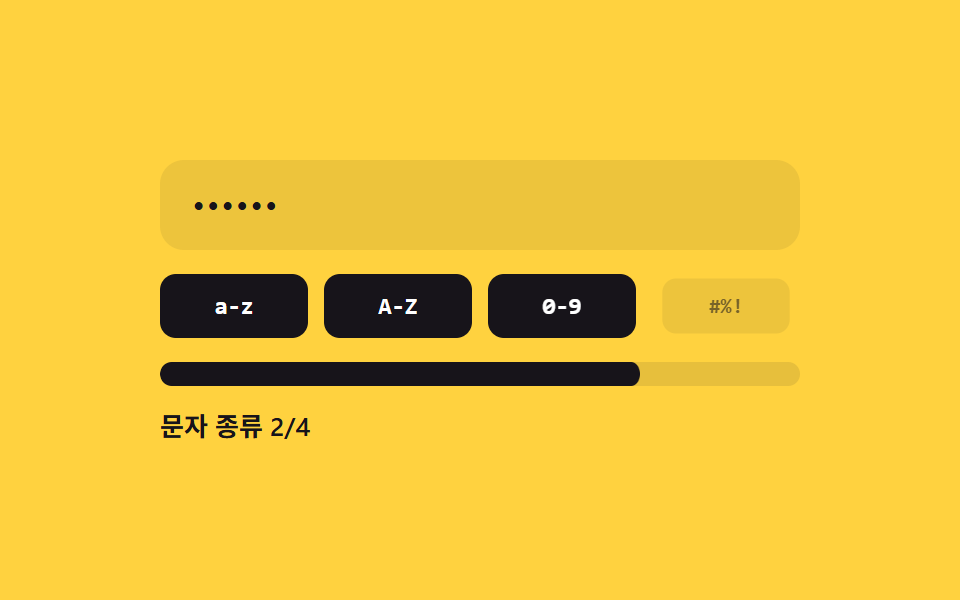 Inputs02 Character-class count fill — the strength value is set by how many distinct character-type values are mixed into the inputPassword Strength Meter UI: 9 Calculation Patterns
 Inputs09 Reduced-motion comparison toggle — the same checked-value change draws its line-length value on the normal panel, and jumps straight to target with no in-between step on the reduced panelCSS Custom Checkbox: 9 Interaction Patterns