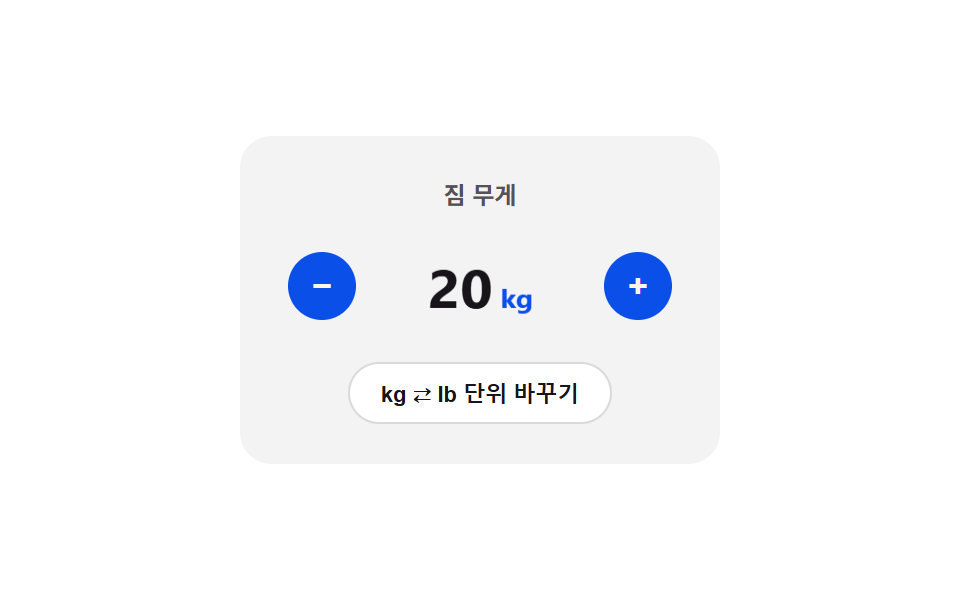
08Unit toggle flip — the card folds over and the display value switches at the 90-degree point once the unit enters a changed state
Once the unit enters a changed state, the card turns from 0 to 180 degrees while the vertical scale value is recomputed from the absolute cosine of the angle, flattening at 90 degrees, where the display switches to the same value recomputed in the new unit before unfolding again — a flip cut rather than an overlapping fade.
Best forA product option that switches weight or volume units, a locale-based unit-toggle form
FACTOR=2.20462Math.cosflipToggle
<main class="stage">
<div class="nsputc is-demo" id="nsputc">
  <div class="nsputc__panel">
    <span class="nsputc__label">Luggage weight</span>
    <div class="nsputc__row">
      <button class="nsputc__btn" id="nsputcMinus" aria-label="Decrease by 1" type="button">−</button>
      <div class="nsputc__flipBox" id="nsputcFlipBox">
        <span class="nsputc__value" id="nsputcValue">20<small id="nsputcUnit">kg</small></span>
      </div>
      <button class="nsputc__btn" id="nsputcPlus" aria-label="Increase by 1" type="button">+</button>
    </div>
    <button class="nsputc__toggle" id="nsputcToggle" type="button">Switch unit kg ⇄ lb</button>
  </div>
</div>
</main>
@use "../../../../site/static/demo-tokens" as *;
// 계산 겹: 카드가 0~180도 도는 동안 |cos(angle)| 로 세로 비율을 계산해 90도에서 두께 0 —
// 그 한 프레임에 진짜 환산식(factor 곱)으로 값을 바꿔 끼운다. 흐려지는 크로스페이드가 아니다.
$duration: $dur-base;
$easing: $ease-out;
$color: $subject-blue-deep;
@include stage($stage-paper);
.stage { position: relative; }
.nsputc {
width: min(240px, 70vw);
}
.nsputc__panel {
display: flex;
flex-direction: column;
align-items: center;
gap: $sp-4;
padding: $sp-5;
border-radius: $r-card;
background: rgba($subject-ink, .05);
}
.nsputc__label {
color: rgba($subject-ink, .72);
font-weight: 700;
font-size: 12px;
}
.nsputc__row {
display: flex;
align-items: center;
gap: $sp-4;
}
.nsputc__flipBox {
width: 92px;
height: 44px;
display: grid;
place-items: center;
will-change: transform;
}
.nsputc__value {
color: $subject-ink;
font-weight: 700;
font-size: 28px;
font-variant-numeric: tabular-nums;
transition: transform $duration $easing;
will-change: transform;
small {
margin-left: $sp-1;
font-size: 14px;
font-weight: 700;
color: $color;
}
}
.nsputc__btn {
width: 34px;
height: 34px;
border: 0;
border-radius: $r-pill;
background: $color;
color: $subject-cream;
font-size: 17px;
font-weight: 700;
line-height: 1;
cursor: pointer;
flex: 0 0 auto;
&:active { transform: scale(.92); }
}
.nsputc__toggle {
border: 0;
border-radius: $r-pill;
padding: $sp-2 $sp-4;
background: $stage-paper;
box-shadow: inset 0 0 0 1px rgba($subject-ink, .16);
color: $subject-ink;
font-size: 11px;
font-weight: 700;
cursor: pointer;
}
@media (max-width: 340px) {
.nsputc__panel { padding: $sp-4; gap: $sp-3; }
.nsputc__value { font-size: 24px; }
.nsputc__flipBox { width: 78px; height: 38px; }
.nsputc__btn { width: 30px; height: 30px; }
}
@media (prefers-reduced-motion: reduce) {
.nsputc__value { transition: none !important; }
}html, body {
margin: 0;
overflow: hidden;
}
.stage {
box-sizing: border-box;
min-height: 100vh;
display: grid;
place-items: center;
margin: 0;
background: #ffffff;
font-family: -apple-system, "Segoe UI", "Noto Sans KR", sans-serif;
padding: clamp(8px, 4vw, 24px);
}
.stage {
position: relative;
}
.nsputc {
width: min(240px, 70vw);
}
.nsputc__panel {
display: flex;
flex-direction: column;
align-items: center;
gap: 16px;
padding: 20px;
border-radius: 16px;
background: rgba(23, 20, 26, 0.05);
}
.nsputc__label {
color: rgba(23, 20, 26, 0.72);
font-weight: 700;
font-size: 12px;
}
.nsputc__row {
display: flex;
align-items: center;
gap: 16px;
}
.nsputc__flipBox {
width: 92px;
height: 44px;
display: grid;
place-items: center;
will-change: transform;
}
.nsputc__value {
color: #17141a;
font-weight: 700;
font-size: 28px;
font-variant-numeric: tabular-nums;
transition: transform 300ms ease-out;
will-change: transform;
}
.nsputc__value small {
margin-left: 4px;
font-size: 14px;
font-weight: 700;
color: #0a4fe8;
}
.nsputc__btn {
width: 34px;
height: 34px;
border: 0;
border-radius: 999px;
background: #0a4fe8;
color: #fff7e6;
font-size: 17px;
font-weight: 700;
line-height: 1;
cursor: pointer;
flex: 0 0 auto;
}
.nsputc__btn:active {
transform: scale(0.92);
}
.nsputc__toggle {
border: 0;
border-radius: 999px;
padding: 8px 16px;
background: #ffffff;
box-shadow: inset 0 0 0 1px rgba(23, 20, 26, 0.16);
color: #17141a;
font-size: 11px;
font-weight: 700;
cursor: pointer;
}
@media (max-width: 340px) {
.nsputc__panel {
padding: 16px;
gap: 12px;
}
.nsputc__value {
font-size: 24px;
}
.nsputc__flipBox {
width: 78px;
height: 38px;
}
.nsputc__btn {
width: 30px;
height: 30px;
}
}
@media (prefers-reduced-motion: reduce) {
.nsputc__value {
transition: none !important;
}
}(function () {
var root = document.getElementById('nsputc');
var btnPlus = document.getElementById('nsputcPlus');
var btnMinus = document.getElementById('nsputcMinus');
var btnToggle = document.getElementById('nsputcToggle');
var flipBox = document.getElementById('nsputcFlipBox');
var valueEl = document.getElementById('nsputcValue');
var unitEl = document.getElementById('nsputcUnit');
var MIN_KG = 1, MAX_KG = 200, STEP_KG = 1;
var FACTOR = 2.20462;
var baseKg = 20;
var unit = 'kg';
var flipRaf = null;
function displayValue() {
if (unit === 'kg') { return String(baseKg); }
return (Math.round(baseKg * FACTOR * 10) / 10).toFixed(1);
}
function render() {
valueEl.firstChild.textContent = displayValue();
unitEl.textContent = unit;
}
function bump() {
valueEl.style.transform = 'scale(1.1)';
setTimeout(function () { valueEl.style.transform = 'scale(1)'; }, 90);
}
function setKg(next) {
next = Math.max(MIN_KG, Math.min(MAX_KG, next));
if (next === baseKg) { return; }
baseKg = next;
render();
bump();
}
// 계산 겹: 카드가 0~180도 도는 동안 |cos(angle)| 로 세로 비율을 계산해 90도 지점에서
// 두께가 0 이 되게 만들고, 그 순간(딱 한 프레임)에 값을 실제 환산식(factor 곱)으로 바꿔 끼운다 —
// 겹쳐서 흐려지는 크로스페이드가 아니라 진짜로 "뒤집혀서 바뀌는" 컷이다.
function flipToggle() {
if (flipRaf) { cancelAnimationFrame(flipRaf); }
var duration = 340;
var start = performance.now();
var swapped = false;
function frame(now) {
var t = Math.min(1, (now - start) / duration);
var angle = t * Math.PI;
var scaleY = Math.abs(Math.cos(angle));
flipBox.style.transform = 'scaleY(' + Math.max(0.06, scaleY).toFixed(3) + ')';
if (!swapped && t >= 0.5) {
unit = unit === 'kg' ? 'lb' : 'kg';
render();
swapped = true;
}
if (t < 1) {
flipRaf = requestAnimationFrame(frame);
} else {
flipBox.style.transform = 'scaleY(1)';
flipRaf = null;
}
}
flipRaf = requestAnimationFrame(frame);
}
btnPlus.addEventListener('click', function () { root.classList.remove('is-demo'); stopAutoplay(); setKg(baseKg + STEP_KG); });
btnMinus.addEventListener('click', function () { root.classList.remove('is-demo'); stopAutoplay(); setKg(baseKg - STEP_KG); });
btnToggle.addEventListener('click', function () { root.classList.remove('is-demo'); stopAutoplay(); flipToggle(); });
var seq = ['bump', 'bump', 'flip', 'bump', 'flip', 'bump'];
var idx = 0;
var autoplayTimer = null;
function stopAutoplay() { if (autoplayTimer) { clearInterval(autoplayTimer); autoplayTimer = null; } }
var reduce = window.matchMedia('(prefers-reduced-motion: reduce)').matches;
if (!reduce) {
autoplayTimer = setInterval(function () {
var op = seq[idx % seq.length];
idx += 1;
if (op === 'flip') { flipToggle(); } else { setKg(baseKg + (Math.random() > 0.5 ? 3 : -3)); }
}, 700);
}
render();
})();import { useEffect, useRef } from "react";
import styles from "./NumberStepperUnitToggleCrossfade.module.scss";
export type NumberStepperUnitToggleCrossfadeProps = {
color?: string;
};
export default function NumberStepperUnitToggleCrossfade({
color = "#0a4fe8",
}: NumberStepperUnitToggleCrossfadeProps) {
const rootRef = useRef<HTMLDivElement | null>(null);
useEffect(() => {
const root = rootRef.current;
if (!root) return;
const btnPlus = root.querySelector<HTMLButtonElement>(`.${styles.btnPlus}`);
const btnMinus = root.querySelector<HTMLButtonElement>(`.${styles.btnMinus}`);
const btnToggle = root.querySelector<HTMLButtonElement>(`.${styles.toggle}`);
const flipBox = root.querySelector<HTMLDivElement>(`.${styles.flipBox}`);
const valueEl = root.querySelector<HTMLSpanElement>(`.${styles.value}`);
const unitEl = root.querySelector<HTMLElement>(`.${styles.unit}`);
if (!btnPlus || !btnMinus || !btnToggle || !flipBox || !valueEl || !unitEl) return;
const MIN_KG = 1, MAX_KG = 200, STEP_KG = 1;
const FACTOR = 2.20462;
let baseKg = 20;
let unit: "kg" | "lb" = "kg";
let flipRaf: number | null = null;
function displayValue() {
if (unit === "kg") { return String(baseKg); }
return (Math.round(baseKg * FACTOR * 10) / 10).toFixed(1);
}
function render() {
valueEl!.firstChild!.textContent = displayValue();
unitEl!.textContent = unit;
}
function bump() {
valueEl!.style.transform = "scale(1.1)";
setTimeout(() => { valueEl!.style.transform = "scale(1)"; }, 90);
}
function setKg(next: number) {
next = Math.max(MIN_KG, Math.min(MAX_KG, next));
if (next === baseKg) { return; }
baseKg = next;
render();
bump();
}
// 계산 겹: 카드가 0~180도 도는 동안 |cos(angle)| 로 세로 비율을 계산해 90도 지점에서
// 두께가 0 이 되게 만들고, 그 순간(딱 한 프레임)에 값을 실제 환산식(factor 곱)으로 바꿔 끼운다 —
// 겹쳐서 흐려지는 크로스페이드가 아니라 진짜로 "뒤집혀서 바뀌는" 컷이다.
function flipToggle() {
if (flipRaf) { cancelAnimationFrame(flipRaf); }
const duration = 340;
const start = performance.now();
let swapped = false;
function frame(now: number) {
const t = Math.min(1, (now - start) / duration);
const angle = t * Math.PI;
const scaleY = Math.abs(Math.cos(angle));
flipBox!.style.transform = "scaleY(" + Math.max(0.06, scaleY).toFixed(3) + ")";
if (!swapped && t >= 0.5) {
unit = unit === "kg" ? "lb" : "kg";
render();
swapped = true;
}
if (t < 1) {
flipRaf = requestAnimationFrame(frame);
} else {
flipBox!.style.transform = "scaleY(1)";
flipRaf = null;
}
}
flipRaf = requestAnimationFrame(frame);
}
const onPlus = () => { root!.classList.remove(styles.isDemo); stopAutoplay(); setKg(baseKg + STEP_KG); };
const onMinus = () => { root!.classList.remove(styles.isDemo); stopAutoplay(); setKg(baseKg - STEP_KG); };
const onToggle = () => { root!.classList.remove(styles.isDemo); stopAutoplay(); flipToggle(); };
btnPlus.addEventListener("click", onPlus);
btnMinus.addEventListener("click", onMinus);
btnToggle.addEventListener("click", onToggle);
const seq = ["bump", "bump", "flip", "bump", "flip", "bump"];
let idx = 0;
let autoplayTimer: ReturnType<typeof setInterval> | null = null;
function stopAutoplay() {
if (autoplayTimer) { clearInterval(autoplayTimer); autoplayTimer = null; }
}
const reduce = window.matchMedia("(prefers-reduced-motion: reduce)").matches;
if (!reduce) {
autoplayTimer = setInterval(() => {
const op = seq[idx % seq.length];
idx += 1;
if (op === "flip") { flipToggle(); } else { setKg(baseKg + (Math.random() > 0.5 ? 3 : -3)); }
}, 700);
}
render();
return () => {
stopAutoplay();
if (flipRaf) cancelAnimationFrame(flipRaf);
btnPlus!.removeEventListener("click", onPlus);
btnMinus!.removeEventListener("click", onMinus);
btnToggle!.removeEventListener("click", onToggle);
};
}, []);
return (
<div ref={rootRef} className={`${styles.stage} ${styles.isDemo}`} style={{ ["--color" as string]: color }}>
<div className={styles.panel}>
<span className={styles.label}>짐 무게</span>
<div className={styles.row}>
<button className={`${styles.btn} ${styles.btnMinus}`} aria-label="1 감소" type="button">−</button>
<div className={styles.flipBox}>
<span className={styles.value}>20<small className={styles.unit}>kg</small></span>
</div>
<button className={`${styles.btn} ${styles.btnPlus}`} aria-label="1 증가" type="button">+</button>
</div>
<button className={styles.toggle} type="button">kg ⇄ lb 단위 바꾸기</button>
</div>
</div>
);
}08 Unit toggle flip — the card folds over and the display value switches at the 90-degree point once the unit enters a changed state — Measured area 0.93% · moving frames 12/23Original by GODRICH · SCSS and React ship in the zip · Number Stepper UI: 9 Interaction Patterns
The post this demo lives in
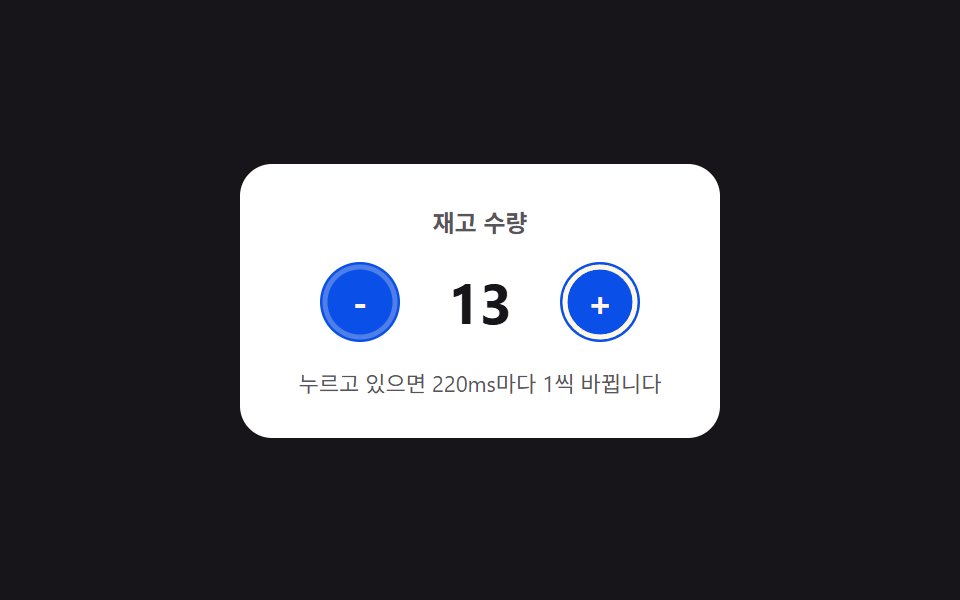 Number Stepper UI: 9 Interaction PatternsOne stepper shortens its repeat interval the longer it stays pressed, one settles past its limit along a spring curve, a See all demos in this post
If you like this effect - similar demos
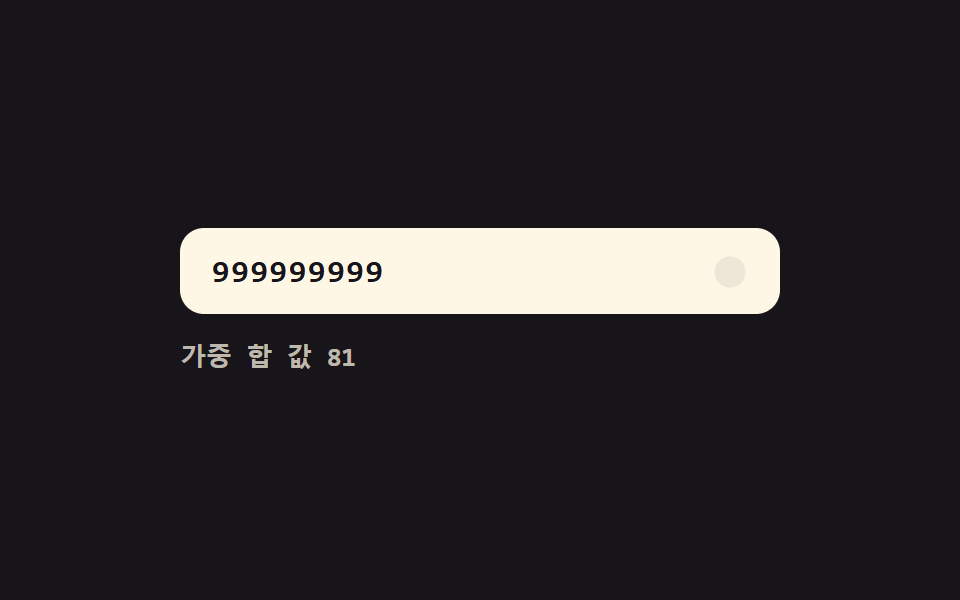 Inputs05 Live validity value toggle — each time a digit value fills in, the whole number's validity value is recalculated and the display value changesCredit Card Input UI: 9 Patterns
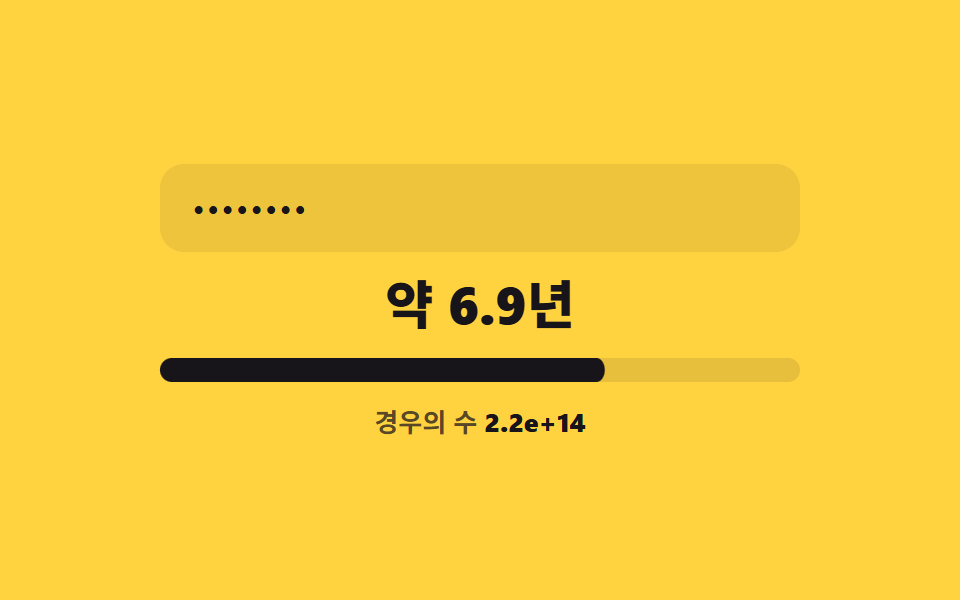 Inputs06 Estimated-time unit switch — the unit of a displayed time-estimate value switches each time a computed bit value passes a boundary valuePassword Strength Meter UI: 9 Calculation Patterns
 Inputs02 Indeterminate-dash toggle — when only some child items are selected, the parent box's mark value switches to a dash shapeCSS Custom Checkbox: 9 Interaction Patterns