02Indeterminate-dash toggle — when only some child items are selected, the parent box's mark value switches to a dash shape
While the child-selection count value sits between zero and all, the parent box's mark value becomes a dash instead of checked or empty.
Best forA file list with group selection, a settings item with sub-options
indeterminateMIX_ALPHAbackground
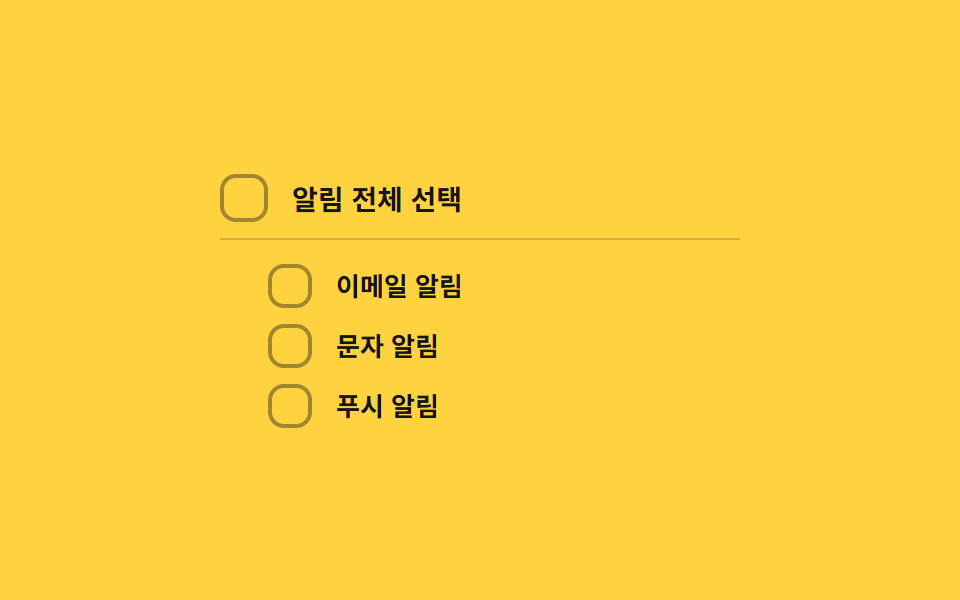
<main class="stage">
<div class="cbi is-demo" id="cbi">
  <label class="cbi__row cbi__row--parent">
    <input type="checkbox" class="cbi__input" id="cbiParent">
    <span class="cbi__box" id="cbiParentBox" aria-hidden="true">
      <svg class="cbi__svg" viewBox="0 0 20 20" width="14" height="14">
        <path class="cbi__check" d="M4 10.5l3.5 3.5L16 5.5" fill="none" stroke="currentColor" stroke-width="2.6" stroke-linecap="round" stroke-linejoin="round"/>
        <line class="cbi__dash" x1="5" y1="10" x2="15" y2="10" stroke="currentColor" stroke-width="2.6" stroke-linecap="round"/>
      </svg>
    </span>
    <span class="cbi__text">Select all notifications</span>
  </label>
  <div class="cbi__children">
    <label class="cbi__row">
      <input type="checkbox" class="cbi__input" id="cbiChild0">
      <span class="cbi__box" id="cbiChildBox0" aria-hidden="true">
        <svg class="cbi__svg" viewBox="0 0 20 20" width="12" height="12">
          <path class="cbi__check" d="M4 10.5l3.5 3.5L16 5.5" fill="none" stroke="currentColor" stroke-width="2.6" stroke-linecap="round" stroke-linejoin="round"/>
        </svg>
      </span>
      <span class="cbi__text">Email notifications</span>
    </label>
    <label class="cbi__row">
      <input type="checkbox" class="cbi__input" id="cbiChild1">
      <span class="cbi__box" id="cbiChildBox1" aria-hidden="true">
        <svg class="cbi__svg" viewBox="0 0 20 20" width="12" height="12">
          <path class="cbi__check" d="M4 10.5l3.5 3.5L16 5.5" fill="none" stroke="currentColor" stroke-width="2.6" stroke-linecap="round" stroke-linejoin="round"/>
        </svg>
      </span>
      <span class="cbi__text">SMS notifications</span>
    </label>
    <label class="cbi__row">
      <input type="checkbox" class="cbi__input" id="cbiChild2">
      <span class="cbi__box" id="cbiChildBox2" aria-hidden="true">
        <svg class="cbi__svg" viewBox="0 0 20 20" width="12" height="12">
          <path class="cbi__check" d="M4 10.5l3.5 3.5L16 5.5" fill="none" stroke="currentColor" stroke-width="2.6" stroke-linecap="round" stroke-linejoin="round"/>
        </svg>
      </span>
      <span class="cbi__text">Push notifications</span>
    </label>
  </div>
</div>
</main>@use "../../../../site/static/demo-tokens" as *;
// 계산 겹: index.html paintParent() 가 자식 선택 개수 ÷ 전체 개수로 선택 비율 값을 만들고,
// 그 값을 --cbi-alpha 로 사영해 부모 박스 배경의 실제 투명도를 만든다 — 체크·빈칸 두 상태만
// 있는 on/off 토글이 아니라 비율 값이 배경 진하기를 연속으로 결정한다.
@include stage($stage-yellow);
.cbi {
display: grid;
gap: $sp-3;
width: 100%;
max-width: 260px;
}
.cbi__row {
display: flex;
align-items: center;
gap: $sp-3;
cursor: pointer;
user-select: none;
}
.cbi__row--parent {
padding-bottom: $sp-2;
border-bottom: 1px solid rgba($subject-ink, .18);
}
.cbi__children {
display: grid;
gap: $sp-2;
padding-left: $sp-6;
}
.cbi__input {
position: absolute;
width: 1px;
height: 1px;
opacity: 0;
pointer-events: none;
}
.cbi__box {
--cbi-alpha: 0;
flex: 0 0 auto;
width: 22px;
height: 22px;
border-radius: $r-sm;
border: 2px solid rgba($subject-ink, .4);
background: rgba(#{red($subject-blue)}, #{green($subject-blue)}, #{blue($subject-blue)}, var(--cbi-alpha));
color: $subject-cream;
display: grid;
place-items: center;
box-sizing: border-box;
transition: border-color $dur-quick $ease-out, background-color $dur-quick $ease-out;
}
.cbi__row--parent .cbi__box {
width: 24px;
height: 24px;
}
.cbi__check, .cbi__dash {
opacity: 0;
transition: opacity $dur-quick $ease-out;
}
.cbi__box--on {
border-color: $subject-blue;
.cbi__check { opacity: 1; }
}
.cbi__box--mixed {
border-color: $subject-blue;
.cbi__dash { opacity: 1; }
}
.cbi__input:focus-visible + .cbi__box {
outline: 2px solid $subject-blue-light;
outline-offset: 2px;
}
.cbi__text {
color: $subject-ink;
font-size: 13px;
font-weight: 600;
}
.cbi__row--parent .cbi__text {
font-size: 14px;
font-weight: 700;
}
@media (max-width: 340px) {
.cbi__children { padding-left: $sp-4; }
.cbi__text { font-size: 12px; }
}
@media (prefers-reduced-motion: reduce) {
.cbi__box, .cbi__check, .cbi__dash { transition: none; }
}html, body {
margin: 0;
overflow: hidden;
}
.stage {
box-sizing: border-box;
min-height: 100vh;
display: grid;
place-items: center;
margin: 0;
background: #ffd23f;
font-family: -apple-system, "Segoe UI", "Noto Sans KR", sans-serif;
padding: clamp(8px, 4vw, 24px);
}
.cbi {
display: grid;
gap: 12px;
width: 100%;
max-width: 260px;
}
.cbi__row {
display: flex;
align-items: center;
gap: 12px;
cursor: pointer;
user-select: none;
}
.cbi__row--parent {
padding-bottom: 8px;
border-bottom: 1px solid rgba(23, 20, 26, 0.18);
}
.cbi__children {
display: grid;
gap: 8px;
padding-left: 24px;
}
.cbi__input {
position: absolute;
width: 1px;
height: 1px;
opacity: 0;
pointer-events: none;
}
.cbi__box {
--cbi-alpha: 0;
flex: 0 0 auto;
width: 22px;
height: 22px;
border-radius: 8px;
border: 2px solid rgba(23, 20, 26, 0.4);
background: rgba(47, 109, 246, var(--cbi-alpha));
color: #fff7e6;
display: grid;
place-items: center;
box-sizing: border-box;
transition: border-color 220ms ease-out, background-color 220ms ease-out;
}
.cbi__row--parent .cbi__box {
width: 24px;
height: 24px;
}
.cbi__check, .cbi__dash {
opacity: 0;
transition: opacity 220ms ease-out;
}
.cbi__box--on {
border-color: #2f6df6;
}
.cbi__box--on .cbi__check {
opacity: 1;
}
.cbi__box--mixed {
border-color: #2f6df6;
}
.cbi__box--mixed .cbi__dash {
opacity: 1;
}
.cbi__input:focus-visible + .cbi__box {
outline: 2px solid #5b8cf8;
outline-offset: 2px;
}
.cbi__text {
color: #17141a;
font-size: 13px;
font-weight: 600;
}
.cbi__row--parent .cbi__text {
font-size: 14px;
font-weight: 700;
}
@media (max-width: 340px) {
.cbi__children {
padding-left: 16px;
}
.cbi__text {
font-size: 12px;
}
}
@media (prefers-reduced-motion: reduce) {
.cbi__box, .cbi__check, .cbi__dash {
transition: none;
}
}(function () {
var MIX_ALPHA = .22; // 계산 겹 상수: 자식이 0개 선택됐을 때도 남기는 최소 배경 알파
var CYCLE_MS = 520; // 자동 루프가 자식 하나씩 상태를 바꾸는 간격
var reduce = window.matchMedia('(prefers-reduced-motion: reduce)').matches;
var root = document.getElementById('cbi');
var parent = document.getElementById('cbiParent');
var parentBox = document.getElementById('cbiParentBox');
var children = [
document.getElementById('cbiChild0'),
document.getElementById('cbiChild1'),
document.getElementById('cbiChild2')
];
var childBoxes = [
document.getElementById('cbiChildBox0'),
document.getElementById('cbiChildBox1'),
document.getElementById('cbiChildBox2')
];
var isDemo = true;
function human() {
if (isDemo) { root.classList.remove('is-demo'); isDemo = false; }
}
function paintChildren() {
children.forEach(function (c, i) { childBoxes[i].classList.toggle('cbi__box--on', c.checked); });
}
function paintParent() {
paintChildren();
var checkedCount = children.filter(function (c) { return c.checked; }).length;
var ratio = checkedCount / children.length; // 계산 겹: 선택 비율 값
var all = ratio === 1, none = ratio === 0;
parent.checked = all;
parent.indeterminate = !all && !none;
parentBox.classList.toggle('cbi__box--on', all);
parentBox.classList.toggle('cbi__box--mixed', !all && !none);
// 계산 겹: 선택 비율을 배경 알파로 직접 사영한다(MIX_ALPHA 를 바닥으로 두고 남은 폭을 ratio 만큼 채움)
var alpha = none ? 0 : (MIX_ALPHA + (1 - MIX_ALPHA) * ratio);
parentBox.style.setProperty('--cbi-alpha', alpha.toFixed(3));
}
function setChild(idx, val) {
children[idx].checked = val;
paintParent();
}
children.forEach(function (c) {
c.addEventListener('change', function () { human(); paintParent(); });
});
parent.addEventListener('change', function () {
human();
var next = parent.checked;
children.forEach(function (c) { c.checked = next; });
paintParent();
});
// 자동 루프: 자식을 하나씩 켜서 없음 → 부분 → 전체를 보여주고, 다시 하나씩 끈다
var SEQ = [
[false, false, false], [true, false, false], [true, true, false], [true, true, true],
[true, true, false], [true, false, false], [false, false, false]
];
var si = 0;
var autoTimer = null;
function autoTick() {
var state = SEQ[si];
children.forEach(function (c, i) { c.checked = state[i]; });
paintParent();
si = (si + 1) % SEQ.length;
}
if (!reduce) { autoTimer = setInterval(autoTick, CYCLE_MS); autoTick(); }
else { autoTick(); }
})();// IndeterminateDash — vanilla 판(run/368/demo/02-custom-checkbox-indeterminate-dash/index.html) 의 React 포트.
// 자식 선택 비율(ratio)을 계산해 네이티브 indeterminate 값과 배경 알파(--cbi-alpha)를 함께 만든다.
import { useEffect, useRef } from "react";
import styles from "./IndeterminateDash.module.scss";
type Box<T> = { current: T };
const CHILDREN = [
{ id: "child0", label: "이메일 알림" },
{ id: "child1", label: "문자 알림" },
{ id: "child2", label: "푸시 알림" },
];
export default function IndeterminateDash() {
const rootRef = useRef(null) as unknown as Box<HTMLDivElement>;
const parentRef = useRef(null) as unknown as Box<HTMLInputElement>;
const parentBoxRef = useRef(null) as unknown as Box<HTMLSpanElement>;
const childRefs = useRef([null, null, null]) as unknown as Box<(HTMLInputElement | null)[]>;
const childBoxRefs = useRef([null, null, null]) as unknown as Box<(HTMLSpanElement | null)[]>;
const timerRef = useRef(0) as unknown as Box<number>;
useEffect(() => {
const MIX_ALPHA = 0.22; // 계산 겹 상수: 자식이 0개 선택됐을 때도 남기는 최소 배경 알파
const CYCLE_MS = 520; // 자동 루프가 자식 하나씩 상태를 바꾸는 간격
const reduce = window.matchMedia("(prefers-reduced-motion: reduce)").matches;
const root = rootRef.current;
const parent = parentRef.current;
const parentBox = parentBoxRef.current;
const children = childRefs.current;
const childBoxes = childBoxRefs.current;
if (!root || !parent || !parentBox) return;
let isDemo = true;
function human() {
if (isDemo) { root!.classList.remove(styles.isDemo); isDemo = false; }
}
function paintChildren() {
children.forEach((c, i) => { childBoxes[i]?.classList.toggle(styles.boxOn, c ? c.checked : false); });
}
function paintParent() {
paintChildren();
const checkedCount = children.filter((c) => c?.checked).length;
const ratio = checkedCount / children.length; // 계산 겹: 선택 비율 값
const all = ratio === 1, none = ratio === 0;
parent!.checked = all;
parent!.indeterminate = !all && !none;
parentBox!.classList.toggle(styles.boxOn, all);
parentBox!.classList.toggle(styles.boxMixed, !all && !none);
// 계산 겹: 선택 비율을 배경 알파로 직접 사영한다(MIX_ALPHA 를 바닥으로 두고 남은 폭을 ratio 만큼 채움)
const alpha = none ? 0 : (MIX_ALPHA + (1 - MIX_ALPHA) * ratio);
parentBox!.style.setProperty("--cbi-alpha", alpha.toFixed(3));
}
const childHandlers = children.map((c) => {
const fn = () => { human(); paintParent(); };
c?.addEventListener("change", fn);
return fn;
});
function onParentChange() {
human();
const next = parent!.checked;
children.forEach((c) => { if (c) c.checked = next; });
paintParent();
}
parent.addEventListener("change", onParentChange);
const SEQ = [
[false, false, false], [true, false, false], [true, true, false], [true, true, true],
[true, true, false], [true, false, false], [false, false, false],
];
let si = 0;
function autoTick() {
const state = SEQ[si];
children.forEach((c, i) => { if (c) c.checked = state[i]; });
paintParent();
si = (si + 1) % SEQ.length;
}
if (!reduce) { timerRef.current = window.setInterval(autoTick, CYCLE_MS); autoTick(); }
else { autoTick(); }
return () => {
children.forEach((c, i) => c?.removeEventListener("change", childHandlers[i]));
parent.removeEventListener("change", onParentChange);
window.clearInterval(timerRef.current);
};
}, []);
return (
<main className={styles.stage}>
<div className={styles.cbi + " " + styles.isDemo} ref={rootRef}>
<label className={styles.cbiRow + " " + styles.cbiRowParent}>
<input type="checkbox" className={styles.cbiInput} ref={parentRef} />
<span className={styles.cbiBox} ref={parentBoxRef} aria-hidden="true">
<svg className={styles.cbiSvg} viewBox="0 0 20 20" width={14} height={14}>
<path className={styles.cbiCheck} d="M4 10.5l3.5 3.5L16 5.5" fill="none" stroke="currentColor" strokeWidth={2.6} strokeLinecap="round" strokeLinejoin="round" />
<line className={styles.cbiDash} x1={5} y1={10} x2={15} y2={10} stroke="currentColor" strokeWidth={2.6} strokeLinecap="round" />
</svg>
</span>
<span className={styles.cbiText}>알림 전체 선택</span>
</label>
<div className={styles.cbiChildren}>
{CHILDREN.map((c, i) => (
<label className={styles.cbiRow} key={c.id}>
<input
type="checkbox"
className={styles.cbiInput}
ref={(el: HTMLInputElement | null) => { childRefs.current[i] = el; }}
/>
<span
className={styles.cbiBox}
ref={(el: HTMLSpanElement | null) => { childBoxRefs.current[i] = el; }}
aria-hidden="true"
>
<svg className={styles.cbiSvg} viewBox="0 0 20 20" width={12} height={12}>
<path className={styles.cbiCheck} d="M4 10.5l3.5 3.5L16 5.5" fill="none" stroke="currentColor" strokeWidth={2.6} strokeLinecap="round" strokeLinejoin="round" />
</svg>
</span>
<span className={styles.cbiText}>{c.label}</span>
</label>
))}
</div>
</div>
</main>
);
}02 Indeterminate-dash toggle — when only some child items are selected, the parent box's mark value switches to a dash shape — Measured area 1.703% · moving frames 15/23Original by GODRICH · SCSS and React ship in the zip · CSS Custom Checkbox: 9 Interaction Patterns
The post this demo lives in
 CSS Custom Checkbox: 9 Interaction PatternsCSS Custom Checkbox: One of nine draws its checkmark length to full on check, one bounces the box size then settles on t See all demos in this post
If you like this effect - similar demos
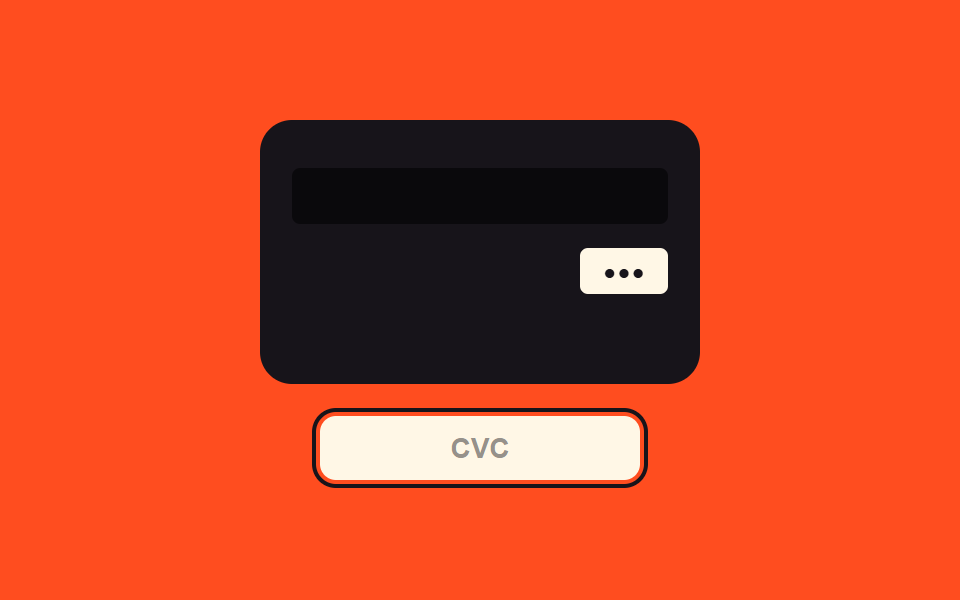 Inputs03 Security-code focus value toggle — when the security-code field's focus value turns on, the view switches to a value showing the card's backCredit Card Input UI: 9 Patterns
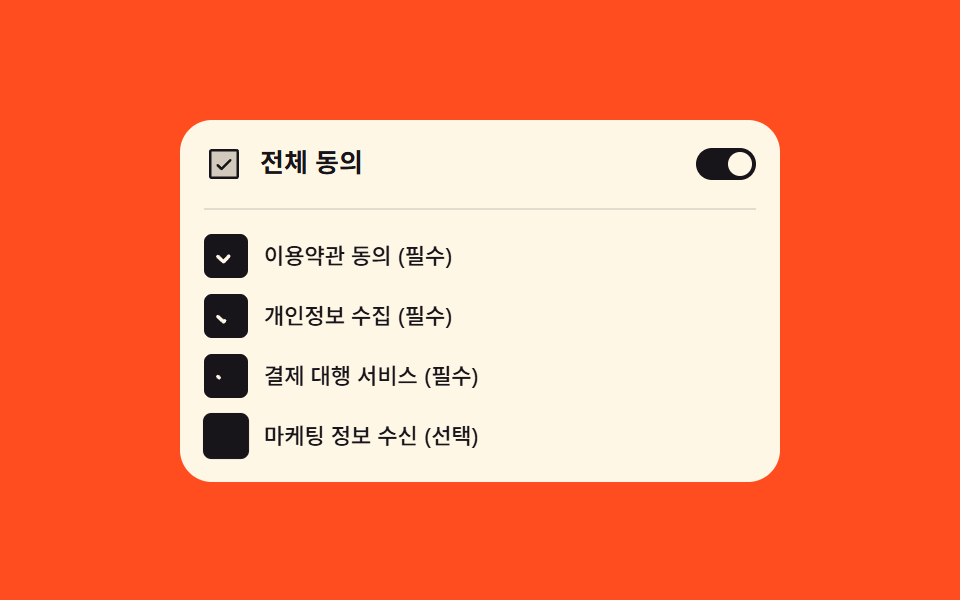 Inputs08 Agree-to-all switch that lights the items below in turnCheckout Page Design — 9 Cart Patterns, No Library
 Inputs08 Unit toggle flip — the card folds over and the display value switches at the 90-degree point once the unit enters a changed stateNumber Stepper UI: 9 Interaction Patterns