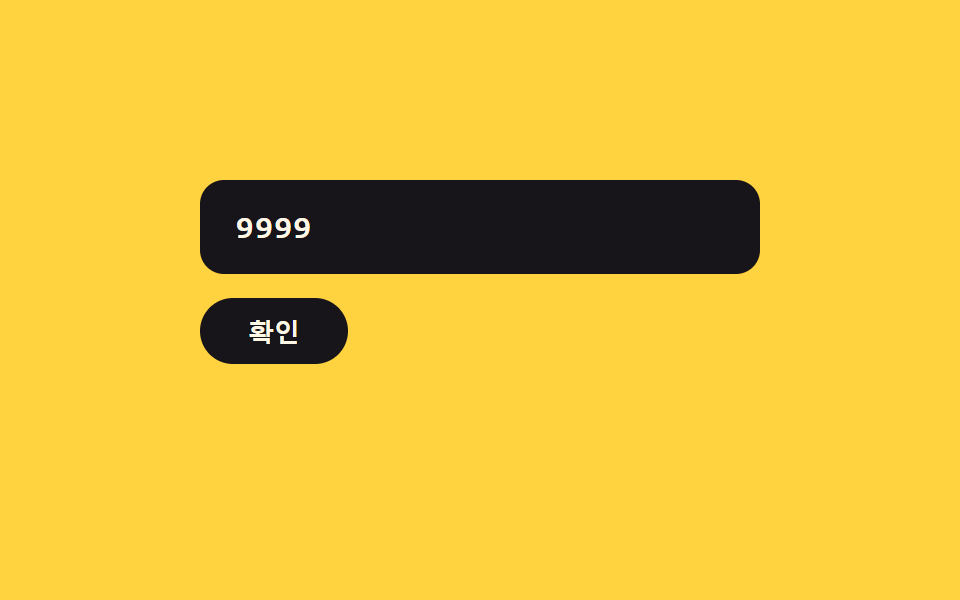
06Error-value shake toggle — when the number's error value turns on, the field's shake value rises then settles while the input value clears
The instant the number's error value turns on, the field's shake value rises and settles back down, and afterward the input value is cleared.
Best forA card form needing failed-payment feedback, a screen that reverts a malformed number
AUTO_CLEAR_MSshakeverify
<main class="stage">
<div class="ck is-demo" id="ck">
  <label class="ck__field">
    <input class="ck__input" id="ckInput" type="text" inputmode="numeric" autocomplete="off" spellcheck="false" maxlength="16" value="">
  </label>
  <button type="button" class="ck__btn" id="ckBtn">Confirm</button>
  <p class="ck__msg" id="ckMsg" aria-live="polite"></p>
</div>
</main>
@use "../../../../site/static/demo-tokens" as *;
// 계산 겹: 감쇠 사인파(A0=9px · k=3.0 · w=2π×2.2, 10% 간격 표본)로 흔들림 폭이 줄어든다.
@include stage($stage-yellow);
.ck {
width: 100%;
max-width: 280px;
display: grid;
gap: $sp-3;
justify-items: start;
}
.ck__field { display: block; width: 100%; }
.ck__input {
width: 100%;
box-sizing: border-box;
padding: $sp-3 $sp-4;
border-radius: $r-control;
border: 2px solid transparent;
background: $subject-ink;
color: $subject-cream;
font-family: "SFMono-Regular", Consolas, monospace;
font-weight: 600;
font-size: 16px;
letter-spacing: .05em;
transition: border-color $dur-quick $ease-out;
&:focus { outline: 2px solid $subject-ink; outline-offset: 2px; }
}
.ck__field--error {
animation: ckShake $dur-enter $ease-out;
.ck__input { border-color: $error; }
}
@keyframes ckShake {
0% { transform: translateX(0); }
10% { transform: translateX(6.5px); }
20% { transform: translateX(1.8px); }
30% { transform: translateX(-3.1px); }
40% { transform: translateX(-1.9px); }
50% { transform: translateX(1.2px); }
60% { transform: translateX(1.4px); }
70% { transform: translateX(-0.3px); }
80% { transform: translateX(-0.8px); }
90% { transform: translateX(-0.1px); }
100% { transform: translateX(0); }
}
.ck__btn {
border: 0;
border-radius: $r-pill;
padding: $sp-2 $sp-6;
background: $subject-ink;
color: $subject-cream;
font-weight: 700;
font-size: 13px;
cursor: pointer;
transition: transform $dur-instant $ease-out;
&:active { transform: scale(.95); }
}
.ck__msg {
margin: 0;
min-height: 16px;
color: $subject-ink;
font-weight: 700;
font-size: 12px;
}
@media (max-width: 340px) {
.ck__input { padding: $sp-2 $sp-3; font-size: 14px; }
}
@media (prefers-reduced-motion: reduce) {
.ck__field--error { animation: none; }
.ck__input { transition: none; }
}html, body {
margin: 0;
overflow: hidden;
}
.stage {
box-sizing: border-box;
min-height: 100vh;
display: grid;
place-items: center;
margin: 0;
background: #ffd23f;
font-family: -apple-system, "Segoe UI", "Noto Sans KR", sans-serif;
padding: clamp(8px, 4vw, 24px);
}
.ck {
width: 100%;
max-width: 280px;
display: grid;
gap: 12px;
justify-items: start;
}
.ck__field {
display: block;
width: 100%;
}
.ck__input {
width: 100%;
box-sizing: border-box;
padding: 12px 16px;
border-radius: 12px;
border: 2px solid transparent;
background: #17141a;
color: #fff7e6;
font-family: "SFMono-Regular", Consolas, monospace;
font-weight: 600;
font-size: 16px;
letter-spacing: 0.05em;
transition: border-color 220ms ease-out;
}
.ck__input:focus {
outline: 2px solid #17141a;
outline-offset: 2px;
}
.ck__field--error {
animation: ckShake 600ms ease-out;
}
.ck__field--error .ck__input {
border-color: #c2361a;
}
@keyframes ckShake {
0% {
transform: translateX(0);
}
10% {
transform: translateX(6.5px);
}
20% {
transform: translateX(1.8px);
}
30% {
transform: translateX(-3.1px);
}
40% {
transform: translateX(-1.9px);
}
50% {
transform: translateX(1.2px);
}
60% {
transform: translateX(1.4px);
}
70% {
transform: translateX(-0.3px);
}
80% {
transform: translateX(-0.8px);
}
90% {
transform: translateX(-0.1px);
}
100% {
transform: translateX(0);
}
}
.ck__btn {
border: 0;
border-radius: 999px;
padding: 8px 24px;
background: #17141a;
color: #fff7e6;
font-weight: 700;
font-size: 13px;
cursor: pointer;
transition: transform 140ms ease-out;
}
.ck__btn:active {
transform: scale(0.95);
}
.ck__msg {
margin: 0;
min-height: 16px;
color: #17141a;
font-weight: 700;
font-size: 12px;
}
@media (max-width: 340px) {
.ck__input {
padding: 8px 12px;
font-size: 14px;
}
}
@media (prefers-reduced-motion: reduce) {
.ck__field--error {
animation: none;
}
.ck__input {
transition: none;
}
}(function () {
var root = document.getElementById('ck');
var input = document.getElementById('ckInput');
var field = input.parentElement;
var btn = document.getElementById('ckBtn');
var msg = document.getElementById('ckMsg');
var AUTO_CLEAR_MS = 700; // 계산 겹: 흔들림 애니메이션이 잦아든 뒤 입력 값을 비우는 지연
function shake() {
field.classList.remove('ck__field--error');
void field.offsetWidth;
field.classList.add('ck__field--error');
}
function verify() {
var digits = input.value.replace(/\D/g, '');
if (digits.length === 16) {
msg.textContent = '';
return true;
}
msg.textContent = 'Not a 16-digit value';
shake();
setTimeout(function () {
input.value = '';
msg.textContent = '';
}, AUTO_CLEAR_MS);
return false;
}
input.addEventListener('input', function () {
root.classList.remove('is-demo');
stopAutoplay();
input.value = input.value.replace(/\D/g, '').slice(0, 16);
});
btn.addEventListener('click', function () {
root.classList.remove('is-demo');
stopAutoplay();
verify();
});
// 자동 루프: 16자리에 못 미치는 값을 타이핑해 Confirm 버튼을 누르면 흔들림 뒤 자동으로 지워진다.
var TYPED = '9999';
var stopped = false;
var autoHandle = null;
function stopAutoplay() { stopped = true; if (autoHandle) { clearTimeout(autoHandle); autoHandle = null; } }
function typeStep(i) {
if (stopped) return;
input.value = TYPED.slice(0, i);
if (i < TYPED.length) { autoHandle = setTimeout(function () { typeStep(i + 1); }, 220); }
else { autoHandle = setTimeout(doVerify, 500); }
}
function doVerify() {
if (stopped) return;
verify();
autoHandle = setTimeout(function () { typeStep(0); }, AUTO_CLEAR_MS + 700);
}
var reduce = window.matchMedia('(prefers-reduced-motion: reduce)').matches;
if (!reduce) { typeStep(0); }
else { input.value = TYPED; }
})();import { useEffect, useRef } from "react";
import styles from "./ErrorShakeClear.module.scss";
type Box<T> = { current: T };
const AUTO_CLEAR_MS = 700; // 계산 겹: 흔들림 애니메이션이 잦아든 뒤 입력 값을 비우는 지연
export default function ErrorShakeClear() {
const rootRef = useRef(null) as unknown as Box<HTMLDivElement | null>;
useEffect(() => {
const root = rootRef.current;
if (!root) return;
const input = root.querySelector(`.${styles.input}`) as HTMLInputElement | null;
const field = root.querySelector(`.${styles.field}`) as HTMLElement | null;
const btn = root.querySelector(`.${styles.btn}`) as HTMLButtonElement | null;
const msg = root.querySelector(`.${styles.msg}`) as HTMLElement | null;
if (!input || !field || !btn || !msg) return;
function shake() {
field!.classList.remove(styles["field--error"]);
void field!.offsetWidth;
field!.classList.add(styles["field--error"]);
}
let clearHandle: number | null = null;
function verify() {
const digits = input!.value.replace(/\D/g, "");
if (digits.length === 16) {
msg!.textContent = "";
return true;
}
msg!.textContent = "16자리 값이 아닙니다";
shake();
clearHandle = window.setTimeout(function () {
input!.value = "";
msg!.textContent = "";
}, AUTO_CLEAR_MS);
return false;
}
function onInput() {
root!.classList.remove(styles["is-demo"]);
stopAutoplay();
input!.value = input!.value.replace(/\D/g, "").slice(0, 16);
}
function onClick() {
root!.classList.remove(styles["is-demo"]);
stopAutoplay();
verify();
}
input.addEventListener("input", onInput);
btn.addEventListener("click", onClick);
// 자동 루프: 16자리에 못 미치는 값을 타이핑해 확인 버튼을 누르면 흔들림 뒤 자동으로 지워진다.
const TYPED = "9999";
let stopped = false;
let autoHandle: number | null = null;
function stopAutoplay() {
stopped = true;
if (autoHandle !== null) { window.clearTimeout(autoHandle); autoHandle = null; }
if (clearHandle !== null) { window.clearTimeout(clearHandle); clearHandle = null; }
}
function typeStep(i: number) {
if (stopped) return;
input!.value = TYPED.slice(0, i);
if (i < TYPED.length) { autoHandle = window.setTimeout(function () { typeStep(i + 1); }, 220); }
else { autoHandle = window.setTimeout(doVerify, 500); }
}
function doVerify() {
if (stopped) return;
verify();
autoHandle = window.setTimeout(function () { typeStep(0); }, AUTO_CLEAR_MS + 700);
}
const reduce = window.matchMedia("(prefers-reduced-motion: reduce)").matches;
if (!reduce) { typeStep(0); } else { input.value = TYPED; }
return () => {
stopAutoplay();
input.removeEventListener("input", onInput);
btn.removeEventListener("click", onClick);
};
}, []);
return (
<div ref={rootRef} className={`${styles.stage} ${styles.ck} ${styles["is-demo"]}`}>
<label className={styles.field}>
<input className={styles.input} type="text" inputMode="numeric" autoComplete="off" spellCheck={false} maxLength={16} defaultValue="" />
</label>
<button type="button" className={styles.btn}>확인</button>
<p className={styles.msg} aria-live="polite"></p>
</div>
);
}06 Error-value shake toggle — when the number's error value turns on, the field's shake value rises then settles while the input value clears — Measured area 2.292% · moving frames 11/23Original by GODRICH · SCSS and React ship in the zip · Credit Card Input UI: 9 Patterns
The post this demo lives in
 Credit Card Input UI: 9 PatternsCredit card input UI: One of nine spaces digits into groups of four, one recalculates a validity value live as digits fi See all demos in this post
If you like this effect - similar demos
 Inputs08 Unit toggle flip — the card folds over and the display value switches at the 90-degree point once the unit enters a changed stateNumber Stepper UI: 9 Interaction Patterns
 Inputs01 Check-draw toggle — when the checked value turns on, the checkmark's line-length value draws from zero to full in orderCSS Custom Checkbox: 9 Interaction Patterns
 Inputs06 A Field That Shakes on a Damped Sine on Error While the Label Changes to a Warning TintCSS Floating Label: 9 Inputs on Spring Physics