03Carousel Whose Cards Curve Past in 3D Perspective
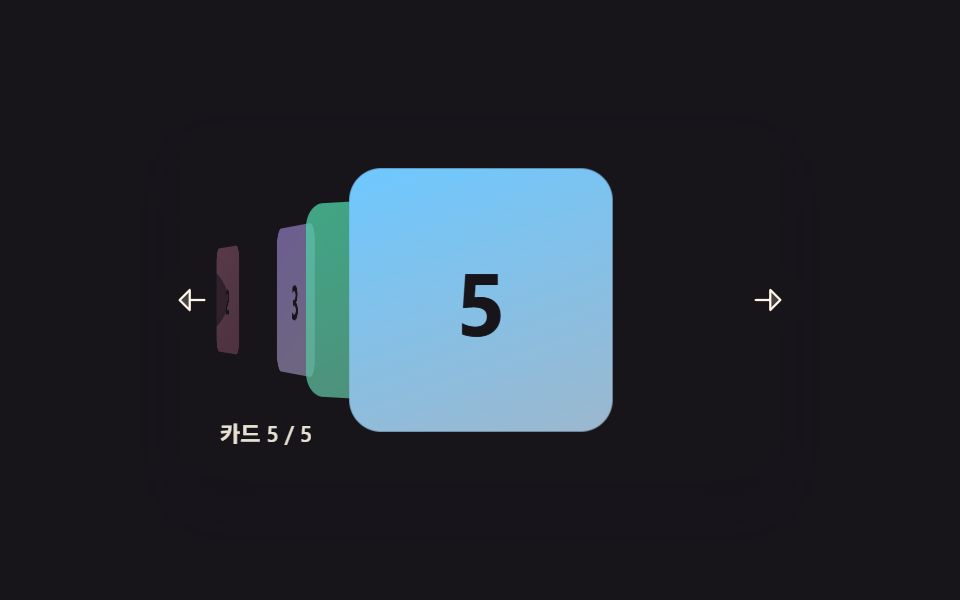
The center card stands large and facing forward while cards to each side tilt and shrink into the distance, so the whole row curves as it turns.
Best forA screen for browsing through a portfolio or album covers
animateIndexTotranslateZrotateY
<main class="stage">
<section class="carousel is-demo" id="carousel" role="region" aria-roledescription="carousel" aria-label="Card carousel">
  <div class="viewport" id="viewport" tabindex="0">
    <div class="track" id="track">
      <div class="card card--0" data-i="0"><span class="num">1</span></div>
      <div class="card card--1" data-i="1"><span class="num">2</span></div>
      <div class="card card--2" data-i="2"><span class="num">3</span></div>
      <div class="card card--3" data-i="3"><span class="num">4</span></div>
      <div class="card card--4" data-i="4"><span class="num">5</span></div>
    </div>
  </div>
  <button type="button" class="navBtn navBtn--prev" id="prevBtn" aria-label="Previous card">
    <svg viewBox="0 0 256 256" width="18" height="18" aria-hidden="true"><g fill="currentColor"><path d="M112 56v144l-72-72Z" opacity=".2"/><path d="M216 120h-96V56a8 8 0 0 0-13.66-5.66l-72 72a8 8 0 0 0 0 11.32l72 72A8 8 0 0 0 120 200v-64h96a8 8 0 0 0 0-16m-112 60.69L51.31 128L104 75.31Z"/></g></svg>
  </button>
  <button type="button" class="navBtn navBtn--next" id="nextBtn" aria-label="Next card">
    <svg viewBox="0 0 256 256" width="18" height="18" aria-hidden="true"><g fill="currentColor"><path d="m216 128l-72 72V56Z" opacity=".2"/><path d="m221.66 122.34l-72-72A8 8 0 0 0 136 56v64H40a8 8 0 0 0 0 16h96v64a8 8 0 0 0 13.66 5.66l72-72a8 8 0 0 0 0-11.32M152 180.69V75.31L204.69 128Z"/></g></svg>
  </button>
  <div class="readout" id="readout" aria-live="polite"></div>
</section>
</main>
@use "../../../../site/static/demo-tokens" as *;
// 변수 3개
$duration: $dur-base;
$easing: $ease-out;
$color: $subject-lilac;
// 계산 겹: index.html 의 render() 가 카드마다 중심 인덱스까지의 실수 거리를
// rotateY·translateZ·scale·opacity 로 매 프레임 산술 변환한다 — CSS 트랜지션이 아니다.
@include stage($stage-ink);
.carousel {
position: relative;
width: 300px;
}
.viewport {
position: relative;
width: 300px;
height: 176px;
border-radius: $r-card;
overflow: hidden;
box-shadow: $shadow-raised;
background: $stage-ink;
outline: none;
perspective: 720px;
}
.track {
position: relative;
width: 100%;
height: 100%;
transform-style: preserve-3d;
cursor: grab;
&.isDragging { cursor: grabbing; }
}
.card {
position: absolute;
top: 50%;
left: 50%;
width: 132px;
height: 132px;
margin: -66px 0 0 -66px;
border-radius: $r-card;
display: grid;
place-items: center;
will-change: transform, opacity;
.num {
font-weight: 700;
font-size: 44px;
line-height: 1;
}
}
.card--0 { background: linear-gradient(160deg, $subject-blue-deep, #475690); .num { color: $subject-cream; } }
.card--1 { background: linear-gradient(160deg, $subject-pink, #d97fa0); .num { color: $subject-ink; } }
.card--2 { background: linear-gradient(160deg, $subject-lilac, #bdb3da); .num { color: $subject-ink; } }
.card--3 { background: linear-gradient(160deg, $subject-mint, #63b299); .num { color: $subject-ink; } }
.card--4 { background: linear-gradient(160deg, $subject-sky, #9cb8ce); .num { color: $subject-ink; } }
.navBtn {
position: absolute;
top: 50%;
margin-top: -18px;
width: 36px;
height: 36px;
border-radius: $r-pill;
border: none;
display: grid;
place-items: center;
background: rgba($stage-ink, .6);
color: $subject-cream;
cursor: pointer;
z-index: 200;
&:focus-visible { outline: 2px solid $color; outline-offset: 2px; }
}
.navBtn--prev { left: -($sp-3); }
.navBtn--next { right: -($sp-3); }
.readout {
position: absolute;
left: $sp-3;
bottom: $sp-3;
padding: $sp-1 $sp-2;
border-radius: $r-pill;
background: rgba($stage-ink, .6);
color: rgba($subject-cream, .9);
font-size: 11px;
font-weight: 600;
line-height: 1;
font-variant-numeric: tabular-nums;
z-index: 200;
}
@media (max-width: 340px) {
.carousel { width: 220px; }
.viewport { width: 220px; height: 128px; }
.card { width: 92px; height: 92px; margin: -46px 0 0 -46px; .num { font-size: 30px; } }
.navBtn { width: 28px; height: 28px; margin-top: -14px; }
.readout { font-size: 9px; }
}
@media (prefers-reduced-motion: reduce) {
// 실사용 경로 적용 — 드래그·키보드·버튼은 index.html 이 그대로 거리 계산을 돌린다.
// scss 만: 포커스 아웃라인 전환만 꺼서 잔여 트랜지션을 없앤다.
.navBtn { transition: none; }
}html, body {
margin: 0;
overflow: hidden;
}
.stage {
box-sizing: border-box;
min-height: 100vh;
display: grid;
place-items: center;
margin: 0;
background: #17141a;
font-family: -apple-system, "Segoe UI", "Noto Sans KR", sans-serif;
padding: clamp(8px, 4vw, 24px);
}
.carousel {
position: relative;
width: 300px;
}
.viewport {
position: relative;
width: 300px;
height: 176px;
border-radius: 16px;
overflow: hidden;
box-shadow: 0 14px 24px rgba(23, 20, 26, 0.32);
background: #17141a;
outline: none;
perspective: 720px;
}
.track {
position: relative;
width: 100%;
height: 100%;
transform-style: preserve-3d;
cursor: grab;
}
.track.isDragging {
cursor: grabbing;
}
.card {
position: absolute;
top: 50%;
left: 50%;
width: 132px;
height: 132px;
margin: -66px 0 0 -66px;
border-radius: 16px;
display: grid;
place-items: center;
will-change: transform, opacity;
}
.card .num {
font-weight: 700;
font-size: 44px;
line-height: 1;
}
.card--0 {
background: linear-gradient(160deg, #0a4fe8, #475690);
}
.card--0 .num {
color: #fff7e6;
}
.card--1 {
background: linear-gradient(160deg, #ff9ebb, #d97fa0);
}
.card--1 .num {
color: #17141a;
}
.card--2 {
background: linear-gradient(160deg, #b9a0ff, #bdb3da);
}
.card--2 .num {
color: #17141a;
}
.card--3 {
background: linear-gradient(160deg, #4cd4a6, #63b299);
}
.card--3 .num {
color: #17141a;
}
.card--4 {
background: linear-gradient(160deg, #6ec8ff, #9cb8ce);
}
.card--4 .num {
color: #17141a;
}
.navBtn {
position: absolute;
top: 50%;
margin-top: -18px;
width: 36px;
height: 36px;
border-radius: 999px;
border: none;
display: grid;
place-items: center;
background: rgba(23, 20, 26, 0.6);
color: #fff7e6;
cursor: pointer;
z-index: 200;
}
.navBtn:focus-visible {
outline: 2px solid #b9a0ff;
outline-offset: 2px;
}
.navBtn--prev {
left: -12px;
}
.navBtn--next {
right: -12px;
}
.readout {
position: absolute;
left: 12px;
bottom: 12px;
padding: 4px 8px;
border-radius: 999px;
background: rgba(23, 20, 26, 0.6);
color: rgba(255, 247, 230, 0.9);
font-size: 11px;
font-weight: 600;
line-height: 1;
font-variant-numeric: tabular-nums;
z-index: 200;
}
@media (max-width: 340px) {
.carousel {
width: 220px;
}
.viewport {
width: 220px;
height: 128px;
}
.card {
width: 92px;
height: 92px;
margin: -46px 0 0 -46px;
}
.card .num {
font-size: 30px;
}
.navBtn {
width: 28px;
height: 28px;
margin-top: -14px;
}
.readout {
font-size: 9px;
}
}
@media (prefers-reduced-motion: reduce) {
.navBtn {
transition: none;
}
}(function () {
var TOTAL = 5;
var CARD_SPACING = 92; // 드래그 1px 당 인덱스 변화 계산에 쓰는 Card 간격(px)
var ANGLE_STEP = 38; // 중심에서 Card 1개 멀어질 때마다 더해지는 회전각(deg)
var MAX_ANGLE = 68;
var DEPTH_STEP = 90; // Card 1개 멀어질 때마다 밀어내는 translateZ(px)
var SCALE_STEP = 0.15;
var SCALE_FLOOR = 0.55;
var OPACITY_STEP = 0.24;
var OPACITY_FLOOR = 0.28;
var SNAP_EASE = 0.22; // 릴리스 후 가장 가까운 정수 인덱스로 당기는 보간 비율(프레임당)
var SNAP_STOP = 0.004;
var DEMO_HOLD_MS = 520;
var carousel = document.getElementById('carousel');
var viewport = document.getElementById('viewport');
var track = document.getElementById('track');
var readout = document.getElementById('readout');
var prevBtn = document.getElementById('prevBtn');
var nextBtn = document.getElementById('nextBtn');
var cards = Array.prototype.slice.call(track.querySelectorAll('.card'));
var reduce = window.matchMedia('(prefers-reduced-motion: reduce)').matches;
var LABEL_PREFIX = 'Card ';
var LABEL_SEP = ' / ';
var index = 0; // 실수 인덱스 — 드래그 중에는 소수점 그대로 반영된다
var dragging = false;
var dragOriginIndex = 0;
var startX = 0;
var snapFrame = null;
var demoTimers = [];
function clamp(v, lo, hi) { return Math.min(hi, Math.max(lo, v)); }
// 계산 겹 — 카드마다 중심(index)까지의 거리(소수 가능)를 회전각·깊이·크기·투명도로 매핑한다.
function render() {
for (var n = 0; n < cards.length; n++) {
var dist = n - index;
var absDist = Math.abs(dist);
var angle = clamp(dist * ANGLE_STEP, -MAX_ANGLE, MAX_ANGLE);
var z = -absDist * DEPTH_STEP;
var scale = Math.max(SCALE_FLOOR, 1 - absDist * SCALE_STEP);
var opacity = Math.max(OPACITY_FLOOR, 1 - absDist * OPACITY_STEP);
var x = dist * 58;
cards[n].style.transform = 'translateX(' + x.toFixed(1) + 'px) translateZ(' + z.toFixed(1) + 'px) rotateY(' + angle.toFixed(1) + 'deg) scale(' + scale.toFixed(3) + ')';
cards[n].style.opacity = opacity.toFixed(2);
cards[n].style.zIndex = String(100 - Math.round(absDist * 10));
}
var shown = clamp(Math.round(index), 0, TOTAL - 1);
readout.textContent = LABEL_PREFIX + (shown + 1) + LABEL_SEP + TOTAL;
}
function stopSnap() {
if (snapFrame) { cancelAnimationFrame(snapFrame); snapFrame = null; }
}
// 릴리스 후 가장 가까운 정수 인덱스로, 또는 지정한 목표 인덱스로 매 프레임 SNAP_EASE 비율만큼 당겨 붙인다.
function animateIndexTo(target) {
target = clamp(target, 0, TOTAL - 1);
function frame() {
index += (target - index) * SNAP_EASE;
render();
if (Math.abs(target - index) > SNAP_STOP) {
snapFrame = requestAnimationFrame(frame);
} else {
index = target;
render();
snapFrame = null;
}
}
snapFrame = requestAnimationFrame(frame);
}
function human() {
if (carousel.classList.contains('is-demo')) {
carousel.classList.remove('is-demo');
demoTimers.forEach(function (t) { clearTimeout(t); });
demoTimers = [];
}
}
function onPointerDown(e) {
human();
stopSnap();
dragging = true;
dragOriginIndex = index;
startX = e.clientX;
viewport.setPointerCapture(e.pointerId);
track.classList.add('isDragging');
}
function onPointerMove(e) {
if (!dragging) return;
var dx = e.clientX - startX;
index = clamp(dragOriginIndex - dx / CARD_SPACING, 0, TOTAL - 1);
render();
}
function onPointerUp(e) {
if (!dragging) return;
dragging = false;
track.classList.remove('isDragging');
try { viewport.releasePointerCapture(e.pointerId); } catch (err) {}
animateIndexTo(Math.round(index));
}
function go(dir) {
human();
stopSnap();
animateIndexTo(clamp(Math.round(index) + dir, 0, TOTAL - 1));
}
function onKeydown(e) {
if (e.key === 'ArrowLeft') { go(-1); e.preventDefault(); }
else if (e.key === 'ArrowRight') { go(1); e.preventDefault(); }
}
viewport.addEventListener('pointerdown', onPointerDown);
viewport.addEventListener('pointermove', onPointerMove);
viewport.addEventListener('pointerup', onPointerUp);
viewport.addEventListener('pointercancel', onPointerUp);
viewport.addEventListener('keydown', onKeydown);
prevBtn.addEventListener('click', function () { go(-1); });
nextBtn.addEventListener('click', function () { go(1); });
// reduce: 실사용 경로 적용 — 드래그·키보드·버튼은 위 리스너가 그대로 거리 계산을 돌린다.
// 아래 demoCycle() 은 시연 게이트만이고 reduce 에서는 돌지 않는다.
var DEMO_SEQUENCE = [1, 2, 3, 4, 2, 0];
function demoCycle(i) {
if (!carousel.classList.contains('is-demo')) return;
animateIndexTo(DEMO_SEQUENCE[i % DEMO_SEQUENCE.length]);
demoTimers.push(setTimeout(function () { demoCycle(i + 1); }, DEMO_HOLD_MS));
}
function init() {
render();
if (!reduce) demoCycle(0);
}
init();
})();import { useEffect, useRef } from 'react';
import styles from './CarouselCoverflowPerspective.module.scss';
// 상수 — vanilla demo 03 (run/384/demo/03-carousel-slide-coverflow-perspective/index.html) 과 동일
const TOTAL = 5;
const CARD_SPACING = 92; // 드래그 1px 당 인덱스 변화 계산에 쓰는 카드 간격(px)
const ANGLE_STEP = 38; // 중심에서 카드 1개 멀어질 때마다 더해지는 회전각(deg)
const MAX_ANGLE = 68;
const DEPTH_STEP = 90; // 카드 1개 멀어질 때마다 밀어내는 translateZ(px)
const SCALE_STEP = 0.15;
const SCALE_FLOOR = 0.55;
const OPACITY_STEP = 0.24;
const OPACITY_FLOOR = 0.28;
const SNAP_EASE = 0.22; // 릴리스 후 가장 가까운 정수 인덱스로 당기는 보간 비율(프레임당)
const SNAP_STOP = 0.004;
const DEMO_HOLD_MS = 520;
const LABEL_PREFIX = '카드 ';
const LABEL_SEP = ' / ';
const DEMO_SEQUENCE = [1, 2, 3, 4, 2, 0];
export default function CarouselCoverflowPerspective() {
const carouselRef = useRef<HTMLElement>(null);
useEffect(() => {
const carousel = carouselRef.current;
if (!carousel) return undefined;
const viewport = carousel.querySelector<HTMLDivElement>('.' + styles.viewport);
const track = carousel.querySelector<HTMLDivElement>('.' + styles.track);
const readout = carousel.querySelector<HTMLDivElement>('.' + styles.readout);
const prevBtn = carousel.querySelector<HTMLButtonElement>('.' + styles['navBtn--prev']);
const nextBtn = carousel.querySelector<HTMLButtonElement>('.' + styles['navBtn--next']);
if (!viewport || !track || !readout || !prevBtn || !nextBtn) return undefined;
const cards = Array.prototype.slice.call(
track.querySelectorAll<HTMLDivElement>('.' + styles.card)
) as HTMLDivElement[];
let index = 0; // 실수 인덱스 — 드래그 중에는 소수점 그대로 반영된다
let dragging = false;
let dragOriginIndex = 0;
let startX = 0;
let snapFrame = 0;
let demoTimers: number[] = [];
function clamp(v: number, lo: number, hi: number) { return Math.min(hi, Math.max(lo, v)); }
// 계산 겹 — 카드마다 중심(index)까지의 거리(소수 가능)를 회전각·깊이·크기·투명도로 매핑한다.
function render() {
for (let n = 0; n < cards.length; n++) {
const dist = n - index;
const absDist = Math.abs(dist);
const angle = clamp(dist * ANGLE_STEP, -MAX_ANGLE, MAX_ANGLE);
const z = -absDist * DEPTH_STEP;
const scale = Math.max(SCALE_FLOOR, 1 - absDist * SCALE_STEP);
const opacity = Math.max(OPACITY_FLOOR, 1 - absDist * OPACITY_STEP);
const x = dist * 58;
cards[n].style.transform = 'translateX(' + x.toFixed(1) + 'px) translateZ(' + z.toFixed(1) + 'px) rotateY(' + angle.toFixed(1) + 'deg) scale(' + scale.toFixed(3) + ')';
cards[n].style.opacity = opacity.toFixed(2);
cards[n].style.zIndex = String(100 - Math.round(absDist * 10));
}
const shown = clamp(Math.round(index), 0, TOTAL - 1);
readout!.textContent = LABEL_PREFIX + (shown + 1) + LABEL_SEP + TOTAL;
}
function stopSnap() {
if (snapFrame) { cancelAnimationFrame(snapFrame); snapFrame = 0; }
}
// 릴리스 후 가장 가까운 정수 인덱스로, 또는 지정한 목표 인덱스로 매 프레임 SNAP_EASE 비율만큼 당겨 붙인다.
function animateIndexTo(targetIn: number) {
const target = clamp(targetIn, 0, TOTAL - 1);
function frame() {
index += (target - index) * SNAP_EASE;
render();
if (Math.abs(target - index) > SNAP_STOP) {
snapFrame = requestAnimationFrame(frame);
} else {
index = target;
render();
snapFrame = 0;
}
}
snapFrame = requestAnimationFrame(frame);
}
function human() {
if (carousel!.classList.contains(styles['is-demo'])) {
carousel!.classList.remove(styles['is-demo']);
demoTimers.forEach((t) => window.clearTimeout(t));
demoTimers = [];
}
}
function onPointerDown(e: PointerEvent) {
human();
stopSnap();
dragging = true;
dragOriginIndex = index;
startX = e.clientX;
viewport!.setPointerCapture(e.pointerId);
track!.classList.add(styles.isDragging);
}
function onPointerMove(e: PointerEvent) {
if (!dragging) return;
const dx = e.clientX - startX;
index = clamp(dragOriginIndex - dx / CARD_SPACING, 0, TOTAL - 1);
render();
}
function onPointerUp(e: PointerEvent) {
if (!dragging) return;
dragging = false;
track!.classList.remove(styles.isDragging);
try { viewport!.releasePointerCapture(e.pointerId); } catch { /* 캡처가 이미 풀린 경우 */ }
animateIndexTo(Math.round(index));
}
function go(dir: number) {
human();
stopSnap();
animateIndexTo(clamp(Math.round(index) + dir, 0, TOTAL - 1));
}
function onKeydown(e: KeyboardEvent) {
if (e.key === 'ArrowLeft') { go(-1); e.preventDefault(); }
else if (e.key === 'ArrowRight') { go(1); e.preventDefault(); }
}
function onPrev() { go(-1); }
function onNext() { go(1); }
viewport.addEventListener('pointerdown', onPointerDown);
viewport.addEventListener('pointermove', onPointerMove);
viewport.addEventListener('pointerup', onPointerUp);
viewport.addEventListener('pointercancel', onPointerUp);
viewport.addEventListener('keydown', onKeydown);
prevBtn.addEventListener('click', onPrev);
nextBtn.addEventListener('click', onNext);
const reduce = window.matchMedia('(prefers-reduced-motion: reduce)').matches;
// reduce: 실사용 경로 적용 — 드래그·키보드·버튼은 위 리스너가 그대로 거리 계산을 돌린다.
// 아래 demoCycle() 은 시연 게이트만이고 reduce 에서는 돌지 않는다.
function demoCycle(i: number) {
if (!carousel!.classList.contains(styles['is-demo'])) return;
animateIndexTo(DEMO_SEQUENCE[i % DEMO_SEQUENCE.length]);
demoTimers.push(window.setTimeout(() => demoCycle(i + 1), DEMO_HOLD_MS));
}
render();
if (!reduce) demoCycle(0);
return () => {
viewport.removeEventListener('pointerdown', onPointerDown);
viewport.removeEventListener('pointermove', onPointerMove);
viewport.removeEventListener('pointerup', onPointerUp);
viewport.removeEventListener('pointercancel', onPointerUp);
viewport.removeEventListener('keydown', onKeydown);
prevBtn.removeEventListener('click', onPrev);
nextBtn.removeEventListener('click', onNext);
demoTimers.forEach((t) => window.clearTimeout(t));
stopSnap();
};
}, []);
return (
<main className={styles.stage}>
<section
className={styles.carousel + ' ' + styles['is-demo']}
ref={carouselRef}
role="region"
aria-roledescription="carousel"
aria-label="카드 캐러셀"
>
<div className={styles.viewport} tabIndex={0}>
<div className={styles.track}>
<div className={styles.card + ' ' + styles['card--0']} data-i={0}><span className={styles.num}>1</span></div>
<div className={styles.card + ' ' + styles['card--1']} data-i={1}><span className={styles.num}>2</span></div>
<div className={styles.card + ' ' + styles['card--2']} data-i={2}><span className={styles.num}>3</span></div>
<div className={styles.card + ' ' + styles['card--3']} data-i={3}><span className={styles.num}>4</span></div>
<div className={styles.card + ' ' + styles['card--4']} data-i={4}><span className={styles.num}>5</span></div>
</div>
</div>
<button type="button" className={styles.navBtn + ' ' + styles['navBtn--prev']} aria-label="이전 카드">
<svg viewBox="0 0 256 256" width={18} height={18} aria-hidden="true"><g fill="currentColor"><path d="M112 56v144l-72-72Z" opacity=".2" /><path d="M216 120h-96V56a8 8 0 0 0-13.66-5.66l-72 72a8 8 0 0 0 0 11.32l72 72A8 8 0 0 0 120 200v-64h96a8 8 0 0 0 0-16m-112 60.69L51.31 128L104 75.31Z" /></g></svg>
</button>
<button type="button" className={styles.navBtn + ' ' + styles['navBtn--next']} aria-label="다음 카드">
<svg viewBox="0 0 256 256" width={18} height={18} aria-hidden="true"><g fill="currentColor"><path d="m216 128l-72 72V56Z" opacity=".2" /><path d="m221.66 122.34l-72-72A8 8 0 0 0 136 56v64H40a8 8 0 0 0 0 16h96v64a8 8 0 0 0 13.66 5.66l72-72a8 8 0 0 0 0-11.32M152 180.69V75.31L204.69 128Z" /></g></svg>
</button>
<div className={styles.readout} aria-live="polite"></div>
</section>
</main>
);
}03 Carousel Whose Cards Curve Past in 3D Perspective — Measured area 19.651% · moving frames 22/23Original by GODRICH · SCSS and React ship in the zip · Carousel Slider UI Design — 9 Transitions
The post this demo lives in
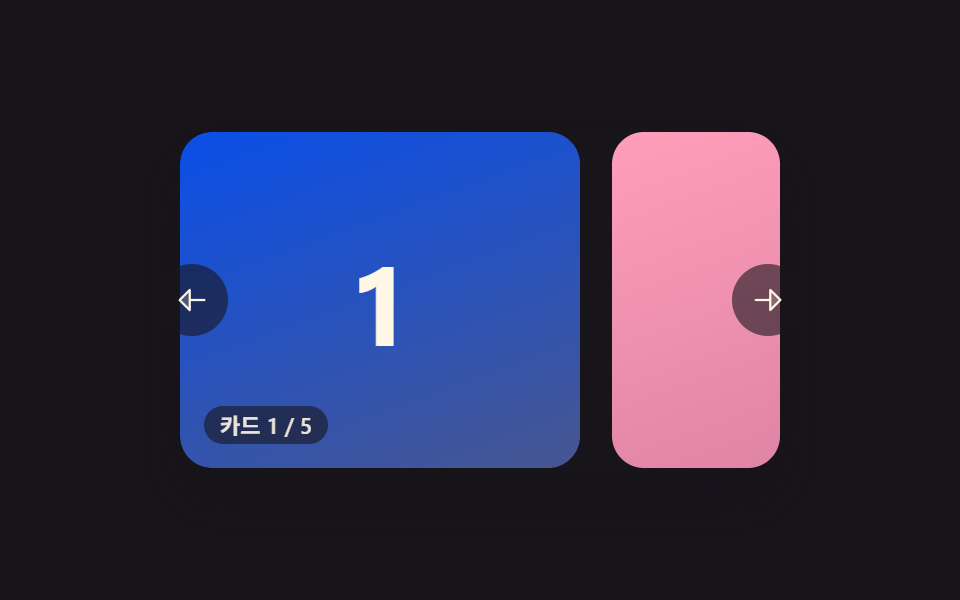 Carousel Slider UI Design — 9 TransitionsAmong nine carousel slider transitions, one glides on from inertia as a card advances, one snaps back like a rubber band See all demos in this post
If you like this effect - similar demos
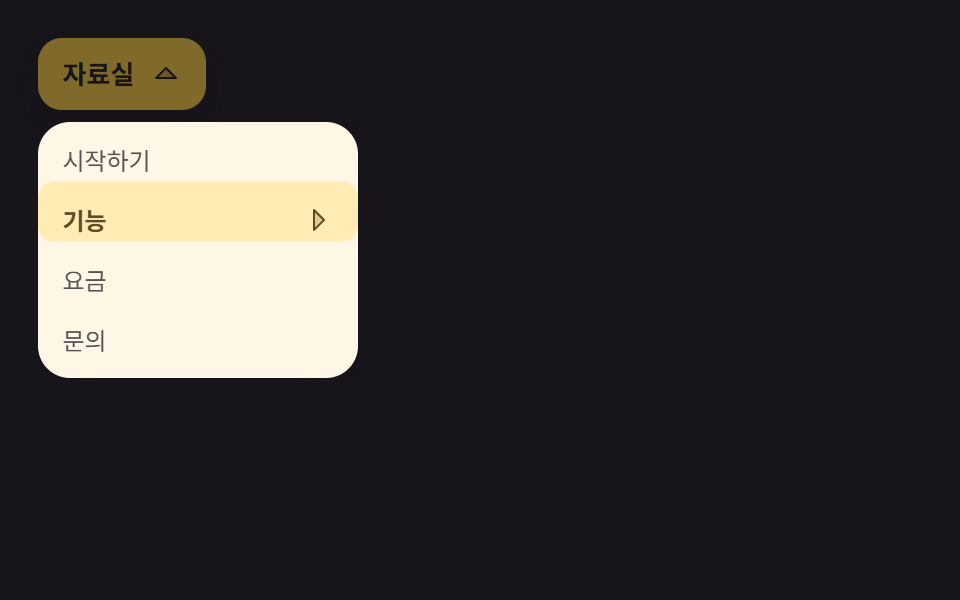 Transitions02 Multi-level dropdown whose submenus slide right9 mega menu ui patterns, link list to site map
 Transitions01 Slide overshoot — a cart panel whose open position value passes its target before settling backCart Drawer UI Patterns: 9 Motion Techniques
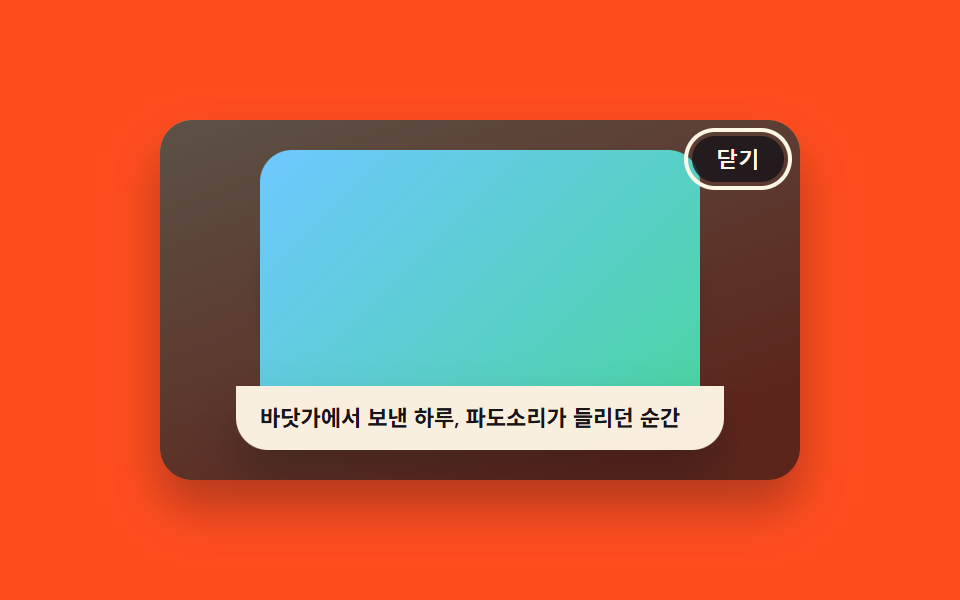 Transitions03 Lightbox Whose Caption Slides Up From BelowCSS Lightbox Gallery Animation — 9 Transitions