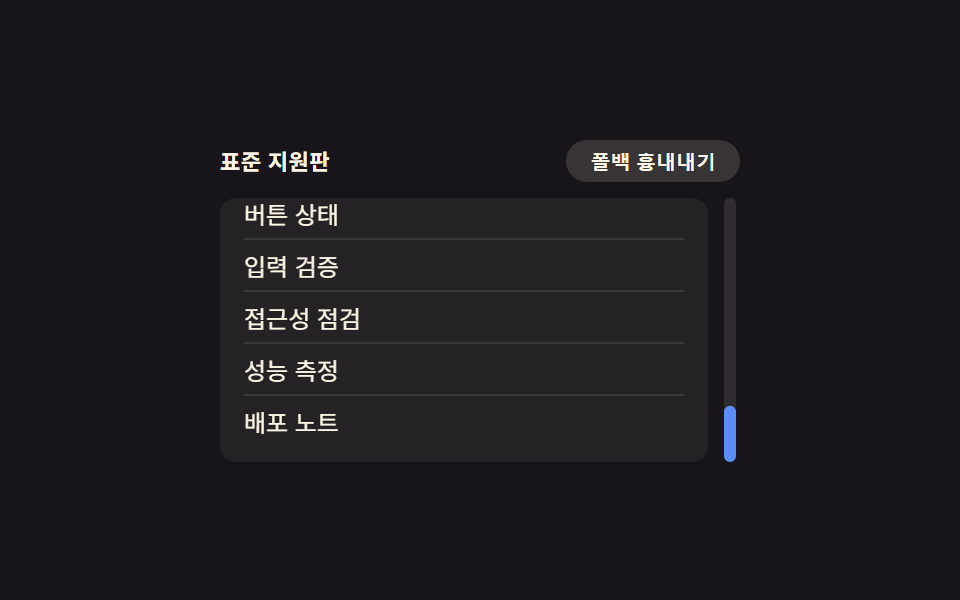
01Custom scrollbar — a scroll thumb with its own thickness, color, and corner radius
When content overflows, the scroll thumb's thickness, color, and corner rounding are set directly to match the surrounding panel.
Best forA side-panel list, a code-preview pane
scrollbar-widthscrollbar-color::-webkit-scrollbar
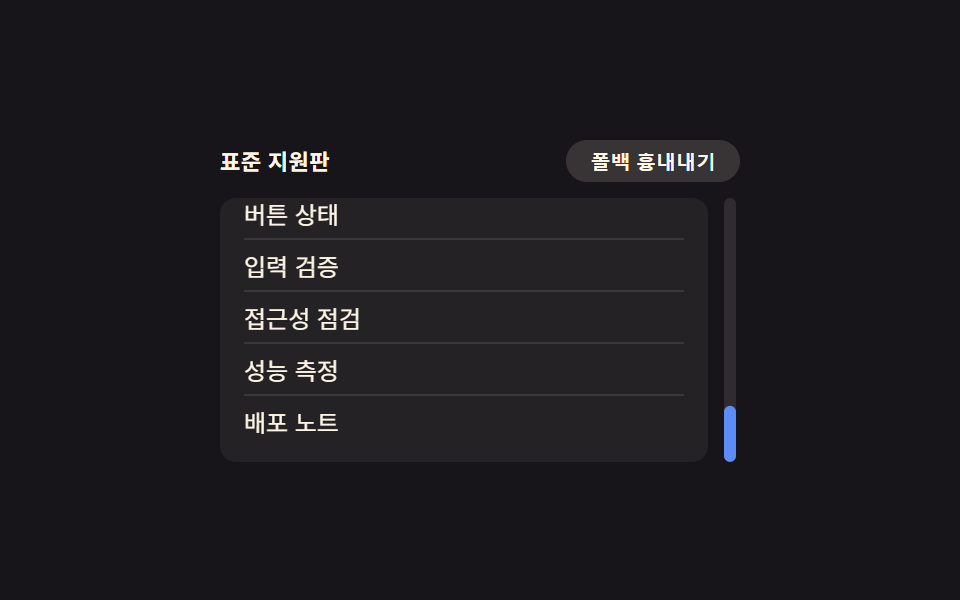
<main class="stage">
<div class="wrap is-demo" id="wrap">
  <div class="head">
    <span class="modeLabel" id="modeLabel">Standard mode</span>
    <button class="simToggle" id="simToggle" type="button" aria-pressed="false">Simulate fallback</button>
  </div>
  <div class="body">
    <ol class="itemList" id="list">
      <li>Design docs</li>
      <li>Color tokens</li>
      <li>Spacing rules</li>
      <li>Button states</li>
      <li>Input validation</li>
      <li>A11y checks</li>
      <li>Perf metrics</li>
      <li>Deploy notes</li>
    </ol>
    <div class="track" id="track"><div class="trackDot" id="trackDot"></div></div>
  </div>
</div>
</main>
@use "../../../../site/static/demo-tokens" as *;
// 계산 겹은 index.html 의 target(실제 scrollTop 비율) → shown(lerp 추적) 에 있다 — 여기는 두 스크롤바
// 표기법(표준 속성 · 옛 의사요소)과 트랙 점의 모양만 맡는다.
// 표준: scrollbar-width·scrollbar-color. 옛 폴백: ::-webkit-scrollbar 3형제. 두 선언은 같은 목록에 둬도
// 충돌하지 않는다 — 표준을 아는 환경은 표준을, 모르는 환경은 옛 의사요소만 읽는다.
@include stage($stage-ink);
.wrap {
width: 260px;
display: flex;
flex-direction: column;
gap: $sp-2;
}
.head {
display: flex;
align-items: center;
justify-content: space-between;
gap: $sp-2;
}
.modeLabel {
color: $subject-cream;
font-size: 11px;
font-weight: 600;
letter-spacing: .02em;
}
.simToggle {
appearance: none;
border: none;
border-radius: $r-pill;
background: rgba($subject-cream, .14);
color: $subject-cream;
padding: $sp-1 $sp-3;
font-size: 10px;
font-weight: 600;
cursor: pointer;
transition: background $dur-instant $ease-out, transform $dur-instant $ease-out;
&:hover { background: rgba($subject-cream, .22); }
&:active { transform: scale(.96); }
&[aria-pressed="true"] { background: $subject-orange-deep; }
&:focus-visible { outline: 2px solid $subject-blue-light; outline-offset: 2px; }
}
.body {
display: flex;
align-items: stretch;
gap: $sp-2;
}
.itemList {
margin: 0;
padding: $sp-2 $sp-3;
list-style: none;
width: 220px;
height: 116px;
overflow-y: scroll;
border-radius: $r-sm;
background: rgba($subject-cream, .06);
// 폴백: 옛 브라우저용 의사요소 스크롤바 — 항상 선언돼 있고, 표준 속성을 아는 환경은 아래 @supports 가 덮는다
&::-webkit-scrollbar { width: 10px; }
&::-webkit-scrollbar-track { background: transparent; }
&::-webkit-scrollbar-thumb { background: $subject-blue; border-radius: $r-pill; }
}
@supports (scrollbar-width: thin) {
.itemList:not(.force-fallback) {
scrollbar-width: thin;
scrollbar-color: $subject-blue-light transparent;
}
}
// 시뮬레이션 토글 — 실제 UA 감지가 아니라 표준 속성을 강제로 꺼서 옛 폴백 경로가 눈에 보이게 한다
.force-fallback .itemList {
scrollbar-width: auto;
scrollbar-color: unset;
}
.itemList li {
padding: $sp-1 0;
color: $subject-cream;
font-size: 12px;
border-bottom: 1px solid rgba($subject-cream, .1);
&:last-child { border-bottom: none; }
}
.track {
position: relative;
width: 6px;
border-radius: $r-pill;
background: rgba($subject-cream, .1);
}
.trackDot {
position: absolute;
top: 0;
left: 0;
width: 6px;
height: 28px;
border-radius: $r-pill;
background: $subject-blue-light;
transform: translateY(0);
}
.force-fallback .trackDot { background: $subject-orange-deep; }
@media (max-width: 340px) {
.wrap { width: 210px; }
.itemList { width: 174px; height: 96px; font-size: 11px; }
.modeLabel { font-size: 10px; }
}
@media (prefers-reduced-motion: reduce) {
.trackDot { transition: none; }
.simToggle { transition: none; }
}html, body {
margin: 0;
overflow: hidden;
}
.stage {
box-sizing: border-box;
min-height: 100vh;
display: grid;
place-items: center;
margin: 0;
background: #17141a;
font-family: -apple-system, "Segoe UI", "Noto Sans KR", sans-serif;
padding: clamp(8px, 4vw, 24px);
}
.wrap {
width: 260px;
display: flex;
flex-direction: column;
gap: 8px;
}
.head {
display: flex;
align-items: center;
justify-content: space-between;
gap: 8px;
}
.modeLabel {
color: #fff7e6;
font-size: 11px;
font-weight: 600;
letter-spacing: 0.02em;
}
.simToggle {
appearance: none;
border: none;
border-radius: 999px;
background: rgba(255, 247, 230, 0.14);
color: #fff7e6;
padding: 4px 12px;
font-size: 10px;
font-weight: 600;
cursor: pointer;
transition: background 140ms ease-out, transform 140ms ease-out;
}
.simToggle:hover {
background: rgba(255, 247, 230, 0.22);
}
.simToggle:active {
transform: scale(0.96);
}
.simToggle[aria-pressed=true] {
background: #c93000;
}
.simToggle:focus-visible {
outline: 2px solid #5b8cf8;
outline-offset: 2px;
}
.body {
display: flex;
align-items: stretch;
gap: 8px;
}
.itemList {
margin: 0;
padding: 8px 12px;
list-style: none;
width: 220px;
height: 116px;
overflow-y: scroll;
border-radius: 8px;
background: rgba(255, 247, 230, 0.06);
}
.itemList::-webkit-scrollbar {
width: 10px;
}
.itemList::-webkit-scrollbar-track {
background: transparent;
}
.itemList::-webkit-scrollbar-thumb {
background: #2f6df6;
border-radius: 999px;
}
@supports (scrollbar-width: thin) {
.itemList:not(.force-fallback) {
scrollbar-width: thin;
scrollbar-color: #5b8cf8 transparent;
}
}
.force-fallback .itemList {
scrollbar-width: auto;
scrollbar-color: unset;
}
.itemList li {
padding: 4px 0;
color: #fff7e6;
font-size: 12px;
border-bottom: 1px solid rgba(255, 247, 230, 0.1);
}
.itemList li:last-child {
border-bottom: none;
}
.track {
position: relative;
width: 6px;
border-radius: 999px;
background: rgba(255, 247, 230, 0.1);
}
.trackDot {
position: absolute;
top: 0;
left: 0;
width: 6px;
height: 28px;
border-radius: 999px;
background: #5b8cf8;
transform: translateY(0);
}
.force-fallback .trackDot {
background: #c93000;
}
@media (max-width: 340px) {
.wrap {
width: 210px;
}
.itemList {
width: 174px;
height: 96px;
font-size: 11px;
}
.modeLabel {
font-size: 10px;
}
}
@media (prefers-reduced-motion: reduce) {
.trackDot {
transition: none;
}
.simToggle {
transition: none;
}
}(function () {
var LERP_RATE = 0.22; // 트랙 점이 목표 위치를 따라붙는 비율 — 작을수록 관성이 크게 느껴진다
var reduce = window.matchMedia('(prefers-reduced-motion: reduce)').matches;
var wrap = document.getElementById('wrap');
var list = document.getElementById('list');
var track = document.getElementById('track');
var dot = document.getElementById('trackDot');
var simToggle = document.getElementById('simToggle');
var modeLabel = document.getElementById('modeLabel');
var isDemo = true;
var target = 0; // 목표 스크롤 비율 0~1 — 실제 scrollTop 에서 나온다
var shown = 0; // 화면에 그려지는 비율 — target 을 lerp 로 뒤따른다
function ratio() {
var max = list.scrollHeight - list.clientHeight;
return max > 0 ? list.scrollTop / max : 0;
}
function onScroll() { target = ratio(); }
list.addEventListener('scroll', onScroll);
function human() { if (isDemo) { wrap.classList.remove('is-demo'); isDemo = false; } }
list.addEventListener('pointerdown', human);
list.addEventListener('keydown', human);
function setSim(on) {
wrap.classList.toggle('force-fallback', on);
simToggle.setAttribute('aria-pressed', String(on));
modeLabel.textContent = on ? 'Simulate fallback' : 'Standard mode';
}
var simOn = false;
simToggle.addEventListener('click', function () {
human();
simOn = !simOn;
setSim(simOn);
});
var dir = 1;
var last = 0;
var STEP_MS = 520;
function autoAdvance(ts) {
if (ts - last < STEP_MS) return;
last = ts;
var max = list.scrollHeight - list.clientHeight;
var next = list.scrollTop + dir * (max * 0.42);
if (next >= max - 1) { next = max; dir = -1; }
else if (next <= 1) { next = 0; dir = 1; }
list.scrollTop = next; // 진짜 스크롤 — 위 scroll 리스너가 target 을 갱신한다
}
function loop(ts) {
if (!last) last = ts;
if (isDemo && !reduce) autoAdvance(ts);
var trackH = track.clientHeight - dot.offsetHeight;
if (reduce) { shown = target; } else { shown += (target - shown) * LERP_RATE; }
dot.style.transform = 'translateY(' + Math.max(0, Math.min(trackH, shown * trackH)) + 'px)';
requestAnimationFrame(loop);
}
requestAnimationFrame(loop);
})();// ScrollbarStyling — vanilla 판(run/375/demo/01-compat-scrollbar-styling/index.html) 의 React 포트.
// 표준 scrollbar-width/scrollbar-color 와 옛 ::-webkit-scrollbar 의사요소를 함께 선언하고,
// 트랙 점은 실제 scroll 이벤트에서 나온 비율(target)을 lerp 로 뒤따른다.
import { useEffect, useRef } from "react";
import styles from "./ScrollbarStyling.module.scss";
type Box<T> = { current: T };
const LERP_RATE = 0.22; // 트랙 점이 목표 위치를 따라붙는 비율 — 작을수록 관성이 크게 느껴진다
const STEP_MS = 520;
const ITEMS = ["설계 문서", "색상 토큰", "여백 규칙", "버튼 상태", "입력 검증", "접근성 점검", "성능 측정", "배포 노트"];
export default function ScrollbarStyling() {
const rootRef = useRef(null) as unknown as Box<HTMLDivElement>;
const listRef = useRef(null) as unknown as Box<HTMLOListElement>;
const trackRef = useRef(null) as unknown as Box<HTMLDivElement>;
const dotRef = useRef(null) as unknown as Box<HTMLDivElement>;
const simToggleRef = useRef(null) as unknown as Box<HTMLButtonElement>;
const modeLabelRef = useRef(null) as unknown as Box<HTMLSpanElement>;
const rafRef = useRef(0) as unknown as Box<number>;
useEffect(() => {
const reduce = window.matchMedia("(prefers-reduced-motion: reduce)").matches;
const wrap = rootRef.current;
const list = listRef.current;
const track = trackRef.current;
const dot = dotRef.current;
const simToggle = simToggleRef.current;
const modeLabel = modeLabelRef.current;
if (!wrap || !list || !track || !dot || !simToggle || !modeLabel) return;
let isDemo = true;
let target = 0;
let shown = 0;
function ratio() {
const max = list!.scrollHeight - list!.clientHeight;
return max > 0 ? list!.scrollTop / max : 0;
}
function onScroll() { target = ratio(); }
list.addEventListener("scroll", onScroll);
function human() { if (isDemo) { wrap!.classList.remove(styles.isDemo); isDemo = false; } }
function onPointerDown() { human(); }
function onKeyDown() { human(); }
list.addEventListener("pointerdown", onPointerDown);
list.addEventListener("keydown", onKeyDown);
let simOn = false;
function setSim(on: boolean) {
simOn = on;
wrap!.classList.toggle(styles.forceFallback, on);
simToggle!.setAttribute("aria-pressed", String(on));
modeLabel!.textContent = on ? "폴백 흉내내기" : "표준 지원판";
}
function onSimClick() { human(); simOn = !simOn; setSim(simOn); }
simToggle.addEventListener("click", onSimClick);
let dir = 1;
let last = 0;
function autoAdvance(ts: number) {
if (ts - last < STEP_MS) return;
last = ts;
const max = list!.scrollHeight - list!.clientHeight;
let next = list!.scrollTop + dir * (max * 0.42);
if (next >= max - 1) { next = max; dir = -1; }
else if (next <= 1) { next = 0; dir = 1; }
list!.scrollTop = next;
}
function loop(ts: number) {
if (!last) last = ts;
if (isDemo && !reduce) autoAdvance(ts);
const trackH = track!.clientHeight - dot!.offsetHeight;
if (reduce) { shown = target; } else { shown += (target - shown) * LERP_RATE; }
dot!.style.transform = "translateY(" + Math.max(0, Math.min(trackH, shown * trackH)) + "px)";
rafRef.current = requestAnimationFrame(loop);
}
rafRef.current = requestAnimationFrame(loop);
return () => {
list!.removeEventListener("scroll", onScroll);
list!.removeEventListener("pointerdown", onPointerDown);
list!.removeEventListener("keydown", onKeyDown);
simToggle!.removeEventListener("click", onSimClick);
cancelAnimationFrame(rafRef.current);
};
}, []);
return (
<main className={styles.stage}>
<div className={styles.wrap + " " + styles.isDemo} ref={rootRef}>
<div className={styles.head}>
<span className={styles.modeLabel} ref={modeLabelRef}>표준 지원판</span>
<button className={styles.simToggle} ref={simToggleRef} type="button" aria-pressed="false">폴백 흉내내기</button>
</div>
<div className={styles.body}>
<ol className={styles.itemList} ref={listRef}>
{ITEMS.map(function (s) { return <li key={s}>{s}</li>; })}
</ol>
<div className={styles.track} ref={trackRef}>
<div className={styles.trackDot} ref={dotRef}></div>
</div>
</div>
</div>
</main>
);
}01 Custom scrollbar — a scroll thumb with its own thickness, color, and corner radius — Measured area 7.615% · moving frames 21/23Original by GODRICH · SCSS and React ship in the zip · CSS Browser Compatibility: 9 Practical Fallbacks
The post this demo lives in
 CSS Browser Compatibility: 9 Practical FallbacksNine css browser compatibility fixes: one recalculates height as the address bar resizes, one locks input zoom on focus, See all demos in this post
If you like this effect - similar demos
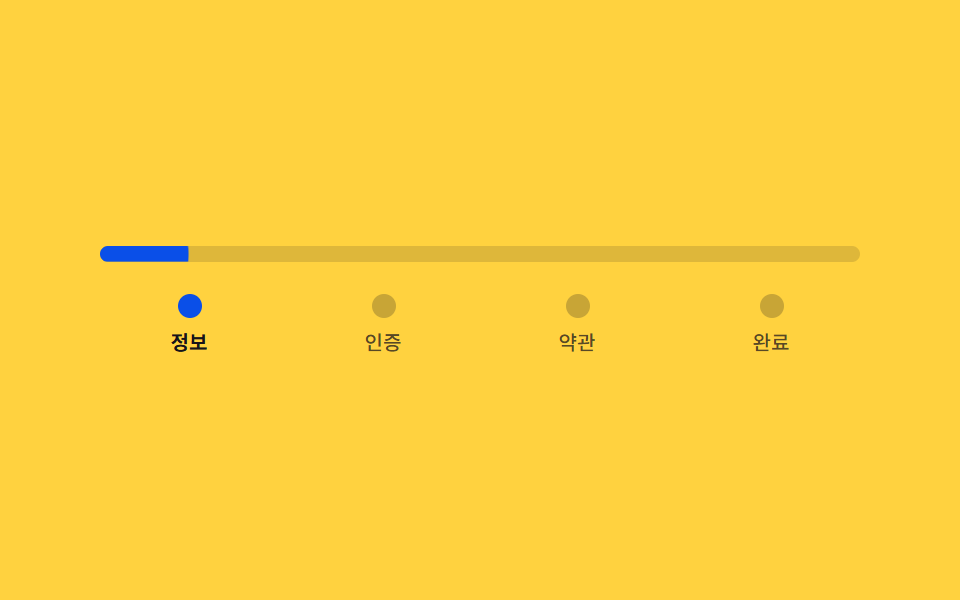 Auth UI02 Signup steps — a stepped form that divides its own progress ratio to set bar length and color9 Login UI Design Patterns (Copy-Paste)
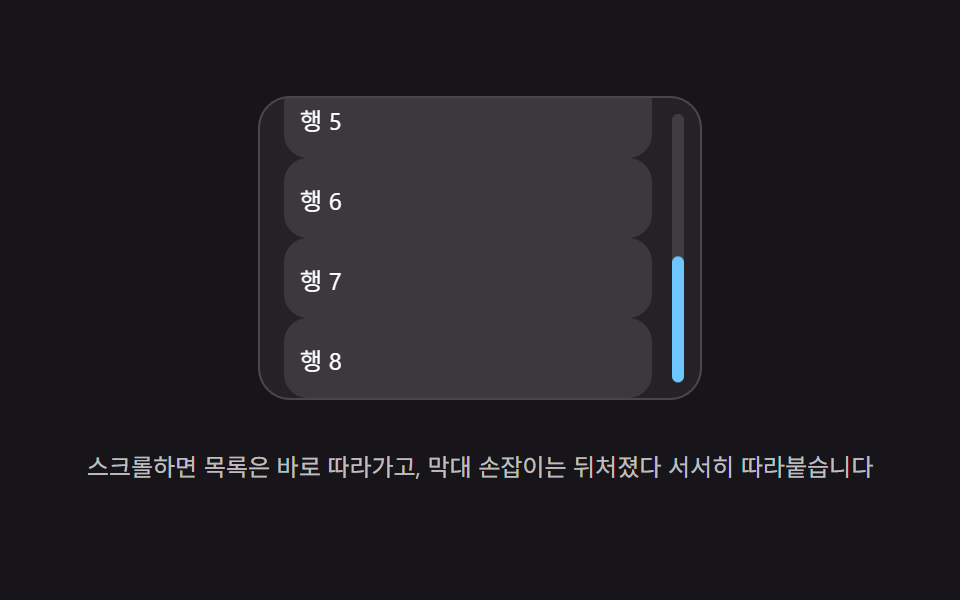 Scroll08 Lag tracking — a trailing value doesn't match the real scroll value instantly, chasing it with a lag value insteadScroll Inertia CSS — 9 Value Patterns
 Inputs09 Reduced-motion comparison toggle — the same checked-value change draws its line-length value on the normal panel, and jumps straight to target with no in-between step on the reduced panelCSS Custom Checkbox: 9 Interaction Patterns