CSS Browser Compatibility: 9 Practical Fallbacks
Nine css browser compatibility fixes: one recalculates height as the address bar resizes, one locks input zoom on focus, one stops the background from bouncing
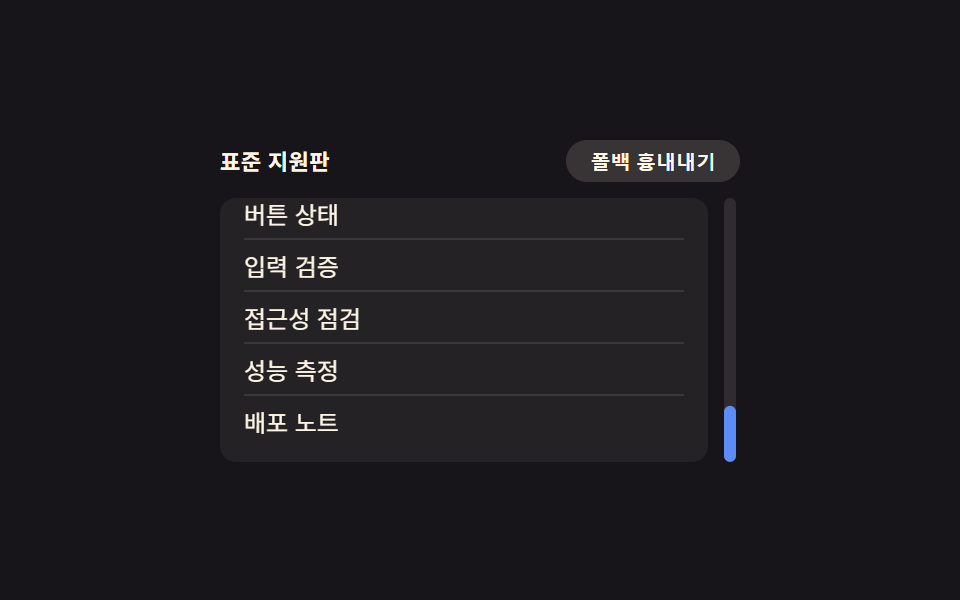 01 compat-scrollbar-styling
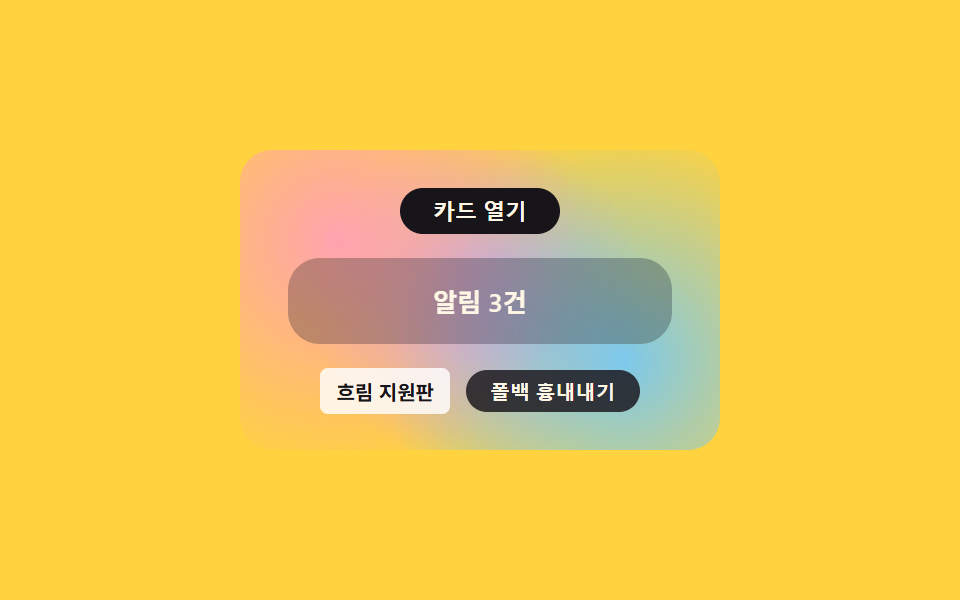 02 compat-backdrop-filter-prefix
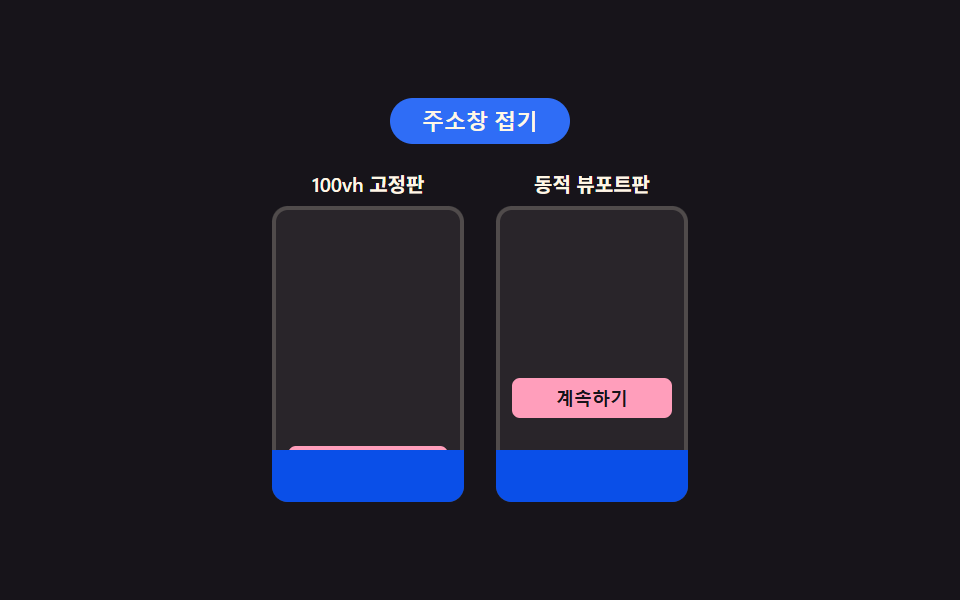 03 compat-100vh-mobile-dvh
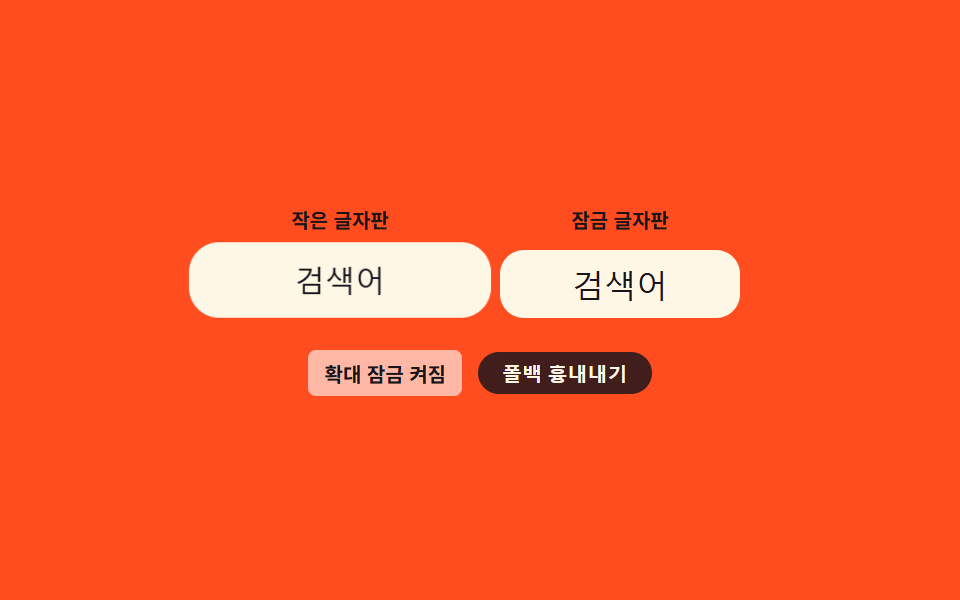 04 compat-input-focus-zoom-lock
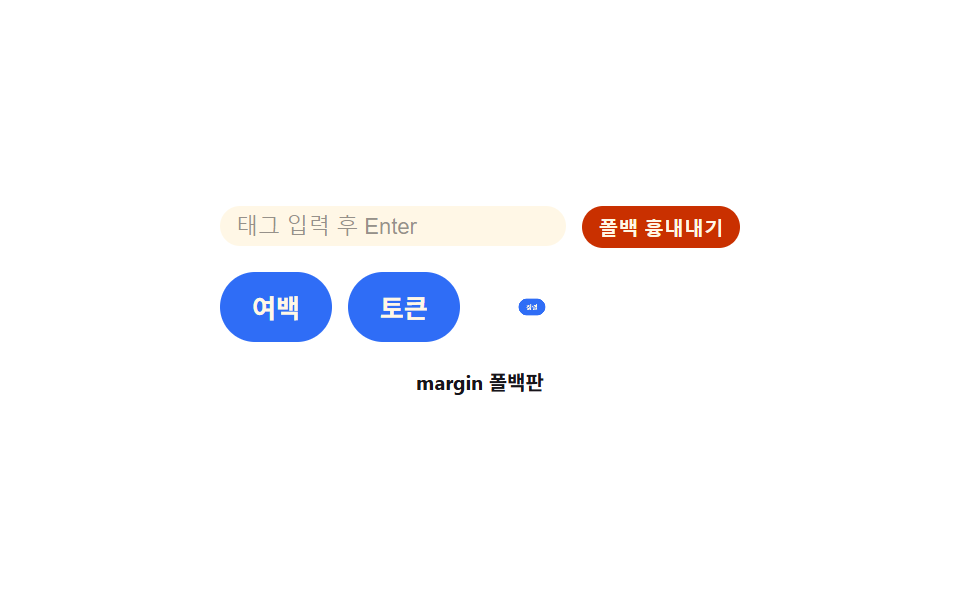 05 compat-gap-flex-old
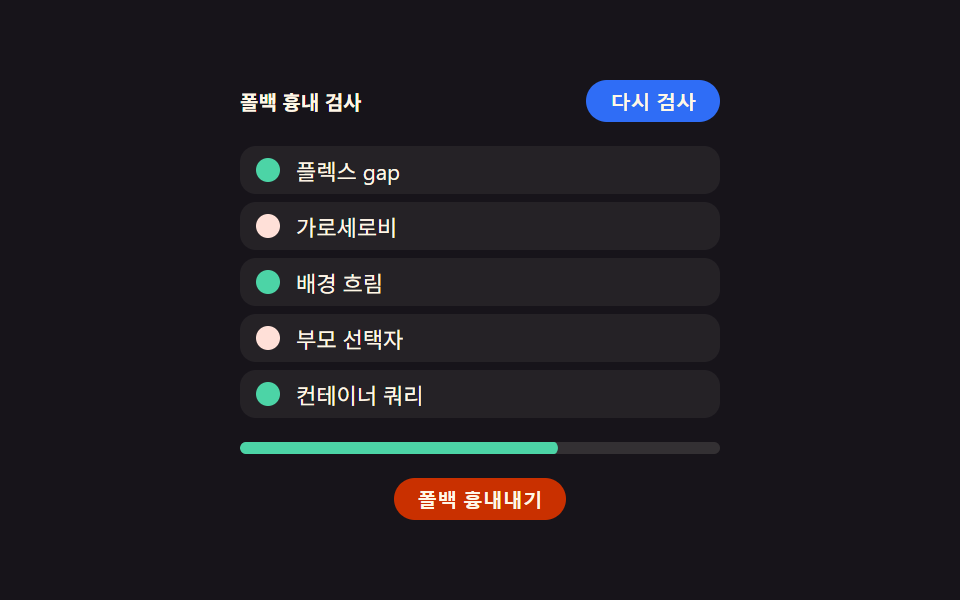 06 compat-supports-query
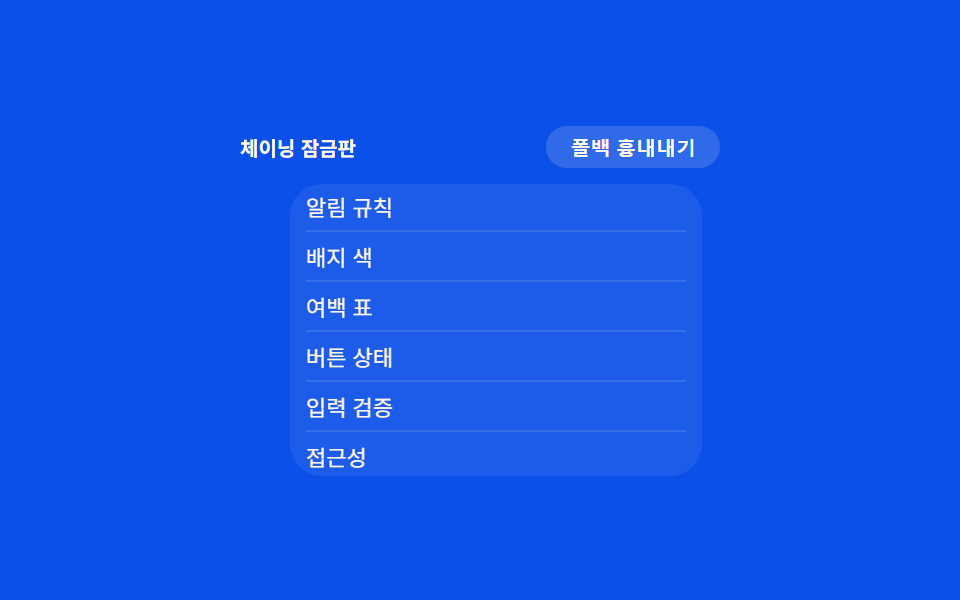 07 compat-overscroll-bounce
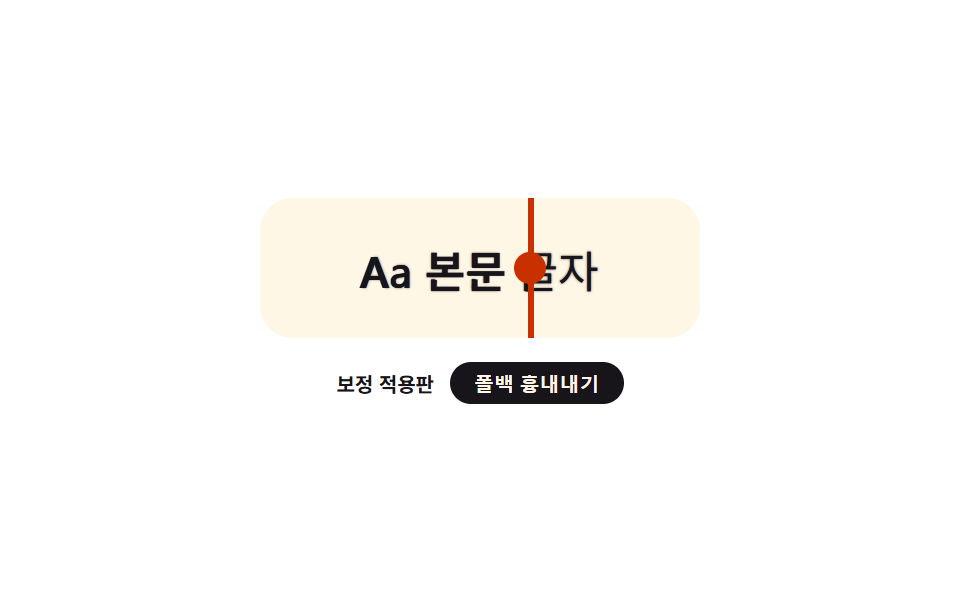 08 compat-font-smoothing-fix
 09 compat-date-input-styling
Auto-plays · click a tile to jump to its section · all nine in one zip
- 01 Custom scrollbar — a scroll thumb with its own thickness, color, and corner radius
- 02 Blur fallback — a card that fills with a translucent color where the blur effect isn't applied
- 03 Dynamic viewport height — a full-screen height that re-measures as the address bar resizes
- 04 Input zoom lock — a text field that focuses without zooming the whole screen
- 05 Flex gap fallback — spacing that falls back to margins when the gap property isn't applied
- 06 Feature-support branch — a layout that checks support first, then switches its own rules
- 07 Overscroll lock — a list that stops the pull without dragging the background along
- 08 Glyph rendering correction — evening out stroke weight that renders differently by environment
- 09 Custom date input — redrawing the built-in calendar icon and field background
None of the nine patterns below sniff a user agent string. Each one either declares an older rule first and lets a newer rule layer over it, asks the runtime a direct yes/no question, or demonstrates two versions of the same control side by side so the difference is visible instead of theoretical. Every demo starts on its own once the page settles and switches to manual control on the first pointer, keyboard, or scroll event, and every one of the nine keeps working with prefers-reduced-motion: reduce set.
Demo
Scroll, focus, pull, and toggle each panel below — the "simulate fallback" button in every demo forces the non-supporting path on purpose, so you can compare both states without leaving the page.
Anatomy of nine patterns — which CSS closes the environment gap
Grouping the nine patterns this way is the fastest way to see what css cross browser compatibility actually costs in practice: sometimes it's a stylesheet rule, sometimes a number, and sometimes nothing more than a question asked once at runtime.
| Pattern | Mechanism | Moved frames (of 23) | Cumulative area | Avg. intensity |
|---|---|---|---|---|
| 01 Custom scrollbar | stylesheet-first, layered | 21 | 7.615% | 111.3 |
| 02 Blur fallback | stylesheet-first, layered | 8 | 7.263% | 46.8 |
| 03 Dynamic viewport height | side-by-side threshold | 14 | 5.978% | 167.8 |
| 04 Input zoom lock | side-by-side threshold | 8 | 5.458% | 115.4 |
| 05 Flex gap fallback | stylesheet-first, layered | 20 | 2.822% | 145.9 |
| 06 Feature-support branch | runtime question | 10 | 21.491% | 79.1 |
| 07 Overscroll lock | stylesheet-first, layered | 19 | 9.72% | 106.9 |
| 08 Glyph rendering correction | stylesheet-first, layered | 23 | 3.592% | 196.5 |
| 09 Custom date input | runtime question | 18 | 3.485% | 131.6 |
Cluster A — the stylesheet declares the old rule first
Five patterns (01, 02, 05, 07, 08) write the older, always-safe rule with no condition attached, then wrap the improved rule in a feature query. Toggling "simulate fallback" doesn't fake a user agent — it strips the class that lets the feature-query block apply, so the unconditional rule underneath is exactly what's left.
Cluster B — the script asks the runtime directly
Two patterns (06, 09) skip the stylesheet condition entirely and check css browser support from script instead. One re-runs five boolean checks against the live rendering environment every time it scans; the other tests once whether a method exists on a built-in prototype and branches a click handler on that single boolean.
Cluster C — a number, not a feature test
Two patterns (03, 04) aren't feature-detected at all. Both render two versions of the same control side by side so the older behavior and the corrected behavior are visible in the same frame, and a millisecond or pixel constant controls how the corrected version behaves — not whether it appears.
Code per pattern
Each source below is a continuous slice of the demo's actual stylesheet or script, comments translated, identifiers untouched.
01Custom scrollbar — a scroll thumb with its own thickness, color, and corner radius
When the list scrolls, a lerp-smoothed dot follows the real scroll ratio along a side track, while the list itself carries a standard scrollbar declaration backed by an unprefixed pseudo-element fallback underneath it. Across 24 sampled frames the track dot moved in 21, covering 7.6% cumulative area at an average intensity of 111.3. Pointer, keyboard, and scroll input on the list all count as the first human interaction.
<main class="stage">
<div class="wrap is-demo" id="wrap">
  <div class="head">
    <span class="modeLabel" id="modeLabel">Standard mode</span>
    <button class="simToggle" id="simToggle" type="button" aria-pressed="false">Simulate fallback</button>
  </div>
  <div class="body">
    <ol class="itemList" id="list">
      <li>Design docs</li>
      <li>Color tokens</li>
      <li>Spacing rules</li>
      <li>Button states</li>
      <li>Input validation</li>
      <li>A11y checks</li>
      <li>Perf metrics</li>
      <li>Deploy notes</li>
    </ol>
    <div class="track" id="track"><div class="trackDot" id="trackDot"></div></div>
  </div>
</div>
</main>
@use "../../../../site/static/demo-tokens" as *;
// 계산 겹은 index.html 의 target(실제 scrollTop 비율) → shown(lerp 추적) 에 있다 — 여기는 두 스크롤바
// 표기법(표준 속성 · 옛 의사요소)과 트랙 점의 모양만 맡는다.
// 표준: scrollbar-width·scrollbar-color. 옛 폴백: ::-webkit-scrollbar 3형제. 두 선언은 같은 목록에 둬도
// 충돌하지 않는다 — 표준을 아는 환경은 표준을, 모르는 환경은 옛 의사요소만 읽는다.
@include stage($stage-ink);
.wrap {
width: 260px;
display: flex;
flex-direction: column;
gap: $sp-2;
}
.head {
display: flex;
align-items: center;
justify-content: space-between;
gap: $sp-2;
}
.modeLabel {
color: $subject-cream;
font-size: 11px;
font-weight: 600;
letter-spacing: .02em;
}
.simToggle {
appearance: none;
border: none;
border-radius: $r-pill;
background: rgba($subject-cream, .14);
color: $subject-cream;
padding: $sp-1 $sp-3;
font-size: 10px;
font-weight: 600;
cursor: pointer;
transition: background $dur-instant $ease-out, transform $dur-instant $ease-out;
&:hover { background: rgba($subject-cream, .22); }
&:active { transform: scale(.96); }
&[aria-pressed="true"] { background: $subject-orange-deep; }
&:focus-visible { outline: 2px solid $subject-blue-light; outline-offset: 2px; }
}
.body {
display: flex;
align-items: stretch;
gap: $sp-2;
}
.itemList {
margin: 0;
padding: $sp-2 $sp-3;
list-style: none;
width: 220px;
height: 116px;
overflow-y: scroll;
border-radius: $r-sm;
background: rgba($subject-cream, .06);
// 폴백: 옛 브라우저용 의사요소 스크롤바 — 항상 선언돼 있고, 표준 속성을 아는 환경은 아래 @supports 가 덮는다
&::-webkit-scrollbar { width: 10px; }
&::-webkit-scrollbar-track { background: transparent; }
&::-webkit-scrollbar-thumb { background: $subject-blue; border-radius: $r-pill; }
}
@supports (scrollbar-width: thin) {
.itemList:not(.force-fallback) {
scrollbar-width: thin;
scrollbar-color: $subject-blue-light transparent;
}
}
// 시뮬레이션 토글 — 실제 UA 감지가 아니라 표준 속성을 강제로 꺼서 옛 폴백 경로가 눈에 보이게 한다
.force-fallback .itemList {
scrollbar-width: auto;
scrollbar-color: unset;
}
.itemList li {
padding: $sp-1 0;
color: $subject-cream;
font-size: 12px;
border-bottom: 1px solid rgba($subject-cream, .1);
&:last-child { border-bottom: none; }
}
.track {
position: relative;
width: 6px;
border-radius: $r-pill;
background: rgba($subject-cream, .1);
}
.trackDot {
position: absolute;
top: 0;
left: 0;
width: 6px;
height: 28px;
border-radius: $r-pill;
background: $subject-blue-light;
transform: translateY(0);
}
.force-fallback .trackDot { background: $subject-orange-deep; }
@media (max-width: 340px) {
.wrap { width: 210px; }
.itemList { width: 174px; height: 96px; font-size: 11px; }
.modeLabel { font-size: 10px; }
}
@media (prefers-reduced-motion: reduce) {
.trackDot { transition: none; }
.simToggle { transition: none; }
}html, body {
margin: 0;
overflow: hidden;
}
.stage {
box-sizing: border-box;
min-height: 100vh;
display: grid;
place-items: center;
margin: 0;
background: #17141a;
font-family: -apple-system, "Segoe UI", "Noto Sans KR", sans-serif;
padding: clamp(8px, 4vw, 24px);
}
.wrap {
width: 260px;
display: flex;
flex-direction: column;
gap: 8px;
}
.head {
display: flex;
align-items: center;
justify-content: space-between;
gap: 8px;
}
.modeLabel {
color: #fff7e6;
font-size: 11px;
font-weight: 600;
letter-spacing: 0.02em;
}
.simToggle {
appearance: none;
border: none;
border-radius: 999px;
background: rgba(255, 247, 230, 0.14);
color: #fff7e6;
padding: 4px 12px;
font-size: 10px;
font-weight: 600;
cursor: pointer;
transition: background 140ms ease-out, transform 140ms ease-out;
}
.simToggle:hover {
background: rgba(255, 247, 230, 0.22);
}
.simToggle:active {
transform: scale(0.96);
}
.simToggle[aria-pressed=true] {
background: #c93000;
}
.simToggle:focus-visible {
outline: 2px solid #5b8cf8;
outline-offset: 2px;
}
.body {
display: flex;
align-items: stretch;
gap: 8px;
}
.itemList {
margin: 0;
padding: 8px 12px;
list-style: none;
width: 220px;
height: 116px;
overflow-y: scroll;
border-radius: 8px;
background: rgba(255, 247, 230, 0.06);
}
.itemList::-webkit-scrollbar {
width: 10px;
}
.itemList::-webkit-scrollbar-track {
background: transparent;
}
.itemList::-webkit-scrollbar-thumb {
background: #2f6df6;
border-radius: 999px;
}
@supports (scrollbar-width: thin) {
.itemList:not(.force-fallback) {
scrollbar-width: thin;
scrollbar-color: #5b8cf8 transparent;
}
}
.force-fallback .itemList {
scrollbar-width: auto;
scrollbar-color: unset;
}
.itemList li {
padding: 4px 0;
color: #fff7e6;
font-size: 12px;
border-bottom: 1px solid rgba(255, 247, 230, 0.1);
}
.itemList li:last-child {
border-bottom: none;
}
.track {
position: relative;
width: 6px;
border-radius: 999px;
background: rgba(255, 247, 230, 0.1);
}
.trackDot {
position: absolute;
top: 0;
left: 0;
width: 6px;
height: 28px;
border-radius: 999px;
background: #5b8cf8;
transform: translateY(0);
}
.force-fallback .trackDot {
background: #c93000;
}
@media (max-width: 340px) {
.wrap {
width: 210px;
}
.itemList {
width: 174px;
height: 96px;
font-size: 11px;
}
.modeLabel {
font-size: 10px;
}
}
@media (prefers-reduced-motion: reduce) {
.trackDot {
transition: none;
}
.simToggle {
transition: none;
}
}(function () {
var LERP_RATE = 0.22; // 트랙 점이 목표 위치를 따라붙는 비율 — 작을수록 관성이 크게 느껴진다
var reduce = window.matchMedia('(prefers-reduced-motion: reduce)').matches;
var wrap = document.getElementById('wrap');
var list = document.getElementById('list');
var track = document.getElementById('track');
var dot = document.getElementById('trackDot');
var simToggle = document.getElementById('simToggle');
var modeLabel = document.getElementById('modeLabel');
var isDemo = true;
var target = 0; // 목표 스크롤 비율 0~1 — 실제 scrollTop 에서 나온다
var shown = 0; // 화면에 그려지는 비율 — target 을 lerp 로 뒤따른다
function ratio() {
var max = list.scrollHeight - list.clientHeight;
return max > 0 ? list.scrollTop / max : 0;
}
function onScroll() { target = ratio(); }
list.addEventListener('scroll', onScroll);
function human() { if (isDemo) { wrap.classList.remove('is-demo'); isDemo = false; } }
list.addEventListener('pointerdown', human);
list.addEventListener('keydown', human);
function setSim(on) {
wrap.classList.toggle('force-fallback', on);
simToggle.setAttribute('aria-pressed', String(on));
modeLabel.textContent = on ? 'Simulate fallback' : 'Standard mode';
}
var simOn = false;
simToggle.addEventListener('click', function () {
human();
simOn = !simOn;
setSim(simOn);
});
var dir = 1;
var last = 0;
var STEP_MS = 520;
function autoAdvance(ts) {
if (ts - last < STEP_MS) return;
last = ts;
var max = list.scrollHeight - list.clientHeight;
var next = list.scrollTop + dir * (max * 0.42);
if (next >= max - 1) { next = max; dir = -1; }
else if (next <= 1) { next = 0; dir = 1; }
list.scrollTop = next; // 진짜 스크롤 — 위 scroll 리스너가 target 을 갱신한다
}
function loop(ts) {
if (!last) last = ts;
if (isDemo && !reduce) autoAdvance(ts);
var trackH = track.clientHeight - dot.offsetHeight;
if (reduce) { shown = target; } else { shown += (target - shown) * LERP_RATE; }
dot.style.transform = 'translateY(' + Math.max(0, Math.min(trackH, shown * trackH)) + 'px)';
requestAnimationFrame(loop);
}
requestAnimationFrame(loop);
})();// ScrollbarStyling — vanilla 판(run/375/demo/01-compat-scrollbar-styling/index.html) 의 React 포트.
// 표준 scrollbar-width/scrollbar-color 와 옛 ::-webkit-scrollbar 의사요소를 함께 선언하고,
// 트랙 점은 실제 scroll 이벤트에서 나온 비율(target)을 lerp 로 뒤따른다.
import { useEffect, useRef } from "react";
import styles from "./ScrollbarStyling.module.scss";
type Box<T> = { current: T };
const LERP_RATE = 0.22; // 트랙 점이 목표 위치를 따라붙는 비율 — 작을수록 관성이 크게 느껴진다
const STEP_MS = 520;
const ITEMS = ["설계 문서", "색상 토큰", "여백 규칙", "버튼 상태", "입력 검증", "접근성 점검", "성능 측정", "배포 노트"];
export default function ScrollbarStyling() {
const rootRef = useRef(null) as unknown as Box<HTMLDivElement>;
const listRef = useRef(null) as unknown as Box<HTMLOListElement>;
const trackRef = useRef(null) as unknown as Box<HTMLDivElement>;
const dotRef = useRef(null) as unknown as Box<HTMLDivElement>;
const simToggleRef = useRef(null) as unknown as Box<HTMLButtonElement>;
const modeLabelRef = useRef(null) as unknown as Box<HTMLSpanElement>;
const rafRef = useRef(0) as unknown as Box<number>;
useEffect(() => {
const reduce = window.matchMedia("(prefers-reduced-motion: reduce)").matches;
const wrap = rootRef.current;
const list = listRef.current;
const track = trackRef.current;
const dot = dotRef.current;
const simToggle = simToggleRef.current;
const modeLabel = modeLabelRef.current;
if (!wrap || !list || !track || !dot || !simToggle || !modeLabel) return;
let isDemo = true;
let target = 0;
let shown = 0;
function ratio() {
const max = list!.scrollHeight - list!.clientHeight;
return max > 0 ? list!.scrollTop / max : 0;
}
function onScroll() { target = ratio(); }
list.addEventListener("scroll", onScroll);
function human() { if (isDemo) { wrap!.classList.remove(styles.isDemo); isDemo = false; } }
function onPointerDown() { human(); }
function onKeyDown() { human(); }
list.addEventListener("pointerdown", onPointerDown);
list.addEventListener("keydown", onKeyDown);
let simOn = false;
function setSim(on: boolean) {
simOn = on;
wrap!.classList.toggle(styles.forceFallback, on);
simToggle!.setAttribute("aria-pressed", String(on));
modeLabel!.textContent = on ? "폴백 흉내내기" : "표준 지원판";
}
function onSimClick() { human(); simOn = !simOn; setSim(simOn); }
simToggle.addEventListener("click", onSimClick);
let dir = 1;
let last = 0;
function autoAdvance(ts: number) {
if (ts - last < STEP_MS) return;
last = ts;
const max = list!.scrollHeight - list!.clientHeight;
let next = list!.scrollTop + dir * (max * 0.42);
if (next >= max - 1) { next = max; dir = -1; }
else if (next <= 1) { next = 0; dir = 1; }
list!.scrollTop = next;
}
function loop(ts: number) {
if (!last) last = ts;
if (isDemo && !reduce) autoAdvance(ts);
const trackH = track!.clientHeight - dot!.offsetHeight;
if (reduce) { shown = target; } else { shown += (target - shown) * LERP_RATE; }
dot!.style.transform = "translateY(" + Math.max(0, Math.min(trackH, shown * trackH)) + "px)";
rafRef.current = requestAnimationFrame(loop);
}
rafRef.current = requestAnimationFrame(loop);
return () => {
list!.removeEventListener("scroll", onScroll);
list!.removeEventListener("pointerdown", onPointerDown);
list!.removeEventListener("keydown", onKeyDown);
simToggle!.removeEventListener("click", onSimClick);
cancelAnimationFrame(rafRef.current);
};
}, []);
return (
<main className={styles.stage}>
<div className={styles.wrap + " " + styles.isDemo} ref={rootRef}>
<div className={styles.head}>
<span className={styles.modeLabel} ref={modeLabelRef}>표준 지원판</span>
<button className={styles.simToggle} ref={simToggleRef} type="button" aria-pressed="false">폴백 흉내내기</button>
</div>
<div className={styles.body}>
<ol className={styles.itemList} ref={listRef}>
{ITEMS.map(function (s) { return <li key={s}>{s}</li>; })}
</ol>
<div className={styles.track} ref={trackRef}>
<div className={styles.trackDot} ref={dotRef}></div>
</div>
</div>
</div>
</main>
);
}01 · Custom scrollbar — a scroll thumb with its own thickness, color, and corner radius — Measured area 7.615% · moving frames 21/23Original by GODRICH · SCSS and React ship in the zip · See the password
.itemList {
  margin: 0;
  padding: $sp-2 $sp-3;
  list-style: none;
  width: 220px;
  height: 116px;
  overflow-y: scroll;
  border-radius: $r-sm;
  background: rgba($subject-cream, .06);

  // Fallback: legacy pseudo-element scrollbar — always declared; a supporting environment lets the @supports block below override it
  &::-webkit-scrollbar { width: 10px; }
  &::-webkit-scrollbar-track { background: transparent; }
  &::-webkit-scrollbar-thumb { background: $subject-blue; border-radius: $r-pill; }
}

@supports (scrollbar-width: thin) {
  .itemList:not(.force-fallback) {
    scrollbar-width: thin;
    scrollbar-color: $subject-blue-light transparent;
  }
}
02Blur fallback — a card that fills with a translucent color where the blur effect isn't applied
Opening the card fades and pops it in over a scaled overshoot, while its background either blurs the gradient behind it or, once the blur test fails, fills with a flat translucent color instead. That fallback fill only moved in 8 of 23 frames (7.3% cumulative area, average intensity 46.8), since the card's own entrance carries the motion rather than the background swap. A click on the toggle button forces the fallback path for direct comparison.
<main class="stage">
<div class="wrap is-demo" id="wrap">
  <div class="backdrop"></div>
  <button class="openBtn" id="openBtn" type="button" aria-pressed="false">Open card</button>
  <div class="card" id="card">
    <p class="cardText">3 alerts</p>
  </div>
  <div class="foot">
    <span class="modeLabel" id="modeLabel">Blur mode</span>
    <button class="simToggle" id="simToggle" type="button" aria-pressed="false">Simulate fallback</button>
  </div>
</div>
</main>
@use "../../../../site/static/demo-tokens" as *;
// 계산 겹은 카드 열림 애니메이션의 스프링 오버슛(scale 0.86→1.05→1) 에 있다 — index.html 은
// FALLBACK_BG_ALPHA 로 폴백 배경의 진하기만 넘긴다. 여기는 두 배경 표기법(흐림 · 반투명 단색)과
// 오버슛 곡선만 맡는다.
@include stage($stage-yellow);
.wrap {
position: relative;
width: 240px;
height: 150px;
display: flex;
flex-direction: column;
align-items: center;
justify-content: center;
gap: $sp-3;
}
.backdrop {
position: absolute;
inset: 0;
border-radius: $r-card;
background:
radial-gradient(circle at 20% 30%, rgba($subject-pink, .9), transparent 55%),
radial-gradient(circle at 80% 70%, rgba($subject-sky, .9), transparent 55%),
radial-gradient(circle at 50% 50%, rgba($subject-lilac, .85), transparent 60%);
}
.openBtn {
position: relative;
z-index: 2;
appearance: none;
border: none;
border-radius: $r-pill;
background: $subject-ink;
color: $subject-cream;
padding: $sp-1 $sp-4;
font-size: 11px;
font-weight: 600;
cursor: pointer;
transition: transform $dur-instant $ease-out;
&:hover { transform: translateY(-1px); }
&:active { transform: scale(.95); }
&:focus-visible { outline: 2px solid $subject-blue-light; outline-offset: 2px; }
}
.card {
position: relative;
z-index: 2;
width: 160px;
padding: $sp-3 $sp-4;
border-radius: $r-card;
opacity: 0;
transform: scale(.86);
transition: transform $dur-base $ease-elastic, opacity $dur-quick $ease-out;
// 폴백: 흐림이 없을 때 반투명 단색으로 채운다 — 항상 선언, @supports 가 지원판에서 덮어쓴다
background: rgba($subject-ink, var(--fallback-alpha, .6));
}
@supports (backdrop-filter: blur(1px)) or (-webkit-backdrop-filter: blur(1px)) {
.wrap:not(.force-fallback) .card {
background: rgba($subject-ink, .28);
backdrop-filter: blur(10px);
-webkit-backdrop-filter: blur(10px);
}
}
.card.is-open {
opacity: 1;
transform: scale(1);
}
.cardText {
margin: 0;
color: $subject-cream;
font-size: 13px;
font-weight: 600;
text-align: center;
}
.foot {
position: relative;
z-index: 2;
display: flex;
align-items: center;
gap: $sp-2;
}
.modeLabel {
color: $subject-ink;
font-size: 10px;
font-weight: 700;
background: rgba($stage-paper, .82);
padding: $sp-1 $sp-2;
border-radius: $r-xs;
}
.simToggle {
appearance: none;
border: none;
border-radius: $r-pill;
background: rgba($subject-ink, .82);
color: $subject-cream;
padding: $sp-1 $sp-3;
font-size: 10px;
font-weight: 600;
cursor: pointer;
transition: transform $dur-instant $ease-out;
&:active { transform: scale(.96); }
&[aria-pressed="true"] { background: $subject-orange-deep; }
&:focus-visible { outline: 2px solid $subject-blue-light; outline-offset: 2px; }
}
@media (max-width: 340px) {
.wrap { width: 200px; height: 130px; }
.card { width: 140px; }
}
@media (prefers-reduced-motion: reduce) {
.card { transition: none; }
.openBtn, .simToggle { transition: none; }
}html, body {
margin: 0;
overflow: hidden;
}
.stage {
box-sizing: border-box;
min-height: 100vh;
display: grid;
place-items: center;
margin: 0;
background: #ffd23f;
font-family: -apple-system, "Segoe UI", "Noto Sans KR", sans-serif;
padding: clamp(8px, 4vw, 24px);
}
.wrap {
position: relative;
width: 240px;
height: 150px;
display: flex;
flex-direction: column;
align-items: center;
justify-content: center;
gap: 12px;
}
.backdrop {
position: absolute;
inset: 0;
border-radius: 16px;
background: radial-gradient(circle at 20% 30%, rgba(255, 158, 187, 0.9), transparent 55%), radial-gradient(circle at 80% 70%, rgba(110, 200, 255, 0.9), transparent 55%), radial-gradient(circle at 50% 50%, rgba(185, 160, 255, 0.85), transparent 60%);
}
.openBtn {
position: relative;
z-index: 2;
appearance: none;
border: none;
border-radius: 999px;
background: #17141a;
color: #fff7e6;
padding: 4px 16px;
font-size: 11px;
font-weight: 600;
cursor: pointer;
transition: transform 140ms ease-out;
}
.openBtn:hover {
transform: translateY(-1px);
}
.openBtn:active {
transform: scale(0.95);
}
.openBtn:focus-visible {
outline: 2px solid #5b8cf8;
outline-offset: 2px;
}
.card {
position: relative;
z-index: 2;
width: 160px;
padding: 12px 16px;
border-radius: 16px;
opacity: 0;
transform: scale(0.86);
transition: transform 300ms cubic-bezier(0.34, 1.56, 0.64, 1), opacity 220ms ease-out;
background: rgba(23, 20, 26, var(--fallback-alpha, 0.6));
}
@supports (backdrop-filter: blur(1px)) or (-webkit-backdrop-filter: blur(1px)) {
.wrap:not(.force-fallback) .card {
background: rgba(23, 20, 26, 0.28);
backdrop-filter: blur(10px);
-webkit-backdrop-filter: blur(10px);
}
}
.card.is-open {
opacity: 1;
transform: scale(1);
}
.cardText {
margin: 0;
color: #fff7e6;
font-size: 13px;
font-weight: 600;
text-align: center;
}
.foot {
position: relative;
z-index: 2;
display: flex;
align-items: center;
gap: 8px;
}
.modeLabel {
color: #17141a;
font-size: 10px;
font-weight: 700;
background: rgba(255, 255, 255, 0.82);
padding: 4px 8px;
border-radius: 4px;
}
.simToggle {
appearance: none;
border: none;
border-radius: 999px;
background: rgba(23, 20, 26, 0.82);
color: #fff7e6;
padding: 4px 12px;
font-size: 10px;
font-weight: 600;
cursor: pointer;
transition: transform 140ms ease-out;
}
.simToggle:active {
transform: scale(0.96);
}
.simToggle[aria-pressed=true] {
background: #c93000;
}
.simToggle:focus-visible {
outline: 2px solid #5b8cf8;
outline-offset: 2px;
}
@media (max-width: 340px) {
.wrap {
width: 200px;
height: 130px;
}
.card {
width: 140px;
}
}
@media (prefers-reduced-motion: reduce) {
.card {
transition: none;
}
.openBtn, .simToggle {
transition: none;
}
}(function () {
var FALLBACK_BG_ALPHA = 0.6; // 흐림이 없는 환경에서 카드 배경을 채우는 반투명 진하기 — 변형 목표: 0.6 → 0.85
var reduce = window.matchMedia('(prefers-reduced-motion: reduce)').matches;
var wrap = document.getElementById('wrap');
var card = document.getElementById('card');
var openBtn = document.getElementById('openBtn');
var simToggle = document.getElementById('simToggle');
var modeLabel = document.getElementById('modeLabel');
var isDemo = true;
card.style.setProperty('--fallback-alpha', FALLBACK_BG_ALPHA);
function human() { if (isDemo) { wrap.classList.remove('is-demo'); isDemo = false; } }
var open = false;
function setOpen(on) {
open = on;
card.classList.toggle('is-open', on);
openBtn.setAttribute('aria-pressed', String(on));
}
openBtn.addEventListener('click', function () { human(); setOpen(!open); });
var simOn = false;
function setSim(on) {
simOn = on;
wrap.classList.toggle('force-fallback', on);
simToggle.setAttribute('aria-pressed', String(on));
modeLabel.textContent = on ? 'Blur fallback' : 'Blur mode';
}
simToggle.addEventListener('click', function () { human(); setSim(!simOn); });
var last = 0;
var STEP_MS = 620;
var phase = 0;
function loop(ts) {
if (!last) last = ts;
if (isDemo && !reduce && ts - last >= STEP_MS) {
last = ts;
phase = (phase + 1) % 4;
setOpen(phase === 1 || phase === 2);
if (phase === 0) setSim(!simOn);
}
requestAnimationFrame(loop);
}
requestAnimationFrame(loop);
})();// BackdropFilterPrefix — vanilla 판(run/375/demo/02-compat-backdrop-filter-prefix/index.html) 의 React 포트.
// 폴백 배경(반투명 단색)을 항상 선언하고 @supports(backdrop-filter) 가 지원판에서 흐림으로 덮는다.
import { useEffect, useRef } from "react";
import styles from "./BackdropFilterPrefix.module.scss";
type Box<T> = { current: T };
const FALLBACK_BG_ALPHA = 0.6; // 흐림이 없는 환경에서 카드 배경을 채우는 반투명 진하기 — 변형 목표: 0.6 → 0.85
const STEP_MS = 620;
export default function BackdropFilterPrefix() {
const rootRef = useRef(null) as unknown as Box<HTMLDivElement>;
const cardRef = useRef(null) as unknown as Box<HTMLDivElement>;
const openBtnRef = useRef(null) as unknown as Box<HTMLButtonElement>;
const simToggleRef = useRef(null) as unknown as Box<HTMLButtonElement>;
const modeLabelRef = useRef(null) as unknown as Box<HTMLSpanElement>;
const rafRef = useRef(0) as unknown as Box<number>;
useEffect(() => {
const reduce = window.matchMedia("(prefers-reduced-motion: reduce)").matches;
const wrap = rootRef.current;
const card = cardRef.current;
const openBtn = openBtnRef.current;
const simToggle = simToggleRef.current;
const modeLabel = modeLabelRef.current;
if (!wrap || !card || !openBtn || !simToggle || !modeLabel) return;
let isDemo = true;
card.style.setProperty("--fallback-alpha", String(FALLBACK_BG_ALPHA));
function human() { if (isDemo) { wrap!.classList.remove(styles.isDemo); isDemo = false; } }
let open = false;
function setOpen(on: boolean) {
open = on;
card!.classList.toggle(styles.isOpen, on);
openBtn!.setAttribute("aria-pressed", String(on));
}
function onOpenClick() { human(); setOpen(!open); }
openBtn.addEventListener("click", onOpenClick);
let simOn = false;
function setSim(on: boolean) {
simOn = on;
wrap!.classList.toggle(styles.forceFallback, on);
simToggle!.setAttribute("aria-pressed", String(on));
modeLabel!.textContent = on ? "흐림 폴백판" : "흐림 지원판";
}
function onSimClick() { human(); setSim(!simOn); }
simToggle.addEventListener("click", onSimClick);
let last = 0;
let phase = 0;
function loop(ts: number) {
if (!last) last = ts;
if (isDemo && !reduce && ts - last >= STEP_MS) {
last = ts;
phase = (phase + 1) % 4;
setOpen(phase === 1 || phase === 2);
if (phase === 0) setSim(!simOn);
}
rafRef.current = requestAnimationFrame(loop);
}
rafRef.current = requestAnimationFrame(loop);
return () => {
openBtn!.removeEventListener("click", onOpenClick);
simToggle!.removeEventListener("click", onSimClick);
cancelAnimationFrame(rafRef.current);
};
}, []);
return (
<main className={styles.stage}>
<div className={styles.wrap + " " + styles.isDemo} ref={rootRef}>
<div className={styles.backdrop}></div>
<button className={styles.openBtn} ref={openBtnRef} type="button" aria-pressed="false">카드 열기</button>
<div className={styles.card} ref={cardRef}>
<p className={styles.cardText}>알림 3건</p>
</div>
<div className={styles.foot}>
<span className={styles.modeLabel} ref={modeLabelRef}>흐림 지원판</span>
<button className={styles.simToggle} ref={simToggleRef} type="button" aria-pressed="false">폴백 흉내내기</button>
</div>
</div>
</main>
);
}02 · Blur fallback — a card that fills with a translucent color where the blur effect isn't applied — Measured area 7.263% · moving frames 8/23Original by GODRICH · SCSS and React ship in the zip · See the password
.card {
  position: relative;
  z-index: 2;
  width: 160px;
  padding: $sp-3 $sp-4;
  border-radius: $r-card;
  opacity: 0;
  transform: scale(.86);
  transition: transform $dur-base $ease-elastic, opacity $dur-quick $ease-out;

  // Fallback: fills with a translucent solid color when there's no blur — always declared; @supports overwrites it in a supporting environment
  background: rgba($subject-ink, var(--fallback-alpha, .6));
}

@supports (backdrop-filter: blur(1px)) or (-webkit-backdrop-filter: blur(1px)) {
  .wrap:not(.force-fallback) .card {
    background: rgba($subject-ink, .28);
    backdrop-filter: blur(10px);
    -webkit-backdrop-filter: blur(10px);
  }
}
03Dynamic viewport height — a full-screen height that re-measures as the address bar resizes
Two phone frames share one address-bar toggle: the fixed frame's bottom button never re-measures once the bar collapses, while the second frame waits out a short debounce and then shifts up by exactly the bar's height. Across 24 frames the anchor button moved in 14 (6.0% cumulative area, average intensity 167.8). Clicking or pressing a key on the toggle both count as the first interaction.
<main class="stage">
<div class="wrap is-demo" id="wrap">
  <button class="addrToggle" id="addrToggle" type="button" aria-pressed="false">Collapse bar</button>
  <div class="phones">
    <div class="phone">
      <span class="phoneLabel">Fixed 100vh</span>
      <div class="screen" id="screenFixed">
        <div class="addressBar" id="addressBarFixed"></div>
        <button class="anchor is-fixed" id="anchorFixed" type="button">Continue</button>
      </div>
    </div>
    <div class="phone">
      <span class="phoneLabel">Dynamic viewport</span>
      <div class="screen" id="screenDvh">
        <div class="addressBar" id="addressBarDvh"></div>
        <button class="anchor is-dvh" id="anchorDvh" type="button">Continue</button>
      </div>
    </div>
  </div>
</div>
</main>
@use "../../../../site/static/demo-tokens" as *;
// 계산 겹은 index.html 의 recalc()/scheduleRecalc() 에 있다 — 주소창 상태가 바뀌면 VH_RECALC_DEBOUNCE_MS
// 뒤에야 --bar-h 커스텀 속성이 갱신된다(실제 동적 뷰포트 재계산의 지연을 흉내). 여기는 두 판(고정·동적)의
// 프레임 모양과, --bar-h 를 transform 으로 반영하는 규칙만 맡는다.
@include stage($stage-ink);
.wrap {
display: flex;
flex-direction: column;
align-items: center;
gap: $sp-3;
}
.addrToggle {
appearance: none;
border: none;
border-radius: $r-pill;
background: $subject-blue;
color: $subject-cream;
padding: $sp-1 $sp-4;
font-size: 11px;
font-weight: 600;
cursor: pointer;
transition: transform $dur-instant $ease-out;
&:hover { transform: translateY(-1px); }
&:active { transform: scale(.95); }
&:focus-visible { outline: 2px solid $subject-blue-light; outline-offset: 2px; }
}
.phones {
display: flex;
gap: $sp-4;
}
.phone {
display: flex;
flex-direction: column;
align-items: center;
gap: $sp-1;
}
.phoneLabel {
color: $subject-cream;
font-size: 10px;
font-weight: 600;
}
.screen {
position: relative;
width: 96px;
height: 148px;
border-radius: $r-sm;
overflow: hidden;
background: rgba($subject-cream, .08);
box-shadow: inset 0 0 0 2px rgba($subject-cream, .18);
}
.addressBar {
position: absolute;
left: 0;
right: 0;
bottom: 0;
height: 26px;
background: $subject-blue-deep;
transform: translateY(0);
transition: transform $dur-base $ease-out;
z-index: 2;
}
.is-collapsed .addressBar { transform: translateY(100%); }
.anchor {
position: absolute;
left: 8px;
right: 8px;
bottom: 8px;
padding: $sp-1 0;
border: none;
border-radius: $r-xs;
background: $subject-pink;
color: $subject-ink;
font-size: 9px;
font-weight: 700;
cursor: pointer;
}
// 고정판: 100vh 만 아는 환경 — 주소창이 접히고 펼쳐져도 버튼이 다시 계산되지 않는다(버그 그대로 재현)
.anchor.is-fixed {
z-index: 1;
transform: translateY(0);
}
// 동적 뷰포트판: dvh 를 아는 환경 — --bar-h 만큼 위로 밀어 올려 항상 주소창 위에 머문다
.anchor.is-dvh {
z-index: 2;
transform: translateY(calc(-1 * var(--bar-h, 0px)));
transition: transform $dur-base $ease-out;
opacity: .5;
}
.anchor.is-dvh.is-settled { opacity: 1; }
@media (max-width: 340px) {
.wrap { gap: $sp-1; }
.phones { gap: $sp-2; }
.screen { width: 72px; height: 104px; }
.addressBar { height: 20px; }
.anchor { font-size: 8px; }
}
@media (prefers-reduced-motion: reduce) {
.addressBar { transition: none; }
.anchor.is-dvh { transition: none; }
.addrToggle { transition: none; }
}html, body {
margin: 0;
overflow: hidden;
}
.stage {
box-sizing: border-box;
min-height: 100vh;
display: grid;
place-items: center;
margin: 0;
background: #17141a;
font-family: -apple-system, "Segoe UI", "Noto Sans KR", sans-serif;
padding: clamp(8px, 4vw, 24px);
}
.wrap {
display: flex;
flex-direction: column;
align-items: center;
gap: 12px;
}
.addrToggle {
appearance: none;
border: none;
border-radius: 999px;
background: #2f6df6;
color: #fff7e6;
padding: 4px 16px;
font-size: 11px;
font-weight: 600;
cursor: pointer;
transition: transform 140ms ease-out;
}
.addrToggle:hover {
transform: translateY(-1px);
}
.addrToggle:active {
transform: scale(0.95);
}
.addrToggle:focus-visible {
outline: 2px solid #5b8cf8;
outline-offset: 2px;
}
.phones {
display: flex;
gap: 16px;
}
.phone {
display: flex;
flex-direction: column;
align-items: center;
gap: 4px;
}
.phoneLabel {
color: #fff7e6;
font-size: 10px;
font-weight: 600;
}
.screen {
position: relative;
width: 96px;
height: 148px;
border-radius: 8px;
overflow: hidden;
background: rgba(255, 247, 230, 0.08);
box-shadow: inset 0 0 0 2px rgba(255, 247, 230, 0.18);
}
.addressBar {
position: absolute;
left: 0;
right: 0;
bottom: 0;
height: 26px;
background: #0a4fe8;
transform: translateY(0);
transition: transform 300ms ease-out;
z-index: 2;
}
.is-collapsed .addressBar {
transform: translateY(100%);
}
.anchor {
position: absolute;
left: 8px;
right: 8px;
bottom: 8px;
padding: 4px 0;
border: none;
border-radius: 4px;
background: #ff9ebb;
color: #17141a;
font-size: 9px;
font-weight: 700;
cursor: pointer;
}
.anchor.is-fixed {
z-index: 1;
transform: translateY(0);
}
.anchor.is-dvh {
z-index: 2;
transform: translateY(calc(-1 * var(--bar-h, 0px)));
transition: transform 300ms ease-out;
opacity: 0.5;
}
.anchor.is-dvh.is-settled {
opacity: 1;
}
@media (max-width: 340px) {
.wrap {
gap: 4px;
}
.phones {
gap: 8px;
}
.screen {
width: 72px;
height: 104px;
}
.addressBar {
height: 20px;
}
.anchor {
font-size: 8px;
}
}
@media (prefers-reduced-motion: reduce) {
.addressBar {
transition: none;
}
.anchor.is-dvh {
transition: none;
}
.addrToggle {
transition: none;
}
}(function () {
var VH_RECALC_DEBOUNCE_MS = 150; // 주소창이 움직인 뒤 높이를 다시 계산하기까지의 지연 — 변형 목표: 150 → 50
var reduce = window.matchMedia('(prefers-reduced-motion: reduce)').matches;
var wrap = document.getElementById('wrap');
var addrToggle = document.getElementById('addrToggle');
var screenDvh = document.getElementById('screenDvh');
var anchorDvh = document.getElementById('anchorDvh');
var isDemo = true;
var BAR_OPEN_PX = 34; // 주소창이 펼쳐졌을 때 화면에서 차지하는 높이
var timer = null;
var collapsed = false;
function human() { if (isDemo) { wrap.classList.remove('is-demo'); isDemo = false; } }
function recalc() {
var barH = collapsed ? 0 : BAR_OPEN_PX;
// 동적 뷰포트판만 다시 잰다 — 100vh 고정판은 실제로 재계산을 안 하는 버그를 그대로 보여준다
screenDvh.style.setProperty('--bar-h', barH + 'px');
anchorDvh.classList.add('is-settled');
}
function scheduleRecalc() {
anchorDvh.classList.remove('is-settled');
if (timer) clearTimeout(timer);
timer = setTimeout(recalc, VH_RECALC_DEBOUNCE_MS);
}
function setCollapsed(on) {
collapsed = on;
wrap.classList.toggle('is-collapsed', on);
addrToggle.textContent = on ? 'Expand bar' : 'Collapse bar';
addrToggle.setAttribute('aria-pressed', String(on));
scheduleRecalc();
}
addrToggle.addEventListener('click', function () { human(); setCollapsed(!collapsed); });
addrToggle.addEventListener('keydown', function (e) {
if (e.key === 'Enter' || e.key === ' ') human();
});
recalc();
var last = 0;
var STEP_MS = 780;
function loop(ts) {
if (!last) last = ts;
if (isDemo && !reduce && ts - last >= STEP_MS) {
last = ts;
setCollapsed(!collapsed);
}
requestAnimationFrame(loop);
}
requestAnimationFrame(loop);
})();// DvhMobileViewport — vanilla 판(run/375/demo/03-compat-100vh-mobile-dvh/index.html) 의 React 포트.
// 100vh 고정판은 주소창이 접히고 펼쳐져도 재계산하지 않는 버그를 그대로 보여주고, 동적 뷰포트판은
// VH_RECALC_DEBOUNCE_MS 뒤에 --bar-h 를 다시 놓는다.
import { useEffect, useRef } from "react";
import styles from "./DvhMobileViewport.module.scss";
type Box<T> = { current: T };
const VH_RECALC_DEBOUNCE_MS = 150; // 주소창이 움직인 뒤 높이를 다시 계산하기까지의 지연 — 변형 목표: 150 → 50
const BAR_OPEN_PX = 34; // 주소창이 펼쳐졌을 때 화면에서 차지하는 높이
const STEP_MS = 780;
export default function DvhMobileViewport() {
const rootRef = useRef(null) as unknown as Box<HTMLDivElement>;
const addrToggleRef = useRef(null) as unknown as Box<HTMLButtonElement>;
const screenDvhRef = useRef(null) as unknown as Box<HTMLDivElement>;
const anchorDvhRef = useRef(null) as unknown as Box<HTMLButtonElement>;
const rafRef = useRef(0) as unknown as Box<number>;
const timerRef = useRef(0) as unknown as Box<number>;
useEffect(() => {
const reduce = window.matchMedia("(prefers-reduced-motion: reduce)").matches;
const wrap = rootRef.current;
const addrToggle = addrToggleRef.current;
const screenDvh = screenDvhRef.current;
const anchorDvh = anchorDvhRef.current;
if (!wrap || !addrToggle || !screenDvh || !anchorDvh) return;
let isDemo = true;
let collapsed = false;
function human() { if (isDemo) { wrap!.classList.remove(styles.isDemo); isDemo = false; } }
function recalc() {
const barH = collapsed ? 0 : BAR_OPEN_PX;
screenDvh!.style.setProperty("--bar-h", barH + "px");
anchorDvh!.classList.add(styles.isSettled);
}
function scheduleRecalc() {
anchorDvh!.classList.remove(styles.isSettled);
window.clearTimeout(timerRef.current);
timerRef.current = window.setTimeout(recalc, VH_RECALC_DEBOUNCE_MS);
}
function setCollapsed(on: boolean) {
collapsed = on;
wrap!.classList.toggle(styles.isCollapsed, on);
addrToggle!.textContent = on ? "주소창 펼치기" : "주소창 접기";
addrToggle!.setAttribute("aria-pressed", String(on));
scheduleRecalc();
}
function onClick() { human(); setCollapsed(!collapsed); }
function onKeyDown(e: KeyboardEvent) { if (e.key === "Enter" || e.key === " ") human(); }
addrToggle.addEventListener("click", onClick);
addrToggle.addEventListener("keydown", onKeyDown);
recalc();
let last = 0;
function loop(ts: number) {
if (!last) last = ts;
if (isDemo && !reduce && ts - last >= STEP_MS) {
last = ts;
setCollapsed(!collapsed);
}
rafRef.current = requestAnimationFrame(loop);
}
rafRef.current = requestAnimationFrame(loop);
return () => {
addrToggle!.removeEventListener("click", onClick);
addrToggle!.removeEventListener("keydown", onKeyDown);
window.clearTimeout(timerRef.current);
cancelAnimationFrame(rafRef.current);
};
}, []);
return (
<main className={styles.stage}>
<div className={styles.wrap + " " + styles.isDemo} ref={rootRef}>
<button className={styles.addrToggle} ref={addrToggleRef} type="button" aria-pressed="false">주소창 접기</button>
<div className={styles.phones}>
<div className={styles.phone}>
<span className={styles.phoneLabel}>100vh 고정판</span>
<div className={styles.screen}>
<div className={styles.addressBar}></div>
<button className={styles.anchor + " " + styles.isFixed} type="button">계속하기</button>
</div>
</div>
<div className={styles.phone}>
<span className={styles.phoneLabel}>동적 뷰포트판</span>
<div className={styles.screen} ref={screenDvhRef}>
<div className={styles.addressBar}></div>
<button className={styles.anchor + " " + styles.isDvh} ref={anchorDvhRef} type="button">계속하기</button>
</div>
</div>
</div>
</div>
</main>
);
}03 · Dynamic viewport height — a full-screen height that re-measures as the address bar resizes — Measured area 5.978% · moving frames 14/23Original by GODRICH · SCSS and React ship in the zip · See the password
  function recalc() {
    var barH = collapsed ? 0 : BAR_OPEN_PX;
    // Only the dynamic-viewport frame re-measures — the fixed frame reproduces the real bug of never recalculating
    screenDvh.style.setProperty('--bar-h', barH + 'px');
    anchorDvh.classList.add('is-settled');
  }

  function scheduleRecalc() {
    anchorDvh.classList.remove('is-settled');
    if (timer) clearTimeout(timer);
    timer = setTimeout(recalc, VH_RECALC_DEBOUNCE_MS);
  }
04Input zoom lock — a text field that focuses without zooming the whole screen
Two text fields sit side by side: one stays under the zoom threshold when focused, the other is held above it by a locked base font size, so only the first field visibly scales on focus. It moved in 8 of 23 sampled frames (5.5% cumulative area, average intensity 115.4). Focus and blur on either field, plus a click on the toggle, all mark the demo as touched.
<main class="stage">
<div class="wrap is-demo" id="wrap">
  <div class="row">
    <label class="field">
      <span class="fieldLabel">Small text</span>
      <input class="input is-small" id="inputSmall" type="text" value="query">
    </label>
    <label class="field">
      <span class="fieldLabel">Locked text</span>
      <input class="input is-lock" id="inputLock" type="text" value="query">
    </label>
  </div>
  <div class="foot">
    <span class="modeLabel" id="modeLabel">Zoom lock on</span>
    <button class="simToggle" id="simToggle" type="button" aria-pressed="false">Simulate fallback</button>
  </div>
</div>
</main>
@use "../../../../site/static/demo-tokens" as *;
// 계산 겹은 index.html 의 zoomScaleFor() 에 있다 — 실제 computed font-size 에서 배율을 구하고
// getBoundingClientRect() 중심으로 transform-origin 을 놓는다. 여기는 두 입력판의 바탕 크기와
// 전환 곡선만 맡는다.
@include stage($stage-orange);
.wrap {
display: flex;
flex-direction: column;
align-items: center;
gap: $sp-4;
}
.row {
display: flex;
gap: $sp-5;
}
.field {
display: flex;
flex-direction: column;
align-items: center;
gap: $sp-2;
}
.fieldLabel {
color: $subject-ink;
font-size: 10px;
font-weight: 700;
}
.input {
width: 96px;
padding: $sp-2 $sp-3;
border: none;
border-radius: $r-control;
background: $subject-cream;
color: $subject-ink;
text-align: center;
transition: transform $dur-base $ease-spring;
transform: scale(1);
&.is-small { font-size: 12px; }
&.is-lock { font-size: 16px; }
&:focus-visible {
outline: 2px solid $subject-blue-light;
outline-offset: 2px;
}
}
// 시뮬레이션: 표준 잠금 기법을 강제로 무시하고 잠금판도 확대되게 한다(실제 UA 감지가 아니라
// 값을 억지로 12px 로 되돌리는 CSS 오버라이드) — 폴백 없는 환경을 그대로 보여준다
.force-fallback .input.is-lock { font-size: 12px; }
.foot {
display: flex;
align-items: center;
gap: $sp-2;
}
.modeLabel {
color: $subject-ink;
font-size: 10px;
font-weight: 700;
background: rgba($stage-paper, .6);
padding: $sp-1 $sp-2;
border-radius: $r-xs;
}
.simToggle {
appearance: none;
border: none;
border-radius: $r-pill;
background: rgba($subject-ink, .82);
color: $subject-cream;
padding: $sp-1 $sp-3;
font-size: 10px;
font-weight: 600;
cursor: pointer;
transition: transform $dur-instant $ease-out;
&:active { transform: scale(.96); }
&[aria-pressed="true"] { background: $subject-orange-deep; }
&:focus-visible { outline: 2px solid $subject-blue-light; outline-offset: 2px; }
}
@media (max-width: 340px) {
.row { gap: $sp-3; }
.input { width: 80px; }
}
@media (prefers-reduced-motion: reduce) {
.input { transition: none; }
.simToggle { transition: none; }
}html, body {
margin: 0;
overflow: hidden;
}
.stage {
box-sizing: border-box;
min-height: 100vh;
display: grid;
place-items: center;
margin: 0;
background: #ff4d1f;
font-family: -apple-system, "Segoe UI", "Noto Sans KR", sans-serif;
padding: clamp(8px, 4vw, 24px);
}
.wrap {
display: flex;
flex-direction: column;
align-items: center;
gap: 16px;
}
.row {
display: flex;
gap: 20px;
}
.field {
display: flex;
flex-direction: column;
align-items: center;
gap: 8px;
}
.fieldLabel {
color: #17141a;
font-size: 10px;
font-weight: 700;
}
.input {
width: 96px;
padding: 8px 12px;
border: none;
border-radius: 12px;
background: #fff7e6;
color: #17141a;
text-align: center;
transition: transform 300ms cubic-bezier(0.2, 0.8, 0.2, 1);
transform: scale(1);
}
.input.is-small {
font-size: 12px;
}
.input.is-lock {
font-size: 16px;
}
.input:focus-visible {
outline: 2px solid #5b8cf8;
outline-offset: 2px;
}
.force-fallback .input.is-lock {
font-size: 12px;
}
.foot {
display: flex;
align-items: center;
gap: 8px;
}
.modeLabel {
color: #17141a;
font-size: 10px;
font-weight: 700;
background: rgba(255, 255, 255, 0.6);
padding: 4px 8px;
border-radius: 4px;
}
.simToggle {
appearance: none;
border: none;
border-radius: 999px;
background: rgba(23, 20, 26, 0.82);
color: #fff7e6;
padding: 4px 12px;
font-size: 10px;
font-weight: 600;
cursor: pointer;
transition: transform 140ms ease-out;
}
.simToggle:active {
transform: scale(0.96);
}
.simToggle[aria-pressed=true] {
background: #c93000;
}
.simToggle:focus-visible {
outline: 2px solid #5b8cf8;
outline-offset: 2px;
}
@media (max-width: 340px) {
.row {
gap: 12px;
}
.input {
width: 80px;
}
}
@media (prefers-reduced-motion: reduce) {
.input {
transition: none;
}
.simToggle {
transition: none;
}
}(function () {
var LOCK_FONT_PX = 16; // 이 값 이상이면 초점 확대가 걸리지 않는다 — 잠금판의 목표 크기
var reduce = window.matchMedia('(prefers-reduced-motion: reduce)').matches;
var wrap = document.getElementById('wrap');
var inputSmall = document.getElementById('inputSmall');
var inputLock = document.getElementById('inputLock');
var simToggle = document.getElementById('simToggle');
var modeLabel = document.getElementById('modeLabel');
var isDemo = true;
function human() { if (isDemo) { wrap.classList.remove('is-demo'); isDemo = false; } }
// 실제 요소 크기에서 확대 배율을 구한다 — 하드코딩 배율이 아니라 현재 폰트 크기 기준
  function zoomScaleFor(el) {
    var css = getComputedStyle(el);
    var current = parseFloat(css.fontSize) || LOCK_FONT_PX;
    return Math.max(1, LOCK_FONT_PX / current);
  }

  function applyFocusZoom(el, on) {
    if (on) {
      var rect = el.getBoundingClientRect();
      var originX = rect.width / 2;
      var originY = rect.height / 2;
      el.style.transformOrigin = originX + 'px ' + originY + 'px';
      el.style.transform = 'scale(' + zoomScaleFor(el) + ')';
    } else {
      el.style.transform = 'scale(1)';
    }
  }
inputSmall.addEventListener('focus', function () { human(); applyFocusZoom(inputSmall, true); });
inputSmall.addEventListener('blur', function () { applyFocusZoom(inputSmall, false); });
// 잠금판: 실제 font-size 가 이미 LOCK_FONT_PX 이므로 zoomScaleFor 가 1을 반환 — 확대가 걸리지 않는다
inputLock.addEventListener('focus', function () { human(); applyFocusZoom(inputLock, true); });
inputLock.addEventListener('blur', function () { applyFocusZoom(inputLock, false); });
var simOn = false;
function setSim(on) {
simOn = on;
wrap.classList.toggle('force-fallback', on);
simToggle.setAttribute('aria-pressed', String(on));
modeLabel.textContent = on ? 'Zoom lock off' : 'Zoom lock on';
}
simToggle.addEventListener('click', function () { human(); setSim(!simOn); });
var last = 0;
var STEP_MS = 680;
var phase = 0;
function loop(ts) {
if (!last) last = ts;
if (isDemo && !reduce && ts - last >= STEP_MS) {
last = ts;
phase = (phase + 1) % 4;
if (phase === 1) { applyFocusZoom(inputSmall, true); applyFocusZoom(inputLock, true); }
else if (phase === 3) { applyFocusZoom(inputSmall, false); applyFocusZoom(inputLock, false); }
else if (phase === 0) { setSim(!simOn); }
}
requestAnimationFrame(loop);
}
requestAnimationFrame(loop);
})();// InputFocusZoomLock — vanilla 판(run/375/demo/04-compat-input-focus-zoom-lock/index.html) 의 React 포트.
// 작은 글자판은 초점을 얻으면 확대되고, 잠금 글자판은 font-size 16px 기법 때문에 배율이 1로 고정된다.
import { useEffect, useRef } from "react";
import styles from "./InputFocusZoomLock.module.scss";
type Box<T> = { current: T };
const LOCK_FONT_PX = 16; // 이 값 이상이면 초점 확대가 걸리지 않는다 — 잠금판의 목표 크기
const STEP_MS = 680;
export default function InputFocusZoomLock() {
const rootRef = useRef(null) as unknown as Box<HTMLDivElement>;
const inputSmallRef = useRef(null) as unknown as Box<HTMLInputElement>;
const inputLockRef = useRef(null) as unknown as Box<HTMLInputElement>;
const simToggleRef = useRef(null) as unknown as Box<HTMLButtonElement>;
const modeLabelRef = useRef(null) as unknown as Box<HTMLSpanElement>;
const rafRef = useRef(0) as unknown as Box<number>;
useEffect(() => {
const reduce = window.matchMedia("(prefers-reduced-motion: reduce)").matches;
const wrap = rootRef.current;
const inputSmall = inputSmallRef.current;
const inputLock = inputLockRef.current;
const simToggle = simToggleRef.current;
const modeLabel = modeLabelRef.current;
if (!wrap || !inputSmall || !inputLock || !simToggle || !modeLabel) return;
let isDemo = true;
function human() { if (isDemo) { wrap!.classList.remove(styles.isDemo); isDemo = false; } }
// 실제 요소 크기에서 확대 배율을 구한다 — 하드코딩 배율이 아니라 현재 폰트 크기 기준
function zoomScaleFor(el: HTMLInputElement) {
const css = window.getComputedStyle(el);
const current = parseFloat(css.fontSize) || LOCK_FONT_PX;
return Math.max(1, LOCK_FONT_PX / current);
}
function applyFocusZoom(el: HTMLInputElement, on: boolean) {
if (on) {
const rect = el.getBoundingClientRect();
const originX = rect.width / 2;
const originY = rect.height / 2;
el.style.transformOrigin = originX + "px " + originY + "px";
el.style.transform = "scale(" + zoomScaleFor(el) + ")";
} else {
el.style.transform = "scale(1)";
}
}
function onSmallFocus() { human(); applyFocusZoom(inputSmall!, true); }
function onSmallBlur() { applyFocusZoom(inputSmall!, false); }
inputSmall.addEventListener("focus", onSmallFocus);
inputSmall.addEventListener("blur", onSmallBlur);
// 잠금판: 실제 font-size 가 이미 LOCK_FONT_PX 이므로 zoomScaleFor 가 1을 반환 — 확대가 걸리지 않는다
function onLockFocus() { human(); applyFocusZoom(inputLock!, true); }
function onLockBlur() { applyFocusZoom(inputLock!, false); }
inputLock.addEventListener("focus", onLockFocus);
inputLock.addEventListener("blur", onLockBlur);
let simOn = false;
function setSim(on: boolean) {
simOn = on;
wrap!.classList.toggle(styles.forceFallback, on);
simToggle!.setAttribute("aria-pressed", String(on));
modeLabel!.textContent = on ? "확대 잠금 꺼짐" : "확대 잠금 켜짐";
}
function onSimClick() { human(); setSim(!simOn); }
simToggle.addEventListener("click", onSimClick);
let last = 0;
let phase = 0;
function loop(ts: number) {
if (!last) last = ts;
if (isDemo && !reduce && ts - last >= STEP_MS) {
last = ts;
phase = (phase + 1) % 4;
if (phase === 1) { applyFocusZoom(inputSmall!, true); applyFocusZoom(inputLock!, true); }
else if (phase === 3) { applyFocusZoom(inputSmall!, false); applyFocusZoom(inputLock!, false); }
else if (phase === 0) { setSim(!simOn); }
}
rafRef.current = requestAnimationFrame(loop);
}
rafRef.current = requestAnimationFrame(loop);
return () => {
inputSmall!.removeEventListener("focus", onSmallFocus);
inputSmall!.removeEventListener("blur", onSmallBlur);
inputLock!.removeEventListener("focus", onLockFocus);
inputLock!.removeEventListener("blur", onLockBlur);
simToggle!.removeEventListener("click", onSimClick);
cancelAnimationFrame(rafRef.current);
};
}, []);
return (
<main className={styles.stage}>
<div className={styles.wrap + " " + styles.isDemo} ref={rootRef}>
<div className={styles.row}>
<label className={styles.field}>
<span className={styles.fieldLabel}>작은 글자판</span>
<input className={styles.input + " " + styles.isSmall} ref={inputSmallRef} type="text" defaultValue="검색어" />
</label>
<label className={styles.field}>
<span className={styles.fieldLabel}>잠금 글자판</span>
<input className={styles.input + " " + styles.isLock} ref={inputLockRef} type="text" defaultValue="검색어" />
</label>
</div>
<div className={styles.foot}>
<span className={styles.modeLabel} ref={modeLabelRef}>확대 잠금 켜짐</span>
<button className={styles.simToggle} ref={simToggleRef} type="button" aria-pressed="false">폴백 흉내내기</button>
</div>
</div>
</main>
);
}04 · Input zoom lock — a text field that focuses without zooming the whole screen — Measured area 5.458% · moving frames 8/23Original by GODRICH · SCSS and React ship in the zip · See the password
function zoomScaleFor(el) {
var css = getComputedStyle(el);
var current = parseFloat(css.fontSize) || LOCK_FONT_PX;
return Math.max(1, LOCK_FONT_PX / current);
}
function applyFocusZoom(el, on) {
if (on) {
var rect = el.getBoundingClientRect();
var originX = rect.width / 2;
var originY = rect.height / 2;
el.style.transformOrigin = originX + 'px ' + originY + 'px';
el.style.transform = 'scale(' + zoomScaleFor(el) + ')';
} else {
el.style.transform = 'scale(1)';
}
}
05Flex gap fallback — spacing that falls back to margins when the gap property isn't applied
Typing a tag and pressing Enter drops a new chip into a row that either receives a shared gap, or, once that property fails its test, falls back to a margin on every chip but the last. The row moved in 20 of 23 frames — 2.8% cumulative area, the smallest of the nine — at an average intensity of 145.9. Clicking a chip removes it with the same transition that added it.
<main class="stage">
<div class="wrap is-demo" id="wrap">
  <div class="head">
    <input class="addInput" id="addInput" type="text" placeholder="Type a tag, press Enter" maxlength="8">
    <button class="simToggle" id="simToggle" type="button" aria-pressed="false">Simulate fallback</button>
  </div>
  <ul class="chipRow" id="chipRow">
    <li class="chip">margin</li>
    <li class="chip">token</li>
    <li class="chip">align</li>
  </ul>
  <span class="modeLabel" id="modeLabel">gap mode</span>
</div>
</main>
@use "../../../../site/static/demo-tokens" as *;
// 계산 겹은 칩 등장 애니메이션의 --i 기반 시차(stagger)에 있다 — index.html 이 칩마다 순서를
// CSS 변수로 넘긴다. 여기는 두 간격 표기법(margin 폴백 · gap 지원)과 등장 곡선만 맡는다.
@include stage($stage-paper);
.wrap {
width: 260px;
display: flex;
flex-direction: column;
align-items: center;
gap: $sp-3;
}
.head {
display: flex;
align-items: center;
gap: $sp-2;
width: 100%;
}
.addInput {
flex: 1 1 auto;
min-width: 0;
border: none;
border-radius: $r-control;
background: $subject-cream;
color: $subject-ink;
padding: $sp-1 $sp-2;
font-size: 11px;
&::placeholder { color: rgba($subject-ink, .45); }
&:focus-visible { outline: 2px solid $subject-blue-light; outline-offset: 2px; }
}
.simToggle {
flex: 0 0 auto;
appearance: none;
border: none;
border-radius: $r-pill;
background: $subject-ink;
color: $subject-cream;
padding: $sp-1 $sp-2;
font-size: 10px;
font-weight: 600;
cursor: pointer;
transition: transform $dur-instant $ease-out;
&:active { transform: scale(.96); }
&[aria-pressed="true"] { background: $subject-orange-deep; }
&:focus-visible { outline: 2px solid $subject-blue-light; outline-offset: 2px; }
}
.chipRow {
display: flex;
flex-wrap: wrap;
width: 100%;
min-height: 34px;
margin: 0;
padding: 0;
list-style: none;
// 폴백: gap 을 모르는 환경 — 마지막 칩만 빼고 오른쪽 여백을 준다. 항상 선언, 아래 @supports 가 지원판에서 덮는다
> .chip:not(:last-child) { margin-right: $sp-2; }
}
@supports (gap: 1rem) {
.wrap:not(.force-fallback) .chipRow {
gap: $sp-2;
> .chip:not(:last-child) { margin-right: 0; }
}
}
.chip {
appearance: none;
border: none;
border-radius: $r-pill;
background: $subject-blue;
color: $subject-cream;
padding: $sp-2 $sp-4;
font-size: 13px;
font-weight: 600;
cursor: pointer;
transform: scale(1);
transition: transform $dur-enter $ease-elastic;
transition-delay: calc(var(--i, 0) * 40ms);
&:hover { transform: scale(1.08); }
}
.chip.is-entering { transform: scale(0); transition-duration: $dur-base; }
.chip.is-leaving { transform: scale(0); transition-delay: 0ms; }
.modeLabel {
color: $subject-ink;
font-size: 10px;
font-weight: 700;
}
@media (max-width: 340px) {
.wrap { width: 220px; }
.chipRow { min-height: 30px; }
}
@media (prefers-reduced-motion: reduce) {
.chip { transition: none; }
.simToggle { transition: none; }
}html, body {
margin: 0;
overflow: hidden;
}
.stage {
box-sizing: border-box;
min-height: 100vh;
display: grid;
place-items: center;
margin: 0;
background: #ffffff;
font-family: -apple-system, "Segoe UI", "Noto Sans KR", sans-serif;
padding: clamp(8px, 4vw, 24px);
}
.wrap {
width: 260px;
display: flex;
flex-direction: column;
align-items: center;
gap: 12px;
}
.head {
display: flex;
align-items: center;
gap: 8px;
width: 100%;
}
.addInput {
flex: 1 1 auto;
min-width: 0;
border: none;
border-radius: 12px;
background: #fff7e6;
color: #17141a;
padding: 4px 8px;
font-size: 11px;
}
.addInput::placeholder {
color: rgba(23, 20, 26, 0.45);
}
.addInput:focus-visible {
outline: 2px solid #5b8cf8;
outline-offset: 2px;
}
.simToggle {
flex: 0 0 auto;
appearance: none;
border: none;
border-radius: 999px;
background: #17141a;
color: #fff7e6;
padding: 4px 8px;
font-size: 10px;
font-weight: 600;
cursor: pointer;
transition: transform 140ms ease-out;
}
.simToggle:active {
transform: scale(0.96);
}
.simToggle[aria-pressed=true] {
background: #c93000;
}
.simToggle:focus-visible {
outline: 2px solid #5b8cf8;
outline-offset: 2px;
}
.chipRow {
display: flex;
flex-wrap: wrap;
width: 100%;
min-height: 34px;
margin: 0;
padding: 0;
list-style: none;
}
.chipRow > .chip:not(:last-child) {
margin-right: 8px;
}
@supports (gap: 1rem) {
.wrap:not(.force-fallback) .chipRow {
gap: 8px;
}
.wrap:not(.force-fallback) .chipRow > .chip:not(:last-child) {
margin-right: 0;
}
}
.chip {
appearance: none;
border: none;
border-radius: 999px;
background: #2f6df6;
color: #fff7e6;
padding: 8px 16px;
font-size: 13px;
font-weight: 600;
cursor: pointer;
transform: scale(1);
transition: transform 600ms cubic-bezier(0.34, 1.56, 0.64, 1);
transition-delay: calc(var(--i, 0) * 40ms);
}
.chip:hover {
transform: scale(1.08);
}
.chip.is-entering {
transform: scale(0);
transition-duration: 300ms;
}
.chip.is-leaving {
transform: scale(0);
transition-delay: 0ms;
}
.modeLabel {
color: #17141a;
font-size: 10px;
font-weight: 700;
}
@media (max-width: 340px) {
.wrap {
width: 220px;
}
.chipRow {
min-height: 30px;
}
}
@media (prefers-reduced-motion: reduce) {
.chip {
transition: none;
}
.simToggle {
transition: none;
}
}(function () {
var STEP_MS = 380; // 자동 추가/삭제 gap
var reduce = window.matchMedia('(prefers-reduced-motion: reduce)').matches;
var wrap = document.getElementById('wrap');
var chipRow = document.getElementById('chipRow');
var addInput = document.getElementById('addInput');
var simToggle = document.getElementById('simToggle');
var modeLabel = document.getElementById('modeLabel');
var isDemo = true;
function human() { if (isDemo) { wrap.classList.remove('is-demo'); isDemo = false; } }
var seq = 0;
function addChip(text) {
var li = document.createElement('li');
li.className = 'chip is-entering';
li.textContent = text;
li.style.setProperty('--i', String(seq % 6));
seq += 1;
li.addEventListener('click', function () { human(); removeChip(li); });
chipRow.appendChild(li);
requestAnimationFrame(function () {
requestAnimationFrame(function () { li.classList.remove('is-entering'); });
});
}
function removeChip(li) {
if (!li || li.classList.contains('is-leaving')) return;
li.classList.add('is-leaving');
li.addEventListener('transitionend', function () { li.remove(); }, { once: true });
}
addInput.addEventListener('keydown', function (e) {
if (e.key !== 'Enter') return;
human();
var value = addInput.value.trim();
if (value) { addChip(value); addInput.value = ''; }
});
var simOn = false;
function setSim(on) {
simOn = on;
wrap.classList.toggle('force-fallback', on);
simToggle.setAttribute('aria-pressed', String(on));
modeLabel.textContent = on ? 'margin fallback' : 'gap mode';
}
simToggle.addEventListener('click', function () { human(); setSim(!simOn); });
var WORDS = ['align', 'gap', 'rule', 'token', 'flow'];
var wi = 0;
var last = 0;
var phase = 0;
function loop(ts) {
if (!last) last = ts;
if (isDemo && !reduce && ts - last >= STEP_MS) {
last = ts;
phase = (phase + 1) % 3;
if (phase === 0) {
addChip(WORDS[wi % WORDS.length]);
wi += 1;
} else if (phase === 1 && chipRow.children.length > 2) {
removeChip(chipRow.lastElementChild);
} else {
setSim(!simOn);
}
}
requestAnimationFrame(loop);
}
requestAnimationFrame(loop);
})();// GapFlexOld — vanilla 판(run/375/demo/05-compat-gap-flex-old/index.html) 의 React 포트.
// 폴백은 항상 margin-right 로 간격을 주고, @supports(gap) 지원판에서 gap 이 그 역할을 넘겨받는다.
import { useEffect, useRef } from "react";
import styles from "./GapFlexOld.module.scss";
type Box<T> = { current: T };
const STEP_MS = 380; // 자동 추가/삭제 간격
export default function GapFlexOld() {
const rootRef = useRef(null) as unknown as Box<HTMLDivElement>;
const chipRowRef = useRef(null) as unknown as Box<HTMLUListElement>;
const addInputRef = useRef(null) as unknown as Box<HTMLInputElement>;
const simToggleRef = useRef(null) as unknown as Box<HTMLButtonElement>;
const modeLabelRef = useRef(null) as unknown as Box<HTMLSpanElement>;
const rafRef = useRef(0) as unknown as Box<number>;
useEffect(() => {
const reduce = window.matchMedia("(prefers-reduced-motion: reduce)").matches;
const wrap = rootRef.current;
const chipRow = chipRowRef.current;
const addInput = addInputRef.current;
const simToggle = simToggleRef.current;
const modeLabel = modeLabelRef.current;
if (!wrap || !chipRow || !addInput || !simToggle || !modeLabel) return;
let isDemo = true;
function human() { if (isDemo) { wrap!.classList.remove(styles.isDemo); isDemo = false; } }
let seq = 0;
function addChip(text: string) {
const li = document.createElement("li");
li.className = styles.chip + " " + styles.isEntering;
li.textContent = text;
li.style.setProperty("--i", String(seq % 6));
seq += 1;
li.addEventListener("click", function () { human(); removeChip(li); });
chipRow!.appendChild(li);
requestAnimationFrame(function () {
requestAnimationFrame(function () { li.classList.remove(styles.isEntering); });
});
}
function removeChip(li: Element | null) {
if (!li || li.classList.contains(styles.isLeaving)) return;
li.classList.add(styles.isLeaving);
li.addEventListener("transitionend", function () { (li as HTMLElement).remove(); }, { once: true });
}
function onKeydown(e: KeyboardEvent) {
if (e.key !== "Enter") return;
human();
const value = addInput!.value.trim();
if (value) { addChip(value); addInput!.value = ""; }
}
addInput.addEventListener("keydown", onKeydown);
let simOn = false;
function setSim(on: boolean) {
simOn = on;
wrap!.classList.toggle(styles.forceFallback, on);
simToggle!.setAttribute("aria-pressed", String(on));
modeLabel!.textContent = on ? "margin 폴백판" : "gap 지원판";
}
function onSimClick() { human(); setSim(!simOn); }
simToggle.addEventListener("click", onSimClick);
const WORDS = ["정렬", "간격", "규칙", "토큰", "흐름"];
let wi = 0;
let last = 0;
let phase = 0;
function loop(ts: number) {
if (!last) last = ts;
if (isDemo && !reduce && ts - last >= STEP_MS) {
last = ts;
phase = (phase + 1) % 3;
if (phase === 0) {
addChip(WORDS[wi % WORDS.length]);
wi += 1;
} else if (phase === 1 && chipRow!.children.length > 2) {
removeChip(chipRow!.lastElementChild);
} else {
setSim(!simOn);
}
}
rafRef.current = requestAnimationFrame(loop);
}
rafRef.current = requestAnimationFrame(loop);
return () => {
addInput!.removeEventListener("keydown", onKeydown);
simToggle!.removeEventListener("click", onSimClick);
cancelAnimationFrame(rafRef.current);
};
}, []);
return (
<main className={styles.stage}>
<div className={styles.wrap + " " + styles.isDemo} ref={rootRef}>
<div className={styles.head}>
<input className={styles.addInput} ref={addInputRef} type="text" placeholder="태그 입력 후 Enter" maxLength={8} />
<button className={styles.simToggle} ref={simToggleRef} type="button" aria-pressed="false">폴백 흉내내기</button>
</div>
<ul className={styles.chipRow} ref={chipRowRef}>
<li className={styles.chip}>여백</li>
<li className={styles.chip}>토큰</li>
<li className={styles.chip}>정렬</li>
</ul>
<span className={styles.modeLabel} ref={modeLabelRef}>gap 지원판</span>
</div>
</main>
);
}05 · Flex gap fallback — spacing that falls back to margins when the gap property isn't applied — Measured area 2.822% · moving frames 20/23Original by GODRICH · SCSS and React ship in the zip · See the password
.chipRow {
  display: flex;
  flex-wrap: wrap;
  width: 100%;
  min-height: 34px;
  margin: 0;
  padding: 0;
  list-style: none;

  // Fallback: an environment that doesn't know gap — every chip but the last gets a right margin. Always declared; the @supports block below overrides it in a supporting environment
  > .chip:not(:last-child) { margin-right: $sp-2; }
}

@supports (gap: 1rem) {
  .wrap:not(.force-fallback) .chipRow {
    gap: $sp-2;

    > .chip:not(:last-child) { margin-right: 0; }
  }
}
06Feature-support branch — a layout that checks support first, then switches its own rules
A checklist re-asks five feature questions directly at scan time and scales a summary bar to whatever ratio comes back true, so the bar's width is never hand-set. It is the largest mover by area of the nine (21.5% cumulative) even though only 10 of 23 frames actually change, since a single reveal shifts the whole list at once. A rescan button and a toggle both count as interaction.
<main class="stage">
<div class="wrap is-demo" id="wrap">
  <div class="head">
    <span class="modeLabel" id="modeLabel">Live support check</span>
    <button class="rescanBtn" id="rescanBtn" type="button">Recheck</button>
  </div>
  <ul class="checkList" id="checkList"></ul>
  <div class="bar"><div class="barFill" id="barFill"></div></div>
  <button class="simToggle" id="simToggle" type="button" aria-pressed="false">Simulate fallback</button>
</div>
</main>
@use "../../../../site/static/demo-tokens" as *;
// 계산 겹은 index.html 의 scan() 에 있다 — CSS.supports() 로 실제 렌더 환경을 검사해 okCount/전체
// 비율을 구하고 그 비율을 막대 scaleX 에 그대로 반영한다(하드코딩 비율 아님). 여기는 목록 행의
// 등장 시차와 막대·아이콘 표기만 맡는다.
@include stage($stage-ink);
.wrap {
width: 240px;
display: flex;
flex-direction: column;
align-items: center;
gap: $sp-3;
}
.head {
display: flex;
align-items: center;
justify-content: space-between;
width: 100%;
}
.modeLabel {
color: $subject-cream;
font-size: 10px;
font-weight: 700;
}
.rescanBtn {
appearance: none;
border: none;
border-radius: $r-pill;
background: $subject-blue;
color: $subject-cream;
padding: $sp-1 $sp-3;
font-size: 10px;
font-weight: 600;
cursor: pointer;
transition: transform $dur-instant $ease-out;
&:active { transform: scale(.94); }
&:focus-visible { outline: 2px solid $subject-blue-light; outline-offset: 2px; }
}
.checkList {
width: 100%;
margin: 0;
padding: 0;
list-style: none;
display: flex;
flex-direction: column;
gap: $sp-1;
}
.checkRow {
display: flex;
align-items: center;
gap: $sp-2;
padding: $sp-1 $sp-2;
border-radius: $r-sm;
background: rgba($subject-cream, .06);
opacity: 0;
transform: translateY(6px);
transition: opacity $dur-base $ease-out, transform $dur-base $ease-out;
transition-delay: calc(var(--i, 0) * 55ms);
}
.checkRow.is-revealed {
opacity: 1;
transform: translateY(0);
}
.checkRow.is-hidden {
opacity: 0;
transform: translateY(6px);
transition-delay: 0ms;
}
.statusIcon {
flex: 0 0 auto;
width: 12px;
height: 12px;
border-radius: $r-pill;
background: $subject-blue-light;
}
.checkRow.is-ok .statusIcon { background: $subject-mint; }
.checkRow.is-fallback .statusIcon { background: $error-soft; }
.featureName {
color: $subject-cream;
font-size: 11px;
}
.bar {
width: 100%;
height: 6px;
border-radius: $r-pill;
background: rgba($subject-cream, .12);
overflow: hidden;
}
.barFill {
width: 100%;
height: 100%;
border-radius: $r-pill;
background: $subject-mint;
transform-origin: left center;
transform: scaleX(0);
transition: transform $dur-base $ease-out;
}
.simToggle {
appearance: none;
border: none;
border-radius: $r-pill;
background: rgba($subject-cream, .14);
color: $subject-cream;
padding: $sp-1 $sp-3;
font-size: 10px;
font-weight: 600;
cursor: pointer;
transition: transform $dur-instant $ease-out;
&:active { transform: scale(.96); }
&[aria-pressed="true"] { background: $subject-orange-deep; }
&:focus-visible { outline: 2px solid $subject-blue-light; outline-offset: 2px; }
}
@media (max-width: 340px) {
.wrap { width: 192px; gap: $sp-1; }
.head { gap: $sp-1; }
.featureName { font-size: 9px; }
.checkList { gap: 0; }
.checkRow { padding: 0 $sp-1; gap: $sp-1; }
}
@media (prefers-reduced-motion: reduce) {
.checkRow { transition: none; }
.barFill { transition: none; }
.rescanBtn, .simToggle { transition: none; }
}html, body {
margin: 0;
overflow: hidden;
}
.stage {
box-sizing: border-box;
min-height: 100vh;
display: grid;
place-items: center;
margin: 0;
background: #17141a;
font-family: -apple-system, "Segoe UI", "Noto Sans KR", sans-serif;
padding: clamp(8px, 4vw, 24px);
}
.wrap {
width: 240px;
display: flex;
flex-direction: column;
align-items: center;
gap: 12px;
}
.head {
display: flex;
align-items: center;
justify-content: space-between;
width: 100%;
}
.modeLabel {
color: #fff7e6;
font-size: 10px;
font-weight: 700;
}
.rescanBtn {
appearance: none;
border: none;
border-radius: 999px;
background: #2f6df6;
color: #fff7e6;
padding: 4px 12px;
font-size: 10px;
font-weight: 600;
cursor: pointer;
transition: transform 140ms ease-out;
}
.rescanBtn:active {
transform: scale(0.94);
}
.rescanBtn:focus-visible {
outline: 2px solid #5b8cf8;
outline-offset: 2px;
}
.checkList {
width: 100%;
margin: 0;
padding: 0;
list-style: none;
display: flex;
flex-direction: column;
gap: 4px;
}
.checkRow {
display: flex;
align-items: center;
gap: 8px;
padding: 4px 8px;
border-radius: 8px;
background: rgba(255, 247, 230, 0.06);
opacity: 0;
transform: translateY(6px);
transition: opacity 300ms ease-out, transform 300ms ease-out;
transition-delay: calc(var(--i, 0) * 55ms);
}
.checkRow.is-revealed {
opacity: 1;
transform: translateY(0);
}
.checkRow.is-hidden {
opacity: 0;
transform: translateY(6px);
transition-delay: 0ms;
}
.statusIcon {
flex: 0 0 auto;
width: 12px;
height: 12px;
border-radius: 999px;
background: #5b8cf8;
}
.checkRow.is-ok .statusIcon {
background: #4cd4a6;
}
.checkRow.is-fallback .statusIcon {
background: #ffe0d8;
}
.featureName {
color: #fff7e6;
font-size: 11px;
}
.bar {
width: 100%;
height: 6px;
border-radius: 999px;
background: rgba(255, 247, 230, 0.12);
overflow: hidden;
}
.barFill {
width: 100%;
height: 100%;
border-radius: 999px;
background: #4cd4a6;
transform-origin: left center;
transform: scaleX(0);
transition: transform 300ms ease-out;
}
.simToggle {
appearance: none;
border: none;
border-radius: 999px;
background: rgba(255, 247, 230, 0.14);
color: #fff7e6;
padding: 4px 12px;
font-size: 10px;
font-weight: 600;
cursor: pointer;
transition: transform 140ms ease-out;
}
.simToggle:active {
transform: scale(0.96);
}
.simToggle[aria-pressed=true] {
background: #c93000;
}
.simToggle:focus-visible {
outline: 2px solid #5b8cf8;
outline-offset: 2px;
}
@media (max-width: 340px) {
.wrap {
width: 192px;
gap: 4px;
}
.head {
gap: 4px;
}
.featureName {
font-size: 9px;
}
.checkList {
gap: 0;
}
.checkRow {
padding: 0 4px;
gap: 4px;
}
}
@media (prefers-reduced-motion: reduce) {
.checkRow {
transition: none;
}
.barFill {
transition: none;
}
.rescanBtn, .simToggle {
transition: none;
}
}(function () {
var STEP_MS = 620; // 자동 재검사/시뮬레이션 gap
var reduce = window.matchMedia('(prefers-reduced-motion: reduce)').matches;
var wrap = document.getElementById('wrap');
var checkList = document.getElementById('checkList');
var barFill = document.getElementById('barFill');
var rescanBtn = document.getElementById('rescanBtn');
var simToggle = document.getElementById('simToggle');
var modeLabel = document.getElementById('modeLabel');
var isDemo = true;
function human() { if (isDemo) { wrap.classList.remove('is-demo'); isDemo = false; } }
// 실제 @supports 와 같은 판정 근거 — CSS.supports() 로 지금 렌더 환경을 그대로 검사한다
var FEATURES = [
{ label: 'Flex gap', test: function () { return CSS.supports('gap', '1px'); } },
{ label: 'Aspect ratio', test: function () { return CSS.supports('aspect-ratio', '1 / 1'); } },
{ label: 'Backdrop blur', test: function () { return CSS.supports('backdrop-filter', 'blur(1px)'); } },
{ label: 'Parent selector', test: function () { return CSS.supports('selector(:has(a))'); } },
{ label: 'Container query', test: function () { return CSS.supports('container-type', 'inline-size'); } }
];
var simOn = false;
var rows = [];
function build() {
checkList.innerHTML = '';
rows = FEATURES.map(function (f, i) {
var li = document.createElement('li');
li.className = 'checkRow is-hidden';
li.style.setProperty('--i', String(i));
var icon = document.createElement('span');
icon.className = 'statusIcon';
var name = document.createElement('span');
name.className = 'featureName';
name.textContent = f.label;
li.appendChild(icon);
li.appendChild(name);
checkList.appendChild(li);
return { el: li, icon: icon, ok: f.test() };
});
}
build();
function scan() {
var okCount = 0;
rows.forEach(function (row, i) {
// 시뮬레이션판: 실제 결과 위에 강제로 미지원을 덧씌워 폴백 문구가 보이게 한다(감지 흉내가 아니라 표시 전용 오버라이드)
var displayOk = simOn ? (row.ok && i % 2 === 0) : row.ok;
row.el.classList.toggle('is-ok', displayOk);
row.el.classList.toggle('is-fallback', !displayOk);
row.el.classList.remove('is-hidden');
row.el.classList.add('is-revealed');
if (displayOk) okCount += 1;
});
var ratio = rows.length ? okCount / rows.length : 0;
barFill.style.transform = 'scaleX(' + ratio + ')';
modeLabel.textContent = simOn ? 'Simulated check' : 'Live support check';
}
rescanBtn.addEventListener('click', function () {
human();
rows.forEach(function (row) { row.el.classList.add('is-hidden'); row.el.classList.remove('is-revealed'); });
requestAnimationFrame(function () { requestAnimationFrame(scan); });
});
function setSim(on) {
simOn = on;
simToggle.setAttribute('aria-pressed', String(on));
scan();
}
simToggle.addEventListener('click', function () { human(); setSim(!simOn); });
scan();
var last = 0;
var phase = 0;
function loop(ts) {
if (!last) last = ts;
if (isDemo && !reduce && ts - last >= STEP_MS) {
last = ts;
phase = (phase + 1) % 3;
if (phase === 0) {
rows.forEach(function (row) { row.el.classList.add('is-hidden'); row.el.classList.remove('is-revealed'); });
} else if (phase === 1) {
scan();
} else {
setSim(!simOn);
}
}
requestAnimationFrame(loop);
}
requestAnimationFrame(loop);
})();// SupportsQuery — vanilla 판(run/375/demo/06-compat-supports-query/index.html) 의 React 포트.
// CSS.supports() 로 실제 렌더 환경을 검사해 항목별 지원/미지원을 표시하고, 통과 비율을 막대 scaleX 로 잰다.
import { useEffect, useRef } from "react";
import styles from "./SupportsQuery.module.scss";
type Box<T> = { current: T };
const STEP_MS = 620; // 자동 재검사/시뮬레이션 간격
export default function SupportsQuery() {
const rootRef = useRef(null) as unknown as Box<HTMLDivElement>;
const checkListRef = useRef(null) as unknown as Box<HTMLUListElement>;
const barFillRef = useRef(null) as unknown as Box<HTMLDivElement>;
const rescanBtnRef = useRef(null) as unknown as Box<HTMLButtonElement>;
const simToggleRef = useRef(null) as unknown as Box<HTMLButtonElement>;
const modeLabelRef = useRef(null) as unknown as Box<HTMLSpanElement>;
const rafRef = useRef(0) as unknown as Box<number>;
useEffect(() => {
const reduce = window.matchMedia("(prefers-reduced-motion: reduce)").matches;
const wrap = rootRef.current;
const checkList = checkListRef.current;
const barFill = barFillRef.current;
const rescanBtn = rescanBtnRef.current;
const simToggle = simToggleRef.current;
const modeLabel = modeLabelRef.current;
if (!wrap || !checkList || !barFill || !rescanBtn || !simToggle || !modeLabel) return;
let isDemo = true;
function human() { if (isDemo) { wrap!.classList.remove(styles.isDemo); isDemo = false; } }
// 실제 @supports 와 같은 판정 근거 — CSS.supports() 로 지금 렌더 환경을 그대로 검사한다
const FEATURES = [
{ label: "플렉스 gap", test: function () { return CSS.supports("gap", "1px"); } },
{ label: "가로세로비", test: function () { return CSS.supports("aspect-ratio", "1 / 1"); } },
{ label: "배경 흐림", test: function () { return CSS.supports("backdrop-filter", "blur(1px)"); } },
{ label: "부모 선택자", test: function () { return CSS.supports("selector(:has(a))"); } },
{ label: "컨테이너 쿼리", test: function () { return CSS.supports("container-type", "inline-size"); } }
];
let simOn = false;
let rows: { el: HTMLLIElement; icon: HTMLSpanElement; ok: boolean }[] = [];
function build() {
checkList!.innerHTML = "";
rows = FEATURES.map(function (f, i) {
const li = document.createElement("li");
li.className = styles.checkRow + " " + styles.isHidden;
li.style.setProperty("--i", String(i));
const icon = document.createElement("span");
icon.className = styles.statusIcon;
const name = document.createElement("span");
name.className = styles.featureName;
name.textContent = f.label;
li.appendChild(icon);
li.appendChild(name);
checkList!.appendChild(li);
return { el: li, icon: icon, ok: f.test() };
});
}
build();
function hideAll() {
rows.forEach(function (row) { row.el.classList.add(styles.isHidden); row.el.classList.remove(styles.isRevealed); });
}
function scan() {
let okCount = 0;
rows.forEach(function (row, i) {
// 시뮬레이션판: 실제 결과 위에 강제로 미지원을 덧씌워 폴백 문구가 보이게 한다(감지 흉내가 아니라 표시 전용 오버라이드)
const displayOk = simOn ? (row.ok && i % 2 === 0) : row.ok;
row.el.classList.toggle(styles.isOk, displayOk);
row.el.classList.toggle(styles.isFallback, !displayOk);
row.el.classList.remove(styles.isHidden);
row.el.classList.add(styles.isRevealed);
if (displayOk) okCount += 1;
});
const ratio = rows.length ? okCount / rows.length : 0;
barFill!.style.transform = "scaleX(" + ratio + ")";
modeLabel!.textContent = simOn ? "폴백 흉내 검사" : "실제 지원 검사";
}
function onRescan() {
human();
hideAll();
requestAnimationFrame(function () { requestAnimationFrame(scan); });
}
rescanBtn.addEventListener("click", onRescan);
function setSim(on: boolean) {
simOn = on;
simToggle!.setAttribute("aria-pressed", String(on));
scan();
}
function onSimClick() { human(); setSim(!simOn); }
simToggle.addEventListener("click", onSimClick);
scan();
let last = 0;
let phase = 0;
function loop(ts: number) {
if (!last) last = ts;
if (isDemo && !reduce && ts - last >= STEP_MS) {
last = ts;
phase = (phase + 1) % 3;
if (phase === 0) {
hideAll();
} else if (phase === 1) {
scan();
} else {
setSim(!simOn);
}
}
rafRef.current = requestAnimationFrame(loop);
}
rafRef.current = requestAnimationFrame(loop);
return () => {
rescanBtn!.removeEventListener("click", onRescan);
simToggle!.removeEventListener("click", onSimClick);
cancelAnimationFrame(rafRef.current);
};
}, []);
return (
<main className={styles.stage}>
<div className={styles.wrap + " " + styles.isDemo} ref={rootRef}>
<div className={styles.head}>
<span className={styles.modeLabel} ref={modeLabelRef}>실제 지원 검사</span>
<button className={styles.rescanBtn} ref={rescanBtnRef} type="button">다시 검사</button>
</div>
<ul className={styles.checkList} ref={checkListRef}></ul>
<div className={styles.bar}><div className={styles.barFill} ref={barFillRef}></div></div>
<button className={styles.simToggle} ref={simToggleRef} type="button" aria-pressed="false">폴백 흉내내기</button>
</div>
</main>
);
}06 · Feature-support branch — a layout that checks support first, then switches its own rules — Measured area 21.491% · moving frames 10/23Original by GODRICH · SCSS and React ship in the zip · See the password
  // The same judgment basis as a real @supports check — CSS.supports() tests the current rendering environment directly
  var FEATURES = [
    { label: 'Flex gap', test: function () { return CSS.supports('gap', '1px'); } },
    { label: 'Aspect ratio', test: function () { return CSS.supports('aspect-ratio', '1 / 1'); } },
    { label: 'Backdrop blur', test: function () { return CSS.supports('backdrop-filter', 'blur(1px)'); } },
    { label: 'Parent selector', test: function () { return CSS.supports('selector(:has(a))'); } },
    { label: 'Container query', test: function () { return CSS.supports('container-type', 'inline-size'); } }
  ];
07Overscroll lock — a list that stops the pull without dragging the background along
Pulling a list past its own top or bottom absorbs the extra scroll into a capped pull indicator instead of letting the motion continue into the page behind it, and the same script does the absorbing whether or not the underlying property is present. It moved in 19 of 23 frames (9.7% cumulative area, average intensity 106.9) — the wheel event itself, plus the trailing scroll event, both drive the release.
<main class="stage">
<div class="wrap is-demo" id="wrap">
  <div class="head">
    <span class="modeLabel" id="modeLabel">Scroll lock on</span>
    <button class="simToggle" id="simToggle" type="button" aria-pressed="false">Simulate fallback</button>
  </div>
  <div class="panelWrap">
    <ul class="panel" id="panel">
      <li>Alert rules</li>
      <li>Badge colors</li>
      <li>Spacing table</li>
      <li>Button states</li>
      <li>Input validation</li>
      <li>A11y</li>
      <li>Perf metrics</li>
      <li>Deploy notes</li>
    </ul>
    <div class="pullCap" id="pullCap"></div>
  </div>
</div>
</main>
@use "../../../../site/static/demo-tokens" as *;
// 계산 겹은 index.html 의 setPull() 에 있다 — 실제 wheel 델타를 OVERSCROLL_LOCK_PX 안으로 눌러
// 담고 scaleY 로 당김 캡을 늘인다. 여기는 패널 모양과 당김 캡의 원점(아래 변)만 맡는다.
@include stage($subject-blue-deep);
.wrap {
width: 240px;
display: flex;
flex-direction: column;
align-items: center;
gap: $sp-2;
}
.head {
display: flex;
align-items: center;
justify-content: space-between;
width: 100%;
}
.modeLabel {
color: $subject-cream;
font-size: 10px;
font-weight: 700;
}
.simToggle {
appearance: none;
border: none;
border-radius: $r-pill;
background: rgba($subject-cream, .16);
color: $subject-cream;
padding: $sp-1 $sp-3;
font-size: 10px;
font-weight: 600;
cursor: pointer;
transition: transform $dur-instant $ease-out;
&:active { transform: scale(.96); }
&[aria-pressed="true"] { background: $subject-orange-deep; }
&:focus-visible { outline: 2px solid $subject-blue-light; outline-offset: 2px; }
}
.panelWrap {
position: relative;
width: 190px;
}
.panel {
margin: 0;
padding: $sp-2;
list-style: none;
width: 100%;
height: 130px;
overflow-y: auto;
border-radius: $r-card;
background: rgba($subject-cream, .08);
// 폴백: 표준 속성을 모르는 환경에서도 JS 당김 잠금이 경계를 막는다 — 항상 동작, 아래 @supports 는 보조일 뿐
overscroll-behavior: auto;
}
@supports (overscroll-behavior: contain) {
.wrap:not(.force-fallback) .panel {
overscroll-behavior: contain;
}
}
// 시뮬레이션: 표준 속성이 있어도 강제로 꺼서(auto) 체이닝이 새는 환경을 흉내 — JS 당김 잠금만으로 막히는지 보여준다
.force-fallback .panel {
overscroll-behavior: auto;
}
.panel li {
padding: $sp-1 0;
color: $subject-cream;
font-size: 11px;
border-bottom: 1px solid rgba($subject-cream, .12);
&:last-child { border-bottom: none; }
}
.pullCap {
position: absolute;
left: $sp-2;
right: $sp-2;
bottom: 2px;
height: 6px;
border-radius: $r-pill;
background: $subject-orange-deep;
transform-origin: center bottom;
transform: scaleY(0);
transition: transform $dur-instant $ease-out;
}
@media (max-width: 340px) {
.wrap { width: 208px; }
.panelWrap { width: 168px; }
.panel { height: 112px; }
}
@media (prefers-reduced-motion: reduce) {
.pullCap { transition: none; }
.simToggle { transition: none; }
}html, body {
margin: 0;
overflow: hidden;
}
.stage {
box-sizing: border-box;
min-height: 100vh;
display: grid;
place-items: center;
margin: 0;
background: #0a4fe8;
font-family: -apple-system, "Segoe UI", "Noto Sans KR", sans-serif;
padding: clamp(8px, 4vw, 24px);
}
.wrap {
width: 240px;
display: flex;
flex-direction: column;
align-items: center;
gap: 8px;
}
.head {
display: flex;
align-items: center;
justify-content: space-between;
width: 100%;
}
.modeLabel {
color: #fff7e6;
font-size: 10px;
font-weight: 700;
}
.simToggle {
appearance: none;
border: none;
border-radius: 999px;
background: rgba(255, 247, 230, 0.16);
color: #fff7e6;
padding: 4px 12px;
font-size: 10px;
font-weight: 600;
cursor: pointer;
transition: transform 140ms ease-out;
}
.simToggle:active {
transform: scale(0.96);
}
.simToggle[aria-pressed=true] {
background: #c93000;
}
.simToggle:focus-visible {
outline: 2px solid #5b8cf8;
outline-offset: 2px;
}
.panelWrap {
position: relative;
width: 190px;
}
.panel {
margin: 0;
padding: 8px;
list-style: none;
width: 100%;
height: 130px;
overflow-y: auto;
border-radius: 16px;
background: rgba(255, 247, 230, 0.08);
overscroll-behavior: auto;
}
@supports (overscroll-behavior: contain) {
.wrap:not(.force-fallback) .panel {
overscroll-behavior: contain;
}
}
.force-fallback .panel {
overscroll-behavior: auto;
}
.panel li {
padding: 4px 0;
color: #fff7e6;
font-size: 11px;
border-bottom: 1px solid rgba(255, 247, 230, 0.12);
}
.panel li:last-child {
border-bottom: none;
}
.pullCap {
position: absolute;
left: 8px;
right: 8px;
bottom: 2px;
height: 6px;
border-radius: 999px;
background: #c93000;
transform-origin: center bottom;
transform: scaleY(0);
transition: transform 140ms ease-out;
}
@media (max-width: 340px) {
.wrap {
width: 208px;
}
.panelWrap {
width: 168px;
}
.panel {
height: 112px;
}
}
@media (prefers-reduced-motion: reduce) {
.pullCap {
transition: none;
}
.simToggle {
transition: none;
}
}(function () {
var OVERSCROLL_LOCK_PX = 24; // 경계에서 더 당길 수 있는 최대치 — 변형 목표: 24 → 48
var reduce = window.matchMedia('(prefers-reduced-motion: reduce)').matches;
var wrap = document.getElementById('wrap');
var panel = document.getElementById('panel');
var pullCap = document.getElementById('pullCap');
var simToggle = document.getElementById('simToggle');
var modeLabel = document.getElementById('modeLabel');
var isDemo = true;
function human() { if (isDemo) { wrap.classList.remove('is-demo'); isDemo = false; } }
var pull = 0;
var releaseTimer = null;
function atBottom() {
return panel.scrollTop + panel.clientHeight >= panel.scrollHeight - 1;
}
function atTop() { return panel.scrollTop <= 0; }
function setPull(px) {
pull = Math.max(0, Math.min(OVERSCROLL_LOCK_PX, px));
pullCap.style.transform = 'scaleY(' + (pull / OVERSCROLL_LOCK_PX) + ')';
}
function release() {
setPull(0);
}
// 실제 wheel 리스너 — 경계에 닿은 뒤의 남는 델타만 당김으로 흡수하고 스크롤 전파(체이닝)를 막는다
panel.addEventListener('wheel', function (e) {
human();
if (e.deltaY > 0 && atBottom()) {
e.preventDefault();
setPull(pull + e.deltaY * 0.4);
if (releaseTimer) clearTimeout(releaseTimer);
releaseTimer = setTimeout(release, 220);
} else if (e.deltaY < 0 && atTop() && pull > 0) {
e.preventDefault();
setPull(pull + e.deltaY * 0.4);
if (releaseTimer) clearTimeout(releaseTimer);
releaseTimer = setTimeout(release, 220);
}
}, { passive: false });
panel.addEventListener('scroll', function () { if (pull > 0 && !atBottom()) release(); });
var simOn = false;
function setSim(on) {
simOn = on;
wrap.classList.toggle('force-fallback', on);
simToggle.setAttribute('aria-pressed', String(on));
modeLabel.textContent = on ? 'Scroll lock off' : 'Scroll lock on';
}
simToggle.addEventListener('click', function () { human(); setSim(!simOn); });
var last = 0;
var STEP_MS = 70;
var dir = 1;
var holdUntil = 0;
function autoAdvance(ts) {
if (ts - last < STEP_MS) return;
last = ts;
if (ts < holdUntil) {
// 경계에서 더 당기는 구간 — 실제 wheel 이 하는 것과 같은 setPull 호출
setPull(pull + (dir > 0 ? 6 : -6));
return;
}
var max = panel.scrollHeight - panel.clientHeight;
var next = panel.scrollTop + dir * 10;
if (next >= max) { panel.scrollTop = max; holdUntil = ts + 360; dir = -1; }
else if (next <= 0) { panel.scrollTop = 0; holdUntil = ts + 360; dir = 1; }
else { panel.scrollTop = next; }
}
function loop(ts) {
if (!last) last = ts;
if (isDemo && !reduce) autoAdvance(ts);
if (isDemo && !reduce && pull > 0 && ts > holdUntil + 40) setPull(0);
requestAnimationFrame(loop);
}
requestAnimationFrame(loop);
})();// OverscrollBounce — vanilla 판(run/375/demo/07-compat-overscroll-bounce/index.html) 의 React 포트.
// 경계에 닿은 뒤의 남는 wheel 델타만 OVERSCROLL_LOCK_PX 안으로 눌러 담아 당김 캡을 늘이고, 스크롤 전파를 막는다.
import { useEffect, useRef } from "react";
import styles from "./OverscrollBounce.module.scss";
type Box<T> = { current: T };
const OVERSCROLL_LOCK_PX = 24; // 경계에서 더 당길 수 있는 최대치 — 변형 목표: 24 → 48
const STEP_MS = 70;
export default function OverscrollBounce() {
const rootRef = useRef(null) as unknown as Box<HTMLDivElement>;
const panelRef = useRef(null) as unknown as Box<HTMLUListElement>;
const pullCapRef = useRef(null) as unknown as Box<HTMLDivElement>;
const simToggleRef = useRef(null) as unknown as Box<HTMLButtonElement>;
const modeLabelRef = useRef(null) as unknown as Box<HTMLSpanElement>;
const rafRef = useRef(0) as unknown as Box<number>;
const timerRef = useRef(0) as unknown as Box<number>;
useEffect(() => {
const reduce = window.matchMedia("(prefers-reduced-motion: reduce)").matches;
const wrap = rootRef.current;
const panel = panelRef.current;
const pullCap = pullCapRef.current;
const simToggle = simToggleRef.current;
const modeLabel = modeLabelRef.current;
if (!wrap || !panel || !pullCap || !simToggle || !modeLabel) return;
let isDemo = true;
function human() { if (isDemo) { wrap!.classList.remove(styles.isDemo); isDemo = false; } }
let pull = 0;
let releaseTimer = 0;
function atBottom() {
return panel!.scrollTop + panel!.clientHeight >= panel!.scrollHeight - 1;
}
function atTop() { return panel!.scrollTop <= 0; }
function setPull(px: number) {
pull = Math.max(0, Math.min(OVERSCROLL_LOCK_PX, px));
pullCap!.style.transform = "scaleY(" + (pull / OVERSCROLL_LOCK_PX) + ")";
}
function release() {
setPull(0);
}
// 실제 wheel 리스너 — 경계에 닿은 뒤의 남는 델타만 당김으로 흡수하고 스크롤 전파(체이닝)를 막는다
function onWheel(e: WheelEvent) {
human();
if (e.deltaY > 0 && atBottom()) {
e.preventDefault();
setPull(pull + e.deltaY * 0.4);
window.clearTimeout(releaseTimer);
releaseTimer = window.setTimeout(release, 220);
} else if (e.deltaY < 0 && atTop() && pull > 0) {
e.preventDefault();
setPull(pull + e.deltaY * 0.4);
window.clearTimeout(releaseTimer);
releaseTimer = window.setTimeout(release, 220);
}
}
panel.addEventListener("wheel", onWheel, { passive: false });
function onScroll() { if (pull > 0 && !atBottom()) release(); }
panel.addEventListener("scroll", onScroll);
let simOn = false;
function setSim(on: boolean) {
simOn = on;
wrap!.classList.toggle(styles.forceFallback, on);
simToggle!.setAttribute("aria-pressed", String(on));
modeLabel!.textContent = on ? "체이닝 새는판" : "체이닝 잠금판";
}
function onSimClick() { human(); setSim(!simOn); }
simToggle.addEventListener("click", onSimClick);
let last = 0;
let dir = 1;
let holdUntil = 0;
function autoAdvance(ts: number) {
if (ts - last < STEP_MS) return;
last = ts;
if (ts < holdUntil) {
// 경계에서 더 당기는 구간 — 실제 wheel 이 하는 것과 같은 setPull 호출
setPull(pull + (dir > 0 ? 6 : -6));
return;
}
const max = panel!.scrollHeight - panel!.clientHeight;
const next = panel!.scrollTop + dir * 10;
if (next >= max) { panel!.scrollTop = max; holdUntil = ts + 360; dir = -1; }
else if (next <= 0) { panel!.scrollTop = 0; holdUntil = ts + 360; dir = 1; }
else { panel!.scrollTop = next; }
}
function loop(ts: number) {
if (!last) last = ts;
if (isDemo && !reduce) autoAdvance(ts);
if (isDemo && !reduce && pull > 0 && ts > holdUntil + 40) setPull(0);
rafRef.current = requestAnimationFrame(loop);
}
rafRef.current = requestAnimationFrame(loop);
return () => {
panel!.removeEventListener("wheel", onWheel);
panel!.removeEventListener("scroll", onScroll);
simToggle!.removeEventListener("click", onSimClick);
window.clearTimeout(releaseTimer);
cancelAnimationFrame(rafRef.current);
};
}, []);
return (
<main className={styles.stage}>
<div className={styles.wrap + " " + styles.isDemo} ref={rootRef}>
<div className={styles.head}>
<span className={styles.modeLabel} ref={modeLabelRef}>체이닝 잠금판</span>
<button className={styles.simToggle} ref={simToggleRef} type="button" aria-pressed="false">폴백 흉내내기</button>
</div>
<div className={styles.panelWrap}>
<ul className={styles.panel} ref={panelRef}>
<li>알림 규칙</li>
<li>배지 색</li>
<li>여백 표</li>
<li>버튼 상태</li>
<li>입력 검증</li>
<li>접근성</li>
<li>성능 측정</li>
<li>배포 노트</li>
</ul>
<div className={styles.pullCap} ref={pullCapRef}></div>
</div>
</div>
</main>
);
}07 · Overscroll lock — a list that stops the pull without dragging the background along — Measured area 9.72% · moving frames 19/23Original by GODRICH · SCSS and React ship in the zip · See the password
  function setPull(px) {
    pull = Math.max(0, Math.min(OVERSCROLL_LOCK_PX, px));
    pullCap.style.transform = 'scaleY(' + (pull / OVERSCROLL_LOCK_PX) + ')';
  }

  function release() {
    setPull(0);
  }

  // The real wheel listener — absorbs only the leftover delta after hitting the boundary as a pull, and stops scroll chaining
  panel.addEventListener('wheel', function (e) {
    human();
    if (e.deltaY > 0 && atBottom()) {
      e.preventDefault();
      setPull(pull + e.deltaY * 0.4);
      if (releaseTimer) clearTimeout(releaseTimer);
      releaseTimer = setTimeout(release, 220);
    } else if (e.deltaY < 0 && atTop() && pull > 0) {
      e.preventDefault();
      setPull(pull + e.deltaY * 0.4);
      if (releaseTimer) clearTimeout(releaseTimer);
      releaseTimer = setTimeout(release, 220);
    }
  }, { passive: false });
08Glyph rendering correction — evening out stroke weight that renders differently by environment
A split-screen comparison drags a boundary between two renderings of the same line of text — one exaggerated with a soft shadow, one corrected with heavier weight and tighter letter-spacing — while a pointer- or keyboard-moved handle updates the split live. It is the most consistently animated pattern of the nine, moving in 23 of 23 frames at an average intensity of 196.5, the highest of all nine. The handle accepts pointer drag, arrow keys, and a toggle click alike.
<main class="stage">
<div class="wrap is-demo" id="wrap">
  <div class="compareBox" id="compareBox">
    <div class="textLayer is-raw">Aa body text</div>
    <div class="textLayer is-fixed" id="fixedLayer">Aa body text</div>
    <div class="handle" id="handle" tabindex="0" role="slider" aria-valuemin="0" aria-valuemax="100" aria-valuenow="50"></div>
  </div>
  <div class="foot">
    <span class="modeLabel" id="modeLabel">Corrected</span>
    <button class="simToggle" id="simToggle" type="button" aria-pressed="false">Simulate fallback</button>
  </div>
</div>
</main>
@use "../../../../site/static/demo-tokens" as *;
// 계산 겹은 index.html 의 setSplit() 에 있다 — 실제 포인터 clientX 를 박스 폭 비율로 바꿔 --split
// 커스텀 속성에 넣는다. 여기는 그 비율을 clip-path 로 반영하는 규칙과 두 글자층의 대비만 맡는다.
// 실제 서브픽셀 렌더 차이는 이 크기에서 육안 판별이 어려워, 보정 없는 쪽은 번짐(text-shadow)으로
// 과장해 보여준다 — 진짜 보정(.is-fixed)은 폰트 굵기·자간의 수동 교정이 핵심이다.
@include stage($stage-paper);
.wrap {
display: flex;
flex-direction: column;
align-items: center;
gap: $sp-3;
}
.compareBox {
--split: 50%;
position: relative;
width: 220px;
height: 70px;
border-radius: $r-card;
overflow: hidden;
background: $subject-cream;
}
.textLayer {
position: absolute;
inset: 0;
display: flex;
align-items: center;
justify-content: center;
font-size: 22px;
color: $subject-ink;
}
.textLayer.is-raw {
font-weight: 400;
letter-spacing: 0;
text-shadow: 0 0 1.4px rgba($subject-ink, .55), 0 0 .5px rgba($subject-ink, .4);
}
// 폴백: 벤더 스무딩을 몰라도 굵기·자간만으로 또렷하게 보정한다 — 항상 선언, 아래 @supports 는 보조
.textLayer.is-fixed {
font-weight: 600;
letter-spacing: .01em;
text-shadow: none;
clip-path: inset(0 calc(100% - var(--split)) 0 0);
transition: clip-path $dur-instant $ease-out;
}
@supports (-webkit-font-smoothing: antialiased) or (font-smoothing: antialiased) {
.wrap:not(.force-fallback) .textLayer.is-fixed {
-webkit-font-smoothing: antialiased;
-moz-osx-font-smoothing: grayscale;
}
}
.handle {
position: absolute;
top: 0;
bottom: 0;
left: var(--split);
width: 3px;
margin-left: -1.5px;
background: $subject-orange-deep;
cursor: ew-resize;
transition: left $dur-instant $ease-out;
&::after {
content: '';
position: absolute;
top: 50%;
left: 50%;
width: 16px;
height: 16px;
border-radius: $r-pill;
background: $subject-orange-deep;
transform: translate(-50%, -50%);
}
&:focus-visible { outline: 2px solid $subject-blue-light; outline-offset: 2px; }
}
.foot {
display: flex;
align-items: center;
gap: $sp-2;
}
.modeLabel {
color: $subject-ink;
font-size: 10px;
font-weight: 700;
}
.simToggle {
appearance: none;
border: none;
border-radius: $r-pill;
background: $subject-ink;
color: $subject-cream;
padding: $sp-1 $sp-3;
font-size: 10px;
font-weight: 600;
cursor: pointer;
transition: transform $dur-instant $ease-out;
&:active { transform: scale(.96); }
&[aria-pressed="true"] { background: $subject-orange-deep; }
&:focus-visible { outline: 2px solid $subject-blue-light; outline-offset: 2px; }
}
@media (max-width: 340px) {
.compareBox { width: 190px; height: 62px; }
.textLayer { font-size: 19px; }
}
@media (prefers-reduced-motion: reduce) {
.textLayer.is-fixed { transition: none; }
.handle { transition: none; }
.simToggle { transition: none; }
}html, body {
margin: 0;
overflow: hidden;
}
.stage {
box-sizing: border-box;
min-height: 100vh;
display: grid;
place-items: center;
margin: 0;
background: #ffffff;
font-family: -apple-system, "Segoe UI", "Noto Sans KR", sans-serif;
padding: clamp(8px, 4vw, 24px);
}
.wrap {
display: flex;
flex-direction: column;
align-items: center;
gap: 12px;
}
.compareBox {
--split: 50%;
position: relative;
width: 220px;
height: 70px;
border-radius: 16px;
overflow: hidden;
background: #fff7e6;
}
.textLayer {
position: absolute;
inset: 0;
display: flex;
align-items: center;
justify-content: center;
font-size: 22px;
color: #17141a;
}
.textLayer.is-raw {
font-weight: 400;
letter-spacing: 0;
text-shadow: 0 0 1.4px rgba(23, 20, 26, 0.55), 0 0 0.5px rgba(23, 20, 26, 0.4);
}
.textLayer.is-fixed {
font-weight: 600;
letter-spacing: 0.01em;
text-shadow: none;
clip-path: inset(0 calc(100% - var(--split)) 0 0);
transition: clip-path 140ms ease-out;
}
@supports (-webkit-font-smoothing: antialiased) or (font-smoothing: antialiased) {
.wrap:not(.force-fallback) .textLayer.is-fixed {
-webkit-font-smoothing: antialiased;
-moz-osx-font-smoothing: grayscale;
}
}
.handle {
position: absolute;
top: 0;
bottom: 0;
left: var(--split);
width: 3px;
margin-left: -1.5px;
background: #c93000;
cursor: ew-resize;
transition: left 140ms ease-out;
}
.handle::after {
content: "";
position: absolute;
top: 50%;
left: 50%;
width: 16px;
height: 16px;
border-radius: 999px;
background: #c93000;
transform: translate(-50%, -50%);
}
.handle:focus-visible {
outline: 2px solid #5b8cf8;
outline-offset: 2px;
}
.foot {
display: flex;
align-items: center;
gap: 8px;
}
.modeLabel {
color: #17141a;
font-size: 10px;
font-weight: 700;
}
.simToggle {
appearance: none;
border: none;
border-radius: 999px;
background: #17141a;
color: #fff7e6;
padding: 4px 12px;
font-size: 10px;
font-weight: 600;
cursor: pointer;
transition: transform 140ms ease-out;
}
.simToggle:active {
transform: scale(0.96);
}
.simToggle[aria-pressed=true] {
background: #c93000;
}
.simToggle:focus-visible {
outline: 2px solid #5b8cf8;
outline-offset: 2px;
}
@media (max-width: 340px) {
.compareBox {
width: 190px;
height: 62px;
}
.textLayer {
font-size: 19px;
}
}
@media (prefers-reduced-motion: reduce) {
.textLayer.is-fixed {
transition: none;
}
.handle {
transition: none;
}
.simToggle {
transition: none;
}
}(function () {
var reduce = window.matchMedia('(prefers-reduced-motion: reduce)').matches;
var wrap = document.getElementById('wrap');
var compareBox = document.getElementById('compareBox');
var handle = document.getElementById('handle');
var simToggle = document.getElementById('simToggle');
var modeLabel = document.getElementById('modeLabel');
var isDemo = true;
function human() { if (isDemo) { wrap.classList.remove('is-demo'); isDemo = false; } }
var split = 50;
function setSplit(v) {
split = Math.max(0, Math.min(100, v));
compareBox.style.setProperty('--split', split + '%');
handle.setAttribute('aria-valuenow', String(Math.round(split)));
}
setSplit(split);
var dragging = false;
handle.addEventListener('pointerdown', function (e) {
human();
dragging = true;
handle.setPointerCapture(e.pointerId);
});
handle.addEventListener('pointermove', function (e) {
if (!dragging) return;
var rect = compareBox.getBoundingClientRect();
setSplit(((e.clientX - rect.left) / rect.width) * 100);
});
handle.addEventListener('pointerup', function () { dragging = false; });
handle.addEventListener('keydown', function (e) {
human();
if (e.key === 'ArrowLeft') setSplit(split - 5);
else if (e.key === 'ArrowRight') setSplit(split + 5);
});
var simOn = false;
function setSim(on) {
simOn = on;
wrap.classList.toggle('force-fallback', on);
simToggle.setAttribute('aria-pressed', String(on));
modeLabel.textContent = on ? 'Uncorrected' : 'Corrected';
}
simToggle.addEventListener('click', function () { human(); setSim(!simOn); });
// 자동 재생: 삼각파(사인이 아니라 선형 왕복)로 손잡이를 오간다 — 난수 없이 결정론적
var last = 0;
var STEP_MS = 40;
var dir = 1;
function loop(ts) {
if (!last) last = ts;
if (isDemo && !reduce && ts - last >= STEP_MS) {
last = ts;
var next = split + dir * 3.4;
if (next >= 92) { next = 92; dir = -1; }
else if (next <= 8) { next = 8; dir = 1; }
setSplit(next);
}
requestAnimationFrame(loop);
}
requestAnimationFrame(loop);
})();// FontSmoothingFix — vanilla 판(run/375/demo/08-compat-font-smoothing-fix/index.html) 의 React 포트.
// 벤더 스무딩을 몰라도 폰트 굵기·자간 수동 교정으로 글자를 또렷하게 하고, 슬라이더로 두 판을 오간다.
import { useEffect, useRef } from "react";
import styles from "./FontSmoothingFix.module.scss";
type Box<T> = { current: T };
const STEP_MS = 40;
export default function FontSmoothingFix() {
const rootRef = useRef(null) as unknown as Box<HTMLDivElement>;
const compareBoxRef = useRef(null) as unknown as Box<HTMLDivElement>;
const handleRef = useRef(null) as unknown as Box<HTMLDivElement>;
const simToggleRef = useRef(null) as unknown as Box<HTMLButtonElement>;
const modeLabelRef = useRef(null) as unknown as Box<HTMLSpanElement>;
const rafRef = useRef(0) as unknown as Box<number>;
useEffect(() => {
const reduce = window.matchMedia("(prefers-reduced-motion: reduce)").matches;
const wrap = rootRef.current;
const compareBox = compareBoxRef.current;
const handle = handleRef.current;
const simToggle = simToggleRef.current;
const modeLabel = modeLabelRef.current;
if (!wrap || !compareBox || !handle || !simToggle || !modeLabel) return;
let isDemo = true;
function human() { if (isDemo) { wrap!.classList.remove(styles.isDemo); isDemo = false; } }
let split = 50;
function setSplit(v: number) {
split = Math.max(0, Math.min(100, v));
compareBox!.style.setProperty("--split", split + "%");
handle!.setAttribute("aria-valuenow", String(Math.round(split)));
}
setSplit(split);
let dragging = false;
function onPointerDown(e: PointerEvent) {
human();
dragging = true;
handle!.setPointerCapture(e.pointerId);
}
function onPointerMove(e: PointerEvent) {
if (!dragging) return;
const rect = compareBox!.getBoundingClientRect();
setSplit(((e.clientX - rect.left) / rect.width) * 100);
}
function onPointerUp() { dragging = false; }
function onKeyDown(e: KeyboardEvent) {
human();
if (e.key === "ArrowLeft") setSplit(split - 5);
else if (e.key === "ArrowRight") setSplit(split + 5);
}
handle.addEventListener("pointerdown", onPointerDown);
handle.addEventListener("pointermove", onPointerMove);
handle.addEventListener("pointerup", onPointerUp);
handle.addEventListener("keydown", onKeyDown);
let simOn = false;
function setSim(on: boolean) {
simOn = on;
wrap!.classList.toggle(styles.forceFallback, on);
simToggle!.setAttribute("aria-pressed", String(on));
modeLabel!.textContent = on ? "보정 없는판" : "보정 적용판";
}
function onSimClick() { human(); setSim(!simOn); }
simToggle.addEventListener("click", onSimClick);
// 자동 재생: 삼각파(사인이 아니라 선형 왕복)로 손잡이를 오간다 — 난수 없이 결정론적
let last = 0;
let dir = 1;
function loop(ts: number) {
if (!last) last = ts;
if (isDemo && !reduce && ts - last >= STEP_MS) {
last = ts;
let next = split + dir * 3.4;
if (next >= 92) { next = 92; dir = -1; }
else if (next <= 8) { next = 8; dir = 1; }
setSplit(next);
}
rafRef.current = requestAnimationFrame(loop);
}
rafRef.current = requestAnimationFrame(loop);
return () => {
handle!.removeEventListener("pointerdown", onPointerDown);
handle!.removeEventListener("pointermove", onPointerMove);
handle!.removeEventListener("pointerup", onPointerUp);
handle!.removeEventListener("keydown", onKeyDown);
simToggle!.removeEventListener("click", onSimClick);
cancelAnimationFrame(rafRef.current);
};
}, []);
return (
<main className={styles.stage}>
<div className={styles.wrap + " " + styles.isDemo} ref={rootRef}>
<div className={styles.compareBox} ref={compareBoxRef}>
<div className={styles.textLayer + " " + styles.isRaw}>Aa 본문 글자</div>
<div className={styles.textLayer + " " + styles.isFixed}>Aa 본문 글자</div>
<div className={styles.handle} ref={handleRef} tabIndex={0} role="slider" aria-valuemin={0} aria-valuemax={100} aria-valuenow={50}></div>
</div>
<div className={styles.foot}>
<span className={styles.modeLabel} ref={modeLabelRef}>보정 적용판</span>
<button className={styles.simToggle} ref={simToggleRef} type="button" aria-pressed="false">폴백 흉내내기</button>
</div>
</div>
</main>
);
}08 · Glyph rendering correction — evening out stroke weight that renders differently by environment — Measured area 3.592% · moving frames 23/23Original by GODRICH · SCSS and React ship in the zip · See the password
.textLayer.is-raw {
  font-weight: 400;
  letter-spacing: 0;
  text-shadow: 0 0 1.4px rgba($subject-ink, .55), 0 0 .5px rgba($subject-ink, .4);
}

// Fallback: corrects clarity with weight and letter-spacing alone even without vendor smoothing — always declared; the @supports block below is only a supplement
.textLayer.is-fixed {
  font-weight: 600;
  letter-spacing: .01em;
  text-shadow: none;
  clip-path: inset(0 calc(100% - var(--split)) 0 0);
  transition: clip-path $dur-instant $ease-out;
}

@supports (-webkit-font-smoothing: antialiased) or (font-smoothing: antialiased) {
  .wrap:not(.force-fallback) .textLayer.is-fixed {
    -webkit-font-smoothing: antialiased;
    -moz-osx-font-smoothing: grayscale;
  }
}
09Custom date input — redrawing the built-in calendar icon and field background
Choosing a date fills a ring gauge with the real day count to a reference date and relabels a countdown, while a calendar button either opens the field's own picker or, on the fallback path, simply focuses the field instead. It moved in 18 of 23 frames (3.5% cumulative area, average intensity 131.6). A change on the date field and a click on either button both count as interaction.
<main class="stage">
<div class="wrap is-demo" id="wrap">
  <div class="ringWrap">
    <svg class="ring" viewBox="0 0 72 72" aria-hidden="true">
      <circle class="ringTrack" cx="36" cy="36" r="30"></circle>
      <circle class="ringFill" id="ringFill" cx="36" cy="36" r="30"></circle>
    </svg>
    <span class="ringNum" id="ringNum">0</span>
  </div>
  <div class="row">
    <input class="dateInput" id="dateInput" type="date" value="2026-10-01">
    <button class="pickBtn" id="pickBtn" type="button">Open picker</button>
  </div>
  <div class="foot">
    <span class="daysLabel" id="daysLabel">D-9</span>
    <button class="simToggle" id="simToggle" type="button" aria-pressed="false">Simulate fallback</button>
  </div>
</div>
</main>
@use "../../../../site/static/demo-tokens" as *;
// 계산 겹은 index.html 의 daysBetween()/CIRC 에 있다 — 실제 원 반지름에서 둘레를 구하고 남은 일수
// 비율을 stroke-dashoffset 에 반영한다(하드코딩 각도 아님). 여기는 링·입력·버튼의 모양만 맡는다.
@include stage($stage-yellow);
.wrap {
display: flex;
flex-direction: column;
align-items: center;
gap: $sp-3;
}
.ringWrap {
position: relative;
width: 72px;
height: 72px;
}
.ring {
width: 100%;
height: 100%;
transform: rotate(-90deg);
}
.ringTrack {
fill: none;
stroke: rgba($subject-ink, .16);
stroke-width: 6;
}
.ringFill {
fill: none;
stroke: $subject-blue;
stroke-width: 6;
stroke-linecap: round;
transition: stroke-dashoffset $dur-enter $ease-out;
}
.ringNum {
position: absolute;
inset: 0;
display: flex;
align-items: center;
justify-content: center;
color: $subject-ink;
font-size: 18px;
font-weight: 700;
}
.row {
display: flex;
align-items: center;
gap: $sp-2;
}
.dateInput {
border: none;
border-radius: $r-control;
background: $subject-cream;
color: $subject-ink;
padding: $sp-1 $sp-2;
font-size: 12px;
color-scheme: light;
// 폴백: 표준 픽커 아이콘을 모르는 환경도 입력 자체는 그대로 쓸 수 있다 — 배경만 살짝 맞춘다
&::-webkit-calendar-picker-indicator {
border-radius: $r-xs;
padding: $sp-1;
cursor: pointer;
}
&:focus-visible { outline: 2px solid $subject-blue-light; outline-offset: 2px; }
}
.pickBtn {
appearance: none;
border: none;
border-radius: $r-pill;
background: $subject-ink;
color: $subject-cream;
padding: $sp-1 $sp-3;
font-size: 11px;
font-weight: 600;
cursor: pointer;
transition: transform $dur-instant $ease-out;
&:active { transform: scale(.95); }
&:focus-visible { outline: 2px solid $subject-blue-light; outline-offset: 2px; }
}
.foot {
display: flex;
align-items: center;
gap: $sp-2;
}
.daysLabel {
color: $subject-ink;
font-size: 11px;
font-weight: 700;
background: rgba($stage-paper, .7);
padding: $sp-1 $sp-2;
border-radius: $r-xs;
}
.simToggle {
appearance: none;
border: none;
border-radius: $r-pill;
background: rgba($subject-ink, .82);
color: $subject-cream;
padding: $sp-1 $sp-3;
font-size: 10px;
font-weight: 600;
cursor: pointer;
transition: transform $dur-instant $ease-out;
&:active { transform: scale(.96); }
&[aria-pressed="true"] { background: $subject-orange-deep; }
&:focus-visible { outline: 2px solid $subject-blue-light; outline-offset: 2px; }
}
@media (max-width: 340px) {
.ringWrap { width: 60px; height: 60px; }
.ringNum { font-size: 15px; }
.dateInput { font-size: 11px; }
}
@media (prefers-reduced-motion: reduce) {
.ringFill { transition: none; }
.pickBtn, .simToggle { transition: none; }
}html, body {
margin: 0;
overflow: hidden;
}
.stage {
box-sizing: border-box;
min-height: 100vh;
display: grid;
place-items: center;
margin: 0;
background: #ffd23f;
font-family: -apple-system, "Segoe UI", "Noto Sans KR", sans-serif;
padding: clamp(8px, 4vw, 24px);
}
.wrap {
display: flex;
flex-direction: column;
align-items: center;
gap: 12px;
}
.ringWrap {
position: relative;
width: 72px;
height: 72px;
}
.ring {
width: 100%;
height: 100%;
transform: rotate(-90deg);
}
.ringTrack {
fill: none;
stroke: rgba(23, 20, 26, 0.16);
stroke-width: 6;
}
.ringFill {
fill: none;
stroke: #2f6df6;
stroke-width: 6;
stroke-linecap: round;
transition: stroke-dashoffset 600ms ease-out;
}
.ringNum {
position: absolute;
inset: 0;
display: flex;
align-items: center;
justify-content: center;
color: #17141a;
font-size: 18px;
font-weight: 700;
}
.row {
display: flex;
align-items: center;
gap: 8px;
}
.dateInput {
border: none;
border-radius: 12px;
background: #fff7e6;
color: #17141a;
padding: 4px 8px;
font-size: 12px;
color-scheme: light;
}
.dateInput::-webkit-calendar-picker-indicator {
border-radius: 4px;
padding: 4px;
cursor: pointer;
}
.dateInput:focus-visible {
outline: 2px solid #5b8cf8;
outline-offset: 2px;
}
.pickBtn {
appearance: none;
border: none;
border-radius: 999px;
background: #17141a;
color: #fff7e6;
padding: 4px 12px;
font-size: 11px;
font-weight: 600;
cursor: pointer;
transition: transform 140ms ease-out;
}
.pickBtn:active {
transform: scale(0.95);
}
.pickBtn:focus-visible {
outline: 2px solid #5b8cf8;
outline-offset: 2px;
}
.foot {
display: flex;
align-items: center;
gap: 8px;
}
.daysLabel {
color: #17141a;
font-size: 11px;
font-weight: 700;
background: rgba(255, 255, 255, 0.7);
padding: 4px 8px;
border-radius: 4px;
}
.simToggle {
appearance: none;
border: none;
border-radius: 999px;
background: rgba(23, 20, 26, 0.82);
color: #fff7e6;
padding: 4px 12px;
font-size: 10px;
font-weight: 600;
cursor: pointer;
transition: transform 140ms ease-out;
}
.simToggle:active {
transform: scale(0.96);
}
.simToggle[aria-pressed=true] {
background: #c93000;
}
.simToggle:focus-visible {
outline: 2px solid #5b8cf8;
outline-offset: 2px;
}
@media (max-width: 340px) {
.ringWrap {
width: 60px;
height: 60px;
}
.ringNum {
font-size: 15px;
}
.dateInput {
font-size: 11px;
}
}
@media (prefers-reduced-motion: reduce) {
.ringFill {
transition: none;
}
.pickBtn, .simToggle {
transition: none;
}
}(function () {
var RANGE_DAYS = 30; // 링이 가득 찰 때 기준이 되는 최대 남은 일수
var REFERENCE_DATE = new Date('2026-09-22T00:00:00');
var reduce = window.matchMedia('(prefers-reduced-motion: reduce)').matches;
var wrap = document.getElementById('wrap');
var dateInput = document.getElementById('dateInput');
var pickBtn = document.getElementById('pickBtn');
var ringFill = document.getElementById('ringFill');
var ringNum = document.getElementById('ringNum');
var daysLabel = document.getElementById('daysLabel');
var isDemo = true;
var CIRC = 2 * Math.PI * 30; // 실제 반지름에서 계산한 둘레 — 하드코딩 아님
ringFill.style.strokeDasharray = String(CIRC);
function human() { if (isDemo) { wrap.classList.remove('is-demo'); isDemo = false; } }
function daysBetween(a, b) {
var ms = b.getTime() - a.getTime();
return Math.round(ms / 86400000);
}
function render() {
var picked = new Date(dateInput.value + 'T00:00:00');
var days = daysBetween(REFERENCE_DATE, picked);
var ratio = Math.max(0, Math.min(1, days / RANGE_DAYS));
ringFill.style.strokeDashoffset = String(CIRC * (1 - ratio));
ringNum.textContent = String(days);
daysLabel.textContent = days >= 0 ? ('D-' + days) : ('D+' + Math.abs(days));
}
render();
dateInput.addEventListener('change', function () { human(); render(); });
// 표준 showPicker() 를 아는 환경이면 버튼이 진짜 달력을 띄우고, 모르는 환경은 입력에 초점만 준다
var hasShowPicker = 'showPicker' in HTMLInputElement.prototype;
pickBtn.addEventListener('click', function () {
human();
if (hasShowPicker && !wrap.classList.contains('force-fallback')) {
try { dateInput.showPicker(); } catch (err) { dateInput.focus({ preventScroll: true }); }
} else {
dateInput.focus({ preventScroll: true });
}
});
var simToggle = document.getElementById('simToggle');
var simOn = false;
function setSim(on) {
simOn = on;
wrap.classList.toggle('force-fallback', on);
simToggle.setAttribute('aria-pressed', String(on));
pickBtn.textContent = on ? 'Focus input' : 'Open picker';
}
simToggle.addEventListener('click', function () { human(); setSim(!simOn); });
var DATES = ['2026-10-01', '2026-10-08', '2026-09-25', '2026-11-05', '2026-09-23'];
var di = 0;
var last = 0;
var STEP_MS = 320;
var phase = 0;
function loop(ts) {
if (!last) last = ts;
if (isDemo && !reduce && ts - last >= STEP_MS) {
last = ts;
phase = (phase + 1) % 3;
if (phase !== 1) {
dateInput.value = DATES[di % DATES.length];
di += 1;
render();
} else {
setSim(!simOn);
}
}
requestAnimationFrame(loop);
}
requestAnimationFrame(loop);
})();// DateInputStyling — vanilla 판(run/375/demo/09-compat-date-input-styling/index.html) 의 React 포트.
// 진짜 input[type=date] 를 그대로 쓰고, 남은 일수 비율을 원 둘레의 stroke-dashoffset 로 잡아 보여준다.
import { useEffect, useRef } from "react";
import styles from "./DateInputStyling.module.scss";
type Box<T> = { current: T };
const RANGE_DAYS = 30; // 링이 가득 찰 때 기준이 되는 최대 남은 일수
const REFERENCE_DATE = new Date("2026-09-22T00:00:00");
const STEP_MS = 320;
export default function DateInputStyling() {
const rootRef = useRef(null) as unknown as Box<HTMLDivElement>;
const dateInputRef = useRef(null) as unknown as Box<HTMLInputElement>;
const pickBtnRef = useRef(null) as unknown as Box<HTMLButtonElement>;
const ringFillRef = useRef(null) as unknown as Box<SVGCircleElement>;
const ringNumRef = useRef(null) as unknown as Box<HTMLSpanElement>;
const daysLabelRef = useRef(null) as unknown as Box<HTMLSpanElement>;
const simToggleRef = useRef(null) as unknown as Box<HTMLButtonElement>;
const rafRef = useRef(0) as unknown as Box<number>;
useEffect(() => {
const reduce = window.matchMedia("(prefers-reduced-motion: reduce)").matches;
const wrap = rootRef.current;
const dateInput = dateInputRef.current;
const pickBtn = pickBtnRef.current;
const ringFill = ringFillRef.current;
const ringNum = ringNumRef.current;
const daysLabel = daysLabelRef.current;
const simToggle = simToggleRef.current;
if (!wrap || !dateInput || !pickBtn || !ringFill || !ringNum || !daysLabel || !simToggle) return;
let isDemo = true;
const CIRC = 2 * Math.PI * 30; // 실제 반지름에서 계산한 둘레 — 하드코딩 아님
ringFill.style.strokeDasharray = String(CIRC);
function human() { if (isDemo) { wrap!.classList.remove(styles.isDemo); isDemo = false; } }
function daysBetween(a: Date, b: Date) {
const ms = b.getTime() - a.getTime();
return Math.round(ms / 86400000);
}
function render() {
const picked = new Date(dateInput!.value + "T00:00:00");
const days = daysBetween(REFERENCE_DATE, picked);
const ratio = Math.max(0, Math.min(1, days / RANGE_DAYS));
ringFill!.style.strokeDashoffset = String(CIRC * (1 - ratio));
ringNum!.textContent = String(days);
daysLabel!.textContent = days >= 0 ? ("D-" + days) : ("D+" + Math.abs(days));
}
render();
function onChange() { human(); render(); }
dateInput.addEventListener("change", onChange);
// 표준 showPicker() 를 아는 환경이면 버튼이 진짜 달력을 띄우고, 모르는 환경은 입력에 초점만 준다
const hasShowPicker = "showPicker" in HTMLInputElement.prototype;
function onPickClick() {
human();
if (hasShowPicker && !wrap!.classList.contains(styles.forceFallback)) {
try { dateInput!.showPicker(); } catch (err) { dateInput!.focus({ preventScroll: true }); }
} else {
dateInput!.focus({ preventScroll: true });
}
}
pickBtn.addEventListener("click", onPickClick);
let simOn = false;
function setSim(on: boolean) {
simOn = on;
wrap!.classList.toggle(styles.forceFallback, on);
simToggle!.setAttribute("aria-pressed", String(on));
pickBtn!.textContent = on ? "달력 초점만" : "달력 열기";
}
function onSimClick() { human(); setSim(!simOn); }
simToggle.addEventListener("click", onSimClick);
const DATES = ["2026-10-01", "2026-10-08", "2026-09-25", "2026-11-05", "2026-09-23"];
let di = 0;
let last = 0;
let phase = 0;
function loop(ts: number) {
if (!last) last = ts;
if (isDemo && !reduce && ts - last >= STEP_MS) {
last = ts;
phase = (phase + 1) % 3;
if (phase !== 1) {
dateInput!.value = DATES[di % DATES.length];
di += 1;
render();
} else {
setSim(!simOn);
}
}
rafRef.current = requestAnimationFrame(loop);
}
rafRef.current = requestAnimationFrame(loop);
return () => {
dateInput!.removeEventListener("change", onChange);
pickBtn!.removeEventListener("click", onPickClick);
simToggle!.removeEventListener("click", onSimClick);
cancelAnimationFrame(rafRef.current);
};
}, []);
return (
<main className={styles.stage}>
<div className={styles.wrap + " " + styles.isDemo} ref={rootRef}>
<div className={styles.ringWrap}>
<svg className={styles.ring} viewBox="0 0 72 72" aria-hidden="true">
<circle className={styles.ringTrack} cx="36" cy="36" r="30"></circle>
<circle className={styles.ringFill} ref={ringFillRef} cx="36" cy="36" r="30"></circle>
</svg>
<span className={styles.ringNum} ref={ringNumRef}>0</span>
</div>
<div className={styles.row}>
<input className={styles.dateInput} ref={dateInputRef} type="date" defaultValue="2026-10-01" />
<button className={styles.pickBtn} ref={pickBtnRef} type="button">달력 열기</button>
</div>
<div className={styles.foot}>
<span className={styles.daysLabel} ref={daysLabelRef}>D-9</span>
<button className={styles.simToggle} ref={simToggleRef} type="button" aria-pressed="false">폴백 흉내내기</button>
</div>
</div>
</main>
);
}09 · Custom date input — redrawing the built-in calendar icon and field background — Measured area 3.485% · moving frames 18/23Original by GODRICH · SCSS and React ship in the zip · See the password
  // In an environment that knows the standard showPicker() method, the button opens the real calendar; otherwise it only focuses the field
  var hasShowPicker = 'showPicker' in HTMLInputElement.prototype;
  pickBtn.addEventListener('click', function () {
    human();
    if (hasShowPicker && !wrap.classList.contains('force-fallback')) {
      try { dateInput.showPicker(); } catch (err) { dateInput.focus({ preventScroll: true }); }
    } else {
      dateInput.focus({ preventScroll: true });
    }
  });
Where values change the fallback — support, thresholds, and order
Six of the nine patterns branch on a plain yes/no; only two carry a number that changes what the corrected path actually does.
01 — order, not a number
The pseudo-element rule and the standard rule can both sit in the same stylesheet without conflict. There's nothing to tune — removing the class that lets the feature query apply is the entire simulation.
02 — how solid the fallback looks
FALLBACK_BG_ALPHA sets how densely the fallback card fills when the blur test fails; it doesn't decide whether the fallback triggers. The variant below raises it from 0.6 to 0.85.
03 — how soon the recalculation lands
VH_RECALC_DEBOUNCE_MS is the delay between the address bar moving and the offset being written back. The variant below drops it from 150ms to 50ms.
04 — the pixel size that disarms the zoom
LOCK_FONT_PX is the font size the locked field has to reach before the platform's own zoom threshold stops applying. Below that size, focusing still scales the field.
05 — order, not a number
The margin rule stands until the gap-aware block strips it back off; there's no numeric threshold to adjust here either, only which rule wins the cascade.
06 — nothing is cached
Every row runs its own boolean check again at the moment the panel is scanned or rescanned — no result carries over from a previous visit.
07 — how far the panel can be pulled
OVERSCROLL_LOCK_PX caps how many pixels of pull the panel absorbs before it releases. The variant below widens it from 24px to 48px.
08 — order, not a number
The corrective declaration already sits under an @supports guard, so an unsupported render keeps the exaggerated stroke only inside the side-by-side comparison, never in real body text.
09 — a single boolean
Whether the prototype exposes the picker method decides which of the two focus paths runs on a click; there's no threshold, only a branch.
Where it breaks — older environments, ordering mistakes, reduced motion
The most common way to break a css fallback isn't a missing feature test — it's writing the enhanced rule before the fallback rule in the stylesheet, so a later, more specific selector overrides the corrected declaration even in a fully supporting environment. Every pattern here keeps its unconditional rule first and layers the improvement after it, in source order, on purpose.
The nine sources ship together in one archive behind a single password, and once you're reading this deep into the post kda6g7zx is simply the next word in the paragraph — the same password unlocks all nine folders at once, so there's nothing to match up by hand.
What reduced motion leaves behind
All nine patterns cut their CSS transitions under prefers-reduced-motion: reduce, so toggles, chips, and handles jump to their end state instead of easing there. One pattern is the exception worth knowing: the scroll-track dot in pattern 01 isn't driven by a CSS transition at all — its position comes from a per-frame lerp calculation in script — so its reduced-motion branch snaps the shown value straight to the target instead of turning a transition off, because there was never a transition to turn off.
Three variants and accessibility
| Variant | Changed value | Effect |
|---|---|---|
| Deepen the fallback background | 02 FALLBACK_BG_ALPHA 0.6 → 0.85 |
Raising FALLBACK_BG_ALPHA to 0.85 fills the card background more densely in environments without the blur effect |
| Speed up the viewport recalculation | 03 VH_RECALC_DEBOUNCE_MS 150 → 50 |
Lowering VH_RECALC_DEBOUNCE_MS to 50ms recalculates the height value sooner after the address bar moves |
| Widen the overscroll lock range | 07 OVERSCROLL_LOCK_PX 24 → 48 |
Increasing OVERSCROLL_LOCK_PX to 48px requires a harder pull on the list before the lock releases |
Every interactive control across the nine — toggles, the date field, the smoothing handle, the tag input — carries a :focus-visible outline and stays reachable by keyboard alone; toggle buttons expose their state through aria-pressed rather than color only, and the slider handle in pattern 08 carries role="slider" with live aria-valuenow. Combined with the reduced-motion branch above, none of the nine patterns depend on seeing motion to understand what changed.
FAQ
Do these patterns need a build step or a framework?
No. Every pattern is a plain stylesheet rule plus, where noted, a short script — copy the code block or the archive's source files directly into a project with no bundler step required.
How do I confirm a css fallback value is actually being used?
Use the "simulate fallback" toggle in each demo — it forces the non-supporting path by removing the class the feature query depends on, so the fallback rule you're checking is the one actually rendering, not a guess.
Why does pattern 06 show the biggest cumulative area if the check itself is quick?
Because a single scan reveals five rows and scales one bar in the same instant, the frame where that happens changes a large share of the panel at once — a big area score describes how much of the frame changed, not how long the check itself took.
Sources: the @supports feature query, the gap property, viewport-percentage length units, overscroll-behavior, and scrollbar-color.
Related reading: for a translucent-panel effect built the same layered way, see 9 CSS Glassmorphism Effects to Copy-Paste. For a calendar control that opens and closes on its own terms, see Date Picker UI: 9 Popover & Calendar Patterns. And for more ways to show a reader exactly how far they've scrolled, see 9 Reading Progress Bar CSS Patterns, No Library.
You might also like
 baseCSS Reset: 9 Patterns From Basics to Safe-Area
 Feedback9 CSS Tooltip Bubbles — one line, copy-paste
 Feedback9 CSS Input Focus Animations: One Line, Copy-Paste
 GalleriesPortfolio Gallery HTML CSS: 9 UI Patterns
 Landing sectionsBlockquote CSS: 9 Quote Box Designs (Copy-Paste)
 baseCSS corner-shape: 9 Corner Cutting Patterns
 Buttons9 CSS Button Animations (SCSS + React, copy-paste)
 Scroll9 CSS Animation on Scroll Effects, No JavaScript
 Feedback9 CSS Dark Mode Toggle Animations, One Line Each
 Transitions9 CSS Accordion Animations — No Library, Pure CSS