07Overscroll lock — a list that stops the pull without dragging the background along
Even when the list is pulled past its end, the background behind it never bounces along, and the pull stops inside the list itself.
Best forAn infinite-scroll feed, a scrollable list inside a modal
overscroll-behavior@supportswheel
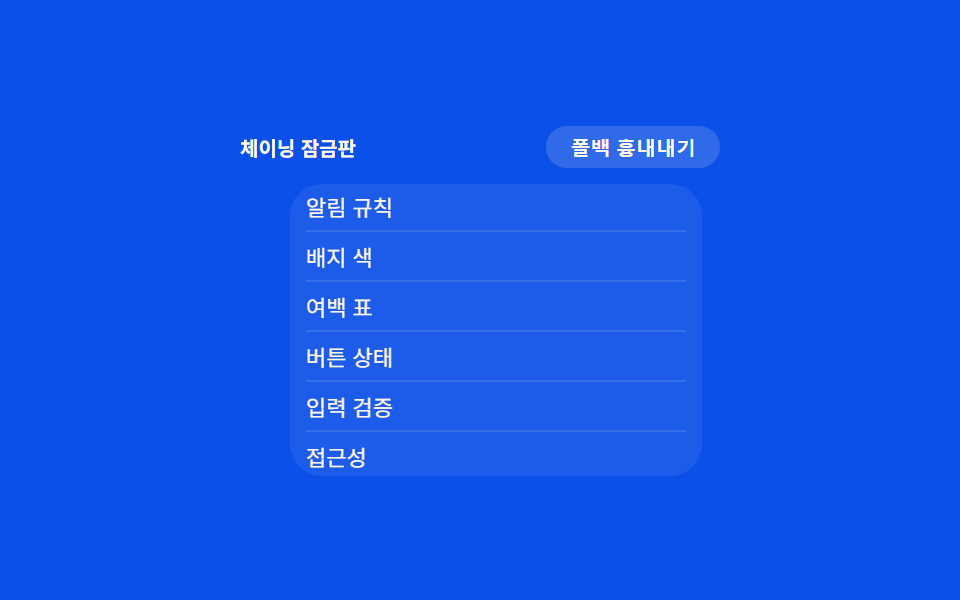
<main class="stage">
<div class="wrap is-demo" id="wrap">
  <div class="head">
    <span class="modeLabel" id="modeLabel">Scroll lock on</span>
    <button class="simToggle" id="simToggle" type="button" aria-pressed="false">Simulate fallback</button>
  </div>
  <div class="panelWrap">
    <ul class="panel" id="panel">
      <li>Alert rules</li>
      <li>Badge colors</li>
      <li>Spacing table</li>
      <li>Button states</li>
      <li>Input validation</li>
      <li>A11y</li>
      <li>Perf metrics</li>
      <li>Deploy notes</li>
    </ul>
    <div class="pullCap" id="pullCap"></div>
  </div>
</div>
</main>
@use "../../../../site/static/demo-tokens" as *;
// 계산 겹은 index.html 의 setPull() 에 있다 — 실제 wheel 델타를 OVERSCROLL_LOCK_PX 안으로 눌러
// 담고 scaleY 로 당김 캡을 늘인다. 여기는 패널 모양과 당김 캡의 원점(아래 변)만 맡는다.
@include stage($subject-blue-deep);
.wrap {
width: 240px;
display: flex;
flex-direction: column;
align-items: center;
gap: $sp-2;
}
.head {
display: flex;
align-items: center;
justify-content: space-between;
width: 100%;
}
.modeLabel {
color: $subject-cream;
font-size: 10px;
font-weight: 700;
}
.simToggle {
appearance: none;
border: none;
border-radius: $r-pill;
background: rgba($subject-cream, .16);
color: $subject-cream;
padding: $sp-1 $sp-3;
font-size: 10px;
font-weight: 600;
cursor: pointer;
transition: transform $dur-instant $ease-out;
&:active { transform: scale(.96); }
&[aria-pressed="true"] { background: $subject-orange-deep; }
&:focus-visible { outline: 2px solid $subject-blue-light; outline-offset: 2px; }
}
.panelWrap {
position: relative;
width: 190px;
}
.panel {
margin: 0;
padding: $sp-2;
list-style: none;
width: 100%;
height: 130px;
overflow-y: auto;
border-radius: $r-card;
background: rgba($subject-cream, .08);
// 폴백: 표준 속성을 모르는 환경에서도 JS 당김 잠금이 경계를 막는다 — 항상 동작, 아래 @supports 는 보조일 뿐
overscroll-behavior: auto;
}
@supports (overscroll-behavior: contain) {
.wrap:not(.force-fallback) .panel {
overscroll-behavior: contain;
}
}
// 시뮬레이션: 표준 속성이 있어도 강제로 꺼서(auto) 체이닝이 새는 환경을 흉내 — JS 당김 잠금만으로 막히는지 보여준다
.force-fallback .panel {
overscroll-behavior: auto;
}
.panel li {
padding: $sp-1 0;
color: $subject-cream;
font-size: 11px;
border-bottom: 1px solid rgba($subject-cream, .12);
&:last-child { border-bottom: none; }
}
.pullCap {
position: absolute;
left: $sp-2;
right: $sp-2;
bottom: 2px;
height: 6px;
border-radius: $r-pill;
background: $subject-orange-deep;
transform-origin: center bottom;
transform: scaleY(0);
transition: transform $dur-instant $ease-out;
}
@media (max-width: 340px) {
.wrap { width: 208px; }
.panelWrap { width: 168px; }
.panel { height: 112px; }
}
@media (prefers-reduced-motion: reduce) {
.pullCap { transition: none; }
.simToggle { transition: none; }
}html, body {
margin: 0;
overflow: hidden;
}
.stage {
box-sizing: border-box;
min-height: 100vh;
display: grid;
place-items: center;
margin: 0;
background: #0a4fe8;
font-family: -apple-system, "Segoe UI", "Noto Sans KR", sans-serif;
padding: clamp(8px, 4vw, 24px);
}
.wrap {
width: 240px;
display: flex;
flex-direction: column;
align-items: center;
gap: 8px;
}
.head {
display: flex;
align-items: center;
justify-content: space-between;
width: 100%;
}
.modeLabel {
color: #fff7e6;
font-size: 10px;
font-weight: 700;
}
.simToggle {
appearance: none;
border: none;
border-radius: 999px;
background: rgba(255, 247, 230, 0.16);
color: #fff7e6;
padding: 4px 12px;
font-size: 10px;
font-weight: 600;
cursor: pointer;
transition: transform 140ms ease-out;
}
.simToggle:active {
transform: scale(0.96);
}
.simToggle[aria-pressed=true] {
background: #c93000;
}
.simToggle:focus-visible {
outline: 2px solid #5b8cf8;
outline-offset: 2px;
}
.panelWrap {
position: relative;
width: 190px;
}
.panel {
margin: 0;
padding: 8px;
list-style: none;
width: 100%;
height: 130px;
overflow-y: auto;
border-radius: 16px;
background: rgba(255, 247, 230, 0.08);
overscroll-behavior: auto;
}
@supports (overscroll-behavior: contain) {
.wrap:not(.force-fallback) .panel {
overscroll-behavior: contain;
}
}
.force-fallback .panel {
overscroll-behavior: auto;
}
.panel li {
padding: 4px 0;
color: #fff7e6;
font-size: 11px;
border-bottom: 1px solid rgba(255, 247, 230, 0.12);
}
.panel li:last-child {
border-bottom: none;
}
.pullCap {
position: absolute;
left: 8px;
right: 8px;
bottom: 2px;
height: 6px;
border-radius: 999px;
background: #c93000;
transform-origin: center bottom;
transform: scaleY(0);
transition: transform 140ms ease-out;
}
@media (max-width: 340px) {
.wrap {
width: 208px;
}
.panelWrap {
width: 168px;
}
.panel {
height: 112px;
}
}
@media (prefers-reduced-motion: reduce) {
.pullCap {
transition: none;
}
.simToggle {
transition: none;
}
}(function () {
var OVERSCROLL_LOCK_PX = 24; // 경계에서 더 당길 수 있는 최대치 — 변형 목표: 24 → 48
var reduce = window.matchMedia('(prefers-reduced-motion: reduce)').matches;
var wrap = document.getElementById('wrap');
var panel = document.getElementById('panel');
var pullCap = document.getElementById('pullCap');
var simToggle = document.getElementById('simToggle');
var modeLabel = document.getElementById('modeLabel');
var isDemo = true;
function human() { if (isDemo) { wrap.classList.remove('is-demo'); isDemo = false; } }
var pull = 0;
var releaseTimer = null;
function atBottom() {
return panel.scrollTop + panel.clientHeight >= panel.scrollHeight - 1;
}
function atTop() { return panel.scrollTop <= 0; }
function setPull(px) {
pull = Math.max(0, Math.min(OVERSCROLL_LOCK_PX, px));
pullCap.style.transform = 'scaleY(' + (pull / OVERSCROLL_LOCK_PX) + ')';
}
function release() {
setPull(0);
}
// 실제 wheel 리스너 — 경계에 닿은 뒤의 남는 델타만 당김으로 흡수하고 스크롤 전파(체이닝)를 막는다
panel.addEventListener('wheel', function (e) {
human();
if (e.deltaY > 0 && atBottom()) {
e.preventDefault();
setPull(pull + e.deltaY * 0.4);
if (releaseTimer) clearTimeout(releaseTimer);
releaseTimer = setTimeout(release, 220);
} else if (e.deltaY < 0 && atTop() && pull > 0) {
e.preventDefault();
setPull(pull + e.deltaY * 0.4);
if (releaseTimer) clearTimeout(releaseTimer);
releaseTimer = setTimeout(release, 220);
}
}, { passive: false });
panel.addEventListener('scroll', function () { if (pull > 0 && !atBottom()) release(); });
var simOn = false;
function setSim(on) {
simOn = on;
wrap.classList.toggle('force-fallback', on);
simToggle.setAttribute('aria-pressed', String(on));
modeLabel.textContent = on ? 'Scroll lock off' : 'Scroll lock on';
}
simToggle.addEventListener('click', function () { human(); setSim(!simOn); });
var last = 0;
var STEP_MS = 70;
var dir = 1;
var holdUntil = 0;
function autoAdvance(ts) {
if (ts - last < STEP_MS) return;
last = ts;
if (ts < holdUntil) {
// 경계에서 더 당기는 구간 — 실제 wheel 이 하는 것과 같은 setPull 호출
setPull(pull + (dir > 0 ? 6 : -6));
return;
}
var max = panel.scrollHeight - panel.clientHeight;
var next = panel.scrollTop + dir * 10;
if (next >= max) { panel.scrollTop = max; holdUntil = ts + 360; dir = -1; }
else if (next <= 0) { panel.scrollTop = 0; holdUntil = ts + 360; dir = 1; }
else { panel.scrollTop = next; }
}
function loop(ts) {
if (!last) last = ts;
if (isDemo && !reduce) autoAdvance(ts);
if (isDemo && !reduce && pull > 0 && ts > holdUntil + 40) setPull(0);
requestAnimationFrame(loop);
}
requestAnimationFrame(loop);
})();// OverscrollBounce — vanilla 판(run/375/demo/07-compat-overscroll-bounce/index.html) 의 React 포트.
// 경계에 닿은 뒤의 남는 wheel 델타만 OVERSCROLL_LOCK_PX 안으로 눌러 담아 당김 캡을 늘이고, 스크롤 전파를 막는다.
import { useEffect, useRef } from "react";
import styles from "./OverscrollBounce.module.scss";
type Box<T> = { current: T };
const OVERSCROLL_LOCK_PX = 24; // 경계에서 더 당길 수 있는 최대치 — 변형 목표: 24 → 48
const STEP_MS = 70;
export default function OverscrollBounce() {
const rootRef = useRef(null) as unknown as Box<HTMLDivElement>;
const panelRef = useRef(null) as unknown as Box<HTMLUListElement>;
const pullCapRef = useRef(null) as unknown as Box<HTMLDivElement>;
const simToggleRef = useRef(null) as unknown as Box<HTMLButtonElement>;
const modeLabelRef = useRef(null) as unknown as Box<HTMLSpanElement>;
const rafRef = useRef(0) as unknown as Box<number>;
const timerRef = useRef(0) as unknown as Box<number>;
useEffect(() => {
const reduce = window.matchMedia("(prefers-reduced-motion: reduce)").matches;
const wrap = rootRef.current;
const panel = panelRef.current;
const pullCap = pullCapRef.current;
const simToggle = simToggleRef.current;
const modeLabel = modeLabelRef.current;
if (!wrap || !panel || !pullCap || !simToggle || !modeLabel) return;
let isDemo = true;
function human() { if (isDemo) { wrap!.classList.remove(styles.isDemo); isDemo = false; } }
let pull = 0;
let releaseTimer = 0;
function atBottom() {
return panel!.scrollTop + panel!.clientHeight >= panel!.scrollHeight - 1;
}
function atTop() { return panel!.scrollTop <= 0; }
function setPull(px: number) {
pull = Math.max(0, Math.min(OVERSCROLL_LOCK_PX, px));
pullCap!.style.transform = "scaleY(" + (pull / OVERSCROLL_LOCK_PX) + ")";
}
function release() {
setPull(0);
}
// 실제 wheel 리스너 — 경계에 닿은 뒤의 남는 델타만 당김으로 흡수하고 스크롤 전파(체이닝)를 막는다
function onWheel(e: WheelEvent) {
human();
if (e.deltaY > 0 && atBottom()) {
e.preventDefault();
setPull(pull + e.deltaY * 0.4);
window.clearTimeout(releaseTimer);
releaseTimer = window.setTimeout(release, 220);
} else if (e.deltaY < 0 && atTop() && pull > 0) {
e.preventDefault();
setPull(pull + e.deltaY * 0.4);
window.clearTimeout(releaseTimer);
releaseTimer = window.setTimeout(release, 220);
}
}
panel.addEventListener("wheel", onWheel, { passive: false });
function onScroll() { if (pull > 0 && !atBottom()) release(); }
panel.addEventListener("scroll", onScroll);
let simOn = false;
function setSim(on: boolean) {
simOn = on;
wrap!.classList.toggle(styles.forceFallback, on);
simToggle!.setAttribute("aria-pressed", String(on));
modeLabel!.textContent = on ? "체이닝 새는판" : "체이닝 잠금판";
}
function onSimClick() { human(); setSim(!simOn); }
simToggle.addEventListener("click", onSimClick);
let last = 0;
let dir = 1;
let holdUntil = 0;
function autoAdvance(ts: number) {
if (ts - last < STEP_MS) return;
last = ts;
if (ts < holdUntil) {
// 경계에서 더 당기는 구간 — 실제 wheel 이 하는 것과 같은 setPull 호출
setPull(pull + (dir > 0 ? 6 : -6));
return;
}
const max = panel!.scrollHeight - panel!.clientHeight;
const next = panel!.scrollTop + dir * 10;
if (next >= max) { panel!.scrollTop = max; holdUntil = ts + 360; dir = -1; }
else if (next <= 0) { panel!.scrollTop = 0; holdUntil = ts + 360; dir = 1; }
else { panel!.scrollTop = next; }
}
function loop(ts: number) {
if (!last) last = ts;
if (isDemo && !reduce) autoAdvance(ts);
if (isDemo && !reduce && pull > 0 && ts > holdUntil + 40) setPull(0);
rafRef.current = requestAnimationFrame(loop);
}
rafRef.current = requestAnimationFrame(loop);
return () => {
panel!.removeEventListener("wheel", onWheel);
panel!.removeEventListener("scroll", onScroll);
simToggle!.removeEventListener("click", onSimClick);
window.clearTimeout(releaseTimer);
cancelAnimationFrame(rafRef.current);
};
}, []);
return (
<main className={styles.stage}>
<div className={styles.wrap + " " + styles.isDemo} ref={rootRef}>
<div className={styles.head}>
<span className={styles.modeLabel} ref={modeLabelRef}>체이닝 잠금판</span>
<button className={styles.simToggle} ref={simToggleRef} type="button" aria-pressed="false">폴백 흉내내기</button>
</div>
<div className={styles.panelWrap}>
<ul className={styles.panel} ref={panelRef}>
<li>알림 규칙</li>
<li>배지 색</li>
<li>여백 표</li>
<li>버튼 상태</li>
<li>입력 검증</li>
<li>접근성</li>
<li>성능 측정</li>
<li>배포 노트</li>
</ul>
<div className={styles.pullCap} ref={pullCapRef}></div>
</div>
</div>
</main>
);
}07 Overscroll lock — a list that stops the pull without dragging the background along — Measured area 9.72% · moving frames 19/23Original by GODRICH · SCSS and React ship in the zip · CSS Browser Compatibility: 9 Practical Fallbacks
The post this demo lives in
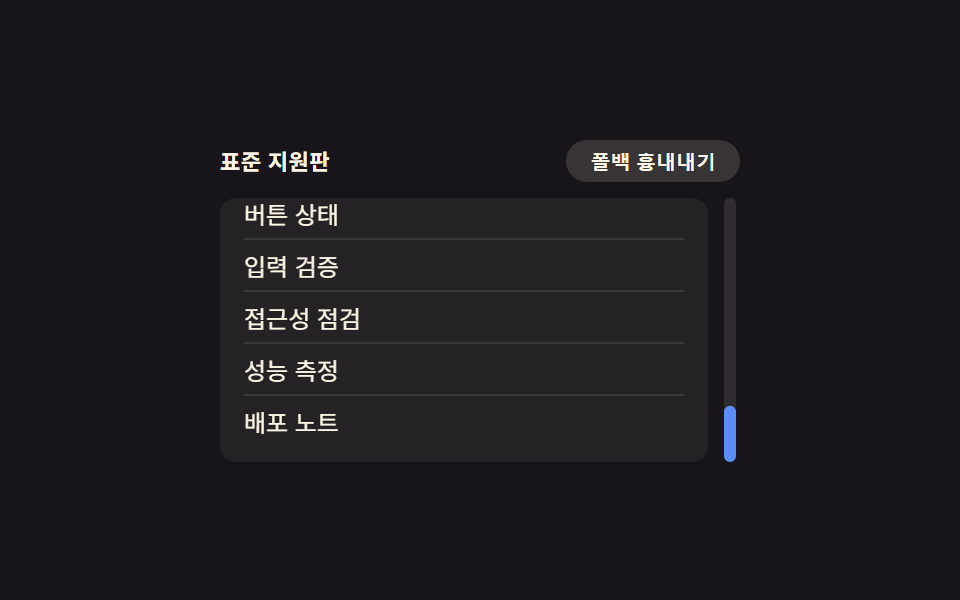 CSS Browser Compatibility: 9 Practical FallbacksNine css browser compatibility fixes: one recalculates height as the address bar resizes, one locks input zoom on focus, See all demos in this post
If you like this effect - similar demos
 Inputs01 Next button that stays locked until the rules are met9 Multi Step Form UI Patterns — Branch and Resume
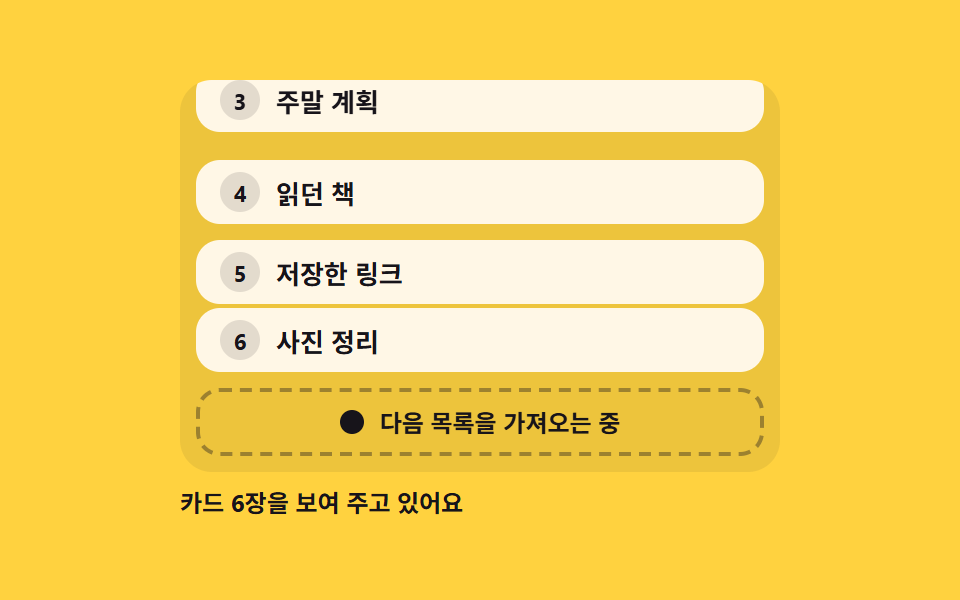 Loaders06 Footer loader that fetches the next page at the end of the listPage Loading Animation CSS: 9 Route-Change Demos
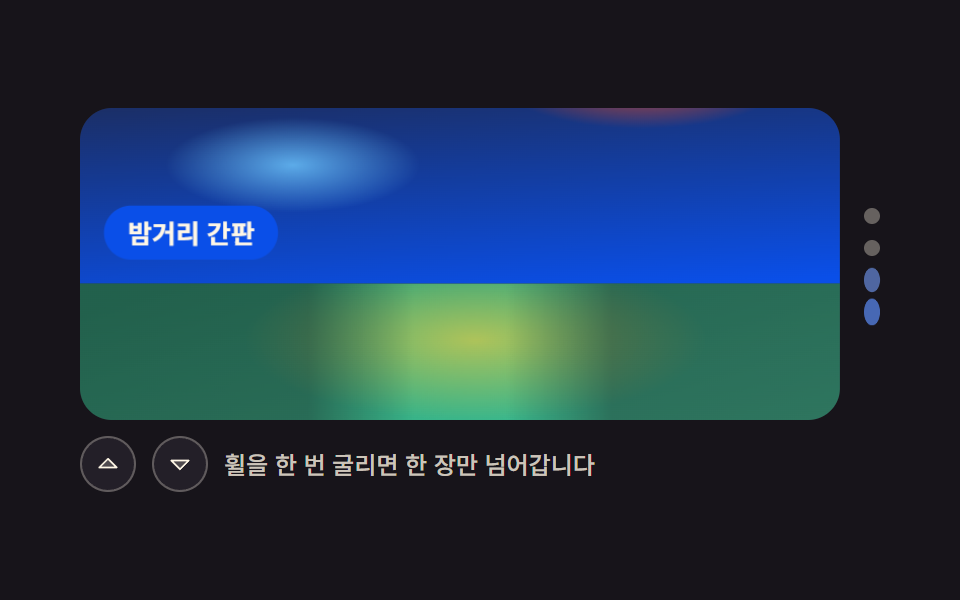 Galleries05 Vertical slider that takes one wheel step at a timeCSS Image Slider — 9 Responsive Sliders, No GSAP