01Next button that stays locked until the rules are met
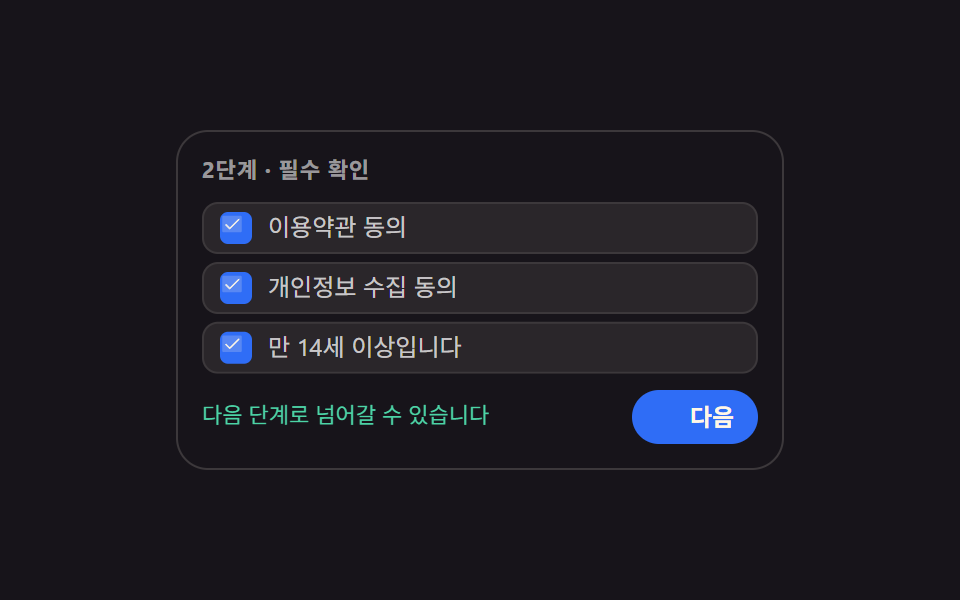
While the three required rules fill in one by one the Next button stays aria-disabled, and the moment the last one lands the lock cuts away in a single frame and the button takes its real color.
Best forA signup step that needs every consent checked, an application with required fields left
aria-disabledsteps(1, end)translateY

<main class="stage">
  <section class="lg is-demo" id="lg" aria-label="Required checks for signup">
    <p class="lg__h">Step 2 · Required checks</p>
    <ul class="lg__list">
      <li class="lg__row" data-row="1">
        <button class="lg__box" type="button" role="checkbox" aria-checked="false">
          <span class="lg__tick" aria-hidden="true"><svg viewBox="0 0 256 256" width="1em" height="1em" fill="currentColor"><g><path d="M232 56v144a16 16 0 0 1-16 16H40a16 16 0 0 1-16-16V56a16 16 0 0 1 16-16h176a16 16 0 0 1 16 16" opacity=".2"/><path d="m205.66 85.66l-96 96a8 8 0 0 1-11.32 0l-40-40a8 8 0 0 1 11.32-11.32L104 164.69l90.34-90.35a8 8 0 0 1 11.32 11.32"/></g></svg></span>
          <span class="lg__label">Accept the terms of service</span>
        </button>
      </li>
      <li class="lg__row" data-row="2">
        <button class="lg__box" type="button" role="checkbox" aria-checked="false">
          <span class="lg__tick" aria-hidden="true"><svg viewBox="0 0 256 256" width="1em" height="1em" fill="currentColor"><g><path d="M232 56v144a16 16 0 0 1-16 16H40a16 16 0 0 1-16-16V56a16 16 0 0 1 16-16h176a16 16 0 0 1 16 16" opacity=".2"/><path d="m205.66 85.66l-96 96a8 8 0 0 1-11.32 0l-40-40a8 8 0 0 1 11.32-11.32L104 164.69l90.34-90.35a8 8 0 0 1 11.32 11.32"/></g></svg></span>
          <span class="lg__label">Accept the privacy notice</span>
        </button>
      </li>
      <li class="lg__row" data-row="3">
        <button class="lg__box" type="button" role="checkbox" aria-checked="false">
          <span class="lg__tick" aria-hidden="true"><svg viewBox="0 0 256 256" width="1em" height="1em" fill="currentColor"><g><path d="M232 56v144a16 16 0 0 1-16 16H40a16 16 0 0 1-16-16V56a16 16 0 0 1 16-16h176a16 16 0 0 1 16 16" opacity=".2"/><path d="m205.66 85.66l-96 96a8 8 0 0 1-11.32 0l-40-40a8 8 0 0 1 11.32-11.32L104 164.69l90.34-90.35a8 8 0 0 1 11.32 11.32"/></g></svg></span>
          <span class="lg__label">I am 14 or older</span>
        </button>
      </li>
    </ul>
    <div class="lg__foot">
      <p class="lg__why">
        <span class="lg__why-a">Required items are still open</span>
        <span class="lg__why-b">You can move to the next step</span>
      </p>
      <button class="lg__next" type="button" id="lg-next" aria-disabled="true">
        <span class="lg__lock" aria-hidden="true"><svg viewBox="0 0 256 256" width="1em" height="1em" fill="currentColor"><g><path d="M216 96v112a8 8 0 0 1-8 8H48a8 8 0 0 1-8-8V96a8 8 0 0 1 8-8h160a8 8 0 0 1 8 8" opacity=".2"/><path d="M208 80h-32V56a48 48 0 0 0-96 0v24H48a16 16 0 0 0-16 16v112a16 16 0 0 0 16 16h160a16 16 0 0 0 16-16V96a16 16 0 0 0-16-16M96 56a32 32 0 0 1 64 0v24H96Zm112 152H48V96h160z"/></g></svg></span>
        <span class="lg__next-t">Next</span>
      </button>
    </div>
  </section>
</main>@use "sass:color";
@use "../../../../site/static/demo-tokens" as *;
$duration: $dur-quick;
$easing: $ease-spring;
$color: $subject-blue;
@include stage($stage-ink);
$line: color.mix($subject-cream, $stage-ink, 16%);
$soft: color.mix($subject-cream, $stage-ink, 8%);
.lg {
box-sizing: border-box;
width: min(304px, 92vw);
padding: $sp-3;
border: 1px solid $line;
border-radius: $r-card;
background: $stage-ink;
color: $subject-cream;
font-family: -apple-system, "Segoe UI", "Noto Sans KR", sans-serif;
font-size: 12px;
line-height: 1.3;
}
.lg__h {
margin: 0 0 $sp-2;
color: rgba(255, 255, 255, .56);
font-size: 11px;
font-weight: 700;
letter-spacing: .04em;
}
.lg__list {
display: grid;
gap: $sp-1;
margin: 0;
padding: 0;
list-style: none;
}
// ── 조건 한 줄 ────────────────────────────────────
.lg__box {
display: flex;
align-items: center;
gap: $sp-2;
width: 100%;
margin: 0;
padding: $sp-1 $sp-2;
border: 1px solid $line;
border-radius: $r-sm;
background: $soft;
color: inherit;
font-family: inherit;
font-size: 12px;
line-height: 1.3;
text-align: left;
cursor: pointer;
}
.lg__box:focus-visible { outline: 2px solid $color; outline-offset: 2px; }
.lg__tick {
display: inline-flex;
flex: 0 0 auto;
width: 16px;
height: 16px;
border-radius: $r-xs;
background: rgba(255, 255, 255, .1);
color: transparent;
}
.lg__label { color: rgba(255, 255, 255, .74); }
// 정적(사람이 조작하는) 경로 — .is-demo 를 떼도 결과가 보여야 한다
.lg__row.is-on .lg__tick { background: $color; color: $subject-cream; }
.lg__row.is-on .lg__label { color: $subject-cream; }
// ── 발판 ─────────────────────────────────────────
.lg__foot {
display: grid;
grid-template-columns: 1fr auto;
align-items: center;
gap: $sp-2;
margin-top: $sp-2;
}
.lg__why {
position: relative;
margin: 0;
min-height: 16px;
font-size: 11px;
}
.lg__why-a, .lg__why-b { position: absolute; inset: 0; }
.lg__why-a { color: rgba(255, 255, 255, .5); }
.lg__why-b { color: $subject-mint; opacity: 0; }
.lg.is-ready .lg__why-a { opacity: 0; }
.lg.is-ready .lg__why-b { opacity: 1; }
.lg__next {
display: inline-flex;
align-items: center;
gap: $sp-1;
margin: 0;
padding: $sp-1 $sp-3;
border: 0;
border-radius: $r-pill;
background: rgba(255, 255, 255, .12);
color: rgba(255, 255, 255, .72);
font-family: inherit;
font-size: 12px;
font-weight: 700;
line-height: 1.6;
cursor: not-allowed;
}
.lg__next:focus-visible { outline: 2px solid $color; outline-offset: 2px; }
.lg__lock { display: inline-flex; width: 13px; height: 13px; }
.lg.is-ready .lg__next { background: $color; color: $subject-cream; cursor: pointer; }
.lg.is-ready .lg__lock { display: none; }
.lg.is-sent .lg__next-t { color: $subject-mint; }
.lg.is-nudge .lg__why-a { color: $error-soft; }
// ── 격자 미리보기 전용 2초 루프 ─────────────────────
// 켜짐은 steps(1, end) 로 한 프레임에 자르고(반투명 유령 금지),
// 프레임 수는 같은 줄의 translateY 팝이 채운다
@keyframes lg-on-1 {
0%, 11% { background: rgba(255, 255, 255, .1); color: transparent; }
12%, 100% { background: $color; color: $subject-cream; }
}
@keyframes lg-on-2 {
0%, 31% { background: rgba(255, 255, 255, .1); color: transparent; }
32%, 100% { background: $color; color: $subject-cream; }
}
@keyframes lg-on-3 {
0%, 51% { background: rgba(255, 255, 255, .1); color: transparent; }
52%, 88% { background: $color; color: $subject-cream; }
89%, 100% { background: rgba(255, 255, 255, .1); color: transparent; }
}
@keyframes lg-pop-1 {
0%, 8% { transform: translateY(0); }
14% { transform: translateY(-3px); }
22%, 100% { transform: translateY(0); }
}
@keyframes lg-pop-2 {
0%, 28% { transform: translateY(0); }
34% { transform: translateY(-3px); }
42%, 100% { transform: translateY(0); }
}
@keyframes lg-pop-3 {
0%, 48% { transform: translateY(0); }
54% { transform: translateY(-3px); }
62%, 88% { transform: translateY(0); }
100% { transform: translateY(0); }
}
@keyframes lg-unlock {
0%, 55% { background: rgba(255, 255, 255, .12); color: rgba(255, 255, 255, .72); }
56%, 88% { background: $color; color: $subject-cream; }
89%, 100% { background: rgba(255, 255, 255, .12); color: rgba(255, 255, 255, .72); }
}
@keyframes lg-lock-off {
0%, 55% { transform: scale(1); opacity: 1; }
56%, 88% { transform: scale(.4); opacity: 0; }
89%, 100% { transform: scale(1); opacity: 1; }
}
@keyframes lg-why-a {
0%, 55% { opacity: 1; }
56%, 88% { opacity: 0; }
89%, 100% { opacity: 1; }
}
@keyframes lg-why-b {
0%, 55% { opacity: 0; transform: translateY(3px); }
56% { opacity: 1; transform: translateY(3px); }
64%, 88% { opacity: 1; transform: translateY(0); }
89%, 100% { opacity: 0; transform: translateY(3px); }
}
.lg.is-demo {
.lg__row[data-row="1"] .lg__tick { animation-name: lg-on-1; }
.lg__row[data-row="2"] .lg__tick { animation-name: lg-on-2; }
.lg__row[data-row="3"] .lg__tick { animation-name: lg-on-3; }
.lg__tick {
animation-duration: $dur-loop;
animation-timing-function: steps(1, end);
animation-iteration-count: infinite;
}
.lg__row[data-row="1"] .lg__box { animation-name: lg-pop-1; }
.lg__row[data-row="2"] .lg__box { animation-name: lg-pop-2; }
.lg__row[data-row="3"] .lg__box { animation-name: lg-pop-3; }
.lg__box {
animation-duration: $dur-loop;
animation-timing-function: $easing;
animation-iteration-count: infinite;
}
.lg__next {
animation-name: lg-unlock;
animation-duration: $dur-loop;
animation-timing-function: steps(1, end);
animation-iteration-count: infinite;
}
.lg__lock {
animation-name: lg-lock-off;
animation-duration: $dur-loop;
animation-timing-function: $easing;
animation-iteration-count: infinite;
}
.lg__why-a {
animation-name: lg-why-a;
animation-duration: $dur-loop;
animation-timing-function: steps(1, end);
animation-iteration-count: infinite;
}
.lg__why-b {
animation-name: lg-why-b;
animation-duration: $dur-loop;
animation-timing-function: $easing;
animation-iteration-count: infinite;
}
}
@media (max-width: 340px) {
.lg { padding: $sp-2; font-size: 11px; }
.lg__h { margin-bottom: $sp-1; }
.lg__box { padding: 0 $sp-2; font-size: 11px; }
.lg__foot { margin-top: $sp-1; }
}
@media (prefers-reduced-motion: reduce) {
.lg.is-demo .lg__tick,
.lg.is-demo .lg__box,
.lg.is-demo .lg__next,
.lg.is-demo .lg__lock,
.lg.is-demo .lg__why-a,
.lg.is-demo .lg__why-b { animation: none !important; transform: none !important; }
// 움직임만 끄고 판정 결과는 남긴다
.lg.is-demo .lg__tick { background: $color !important; color: $subject-cream !important; }
.lg.is-demo .lg__next { background: $color !important; color: $subject-cream !important; }
.lg.is-demo .lg__lock { display: none !important; }
.lg.is-demo .lg__why-a { opacity: 0 !important; }
.lg.is-demo .lg__why-b { opacity: 1 !important; }
}html, body {
margin: 0;
overflow: hidden;
}
.stage {
box-sizing: border-box;
min-height: 100vh;
display: grid;
place-items: center;
margin: 0;
background: #17141a;
font-family: -apple-system, "Segoe UI", "Noto Sans KR", sans-serif;
padding: clamp(8px, 4vw, 24px);
}
.lg {
box-sizing: border-box;
width: min(304px, 92vw);
padding: 12px;
border: 1px solid rgb(23.5764705882%, 22.0862745098%, 22.9960784314%);
border-radius: 16px;
background: #17141a;
color: #fff7e6;
font-family: -apple-system, "Segoe UI", "Noto Sans KR", sans-serif;
font-size: 12px;
line-height: 1.3;
}
.lg__h {
margin: 0 0 8px;
color: rgba(255, 255, 255, 0.56);
font-size: 11px;
font-weight: 700;
letter-spacing: 0.04em;
}
.lg__list {
display: grid;
gap: 4px;
margin: 0;
padding: 0;
list-style: none;
}
.lg__box {
display: flex;
align-items: center;
gap: 8px;
width: 100%;
margin: 0;
padding: 4px 8px;
border: 1px solid rgb(23.5764705882%, 22.0862745098%, 22.9960784314%);
border-radius: 8px;
background: rgb(16.2980392157%, 14.9647058824%, 16.5960784314%);
color: inherit;
font-family: inherit;
font-size: 12px;
line-height: 1.3;
text-align: left;
cursor: pointer;
}
.lg__box:focus-visible {
outline: 2px solid #2f6df6;
outline-offset: 2px;
}
.lg__tick {
display: inline-flex;
flex: 0 0 auto;
width: 16px;
height: 16px;
border-radius: 4px;
background: rgba(255, 255, 255, 0.1);
color: transparent;
}
.lg__label {
color: rgba(255, 255, 255, 0.74);
}
.lg__row.is-on .lg__tick {
background: #2f6df6;
color: #fff7e6;
}
.lg__row.is-on .lg__label {
color: #fff7e6;
}
.lg__foot {
display: grid;
grid-template-columns: 1fr auto;
align-items: center;
gap: 8px;
margin-top: 8px;
}
.lg__why {
position: relative;
margin: 0;
min-height: 16px;
font-size: 11px;
}
.lg__why-a, .lg__why-b {
position: absolute;
inset: 0;
}
.lg__why-a {
color: rgba(255, 255, 255, 0.5);
}
.lg__why-b {
color: #4cd4a6;
opacity: 0;
}
.lg.is-ready .lg__why-a {
opacity: 0;
}
.lg.is-ready .lg__why-b {
opacity: 1;
}
.lg__next {
display: inline-flex;
align-items: center;
gap: 4px;
margin: 0;
padding: 4px 12px;
border: 0;
border-radius: 999px;
background: rgba(255, 255, 255, 0.12);
color: rgba(255, 255, 255, 0.72);
font-family: inherit;
font-size: 12px;
font-weight: 700;
line-height: 1.6;
cursor: not-allowed;
}
.lg__next:focus-visible {
outline: 2px solid #2f6df6;
outline-offset: 2px;
}
.lg__lock {
display: inline-flex;
width: 13px;
height: 13px;
}
.lg.is-ready .lg__next {
background: #2f6df6;
color: #fff7e6;
cursor: pointer;
}
.lg.is-ready .lg__lock {
display: none;
}
.lg.is-sent .lg__next-t {
color: #4cd4a6;
}
.lg.is-nudge .lg__why-a {
color: #ffe0d8;
}
@keyframes lg-on-1 {
0%, 11% {
background: rgba(255, 255, 255, 0.1);
color: transparent;
}
12%, 100% {
background: #2f6df6;
color: #fff7e6;
}
}
@keyframes lg-on-2 {
0%, 31% {
background: rgba(255, 255, 255, 0.1);
color: transparent;
}
32%, 100% {
background: #2f6df6;
color: #fff7e6;
}
}
@keyframes lg-on-3 {
0%, 51% {
background: rgba(255, 255, 255, 0.1);
color: transparent;
}
52%, 88% {
background: #2f6df6;
color: #fff7e6;
}
89%, 100% {
background: rgba(255, 255, 255, 0.1);
color: transparent;
}
}
@keyframes lg-pop-1 {
0%, 8% {
transform: translateY(0);
}
14% {
transform: translateY(-3px);
}
22%, 100% {
transform: translateY(0);
}
}
@keyframes lg-pop-2 {
0%, 28% {
transform: translateY(0);
}
34% {
transform: translateY(-3px);
}
42%, 100% {
transform: translateY(0);
}
}
@keyframes lg-pop-3 {
0%, 48% {
transform: translateY(0);
}
54% {
transform: translateY(-3px);
}
62%, 88% {
transform: translateY(0);
}
100% {
transform: translateY(0);
}
}
@keyframes lg-unlock {
0%, 55% {
background: rgba(255, 255, 255, 0.12);
color: rgba(255, 255, 255, 0.72);
}
56%, 88% {
background: #2f6df6;
color: #fff7e6;
}
89%, 100% {
background: rgba(255, 255, 255, 0.12);
color: rgba(255, 255, 255, 0.72);
}
}
@keyframes lg-lock-off {
0%, 55% {
transform: scale(1);
opacity: 1;
}
56%, 88% {
transform: scale(0.4);
opacity: 0;
}
89%, 100% {
transform: scale(1);
opacity: 1;
}
}
@keyframes lg-why-a {
0%, 55% {
opacity: 1;
}
56%, 88% {
opacity: 0;
}
89%, 100% {
opacity: 1;
}
}
@keyframes lg-why-b {
0%, 55% {
opacity: 0;
transform: translateY(3px);
}
56% {
opacity: 1;
transform: translateY(3px);
}
64%, 88% {
opacity: 1;
transform: translateY(0);
}
89%, 100% {
opacity: 0;
transform: translateY(3px);
}
}
.lg.is-demo .lg__row[data-row="1"] .lg__tick {
animation-name: lg-on-1;
}
.lg.is-demo .lg__row[data-row="2"] .lg__tick {
animation-name: lg-on-2;
}
.lg.is-demo .lg__row[data-row="3"] .lg__tick {
animation-name: lg-on-3;
}
.lg.is-demo .lg__tick {
animation-duration: 2s;
animation-timing-function: steps(1, end);
animation-iteration-count: infinite;
}
.lg.is-demo .lg__row[data-row="1"] .lg__box {
animation-name: lg-pop-1;
}
.lg.is-demo .lg__row[data-row="2"] .lg__box {
animation-name: lg-pop-2;
}
.lg.is-demo .lg__row[data-row="3"] .lg__box {
animation-name: lg-pop-3;
}
.lg.is-demo .lg__box {
animation-duration: 2s;
animation-timing-function: cubic-bezier(0.2, 0.8, 0.2, 1);
animation-iteration-count: infinite;
}
.lg.is-demo .lg__next {
animation-name: lg-unlock;
animation-duration: 2s;
animation-timing-function: steps(1, end);
animation-iteration-count: infinite;
}
.lg.is-demo .lg__lock {
animation-name: lg-lock-off;
animation-duration: 2s;
animation-timing-function: cubic-bezier(0.2, 0.8, 0.2, 1);
animation-iteration-count: infinite;
}
.lg.is-demo .lg__why-a {
animation-name: lg-why-a;
animation-duration: 2s;
animation-timing-function: steps(1, end);
animation-iteration-count: infinite;
}
.lg.is-demo .lg__why-b {
animation-name: lg-why-b;
animation-duration: 2s;
animation-timing-function: cubic-bezier(0.2, 0.8, 0.2, 1);
animation-iteration-count: infinite;
}
@media (max-width: 340px) {
.lg {
padding: 8px;
font-size: 11px;
}
.lg__h {
margin-bottom: 4px;
}
.lg__box {
padding: 0 8px;
font-size: 11px;
}
.lg__foot {
margin-top: 4px;
}
}
@media (prefers-reduced-motion: reduce) {
.lg.is-demo .lg__tick,
.lg.is-demo .lg__box,
.lg.is-demo .lg__next,
.lg.is-demo .lg__lock,
.lg.is-demo .lg__why-a,
.lg.is-demo .lg__why-b {
animation: none !important;
transform: none !important;
}
.lg.is-demo .lg__tick {
background: #2f6df6 !important;
color: #fff7e6 !important;
}
.lg.is-demo .lg__next {
background: #2f6df6 !important;
color: #fff7e6 !important;
}
.lg.is-demo .lg__lock {
display: none !important;
}
.lg.is-demo .lg__why-a {
opacity: 0 !important;
}
.lg.is-demo .lg__why-b {
opacity: 1 !important;
}
}// 실제 동작: 세 조건이 전부 켜져야 Next 버튼의 aria-disabled 가 false 로 바뀐다.
// 잠긴 동안 눌러도 단계는 안 넘어가고 이유 문구만 그대로 남는다.
var lg = document.getElementById('lg');
var lgBoxes = [].slice.call(lg.querySelectorAll('.lg__box'));
function lgSync() {
var done = lgBoxes.filter(function (b) { return b.getAttribute('aria-checked') === 'true'; }).length;
var ready = done === lgBoxes.length;
lg.classList.toggle('is-ready', ready);
var next = document.getElementById('lg-next');
next.setAttribute('aria-disabled', ready ? 'false' : 'true');
}
lgBoxes.forEach(function (b) {
b.addEventListener('click', function () {
lg.classList.remove('is-demo');
b.setAttribute('aria-checked', b.getAttribute('aria-checked') === 'true' ? 'false' : 'true');
b.parentNode.classList.toggle('is-on', b.getAttribute('aria-checked') === 'true');
lgSync();
});
});
document.getElementById('lg-next').addEventListener('click', function () {
lg.classList.remove('is-demo');
if (this.getAttribute('aria-disabled') === 'true') { lg.classList.add('is-nudge'); return; }
lg.classList.remove('is-nudge');
lg.classList.add('is-sent');
});
lgSync();import { useState } from "react";
import type { CSSProperties } from "react";
import styles from "./StepLockGate.module.scss";
export type StepLockGateProps = {
heading?: string;
rules?: string[];
lockedHint?: string;
readyHint?: string;
nextLabel?: string;
groupLabel?: string;
/** 격자 미리보기용 2초 자동 루프. 사람이 손대면 꺼진다 */
demo?: boolean;
duration?: number;
easing?: string;
color?: string;
};
type Vars = CSSProperties & { "--duration"?: string; "--easing"?: string; "--color"?: string };
const DEFAULT_RULES = ["Accept the terms of service", "Accept the privacy notice", "I am 14 or older"];
function Tick() {
return (
<svg viewBox="0 0 256 256" width="1em" height="1em" fill="currentColor">
<g>
<path d="M232 56v144a16 16 0 0 1-16 16H40a16 16 0 0 1-16-16V56a16 16 0 0 1 16-16h176a16 16 0 0 1 16 16" opacity=".2" />
<path d="m205.66 85.66l-96 96a8 8 0 0 1-11.32 0l-40-40a8 8 0 0 1 11.32-11.32L104 164.69l90.34-90.35a8 8 0 0 1 11.32 11.32" />
</g>
</svg>
);
}
function Lock() {
return (
<svg viewBox="0 0 256 256" width="1em" height="1em" fill="currentColor">
<g>
<path d="M216 96v112a8 8 0 0 1-8 8H48a8 8 0 0 1-8-8V96a8 8 0 0 1 8-8h160a8 8 0 0 1 8 8" opacity=".2" />
<path d="M208 80h-32V56a48 48 0 0 0-96 0v24H48a16 16 0 0 0-16 16v112a16 16 0 0 0 16 16h160a16 16 0 0 0 16-16V96a16 16 0 0 0-16-16M96 56a32 32 0 0 1 64 0v24H96Zm112 152H48V96h160z" />
</g>
</svg>
);
}
export default function StepLockGate({
heading = "Step 2 · Required checks",
rules = DEFAULT_RULES,
lockedHint = "Required items are still open",
readyHint = "You can move to the next step",
nextLabel = "Next",
groupLabel = "Required checks for signup",
demo = true,
duration = 220,
easing = "cubic-bezier(.2,.8,.2,1)",
color = "#2f6df6",
}: StepLockGateProps) {
const [on, setOn] = useState<boolean[]>(rules.map(() => false));
const [live, setLive] = useState(demo);
const [nudge, setNudge] = useState(false);
const ready = on.length > 0 && on.every(Boolean);
const vars: Vars = { "--duration": `${duration}ms`, "--easing": easing, "--color": color };
function toggle(i: number) {
setLive(false);
setOn((prev) => prev.map((v, n) => (n === i ? !v : v)));
}
function next() {
setLive(false);
// 잠긴 동안 눌러도 단계는 안 넘어간다 — 이유만 강조한다
setNudge(!ready);
}
const cls = [styles.lg, live ? styles.isDemo : "", ready ? styles.isReady : "", nudge ? styles.isNudge : ""]
.filter(Boolean)
.join(" ");
return (
<section className={cls} style={vars} aria-label={groupLabel}>
<p className={styles.h}>{heading}</p>
<ul className={styles.list}>
{rules.map((r, i) => (
<li key={r} className={[styles.row, on[i] ? styles.isOn : ""].filter(Boolean).join(" ")} data-row={i + 1}>
<button className={styles.box} type="button" role="checkbox" aria-checked={on[i]} onClick={() => toggle(i)}>
<span className={styles.tick} aria-hidden="true"><Tick /></span>
<span className={styles.label}>{r}</span>
</button>
</li>
))}
</ul>
<div className={styles.foot}>
<p className={styles.why}>
<span className={styles.whyA}>{lockedHint}</span>
<span className={styles.whyB}>{readyHint}</span>
</p>
<button className={styles.next} type="button" aria-disabled={!ready} onClick={next}>
{!ready && <span className={styles.lock} aria-hidden="true"><Lock /></span>}
<span className={styles.nextT}>{nextLabel}</span>
</button>
</div>
</section>
);
}01 Next button that stays locked until the rules are met — Measured area 8.435% · moving frames 12/23Original by GODRICH · SCSS and React ship in the zip · 9 Multi Step Form UI Patterns — Branch and Resume
The post this demo lives in
 9 Multi Step Form UI Patterns — Branch and ResumeA multi step form ui splits one long form into screens and collects answers in order. All nine read real values, run rea See all demos in this post
If you like this effect - similar demos
 Inputs01 Floating label with a required mark9 Form Validation UI Patterns — As You Type
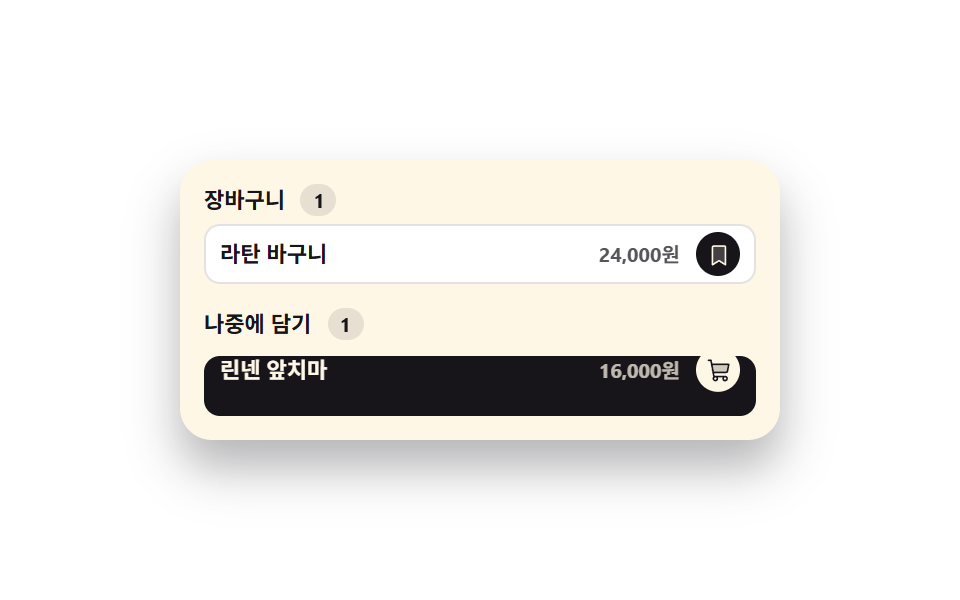 Inputs02 Line item that slides down into the saved-for-later groupCheckout Page Design — 9 Cart Patterns, No Library
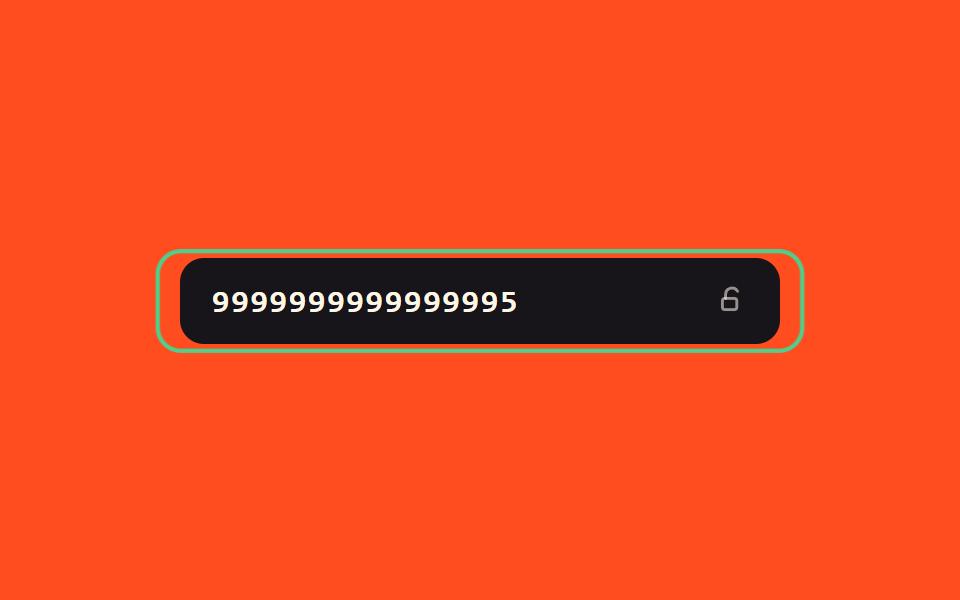 Inputs07 Success-value glow toggle — when the number's success value turns on, a border glow value gradually rises and the field switches to a locked valueCredit Card Input UI: 9 Patterns