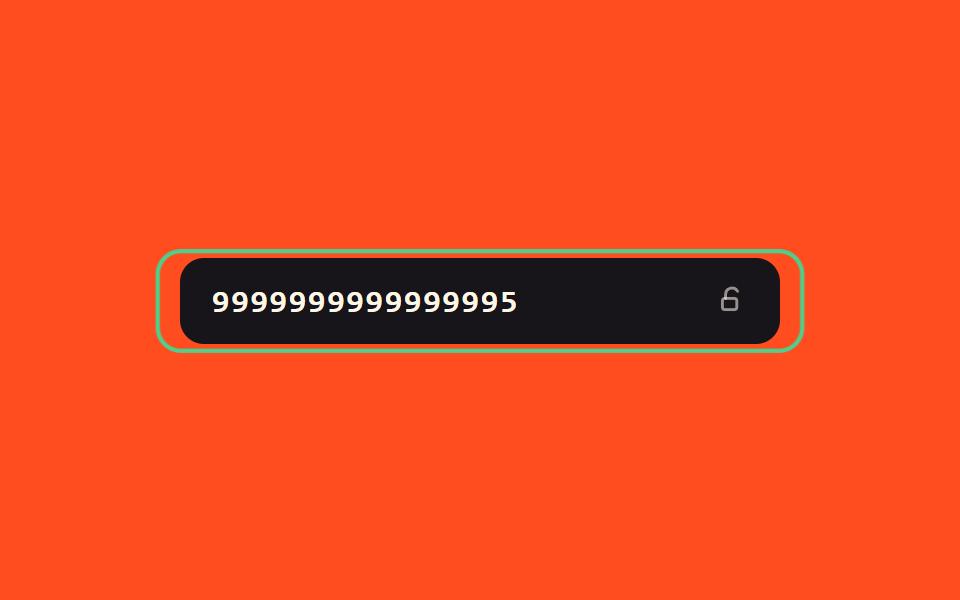
07Success-value glow toggle — when the number's success value turns on, a border glow value gradually rises and the field switches to a locked value
When the number's success value turns on, a border glow value gradually rises from zero, and afterward the field switches to a locked value that can no longer be pressed.
Best forA screen confirming card registration is done, completion-state feedback in a checkout form
GLOW_MStryLockcg__glow--on
<main class="stage">
<div class="cg is-demo" id="cg">
  <div class="cg__field">
    <span class="cg__glow" id="cgGlow" aria-hidden="true"></span>
    <input class="cg__input" id="cgInput" type="text" inputmode="numeric" autocomplete="off" spellcheck="false" maxlength="16" value="">
    <span class="cg__icon" id="cgIcon">
      <svg class="cg__open" viewBox="0 0 20 20" width="16" height="16" aria-hidden="true">
        <path d="M6 9V6.5a4 4 0 0 1 7.5-1.9" fill="none" stroke="currentColor" stroke-width="1.8" stroke-linecap="round"/>
        <rect x="4" y="9" width="9" height="7" rx="1.6" fill="none" stroke="currentColor" stroke-width="1.8"/>
      </svg>
      <svg class="cg__closed" viewBox="0 0 20 20" width="16" height="16" aria-hidden="true">
        <path d="M6.5 9V6.5a3.5 3.5 0 0 1 7 0V9" fill="none" stroke="currentColor" stroke-width="1.8" stroke-linecap="round"/>
        <rect x="4.5" y="9" width="11" height="7.5" rx="1.6" fill="none" stroke="currentColor" stroke-width="1.8"/>
      </svg>
    </span>
  </div>
</div>
</main>
@use "../../../../site/static/demo-tokens" as *;
// 계산 겹: 빛남 값이 감쇠 포락선(A(t)=e^(-1.1n), n=펄스 순번)으로 3번 펄스치며 잦아든다.
@include stage($stage-orange);
.cg {
width: 100%;
max-width: 300px;
}
.cg__field {
position: relative;
border-radius: $r-control;
}
.cg__glow {
position: absolute;
inset: -3px;
border-radius: $r-control;
border: 2px solid $tick-up;
opacity: 0;
transform: scale(1);
pointer-events: none;
}
.cg__glow--on { animation: cgGlow $dur-loop $ease-out; }
@keyframes cgGlow {
0% { opacity: 0; transform: scale(1); }
15% { opacity: .9; transform: scale(1.06); }
30% { opacity: .1; transform: scale(1.01); }
45% { opacity: .3; transform: scale(1.035); }
60% { opacity: .05; transform: scale(1.005); }
75% { opacity: .1; transform: scale(1.015); }
100% { opacity: 0; transform: scale(1); }
}
.cg__input {
width: 100%;
box-sizing: border-box;
padding: $sp-3 $sp-10 $sp-3 $sp-4;
border-radius: $r-control;
border: 0;
background: $subject-ink;
color: $subject-cream;
font-family: "SFMono-Regular", Consolas, monospace;
font-weight: 600;
font-size: 16px;
letter-spacing: .05em;
position: relative;
&:focus { outline: 2px solid $subject-ink; outline-offset: 2px; }
&[readonly] { color: $tick-up; }
}
.cg__icon {
position: absolute;
right: $sp-4;
top: 50%;
transform: translateY(-50%);
color: rgba($subject-cream, .55);
display: grid;
place-items: center;
svg { grid-area: 1 / 1; transition: opacity $dur-quick $ease-out, transform $dur-quick $ease-spring; }
.cg__closed { opacity: 0; transform: scale(.5); }
}
.cg__field--locked .cg__icon {
color: $tick-up;
.cg__open { opacity: 0; transform: scale(.5); }
.cg__closed { opacity: 1; transform: scale(1); }
}
@media (max-width: 340px) {
.cg__input { padding: $sp-2 $sp-8 $sp-2 $sp-3; font-size: 14px; }
}
@media (prefers-reduced-motion: reduce) {
.cg__glow--on { animation: none; }
.cg__icon svg { transition: none; }
}html, body {
margin: 0;
overflow: hidden;
}
.stage {
box-sizing: border-box;
min-height: 100vh;
display: grid;
place-items: center;
margin: 0;
background: #ff4d1f;
font-family: -apple-system, "Segoe UI", "Noto Sans KR", sans-serif;
padding: clamp(8px, 4vw, 24px);
}
.cg {
width: 100%;
max-width: 300px;
}
.cg__field {
position: relative;
border-radius: 12px;
}
.cg__glow {
position: absolute;
inset: -3px;
border-radius: 12px;
border: 2px solid #3ddc97;
opacity: 0;
transform: scale(1);
pointer-events: none;
}
.cg__glow--on {
animation: cgGlow 2s ease-out;
}
@keyframes cgGlow {
0% {
opacity: 0;
transform: scale(1);
}
15% {
opacity: 0.9;
transform: scale(1.06);
}
30% {
opacity: 0.1;
transform: scale(1.01);
}
45% {
opacity: 0.3;
transform: scale(1.035);
}
60% {
opacity: 0.05;
transform: scale(1.005);
}
75% {
opacity: 0.1;
transform: scale(1.015);
}
100% {
opacity: 0;
transform: scale(1);
}
}
.cg__input {
width: 100%;
box-sizing: border-box;
padding: 12px 40px 12px 16px;
border-radius: 12px;
border: 0;
background: #17141a;
color: #fff7e6;
font-family: "SFMono-Regular", Consolas, monospace;
font-weight: 600;
font-size: 16px;
letter-spacing: 0.05em;
position: relative;
}
.cg__input:focus {
outline: 2px solid #17141a;
outline-offset: 2px;
}
.cg__input[readonly] {
color: #3ddc97;
}
.cg__icon {
position: absolute;
right: 16px;
top: 50%;
transform: translateY(-50%);
color: rgba(255, 247, 230, 0.55);
display: grid;
place-items: center;
}
.cg__icon svg {
grid-area: 1/1;
transition: opacity 220ms ease-out, transform 220ms cubic-bezier(0.2, 0.8, 0.2, 1);
}
.cg__icon .cg__closed {
opacity: 0;
transform: scale(0.5);
}
.cg__field--locked .cg__icon {
color: #3ddc97;
}
.cg__field--locked .cg__icon .cg__open {
opacity: 0;
transform: scale(0.5);
}
.cg__field--locked .cg__icon .cg__closed {
opacity: 1;
transform: scale(1);
}
@media (max-width: 340px) {
.cg__input {
padding: 8px 32px 8px 12px;
font-size: 14px;
}
}
@media (prefers-reduced-motion: reduce) {
.cg__glow--on {
animation: none;
}
.cg__icon svg {
transition: none;
}
}(function () {
var root = document.getElementById('cg');
var field = root.querySelector('.cg__field');
var input = document.getElementById('cgInput');
var glow = document.getElementById('cgGlow');
var GLOW_MS = 900; // 계산 겹: 빛남 값이 3번 펄스로 잦아드는 데 걸리는 시간(감쇠 포락선)
function luhnSum(digits) {
var sum = 0, dbl = false;
for (var i = digits.length - 1; i >= 0; i--) {
var d = digits.charCodeAt(i) - 48;
if (dbl) { d *= 2; if (d > 9) d -= 9; }
sum += d;
dbl = !dbl;
}
return sum;
}
function tryLock() {
var digits = input.value.replace(/\D/g, '');
if (digits.length === 16 && luhnSum(digits) % 10 === 0) {
glow.classList.remove('cg__glow--on');
void glow.offsetWidth;
glow.classList.add('cg__glow--on');
setTimeout(function () {
field.classList.add('cg__field--locked');
input.setAttribute('readonly', 'readonly');
}, GLOW_MS);
}
}
input.addEventListener('input', function () {
root.classList.remove('is-demo');
stopAutoplay();
input.value = input.value.replace(/\D/g, '').slice(0, 16);
tryLock();
});
// 자동 루프: 유효 번호를 채워 빛남 → 잠금까지 보여준 뒤 리셋한다.
var VALID = '9999999999999995';
var stopped = false;
var handle = null;
function stopAutoplay() { stopped = true; if (handle) { clearTimeout(handle); handle = null; } }
function typeStep(i) {
if (stopped) return;
input.value = VALID.slice(0, i);
if (i < VALID.length) { handle = setTimeout(function () { typeStep(i + 1); }, 90); }
else { tryLock(); handle = setTimeout(reset, GLOW_MS + 1400); }
}
function reset() {
if (stopped) return;
field.classList.remove('cg__field--locked');
input.removeAttribute('readonly');
input.value = '';
handle = setTimeout(function () { typeStep(0); }, 260);
}
var reduce = window.matchMedia('(prefers-reduced-motion: reduce)').matches;
if (!reduce) { typeStep(0); }
else { input.value = VALID; field.classList.add('cg__field--locked'); input.setAttribute('readonly', 'readonly'); }
})();import { useEffect, useRef } from "react";
import styles from "./SuccessGlowLock.module.scss";
type Box<T> = { current: T };
const GLOW_MS = 900; // 계산 겹: 빛남 값이 3번 펄스로 잦아드는 데 걸리는 시간(감쇠 포락선)
export default function SuccessGlowLock() {
const rootRef = useRef(null) as unknown as Box<HTMLDivElement | null>;
useEffect(() => {
const root = rootRef.current;
if (!root) return;
const field = root.querySelector(`.${styles.field}`) as HTMLElement | null;
const input = root.querySelector(`.${styles.input}`) as HTMLInputElement | null;
const glow = root.querySelector(`.${styles.glow}`) as HTMLElement | null;
if (!field || !input || !glow) return;
function luhnSum(digits: string) {
let sum = 0, dbl = false;
for (let i = digits.length - 1; i >= 0; i--) {
let d = digits.charCodeAt(i) - 48;
if (dbl) { d *= 2; if (d > 9) d -= 9; }
sum += d;
dbl = !dbl;
}
return sum;
}
let lockHandle: number | null = null;
function tryLock() {
const digits = input!.value.replace(/\D/g, "");
if (digits.length === 16 && luhnSum(digits) % 10 === 0) {
glow!.classList.remove(styles["glow--on"]);
void glow!.offsetWidth;
glow!.classList.add(styles["glow--on"]);
lockHandle = window.setTimeout(function () {
field!.classList.add(styles["field--locked"]);
input!.setAttribute("readonly", "readonly");
}, GLOW_MS);
}
}
function onInput() {
root!.classList.remove(styles["is-demo"]);
stopAutoplay();
input!.value = input!.value.replace(/\D/g, "").slice(0, 16);
tryLock();
}
input.addEventListener("input", onInput);
// 자동 루프: 유효 번호를 채워 빛남 → 잠금까지 보여준 뒤 리셋한다.
const VALID = "9999999999999995";
let stopped = false;
let handle: number | null = null;
function stopAutoplay() {
stopped = true;
if (handle !== null) { window.clearTimeout(handle); handle = null; }
if (lockHandle !== null) { window.clearTimeout(lockHandle); lockHandle = null; }
}
function typeStep(i: number) {
if (stopped) return;
input!.value = VALID.slice(0, i);
if (i < VALID.length) { handle = window.setTimeout(function () { typeStep(i + 1); }, 90); }
else { tryLock(); handle = window.setTimeout(reset, GLOW_MS + 1400); }
}
function reset() {
if (stopped) return;
field!.classList.remove(styles["field--locked"]);
input!.removeAttribute("readonly");
input!.value = "";
handle = window.setTimeout(function () { typeStep(0); }, 260);
}
const reduce = window.matchMedia("(prefers-reduced-motion: reduce)").matches;
if (!reduce) { typeStep(0); }
else {
input.value = VALID;
field.classList.add(styles["field--locked"]);
input.setAttribute("readonly", "readonly");
}
return () => {
stopAutoplay();
input.removeEventListener("input", onInput);
};
}, []);
return (
<div ref={rootRef} className={`${styles.stage} ${styles.cg} ${styles["is-demo"]}`}>
<div className={styles.field}>
<span className={styles.glow} aria-hidden="true" />
<input className={styles.input} type="text" inputMode="numeric" autoComplete="off" spellCheck={false} maxLength={16} defaultValue="" />
<span className={styles.icon}>
<svg className={styles.open} viewBox="0 0 20 20" width="16" height="16" aria-hidden="true">
<path d="M6 9V6.5a4 4 0 0 1 7.5-1.9" fill="none" stroke="currentColor" strokeWidth={1.8} strokeLinecap="round" />
<rect x={4} y={9} width={9} height={7} rx={1.6} fill="none" stroke="currentColor" strokeWidth={1.8} />
</svg>
<svg className={styles.closed} viewBox="0 0 20 20" width="16" height="16" aria-hidden="true">
<path d="M6.5 9V6.5a3.5 3.5 0 0 1 7 0V9" fill="none" stroke="currentColor" strokeWidth={1.8} strokeLinecap="round" />
<rect x={4.5} y={9} width={11} height={7.5} rx={1.6} fill="none" stroke="currentColor" strokeWidth={1.8} />
</svg>
</span>
</div>
</div>
);
}07 Success-value glow toggle — when the number's success value turns on, a border glow value gradually rises and the field switches to a locked value — Measured area 3.308% · moving frames 20/23Original by GODRICH · SCSS and React ship in the zip · Credit Card Input UI: 9 Patterns
The post this demo lives in
 Credit Card Input UI: 9 PatternsCredit card input UI: One of nine spaces digits into groups of four, one recalculates a validity value live as digits fi See all demos in this post
If you like this effect - similar demos
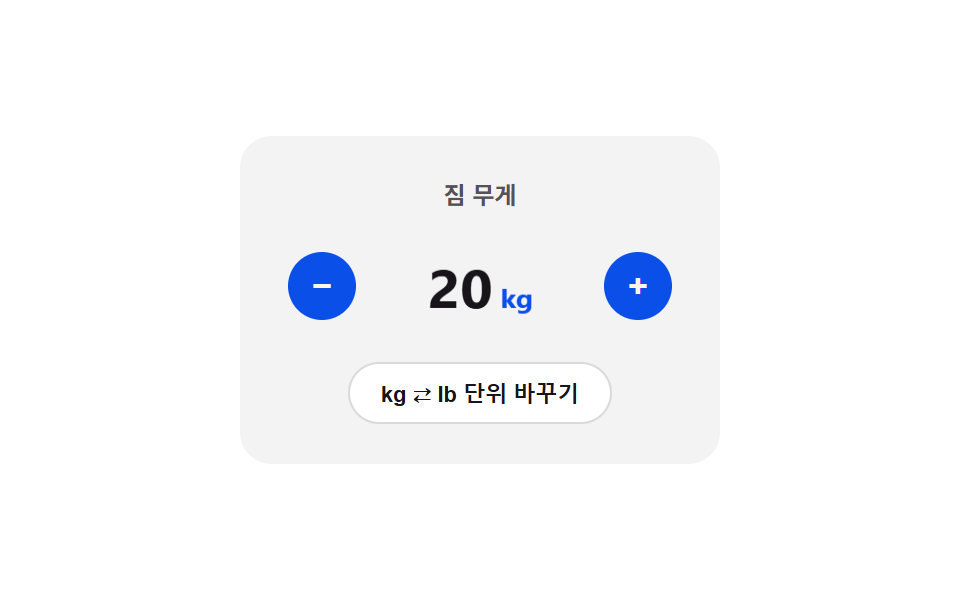 Inputs08 Unit toggle flip — the card folds over and the display value switches at the 90-degree point once the unit enters a changed stateNumber Stepper UI: 9 Interaction Patterns
 Inputs08 Disabled-dim-lock toggle — when the disabled value turns on, the box's brightness value drops and the checked value stops respondingCSS Custom Checkbox: 9 Interaction Patterns
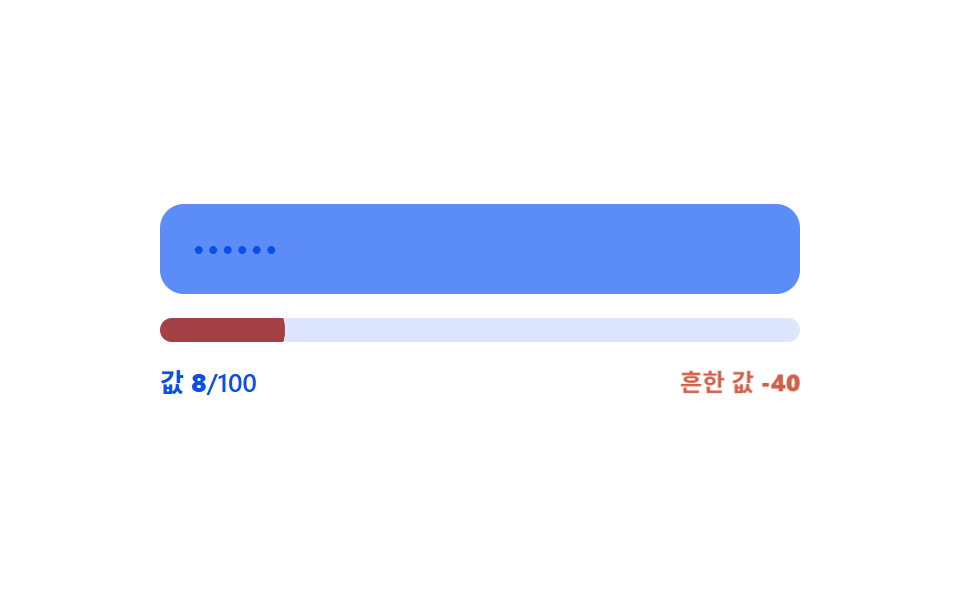 Inputs04 Common-value penalty — the strength value is docked when the input value matches an entry in a preset common-value listPassword Strength Meter UI: 9 Calculation Patterns