08Disabled-dim-lock toggle — when the disabled value turns on, the box's brightness value drops and the checked value stops responding
The instant the disabled value turns on, the box's brightness value drops, and clicks no longer change the checked value after that.
Best forAn option whose condition isn't met yet, a choice that depends on another item
disabledfilterpointer-events
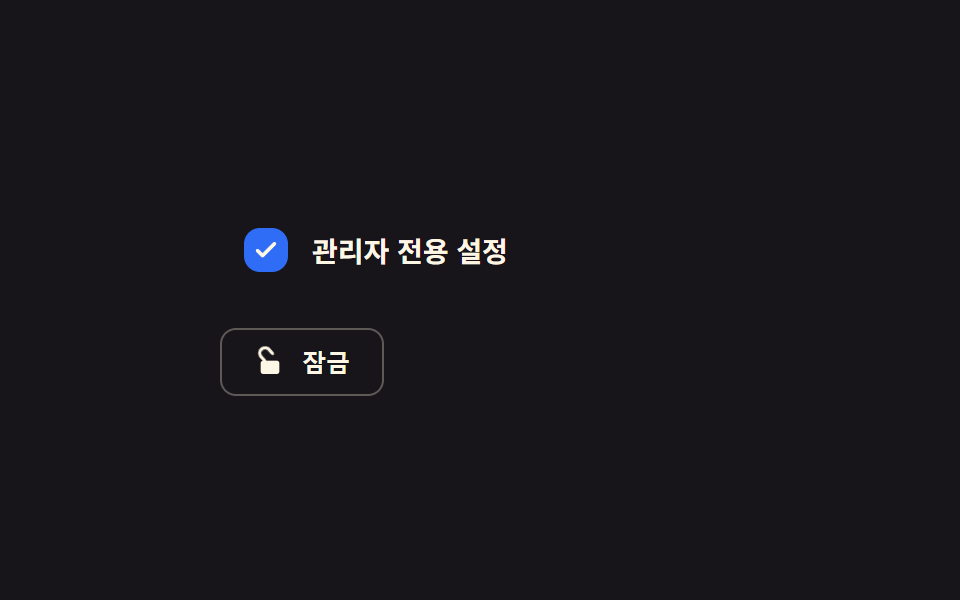
<main class="stage">
<div class="cbl is-demo" id="cbl">
  <label class="cbl__row" id="cblRow">
    <input type="checkbox" class="cbl__input" id="cblInput" disabled checked>
    <span class="cbl__box" aria-hidden="true">
      <svg viewBox="0 0 20 20" width="14" height="14"><path d="M4 10.5l3.5 3.5L16 5.5" fill="none" stroke="currentColor" stroke-width="2.6" stroke-linecap="round" stroke-linejoin="round"/></svg>
    </span>
    <span class="cbl__text">Admin-only setting</span>
  </label>
  <button type="button" class="cbl__toggle" id="cblToggle" aria-pressed="true">
    <svg class="cbl__lock" viewBox="0 0 24 24" width="16" height="16">
      <rect x="5" y="11" width="14" height="10" rx="2" fill="currentColor"/>
      <path id="cblShackle" class="cbl__shackle" d="M8 11V7a4 4 0 0 1 8 0v4" fill="none" stroke="currentColor" stroke-width="2.4" stroke-linecap="round"/>
    </svg>
    <span id="cblToggleText">Unlock</span>
  </button>
</div>
</main>
@use "../../../../site/static/demo-tokens" as *;
// 계산 겹: index.html 이 자물쇠 걸쇠(shackle)의 회전각을 고정 축 기준으로 easeOutCubic 적분해
// rotate() 값을 만든다 — 잠금 해제 버튼을 누르면 몸통은 그대로, 걸쇠만 계산된 각도로 열린다.
@include stage($stage-ink);
.cbl {
display: grid;
gap: $sp-4;
width: 100%;
max-width: 260px;
}
.cbl__row {
display: flex;
align-items: center;
gap: $sp-3;
padding: $sp-3;
border-radius: $r-sm;
transition: filter $dur-base $ease-out;
}
.cbl__row--locked {
filter: grayscale(.6) brightness(.7) blur(.3px);
pointer-events: none;
}
.cbl__input {
position: absolute;
width: 1px;
height: 1px;
opacity: 0;
}
.cbl__box {
flex: 0 0 auto;
width: 22px;
height: 22px;
border-radius: $r-sm;
border: 2px solid rgba($subject-cream, .4);
color: $subject-cream;
display: grid;
place-items: center;
box-sizing: border-box;
svg { opacity: 0; }
}
.cbl__input:checked + .cbl__box {
background: $subject-blue;
border-color: $subject-blue;
svg { opacity: 1; }
}
.cbl__text {
color: $subject-cream;
font-size: 14px;
font-weight: 600;
}
.cbl__toggle {
justify-self: start;
display: flex;
align-items: center;
gap: $sp-2;
padding: $sp-2 $sp-4;
border: 1px solid rgba($subject-cream, .3);
border-radius: $r-sm;
background: transparent;
color: $subject-cream;
font-size: 12px;
font-weight: 600;
cursor: pointer;
}
.cbl__lock {
color: $subject-cream;
}
.cbl__shackle {
will-change: transform;
}
@media (max-width: 340px) {
.cbl__text { font-size: 13px; }
}
@media (prefers-reduced-motion: reduce) {
.cbl__row, .cbl__shackle { transition: none; }
}html, body {
margin: 0;
overflow: hidden;
}
.stage {
box-sizing: border-box;
min-height: 100vh;
display: grid;
place-items: center;
margin: 0;
background: #17141a;
font-family: -apple-system, "Segoe UI", "Noto Sans KR", sans-serif;
padding: clamp(8px, 4vw, 24px);
}
.cbl {
display: grid;
gap: 16px;
width: 100%;
max-width: 260px;
}
.cbl__row {
display: flex;
align-items: center;
gap: 12px;
padding: 12px;
border-radius: 8px;
transition: filter 300ms ease-out;
}
.cbl__row--locked {
filter: grayscale(0.6) brightness(0.7) blur(0.3px);
pointer-events: none;
}
.cbl__input {
position: absolute;
width: 1px;
height: 1px;
opacity: 0;
}
.cbl__box {
flex: 0 0 auto;
width: 22px;
height: 22px;
border-radius: 8px;
border: 2px solid rgba(255, 247, 230, 0.4);
color: #fff7e6;
display: grid;
place-items: center;
box-sizing: border-box;
}
.cbl__box svg {
opacity: 0;
}
.cbl__input:checked + .cbl__box {
background: #2f6df6;
border-color: #2f6df6;
}
.cbl__input:checked + .cbl__box svg {
opacity: 1;
}
.cbl__text {
color: #fff7e6;
font-size: 14px;
font-weight: 600;
}
.cbl__toggle {
justify-self: start;
display: flex;
align-items: center;
gap: 8px;
padding: 8px 16px;
border: 1px solid rgba(255, 247, 230, 0.3);
border-radius: 8px;
background: transparent;
color: #fff7e6;
font-size: 12px;
font-weight: 600;
cursor: pointer;
}
.cbl__lock {
color: #fff7e6;
}
.cbl__shackle {
will-change: transform;
}
@media (max-width: 340px) {
.cbl__text {
font-size: 13px;
}
}
@media (prefers-reduced-motion: reduce) {
.cbl__row, .cbl__shackle {
transition: none;
}
}(function () {
var LOCK_MS = 360; // 계산 겹 상수: 걸쇠가 열리는 회전이 끝나는 데 걸리는 실제 시간(ms)
var UNLOCK_ANGLE = -42; // deg, 걸쇠가 열릴 때 돌아가는 최대 각도
var SHACKLE_PIVOT_X = 8, SHACKLE_PIVOT_Y = 11; // svg 좌표계 안의 회전 축(걸쇠 아래쪽 끝)
var CYCLE_MS = 1300;
var reduce = window.matchMedia('(prefers-reduced-motion: reduce)').matches;
var root = document.getElementById('cbl');
var row = document.getElementById('cblRow');
var input = document.getElementById('cblInput');
var toggle = document.getElementById('cblToggle');
var toggleText = document.getElementById('cblToggleText');
var shackle = document.getElementById('cblShackle');
var isDemo = true;
var locked = true;
var animating = false, animStart = 0, angleFrom = 0, angleTo = 0;
function human() {
if (isDemo) { root.classList.remove('is-demo'); isDemo = false; }
}
function easeOutCubic(t) { return 1 - Math.pow(1 - t, 3); }
function currentAngle(ts) {
if (!animating) return angleTo;
var t = Math.min(1, (ts - animStart) / LOCK_MS);
return angleFrom + (angleTo - angleFrom) * easeOutCubic(t);
}
function apply(nextLocked, ts) {
locked = nextLocked;
input.disabled = locked;
row.classList.toggle('cbl__row--locked', locked);
toggle.setAttribute('aria-pressed', String(locked));
toggleText.textContent = locked ? 'Unlock' : 'Lock';
angleFrom = currentAngle(ts);
angleTo = locked ? 0 : UNLOCK_ANGLE;
animStart = ts;
animating = true;
}
toggle.addEventListener('click', function () {
human();
apply(!locked, performance.now());
});
var cycleStart = 0;
var lastState = true;
function loop(ts) {
if (!cycleStart) { cycleStart = ts; apply(true, ts); }
if (isDemo) {
var step = Math.floor((ts - cycleStart) / CYCLE_MS) % 2 === 1;
if (step !== lastState) { lastState = step; apply(!step, ts); }
}
var angle = currentAngle(ts);
// 계산 겹: 걸쇠 회전을 고정 축(SHACKLE_PIVOT_X, Y) 기준으로 계산해 자물쇠 몸통은 그대로,
// 걸쇠만 열리는 자연스러운 회전을 만든다
shackle.style.transform = 'rotate(' + angle.toFixed(2) + 'deg)';
shackle.style.transformOrigin = SHACKLE_PIVOT_X + 'px ' + SHACKLE_PIVOT_Y + 'px';
if (animating && Math.abs(angle - angleTo) < 0.01) animating = false;
requestAnimationFrame(loop);
}
if (reduce) { LOCK_MS = 1; }
requestAnimationFrame(loop);
})();// DisabledDimLock — vanilla 판(run/368/demo/08-custom-checkbox-disabled-dim-lock/index.html) 의
// React 포트. 자물쇠 걸쇠(shackle)의 회전각을 고정 축 기준으로 easeOutCubic 적분해 rotate() 값을
// 만든다 — 잠금 해제 버튼을 누르면 몸통은 그대로, 걸쇠만 계산된 각도로 열린다.
import { useEffect, useRef } from "react";
import styles from "./DisabledDimLock.module.scss";
type Box<T> = { current: T };
export default function DisabledDimLock() {
const rootRef = useRef(null) as unknown as Box<HTMLDivElement>;
const rowRef = useRef(null) as unknown as Box<HTMLLabelElement>;
const inputRef = useRef(null) as unknown as Box<HTMLInputElement>;
const toggleRef = useRef(null) as unknown as Box<HTMLButtonElement>;
const toggleTextRef = useRef(null) as unknown as Box<HTMLSpanElement>;
const shackleRef = useRef(null) as unknown as Box<SVGPathElement>;
const rafRef = useRef(0) as unknown as Box<number>;
useEffect(() => {
let LOCK_MS = 360; // 계산 겹 상수: 걸쇠가 열리는 회전이 끝나는 데 걸리는 실제 시간(ms)
const UNLOCK_ANGLE = -42; // deg, 걸쇠가 열릴 때 돌아가는 최대 각도
const SHACKLE_PIVOT_X = 8, SHACKLE_PIVOT_Y = 11; // svg 좌표계 안의 회전 축(걸쇠 아래쪽 끝)
const CYCLE_MS = 1300;
const reduce = window.matchMedia("(prefers-reduced-motion: reduce)").matches;
const root = rootRef.current;
const row = rowRef.current;
const input = inputRef.current;
const toggle = toggleRef.current;
const toggleText = toggleTextRef.current;
const shackle = shackleRef.current;
if (!root || !row || !input || !toggle || !toggleText || !shackle) return;
let isDemo = true;
let locked = true;
let animating = false, animStart = 0, angleFrom = 0, angleTo = 0;
function human() {
if (isDemo) { root!.classList.remove(styles.isDemo); isDemo = false; }
}
function easeOutCubic(t: number) { return 1 - Math.pow(1 - t, 3); }
function currentAngle(ts: number) {
if (!animating) return angleTo;
const t = Math.min(1, (ts - animStart) / LOCK_MS);
return angleFrom + (angleTo - angleFrom) * easeOutCubic(t);
}
function apply(nextLocked: boolean, ts: number) {
locked = nextLocked;
input!.disabled = locked;
row!.classList.toggle(styles.rowLocked, locked);
toggle!.setAttribute("aria-pressed", String(locked));
toggleText!.textContent = locked ? "잠금 해제" : "잠금";
angleFrom = currentAngle(ts);
angleTo = locked ? 0 : UNLOCK_ANGLE;
animStart = ts;
animating = true;
}
function onToggleClick() { human(); apply(!locked, performance.now()); }
toggle.addEventListener("click", onToggleClick);
let cycleStart = 0;
let lastState = true;
function loop(ts: number) {
if (!cycleStart) { cycleStart = ts; apply(true, ts); }
if (isDemo) {
const step = Math.floor((ts - cycleStart) / CYCLE_MS) % 2 === 1;
if (step !== lastState) { lastState = step; apply(!step, ts); }
}
const angle = currentAngle(ts);
// 계산 겹: 걸쇠 회전을 고정 축(SHACKLE_PIVOT_X, Y) 기준으로 계산해 자물쇠 몸통은 그대로,
// 걸쇠만 열리는 자연스러운 회전을 만든다
shackle!.style.transform = "rotate(" + angle.toFixed(2) + "deg)";
shackle!.style.transformOrigin = SHACKLE_PIVOT_X + "px " + SHACKLE_PIVOT_Y + "px";
if (animating && Math.abs(angle - angleTo) < 0.01) animating = false;
rafRef.current = requestAnimationFrame(loop);
}
if (reduce) { LOCK_MS = 1; }
rafRef.current = requestAnimationFrame(loop);
return () => {
toggle.removeEventListener("click", onToggleClick);
cancelAnimationFrame(rafRef.current);
};
}, []);
return (
<main className={styles.stage}>
<div className={styles.cbl + " " + styles.isDemo} ref={rootRef}>
<label className={styles.cblRow} ref={rowRef}>
<input type="checkbox" className={styles.cblInput} ref={inputRef} disabled defaultChecked />
<span className={styles.cblBox} aria-hidden="true">
<svg viewBox="0 0 20 20" width={14} height={14}>
<path d="M4 10.5l3.5 3.5L16 5.5" fill="none" stroke="currentColor" strokeWidth={2.6} strokeLinecap="round" strokeLinejoin="round" />
</svg>
</span>
<span className={styles.cblText}>관리자 전용 설정</span>
</label>
<button type="button" className={styles.cblToggle} ref={toggleRef} aria-pressed="true">
<svg className={styles.cblLock} viewBox="0 0 24 24" width={16} height={16}>
<rect x={5} y={11} width={14} height={10} rx={2} fill="currentColor" />
<path ref={shackleRef} className={styles.cblShackle} d="M8 11V7a4 4 0 0 1 8 0v4" fill="none" stroke="currentColor" strokeWidth={2.4} strokeLinecap="round" />
</svg>
<span ref={toggleTextRef}>잠금 해제</span>
</button>
</div>
</main>
);
}08 Disabled-dim-lock toggle — when the disabled value turns on, the box's brightness value drops and the checked value stops responding — Measured area 1.173% · moving frames 7/23Original by GODRICH · SCSS and React ship in the zip · CSS Custom Checkbox: 9 Interaction Patterns
The post this demo lives in
 CSS Custom Checkbox: 9 Interaction PatternsCSS Custom Checkbox: One of nine draws its checkmark length to full on check, one bounces the box size then settles on t See all demos in this post
If you like this effect - similar demos
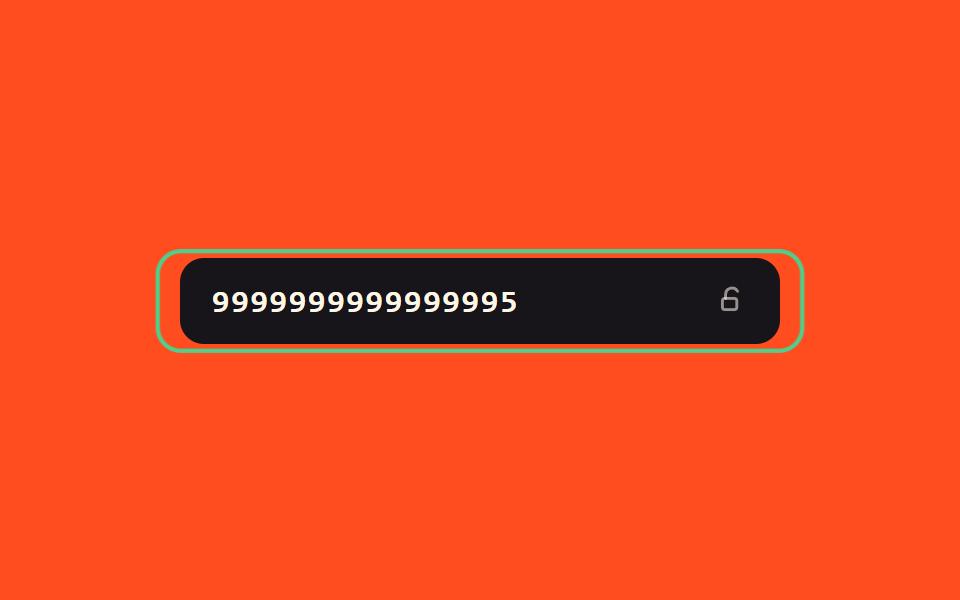 Inputs07 Success-value glow toggle — when the number's success value turns on, a border glow value gradually rises and the field switches to a locked valueCredit Card Input UI: 9 Patterns
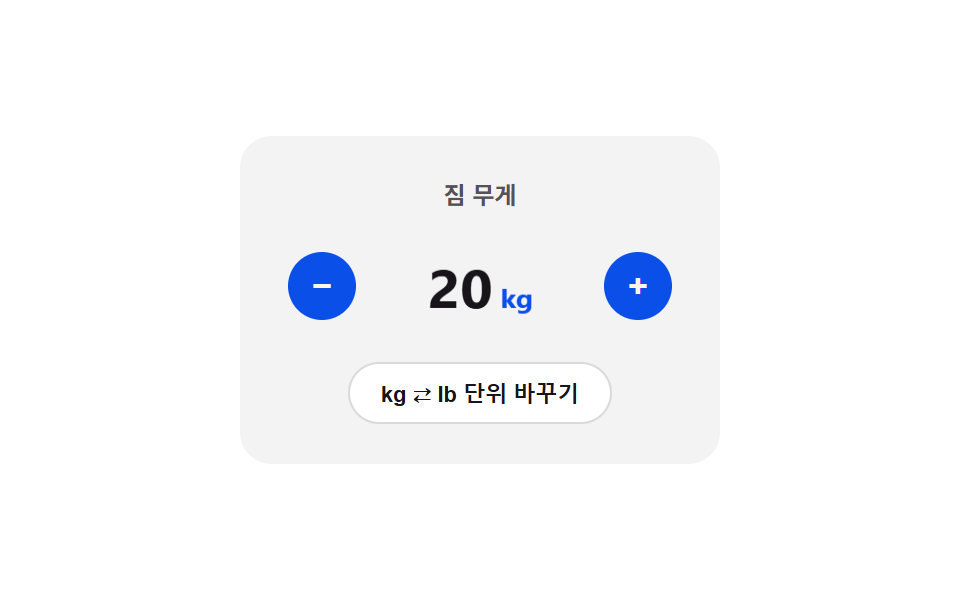 Inputs08 Unit toggle flip — the card folds over and the display value switches at the 90-degree point once the unit enters a changed stateNumber Stepper UI: 9 Interaction Patterns
 Inputs04 Common-value penalty — the strength value is docked when the input value matches an entry in a preset common-value listPassword Strength Meter UI: 9 Calculation Patterns