03An Input Whose Underline Chases the Caret with Inertia
The width of text before the caret is measured and a light point on the underline eases toward that x with exponential smoothing, making typing speed visible.
Best forSearch bars and one-line memo inputs
LERPUNDERLINE_HCARET_OFFSETTRAIL_FADE
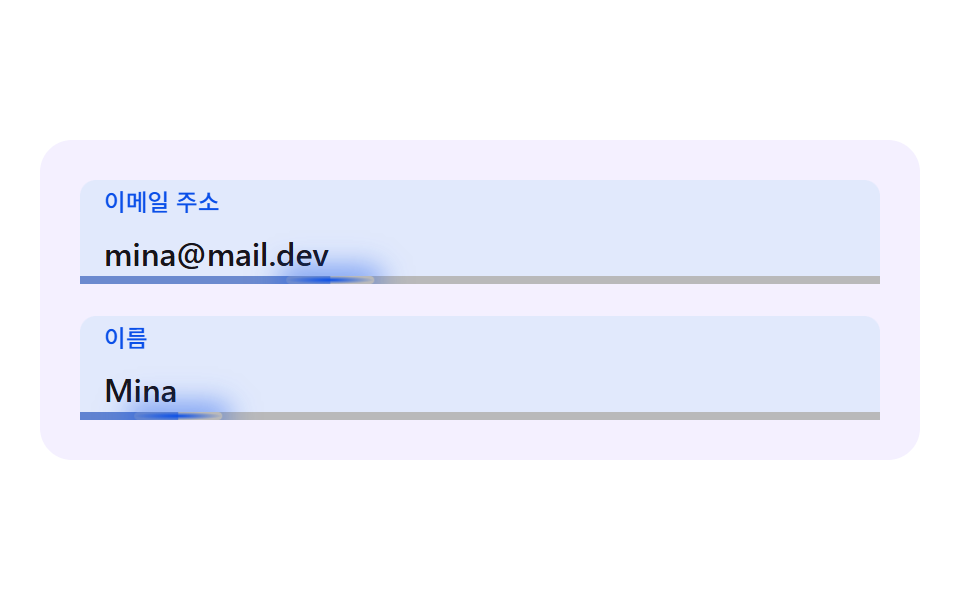
<main class="stage">
  <div class="fl is-demo" id="fl" data-demo="1">
    <div class="fl__field">
      <div class="fl__box" data-r="box">
        <input class="fl__input" id="f1" data-r="input" type="text" autocomplete="email" inputmode="email">
        <label class="fl__label" for="f1" data-r="label">Email address</label>
        <span class="fl__mirror" data-r="mirror" aria-hidden="true"></span>
        <i class="fl__line" aria-hidden="true"></i>
        <i class="fl__trail" data-r="trail" aria-hidden="true"></i>
        <i class="fl__dot" data-r="dot" aria-hidden="true"></i>
      </div>
    </div>
    <div class="fl__field">
      <div class="fl__box" data-r="box">
        <input class="fl__input" id="f2" data-r="input" type="text" autocomplete="name">
        <label class="fl__label" for="f2" data-r="label">Name</label>
        <span class="fl__mirror" data-r="mirror" aria-hidden="true"></span>
        <i class="fl__line" aria-hidden="true"></i>
        <i class="fl__trail" data-r="trail" aria-hidden="true"></i>
        <i class="fl__dot" data-r="dot" aria-hidden="true"></i>
      </div>
    </div>
  </div>
</main>
@use "../../../../site/static/demo-tokens" as *;
// 핵심: 캐럿 앞 글자의 폭을 재서 밑줄 빛 점이 그 x 로 관성 있게 따라간다. 라벨은 진짜 <label for> 이고 칸은 진짜 입력 요소다. 움직임 값은 JS 가 계산하고 CSS 는 모양만 맡는다.
@include stage($stage-paper);
$panel: mix($subject-lilac, $stage-paper, 16%);
$box-bg: $stage-paper;
$fg: $subject-ink;
$mute: mix($subject-ink, $stage-paper, 62%);
$line: mix($subject-ink, $stage-paper, 30%);
$accent: $subject-blue-deep;
$err: $error;
$menu-bg: $stage-paper;
$box-h: 52px;
.fl {
position: relative;
box-sizing: border-box;
width: min(100%, 440px);
padding: $sp-5;
display: flex;
flex-direction: column;
gap: $sp-4;
border-radius: $r-card;
background: $panel;
color: $fg;
font-size: 16px;
line-height: 24px;
font-weight: 500;
}
.fl__field { position: relative; }
.fl__box {
--ln: #{$line};
position: relative;
z-index: 1;
height: $box-h;
border-radius: $r-sm;
background: $box-bg;
box-shadow: inset 0 0 0 1.5px var(--ln), 0 0 0 calc(var(--p, 0) * 3px) rgba($accent, .3);
}
.fl__box[data-up] { --ln: #{$accent}; }
.fl__box::after {
content: "";
position: absolute;
inset: 0;
z-index: 0;
border-radius: inherit;
background: $accent;
opacity: calc(var(--p, 0) * .12);
pointer-events: none;
}
.fl__input {
position: relative;
z-index: 1;
box-sizing: border-box;
display: block;
width: 100%;
height: 100%;
margin: 0;
padding: $sp-6 $sp-3 $sp-1;
border: 0;
border-radius: inherit;
background: transparent;
color: $fg;
font-family: inherit;
font-size: 16px;
line-height: 24px;
font-weight: 500;
outline: none;
}
.fl__input:focus-visible { outline: 2px solid $accent; outline-offset: 2px; }
.fl__label {
position: absolute;
left: $sp-3;
top: 0;
z-index: 2;
line-height: $box-h;
font-size: 16px;
font-weight: 500;
color: $mute;
white-space: nowrap;
transform-origin: 0 50%;
pointer-events: none;
will-change: transform;
}
.fl__box[data-up] .fl__label { color: $accent; }
.fl__box { box-shadow: none; border-radius: $r-sm $r-sm 0 0; overflow: hidden; }
.fl__line { position: absolute; left: 0; right: 0; bottom: 0; height: 4px; background: $line; z-index: 2; }
.fl__trail { position: absolute; left: 0; bottom: 0; width: 100%; height: 4px; background: $accent; z-index: 3; opacity: 0; transform: scaleX(0); transform-origin: 0 50%; will-change: transform; }
.fl__dot {
position: absolute;
left: 0;
bottom: 0;
width: 44px;
height: 4px;
z-index: 4;
border-radius: $r-pill;
background: radial-gradient(closest-side, $accent, rgba($accent, 0));
box-shadow: 0 0 14px 4px rgba($accent, .6);
opacity: 0;
will-change: transform;
}
.fl__mirror {
position: absolute;
left: 0;
top: 0;
visibility: hidden;
white-space: pre;
font-family: inherit;
font-size: 16px;
line-height: 24px;
font-weight: 500;
pointer-events: none;
}
@media (max-height: 250px) {
.fl__field:nth-child(n + 3) { display: none; }
}
@media (prefers-reduced-motion: reduce) {
.fl__label, .fl__box { will-change: auto; }
}html, body {
margin: 0;
overflow: hidden;
}
.stage {
box-sizing: border-box;
min-height: 100vh;
display: grid;
place-items: center;
margin: 0;
background: #ffffff;
font-family: -apple-system, "Segoe UI", "Noto Sans KR", sans-serif;
padding: clamp(8px, 4vw, 24px);
}
.fl {
position: relative;
box-sizing: border-box;
width: min(100%, 440px);
padding: 20px;
display: flex;
flex-direction: column;
gap: 16px;
border-radius: 16px;
background: rgb(95.6078431373%, 94.0392156863%, 100%);
color: #17141a;
font-size: 16px;
line-height: 24px;
font-weight: 500;
}
.fl__field {
position: relative;
}
.fl__box {
--ln: rgb(72.7058823529%, 72.3529411765%, 73.0588235294%);
position: relative;
z-index: 1;
height: 52px;
border-radius: 8px;
background: #ffffff;
box-shadow: inset 0 0 0 1.5px var(--ln), 0 0 0 calc(var(--p, 0) * 3px) rgba(10, 79, 232, 0.3);
}
.fl__box[data-up] {
--ln: #0a4fe8;
}
.fl__box::after {
content: "";
position: absolute;
inset: 0;
z-index: 0;
border-radius: inherit;
background: #0a4fe8;
opacity: calc(var(--p, 0) * 0.12);
pointer-events: none;
}
.fl__input {
position: relative;
z-index: 1;
box-sizing: border-box;
display: block;
width: 100%;
height: 100%;
margin: 0;
padding: 24px 12px 4px;
border: 0;
border-radius: inherit;
background: transparent;
color: #17141a;
font-family: inherit;
font-size: 16px;
line-height: 24px;
font-weight: 500;
outline: none;
}
.fl__input:focus-visible {
outline: 2px solid #0a4fe8;
outline-offset: 2px;
}
.fl__label {
position: absolute;
left: 12px;
top: 0;
z-index: 2;
line-height: 52px;
font-size: 16px;
font-weight: 500;
color: rgb(43.5921568627%, 42.862745098%, 44.3215686275%);
white-space: nowrap;
transform-origin: 0 50%;
pointer-events: none;
will-change: transform;
}
.fl__box[data-up] .fl__label {
color: #0a4fe8;
}
.fl__box {
box-shadow: none;
border-radius: 8px 8px 0 0;
overflow: hidden;
}
.fl__line {
position: absolute;
left: 0;
right: 0;
bottom: 0;
height: 4px;
background: rgb(72.7058823529%, 72.3529411765%, 73.0588235294%);
z-index: 2;
}
.fl__trail {
position: absolute;
left: 0;
bottom: 0;
width: 100%;
height: 4px;
background: #0a4fe8;
z-index: 3;
opacity: 0;
transform: scaleX(0);
transform-origin: 0 50%;
will-change: transform;
}
.fl__dot {
position: absolute;
left: 0;
bottom: 0;
width: 44px;
height: 4px;
z-index: 4;
border-radius: 999px;
background: radial-gradient(closest-side, #0a4fe8, rgba(10, 79, 232, 0));
box-shadow: 0 0 14px 4px rgba(10, 79, 232, 0.6);
opacity: 0;
will-change: transform;
}
.fl__mirror {
position: absolute;
left: 0;
top: 0;
visibility: hidden;
white-space: pre;
font-family: inherit;
font-size: 16px;
line-height: 24px;
font-weight: 500;
pointer-events: none;
}
@media (max-height: 250px) {
.fl__field:nth-child(n+3) {
display: none;
}
}
@media (prefers-reduced-motion: reduce) {
.fl__label, .fl__box {
will-change: auto;
}
}(function () {
const root = document.getElementById("fl");
const CLS = {};
const reduce = window.matchMedia("(prefers-reduced-motion: reduce)").matches;
let demo = !reduce;
let raf = 0;
let last = -1;
const offs = [];
function q(sel) {
return root.querySelector(sel);
}
function qa(sel) {
const list = Array.prototype.slice.call(root.querySelectorAll(sel));
return list;
}
function clamp(v, lo, hi) {
return Math.max(lo, Math.min(hi, v));
}
function on(el, type, fn) {
el.addEventListener(type, fn);
offs.push(function () {
el.removeEventListener(type, fn);
});
}
// 좌표 해시: 같은 입력이면 같은 값 0~1. 난수 함수를 쓰지 않고 사인의 소수부만 쓴다.
function hash(x) {
const s = Math.sin(x * 127.1 + 311.7) * 43758.5453;
return s - Math.floor(s);
}
// 지수 접근: 프레임당 비율 per 만큼 목표에 다가간다. f 는 60fps 기준 프레임 수(dt * 60)라 프레임률이 달라도 같은 속도다.
function approach(x, target, per, f) {
return x + (target - x) * (1 - Math.pow(1 - per, f));
}
// 스프링 한 칸: 가속도 = -k (x - 목표) - c v. 반암시적 오일러를 1/120초 이하 부분 스텝으로 쪼갠다.
function springStep(s, target, k, c, dt) {
let left = dt;
while (left > 0) {
const h = Math.min(left, 1 / 120);
s.v += (-k * (s.x - target) - c * s.v) * h;
s.x += s.v * h;
left -= h;
}
}
// 값이 있으면 라벨은 올라가 있어야 한다. 브라우저 자동완성이 값을 채우면 input 이벤트가 없을 수 있어 :autofill 도 함께 본다.
function isFilled(el) {
if (el.value !== "") return true;
try {
return el.matches(":-webkit-autofill");
} catch (err) {
return false;
}
}
let leaveHook = null;
function stopDemo() {
if (!demo) return;
demo = false;
root.removeAttribute("data-demo");
root.classList.remove("is-demo");
resetFields();
}
function frame(ts) {
const dt = last < 0 ? 0.016 : Math.min(0.05, (ts - last) / 1000);
last = ts;
if (demo) script(ts);
step(dt, ts);
render();
raf = requestAnimationFrame(frame);
}
const ro = new ResizeObserver(function () {
relayout();
});
ro.observe(root);
if (document.fonts) {
document.fonts.ready.then(function () {
relayout();
});
}
// 시연 계획: 칸마다 포커스 구간(a~b), 타이핑 시작(s)·글자당 ms(rate)·글. 2초 주기로 되풀이하고 주기 첫머리엔 모두 비운다.
function runPlan(ts) {
const t = ts % 2000;
let changed = false;
for (let i = 0; i < PLAN.length; i += 1) {
const p = PLAN[i];
const f = fields[i];
const isOn = t >= p.a && t < p.b;
const n = t < p.s ? 0 : Math.min(p.text.length, Math.floor((t - p.s) / p.rate) + 1);
const v = p.text.slice(0, n);
if (f.input.value !== v) {
f.input.value = v;
changed = true;
}
if (f.focus !== isOn) {
f.focus = isOn;
changed = true;
if (!isOn && leaveHook) leaveHook(i);
}
}
if (changed) retarget();
}
function resetFields() {
for (let i = 0; i < fields.length; i += 1) {
fields[i].input.value = "";
fields[i].focus = false;
}
retarget();
}
function wire() {
fields.forEach(function (f, i) {
on(f.input, "focus", function () {
stopDemo();
f.focus = true;
retarget();
});
on(f.input, "blur", function () {
f.focus = false;
if (leaveHook) leaveHook(i);
retarget();
});
on(f.input, "input", function () {
retarget();
});
});
}
// 기법: 캐럿 앞 글자의 폭을 거울 span 으로 재서 밑줄 빛 점이 그 x 로 지수 접근한다. 타이핑이 빠르면 점이 뒤처진다.
const LERP = 0.18;
const UNDERLINE_H = 4;
const CARET_OFFSET = 1;
const TRAIL_FADE = 0.45;
const INPUT_PAD = 12;
const RISE_PX = 15;
const LABEL_SCALE = 0.74;
const DOT_W = 44;
const fields = qa("[data-r=box]").map(function (box) {
const trail = box.querySelector("[data-r=trail]");
const dot = box.querySelector("[data-r=dot]");
trail.style.height = UNDERLINE_H + "px";
dot.style.height = UNDERLINE_H + "px";
dot.style.width = DOT_W + "px";
return {
box: box,
input: box.querySelector("input"),
label: box.querySelector("label"),
mirror: box.querySelector("[data-r=mirror]"),
trail: trail, dot: dot,
focus: false, up: false, p: 0, x: INPUT_PAD, tx: INPUT_PAD, w: 400
};
});
const PLAN = [
{ a: 200, b: 1150, s: 250, rate: 60, text: "[email protected]" },
{ a: 1150, b: 1980, s: 1250, rate: 90, text: "Mina Seo" }
];
// 주의: type="email" 칸은 selectionStart 가 null 이고 setSelectionRange 가 예외를 던진다. 그래서 이메일 칸도 type="text" + inputmode="email" 로 둔다.
// 캐럿 x = 안쪽 여백 + 캐럿 앞 글자 폭 + 보정. 글자 폭은 input 과 같은 글꼴의 거울 span 으로 잰다.
function caretX(f) {
const at = f.input.selectionStart;
const n = at === null ? f.input.value.length : at;
f.mirror.textContent = f.input.value.slice(0, n);
return INPUT_PAD + f.mirror.getBoundingClientRect().width + CARET_OFFSET;
}
function retarget() {
fields.forEach(function (f) {
f.up = f.focus || isFilled(f.input);
if (f.up) f.box.setAttribute("data-up", "");
else f.box.removeAttribute("data-up");
f.tx = caretX(f);
if (reduce) {
f.p = f.up ? 1 : 0;
f.x = f.tx;
}
});
if (reduce) render();
}
function relayout() {
fields.forEach(function (f) {
f.w = f.box.clientWidth;
});
retarget();
}
let jumped = false;
function script(ts) {
runPlan(ts);
const t = ts % 2000;
const f = fields[0];
const want = t >= 1040 && t < 1150;
if (want !== jumped) {
jumped = want;
const to = want ? 3 : f.input.value.length;
f.input.setSelectionRange(to, to);
retarget();
}
}
function step(dt, ts) {
const fr = dt * 60;
fields.forEach(function (f) {
f.p = approach(f.p, f.up ? 1 : 0, 0.22, fr);
f.x = approach(f.x, f.tx, LERP, fr);
});
}
function render() {
fields.forEach(function (f) {
const s = 1 - (1 - LABEL_SCALE) * f.p;
f.label.style.transform = "translate3d(0," + (-RISE_PX * f.p).toFixed(2) + "px,0) scale(" + s.toFixed(3) + ")";
f.box.style.setProperty("--p", f.p.toFixed(3));
const lag = Math.abs(f.tx - f.x);
const glow = clamp(TRAIL_FADE + lag / 80, 0, 1) * f.p;
f.trail.style.transform = "scaleX(" + clamp(f.x / f.w, 0, 1).toFixed(4) + ")";
f.trail.style.opacity = glow.toFixed(3);
f.dot.style.transform = "translate3d(" + (f.x - DOT_W / 2).toFixed(2) + "px,0,0)";
f.dot.style.opacity = f.p.toFixed(3);
});
}
wire();
relayout();
if (reduce) {
render();
} else {
raf = requestAnimationFrame(frame);
}
})();// InertiaCaretUnderline - vanilla 판(03-fl-inertia-caret-underline) 의 React 포트. 같은 계산을 useEffect 안에서 돌린다.
import { useEffect, useRef } from "react";
import styles from "./InertiaCaretUnderline.module.scss";
type Spring = { x: number; v: number };
type Plan = { a: number; b: number; s: number; rate: number; text: string };
type Base = { input: HTMLInputElement | HTMLTextAreaElement; focus: boolean; up: boolean };
type F = Base & { box: HTMLElement; label: HTMLElement; mirror: HTMLElement; trail: HTMLElement; dot: HTMLElement; p: number; x: number; tx: number; w: number };
export default function InertiaCaretUnderline() {
const rootRef = useRef<HTMLDivElement | null>(null);
useEffect(() => {
const rootEl = rootRef.current;
if (!rootEl) return;
const root: HTMLElement = rootEl;
const CLS = { };
const reduce = window.matchMedia("(prefers-reduced-motion: reduce)").matches;
let demo = !reduce;
let raf: number = 0;
let last: number = -1;
const offs: Array<() => void> = [];
function q(sel: string): HTMLElement {
return root.querySelector(sel) as HTMLElement;
}
function qa(sel: string): HTMLElement[] {
const list: HTMLElement[] = Array.prototype.slice.call(root.querySelectorAll(sel));
return list;
}
function clamp(v: number, lo: number, hi: number): number {
return Math.max(lo, Math.min(hi, v));
}
function on(el: EventTarget, type: string, fn: (e: any) => void): void {
el.addEventListener(type, fn);
offs.push(function (): void {
el.removeEventListener(type, fn);
});
}
// 좌표 해시: 같은 입력이면 같은 값 0~1. 난수 함수를 쓰지 않고 사인의 소수부만 쓴다.
function hash(x: number): number {
const s = Math.sin(x * 127.1 + 311.7) * 43758.5453;
return s - Math.floor(s);
}
// 지수 접근: 프레임당 비율 per 만큼 목표에 다가간다. f 는 60fps 기준 프레임 수(dt * 60)라 프레임률이 달라도 같은 속도다.
function approach(x: number, target: number, per: number, f: number): number {
return x + (target - x) * (1 - Math.pow(1 - per, f));
}
// 스프링 한 칸: 가속도 = -k (x - 목표) - c v. 반암시적 오일러를 1/120초 이하 부분 스텝으로 쪼갠다.
function springStep(s: Spring, target: number, k: number, c: number, dt: number): void {
let left = dt;
while (left > 0) {
const h = Math.min(left, 1 / 120);
s.v += (-k * (s.x - target) - c * s.v) * h;
s.x += s.v * h;
left -= h;
}
}
// 값이 있으면 라벨은 올라가 있어야 한다. 브라우저 자동완성이 값을 채우면 input 이벤트가 없을 수 있어 :autofill 도 함께 본다.
function isFilled(el: HTMLInputElement | HTMLTextAreaElement): boolean {
if (el.value !== "") return true;
try {
return el.matches(":-webkit-autofill");
} catch (err) {
return false;
}
}
let leaveHook: ((i: number) => void) | null = null;
function stopDemo(): void {
if (!demo) return;
demo = false;
root.removeAttribute("data-demo");
root.classList.remove("is-demo");
resetFields();
}
function frame(ts: number): void {
const dt = last < 0 ? 0.016 : Math.min(0.05, (ts - last) / 1000);
last = ts;
if (demo) script(ts);
step(dt, ts);
render();
raf = requestAnimationFrame(frame);
}
const ro = new ResizeObserver(function (): void {
relayout();
});
ro.observe(root);
if (document.fonts) {
document.fonts.ready.then(function (): void {
relayout();
});
}
// 시연 계획: 칸마다 포커스 구간(a~b), 타이핑 시작(s)·글자당 ms(rate)·글. 2초 주기로 되풀이하고 주기 첫머리엔 모두 비운다.
function runPlan(ts: number): void {
const t = ts % 2000;
let changed = false;
for (let i = 0; i < PLAN.length; i += 1) {
const p = PLAN[i];
const f = fields[i];
const isOn = t >= p.a && t < p.b;
const n = t < p.s ? 0 : Math.min(p.text.length, Math.floor((t - p.s) / p.rate) + 1);
const v = p.text.slice(0, n);
if (f.input.value !== v) {
f.input.value = v;
changed = true;
}
if (f.focus !== isOn) {
f.focus = isOn;
changed = true;
if (!isOn && leaveHook) leaveHook(i);
}
}
if (changed) retarget();
}
function resetFields(): void {
for (let i = 0; i < fields.length; i += 1) {
fields[i].input.value = "";
fields[i].focus = false;
}
retarget();
}
function wire(): void {
fields.forEach(function (f: F, i: number): void {
on(f.input, "focus", function (): void {
stopDemo();
f.focus = true;
retarget();
});
on(f.input, "blur", function (): void {
f.focus = false;
if (leaveHook) leaveHook(i);
retarget();
});
on(f.input, "input", function (): void {
retarget();
});
});
}
// 기법: 캐럿 앞 글자의 폭을 거울 span 으로 재서 밑줄 빛 점이 그 x 로 지수 접근한다. 타이핑이 빠르면 점이 뒤처진다.
const LERP = 0.18;
const UNDERLINE_H = 4;
const CARET_OFFSET = 1;
const TRAIL_FADE = 0.45;
const INPUT_PAD = 12;
const RISE_PX = 15;
const LABEL_SCALE = 0.74;
const DOT_W = 44;
const fields: F[] = qa("[data-r=box]").map(function (box: HTMLElement): F {
const trail = box.querySelector("[data-r=trail]") as HTMLElement;
const dot = box.querySelector("[data-r=dot]") as HTMLElement;
trail.style.height = UNDERLINE_H + "px";
dot.style.height = UNDERLINE_H + "px";
dot.style.width = DOT_W + "px";
return {
box: box,
input: box.querySelector("input") as HTMLInputElement,
label: box.querySelector("label") as HTMLElement,
mirror: box.querySelector("[data-r=mirror]") as HTMLElement,
trail: trail, dot: dot,
focus: false, up: false, p: 0, x: INPUT_PAD, tx: INPUT_PAD, w: 400
};
});
const PLAN: Plan[] = [
{ a: 200, b: 1150, s: 250, rate: 60, text: "[email protected]" },
{ a: 1150, b: 1980, s: 1250, rate: 90, text: "Mina Seo" }
];
// 주의: type="email" 칸은 selectionStart 가 null 이고 setSelectionRange 가 예외를 던진다. 그래서 이메일 칸도 type="text" + inputmode="email" 로 둔다.
// 캐럿 x = 안쪽 여백 + 캐럿 앞 글자 폭 + 보정. 글자 폭은 input 과 같은 글꼴의 거울 span 으로 잰다.
function caretX(f: F): number {
const at = f.input.selectionStart;
const n = at === null ? f.input.value.length : at;
f.mirror.textContent = f.input.value.slice(0, n);
return INPUT_PAD + f.mirror.getBoundingClientRect().width + CARET_OFFSET;
}
function retarget(): void {
fields.forEach(function (f: F): void {
f.up = f.focus || isFilled(f.input);
if (f.up) f.box.setAttribute("data-up", "");
else f.box.removeAttribute("data-up");
f.tx = caretX(f);
if (reduce) {
f.p = f.up ? 1 : 0;
f.x = f.tx;
}
});
if (reduce) render();
}
function relayout(): void {
fields.forEach(function (f: F): void {
f.w = f.box.clientWidth;
});
retarget();
}
let jumped = false;
function script(ts: number): void {
runPlan(ts);
const t = ts % 2000;
const f = fields[0];
const want = t >= 1040 && t < 1150;
if (want !== jumped) {
jumped = want;
const to = want ? 3 : f.input.value.length;
f.input.setSelectionRange(to, to);
retarget();
}
}
function step(dt: number, ts: number): void {
const fr = dt * 60;
fields.forEach(function (f: F): void {
f.p = approach(f.p, f.up ? 1 : 0, 0.22, fr);
f.x = approach(f.x, f.tx, LERP, fr);
});
}
function render(): void {
fields.forEach(function (f: F): void {
const s = 1 - (1 - LABEL_SCALE) * f.p;
f.label.style.transform = "translate3d(0," + (-RISE_PX * f.p).toFixed(2) + "px,0) scale(" + s.toFixed(3) + ")";
f.box.style.setProperty("--p", f.p.toFixed(3));
const lag = Math.abs(f.tx - f.x);
const glow = clamp(TRAIL_FADE + lag / 80, 0, 1) * f.p;
f.trail.style.transform = "scaleX(" + clamp(f.x / f.w, 0, 1).toFixed(4) + ")";
f.trail.style.opacity = glow.toFixed(3);
f.dot.style.transform = "translate3d(" + (f.x - DOT_W / 2).toFixed(2) + "px,0,0)";
f.dot.style.opacity = f.p.toFixed(3);
});
}
wire();
relayout();
if (reduce) {
render();
} else {
raf = requestAnimationFrame(frame);
}
return () => {
cancelAnimationFrame(raf);
offs.forEach((f) => f());
ro.disconnect();
};
}, []);
return (
<main className={styles["stage"]}>
<div ref={rootRef} className={styles["fl"] + " is-demo"} data-demo="1">
<div className={styles["fl__field"]}>
<div className={styles["fl__box"]} data-r="box">
<input className={styles["fl__input"]} id="f1" data-r="input" type="text" autoComplete="email" inputMode="email" />
<label className={styles["fl__label"]} htmlFor="f1" data-r="label">이메일 주소</label>
<span className={styles["fl__mirror"]} data-r="mirror" aria-hidden="true" />
<i className={styles["fl__line"]} aria-hidden="true" />
<i className={styles["fl__trail"]} data-r="trail" aria-hidden="true" />
<i className={styles["fl__dot"]} data-r="dot" aria-hidden="true" />
</div>
</div>
<div className={styles["fl__field"]}>
<div className={styles["fl__box"]} data-r="box">
<input className={styles["fl__input"]} id="f2" data-r="input" type="text" autoComplete="name" />
<label className={styles["fl__label"]} htmlFor="f2" data-r="label">이름</label>
<span className={styles["fl__mirror"]} data-r="mirror" aria-hidden="true" />
<i className={styles["fl__line"]} aria-hidden="true" />
<i className={styles["fl__trail"]} data-r="trail" aria-hidden="true" />
<i className={styles["fl__dot"]} data-r="dot" aria-hidden="true" />
</div>
</div>
</div>
</main>
);
}03 An Input Whose Underline Chases the Caret with Inertia — Measured area 27.345% · moving frames 23/23Original by GODRICH · SCSS and React ship in the zip · CSS Floating Label: 9 Inputs on Spring Physics
The post this demo lives in
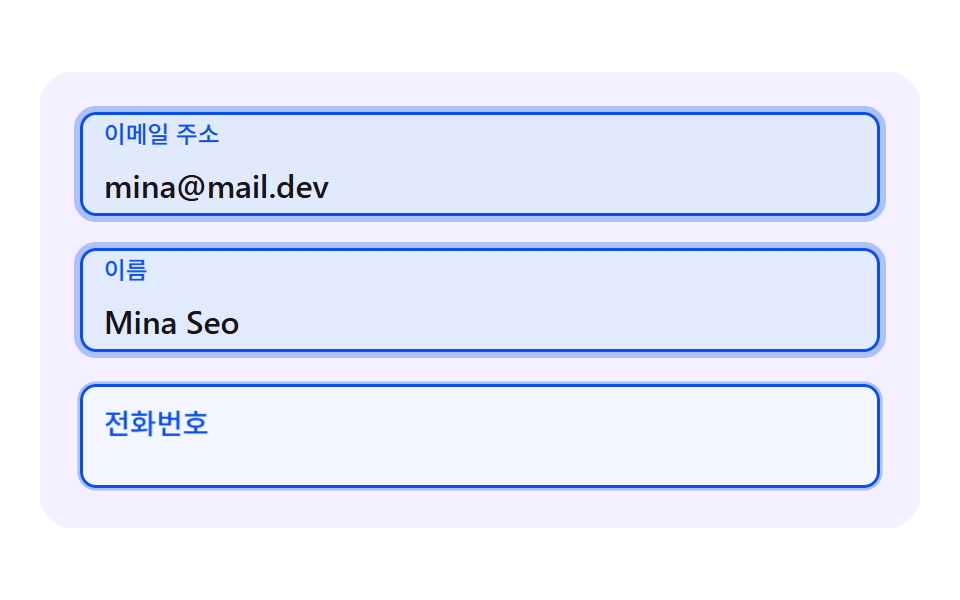 CSS Floating Label: 9 Inputs on Spring PhysicsWithin 0.3 seconds of a tap on a field, the way a css floating label rises sets the first impression of the form — scene See all demos in this post
If you like this effect - similar demos
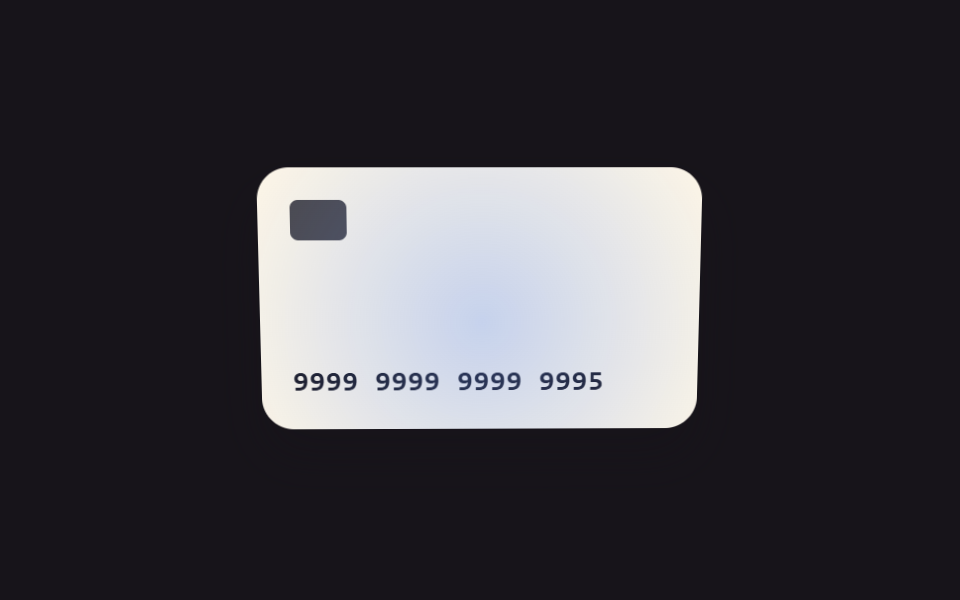 Inputs09 Focus and tilt values linked — as the field's focus-position value moves, the card visual's tilt value follows alongCredit Card Input UI: 9 Patterns
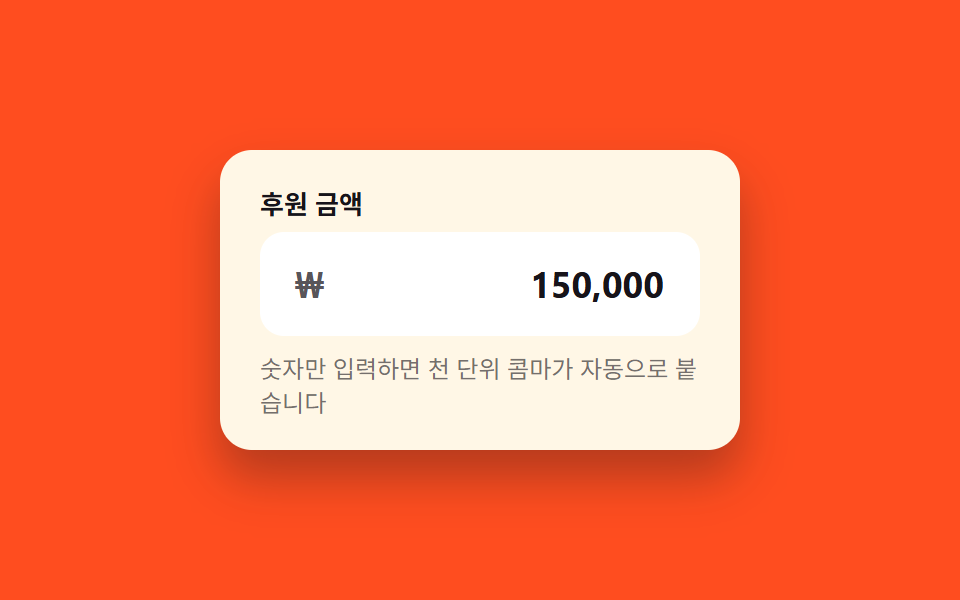 Inputs03 Currency input with auto commaCSS Input Design: 9 Form Widgets You Can Paste In
 Inputs01 Input with icon or unit prefix/suffixRegister Form Design: 9 Keyboard-Friendly Inputs