07Lightbox With a Focus Ring That Glides Inside a Trap
Every time tab or arrow-key focus moves to the next control inside the lightbox, the focus outline doesn't jump instantly but glides from its previous position to the new one, so the eye can keep tracking where focus currently sits.
Best forKeyboard-driven image viewers, accessibility-focused galleries
getBoundingClientRectfocus trapwill-change: transform
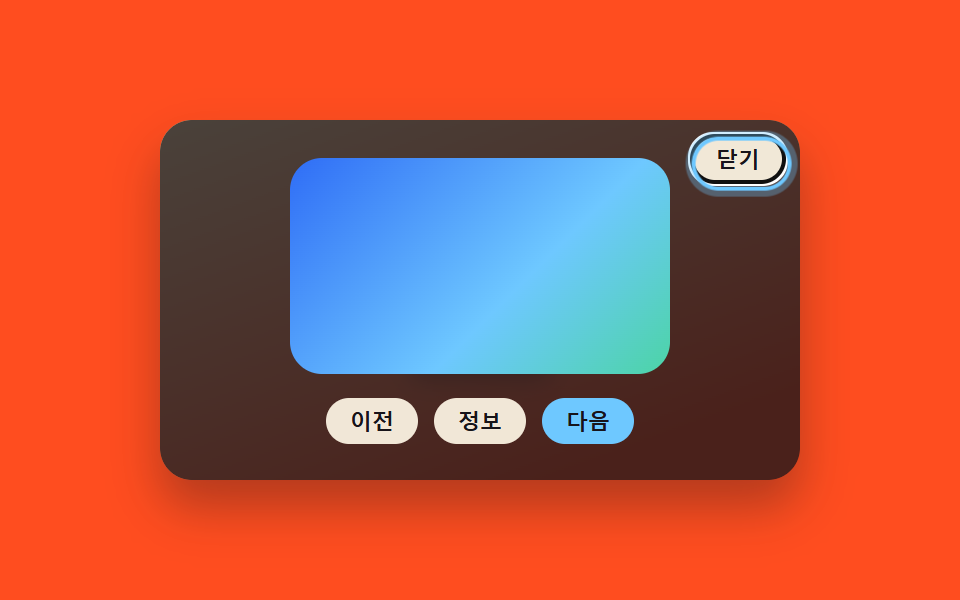
<main class="stage">
<div class="scene is-demo" id="scene">
  <ul class="grid" id="grid">
    <li><button class="thumb" id="thumb0" type="button" aria-haspopup="dialog"><span class="thumbImg"></span></button></li>
  </ul>
  <div class="backdrop" id="backdrop"></div>
  <div class="lightbox" id="lightbox" role="dialog" aria-modal="true" aria-hidden="true" aria-label="Lightbox moved by keyboard only">
    <span class="fullImg" id="fullImg"></span>
    <div class="toolbar" id="toolbar">
      <button class="ctrlBtn" id="prevBtn" type="button">Previous</button>
      <button class="ctrlBtn" id="infoBtn" type="button">Info</button>
      <button class="ctrlBtn ctrlBtn--primary" id="nextBtn" type="button">Next</button>
    </div>
    <button class="closeBtn" id="closeBtn" type="button">Close</button>
    <span class="focusRing" id="focusRing" aria-hidden="true"></span>
  </div>
</div>
</main>
@use "../../../../site/static/demo-tokens" as *;
// 변수 3개
$duration: $dur-quick;
$easing: $ease-out;
$color: $subject-sky;
// 계산 겹: index.html 의 glideRingTo() 가 링의 실제 이전 위치와 다음 포커스 요소의 실제 위치를
// (getBoundingClientRect, FLIP) 측정해 그 차이만큼 이동·스케일 보간한다 — 좌표를 하드코딩하지 않는다.
@include stage($stage-orange);
.scene {
position: relative;
width: 320px;
height: 180px;
border-radius: $r-card;
overflow: hidden;
box-shadow: $shadow-raised;
background: linear-gradient(160deg, #ffe3b0, $stage-orange 85%);
}
.grid {
position: absolute;
inset: 0;
margin: 0;
padding: 0;
list-style: none;
display: flex;
align-items: center;
justify-content: center;
}
.thumb {
appearance: none;
border: none;
background: none;
padding: 0;
cursor: pointer;
&:focus-visible .thumbImg { outline: 2px solid $color; outline-offset: 2px; }
}
.thumbImg {
display: block;
width: 72px;
height: 72px;
border-radius: $r-sm;
box-shadow: $shadow-press;
background: linear-gradient(135deg, $subject-blue, $subject-sky);
}
.backdrop {
position: absolute;
inset: 0;
background: $subject-ink;
opacity: 0;
visibility: hidden;
pointer-events: none;
}
.lightbox {
position: absolute;
inset: 0;
display: flex;
flex-direction: column;
align-items: center;
justify-content: center;
gap: $sp-3;
visibility: hidden;
}
.fullImg {
display: block;
width: 190px;
height: 108px;
border-radius: $r-card;
background: linear-gradient(135deg, $subject-blue, $subject-sky 60%, $subject-mint);
}
.toolbar {
display: flex;
gap: $sp-2;
}
.ctrlBtn {
appearance: none;
border: none;
border-radius: $r-pill;
padding: $sp-1 $sp-3;
font-size: 11px;
font-weight: 600;
color: $subject-ink;
background: rgba($subject-cream, .92);
cursor: pointer;
position: relative;
&--primary { background: $subject-sky; color: $subject-ink; }
}
.closeBtn {
position: absolute;
top: $sp-2;
right: $sp-2;
appearance: none;
border: none;
border-radius: $r-pill;
padding: $sp-1 $sp-3;
font-size: 11px;
font-weight: 600;
color: $subject-ink;
background: rgba($subject-cream, .92);
cursor: pointer;
}
.focusRing {
position: absolute;
top: 0;
left: 0;
border-radius: $r-pill;
border: 2px solid $color;
box-shadow: 0 0 0 3px rgba($subject-sky, .32);
opacity: 0;
pointer-events: none;
will-change: transform;
}
@media (max-width: 340px) {
.scene { width: 220px; height: 124px; }
.fullImg { width: 140px; height: 80px; }
.ctrlBtn { font-size: 10px; padding: $sp-1 $sp-2; }
}
@media (prefers-reduced-motion: reduce) {
// 실사용 경로 적용 — 링 이동은 index.html 의 animate() 가 reduce 시 즉시 최종 위치로 처리한다.
.closeBtn, .ctrlBtn, .thumb { transition: none; }
}html, body {
margin: 0;
overflow: hidden;
}
.stage {
box-sizing: border-box;
min-height: 100vh;
display: grid;
place-items: center;
margin: 0;
background: #ff4d1f;
font-family: -apple-system, "Segoe UI", "Noto Sans KR", sans-serif;
padding: clamp(8px, 4vw, 24px);
}
.scene {
position: relative;
width: 320px;
height: 180px;
border-radius: 16px;
overflow: hidden;
box-shadow: 0 14px 24px rgba(23, 20, 26, 0.32);
background: linear-gradient(160deg, #ffe3b0, #ff4d1f 85%);
}
.grid {
position: absolute;
inset: 0;
margin: 0;
padding: 0;
list-style: none;
display: flex;
align-items: center;
justify-content: center;
}
.thumb {
appearance: none;
border: none;
background: none;
padding: 0;
cursor: pointer;
}
.thumb:focus-visible .thumbImg {
outline: 2px solid #6ec8ff;
outline-offset: 2px;
}
.thumbImg {
display: block;
width: 72px;
height: 72px;
border-radius: 8px;
box-shadow: 0 6px 12px rgba(23, 20, 26, 0.32);
background: linear-gradient(135deg, #2f6df6, #6ec8ff);
}
.backdrop {
position: absolute;
inset: 0;
background: #17141a;
opacity: 0;
visibility: hidden;
pointer-events: none;
}
.lightbox {
position: absolute;
inset: 0;
display: flex;
flex-direction: column;
align-items: center;
justify-content: center;
gap: 12px;
visibility: hidden;
}
.fullImg {
display: block;
width: 190px;
height: 108px;
border-radius: 16px;
background: linear-gradient(135deg, #2f6df6, #6ec8ff 60%, #4cd4a6);
}
.toolbar {
display: flex;
gap: 8px;
}
.ctrlBtn {
appearance: none;
border: none;
border-radius: 999px;
padding: 4px 12px;
font-size: 11px;
font-weight: 600;
color: #17141a;
background: rgba(255, 247, 230, 0.92);
cursor: pointer;
position: relative;
}
.ctrlBtn--primary {
background: #6ec8ff;
color: #17141a;
}
.closeBtn {
position: absolute;
top: 8px;
right: 8px;
appearance: none;
border: none;
border-radius: 999px;
padding: 4px 12px;
font-size: 11px;
font-weight: 600;
color: #17141a;
background: rgba(255, 247, 230, 0.92);
cursor: pointer;
}
.focusRing {
position: absolute;
top: 0;
left: 0;
border-radius: 999px;
border: 2px solid #6ec8ff;
box-shadow: 0 0 0 3px rgba(110, 200, 255, 0.32);
opacity: 0;
pointer-events: none;
will-change: transform;
}
@media (max-width: 340px) {
.scene {
width: 220px;
height: 124px;
}
.fullImg {
width: 140px;
height: 80px;
}
.ctrlBtn {
font-size: 10px;
padding: 4px 8px;
}
}
@media (prefers-reduced-motion: reduce) {
.closeBtn, .ctrlBtn, .thumb {
transition: none;
}
}(function () {
var LIGHTBOX_FOCUS_RING_MS = 220; // 포커스 링이 Next 요소로 미끄러지는 시간
var STEP_HOLD_MS = 260;
var LOOP_MS = 2000;
var scene = document.getElementById('scene');
var backdrop = document.getElementById('backdrop');
var lightbox = document.getElementById('lightbox');
var closeBtn = document.getElementById('closeBtn');
var prevBtn = document.getElementById('prevBtn');
var infoBtn = document.getElementById('infoBtn');
var nextBtn = document.getElementById('nextBtn');
var focusRing = document.getElementById('focusRing');
var thumb = document.getElementById('thumb0');
var reduce = window.matchMedia('(prefers-reduced-motion: reduce)').matches;
// 실제 tab 순서 — 이 배열이 곧 트랩의 앞뒤 경계다
var order = [closeBtn, prevBtn, infoBtn, nextBtn];
var open = false;
var timers = [];
var lastRingRect = null;
function clamp(v, lo, hi) { return Math.min(hi, Math.max(lo, v)); }
function easeOutCubic(t) { return 1 - Math.pow(1 - t, 3); }
function animate(duration, onFrame, onDone) {
if (reduce) { onFrame(1); if (onDone) onDone(); return; }
var start = performance.now();
function frame(now) {
var p = clamp((now - start) / duration, 0, 1);
onFrame(easeOutCubic(p));
if (p < 1) requestAnimationFrame(frame);
else if (onDone) onDone();
}
requestAnimationFrame(frame);
}
// FLIP: 링의 지금 실제 위치와 목표 요소의 실제 위치를 측정해 그 차만큼 되돌렸다가 0 으로 애니메이션한다
function glideRingTo(el) {
var boxRect = lightbox.getBoundingClientRect();
var toRect = el.getBoundingClientRect();
var toX = toRect.left - boxRect.left;
var toY = toRect.top - boxRect.top;
var toW = toRect.width;
var toH = toRect.height;
var fromRect = lastRingRect || { x: toX, y: toY, w: toW, h: toH };
focusRing.style.width = toW + 'px';
focusRing.style.height = toH + 'px';
focusRing.style.transform = 'translate(' + toX + 'px,' + toY + 'px)';
var dx = fromRect.x - toX;
var dy = fromRect.y - toY;
var sx = fromRect.w / toW;
var sy = fromRect.h / toH;
focusRing.style.opacity = '1';
animate(LIGHTBOX_FOCUS_RING_MS, function (e) {
var ix = dx * (1 - e);
var iy = dy * (1 - e);
var isx = sx + (1 - sx) * e;
var isy = sy + (1 - sy) * e;
focusRing.style.transform = 'translate(' + (toX + ix).toFixed(2) + 'px,' + (toY + iy).toFixed(2) + 'px) scale(' + isx.toFixed(4) + ',' + isy.toFixed(4) + ')';
}, function () {
lastRingRect = { x: toX, y: toY, w: toW, h: toH };
});
}
order.forEach(function (el) {
el.addEventListener('focus', function () { glideRingTo(el); });
});
function openFrom() {
if (open) return;
open = true;
lastRingRect = null;
focusRing.style.opacity = '0';
lightbox.style.visibility = 'visible';
lightbox.setAttribute('aria-hidden', 'false');
backdrop.style.visibility = 'visible';
animate(220, function (e) { backdrop.style.opacity = (e * 0.78).toFixed(3); }, function () {
closeBtn.focus({ preventScroll: true });
});
}
function closeLightbox() {
if (!open) return;
animate(200, function (e) { backdrop.style.opacity = (0.78 * (1 - e)).toFixed(3); }, function () {
lightbox.style.visibility = 'hidden';
lightbox.setAttribute('aria-hidden', 'true');
backdrop.style.visibility = 'hidden';
focusRing.style.opacity = '0';
open = false;
thumb.focus({ preventScroll: true });
});
}
function human() {
if (scene.classList.contains('is-demo')) {
scene.classList.remove('is-demo');
timers.forEach(function (id) { clearTimeout(id); clearInterval(id); });
timers = [];
}
}
thumb.addEventListener('click', function () { human(); openFrom(); });
closeBtn.addEventListener('click', function () { human(); closeLightbox(); });
backdrop.addEventListener('click', function () { human(); closeLightbox(); });
// 진짜 포커스 트랩: 끝에서 Tab 하면 처음으로, 처음에서 Shift+Tab 하면 끝으로 감긴다
lightbox.addEventListener('keydown', function (e) {
if (!open) return;
if (e.key === 'Escape') { human(); closeLightbox(); return; }
if (e.key !== 'Tab') return;
var i = order.indexOf(document.activeElement);
if (i === -1) return;
if (e.shiftKey && i === 0) {
e.preventDefault();
human();
order[order.length - 1].focus({ preventScroll: true });
} else if (!e.shiftKey && i === order.length - 1) {
e.preventDefault();
human();
order[0].focus({ preventScroll: true });
}
});
function cycle() {
openFrom();
var i = 0;
function step() {
if (i >= order.length) {
// 끝에서 다시 처음으로 — 실제 트랩과 같은 감김을 시연
order[0].focus({ preventScroll: true });
timers.push(setTimeout(closeLightbox, STEP_HOLD_MS));
return;
}
order[i].focus({ preventScroll: true });
i += 1;
timers.push(setTimeout(step, STEP_HOLD_MS));
}
timers.push(setTimeout(step, 260));
}
if (!reduce) {
cycle();
timers.push(setInterval(function () {
if (scene.classList.contains('is-demo')) cycle();
}, LOOP_MS));
}
})();import { useEffect, useRef } from 'react';
import styles from './KeyboardFocusTrapRing.module.scss';
const LIGHTBOX_FOCUS_RING_MS = 220; // 포커스 링이 다음 요소로 미끄러지는 시간
const STEP_HOLD_MS = 260;
const LOOP_MS = 2000;
type RingRect = { x: number; y: number; w: number; h: number };
export default function KeyboardFocusTrapRing() {
const sceneRef = useRef<HTMLDivElement>(null);
useEffect(() => {
const scene0 = sceneRef.current;
if (!scene0) return undefined;
const backdrop0 = scene0.querySelector<HTMLDivElement>('.' + styles.backdrop);
const lightbox0 = scene0.querySelector<HTMLDivElement>('.' + styles.lightbox);
const closeBtn0 = scene0.querySelector<HTMLButtonElement>('.' + styles.closeBtn);
const prevBtn0 = scene0.querySelector<HTMLButtonElement>('.' + styles.prevBtn);
const infoBtn0 = scene0.querySelector<HTMLButtonElement>('.' + styles.infoBtn);
const nextBtn0 = scene0.querySelector<HTMLButtonElement>('.' + styles.nextBtn);
const focusRing0 = scene0.querySelector<HTMLSpanElement>('.' + styles.focusRing);
const thumb0 = scene0.querySelector<HTMLButtonElement>('.' + styles.thumb);
if (!backdrop0 || !lightbox0 || !closeBtn0 || !prevBtn0 || !infoBtn0 || !nextBtn0 || !focusRing0 || !thumb0) return undefined;
const scene = scene0;
const backdrop = backdrop0;
const lightbox = lightbox0;
const closeBtn = closeBtn0;
const prevBtn = prevBtn0;
const infoBtn = infoBtn0;
const nextBtn = nextBtn0;
const focusRing = focusRing0;
const thumb = thumb0;
const reduce = window.matchMedia('(prefers-reduced-motion: reduce)').matches;
// 실제 tab 순서 — 이 배열이 곧 트랩의 앞뒤 경계다
const order = [closeBtn, prevBtn, infoBtn, nextBtn];
let open = false;
let timers: number[] = [];
let lastRingRect: RingRect | null = null;
function clamp(v: number, lo: number, hi: number) { return Math.min(hi, Math.max(lo, v)); }
function easeOutCubic(t: number) { return 1 - Math.pow(1 - t, 3); }
function animate(duration: number, onFrame: (e: number) => void, onDone?: () => void) {
if (reduce) { onFrame(1); if (onDone) onDone(); return; }
const start = performance.now();
function frame(now: number) {
const p = clamp((now - start) / duration, 0, 1);
onFrame(easeOutCubic(p));
if (p < 1) requestAnimationFrame(frame);
else if (onDone) onDone();
}
requestAnimationFrame(frame);
}
// FLIP: 링의 지금 실제 위치와 목표 요소의 실제 위치를 측정해 그 차만큼 되돌렸다가 0 으로 애니메이션한다
function glideRingTo(el: HTMLElement) {
const boxRect = lightbox.getBoundingClientRect();
const toRect = el.getBoundingClientRect();
const toX = toRect.left - boxRect.left;
const toY = toRect.top - boxRect.top;
const toW = toRect.width;
const toH = toRect.height;
const fromRect: RingRect = lastRingRect || { x: toX, y: toY, w: toW, h: toH };
focusRing.style.width = toW + 'px';
focusRing.style.height = toH + 'px';
focusRing.style.transform = 'translate(' + toX + 'px,' + toY + 'px)';
const dx = fromRect.x - toX;
const dy = fromRect.y - toY;
const sx = fromRect.w / toW;
const sy = fromRect.h / toH;
focusRing.style.opacity = '1';
animate(LIGHTBOX_FOCUS_RING_MS, (e) => {
const ix = dx * (1 - e);
const iy = dy * (1 - e);
const isx = sx + (1 - sx) * e;
const isy = sy + (1 - sy) * e;
focusRing.style.transform = 'translate(' + (toX + ix).toFixed(2) + 'px,' + (toY + iy).toFixed(2) + 'px) scale(' + isx.toFixed(4) + ',' + isy.toFixed(4) + ')';
}, () => {
lastRingRect = { x: toX, y: toY, w: toW, h: toH };
});
}
const focusHandlers = order.map((el) => () => glideRingTo(el));
order.forEach((el, i) => el.addEventListener('focus', focusHandlers[i]));
function openFrom() {
if (open) return;
open = true;
lastRingRect = null;
focusRing.style.opacity = '0';
lightbox.style.visibility = 'visible';
lightbox.setAttribute('aria-hidden', 'false');
backdrop.style.visibility = 'visible';
animate(220, (e) => { backdrop.style.opacity = (e * 0.78).toFixed(3); }, () => {
closeBtn.focus({ preventScroll: true });
});
}
function closeLightbox() {
if (!open) return;
animate(200, (e) => { backdrop.style.opacity = (0.78 * (1 - e)).toFixed(3); }, () => {
lightbox.style.visibility = 'hidden';
lightbox.setAttribute('aria-hidden', 'true');
backdrop.style.visibility = 'hidden';
focusRing.style.opacity = '0';
open = false;
thumb.focus({ preventScroll: true });
});
}
function human() {
if (scene.classList.contains(styles['is-demo'])) {
scene.classList.remove(styles['is-demo']);
timers.forEach((id) => { window.clearTimeout(id); window.clearInterval(id); });
timers = [];
}
}
function onThumbClick() { human(); openFrom(); }
function onCloseClick() { human(); closeLightbox(); }
function onBackdropClick() { human(); closeLightbox(); }
thumb.addEventListener('click', onThumbClick);
closeBtn.addEventListener('click', onCloseClick);
backdrop.addEventListener('click', onBackdropClick);
// 진짜 포커스 트랩: 끝에서 Tab 하면 처음으로, 처음에서 Shift+Tab 하면 끝으로 감긴다
function onLightboxKeydown(e: KeyboardEvent) {
if (!open) return;
if (e.key === 'Escape') { human(); closeLightbox(); return; }
if (e.key !== 'Tab') return;
const i = order.indexOf(document.activeElement as HTMLButtonElement);
if (i === -1) return;
if (e.shiftKey && i === 0) {
e.preventDefault();
human();
order[order.length - 1].focus({ preventScroll: true });
} else if (!e.shiftKey && i === order.length - 1) {
e.preventDefault();
human();
order[0].focus({ preventScroll: true });
}
}
lightbox.addEventListener('keydown', onLightboxKeydown);
function cycle() {
openFrom();
let i = 0;
function step() {
if (i >= order.length) {
// 끝에서 다시 처음으로 — 실제 트랩과 같은 감김을 시연
order[0].focus({ preventScroll: true });
timers.push(window.setTimeout(closeLightbox, STEP_HOLD_MS));
return;
}
order[i].focus({ preventScroll: true });
i += 1;
timers.push(window.setTimeout(step, STEP_HOLD_MS));
}
timers.push(window.setTimeout(step, 260));
}
if (!reduce) {
cycle();
timers.push(window.setInterval(() => {
if (scene.classList.contains(styles['is-demo'])) cycle();
}, LOOP_MS));
}
return () => {
timers.forEach((id) => { window.clearTimeout(id); window.clearInterval(id); });
order.forEach((el, i) => el.removeEventListener('focus', focusHandlers[i]));
thumb.removeEventListener('click', onThumbClick);
closeBtn.removeEventListener('click', onCloseClick);
backdrop.removeEventListener('click', onBackdropClick);
lightbox.removeEventListener('keydown', onLightboxKeydown);
};
}, []);
return (
<div className={`${styles.scene} ${styles['is-demo']}`} ref={sceneRef}>
<ul className={styles.grid}>
<li><button className={styles.thumb} type="button" aria-haspopup="dialog"><span className={styles.thumbImg} /></button></li>
</ul>
<div className={styles.backdrop} />
<div className={styles.lightbox} role="dialog" aria-modal="true" aria-hidden="true" aria-label="키보드로만 움직이는 라이트박스">
<span className={styles.fullImg} />
<div className={styles.toolbar}>
<button className={styles.prevBtn + ' ' + styles.ctrlBtn} type="button">이전</button>
<button className={styles.infoBtn + ' ' + styles.ctrlBtn} type="button">정보</button>
<button className={`${styles.nextBtn} ${styles.ctrlBtn} ${styles['ctrlBtn--primary']}`} type="button">다음</button>
</div>
<button className={styles.closeBtn} type="button">닫기</button>
<span className={styles.focusRing} aria-hidden="true" />
</div>
</div>
);
}07 Lightbox With a Focus Ring That Glides Inside a Trap — Measured area 39.817% · moving frames 20/23Original by GODRICH · SCSS and React ship in the zip · CSS Lightbox Gallery Animation — 9 Transitions
The post this demo lives in
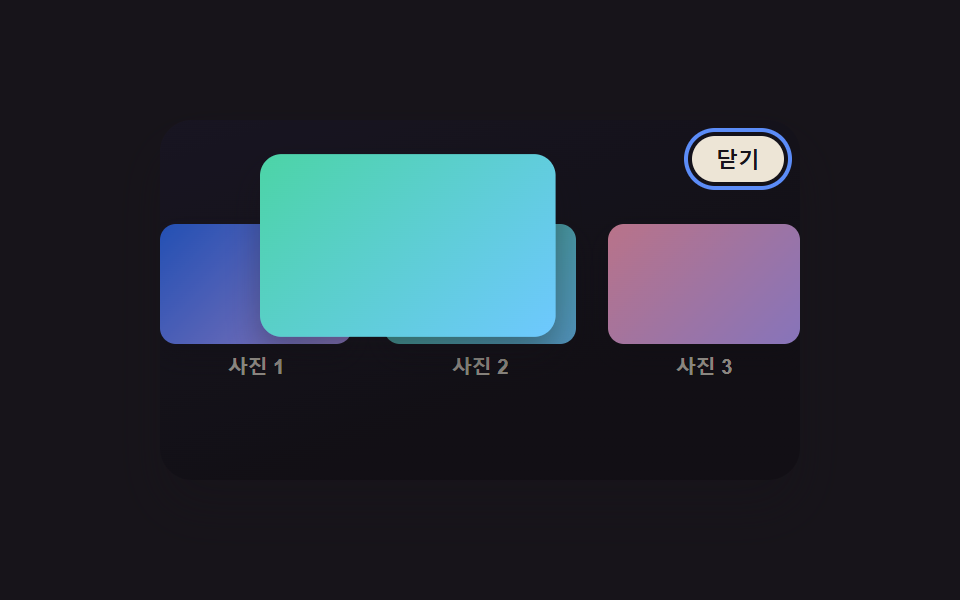 CSS Lightbox Gallery Animation — 9 TransitionsAmong nine css lightbox gallery ideas, one grows from the clicked thumbnail's spot, one times a downward flick to decide See all demos in this post
If you like this effect - similar demos
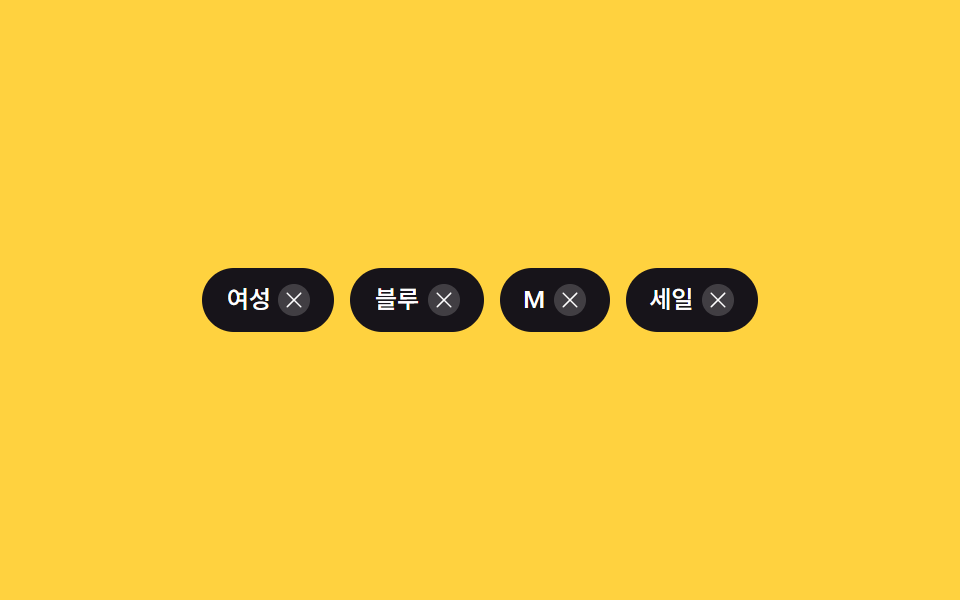 Transitions02 Chip remove collapse — a row recomputing container width from remaining chip count9 Filter UI Patterns (Panel Slide to Chip Remove)
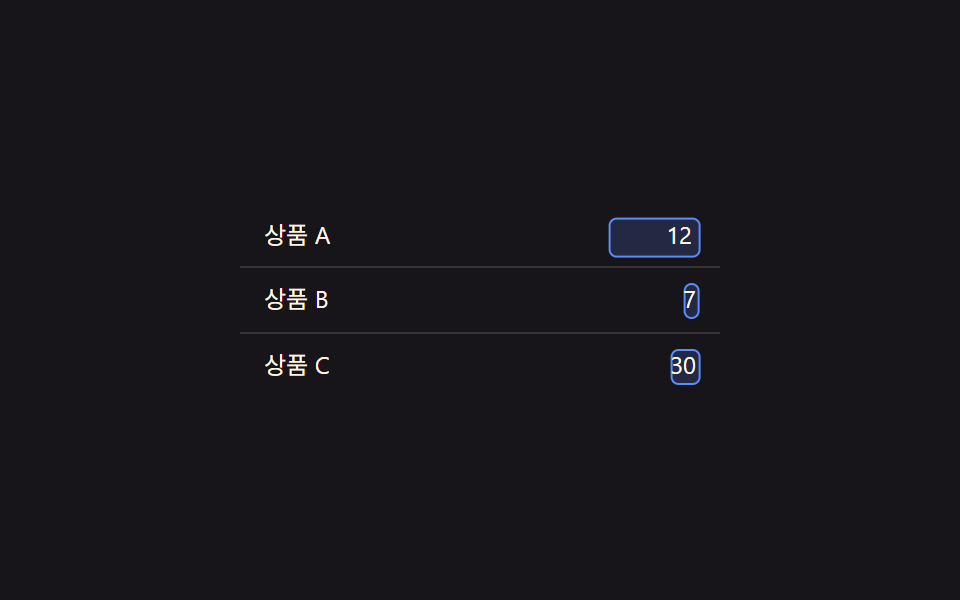 Transitions06 Edit-state value toggle — when a cell's edit-state value changes, a text value's spot switches to an input valueCollapsible Table Row: 9 UI Patterns
 Transitions03 Dot Indicator That Turns Into a Ring When a Read Value FlipsNotification Animation CSS: 9 Panel UI Patterns