02Chip remove collapse — a row recomputing container width from remaining chip count
Once a chip is removed, the widths and gaps of the remaining chips are re-summed into a new container width, and the whole row narrows to that value.
Best forA chip row showing applied filters, a search-condition summary bar
getBoundingClientRecttransitiongap
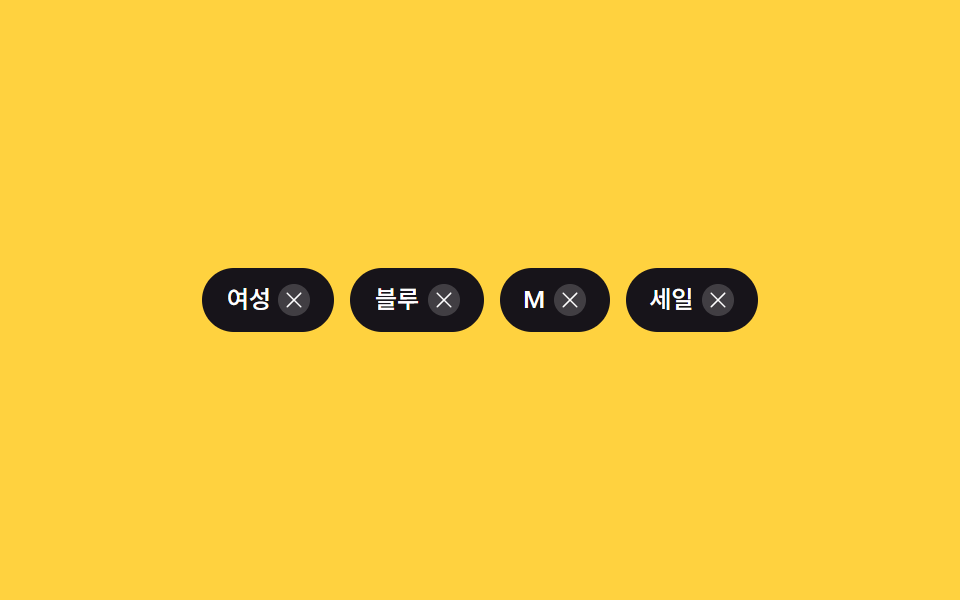
<main class="stage">
  <div class="chips" id="chips" role="list" aria-label="Applied filters">
    <span class="chip" role="listitem" data-label="Women">
      <span class="chip__label">Women</span>
      <button class="chip__x" type="button" aria-label="Remove Women filter">
        <svg viewBox="0 0 256 256" width="12" height="12" aria-hidden="true"><g fill="currentColor"><path d="M205.66 194.34a8 8 0 0 1-11.32 11.32L128 139.31l-66.34 66.35a8 8 0 0 1-11.32-11.32L116.69 128L50.34 61.66a8 8 0 0 1 11.32-11.32L128 116.69l66.34-66.35a8 8 0 0 1 11.32 11.32L139.31 128Z"/></g></svg>
      </button>
    </span>
    <span class="chip" role="listitem" data-label="Blue">
      <span class="chip__label">Blue</span>
      <button class="chip__x" type="button" aria-label="Remove Blue filter">
        <svg viewBox="0 0 256 256" width="12" height="12" aria-hidden="true"><g fill="currentColor"><path d="M205.66 194.34a8 8 0 0 1-11.32 11.32L128 139.31l-66.34 66.35a8 8 0 0 1-11.32-11.32L116.69 128L50.34 61.66a8 8 0 0 1 11.32-11.32L128 116.69l66.34-66.35a8 8 0 0 1 11.32 11.32L139.31 128Z"/></g></svg>
      </button>
    </span>
    <span class="chip" role="listitem" data-label="M">
      <span class="chip__label">M</span>
      <button class="chip__x" type="button" aria-label="Remove M filter">
        <svg viewBox="0 0 256 256" width="12" height="12" aria-hidden="true"><g fill="currentColor"><path d="M205.66 194.34a8 8 0 0 1-11.32 11.32L128 139.31l-66.34 66.35a8 8 0 0 1-11.32-11.32L116.69 128L50.34 61.66a8 8 0 0 1 11.32-11.32L128 116.69l66.34-66.35a8 8 0 0 1 11.32 11.32L139.31 128Z"/></g></svg>
      </button>
    </span>
    <span class="chip" role="listitem" data-label="Sale">
      <span class="chip__label">Sale</span>
      <button class="chip__x" type="button" aria-label="Remove Sale filter">
        <svg viewBox="0 0 256 256" width="12" height="12" aria-hidden="true"><g fill="currentColor"><path d="M205.66 194.34a8 8 0 0 1-11.32 11.32L128 139.31l-66.34 66.35a8 8 0 0 1-11.32-11.32L116.69 128L50.34 61.66a8 8 0 0 1 11.32-11.32L128 116.69l66.34-66.35a8 8 0 0 1 11.32 11.32L139.31 128Z"/></g></svg>
      </button>
    </span>
  </div>
</main>@use "../../../../site/static/demo-tokens" as *;
$duration: $dur-base;
$easing: $ease-spring;
$color: $subject-ink;
@include stage($stage-yellow);
.chips {
box-sizing: border-box;
display: flex;
align-items: center;
gap: $sp-2;
flex-wrap: nowrap;
overflow: hidden;
transition: width $duration $easing;
}
.chip {
flex: 0 0 auto;
display: inline-flex;
align-items: center;
gap: $sp-1;
padding: $sp-2 $sp-3;
border-radius: $r-pill;
background: $color;
white-space: nowrap;
}
.chip__label {
color: $stage-paper;
font-weight: 500;
font-size: 12px;
line-height: 1.3;
}
.chip__x {
display: inline-flex;
align-items: center;
justify-content: center;
width: 16px;
height: 16px;
padding: 0;
border: 0;
border-radius: 50%;
background: rgba($stage-paper, .18);
color: $stage-paper;
cursor: pointer;
}
@media (max-width: 340px) {
.chip { padding: $sp-1 $sp-2; gap: $sp-1; }
.chip__label { font-size: 11px; }
.chip__x { width: 14px; height: 14px; }
.chips { gap: $sp-1; }
}
@media (prefers-reduced-motion: reduce) {
.chips { transition: none; }
}html, body {
margin: 0;
overflow: hidden;
}
.stage {
box-sizing: border-box;
min-height: 100vh;
display: grid;
place-items: center;
margin: 0;
background: #ffd23f;
font-family: -apple-system, "Segoe UI", "Noto Sans KR", sans-serif;
padding: clamp(8px, 4vw, 24px);
}
.chips {
box-sizing: border-box;
display: flex;
align-items: center;
gap: 8px;
flex-wrap: nowrap;
overflow: hidden;
transition: width 300ms cubic-bezier(0.2, 0.8, 0.2, 1);
}
.chip {
flex: 0 0 auto;
display: inline-flex;
align-items: center;
gap: 4px;
padding: 8px 12px;
border-radius: 999px;
background: #17141a;
white-space: nowrap;
}
.chip__label {
color: #ffffff;
font-weight: 500;
font-size: 12px;
line-height: 1.3;
}
.chip__x {
display: inline-flex;
align-items: center;
justify-content: center;
width: 16px;
height: 16px;
padding: 0;
border: 0;
border-radius: 50%;
background: rgba(255, 255, 255, 0.18);
color: #ffffff;
cursor: pointer;
}
@media (max-width: 340px) {
.chip {
padding: 4px 8px;
gap: 4px;
}
.chip__label {
font-size: 11px;
}
.chip__x {
width: 14px;
height: 14px;
}
.chips {
gap: 4px;
}
}
@media (prefers-reduced-motion: reduce) {
.chips {
transition: none;
}
}// 칩 하나를 지우면 남은 칩들의 실측 폭(getBoundingClientRect)과 사이 간격(gap)을 다시 더해 컨테이너 폭을 그 값으로 옮긴다(transition).
// 실사용 클릭 리스너 있음 + 캡처용으로 같은 제거·추가 함수를 2초 주기로 되풀이한다.
(function () {
var GAP_PX = 8;
var row = document.getElementById('chips');
if (!row) return;
function recompute() {
var chips = row.querySelectorAll('.chip');
var total = 0;
chips.forEach(function (chip, i) {
total += chip.getBoundingClientRect().width;
if (i > 0) total += GAP_PX;
});
row.style.width = total + 'px';
}
function buildChip(label) {
var chip = document.createElement('span');
chip.className = 'chip';
chip.setAttribute('role', 'listitem');
chip.dataset.label = label;
var text = document.createElement('span');
text.className = 'chip__label';
text.textContent = label;
var btn = document.createElement('button');
btn.className = 'chip__x';
btn.type = 'button';
btn.setAttribute('aria-label', label + ' Remove filter');
btn.innerHTML = '<svg viewBox="0 0 256 256" width="12" height="12" aria-hidden="true"><g fill="currentColor"><path d="M205.66 194.34a8 8 0 0 1-11.32 11.32L128 139.31l-66.34 66.35a8 8 0 0 1-11.32-11.32L116.69 128L50.34 61.66a8 8 0 0 1 11.32-11.32L128 116.69l66.34-66.35a8 8 0 0 1 11.32 11.32L139.31 128Z"/></g></svg>';
chip.appendChild(text);
chip.appendChild(btn);
return chip;
}
function removeChip(chip) {
if (!chip) return null;
var label = chip.dataset.label || '';
chip.remove();
recompute();
return label;
}
function addChip(label) {
var chip = buildChip(label);
row.appendChild(chip);
recompute();
}
row.addEventListener('click', function (e) {
var btn = e.target.closest('.chip__x');
if (!btn) return;
removeChip(btn.closest('.chip'));
});
requestAnimationFrame(recompute);
// 자동 시연: 마지막 칩을 지웠다가 되돌리는 2초 주기 반복 (실제 리스너와 같은 함수를 재사용)
(function loop() {
setTimeout(function () {
var last = row.querySelector('.chip:last-child');
var label = removeChip(last);
setTimeout(function () {
if (label) addChip(label);
setTimeout(loop, 700);
}, 650);
}, 350);
})();
})();import { useEffect, useRef } from "react";
import styles from "./ChipRemoveCollapse.module.scss";
// 칩 하나를 지우면 남은 칩들의 실측 폭(getBoundingClientRect)과 사이 간격(gap)을 다시 더해 컨테이너 폭을 그 값으로 옮긴다(transition).
// 실사용 클릭 리스너 있음 + 같은 제거·추가 함수를 2초 주기로 되풀이하는 자동 시연을 함께 돈다.
const GAP_PX = 8;
const X_ICON_SVG =
'<svg viewBox="0 0 256 256" width="12" height="12" aria-hidden="true"><g fill="currentColor"><path d="M205.66 194.34a8 8 0 0 1-11.32 11.32L128 139.31l-66.34 66.35a8 8 0 0 1-11.32-11.32L116.69 128L50.34 61.66a8 8 0 0 1 11.32-11.32L128 116.69l66.34-66.35a8 8 0 0 1 11.32 11.32L139.31 128Z"/></g></svg>';
export default function ChipRemoveCollapse() {
const rowRef = useRef<HTMLDivElement>(null);
useEffect(() => {
const row = rowRef.current;
if (!row) return;
let alive = true;
function recompute() {
const chips = row!.querySelectorAll<HTMLElement>("." + styles.chip);
let total = 0;
chips.forEach((chip, i) => {
total += chip.getBoundingClientRect().width;
if (i > 0) total += GAP_PX;
});
row!.style.width = total + "px";
}
function buildChip(label: string) {
const chip = document.createElement("span");
chip.className = styles.chip;
chip.setAttribute("role", "listitem");
chip.dataset.label = label;
const text = document.createElement("span");
text.className = styles.chip__label;
text.textContent = label;
const btn = document.createElement("button");
btn.className = styles.chip__x;
btn.type = "button";
btn.setAttribute("aria-label", label + " 필터 제거");
btn.innerHTML = X_ICON_SVG;
chip.appendChild(text);
chip.appendChild(btn);
return chip;
}
function removeChip(chip: HTMLElement | null) {
if (!chip) return null;
const label = chip.dataset.label || "";
chip.remove();
recompute();
return label;
}
function addChip(label: string) {
const chip = buildChip(label);
row!.appendChild(chip);
recompute();
}
function onClick(e: MouseEvent) {
const target = e.target as Element | null;
if (!target) return;
const btn = target.closest<HTMLElement>("." + styles.chip__x);
if (!btn) return;
removeChip(btn.closest<HTMLElement>("." + styles.chip));
}
row.addEventListener("click", onClick);
const rafId = requestAnimationFrame(recompute);
const timers: number[] = [];
(function loop() {
const t1 = window.setTimeout(() => {
if (!alive) return;
const last = row!.querySelector<HTMLElement>("." + styles.chip + ":last-child");
const label = removeChip(last);
const t2 = window.setTimeout(() => {
if (!alive) return;
if (label) addChip(label);
const t3 = window.setTimeout(loop, 700);
timers.push(t3);
}, 650);
timers.push(t2);
}, 350);
timers.push(t1);
})();
return () => {
alive = false;
row.removeEventListener("click", onClick);
cancelAnimationFrame(rafId);
timers.forEach((t) => window.clearTimeout(t));
};
}, []);
return (
<main className={styles.stage}>
<div ref={rowRef} className={styles.chips} role="list" aria-label="적용된 필터">
<span className={styles.chip} role="listitem" data-label="여성">
<span className={styles.chip__label}>여성</span>
<button className={styles.chip__x} type="button" aria-label="여성 필터 제거">
<svg viewBox="0 0 256 256" width="12" height="12" aria-hidden="true">
<g fill="currentColor">
<path d="M205.66 194.34a8 8 0 0 1-11.32 11.32L128 139.31l-66.34 66.35a8 8 0 0 1-11.32-11.32L116.69 128L50.34 61.66a8 8 0 0 1 11.32-11.32L128 116.69l66.34-66.35a8 8 0 0 1 11.32 11.32L139.31 128Z" />
</g>
</svg>
</button>
</span>
<span className={styles.chip} role="listitem" data-label="블루">
<span className={styles.chip__label}>블루</span>
<button className={styles.chip__x} type="button" aria-label="블루 필터 제거">
<svg viewBox="0 0 256 256" width="12" height="12" aria-hidden="true">
<g fill="currentColor">
<path d="M205.66 194.34a8 8 0 0 1-11.32 11.32L128 139.31l-66.34 66.35a8 8 0 0 1-11.32-11.32L116.69 128L50.34 61.66a8 8 0 0 1 11.32-11.32L128 116.69l66.34-66.35a8 8 0 0 1 11.32 11.32L139.31 128Z" />
</g>
</svg>
</button>
</span>
<span className={styles.chip} role="listitem" data-label="M">
<span className={styles.chip__label}>M</span>
<button className={styles.chip__x} type="button" aria-label="M 필터 제거">
<svg viewBox="0 0 256 256" width="12" height="12" aria-hidden="true">
<g fill="currentColor">
<path d="M205.66 194.34a8 8 0 0 1-11.32 11.32L128 139.31l-66.34 66.35a8 8 0 0 1-11.32-11.32L116.69 128L50.34 61.66a8 8 0 0 1 11.32-11.32L128 116.69l66.34-66.35a8 8 0 0 1 11.32 11.32L139.31 128Z" />
</g>
</svg>
</button>
</span>
<span className={styles.chip} role="listitem" data-label="세일">
<span className={styles.chip__label}>세일</span>
<button className={styles.chip__x} type="button" aria-label="세일 필터 제거">
<svg viewBox="0 0 256 256" width="12" height="12" aria-hidden="true">
<g fill="currentColor">
<path d="M205.66 194.34a8 8 0 0 1-11.32 11.32L128 139.31l-66.34 66.35a8 8 0 0 1-11.32-11.32L116.69 128L50.34 61.66a8 8 0 0 1 11.32-11.32L128 116.69l66.34-66.35a8 8 0 0 1 11.32 11.32L139.31 128Z" />
</g>
</svg>
</button>
</span>
</div>
</main>
);
}02 Chip remove collapse — a row recomputing container width from remaining chip count — Measured area 5.569% · moving frames 11/23Original by GODRICH · SCSS and React ship in the zip · 9 Filter UI Patterns (Panel Slide to Chip Remove)
The post this demo lives in
 9 Filter UI Patterns (Panel Slide to Chip Remove)Filter ui hides several small jobs. One of nine recomputes chip-row width once a chip disappears, one scales a badge by See all demos in this post
If you like this effect - similar demos
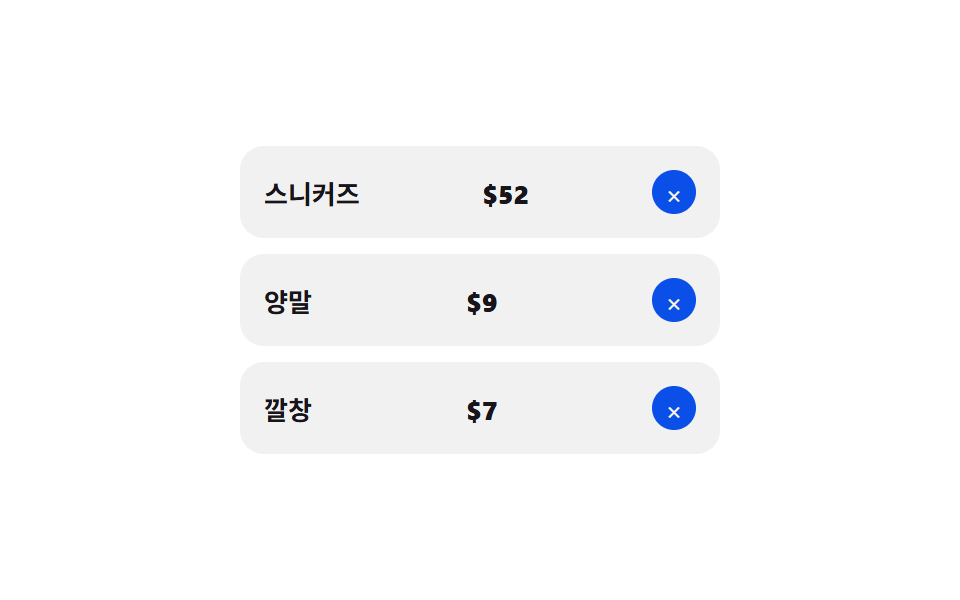 Transitions08 Remove-item collapse — a removed row's height value shrinking to zero as rows below close the gapCart Drawer UI Patterns: 9 Motion Techniques
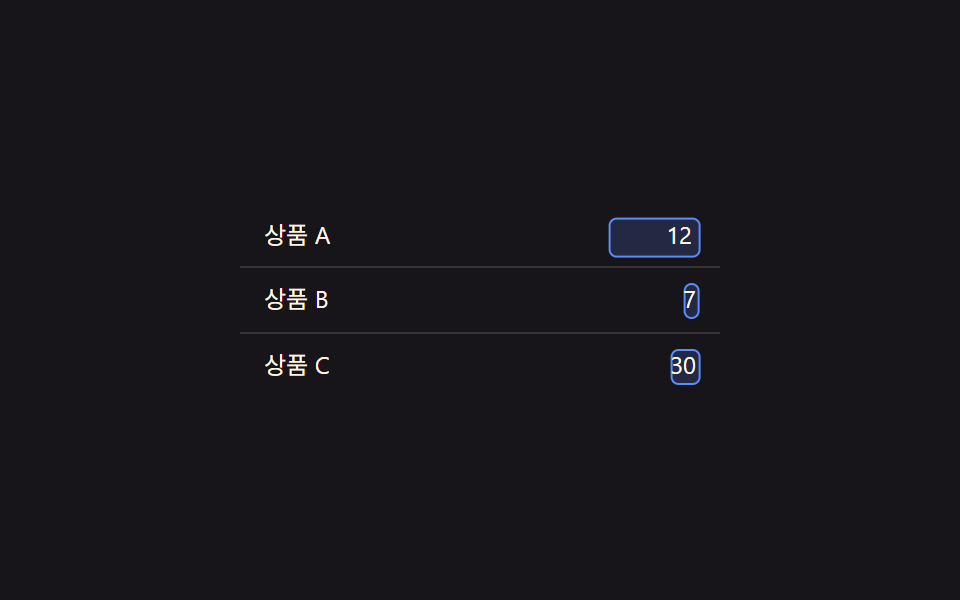 Transitions06 Edit-state value toggle — when a cell's edit-state value changes, a text value's spot switches to an input valueCollapsible Table Row: 9 UI Patterns
 Transitions01 Lightbox That Expands From the Thumbnail's SpotCSS Lightbox Gallery Animation — 9 Transitions