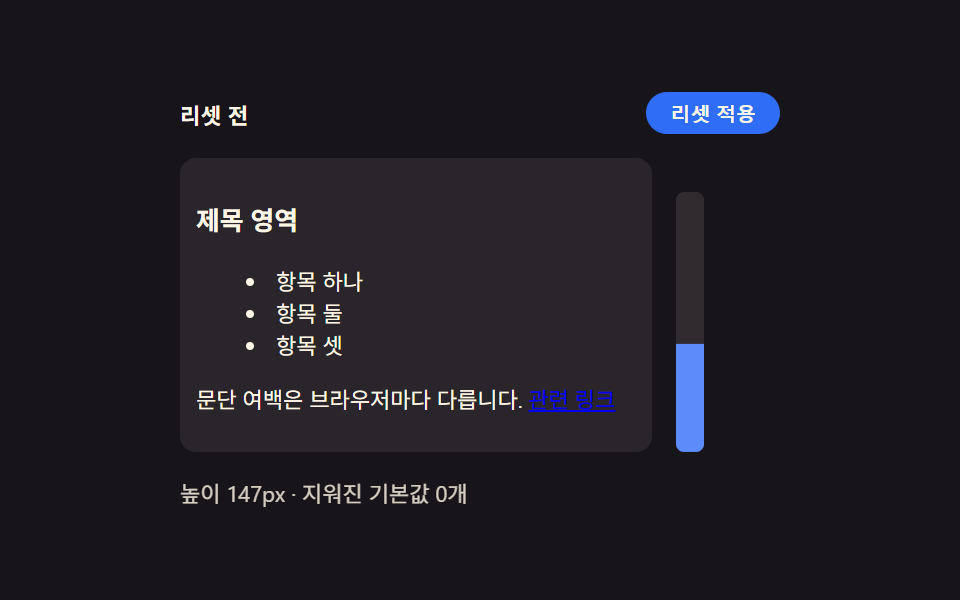
01Browser default reset — a starting point that unifies inconsistent spacing and list markers
The default spacing and list markers that vary by browser are all cleared, so every element starts from the same baseline.
Best forA fresh project's base stylesheet, a component library's foundation
margin: 0list-style: noneRESET_SCOPE
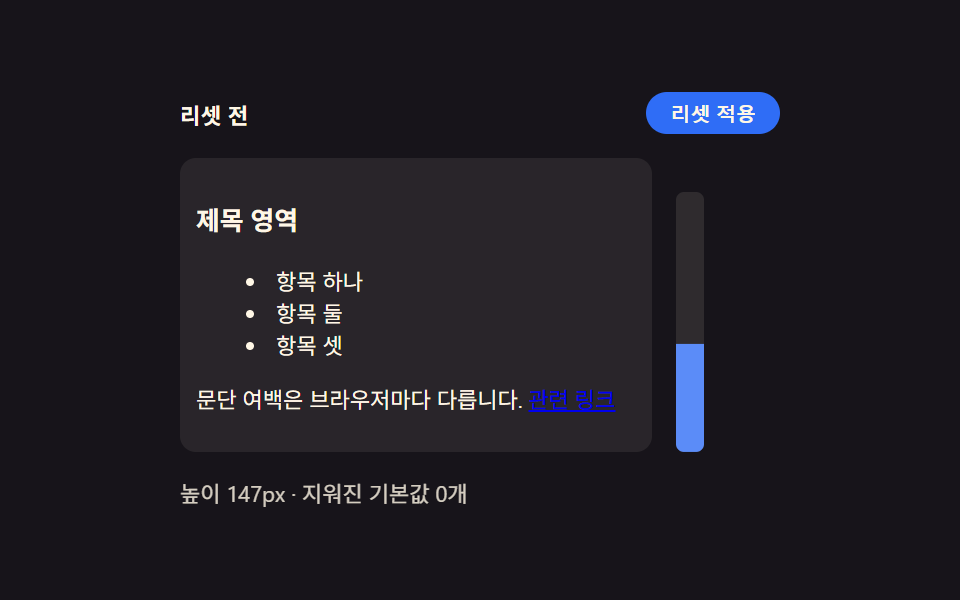
<main class="stage">
<div class="wrap is-demo" id="wrap">
  <div class="head">
    <span class="stateLabel" id="stateLabel">Before reset</span>
    <button class="toggleBtn" id="toggleBtn" type="button" aria-pressed="false">Reset applied</button>
  </div>
  <div class="body">
    <div class="panel" id="panel">
      <h3 class="demoHeading">Heading area</h3>
      <ul class="demoList">
        <li>Item one</li>
        <li>Item two</li>
        <li>Item three</li>
      </ul>
      <p class="demoPara">Paragraph margins differ by browser. <a href="#" class="demoLink" id="demoLink">Related link</a></p>
    </div>
    <div class="ruler" id="ruler">
      <div class="rulerFill" id="rulerFill"></div>
    </div>
  </div>
  <div class="readout" id="readout">Height —px · defaults cleared —</div>
</div>
</main>
@use "../../../../site/static/demo-tokens" as *;
// 계산 겹은 index.html 의 measure() 에 있다 — 패널의 실제 렌더 높이(getBoundingClientRect)를 매 프레임
// 다시 재서 룰러 막대의 scaleY 와 "높이 Npx" 문구에 그대로 반영한다. 여기는 리셋 전/후 두 규칙 집합과
// 룰러 모양만 맡는다.
@include stage($stage-ink);
.wrap {
width: 300px;
display: flex;
flex-direction: column;
gap: $sp-3;
}
.head {
display: flex;
align-items: center;
justify-content: space-between;
gap: $sp-2;
}
.stateLabel {
color: $subject-cream;
font-size: 11px;
font-weight: 700;
letter-spacing: .02em;
}
.toggleBtn {
appearance: none;
border: none;
border-radius: $r-pill;
background: $subject-blue;
color: $subject-cream;
padding: $sp-1 $sp-3;
font-size: 10px;
font-weight: 600;
cursor: pointer;
transition: background $dur-instant $ease-out, transform $dur-instant $ease-out;
&:hover { background: $subject-blue-light; }
&:active { transform: scale(.96); }
&[aria-pressed="true"] { background: $subject-orange-deep; }
&:focus-visible { outline: 2px solid $subject-blue-light; outline-offset: 2px; }
}
.body {
display: flex;
align-items: flex-start;
gap: $sp-3;
}
// 패널은 일부러 우리 스타일을 씌우지 않는다 — .reset 이 없는 기본 상태가 곧 브라우저 기본값이다.
// font-size 를 11px 로 낮춰 h3·ul·p 의 em 기반 기본 여백을 실제 비율 그대로 작게 줄인다(값을 지어내지
// 않는다 — UA 스타일시트의 em 마진이 그대로 이 기준을 따라간다).
.panel {
width: 220px;
font-size: 11px;
background: rgba($subject-cream, .08);
border-radius: $r-sm;
padding: $sp-2;
transition: padding $dur-base $ease-out;
}
.demoHeading,
.demoPara,
.demoList {
color: $subject-cream;
transition: margin $dur-base $ease-out;
}
.demoList {
transition: margin $dur-base $ease-out, padding $dur-base $ease-out;
}
.demoList li { color: $subject-cream; }
.demoLink {
transition: color $dur-base $ease-out;
}
.panel.reset {
.demoHeading, .demoPara, .demoList { margin: 0 0 $sp-2; }
.demoList { padding: 0; list-style: none; }
.demoList li { padding: $sp-1 0; }
}
.panel.reset.full .demoLink {
color: $subject-blue-light;
text-decoration: none;
}
.ruler {
position: relative;
width: 14px;
height: 130px;
border-radius: $r-xs;
background: rgba($subject-cream, .1);
align-self: flex-end;
overflow: hidden;
}
.rulerFill {
position: absolute;
left: 0;
bottom: 0;
width: 100%;
height: 100%;
transform-origin: bottom;
transform: scaleY(0);
background: $subject-blue-light;
transition: transform $dur-base $ease-out;
}
.readout {
color: $subject-cream;
font-size: 11px;
opacity: .82;
}
@media (max-width: 340px) {
.wrap { width: 260px; gap: $sp-2; }
.panel { width: 190px; padding: $sp-1; font-size: 9px; }
.body { gap: $sp-2; }
.ruler { height: 80px; }
.demoList li:nth-child(3) { display: none; }
}
@media (prefers-reduced-motion: reduce) {
// reduce: 전환의 완만함만 지운다 — 상태 자체는 계속 바뀐다(모션이 아니라 값 전환이라 유지)
.panel, .demoHeading, .demoPara, .demoList, .demoBtn, .rulerFill, .toggleBtn { transition: none; }
}html, body {
margin: 0;
overflow: hidden;
}
.stage {
box-sizing: border-box;
min-height: 100vh;
display: grid;
place-items: center;
margin: 0;
background: #17141a;
font-family: -apple-system, "Segoe UI", "Noto Sans KR", sans-serif;
padding: clamp(8px, 4vw, 24px);
}
.wrap {
width: 300px;
display: flex;
flex-direction: column;
gap: 12px;
}
.head {
display: flex;
align-items: center;
justify-content: space-between;
gap: 8px;
}
.stateLabel {
color: #fff7e6;
font-size: 11px;
font-weight: 700;
letter-spacing: 0.02em;
}
.toggleBtn {
appearance: none;
border: none;
border-radius: 999px;
background: #2f6df6;
color: #fff7e6;
padding: 4px 12px;
font-size: 10px;
font-weight: 600;
cursor: pointer;
transition: background 140ms ease-out, transform 140ms ease-out;
}
.toggleBtn:hover {
background: #5b8cf8;
}
.toggleBtn:active {
transform: scale(0.96);
}
.toggleBtn[aria-pressed=true] {
background: #c93000;
}
.toggleBtn:focus-visible {
outline: 2px solid #5b8cf8;
outline-offset: 2px;
}
.body {
display: flex;
align-items: flex-start;
gap: 12px;
}
.panel {
width: 220px;
font-size: 11px;
background: rgba(255, 247, 230, 0.08);
border-radius: 8px;
padding: 8px;
transition: padding 300ms ease-out;
}
.demoHeading,
.demoPara,
.demoList {
color: #fff7e6;
transition: margin 300ms ease-out;
}
.demoList {
transition: margin 300ms ease-out, padding 300ms ease-out;
}
.demoList li {
color: #fff7e6;
}
.demoLink {
transition: color 300ms ease-out;
}
.panel.reset .demoHeading, .panel.reset .demoPara, .panel.reset .demoList {
margin: 0 0 8px;
}
.panel.reset .demoList {
padding: 0;
list-style: none;
}
.panel.reset .demoList li {
padding: 4px 0;
}
.panel.reset.full .demoLink {
color: #5b8cf8;
text-decoration: none;
}
.ruler {
position: relative;
width: 14px;
height: 130px;
border-radius: 4px;
background: rgba(255, 247, 230, 0.1);
align-self: flex-end;
overflow: hidden;
}
.rulerFill {
position: absolute;
left: 0;
bottom: 0;
width: 100%;
height: 100%;
transform-origin: bottom;
transform: scaleY(0);
background: #5b8cf8;
transition: transform 300ms ease-out;
}
.readout {
color: #fff7e6;
font-size: 11px;
opacity: 0.82;
}
@media (max-width: 340px) {
.wrap {
width: 260px;
gap: 8px;
}
.panel {
width: 190px;
padding: 4px;
font-size: 9px;
}
.body {
gap: 8px;
}
.ruler {
height: 80px;
}
.demoList li:nth-child(3) {
display: none;
}
}
@media (prefers-reduced-motion: reduce) {
.panel, .demoHeading, .demoPara, .demoList, .demoBtn, .rulerFill, .toggleBtn {
transition: none;
}
}(function () {
// 변형 상수 — minimal 은 목록·여백만, full 은 버튼 겉모습까지 지운다 (D 뒤 확정)
var RESET_SCOPE = 'minimal';
var STEP_MS = 320;
// 지워지는 기본값 카테고리 — 실제로 화면에 세어 보여주는 목록이라 죽은 상수가 아니다
var CLEARED_MINIMAL = ['heading-margin', 'paragraph-margin', 'list-style'];
var CLEARED_FULL = CLEARED_MINIMAL.concat(['link-decoration']);
var MAX_HEIGHT_PX = 130; // 룰러 눈금의 기준 최대 Height — 이 값을 넘는 초과분은 눈금 밖으로 잘린다
var reduce = window.matchMedia('(prefers-reduced-motion: reduce)').matches;
var wrap = document.getElementById('wrap');
var panel = document.getElementById('panel');
var toggleBtn = document.getElementById('toggleBtn');
var stateLabel = document.getElementById('stateLabel');
var readout = document.getElementById('readout');
var rulerFill = document.getElementById('rulerFill');
var isDemo = true;
var on = false;
function clearedList() { return RESET_SCOPE === 'full' ? CLEARED_FULL : CLEARED_MINIMAL; }
function measure() {
// 실측 — 패널의 실제 렌더 높이를 매 프레임 다시 잰다. 값을 미리 정해두지 않는다
var h = panel.getBoundingClientRect().height;
var ratio = Math.min(1, h / MAX_HEIGHT_PX);
rulerFill.style.transform = 'scaleY(' + ratio.toFixed(3) + ')';
readout.textContent = 'Height ' + Math.round(h) + 'px · defaults cleared ' + (on ? clearedList().length : 0) + ' ';
}
function apply(next) {
on = next;
panel.classList.toggle('reset', on);
panel.classList.toggle('full', on && RESET_SCOPE === 'full');
stateLabel.textContent = on ? 'After reset' : 'Before reset';
toggleBtn.setAttribute('aria-pressed', String(on));
}
function human() { if (isDemo) { wrap.classList.remove('is-demo'); isDemo = false; } }
toggleBtn.addEventListener('click', function () { human(); apply(!on); });
document.getElementById('demoLink').addEventListener('click', function (e) { human(); e.preventDefault(); });
var last = 0;
function loop(ts) {
if (!last) last = ts;
if (isDemo && !reduce && ts - last >= STEP_MS) { last = ts; apply(!on); }
measure();
requestAnimationFrame(loop);
}
requestAnimationFrame(loop);
})();// Reset — vanilla 판(run/376/demo/01-reset/index.html) 의 React 포트.
// 패널에 .reset 클래스를 토글해 브라우저 기본값(h3·ul·p 여백)이 지워지는 전후를 보여주고,
// 룰러 막대는 실제 렌더 높이(getBoundingClientRect)를 매 프레임 다시 재 채운다.
import { useEffect, useRef } from "react";
import styles from "./Reset.module.scss";
type Box<T> = { current: T };
const RESET_SCOPE: "minimal" | "full" = "minimal";
const STEP_MS = 320;
const CLEARED_MINIMAL = ["heading-margin", "paragraph-margin", "list-style"];
const CLEARED_FULL = CLEARED_MINIMAL.concat(["link-decoration"]);
const MAX_HEIGHT_PX = 130;
export default function Reset() {
const wrapRef = useRef(null) as unknown as Box<HTMLDivElement>;
const panelRef = useRef(null) as unknown as Box<HTMLDivElement>;
const toggleBtnRef = useRef(null) as unknown as Box<HTMLButtonElement>;
const stateLabelRef = useRef(null) as unknown as Box<HTMLSpanElement>;
const readoutRef = useRef(null) as unknown as Box<HTMLDivElement>;
const rulerFillRef = useRef(null) as unknown as Box<HTMLDivElement>;
const demoLinkRef = useRef(null) as unknown as Box<HTMLAnchorElement>;
const rafRef = useRef(0) as unknown as Box<number>;
useEffect(() => {
const reduce = window.matchMedia("(prefers-reduced-motion: reduce)").matches;
const wrap = wrapRef.current;
const panel = panelRef.current;
const toggleBtn = toggleBtnRef.current;
const stateLabel = stateLabelRef.current;
const readout = readoutRef.current;
const rulerFill = rulerFillRef.current;
const demoLink = demoLinkRef.current;
if (!wrap || !panel || !toggleBtn || !stateLabel || !readout || !rulerFill || !demoLink) return;
let isDemo = true;
let on = false;
function clearedList() {
return RESET_SCOPE === "full" ? CLEARED_FULL : CLEARED_MINIMAL;
}
function measure() {
const h = panel!.getBoundingClientRect().height;
const ratio = Math.min(1, h / MAX_HEIGHT_PX);
rulerFill!.style.transform = "scaleY(" + ratio.toFixed(3) + ")";
readout!.textContent = "높이 " + Math.round(h) + "px · 지워진 기본값 " + (on ? clearedList().length : 0) + "개";
}
function apply(next: boolean) {
on = next;
panel!.classList.toggle(styles.reset, on);
panel!.classList.toggle(styles.full, on && RESET_SCOPE === "full");
stateLabel!.textContent = on ? "리셋 후" : "리셋 전";
toggleBtn!.setAttribute("aria-pressed", String(on));
}
function human() { if (isDemo) { wrap!.classList.remove(styles.isDemo); isDemo = false; } }
function onToggleClick() { human(); apply(!on); }
function onLinkClick(e: MouseEvent) { human(); e.preventDefault(); }
toggleBtn.addEventListener("click", onToggleClick);
demoLink.addEventListener("click", onLinkClick);
let last = 0;
function loop(ts: number) {
if (!last) last = ts;
if (isDemo && !reduce && ts - last >= STEP_MS) { last = ts; apply(!on); }
measure();
rafRef.current = requestAnimationFrame(loop);
}
rafRef.current = requestAnimationFrame(loop);
return () => {
toggleBtn!.removeEventListener("click", onToggleClick);
demoLink!.removeEventListener("click", onLinkClick);
cancelAnimationFrame(rafRef.current);
};
}, []);
return (
<main className={styles.stage}>
<div className={styles.wrap + " " + styles.isDemo} ref={wrapRef}>
<div className={styles.head}>
<span className={styles.stateLabel} ref={stateLabelRef}>리셋 전</span>
<button className={styles.toggleBtn} ref={toggleBtnRef} type="button" aria-pressed="false">리셋 적용</button>
</div>
<div className={styles.body}>
<div className={styles.panel} ref={panelRef}>
<h3 className={styles.demoHeading}>제목 영역</h3>
<ul className={styles.demoList}>
<li>항목 하나</li>
<li>항목 둘</li>
<li>항목 셋</li>
</ul>
<p className={styles.demoPara}>문단 여백은 브라우저마다 다릅니다. <a href="#" className={styles.demoLink} ref={demoLinkRef}>관련 링크</a></p>
</div>
<div className={styles.ruler}>
<div className={styles.rulerFill} ref={rulerFillRef}></div>
</div>
</div>
<div className={styles.readout} ref={readoutRef}>높이 —px · 지워진 기본값 —개</div>
</div>
</main>
);
}01 Browser default reset — a starting point that unifies inconsistent spacing and list markers — Measured area 19.15% · moving frames 12/23Original by GODRICH · SCSS and React ship in the zip · CSS Reset: 9 Patterns From Basics to Safe-Area
The post this demo lives in
 CSS Reset: 9 Patterns From Basics to Safe-AreaNine css reset patterns: one recalculates padding for the safe area, one shrinks transition duration near zero when moti See all demos in this post
If you like this effect - similar demos
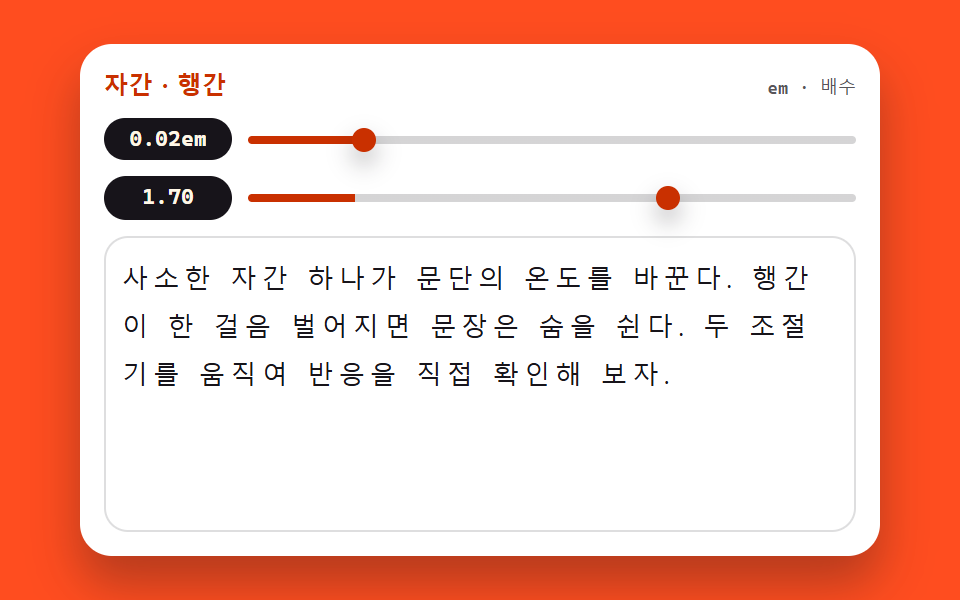 base03 Tracking and leading tunerCSS Typography Playground: 9 Demos, No Webfonts
 base01 Squircle card — a superellipse exponent value flows between circle and square while the card's corner ridge changesCSS corner-shape: 9 Corner Cutting Patterns
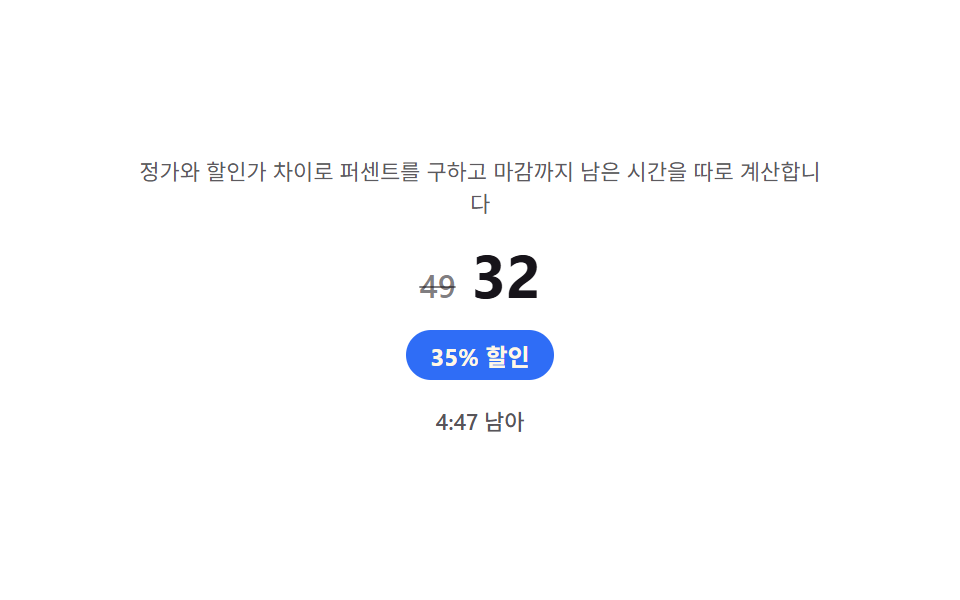 Landing sections04 Discount badge — a badge that works out its own percentage from list price and sale price9 Pricing Page Design Sections (Copy-Paste)