03Tracking and leading tuner
The letter-spacing slider moves in em while the line-height slider moves in unitless multiples, each value printed right beside the text so you can watch several lines of body copy react to both knobs at once.
Best forBlog body-text settings panel
letter-spacingline-heighttextContent
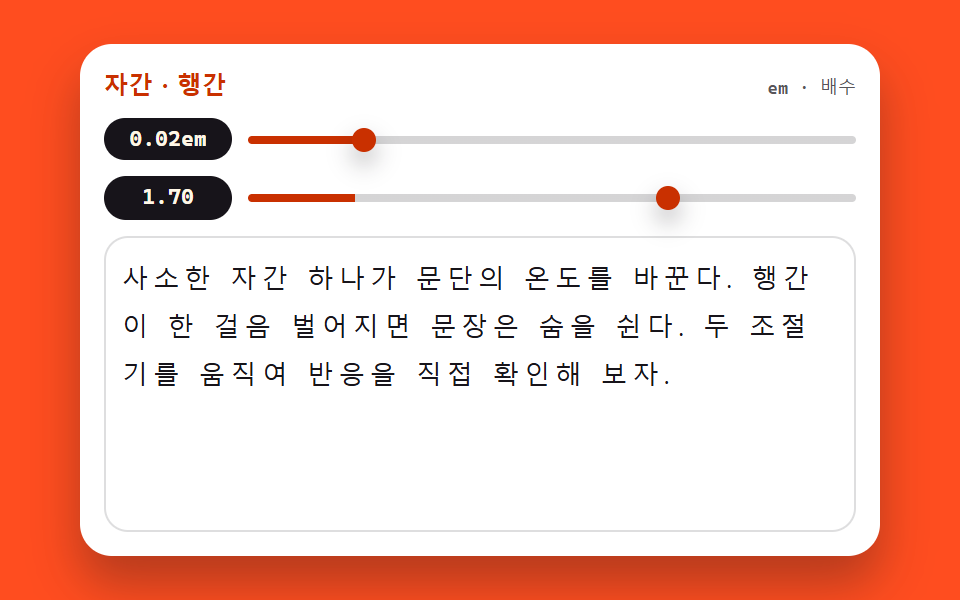
<main class="stage">
<section class="st is-demo" id="st" aria-label="Tracking and leading tuner">
  <header class="st__bar">
    <span class="st__name">Tracking · Leading</span>
    <span class="st__hint">em · multiple</span>
  </header>
  <div class="st__ctrl">
    <span class="st__val" id="stTrackVal">0.02em</span>
    <input class="st__range" id="stTrack" type="range" min="-0.04" max="0.3" step="0.01" value="0.02"
           aria-label="Tracking slider">
  </div>
  <div class="st__ctrl">
    <span class="st__val" id="stLeadVal">1.70</span>
    <input class="st__range" id="stLead" type="range" min="1" max="2" step="0.05" value="1.7"
           aria-label="Leading slider">
  </div>
  <div class="st__body">
    <p class="st__text" id="stText">A single point of tracking changes a paragraph's temperature; one step of extra leading and the sentence breathes. Move both knobs and watch it happen.</p>
  </div>
</section>
</main>
@use "../../../../site/static/demo-tokens" as *;
// 자간·행간 조절기 — letter-spacing(em) 과 line-height(단위 없는 배수) 두 손잡이로
// 본문 표본을 직접 움직인다. 값은 textContent 로 글 옆에 즉시 붙는다.
// 이 데모는 layout 속성 자체가 주제라 다른 편의 "transform·opacity 만 움직인다" 원칙에 대한
// 명시적인 예외다 — 미리보기 루프도 두 속성을 키프레임으로 흔든다. 표본 상자를 높이 고정으로
// 두어 행간이 가장 벌어질 때도 무대를 넘지 않게 한다(넘침은 상자 안에서 잘리게).
$duration: $dur-quick;
$easing: $ease-spring;
$color: $subject-orange-deep;
$sans: system-ui, -apple-system, "Segoe UI", "Noto Sans KR", sans-serif;
$mono: ui-monospace, "Cascadia Mono", Consolas, "Liberation Mono", monospace;
@include stage($stage-orange);
.st {
display: flex; flex-direction: column; gap: $sp-2;
box-sizing: border-box; width: min(100%, 400px); padding: $sp-3;
border-radius: $r-card; background: $stage-paper;
box-shadow: $shadow-raised;
}
// ── 제목 줄
.st__bar { display: flex; align-items: baseline; justify-content: space-between; }
.st__name {
color: $subject-orange-deep;
font-family: $sans; font-weight: 800; font-size: 12px; line-height: 1.4; letter-spacing: .02em;
}
.st__hint {
color: rgba($subject-ink, .72);
font-family: $mono; font-weight: 500; font-size: 9px; line-height: 1.4;
}
// ── 조절기 두 줄. 값 배지가 왼쪽에 폭을 고정해 두 슬라이더의 시작이 반듯이 맞는다
.st__ctrl { display: flex; align-items: center; gap: $sp-2; }
.st__val {
flex: 0 0 64px; box-sizing: border-box; text-align: center;
padding: $sp-1 0; border-radius: $r-pill;
background: $subject-ink; color: $subject-cream;
font-family: $mono; font-weight: 700; font-size: 11px; line-height: 1.2;
}
.st__range {
--fill: 17.6%;
flex: 1 1 auto; appearance: none; -webkit-appearance: none;
display: block; height: 20px; margin: 0; background: transparent; cursor: pointer;
}
.st__range::-webkit-slider-runnable-track {
height: 4px; border-radius: $r-pill;
background: linear-gradient(90deg, $color 0 var(--fill), rgba($subject-ink, .18) var(--fill) 100%);
}
.st__range::-webkit-slider-thumb {
-webkit-appearance: none; appearance: none;
width: 12px; height: 12px; margin-top: -4px;
border: 0; border-radius: 50%; background: $color;
box-shadow: $shadow-press;
}
.st__range::-moz-range-track {
height: 4px; border-radius: $r-pill; background: rgba($subject-ink, .18);
}
.st__range::-moz-range-thumb {
width: 12px; height: 12px; border: 0; border-radius: 50%; background: $color;
}
.st__range:focus-visible { outline: 2px solid $color; outline-offset: 4px; }
// ── 본문 표본. 상자 높이를 고정한다 — 행간이 2.0 까지 벌어져도 무대 밖으로 못 나간다
.st__body {
height: 130px; overflow: hidden;
padding: $sp-2; border: 1px solid rgba($subject-ink, .14); border-radius: $r-control;
}
.st__text {
margin: 0; color: $subject-ink;
font-family: $sans; font-weight: 500;
font-size: clamp(10px, 3.2vw, 13px); line-height: 1.7; letter-spacing: 0.02em;
overflow-wrap: break-word;
}
// ── 격자 미리보기 루프 (2초). 두 속성을 같은 주기로 흔든다 —
// 자간이 벌어지며 행이 다시 짜이고 행간이 벌어지며 문단이 숨 쉬는 장면이 한 화면에서 겹친다.
.st.is-demo .st__text {
animation-name: stTrack, stLead;
animation-duration: $dur-loop, $dur-loop;
animation-timing-function: ease-in-out, ease-in-out;
animation-iteration-count: infinite, infinite;
}
@keyframes stTrack {
0% { letter-spacing: -0.02em; }
45% { letter-spacing: 0.24em; }
90%, 100% { letter-spacing: -0.02em; }
}
@keyframes stLead {
0% { line-height: 1.1; }
45% { line-height: 2.0; }
90%, 100% { line-height: 1.1; }
}
// ── 좁은 화면: 표본 상자와 글자를 내린다(올리지 않는다). 루프 폭도 상자에 맞춰 줄인다
@media (max-width: 340px) {
.st { padding: $sp-2; gap: $sp-1; }
.st__name { font-size: 11px; }
.st__val { flex-basis: 52px; font-size: 10px; }
.st__body { height: 78px; padding: $sp-1; }
.st.is-demo .st__text {
animation-name: stTrackN, stLeadN;
}
}
@keyframes stTrackN {
0% { letter-spacing: -0.02em; }
45% { letter-spacing: 0.18em; }
90%, 100% { letter-spacing: -0.02em; }
}
@keyframes stLeadN {
0% { line-height: 1.1; }
45% { line-height: 1.8; }
90%, 100% { line-height: 1.1; }
}
@media (prefers-reduced-motion: reduce) {
.st.is-demo .st__text {
animation: none !important;
letter-spacing: 0.02em !important;
line-height: 1.7 !important;
}
}html, body {
margin: 0;
overflow: hidden;
}
.stage {
box-sizing: border-box;
min-height: 100vh;
display: grid;
place-items: center;
margin: 0;
background: #ff4d1f;
font-family: -apple-system, "Segoe UI", "Noto Sans KR", sans-serif;
padding: clamp(8px, 4vw, 24px);
}
.st {
display: flex;
flex-direction: column;
gap: 8px;
box-sizing: border-box;
width: min(100%, 400px);
padding: 12px;
border-radius: 16px;
background: #ffffff;
box-shadow: 0 14px 24px rgba(23, 20, 26, 0.32);
}
.st__bar {
display: flex;
align-items: baseline;
justify-content: space-between;
}
.st__name {
color: #c93000;
font-family: system-ui, -apple-system, "Segoe UI", "Noto Sans KR", sans-serif;
font-weight: 800;
font-size: 12px;
line-height: 1.4;
letter-spacing: 0.02em;
}
.st__hint {
color: rgba(23, 20, 26, 0.72);
font-family: ui-monospace, "Cascadia Mono", Consolas, "Liberation Mono", monospace;
font-weight: 500;
font-size: 9px;
line-height: 1.4;
}
.st__ctrl {
display: flex;
align-items: center;
gap: 8px;
}
.st__val {
flex: 0 0 64px;
box-sizing: border-box;
text-align: center;
padding: 4px 0;
border-radius: 999px;
background: #17141a;
color: #fff7e6;
font-family: ui-monospace, "Cascadia Mono", Consolas, "Liberation Mono", monospace;
font-weight: 700;
font-size: 11px;
line-height: 1.2;
}
.st__range {
--fill: 17.6%;
flex: 1 1 auto;
appearance: none;
-webkit-appearance: none;
display: block;
height: 20px;
margin: 0;
background: transparent;
cursor: pointer;
}
.st__range::-webkit-slider-runnable-track {
height: 4px;
border-radius: 999px;
background: linear-gradient(90deg, #c93000 0 var(--fill), rgba(23, 20, 26, 0.18) var(--fill) 100%);
}
.st__range::-webkit-slider-thumb {
-webkit-appearance: none;
appearance: none;
width: 12px;
height: 12px;
margin-top: -4px;
border: 0;
border-radius: 50%;
background: #c93000;
box-shadow: 0 6px 12px rgba(23, 20, 26, 0.32);
}
.st__range::-moz-range-track {
height: 4px;
border-radius: 999px;
background: rgba(23, 20, 26, 0.18);
}
.st__range::-moz-range-thumb {
width: 12px;
height: 12px;
border: 0;
border-radius: 50%;
background: #c93000;
}
.st__range:focus-visible {
outline: 2px solid #c93000;
outline-offset: 4px;
}
.st__body {
height: 130px;
overflow: hidden;
padding: 8px;
border: 1px solid rgba(23, 20, 26, 0.14);
border-radius: 12px;
}
.st__text {
margin: 0;
color: #17141a;
font-family: system-ui, -apple-system, "Segoe UI", "Noto Sans KR", sans-serif;
font-weight: 500;
font-size: clamp(10px, 3.2vw, 13px);
line-height: 1.7;
letter-spacing: 0.02em;
overflow-wrap: break-word;
}
.st.is-demo .st__text {
animation-name: stTrack, stLead;
animation-duration: 2s, 2s;
animation-timing-function: ease-in-out, ease-in-out;
animation-iteration-count: infinite, infinite;
}
@keyframes stTrack {
0% {
letter-spacing: -0.02em;
}
45% {
letter-spacing: 0.24em;
}
90%, 100% {
letter-spacing: -0.02em;
}
}
@keyframes stLead {
0% {
line-height: 1.1;
}
45% {
line-height: 2;
}
90%, 100% {
line-height: 1.1;
}
}
@media (max-width: 340px) {
.st {
padding: 8px;
gap: 4px;
}
.st__name {
font-size: 11px;
}
.st__val {
flex-basis: 52px;
font-size: 10px;
}
.st__body {
height: 78px;
padding: 4px;
}
.st.is-demo .st__text {
animation-name: stTrackN, stLeadN;
}
}
@keyframes stTrackN {
0% {
letter-spacing: -0.02em;
}
45% {
letter-spacing: 0.18em;
}
90%, 100% {
letter-spacing: -0.02em;
}
}
@keyframes stLeadN {
0% {
line-height: 1.1;
}
45% {
line-height: 1.8;
}
90%, 100% {
line-height: 1.1;
}
}
@media (prefers-reduced-motion: reduce) {
.st.is-demo .st__text {
animation: none !important;
letter-spacing: 0.02em !important;
line-height: 1.7 !important;
}
}var st = document.getElementById('st');
var text = document.getElementById('stText');
var track = document.getElementById('stTrack');
var lead = document.getElementById('stLead');
var trackVal = document.getElementById('stTrackVal');
var leadVal = document.getElementById('stLeadVal');
// 값은 textContent 로 글자만 즉시 갈아 끼운다 — innerHTML 이 아니라 위조 여지가 없다.
// letter-spacing 은 em 단위, line-height 는 단위 없는 배수로 본문에 바로 닿는다.
track.oninput = function () {
st.classList.remove('is-demo');
var v = Number(track.value).toFixed(2);
text.style.letterSpacing = v + 'em';
track.style.setProperty('--fill', ((track.value + 0.04) / 0.34 * 100) + '%');
trackVal.textContent = v + 'em';
};
lead.oninput = function () {
st.classList.remove('is-demo');
var m = Number(lead.value).toFixed(2);
text.style.lineHeight = m;
lead.style.setProperty('--fill', ((lead.value - 1) / 1 * 100) + '%');
leadVal.textContent = m;
};
track.addEventListener('pointerdown', function () { st.classList.remove('is-demo'); });
lead.addEventListener('pointerdown', function () { st.classList.remove('is-demo'); });// FontSpacingTuner — vanilla 판(run/074/demo/03-font-spacing-tuner/index.html) 의 React 포트.
// letter-spacing(em)·line-height(배수) 두 슬라이더가 본문 표본을 움직이고 값은 글 옆에 즉시 붙는다
// (vanilla 의 textContent 경로 대신 JSX 텍스트 노드로 — 계산식은 같은 글자).
// 미리보기 중에는 keyframes 가 인라인 스타일보다 우선한다(cascade 규칙) — 손이 닿으면 isDemo 를 뗀다.
import { useState } from "react";
import type { CSSProperties } from "react";
import styles from "./FontSpacingTuner.module.scss";
export type FontSpacingTunerProps = {
duration?: number;
easing?: string;
color?: string;
initialTrack?: number;
initialLead?: number;
};
type Vars = CSSProperties & { "--duration"?: string; "--easing"?: string; "--color"?: string };
// 이벤트 핸들러 파라미터는 로컬 타입으로 — ambient 타입이 React 제네릭을 안 준다
type RangeEvt = { target: { value: string } };
const TITLE = "자간 · 행간";
const HINT = "em · 배수";
const TRACK_ARIA = "자간 슬라이더";
const LEAD_ARIA = "행간 슬라이더";
const BODY_TEXT =
"사소한 자간 하나가 문단의 온도를 바꾼다. 행간이 한 걸음 벌어지면 문장은 숨을 쉰다. 두 조절기를 움직여 반응을 직접 확인해 보자.";
export default function FontSpacingTuner(props: FontSpacingTunerProps) {
const duration = props.duration ?? 220;
const easing = props.easing ?? "cubic-bezier(.2, .8, .2, 1)";
const color = props.color ?? "#c93000";
const [track, setTrack] = useState<number>(props.initialTrack ?? 0.02);
const [lead, setLead] = useState<number>(props.initialLead ?? 1.7);
const [preview, setPreview] = useState<boolean>(true);
const vars: Vars = { "--duration": duration + "ms", "--easing": easing, "--color": color };
const trackFill = (((track + 0.04) / 0.34) * 100).toFixed(1) + "%";
const leadFill = (((lead - 1) / 1) * 100).toFixed(1) + "%";
return (
<main className={styles.stage}>
<section className={styles.root + (preview ? " " + styles.isDemo : "")} style={vars} aria-label="자간·행간 조절기">
<header className={styles.bar}>
<span className={styles.name}>{TITLE}</span>
<span className={styles.hint}>{HINT}</span>
</header>
<div className={styles.ctrl}>
<span className={styles.val}>{track.toFixed(2)}em</span>
<input
className={styles.range}
type="range"
min="-0.04"
max="0.3"
step="0.01"
value={track}
aria-label={TRACK_ARIA}
style={{ "--fill": trackFill } as CSSProperties}
onPointerDown={() => setPreview(false)}
onInput={(e: RangeEvt) => {
setPreview(false);
setTrack(Number(e.target.value));
}}
/>
</div>
<div className={styles.ctrl}>
<span className={styles.val}>{lead.toFixed(2)}</span>
<input
className={styles.range}
type="range"
min="1"
max="2"
step="0.05"
value={lead}
aria-label={LEAD_ARIA}
style={{ "--fill": leadFill } as CSSProperties}
onPointerDown={() => setPreview(false)}
onInput={(e: RangeEvt) => {
setPreview(false);
setLead(Number(e.target.value));
}}
/>
</div>
<div className={styles.body}>
<p className={styles.text} style={{ letterSpacing: track.toFixed(2) + "em", lineHeight: String(lead) }}>
{BODY_TEXT}
</p>
</div>
</section>
</main>
);
}03 Tracking and leading tuner — Measured area 13.345% · moving frames 22/23Original by GODRICH · SCSS and React ship in the zip · CSS Typography Playground: 9 Demos, No Webfonts
The post this demo lives in
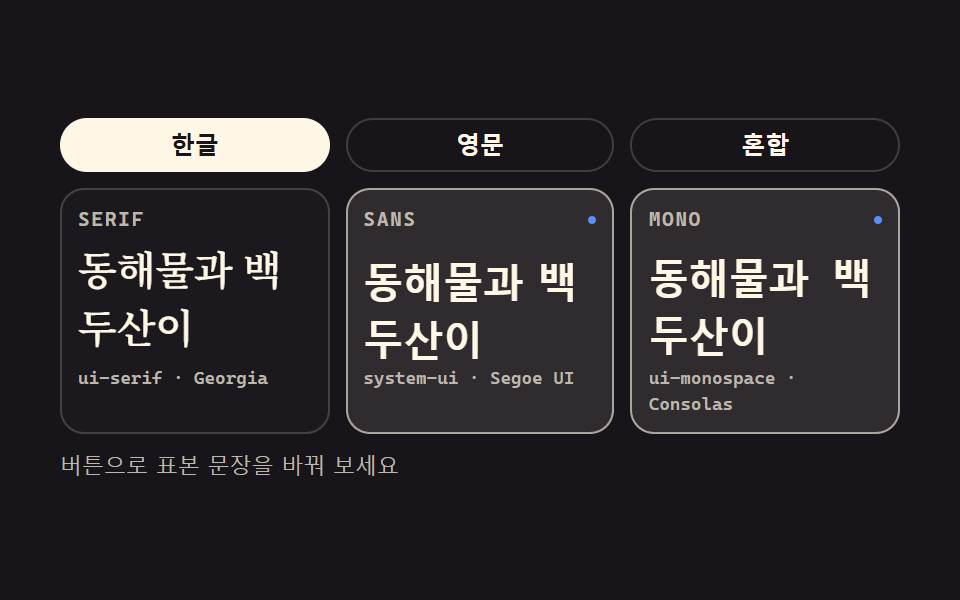 CSS Typography Playground: 9 Demos, No Webfontscss typography is setting type with CSS: which family, how heavy, how far apart, how large. These nine playgrounds do al See all demos in this post
If you like this effect - similar demos
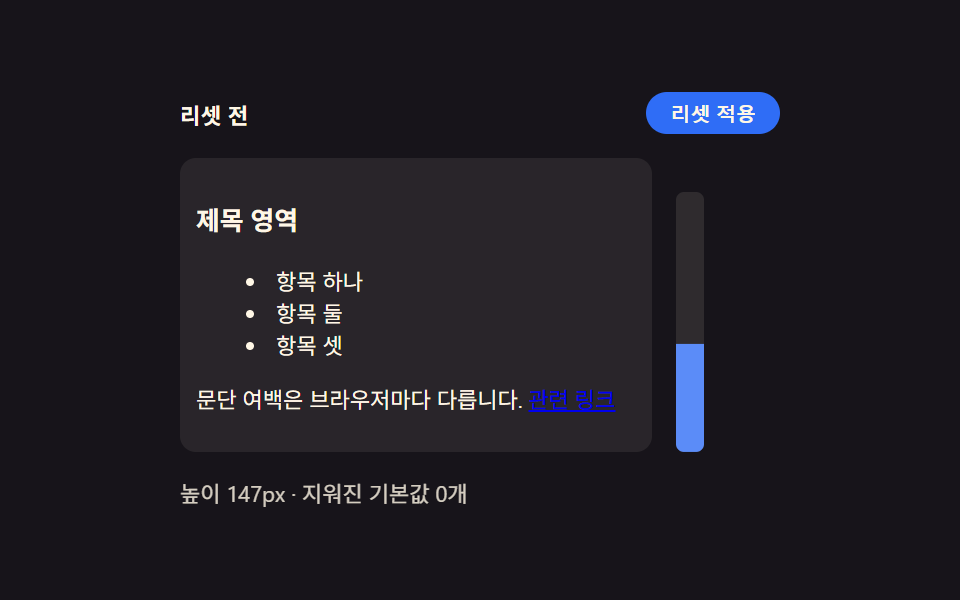 base01 Browser default reset — a starting point that unifies inconsistent spacing and list markersCSS Reset: 9 Patterns From Basics to Safe-Area
 base01 Squircle card — a superellipse exponent value flows between circle and square while the card's corner ridge changesCSS corner-shape: 9 Corner Cutting Patterns
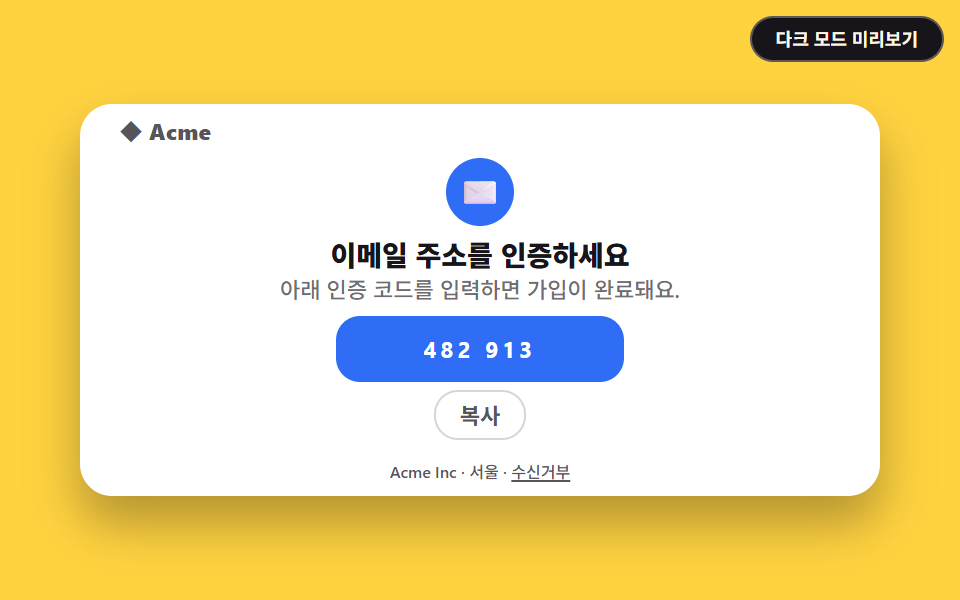 HTML email06 Email verification code9 Transactional Email Templates You Can Copy-Paste