02A Textarea Handle That Snaps to Line-Height Multiples
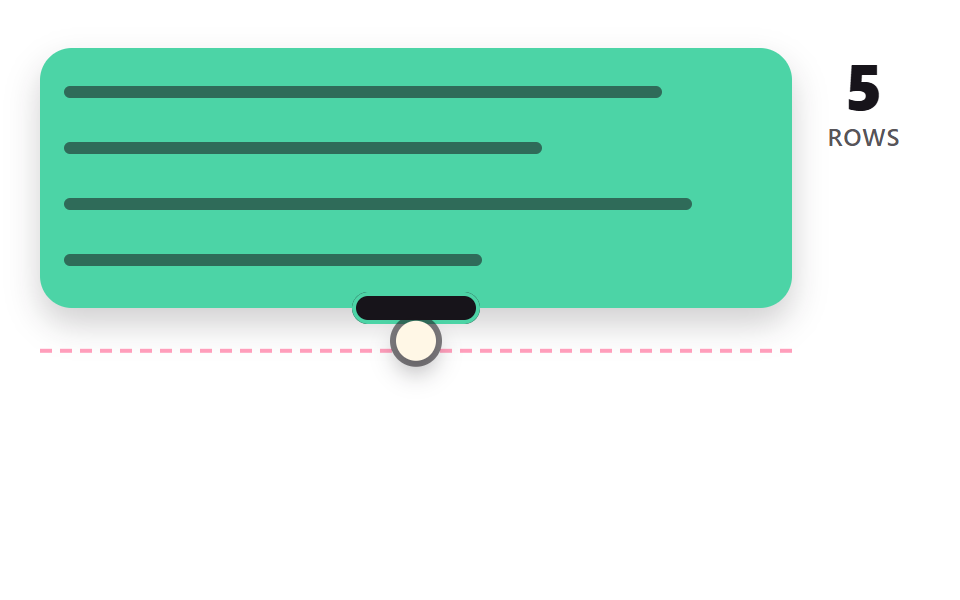
The dragged height is divided by the line height and rounded to the nearest line count, then eased to that height while the line count updates beside it.
Best forNote and comment boxes
LINE_HROUND_ROWSEASE_TOrows
<main class="stage">
<div class="rh is-demo" id="rh" data-demo="1">
  <div class="rh__box" data-r="box">
    <div class="rh__lines">
      <i class="rh__ln"></i><i class="rh__ln"></i><i class="rh__ln"></i><i class="rh__ln"></i><i class="rh__ln"></i><i class="rh__ln"></i><i class="rh__ln"></i><i class="rh__ln"></i>
    </div>
    <button class="rh__grip" data-r="grip" type="button" aria-label="Resize handle"></button>
  </div>
  <i class="rh__raw" data-r="raw"></i>
  <p class="rh__rows"><b data-r="rows">0</b><span class="rh__tag">ROWS</span></p>
  <i class="rh__cursor" data-r="cursor"></i>
</div>
</main>
@use "../../../../site/static/demo-tokens" as *;
// 핵심: 상자 높이는 raw 높이를 줄 높이로 나눈 몫(반올림)에 맞춰 지수 감쇠로 이동한다.
@include stage($stage-paper);
.rh {
position: relative;
box-sizing: border-box;
width: min(100%, 440px);
height: min(252px, calc(100vh - 2 * clamp(8px, 4vw, 24px)));
color: $subject-ink;
font-size: 12px;
line-height: 16px;
font-weight: 600;
user-select: none;
}
.rh b { font-weight: 800; font-variant-numeric: tabular-nums; }
.rh__tag { color: rgba($subject-ink, .72); letter-spacing: .5px; }
.rh__cursor {
position: absolute;
left: -10px;
top: -10px;
width: 20px;
height: 20px;
border-radius: 50%;
background: $subject-cream;
box-shadow: 0 0 0 3px rgba($subject-ink, .55), $shadow-press;
opacity: 0;
pointer-events: none;
z-index: 6;
}
.rh[data-demo] .rh__cursor { opacity: 1; }
.rh button:focus-visible { outline: 3px solid $subject-ink; outline-offset: 2px; }
@media (prefers-reduced-motion: reduce) {
.rh__cursor { display: none; }
}
// 점선(raw)과 상자 가장자리가 어긋나 있다가 줄 수가 바뀌는 순간 붙는다.
.rh { color: $subject-ink; }
.rh__box {
position: absolute;
left: 0;
top: 0;
width: calc(100% - 64px);
height: 100px;
}
.rh__lines {
position: absolute;
inset: 0;
overflow: hidden;
border-radius: $r-card;
background: $subject-mint;
box-shadow: 0 8px 16px rgba($subject-ink, .2);
}
.rh__ln {
position: absolute;
left: $sp-3;
height: 6px;
border-radius: $r-xs;
background: rgba($subject-ink, .55);
}
$ln-widths: 86%, 70%, 90%, 62%, 78%, 88%, 66%, 82%;
@for $i from 0 through 7 {
.rh__ln:nth-child(#{$i + 1}) {
top: calc(8px + #{$i} * var(--lh) + (var(--lh) - 6px) / 2);
width: calc(#{nth($ln-widths, $i + 1)} - 24px);
}
}
.rh__grip {
position: absolute;
left: 50%;
bottom: -8px;
width: 64px;
height: 16px;
padding: 0;
border: 0;
border-radius: $r-pill;
background: $subject-ink;
box-shadow: inset 0 0 0 2px $subject-mint;
transform: translateX(-50%);
cursor: ns-resize;
touch-action: none;
}
.rh__raw {
position: absolute;
left: 0;
top: 0;
width: calc(100% - 64px);
height: 0;
border-top: 2px dashed $subject-pink;
pointer-events: none;
}
.rh__rows {
position: absolute;
right: 0;
top: 0;
width: 56px;
margin: 0;
display: grid;
justify-items: center;
}
.rh__rows b { font-size: 32px; line-height: 36px; font-weight: 800; }html, body {
margin: 0;
overflow: hidden;
}
.stage {
box-sizing: border-box;
min-height: 100vh;
display: grid;
place-items: center;
margin: 0;
background: #ffffff;
font-family: -apple-system, "Segoe UI", "Noto Sans KR", sans-serif;
padding: clamp(8px, 4vw, 24px);
}
.rh {
position: relative;
box-sizing: border-box;
width: min(100%, 440px);
height: min(252px, 100vh - 2 * clamp(8px, 4vw, 24px));
color: #17141a;
font-size: 12px;
line-height: 16px;
font-weight: 600;
user-select: none;
}
.rh b {
font-weight: 800;
font-variant-numeric: tabular-nums;
}
.rh__tag {
color: rgba(23, 20, 26, 0.72);
letter-spacing: 0.5px;
}
.rh__cursor {
position: absolute;
left: -10px;
top: -10px;
width: 20px;
height: 20px;
border-radius: 50%;
background: #fff7e6;
box-shadow: 0 0 0 3px rgba(23, 20, 26, 0.55), 0 6px 12px rgba(23, 20, 26, 0.32);
opacity: 0;
pointer-events: none;
z-index: 6;
}
.rh[data-demo] .rh__cursor {
opacity: 1;
}
.rh button:focus-visible {
outline: 3px solid #17141a;
outline-offset: 2px;
}
@media (prefers-reduced-motion: reduce) {
.rh__cursor {
display: none;
}
}
.rh {
color: #17141a;
}
.rh__box {
position: absolute;
left: 0;
top: 0;
width: calc(100% - 64px);
height: 100px;
}
.rh__lines {
position: absolute;
inset: 0;
overflow: hidden;
border-radius: 16px;
background: #4cd4a6;
box-shadow: 0 8px 16px rgba(23, 20, 26, 0.2);
}
.rh__ln {
position: absolute;
left: 12px;
height: 6px;
border-radius: 4px;
background: rgba(23, 20, 26, 0.55);
}
.rh__ln:nth-child(1) {
top: calc(8px + 0 * var(--lh) + (var(--lh) - 6px) / 2);
width: calc(86% - 24px);
}
.rh__ln:nth-child(2) {
top: calc(8px + 1 * var(--lh) + (var(--lh) - 6px) / 2);
width: calc(70% - 24px);
}
.rh__ln:nth-child(3) {
top: calc(8px + 2 * var(--lh) + (var(--lh) - 6px) / 2);
width: calc(90% - 24px);
}
.rh__ln:nth-child(4) {
top: calc(8px + 3 * var(--lh) + (var(--lh) - 6px) / 2);
width: calc(62% - 24px);
}
.rh__ln:nth-child(5) {
top: calc(8px + 4 * var(--lh) + (var(--lh) - 6px) / 2);
width: calc(78% - 24px);
}
.rh__ln:nth-child(6) {
top: calc(8px + 5 * var(--lh) + (var(--lh) - 6px) / 2);
width: calc(88% - 24px);
}
.rh__ln:nth-child(7) {
top: calc(8px + 6 * var(--lh) + (var(--lh) - 6px) / 2);
width: calc(66% - 24px);
}
.rh__ln:nth-child(8) {
top: calc(8px + 7 * var(--lh) + (var(--lh) - 6px) / 2);
width: calc(82% - 24px);
}
.rh__grip {
position: absolute;
left: 50%;
bottom: -8px;
width: 64px;
height: 16px;
padding: 0;
border: 0;
border-radius: 999px;
background: #17141a;
box-shadow: inset 0 0 0 2px #4cd4a6;
transform: translateX(-50%);
cursor: ns-resize;
touch-action: none;
}
.rh__raw {
position: absolute;
left: 0;
top: 0;
width: calc(100% - 64px);
height: 0;
border-top: 2px dashed #ff9ebb;
pointer-events: none;
}
.rh__rows {
position: absolute;
right: 0;
top: 0;
width: 56px;
margin: 0;
display: grid;
justify-items: center;
}
.rh__rows b {
font-size: 32px;
line-height: 36px;
font-weight: 800;
}(function () {
const root = document.getElementById("rh");
const reduce = window.matchMedia("(prefers-reduced-motion: reduce)").matches;
let demo = !reduce;
let raf = 0;
let t0 = -1;
let last = -1;
const offs = [];
function q(sel) {
return root.querySelector(sel);
}
function clamp(v, lo, hi) {
return Math.max(lo, Math.min(hi, v));
}
function seg(t, a, b) {
const c = clamp((t - a) / (b - a), 0, 1);
return c * c * (3 - 2 * c);
}
function on(el, type, fn) {
el.addEventListener(type, fn);
offs.push(() => el.removeEventListener(type, fn));
}
function stopDemo() {
demo = false;
root.removeAttribute("data-demo");
root.classList.remove("is-demo");
}
function pos(e) {
const r = root.getBoundingClientRect();
return { x: e.clientX - r.left, y: e.clientY - r.top };
}
function spring(x, v, to, k, c, dt) {
const n = Math.max(1, Math.ceil(dt / 0.008));
const h = dt / n;
for (let i = 0; i < n; i += 1) {
v += (-k * (x - to) - c * v) * h;
x += v * h;
}
return [x, v];
}
function sync() {
if (reduce) {
snap();
render();
}
}
// 기법: 끄는 높이(raw)를 줄 높이로 나눠 가장 가까운 줄 수로 반올림하고, 상자는 그 높이까지 지수 감쇠로 끌려간다.
// 점선은 손이 실제로 있는 높이, 상자는 줄에 맞춘 높이 - 둘의 차이가 계산이다.
const LINE_H = 28;
const PAD = 8;
const ROUND_ROWS = 1;
const EASE_TO = 14;
const box = q("[data-r=box]");
const grip = q("[data-r=grip]");
const raw = q("[data-r=raw]");
const rowsEl = q("[data-r=rows]");
const cursor = q("[data-r=cursor]");
let h = 0;
let rawH = 0;
let rows = 3;
let px = 0;
let py = 0;
let gy = 0;
let dragging = false;
let ready = false;
root.style.setProperty("--lh", LINE_H + "px");
function maxRows() {
return Math.max(2, Math.floor((root.clientHeight - 2 * PAD - 12) / LINE_H));
}
function rowsFor(height) {
const r = Math.round((height - 2 * PAD) / LINE_H / ROUND_ROWS) * ROUND_ROWS;
return clamp(r, 1, maxRows());
}
function init() {
if (ready)
return;
ready = true;
rows = Math.max(2, Math.round(maxRows() * 0.3));
h = rawH = rows * LINE_H + 2 * PAD;
}
function userTakes() {
stopDemo();
dragging = false;
init();
}
function script(now) {
const ph = now % 2000;
const lo = rows0() * LINE_H + 2 * PAD - 0.4 * LINE_H;
const hi = maxRows() * LINE_H + 2 * PAD;
const mid = Math.round(maxRows() * 0.5) * LINE_H + 2 * PAD + 0.45 * LINE_H;
let y = lo;
if (ph >= 200 && ph < 900)
y = lo + (hi - lo) * seg(ph, 200, 900);
else if (ph >= 900 && ph < 1100)
y = hi;
else if (ph >= 1100 && ph < 1800)
y = hi + (mid - hi) * seg(ph, 1100, 1800);
else if (ph >= 1800)
y = mid + (lo - mid) * seg(ph, 1800, 2000);
py = y - 4;
gy = 4;
dragging = ph >= 200;
}
function rows0() {
return Math.max(2, Math.round(maxRows() * 0.3));
}
function snap() {
init();
h = rows * LINE_H + 2 * PAD;
}
function step(dt, now) {
init();
if (demo)
script(now);
if (dragging) {
rawH = clamp(py + gy, LINE_H + 2 * PAD, root.clientHeight - 12);
rows = rowsFor(rawH);
}
h += (rows * LINE_H + 2 * PAD - h) * (1 - Math.exp(-EASE_TO * dt));
}
function render() {
box.style.height = h.toFixed(1) + "px";
raw.style.transform = "translateY(" + rawH.toFixed(1) + "px)";
rowsEl.textContent = String(rows);
cursor.style.transform = "translate(" + (root.clientWidth * 0.5 - 32).toFixed(1) + "px," + py.toFixed(1) + "px)";
}
on(grip, "pointerdown", (e) => {
userTakes();
grip.setPointerCapture(e.pointerId);
const p = pos(e);
py = p.y;
gy = h - p.y;
dragging = true;
});
on(grip, "pointermove", (e) => {
if (!dragging)
return;
py = pos(e).y;
rawH = clamp(py + gy, LINE_H + 2 * PAD, root.clientHeight - 12);
rows = rowsFor(rawH);
sync();
});
on(grip, "pointerup", () => { dragging = false; });
on(grip, "pointercancel", () => { dragging = false; });
on(grip, "keydown", (e) => {
if (e.key !== "ArrowUp" && e.key !== "ArrowDown")
return;
e.preventDefault();
userTakes();
rows = clamp(rows + (e.key === "ArrowDown" ? 1 : -1), 1, maxRows());
rawH = rows * LINE_H + 2 * PAD;
sync();
});
function frame(ts) {
if (t0 < 0) {
t0 = ts;
last = ts;
}
const dt = Math.min(0.05, (ts - last) / 1000);
last = ts;
step(dt, ts - t0);
render();
raf = requestAnimationFrame(frame);
}
if (reduce) {
stopDemo();
snap();
render();
}
else {
raf = requestAnimationFrame(frame);
}
return () => {
cancelAnimationFrame(raf);
offs.forEach((f) => f());
};
})();// LineSnapTextarea - vanilla 판(02-rh-line-snap-textarea) 의 React 포트. 같은 계산을 useEffect 안에서 돌린다.
import { useEffect, useRef } from "react";
import styles from "./LineSnapTextarea.module.scss";
export default function LineSnapTextarea() {
const rootRef = useRef<HTMLDivElement | null>(null);
useEffect(() => {
const rootEl = rootRef.current;
if (!rootEl) return;
const root: HTMLElement = rootEl;
const reduce = window.matchMedia("(prefers-reduced-motion: reduce)").matches;
let demo = !reduce;
let raf = 0;
let t0 = -1;
let last = -1;
const offs: Array<() => void> = [];
function q<T extends Element>(sel: string): T {
return root.querySelector(sel) as T;
}
function clamp(v: number, lo: number, hi: number): number {
return Math.max(lo, Math.min(hi, v));
}
function seg(t: number, a: number, b: number): number {
const c = clamp((t - a) / (b - a), 0, 1);
return c * c * (3 - 2 * c);
}
function on(el: EventTarget, type: string, fn: (e: any) => void): void {
el.addEventListener(type, fn);
offs.push(() => el.removeEventListener(type, fn));
}
function stopDemo(): void {
demo = false;
root.removeAttribute("data-demo");
root.classList.remove("is-demo");
}
function pos(e: PointerEvent): { x: number; y: number } {
const r = root.getBoundingClientRect();
return { x: e.clientX - r.left, y: e.clientY - r.top };
}
function spring(x: number, v: number, to: number, k: number, c: number, dt: number): number[] {
const n = Math.max(1, Math.ceil(dt / 0.008));
const h = dt / n;
for (let i = 0; i < n; i += 1) {
v += (-k * (x - to) - c * v) * h;
x += v * h;
}
return [x, v];
}
function sync(): void {
if (reduce) {
snap();
render();
}
}
// 기법: 끄는 높이(raw)를 줄 높이로 나눠 가장 가까운 줄 수로 반올림하고, 상자는 그 높이까지 지수 감쇠로 끌려간다.
// 점선은 손이 실제로 있는 높이, 상자는 줄에 맞춘 높이 - 둘의 차이가 계산이다.
const LINE_H = 28;
const PAD = 8;
const ROUND_ROWS = 1;
const EASE_TO = 14;
const box = q<HTMLElement>("[data-r=box]");
const grip = q<HTMLElement>("[data-r=grip]");
const raw = q<HTMLElement>("[data-r=raw]");
const rowsEl = q<HTMLElement>("[data-r=rows]");
const cursor = q<HTMLElement>("[data-r=cursor]");
let h = 0;
let rawH = 0;
let rows = 3;
let px = 0;
let py = 0;
let gy = 0;
let dragging = false;
let ready = false;
root.style.setProperty("--lh", LINE_H + "px");
function maxRows(): number {
return Math.max(2, Math.floor((root.clientHeight - 2 * PAD - 12) / LINE_H));
}
function rowsFor(height: number): number {
const r = Math.round((height - 2 * PAD) / LINE_H / ROUND_ROWS) * ROUND_ROWS;
return clamp(r, 1, maxRows());
}
function init(): void {
if (ready) return;
ready = true;
rows = Math.max(2, Math.round(maxRows() * 0.3));
h = rawH = rows * LINE_H + 2 * PAD;
}
function userTakes(): void {
stopDemo();
dragging = false;
init();
}
function script(now: number): void {
const ph = now % 2000;
const lo = rows0() * LINE_H + 2 * PAD - 0.4 * LINE_H;
const hi = maxRows() * LINE_H + 2 * PAD;
const mid = Math.round(maxRows() * 0.5) * LINE_H + 2 * PAD + 0.45 * LINE_H;
let y = lo;
if (ph >= 200 && ph < 900) y = lo + (hi - lo) * seg(ph, 200, 900);
else if (ph >= 900 && ph < 1100) y = hi;
else if (ph >= 1100 && ph < 1800) y = hi + (mid - hi) * seg(ph, 1100, 1800);
else if (ph >= 1800) y = mid + (lo - mid) * seg(ph, 1800, 2000);
py = y - 4;
gy = 4;
dragging = ph >= 200;
}
function rows0(): number {
return Math.max(2, Math.round(maxRows() * 0.3));
}
function snap(): void {
init();
h = rows * LINE_H + 2 * PAD;
}
function step(dt: number, now: number): void {
init();
if (demo) script(now);
if (dragging) {
rawH = clamp(py + gy, LINE_H + 2 * PAD, root.clientHeight - 12);
rows = rowsFor(rawH);
}
h += (rows * LINE_H + 2 * PAD - h) * (1 - Math.exp(-EASE_TO * dt));
}
function render(): void {
box.style.height = h.toFixed(1) + "px";
raw.style.transform = "translateY(" + rawH.toFixed(1) + "px)";
rowsEl.textContent = String(rows);
cursor.style.transform = "translate(" + (root.clientWidth * 0.5 - 32).toFixed(1) + "px," + py.toFixed(1) + "px)";
}
on(grip, "pointerdown", (e: PointerEvent) => {
userTakes();
grip.setPointerCapture(e.pointerId);
const p = pos(e);
py = p.y;
gy = h - p.y;
dragging = true;
});
on(grip, "pointermove", (e: PointerEvent) => {
if (!dragging) return;
py = pos(e).y;
rawH = clamp(py + gy, LINE_H + 2 * PAD, root.clientHeight - 12);
rows = rowsFor(rawH);
sync();
});
on(grip, "pointerup", () => { dragging = false; });
on(grip, "pointercancel", () => { dragging = false; });
on(grip, "keydown", (e: KeyboardEvent) => {
if (e.key !== "ArrowUp" && e.key !== "ArrowDown") return;
e.preventDefault();
userTakes();
rows = clamp(rows + (e.key === "ArrowDown" ? 1 : -1), 1, maxRows());
rawH = rows * LINE_H + 2 * PAD;
sync();
});
function frame(ts: number): void {
if (t0 < 0) {
t0 = ts;
last = ts;
}
const dt = Math.min(0.05, (ts - last) / 1000);
last = ts;
step(dt, ts - t0);
render();
raf = requestAnimationFrame(frame);
}
if (reduce) {
stopDemo();
snap();
render();
} else {
raf = requestAnimationFrame(frame);
}
return () => {
cancelAnimationFrame(raf);
offs.forEach((f) => f());
};
}, []);
return (
<main className={styles["stage"]}>
<div ref={rootRef} className={styles["rh"] + " is-demo"} data-demo="1">
<div className={styles["rh__box"]} data-r="box">
<div className={styles["rh__lines"]}>
<i className={styles["rh__ln"]}></i><i className={styles["rh__ln"]}></i><i className={styles["rh__ln"]}></i><i className={styles["rh__ln"]}></i><i className={styles["rh__ln"]}></i><i className={styles["rh__ln"]}></i><i className={styles["rh__ln"]}></i><i className={styles["rh__ln"]}></i>
</div>
<button className={styles["rh__grip"]} data-r="grip" type="button" aria-label="크기 조절 손잡이"></button>
</div>
<i className={styles["rh__raw"]} data-r="raw"></i>
<p className={styles["rh__rows"]}><b data-r="rows">0</b><span className={styles["rh__tag"]}>ROWS</span></p>
<i className={styles["rh__cursor"]} data-r="cursor"></i>
</div>
</main>
);
}02 A Textarea Handle That Snaps to Line-Height Multiples — Measured area 50.593% · moving frames 23/23Original by GODRICH · SCSS and React ship in the zip · CSS Resize Handle: 9 Demos That Follow Your Grip
The post this demo lives in
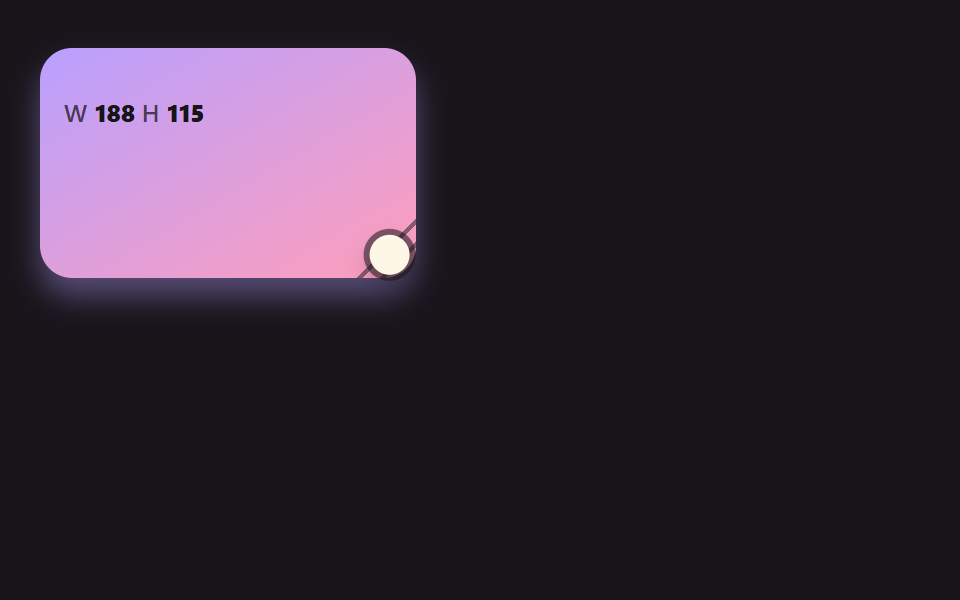 CSS Resize Handle: 9 Demos That Follow Your GripA css resize handle left to the resize property alone cannot change its shape, ignores line height and just stops at the See all demos in this post
If you like this effect - similar demos
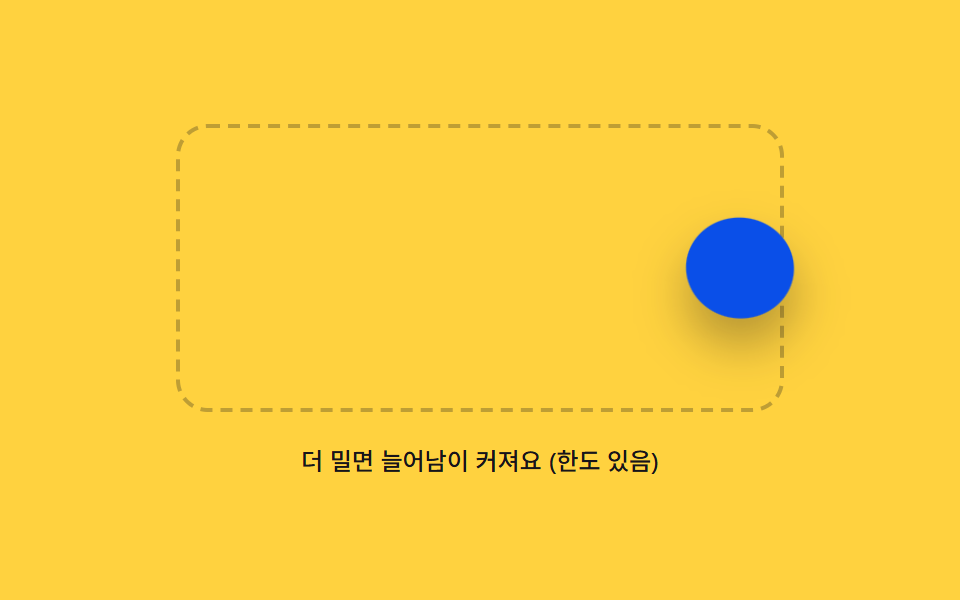 drag03 Rubber Boundary That Stretches and Snaps Back Past the EdgeDrag and Drop Animation CSS: 9 Physics Patterns
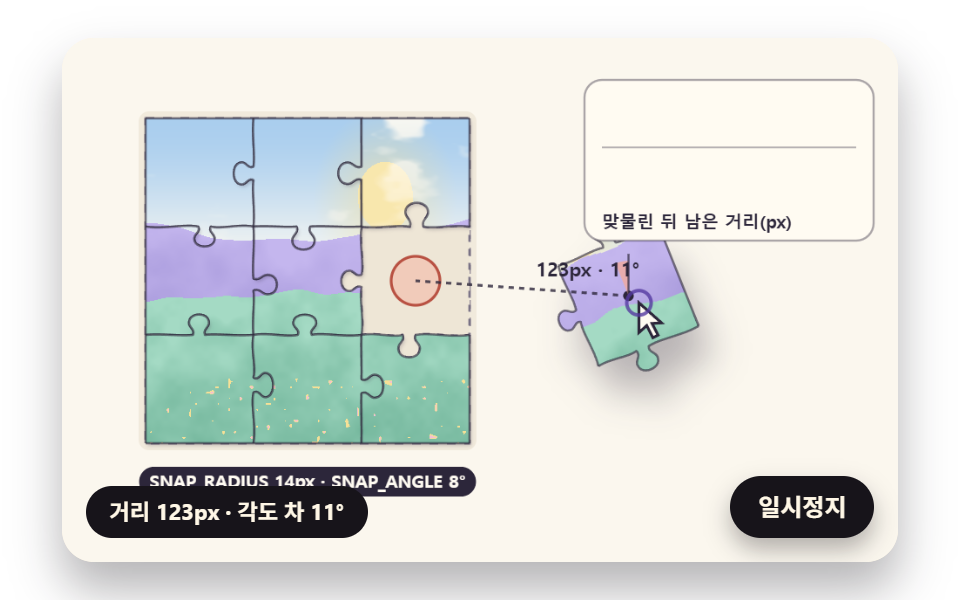 drag02 A Snap That Pulls Only Inside Distance and Angle ThresholdsJigsaw Puzzle JavaScript: 9 Snapping Tab Boards
 drag04 Handle-only — capturing the pointer on a small grip so the rest of the row stays interactiveDrag to Reorder UI: 9 Lists, One Drop Index