06Responsive skeleton
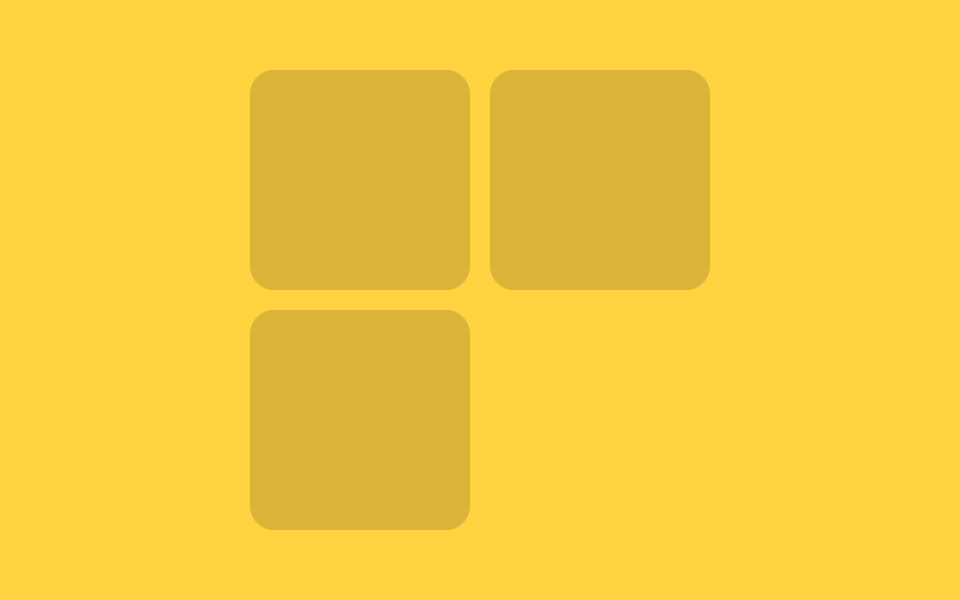
Column count follows the container width with a single container query.
Best forThe same file in a sidebar or the main column
3열2열 @ 480px1열 @ 320px
<main class="stage">
  <div class="wrap">
    <div class="grid">
      <div class="card"></div>
      <div class="card"></div>
      <div class="card"></div>
    </div>
  </div>
</main>
@use "../../../../site/static/demo-tokens" as *;
// ── 변수 3개 ──────────────────────────────────────────
$duration: $dur-loop; // 상자가 늘었다 줄었다 한 바퀴 도는 시간
$easing: $ease-spring;
$color: $subject-ink; // 카드 색 (노란 무대라 잉크 톤)
@include stage($stage-yellow);
// 이 상자의 실제 폭이 컨테이너 쿼리의 기준이다 (뷰포트 폭이 아니라)
.wrap {
container-type: inline-size;
container-name: skeleton;
max-width: 420px;
width: 94%;
// 데모용: 폭 자체를 keyframes 로 늘렸다 줄인다 — 컨테이너 쿼리는 transform 이 아니라
// 실제 박스 크기에만 반응하므로, 열 수 변화를 보여주려면 여기서는 예외적으로 width 를 움직인다
animation: resize $duration $easing infinite;
}
@keyframes resize {
0% { width: 94%; } // 3열이 보이는 폭
25% { width: 45%; } // 2열로 접히는 폭
50% { width: 15%; } // 1열까지 좁아진 폭
75% { width: 45%; }
100% { width: 94%; }
}
.grid {
display: grid;
grid-template-columns: repeat(3, 1fr);
gap: clamp(6px, 2vw, 10px);
}
.card {
min-width: 0;
aspect-ratio: 1 / 1;
border-radius: $r-control;
background: rgba($color, .16);
}
// 상자 폭 260px 아래 → 2열, 150px 아래 → 1열. 뷰포트가 아니라 .wrap 자신의 폭 기준
@container skeleton (max-width: 260px) {
.grid { grid-template-columns: repeat(2, 1fr); }
}
@container skeleton (max-width: 150px) {
.grid { grid-template-columns: 1fr; }
}
// ── 접근성: 폭이 오가는 움직임을 멈추고 가장 넓은(3열) 상태로 고정 ──
@media (prefers-reduced-motion: reduce) {
.wrap { animation: none !important; width: 94%; }
}html, body {
margin: 0;
overflow: hidden;
}
.stage {
box-sizing: border-box;
min-height: 100vh;
display: grid;
place-items: center;
margin: 0;
background: #ffd23f;
font-family: -apple-system, "Segoe UI", "Noto Sans KR", sans-serif;
padding: clamp(8px, 4vw, 24px);
}
.wrap {
container-type: inline-size;
container-name: skeleton;
max-width: 420px;
width: 94%;
animation: resize 2s cubic-bezier(0.2, 0.8, 0.2, 1) infinite;
}
@keyframes resize {
0% {
width: 94%;
}
25% {
width: 45%;
}
50% {
width: 15%;
}
75% {
width: 45%;
}
100% {
width: 94%;
}
}
.grid {
display: grid;
grid-template-columns: repeat(3, 1fr);
gap: clamp(6px, 2vw, 10px);
}
.card {
min-width: 0;
aspect-ratio: 1/1;
border-radius: 12px;
background: rgba(23, 20, 26, 0.16);
}
@container skeleton (max-width: 260px) {
.grid {
grid-template-columns: repeat(2, 1fr);
}
}
@container skeleton (max-width: 150px) {
.grid {
grid-template-columns: 1fr;
}
}
@media (prefers-reduced-motion: reduce) {
.wrap {
animation: none !important;
width: 94%;
}
}import type { CSSProperties } from "react";
import styles from "./ResponsiveSkeleton.module.scss";
export type ResponsiveSkeletonProps = {
/** 카드 색 */
color?: string;
/** 카드 수 (기본 3) */
count?: number;
className?: string;
};
// 이 컴포넌트는 뷰포트가 아니라 **자신을 담는 상자의 실제 폭**에 반응한다 (@container).
// 사이드바에 놓든 본문에 놓든 같은 파일이 알아서 열 수를 바꾼다.
export default function ResponsiveSkeleton({
color = "#17141a",
count = 3,
className = "",
}: ResponsiveSkeletonProps) {
const vars = { "--color": color } as CSSProperties;
return (
<div className={`${styles.wrap} ${className}`} style={vars}>
<div className={styles.grid}>
{Array.from({ length: count }).map((_, i) => <div key={i} className={styles.card} />)}
</div>
</div>
);
}06 Responsive skeleton — Measured area 56.241% · moving frames 22/23Original by GODRICH · SCSS and React ship in the zip · 9 CSS Skeleton Loading Screens, Copy-Paste Ready
The post this demo lives in
 9 CSS Skeleton Loading Screens, Copy-Paste ReadyA css skeleton loading screen swaps a blank page for gray shapes that mirror the layout while data loads. Nine SCSS buil See all demos in this post
If you like this effect - similar demos
 Loaders02 Skeleton row append — a list computing its preview row count from the viewport heightInfinite Scroll Loading: 9 Essential UI Patterns
 Loaders01 Bar Chart Loading Skeleton Whose Delay Is Computed Per BarChart Loading Animation — 9 Computed Patterns
 Loaders08 A Handoff Where the Logo Flies to the Header SlotSplash Screen Animation: 9 Canvas Opening Scenes