02Skeleton row append — a list computing its preview row count from the viewport height
Once the next page starts loading, the remaining viewport height is divided by a single row's height to compute how many preview rows to show, and once real data arrives that same count of placeholders switches to content.
Best forA news feed, an image gallery grid
skeletonCountFor--staggerROW_H
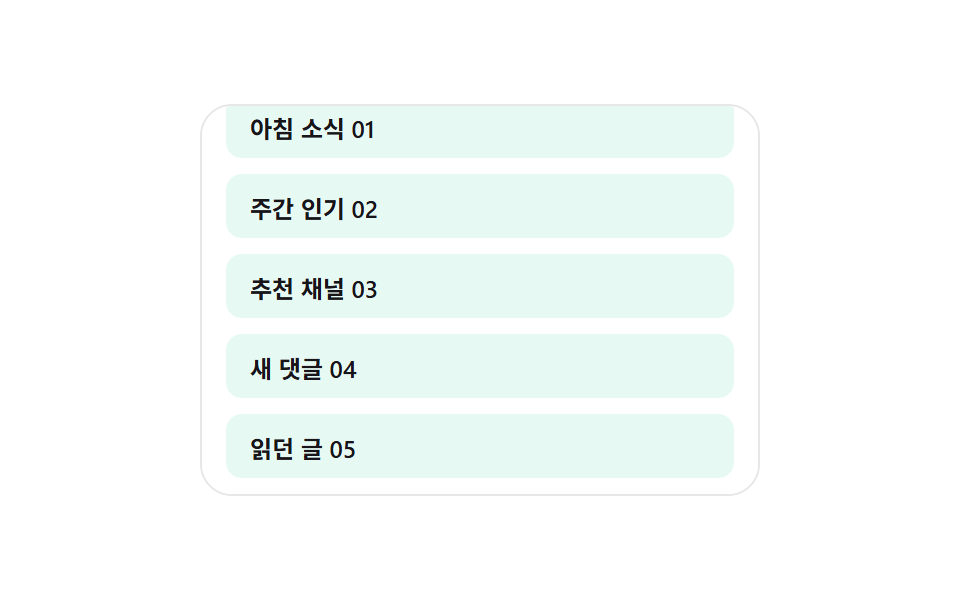
<main class="stage">
<div class="sra is-demo" id="sra">
  <div class="sra__view" id="sraView">
    <ul class="sra__track" id="sraTrack" aria-busy="false">
      <li class="sra__sentinel" id="sraSentinel" aria-hidden="true"></li>
    </ul>
  </div>
</div>
</main>
@use "../../../../site/static/demo-tokens" as *;
// 스켈레톤 행 이어붙이기 — 스켈레톤 개수는 skeletonCountFor() 가 실측 여백 높이 값을
// 행 높이 값으로 나눠 매번 다시 정한다. 도착하면 같은 자리(replaceChild)에 실제 내용이 앉는다.
$duration: $dur-base;
$easing: $ease-out;
$color: $subject-mint;
@include stage($stage-paper);
.sra {
width: min(100%, 280px);
}
.sra__view {
box-sizing: border-box;
width: 100%;
height: 196px;
overflow-y: auto;
overflow-x: hidden;
border-radius: $r-card;
border: 1px solid rgba(23, 20, 26, .1);
background: $stage-paper;
padding: $sp-3;
scrollbar-width: thin;
}
.sra__track {
list-style: none;
margin: 0;
padding: 0;
display: flex;
flex-direction: column;
gap: $sp-2;
}
.sra__row {
box-sizing: border-box;
height: 32px;
display: flex;
align-items: center;
padding: 0 $sp-3;
border-radius: $r-sm;
background: rgba(76, 212, 166, .14);
color: $subject-ink;
font-weight: 600;
font-size: 12px;
}
.sra__row--skeleton {
background: linear-gradient(
100deg,
rgba(23, 20, 26, .07) 30%,
rgba(23, 20, 26, .14) 45%,
rgba(23, 20, 26, .07) 60%
);
background-size: 240% 100%;
animation: sraShimmer 1.1s ease-in-out infinite;
animation-delay: calc(var(--stagger, 0) * -120ms);
}
.sra__sentinel {
height: 1px;
}
@keyframes sraShimmer {
0% { background-position: 120% 0; }
100% { background-position: -20% 0; }
}
@media (max-width: 340px) {
.sra__view { height: 168px; }
.sra__row { height: 28px; font-size: 11px; }
}
@media (prefers-reduced-motion: reduce) {
.sra__row--skeleton { animation: none !important; }
}html, body {
margin: 0;
overflow: hidden;
}
.stage {
box-sizing: border-box;
min-height: 100vh;
display: grid;
place-items: center;
margin: 0;
background: #ffffff;
font-family: -apple-system, "Segoe UI", "Noto Sans KR", sans-serif;
padding: clamp(8px, 4vw, 24px);
}
.sra {
width: min(100%, 280px);
}
.sra__view {
box-sizing: border-box;
width: 100%;
height: 196px;
overflow-y: auto;
overflow-x: hidden;
border-radius: 16px;
border: 1px solid rgba(23, 20, 26, 0.1);
background: #ffffff;
padding: 12px;
scrollbar-width: thin;
}
.sra__track {
list-style: none;
margin: 0;
padding: 0;
display: flex;
flex-direction: column;
gap: 8px;
}
.sra__row {
box-sizing: border-box;
height: 32px;
display: flex;
align-items: center;
padding: 0 12px;
border-radius: 8px;
background: rgba(76, 212, 166, 0.14);
color: #17141a;
font-weight: 600;
font-size: 12px;
}
.sra__row--skeleton {
background: linear-gradient(100deg, rgba(23, 20, 26, 0.07) 30%, rgba(23, 20, 26, 0.14) 45%, rgba(23, 20, 26, 0.07) 60%);
background-size: 240% 100%;
animation: sraShimmer 1.1s ease-in-out infinite;
animation-delay: calc(var(--stagger, 0) * -120ms);
}
.sra__sentinel {
height: 1px;
}
@keyframes sraShimmer {
0% {
background-position: 120% 0;
}
100% {
background-position: -20% 0;
}
}
@media (max-width: 340px) {
.sra__view {
height: 168px;
}
.sra__row {
height: 28px;
font-size: 11px;
}
}
@media (prefers-reduced-motion: reduce) {
.sra__row--skeleton {
animation: none !important;
}
}(function () {
var view = document.getElementById('sraView');
var track = document.getElementById('sraTrack');
var sentinel = document.getElementById('sraSentinel');
var root = document.getElementById('sra');
var ROW_H = 40; // Row 하나의 높이 값 — 미리보기 Row 개수 계산의 분모
var TITLES = ['Morning brief', 'Weekly top', 'Suggested channels', 'New comments', 'Reading list', 'Bookmarks'];
var LOAD_DELAY_MS = 680;
var MAX_BATCHES = 4;
var rowSeq = 0;
var batches = 0;
var loading = false;
var dir = 1;
var autoplayTimer = null;
function realRow(n) {
var li = document.createElement('li');
li.className = 'sra__row';
li.textContent = TITLES[n % TITLES.length] + ' ' + String(n + 1).padStart(2, '0');
return li;
}
function fillInitial() {
var need = Math.ceil(view.clientHeight / ROW_H);
for (var i = 0; i < need; i += 1) {
track.insertBefore(realRow(rowSeq), sentinel);
rowSeq += 1;
}
}
fillInitial();
// 계산 겹: 지금 남아 있는 화면 높이 값을 Row 하나의 높이 값으로 나눠 미리 보여줄
// 스켈레톤 Row 개수를 구한다 — 화면이 클수록, 스크롤 여유가 클수록 더 많이 깜빡인다.
function skeletonCountFor() {
var remainingViewport = view.getBoundingClientRect().bottom - sentinel.getBoundingClientRect().top;
var visible = Math.max(remainingViewport, view.clientHeight);
return Math.max(2, Math.ceil(visible / ROW_H));
}
function startLoad() {
if (loading || batches >= MAX_BATCHES) { return; }
loading = true;
track.setAttribute('aria-busy', 'true');
var count = skeletonCountFor();
var skeletons = [];
for (var i = 0; i < count; i += 1) {
var li = document.createElement('li');
li.className = 'sra__row sra__row--skeleton';
li.style.setProperty('--stagger', String(i));
track.insertBefore(li, sentinel);
skeletons.push(li);
}
setTimeout(function () {
skeletons.forEach(function (sk, i) {
var real = realRow(rowSeq);
rowSeq += 1;
track.replaceChild(real, sk);
});
loading = false;
batches += 1;
track.setAttribute('aria-busy', 'false');
recompute();
}, LOAD_DELAY_MS);
}
function recompute() {
var remaining = sentinel.getBoundingClientRect().top - view.getBoundingClientRect().bottom;
if (remaining <= 24 && !loading) { startLoad(); }
}
view.addEventListener('scroll', recompute);
function userTakesOver() {
if (!root.classList.contains('is-demo')) { return; }
root.classList.remove('is-demo');
stopAutoplay();
}
view.addEventListener('wheel', userTakesOver, { passive: true });
view.addEventListener('touchstart', userTakesOver, { passive: true });
function autoplayTick() {
var max = view.scrollHeight - view.clientHeight;
if (batches >= MAX_BATCHES && view.scrollTop >= max - 1 && dir !== 0) {
dir = 0;
setTimeout(function () {
while (track.firstChild !== sentinel) { track.removeChild(track.firstChild); }
rowSeq = 0; batches = 0;
fillInitial();
view.scrollTop = 0;
dir = 1;
}, 600);
return;
}
if (dir === 0) { return; }
view.scrollTop = Math.min(view.scrollTop + 6, max);
recompute();
}
function stopAutoplay() {
if (autoplayTimer) { clearInterval(autoplayTimer); autoplayTimer = null; }
}
var reduce = window.matchMedia('(prefers-reduced-motion: reduce)').matches;
if (!reduce) {
autoplayTimer = setInterval(autoplayTick, 60);
}
})();import { useEffect, useRef, useState, useCallback } from "react";
import type { ReactNode, CSSProperties } from "react";
import styles from "./SkeletonRowAppend.module.scss";
// 스켈레톤 행 이어붙이기 — skeletonCountFor() 가 실측 여백 높이 값을 행 높이 값으로 나눠
// 미리 보여줄 스켈레톤 행 개수를 다시 구한다. 도착하면 같은 자리에 실제 내용이 앉는다.
const ROW_H = 40;
const TITLES = ["아침 소식", "주간 인기", "추천 채널", "새 댓글", "읽던 글", "북마크"];
const LOAD_DELAY_MS = 680;
const MAX_BATCHES = 4;
export default function SkeletonRowAppend() {
const rootRef = useRef<HTMLDivElement>(null);
const viewRef = useRef<HTMLDivElement>(null);
const sentinelRef = useRef<HTMLLIElement>(null);
const [rows, setRows] = useState<string[]>([]);
const [skeletons, setSkeletons] = useState<number>(0);
const rowSeqRef = useRef(0);
const batchesRef = useRef(0);
const loadingRef = useRef(false);
const dirRef = useRef(1);
const autoplayRef = useRef<number | null>(null);
const realRow = useCallback((n: number) => {
return TITLES[n % TITLES.length] + " " + String(n + 1).padStart(2, "0");
}, []);
const fillInitial = useCallback(() => {
const view = viewRef.current;
if (!view) { return; }
const need = Math.ceil(view.clientHeight / ROW_H);
const start: string[] = [];
for (let i = 0; i < need; i += 1) {
start.push(realRow(rowSeqRef.current ?? 0));
rowSeqRef.current = (rowSeqRef.current ?? 0) + 1;
}
setRows(start);
}, [realRow]);
// 계산 겹: 지금 남아 있는 화면 높이 값을 행 하나의 높이 값으로 나눠 미리 보여줄
// 스켈레톤 행 개수를 구한다 — 화면이 클수록 더 많이 채운다.
const skeletonCountFor = useCallback(() => {
const view = viewRef.current;
const sentinel = sentinelRef.current;
if (!view || !sentinel) { return 2; }
const remainingViewport = view.getBoundingClientRect().bottom - sentinel.getBoundingClientRect().top;
const visible = Math.max(remainingViewport, view.clientHeight);
return Math.max(2, Math.ceil(visible / ROW_H));
}, []);
const recompute = useCallback(() => {
const view = viewRef.current;
const sentinel = sentinelRef.current;
if (!view || !sentinel) { return; }
const remaining = sentinel.getBoundingClientRect().top - view.getBoundingClientRect().bottom;
if (remaining <= 24 && !loadingRef.current && (batchesRef.current ?? 0) < MAX_BATCHES) {
loadingRef.current = true;
const count = skeletonCountFor();
setSkeletons(count);
window.setTimeout(() => {
setRows((prev) => {
const next = [...prev];
for (let i = 0; i < count; i += 1) {
next.push(realRow(rowSeqRef.current ?? 0));
rowSeqRef.current = (rowSeqRef.current ?? 0) + 1;
}
return next;
});
setSkeletons(0);
loadingRef.current = false;
batchesRef.current = (batchesRef.current ?? 0) + 1;
}, LOAD_DELAY_MS);
}
}, [realRow, skeletonCountFor]);
useEffect(() => {
fillInitial();
const view = viewRef.current;
if (!view) { return; }
const onScroll = () => recompute();
view.addEventListener("scroll", onScroll);
const takeover = () => {
rootRef.current?.classList.remove(styles["is-demo"]);
if (autoplayRef.current !== null) { window.clearInterval(autoplayRef.current); }
};
view.addEventListener("wheel", takeover, { passive: true });
view.addEventListener("touchstart", takeover, { passive: true });
const reduce = window.matchMedia("(prefers-reduced-motion: reduce)").matches;
if (!reduce) {
autoplayRef.current = window.setInterval(() => {
const v = viewRef.current;
if (!v) { return; }
const max = v.scrollHeight - v.clientHeight;
if ((batchesRef.current ?? 0) >= MAX_BATCHES && v.scrollTop >= max - 1 && dirRef.current !== 0) {
dirRef.current = 0;
window.setTimeout(() => {
rowSeqRef.current = 0;
batchesRef.current = 0;
fillInitial();
v.scrollTop = 0;
dirRef.current = 1;
}, 600);
return;
}
if (dirRef.current === 0) { return; }
v.scrollTop = Math.min(v.scrollTop + 6, max);
recompute();
}, 60);
}
return () => {
view.removeEventListener("scroll", onScroll);
view.removeEventListener("wheel", takeover);
view.removeEventListener("touchstart", takeover);
if (autoplayRef.current !== null) { window.clearInterval(autoplayRef.current); }
};
}, [fillInitial, recompute]);
const skeletonEls: ReactNode[] = [];
return (
<main className={styles.stage}>
<div ref={rootRef} className={`${styles.sra} ${styles["is-demo"]}`} id="sra">
<div ref={viewRef} className={styles["sra__view"]}>
<ul className={styles["sra__track"]} aria-busy={skeletons > 0}>
{rows.map((text, i) => (
<li key={"r" + i} className={styles["sra__row"]}>{text}</li>
))}
{Array.from({ length: skeletons }).map((_, i) => (
<li
key={"s" + i}
className={`${styles["sra__row"]} ${styles["sra__row--skeleton"]}`}
style={{ "--stagger": i } as CSSProperties}
/>
))}
<li ref={sentinelRef} className={styles["sra__sentinel"]} aria-hidden="true" />
</ul>
</div>
</div>
</main>
);
}02 Skeleton row append — a list computing its preview row count from the viewport height — Measured area 34.218% · moving frames 21/23Original by GODRICH · SCSS and React ship in the zip · Infinite Scroll Loading: 9 Essential UI Patterns
The post this demo lives in
 Infinite Scroll Loading: 9 Essential UI PatternsOne indicator recomputes opacity from the remaining scroll distance, one offsets scroll position by the height added abo See all demos in this post
If you like this effect - similar demos
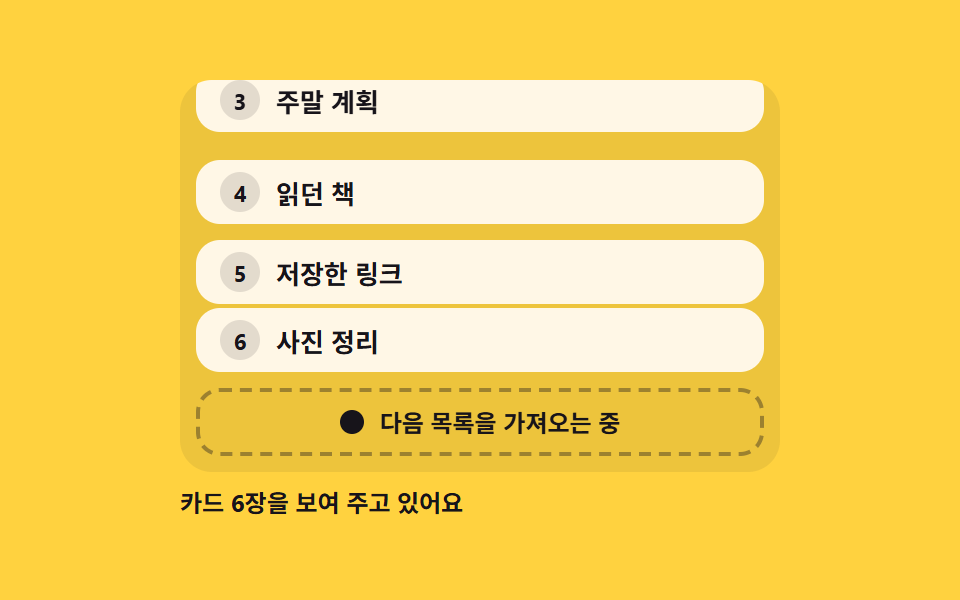 Loaders06 Footer loader that fetches the next page at the end of the listPage Loading Animation CSS: 9 Route-Change Demos
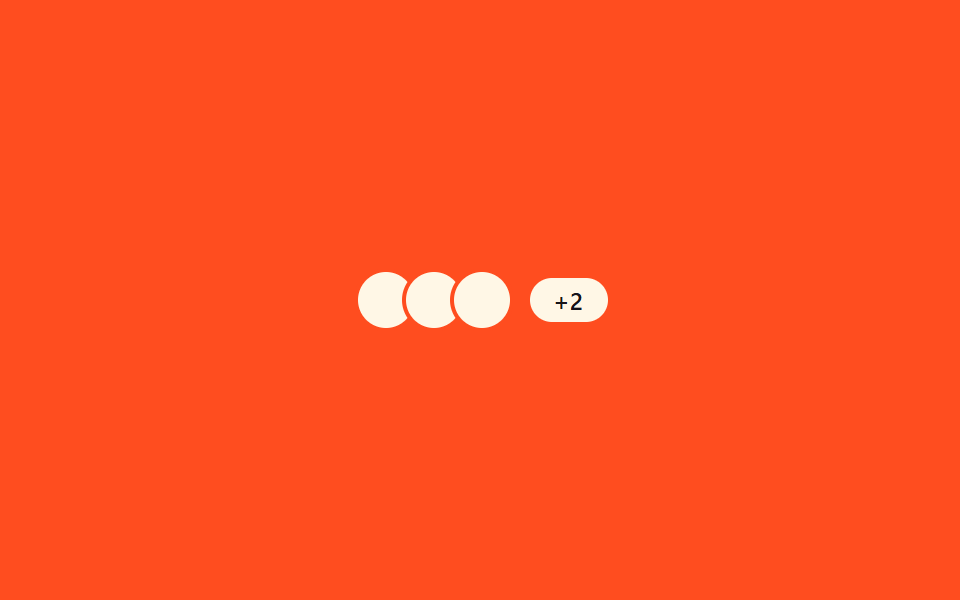 Loaders03 Multi-user overlap — a row computing name-tag width from concurrent typers9 Typing Indicator CSS Patterns (Chat UI)
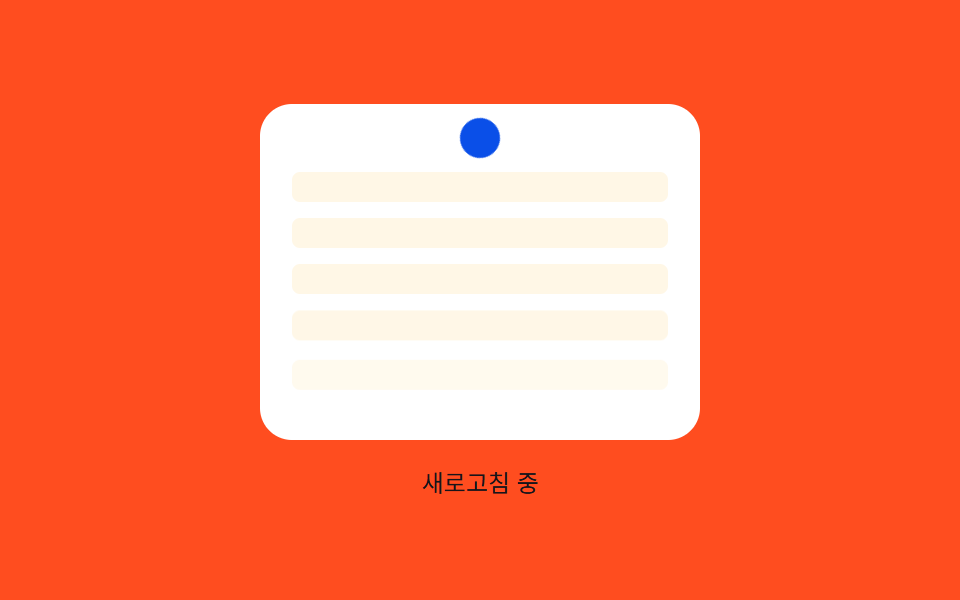 Loaders08 Row stagger reveal — an effect where each list row appears following an order value once the refresh finishesPull to Refresh CSS: 9 Loading Patterns