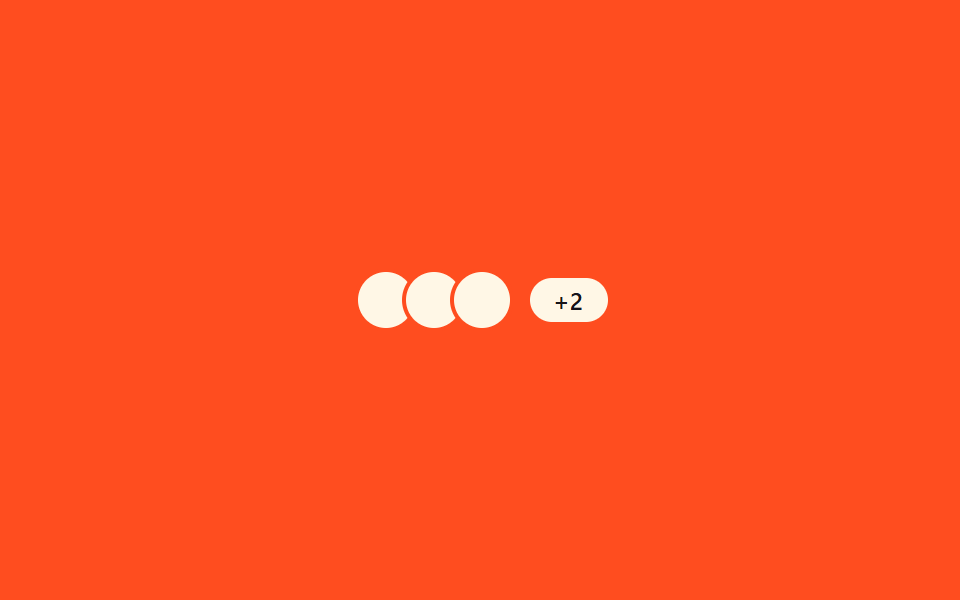
03Multi-user overlap — a row computing name-tag width from concurrent typers
When two or more people are typing at once, instead of listing every name the row keeps the first name and counts the rest, recomputing the 'and N others' label's width by that count.
Best forThe top of a group chat room, co-editor indicators in collaborative docs
getBoundingClientRectsetPropertyrequestAnimationFrame
<main class="stage">
<section class="panel">
  <div class="row" role="status" aria-live="polite" aria-label="Multiple people typing">
    <div class="avatars">
      <span class="avatar avatar--1" aria-hidden="true"></span>
      <span class="avatar avatar--2" aria-hidden="true"></span>
      <span class="avatar avatar--3" aria-hidden="true"></span>
    </div>
    <span class="badge" id="badge">+2</span>
  </div>
  <span class="measure" id="measure" aria-hidden="true">+2</span>
</section>
</main>
@use "../../../../site/static/demo-tokens" as *;
@include stage($stage-orange);
.panel { display: flex; flex-direction: column; align-items: center; gap: $sp-3; }
.row { display: flex; align-items: center; gap: $sp-2; }
.avatars { display: flex; }
.avatar {
width: 28px;
height: 28px;
border-radius: $r-pill;
background: $subject-cream;
border: 2px solid $stage-orange;
margin-left: -$sp-2;
}
.avatar--1 { margin-left: 0; }
// --bw 는 배지 텍스트("+N")의 실측 너비(px, 단위 없이 저장)에서 다음 단계 너비로 보간되는 값
.badge {
display: inline-flex;
align-items: center;
justify-content: center;
height: 22px;
width: calc((var(--bw, 20) * 1px) + #{$sp-3 * 2});
border-radius: $r-pill;
background: $subject-cream;
color: $subject-ink;
font-size: 12px;
font-weight: 600;
}
.measure {
position: absolute;
visibility: hidden;
pointer-events: none;
white-space: nowrap;
font-size: 12px;
font-weight: 600;
}
@media (max-width: 340px) {
.avatar { width: 22px; height: 22px; }
.badge { height: 18px; font-size: 11px; }
}
@media (prefers-reduced-motion: reduce) {
.badge { transition: none; }
}html, body {
margin: 0;
overflow: hidden;
}
.stage {
box-sizing: border-box;
min-height: 100vh;
display: grid;
place-items: center;
margin: 0;
background: #ff4d1f;
font-family: -apple-system, "Segoe UI", "Noto Sans KR", sans-serif;
padding: clamp(8px, 4vw, 24px);
}
.panel {
display: flex;
flex-direction: column;
align-items: center;
gap: 12px;
}
.row {
display: flex;
align-items: center;
gap: 8px;
}
.avatars {
display: flex;
}
.avatar {
width: 28px;
height: 28px;
border-radius: 999px;
background: #fff7e6;
border: 2px solid #ff4d1f;
margin-left: -8px;
}
.avatar--1 {
margin-left: 0;
}
.badge {
display: inline-flex;
align-items: center;
justify-content: center;
height: 22px;
width: calc(var(--bw, 20) * 1px + 24px);
border-radius: 999px;
background: #fff7e6;
color: #17141a;
font-size: 12px;
font-weight: 600;
}
.measure {
position: absolute;
visibility: hidden;
pointer-events: none;
white-space: nowrap;
font-size: 12px;
font-weight: 600;
}
@media (max-width: 340px) {
.avatar {
width: 22px;
height: 22px;
}
.badge {
height: 18px;
font-size: 11px;
}
}
@media (prefers-reduced-motion: reduce) {
.badge {
transition: none;
}
}// 다중 사용자 겹침 — 동시 입력자 수가 바뀔 때마다 라벨 텍스트의 실제 렌더 너비를 재고 그 값으로 배지 너비를 다시 그린다.
// 계산 겹: 인원 수 → 라벨 텍스트 → getBoundingClientRect 실측 폭 → 배지 너비 보간. 자동 재생만, 실사용자 리스너 없음.
(function () {
var badge = document.getElementById('badge');
var measure = document.getElementById('measure');
if (!badge || !measure) return;
var COUNTS = [2, 3, 4];
var HOLD_MS = 620;
var MORPH_MS = 300;
function widthFor(n) {
measure.textContent = '+' + n;
return measure.getBoundingClientRect().width;
}
var widths = COUNTS.map(widthFor);
var CYCLE_MS = HOLD_MS * COUNTS.length;
function apply(t) {
var phase = Math.floor(t / HOLD_MS) % COUNTS.length;
var next = (phase + 1) % COUNTS.length;
var phaseT = t % HOLD_MS;
var p = Math.min(phaseT / MORPH_MS, 1);
var w = widths[phase] + (widths[next] - widths[phase]) * p;
badge.style.setProperty('--bw', w.toFixed(1));
badge.textContent = '+' + COUNTS[phase];
}
apply(0);
var reduce = window.matchMedia('(prefers-reduced-motion: reduce)').matches;
if (reduce) { badge.style.setProperty('--bw', widths[0]); badge.textContent = '+' + COUNTS[0]; return; }
var start = null;
function loop(ts) {
if (start === null) start = ts;
var t = (ts - start) % CYCLE_MS;
apply(t);
requestAnimationFrame(loop);
}
requestAnimationFrame(loop);
})();import { useEffect, useRef } from "react";
import styles from "./TypingMultiUserStack.module.scss";
// 다중 사용자 겹침 — 동시 입력자 수가 바뀔 때마다 라벨 텍스트의 실제 렌더 너비를 재고 그 값으로 배지 너비를 다시 그린다.
// 계산 겹: 인원 수 → 라벨 텍스트 → getBoundingClientRect 실측 폭 → 배지 너비 보간. 자동 재생만, 실사용자 리스너 없음.
const COUNTS = [2, 3, 4];
const HOLD_MS = 620;
const MORPH_MS = 300;
export default function TypingMultiUserStack() {
const badgeRef = useRef<HTMLSpanElement>(null);
const measureRef = useRef<HTMLSpanElement>(null);
useEffect(() => {
const badge = badgeRef.current;
const measure = measureRef.current;
if (!badge || !measure) return;
function widthFor(n: number) {
measure!.textContent = "+" + n;
return measure!.getBoundingClientRect().width;
}
const widths = COUNTS.map(widthFor);
const CYCLE_MS = HOLD_MS * COUNTS.length;
function apply(t: number) {
const phase = Math.floor(t / HOLD_MS) % COUNTS.length;
const next = (phase + 1) % COUNTS.length;
const phaseT = t % HOLD_MS;
const p = Math.min(phaseT / MORPH_MS, 1);
const w = widths[phase] + (widths[next] - widths[phase]) * p;
badge!.style.setProperty("--bw", w.toFixed(1));
badge!.textContent = "+" + COUNTS[phase];
}
apply(0);
const reduce = window.matchMedia("(prefers-reduced-motion: reduce)").matches;
if (reduce) {
badge.style.setProperty("--bw", String(widths[0]));
badge.textContent = "+" + COUNTS[0];
return;
}
let start: number | null = null;
let raf = 0;
function loop(ts: number) {
if (start === null) start = ts;
const t = (ts - start) % CYCLE_MS;
apply(t);
raf = requestAnimationFrame(loop);
}
raf = requestAnimationFrame(loop);
return () => cancelAnimationFrame(raf);
}, []);
return (
<div className={styles.stage}>
<section className={styles.panel}>
<div className={styles.row} role="status" aria-live="polite" aria-label="동시 입력 중">
<div className={styles.avatars}>
<span className={`${styles.avatar} ${styles["avatar--1"]}`} aria-hidden="true" />
<span className={`${styles.avatar} ${styles["avatar--2"]}`} aria-hidden="true" />
<span className={`${styles.avatar} ${styles["avatar--3"]}`} aria-hidden="true" />
</div>
<span ref={badgeRef} className={styles.badge}>+2</span>
</div>
<span ref={measureRef} className={styles.measure} aria-hidden="true">+2</span>
</section>
</div>
);
}03 Multi-user overlap — a row computing name-tag width from concurrent typers — Measured area 0.337% · moving frames 6/23Original by GODRICH · SCSS and React ship in the zip · 9 Typing Indicator CSS Patterns (Chat UI)
The post this demo lives in
 9 Typing Indicator CSS Patterns (Chat UI)One of nine typing indicators slows its avatar pulse as typing runs longer, one redraws a group name tag from remaining See all demos in this post
If you like this effect - similar demos
 Loaders02 Circular percent ring computed from its own circumferenceFile Upload Progress Bar Loader: 9 UI Demos
 Loaders01 Bottom spinner fade — a loading indicator computing its opacity from the remaining scroll distanceInfinite Scroll Loading: 9 Essential UI Patterns
 Loaders05 Button That Collapses to Icon-Only Width While LoadingLoading Button UI — 9 States, Spinner to Success