02Circular percent ring computed from its own circumference
The radius yields a circumference (2πr) fed into stroke-dasharray, and winding stroke-dashoffset back by the percent draws the exact number the label shows.
Best forProfile photo upload, single-file forms
stroke-dashoffsetgetBoundingClientRectrequestAnimationFrame
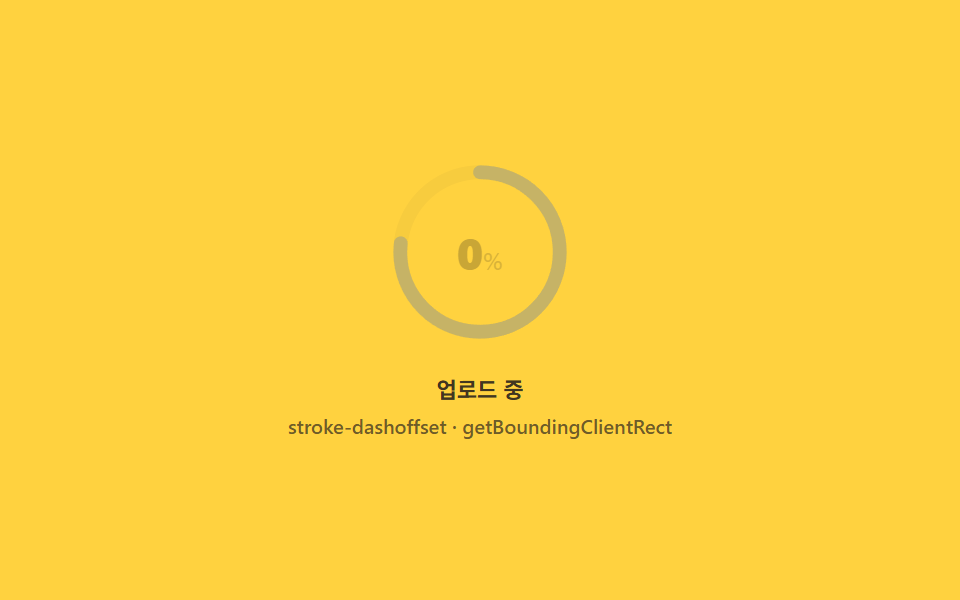
<main class="stage">
<div class="rp is-demo" id="rpRoot" role="group" tabindex="0" aria-label="File upload progress ring">
  <div class="rp__ringwrap">
    <svg class="rp__svg" viewBox="0 0 120 120" width="92" height="92" aria-hidden="true">
      <circle class="rp__track" cx="60" cy="60" r="52"></circle>
      <circle class="rp__prog" id="rpProg" cx="60" cy="60" r="52"></circle>
    </svg>
    <span class="rp__pct" id="rpPct" aria-hidden="true"><b class="rp__n"></b><i>%</i></span>
  </div>
  <div class="rp__bar">
    <span class="rp__label">Uploading</span>
    <span class="rp__meta">stroke-dashoffset · getBoundingClientRect</span>
  </div>
</div>
</main>
@use "../../../../site/static/demo-tokens" as *;
// 원형 퍼센트 링(02) — 링의 stroke-dashoffset 과 라벨 숫자는 같은 --p 값에서 나온다(두 갈래 keyframes 지만
// 같은 스케줄). --circ 는 JS 가 실측한 반지름으로 딱 한 번 계산해 넣는 상수 — 애니메이션 대상이 아니다.
@property --p {
syntax: "<number>";
inherits: false;
initial-value: 0;
}
@property --n {
syntax: "<integer>";
inherits: false;
initial-value: 0;
}
@include stage($stage-yellow);
$rp-track: $subject-ink;
$rp-arc: $subject-blue-deep;
$duration: $dur-loop;
$easing: $ease-out;
$color: $rp-arc;
.rp {
display: flex; flex-direction: column; align-items: center;
gap: $sp-4;
width: 100%; height: 100%; min-height: 164px;
justify-content: center;
}
.rp:focus-visible { outline: 2px solid $rp-arc; outline-offset: 3px; border-radius: $r-control; }
.rp__ringwrap { position: relative; display: grid; place-items: center; }
.rp__svg { transform: rotate(-90deg); }
.rp__track {
fill: none;
stroke: rgba($rp-track, .16);
stroke-width: 9;
}
.rp__prog {
fill: none;
stroke: $rp-arc;
stroke-width: 9;
stroke-linecap: round;
--circ: 0;
--p: 0;
stroke-dasharray: var(--circ);
stroke-dashoffset: calc(var(--circ) * (1 - var(--p) / 100));
}
.rp__pct {
position: absolute;
display: flex; align-items: baseline; gap: 0;
font-weight: 700; font-size: 22px; line-height: 1;
color: $rp-track;
--n: 0;
}
.rp__pct i { font-weight: 600; font-size: 12px; font-style: normal; opacity: .7; }
.rp__n { counter-reset: rpn var(--n); }
.rp__n::before { content: counter(rpn); }
.rp__bar {
display: flex; flex-direction: column; align-items: center; gap: $sp-1;
}
.rp__label {
font-weight: 600; font-size: 11px; line-height: 1.3;
color: rgba($rp-track, .82);
}
.rp__meta {
font-weight: 500; font-size: 10px; line-height: 1.3;
color: rgba($rp-track, .62);
}
// ── 데모 루프 — 0→100 을 채우고, 화면에서 사라진 순간에만 0으로 되감아 눈에 튀는 점프가 없다 ──
@keyframes rpArc {
0% { --p: 0; }
70% { --p: 100; }
90% { --p: 100; }
92% { --p: 0; }
100% { --p: 0; }
}
@keyframes rpCount {
0% { --n: 0; }
70% { --n: 100; }
90% { --n: 100; }
92% { --n: 0; }
100% { --n: 0; }
}
@keyframes rpFade {
0% { opacity: 1; }
84% { opacity: 1; }
90% { opacity: 0; }
94% { opacity: 0; }
100% { opacity: 1; }
}
.is-demo .rp__prog {
animation-name: rpArc;
animation-duration: $duration;
animation-timing-function: $easing;
animation-iteration-count: infinite;
}
.is-demo .rp__pct {
animation-name: rpCount;
animation-duration: $duration;
animation-timing-function: linear;
animation-iteration-count: infinite;
}
.is-demo .rp__ringwrap {
animation-name: rpFade;
animation-duration: $duration;
animation-timing-function: $easing;
animation-iteration-count: infinite;
}
@media (max-width: 340px) {
.rp__svg { width: 78px; height: 78px; }
.rp__pct { font-size: 18px; }
}
@media (prefers-reduced-motion: reduce) {
.is-demo .rp__prog, .is-demo .rp__pct, .is-demo .rp__ringwrap { animation: none !important; }
.is-demo .rp__prog { --p: 62 !important; }
.is-demo .rp__pct { --n: 62 !important; }
}@property --p {
syntax: "<number>";
inherits: false;
initial-value: 0;
}
@property --n {
syntax: "<integer>";
inherits: false;
initial-value: 0;
}
html, body {
margin: 0;
overflow: hidden;
}
.stage {
box-sizing: border-box;
min-height: 100vh;
display: grid;
place-items: center;
margin: 0;
background: #ffd23f;
font-family: -apple-system, "Segoe UI", "Noto Sans KR", sans-serif;
padding: clamp(8px, 4vw, 24px);
}
.rp {
display: flex;
flex-direction: column;
align-items: center;
gap: 16px;
width: 100%;
height: 100%;
min-height: 164px;
justify-content: center;
}
.rp:focus-visible {
outline: 2px solid #0a4fe8;
outline-offset: 3px;
border-radius: 12px;
}
.rp__ringwrap {
position: relative;
display: grid;
place-items: center;
}
.rp__svg {
transform: rotate(-90deg);
}
.rp__track {
fill: none;
stroke: rgba(23, 20, 26, 0.16);
stroke-width: 9;
}
.rp__prog {
fill: none;
stroke: #0a4fe8;
stroke-width: 9;
stroke-linecap: round;
--circ: 0;
--p: 0;
stroke-dasharray: var(--circ);
stroke-dashoffset: calc(var(--circ) * (1 - var(--p) / 100));
}
.rp__pct {
position: absolute;
display: flex;
align-items: baseline;
gap: 0;
font-weight: 700;
font-size: 22px;
line-height: 1;
color: #17141a;
--n: 0;
}
.rp__pct i {
font-weight: 600;
font-size: 12px;
font-style: normal;
opacity: 0.7;
}
.rp__n {
counter-reset: rpn var(--n);
}
.rp__n::before {
content: counter(rpn);
}
.rp__bar {
display: flex;
flex-direction: column;
align-items: center;
gap: 4px;
}
.rp__label {
font-weight: 600;
font-size: 11px;
line-height: 1.3;
color: rgba(23, 20, 26, 0.82);
}
.rp__meta {
font-weight: 500;
font-size: 10px;
line-height: 1.3;
color: rgba(23, 20, 26, 0.62);
}
@keyframes rpArc {
0% {
--p: 0;
}
70% {
--p: 100;
}
90% {
--p: 100;
}
92% {
--p: 0;
}
100% {
--p: 0;
}
}
@keyframes rpCount {
0% {
--n: 0;
}
70% {
--n: 100;
}
90% {
--n: 100;
}
92% {
--n: 0;
}
100% {
--n: 0;
}
}
@keyframes rpFade {
0% {
opacity: 1;
}
84% {
opacity: 1;
}
90% {
opacity: 0;
}
94% {
opacity: 0;
}
100% {
opacity: 1;
}
}
.is-demo .rp__prog {
animation-name: rpArc;
animation-duration: 2s;
animation-timing-function: ease-out;
animation-iteration-count: infinite;
}
.is-demo .rp__pct {
animation-name: rpCount;
animation-duration: 2s;
animation-timing-function: linear;
animation-iteration-count: infinite;
}
.is-demo .rp__ringwrap {
animation-name: rpFade;
animation-duration: 2s;
animation-timing-function: ease-out;
animation-iteration-count: infinite;
}
@media (max-width: 340px) {
.rp__svg {
width: 78px;
height: 78px;
}
.rp__pct {
font-size: 18px;
}
}
@media (prefers-reduced-motion: reduce) {
.is-demo .rp__prog, .is-demo .rp__pct, .is-demo .rp__ringwrap {
animation: none !important;
}
.is-demo .rp__prog {
--p: 62 !important;
}
.is-demo .rp__pct {
--n: 62 !important;
}
}// 원형 퍼센트 링 — 반지름을 실측(getBoundingClientRect)해 둘레(2πr)를 구하고
// stroke-dasharray 에 그 값을 그대로 넣는다. 진행률은 stroke-dashoffset 을
// 둘레에서 되감는 비율로 계산하므로 숫자 라벨과 링은 항상 같은 값을 가리킨다.
// 실제 전송 속도는 매 틱 일정하지 않다 — 시드 난수로 목표치를 흔들고
// 화면 값은 목표를 향해 관성으로 lerp 되어 뚝뚝 끊기지 않는다.
(function () {
var SEED = 0x9e77a1;
function mulberry32(a) {
return function () {
a |= 0; a = (a + 0x6D2B79F5) | 0;
var t = Math.imul(a ^ (a >>> 15), 1 | a);
t = (t + Math.imul(t ^ (t >>> 7), 61 | t)) ^ t;
return ((t ^ (t >>> 14)) >>> 0) / 4294967296;
};
}
var rand = mulberry32(SEED);
var root = document.getElementById('rpRoot');
var prog = document.getElementById('rpProg');
var pct = document.getElementById('rpPct');
if (!root || !prog || !pct) return;
var r = prog.r.baseVal.value;
var box = prog.getBoundingClientRect();
var measuredR = box.width > 0 ? box.width / 2 : r;
var circ = 2 * Math.PI * measuredR;
prog.style.setProperty('--circ', String(circ));
var target = 0, shown = 0, raf = null;
function paint() {
shown += (target - shown) * 0.18;
if (Math.abs(target - shown) < 0.05) shown = target;
prog.style.setProperty('--p', shown.toFixed(2));
pct.style.setProperty('--n', Math.round(shown));
if (shown < 100) raf = requestAnimationFrame(paint);
}
function tick() {
if (root.classList.contains('is-demo')) return;
target = Math.min(100, target + 3 + rand() * 9);
if (target >= 100) clearInterval(timer);
}
var timer = null;
function live() {
if (!root.classList.contains('is-demo')) return;
root.classList.remove('is-demo');
timer = setInterval(tick, 220);
raf = requestAnimationFrame(paint);
}
['pointerdown', 'focusin'].forEach(function (ev) { root.addEventListener(ev, live); });
})();// UploadProgressRingPercent — vanilla 판(run/329/demo/02-upload-progress-ring-percent/index.html) 의 React 포트.
// 반지름을 실측(getBoundingClientRect)해 둘레(2πr)를 구하고 stroke-dasharray 에 그 값을 그대로 넣는다.
// 진행률은 stroke-dashoffset 을 둘레에서 되감는 비율로 계산하므로 숫자 라벨과 링은 항상 같은 값을 가리킨다.
// 실제 전송 속도는 매 틱 일정하지 않다 — 시드 난수(mulberry32)로 목표치를 흔들고
// 화면 값은 목표를 향해 관성으로 lerp 되어 뚝뚝 끊기지 않는다.
import { useEffect, useRef, useState } from "react";
import type { CSSProperties } from "react";
import styles from "./UploadProgressRingPercent.module.scss";
export type UploadProgressRingPercentProps = {
duration?: string;
easing?: string;
color?: string;
seed?: number; // mulberry32 시드 — 흔들림 패턴을 고정한다
step?: number; // 매 틱 기본 증가분(퍼센트 포인트)
jitter?: number; // 매 틱 랜덤 증가분 상한
tickMs?: number; // 진행 틱 주기(ms)
};
type Vars = CSSProperties & { "--duration"?: string; "--easing"?: string; "--color"?: string };
type Box<T> = { current: T };
const LABEL = "업로드 중";
const META = "stroke-dashoffset · getBoundingClientRect";
const SEED = 0x9e77a1;
function mulberry32(a: number): () => number {
return function () {
a |= 0; a = (a + 0x6D2B79F5) | 0;
const t = Math.imul(a ^ (a >>> 15), 1 | a);
const u = (t + Math.imul(t ^ (t >>> 7), 61 | t)) ^ t;
return ((u ^ (u >>> 14)) >>> 0) / 4294967296;
};
}
export default function UploadProgressRingPercent({
duration = "2s",
easing = "ease-out",
color = "#0a4fe8",
seed = SEED,
step = 3,
jitter = 9,
tickMs = 220
}: UploadProgressRingPercentProps) {
const [demo, setDemo] = useState(true);
const progRef = useRef<SVGCircleElement | null>(null);
const pctRef = useRef<HTMLSpanElement | null>(null);
const targetRef = useRef(0) as Box<number>;
const shownRef = useRef(0) as Box<number>;
const rafRef = useRef(0) as Box<number>;
const timerRef = useRef(0) as Box<number>;
const randRef = useRef<(() => number) | null>(null);
const vars: Vars = { "--duration": duration, "--easing": easing, "--color": color };
useEffect(() => {
return () => {
window.clearInterval(timerRef.current);
cancelAnimationFrame(rafRef.current);
};
}, []);
function live(): void {
if (!demo) return;
setDemo(false);
const prog = progRef.current;
const pct = pctRef.current;
if (!prog) return;
const rand = mulberry32(seed);
randRef.current = rand;
// 둘레 — 반지름을 실측해 한 번만 계산하는 상수(vanilla 판과 같은 절차)
const r = prog.r.baseVal.value;
const box = prog.getBoundingClientRect();
const measuredR = box.width > 0 ? box.width / 2 : r;
const circ = 2 * Math.PI * measuredR;
prog.style.setProperty("--circ", String(circ));
const stepFn = (): void => {
targetRef.current = Math.min(100, targetRef.current + step + rand() * jitter);
const target = targetRef.current;
if (target >= 100) window.clearInterval(timerRef.current);
const frame = (): void => {
shownRef.current += (target - shownRef.current) * 0.18;
if (Math.abs(target - shownRef.current) < 0.05) shownRef.current = target;
prog.style.setProperty("--p", shownRef.current.toFixed(2));
if (pct) pct.style.setProperty("--n", String(Math.round(shownRef.current)));
if (shownRef.current < 100) rafRef.current = requestAnimationFrame(frame);
};
frame();
};
timerRef.current = window.setInterval(stepFn, tickMs);
stepFn();
}
const rootCls = demo ? `${styles.rp} ${styles.isDemo}` : styles.rp;
return (
<main className={styles.stage}>
<div
className={rootCls}
style={vars}
role="group"
tabIndex={0}
aria-label="파일 업로드 진행률 링"
onPointerDown={live}
onFocus={live}
>
<div className={styles.ringwrap}>
<svg className={styles.svg} viewBox="0 0 120 120" width="92" height="92" aria-hidden="true">
<circle className={styles.track} cx="60" cy="60" r="52"></circle>
<circle className={styles.prog} cx="60" cy="60" r="52" ref={progRef}></circle>
</svg>
<span className={styles.pct} ref={pctRef} aria-hidden="true"><b className={styles.n}></b><i>%</i></span>
</div>
<div className={styles.bar}>
<span className={styles.label}>{LABEL}</span>
<span className={styles.meta}>{META}</span>
</div>
</div>
</main>
);
}02 Circular percent ring computed from its own circumference — Measured area 1.533% · moving frames 20/23Original by GODRICH · SCSS and React ship in the zip · File Upload Progress Bar Loader: 9 UI Demos
The post this demo lives in
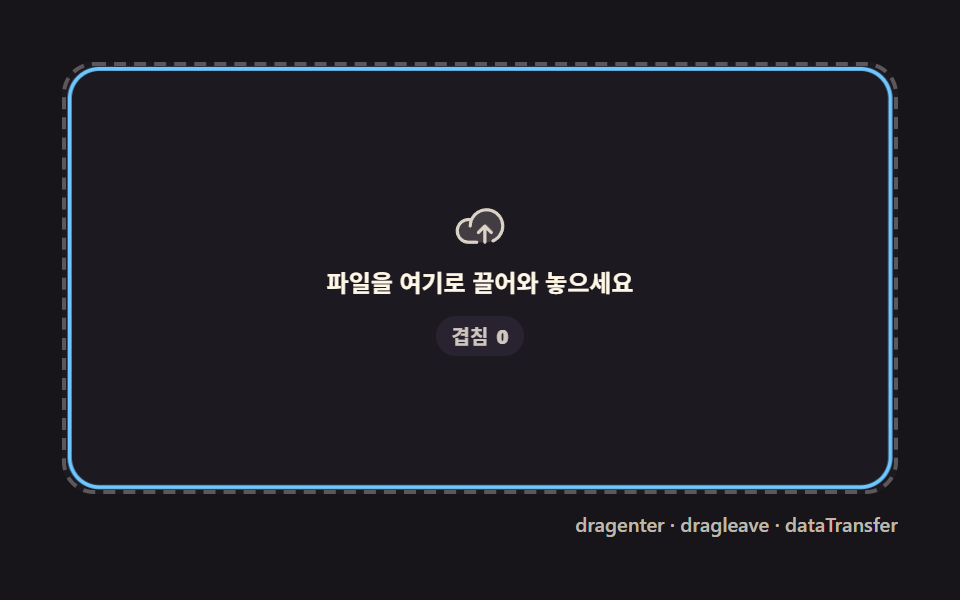 File Upload Progress Bar Loader: 9 UI DemosA file upload progress bar. Drop a file and bytes-over-time become a spinning ring, a speed readout, and a checkmark at See all demos in this post
If you like this effect - similar demos
 Loaders03 Multi-user overlap — a row computing name-tag width from concurrent typers9 Typing Indicator CSS Patterns (Chat UI)
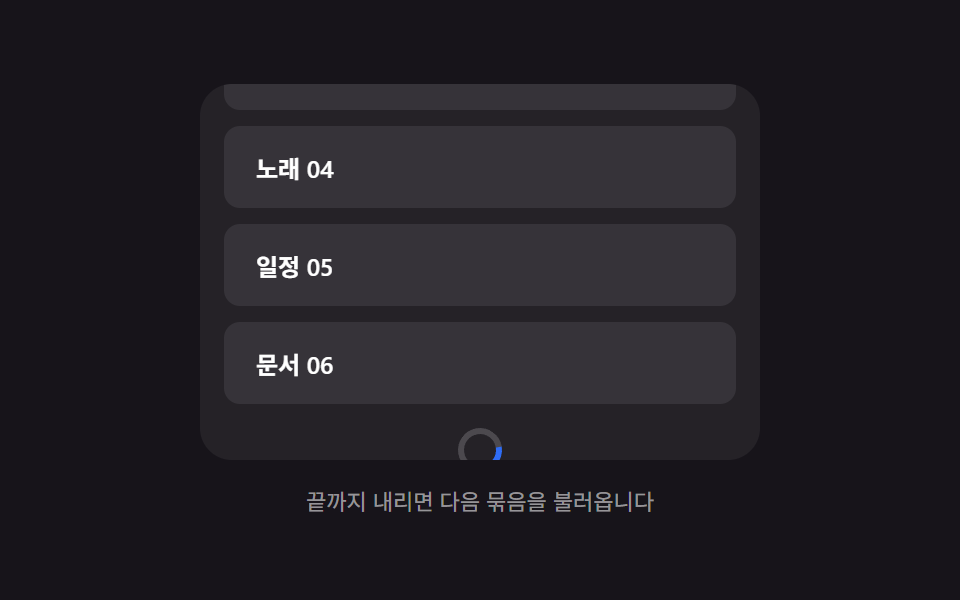 Loaders01 Bottom spinner fade — a loading indicator computing its opacity from the remaining scroll distanceInfinite Scroll Loading: 9 Essential UI Patterns
 Loaders02 Dual Ring for Playback and BufferBuffering Animation CSS — 9 Loading Patterns