05Button That Collapses to Icon-Only Width While Loading
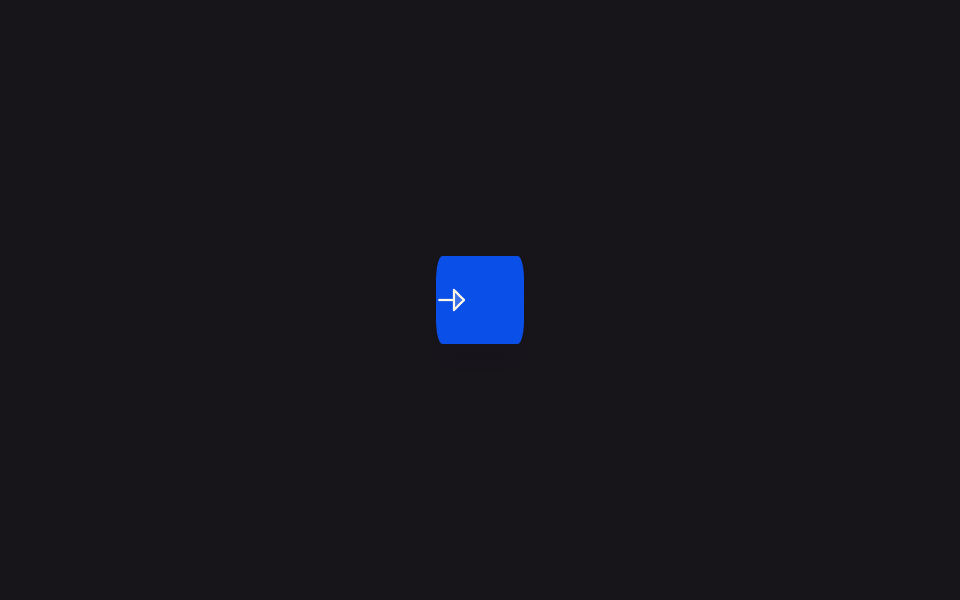
Pressing the button slides its text label away while the button narrows down to just enough width for a single round icon, then widens back out with the label returning once the task ends.
Best forSaving space for a button in a narrow toolbar or on a mobile screen
driveScalegetBoundingClientRectscaleX
<main class="stage">
<div class="scene is-demo" id="scene">
  <button class="btn" id="btn" type="button">
    <span class="btnIcon" id="icon" aria-hidden="true">
      <svg viewBox="0 0 256 256" width="18" height="18">
        <g fill="currentColor"><path d="m216 128l-72 72V56Z" opacity=".2"/><path d="m221.66 122.34l-72-72A8 8 0 0 0 136 56v64H40a8 8 0 0 0 0 16h96v64a8 8 0 0 0 13.66 5.66l72-72a8 8 0 0 0 0-11.32M152 180.69V75.31L204.69 128Z"/></g>
      </svg>
    </span>
    <span class="btnLabel" id="label">Send message</span>
  </button>
  <span class="visuallyHidden" id="status" role="status" aria-live="polite"></span>
</div>
</main>
@use "../../../../site/static/demo-tokens" as *;
// 변수 3개
$duration: $dur-base;
$easing: $ease-out;
$color: $subject-blue-deep;
// 계산 겹: index.html 의 driveScale() 이 실측 폭 대비 목표(아이콘 한 칸) 비율을 구해 매 프레임
// btn 을 scaleX 로 줄이고, 아이콘엔 1/scale 역스케일을 걸어 눌림을 상쇄한다.
@include stage($stage-ink);
.scene {
display: grid;
place-items: center;
}
.btn {
position: relative;
display: inline-flex;
align-items: center;
justify-content: center;
gap: $sp-2;
height: 44px;
min-width: 44px;
padding: 0 $sp-5;
border: none;
border-radius: $r-control;
background: $color;
color: $subject-cream;
font-weight: 600;
font-size: 14px;
line-height: 1;
box-shadow: $shadow-press;
cursor: pointer;
will-change: transform;
&:focus-visible { outline: 2px solid $subject-cream; outline-offset: 3px; }
&:disabled { cursor: default; }
}
.btnIcon {
display: flex;
flex: 0 0 auto;
align-items: center;
justify-content: center;
}
.btnLabel {
white-space: nowrap;
}
.visuallyHidden {
position: absolute;
width: 1px;
height: 1px;
overflow: hidden;
clip: rect(0 0 0 0);
white-space: nowrap;
}
@media (max-width: 340px) {
.btn { height: 40px; padding: 0 $sp-4; font-size: 13px; }
}
@media (prefers-reduced-motion: reduce) {
// 실사용 경로 적용 — index.html 의 runReduced() 가 scaleX 트윈 없이 즉시 값을 바꾼다.
// scss 만: 남은 트랜지션을 전부 끈다.
* { transition: none !important; }
}html, body {
margin: 0;
overflow: hidden;
}
.stage {
box-sizing: border-box;
min-height: 100vh;
display: grid;
place-items: center;
margin: 0;
background: #17141a;
font-family: -apple-system, "Segoe UI", "Noto Sans KR", sans-serif;
padding: clamp(8px, 4vw, 24px);
}
.scene {
display: grid;
place-items: center;
}
.btn {
position: relative;
display: inline-flex;
align-items: center;
justify-content: center;
gap: 8px;
height: 44px;
min-width: 44px;
padding: 0 20px;
border: none;
border-radius: 12px;
background: #0a4fe8;
color: #fff7e6;
font-weight: 600;
font-size: 14px;
line-height: 1;
box-shadow: 0 6px 12px rgba(23, 20, 26, 0.32);
cursor: pointer;
will-change: transform;
}
.btn:focus-visible {
outline: 2px solid #fff7e6;
outline-offset: 3px;
}
.btn:disabled {
cursor: default;
}
.btnIcon {
display: flex;
flex: 0 0 auto;
align-items: center;
justify-content: center;
}
.btnLabel {
white-space: nowrap;
}
.visuallyHidden {
position: absolute;
width: 1px;
height: 1px;
overflow: hidden;
clip: rect(0 0 0 0);
white-space: nowrap;
}
@media (max-width: 340px) {
.btn {
height: 40px;
padding: 0 16px;
font-size: 13px;
}
}
@media (prefers-reduced-motion: reduce) {
* {
transition: none !important;
}
}(function () {
var COLLAPSE_MS = 380;
var LABEL_FADE_MS = 150;
var HOLD_MS = 700;
var EXPAND_MS = 380;
var GAP_MS = 450;
var START_DELAY_MS = 200;
var COLLAPSED_WIDTH_PX = 44;
var scene = document.getElementById('scene');
var btn = document.getElementById('btn');
var icon = document.getElementById('icon');
var label = document.getElementById('label');
var status = document.getElementById('status');
var reduce = window.matchMedia('(prefers-reduced-motion: reduce)').matches;
var gen = 0;
var timers = [];
function human() {
if (scene.classList.contains('is-demo')) {
scene.classList.remove('is-demo');
timers.forEach(function (t) { clearTimeout(t); });
timers = [];
}
}
function easeInOutQuad(p) { return p < .5 ? 2 * p * p : 1 - Math.pow(-2 * p + 2, 2) / 2; }
// 계산 겹: 지금 렌더된 버튼 실측 폭(fullWidth)과 아이콘 하나가 들어갈 목표 폭을 비교해
// collapsedRatio 를 구하고, 매 프레임 scale 값으로 btn 을 scaleX 하면서 아이콘엔 1/scale
// 역스케일을 걸어 버튼이 좁아지는 동안에도 아이콘 자체는 눌리지 않게 만든다.
function driveScale(myGen, fromScale, toScale, ms, onDone) {
var fullWidth = btn.getBoundingClientRect().width / fromScale;
var collapsedRatio = COLLAPSED_WIDTH_PX / fullWidth;
var resolvedFrom = fromScale === 1 ? 1 : collapsedRatio;
var resolvedTo = toScale === 1 ? 1 : collapsedRatio;
var start = null;
function step(now) {
if (myGen !== gen) return;
if (start === null) start = now;
var p = easeInOutQuad(Math.min(1, (now - start) / ms));
var scale = resolvedFrom + (resolvedTo - resolvedFrom) * p;
btn.style.transform = 'scaleX(' + scale.toFixed(4) + ')';
icon.style.transform = 'scaleX(' + (1 / scale).toFixed(4) + ')';
if (p < 1) requestAnimationFrame(step); else onDone();
}
requestAnimationFrame(step);
}
function fade(el, from, to, ms, myGen) {
var start = null;
function step(now) {
if (myGen !== gen) return;
if (start === null) start = now;
var p = Math.min(1, (now - start) / ms);
el.style.opacity = String(from + (to - from) * p);
if (p < 1) requestAnimationFrame(step);
}
requestAnimationFrame(step);
}
function reset() {
btn.style.transform = 'scaleX(1)';
icon.style.transform = 'scaleX(1)';
label.style.opacity = '1';
}
function runAnimated() {
gen++;
var myGen = gen;
btn.disabled = true;
btn.setAttribute('aria-busy', 'true');
status.textContent = 'Sending';
fade(label, 1, 0, LABEL_FADE_MS, myGen);
driveScale(myGen, 1, 0, COLLAPSE_MS, function () {
timers.push(setTimeout(function () {
status.textContent = 'Sent';
driveScale(myGen, 0, 1, EXPAND_MS, function () {
fade(label, 0, 1, LABEL_FADE_MS, myGen);
btn.disabled = false;
btn.removeAttribute('aria-busy');
});
}, HOLD_MS));
});
}
function runReduced() {
gen++;
btn.disabled = true;
btn.setAttribute('aria-busy', 'true');
status.textContent = 'Sending';
var fullWidth = btn.getBoundingClientRect().width;
var collapsedRatio = COLLAPSED_WIDTH_PX / fullWidth;
label.style.opacity = '0';
btn.style.transform = 'scaleX(' + collapsedRatio.toFixed(4) + ')';
icon.style.transform = 'scaleX(' + (1 / collapsedRatio).toFixed(4) + ')';
timers.push(setTimeout(function () {
status.textContent = 'Sent';
reset();
btn.disabled = false;
btn.removeAttribute('aria-busy');
}, HOLD_MS));
}
btn.addEventListener('click', function () {
if (btn.disabled) return;
human();
if (reduce) runReduced(); else runAnimated();
});
// reduce: 실사용 경로 적용 — runReduced() 는 scaleX 트윈 없이 즉시 좁아지고 즉시 되돌아간다.
// 아래 자동 루프는 시연 게이트만 — reduce 에서는 돌지 않는다.
function cycle() {
if (!scene.classList.contains('is-demo')) return;
runAnimated();
timers.push(setTimeout(function () {
timers.push(setTimeout(cycle, GAP_MS));
}, COLLAPSE_MS + HOLD_MS + EXPAND_MS));
}
if (!reduce) {
timers.push(setTimeout(cycle, START_DELAY_MS));
}
})();import { useEffect, useRef } from 'react';
import styles from './ButtonLoadingIconOnlyCollapse.module.scss';
const COLLAPSE_MS = 380;
const LABEL_FADE_MS = 150;
const HOLD_MS = 700;
const EXPAND_MS = 380;
const GAP_MS = 450;
const START_DELAY_MS = 200;
const COLLAPSED_WIDTH_PX = 44;
export default function ButtonLoadingIconOnlyCollapse() {
const sceneRef = useRef<HTMLDivElement>(null);
const btnRef = useRef<HTMLButtonElement>(null);
const iconRef = useRef<HTMLSpanElement>(null);
const labelRef = useRef<HTMLSpanElement>(null);
const statusRef = useRef<HTMLSpanElement>(null);
useEffect(() => {
const scene = sceneRef.current;
const btn = btnRef.current;
const icon = iconRef.current;
const label = labelRef.current;
const status = statusRef.current;
if (!scene || !btn || !icon || !label || !status) return undefined;
const reduce = window.matchMedia('(prefers-reduced-motion: reduce)').matches;
let gen = 0;
let timers: number[] = [];
function human() {
if (scene!.classList.contains(styles['is-demo'])) {
scene!.classList.remove(styles['is-demo']);
timers.forEach((t) => window.clearTimeout(t));
timers = [];
}
}
function easeInOutQuad(p: number) { return p < .5 ? 2 * p * p : 1 - Math.pow(-2 * p + 2, 2) / 2; }
// 계산 겹: 지금 렌더된 버튼 실측 폭(fullWidth)과 아이콘 하나가 들어갈 목표 폭을 비교해
// collapsedRatio 를 구하고, 매 프레임 scale 값으로 btn 을 scaleX 하면서 아이콘엔 1/scale
// 역스케일을 걸어 버튼이 좁아지는 동안에도 아이콘 자체는 눌리지 않게 만든다.
function driveScale(myGen: number, fromScale: number, toScale: number, ms: number, onDone: () => void) {
const fullWidth = btn!.getBoundingClientRect().width / fromScale;
const collapsedRatio = COLLAPSED_WIDTH_PX / fullWidth;
const resolvedFrom = fromScale === 1 ? 1 : collapsedRatio;
const resolvedTo = toScale === 1 ? 1 : collapsedRatio;
let start: number | null = null;
function step(now: number) {
if (myGen !== gen) return;
if (start === null) start = now;
const p = easeInOutQuad(Math.min(1, (now - start) / ms));
const scale = resolvedFrom + (resolvedTo - resolvedFrom) * p;
btn!.style.transform = 'scaleX(' + scale.toFixed(4) + ')';
icon!.style.transform = 'scaleX(' + (1 / scale).toFixed(4) + ')';
if (p < 1) requestAnimationFrame(step); else onDone();
}
requestAnimationFrame(step);
}
function fade(el: HTMLElement, from: number, to: number, ms: number, myGen: number) {
let start: number | null = null;
function step(now: number) {
if (myGen !== gen) return;
if (start === null) start = now;
const p = Math.min(1, (now - start) / ms);
el.style.opacity = String(from + (to - from) * p);
if (p < 1) requestAnimationFrame(step);
}
requestAnimationFrame(step);
}
function reset() {
btn!.style.transform = 'scaleX(1)';
icon!.style.transform = 'scaleX(1)';
label!.style.opacity = '1';
}
function runAnimated() {
gen++;
const myGen = gen;
btn!.disabled = true;
btn!.setAttribute('aria-busy', 'true');
status!.textContent = '전송하는 중';
fade(label!, 1, 0, LABEL_FADE_MS, myGen);
driveScale(myGen, 1, 0, COLLAPSE_MS, () => {
timers.push(window.setTimeout(() => {
status!.textContent = '전송 완료';
driveScale(myGen, 0, 1, EXPAND_MS, () => {
fade(label!, 0, 1, LABEL_FADE_MS, myGen);
btn!.disabled = false;
btn!.removeAttribute('aria-busy');
});
}, HOLD_MS));
});
}
function runReduced() {
gen++;
btn!.disabled = true;
btn!.setAttribute('aria-busy', 'true');
status!.textContent = '전송하는 중';
const fullWidth = btn!.getBoundingClientRect().width;
const collapsedRatio = COLLAPSED_WIDTH_PX / fullWidth;
label!.style.opacity = '0';
btn!.style.transform = 'scaleX(' + collapsedRatio.toFixed(4) + ')';
icon!.style.transform = 'scaleX(' + (1 / collapsedRatio).toFixed(4) + ')';
timers.push(window.setTimeout(() => {
status!.textContent = '전송 완료';
reset();
btn!.disabled = false;
btn!.removeAttribute('aria-busy');
}, HOLD_MS));
}
function onClick() {
if (btn!.disabled) return;
human();
if (reduce) runReduced(); else runAnimated();
}
btn.addEventListener('click', onClick);
// reduce: 실사용 경로 적용 — runReduced() 는 scaleX 트윈 없이 즉시 좁아지고 즉시 되돌아간다.
// 아래 자동 루프는 시연 게이트만 — reduce 에서는 돌지 않는다.
function cycle() {
if (!scene!.classList.contains(styles['is-demo'])) return;
runAnimated();
timers.push(window.setTimeout(() => {
timers.push(window.setTimeout(cycle, GAP_MS));
}, COLLAPSE_MS + HOLD_MS + EXPAND_MS));
}
if (!reduce) {
timers.push(window.setTimeout(cycle, START_DELAY_MS));
}
return () => {
btn.removeEventListener('click', onClick);
timers.forEach((t) => window.clearTimeout(t));
};
}, []);
return (
<main className={styles.stage}>
<div className={styles.scene + ' ' + styles['is-demo']} ref={sceneRef}>
<button className={styles.btn} ref={btnRef} type="button">
<span className={styles.btnIcon} ref={iconRef} aria-hidden="true">
<svg viewBox="0 0 256 256" width="18" height="18">
<g fill="currentColor">
<path d="m216 128l-72 72V56Z" opacity=".2" />
<path d="m221.66 122.34l-72-72A8 8 0 0 0 136 56v64H40a8 8 0 0 0 0 16h96v64a8 8 0 0 0 13.66 5.66l72-72a8 8 0 0 0 0-11.32M152 180.69V75.31L204.69 128Z" />
</g>
</svg>
</span>
<span className={styles.btnLabel} ref={labelRef}>Send message</span>
</button>
<span className={styles.visuallyHidden} ref={statusRef} role="status" aria-live="polite" />
</div>
</main>
);
}05 Button That Collapses to Icon-Only Width While Loading — Measured area 4.394% · moving frames 13/23Original by GODRICH · SCSS and React ship in the zip · Loading Button UI — 9 States, Spinner to Success
The post this demo lives in
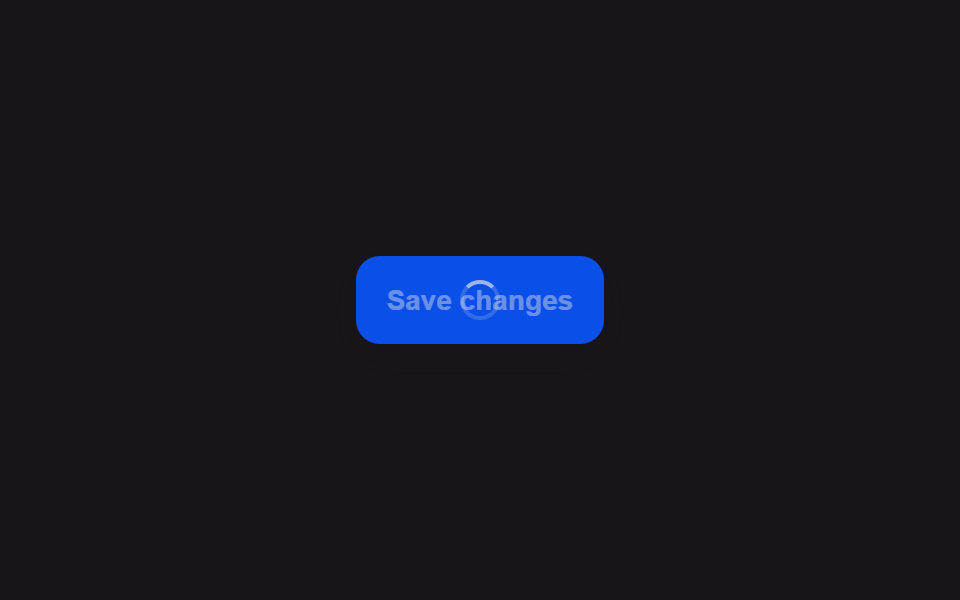 Loading Button UI — 9 States, Spinner to SuccessAmong nine loading button patterns, one turns its spinner into a checkmark, one swaps the label for three pulsing dots, See all demos in this post
If you like this effect - similar demos
 Loaders06 Button Icon That Morphs to a Sparkle When a Done Value FlipsAI Loading Animation: 9 Patterns by One Value
 Loaders01 Route progress bar that crosses the top of the screenPage Loading Animation CSS: 9 Route-Change Demos
 Loaders03 Multi-user overlap — a row computing name-tag width from concurrent typers9 Typing Indicator CSS Patterns (Chat UI)