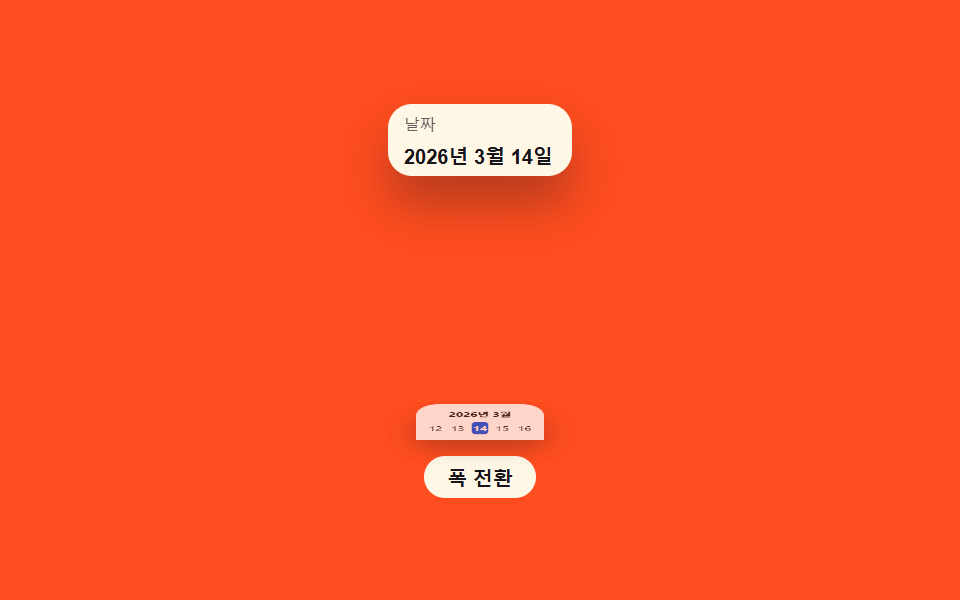
07Sheet-swap value toggle — as the screen-width value narrows, a popover value changes into a bottom-sheet value that rises from below
Once the screen-width value narrows past a threshold, the same calendar appears as a bottom sheet rising from below instead of a popover, and the width value is changed by engaging a button.
Best forA mobile booking app's date pick, a filter panel on a narrow screen
THRESHOLDmeasureMode()viewport
<main class="stage">
<div class="ms is-demo" id="ms">
  <div class="ms__viewport" id="msViewport">
    <button type="button" class="ms__field" id="msField">
      <span class="ms__fieldLabel">Date</span>
      <span class="ms__fieldValue">March 14, 2026</span>
    </button>
    <div class="ms__panel" id="msPanel">
      <div class="ms__panelHead">March 2026</div>
      <div class="ms__strip">
        <span class="ms__day">12</span><span class="ms__day">13</span><span class="ms__day ms__day--today">14</span><span class="ms__day">15</span><span class="ms__day">16</span>
      </div>
    </div>
  </div>
  <button type="button" class="ms__toggle" id="msToggle">Toggle width</button>
</div>
</main>
@use "../../../../site/static/demo-tokens" as *;
// 계산 겹: measureMode() 가 viewport 요소의 실측 폭(getBoundingClientRect)을 임계값과
// 비교해 popover(작은 카드)와 bottom-sheet(전체 폭) 두 형태 중 하나를 고른다.
@include stage($stage-orange);
.ms { position: relative; width: 100%; max-width: 230px; display: grid; gap: $sp-2; justify-items: center; }
.ms__viewport { position: relative; width: 200px; height: 168px; transition: width $dur-base $ease-spring; }
.ms__viewport--narrow { width: 92px; }
.ms__field {
position: absolute; top: 0; left: 0; right: 0;
display: grid; gap: $sp-1; padding: $sp-1 $sp-2;
border: none; border-radius: $r-control;
background: $subject-cream; color: $subject-ink; text-align: left; cursor: pointer;
box-shadow: $shadow-raised;
}
.ms__fieldLabel { font-size: 8px; opacity: .68; }
.ms__fieldValue { font-size: 10px; font-weight: 700; }
.ms__panel {
position: absolute;
left: 0; right: 0; bottom: 0;
box-sizing: border-box;
padding: $sp-2;
border-radius: $r-card $r-card 0 0;
background: $stage-paper;
box-shadow: $shadow-raised;
transform: scaleY(0);
transform-origin: bottom center;
opacity: 0;
pointer-events: none;
transition: transform $dur-enter $ease-elastic, opacity $dur-quick $ease-out;
}
.ms__panel.ms--open.ms__panel--popover { transform: scale(.6, .46); opacity: 1; pointer-events: auto; }
.ms__panel.ms--open.ms__panel--sheet { transform: scale(1, 1); opacity: 1; pointer-events: auto; }
.ms__panelHead { font-size: 9px; font-weight: 700; color: $subject-ink; text-align: center; margin-bottom: $sp-1; }
.ms__strip { display: flex; gap: $sp-1; justify-content: center; }
.ms__day { display: grid; place-items: center; width: 18px; height: 18px; font-size: 9px; color: $subject-ink; border-radius: $r-xs; }
.ms__day--today { background: $subject-blue-deep; color: $subject-cream; font-weight: 700; }
.ms__toggle {
border: none; border-radius: $r-pill; padding: $sp-1 $sp-3;
font-size: 10px; font-weight: 700; color: $subject-ink; background: $subject-cream; cursor: pointer;
}
@media (max-width: 340px) {
.ms { max-width: 170px; }
.ms__viewport { width: 150px; height: 140px; }
.ms__viewport--narrow { width: 76px; }
.ms__day { width: 15px; height: 15px; font-size: 8px; }
}
@media (prefers-reduced-motion: reduce) {
.ms__panel, .ms__viewport { transition: none; }
}html, body {
margin: 0;
overflow: hidden;
}
.stage {
box-sizing: border-box;
min-height: 100vh;
display: grid;
place-items: center;
margin: 0;
background: #ff4d1f;
font-family: -apple-system, "Segoe UI", "Noto Sans KR", sans-serif;
padding: clamp(8px, 4vw, 24px);
}
.ms {
position: relative;
width: 100%;
max-width: 230px;
display: grid;
gap: 8px;
justify-items: center;
}
.ms__viewport {
position: relative;
width: 200px;
height: 168px;
transition: width 300ms cubic-bezier(0.2, 0.8, 0.2, 1);
}
.ms__viewport--narrow {
width: 92px;
}
.ms__field {
position: absolute;
top: 0;
left: 0;
right: 0;
display: grid;
gap: 4px;
padding: 4px 8px;
border: none;
border-radius: 12px;
background: #fff7e6;
color: #17141a;
text-align: left;
cursor: pointer;
box-shadow: 0 14px 24px rgba(23, 20, 26, 0.32);
}
.ms__fieldLabel {
font-size: 8px;
opacity: 0.68;
}
.ms__fieldValue {
font-size: 10px;
font-weight: 700;
}
.ms__panel {
position: absolute;
left: 0;
right: 0;
bottom: 0;
box-sizing: border-box;
padding: 8px;
border-radius: 16px 16px 0 0;
background: #ffffff;
box-shadow: 0 14px 24px rgba(23, 20, 26, 0.32);
transform: scaleY(0);
transform-origin: bottom center;
opacity: 0;
pointer-events: none;
transition: transform 600ms cubic-bezier(0.34, 1.56, 0.64, 1), opacity 220ms ease-out;
}
.ms__panel.ms--open.ms__panel--popover {
transform: scale(0.6, 0.46);
opacity: 1;
pointer-events: auto;
}
.ms__panel.ms--open.ms__panel--sheet {
transform: scale(1, 1);
opacity: 1;
pointer-events: auto;
}
.ms__panelHead {
font-size: 9px;
font-weight: 700;
color: #17141a;
text-align: center;
margin-bottom: 4px;
}
.ms__strip {
display: flex;
gap: 4px;
justify-content: center;
}
.ms__day {
display: grid;
place-items: center;
width: 18px;
height: 18px;
font-size: 9px;
color: #17141a;
border-radius: 4px;
}
.ms__day--today {
background: #0a4fe8;
color: #fff7e6;
font-weight: 700;
}
.ms__toggle {
border: none;
border-radius: 999px;
padding: 4px 12px;
font-size: 10px;
font-weight: 700;
color: #17141a;
background: #fff7e6;
cursor: pointer;
}
@media (max-width: 340px) {
.ms {
max-width: 170px;
}
.ms__viewport {
width: 150px;
height: 140px;
}
.ms__viewport--narrow {
width: 76px;
}
.ms__day {
width: 15px;
height: 15px;
font-size: 8px;
}
}
@media (prefers-reduced-motion: reduce) {
.ms__panel, .ms__viewport {
transition: none;
}
}(function () {
var THRESHOLD = 140; // px, 계산 겹: 이 폭 미만이면 바텀시트로 본다
var ms = document.getElementById('ms');
var viewport = document.getElementById('msViewport');
var field = document.getElementById('msField');
var panel = document.getElementById('msPanel');
var toggleBtn = document.getElementById('msToggle');
var wide = true;
var open = false;
function measureMode() {
// 계산 겹: 뷰포트 요소의 실제 렌더 폭을 실측해 팝오버/시트 형태를 고른다
var w = viewport.getBoundingClientRect().width;
return w < THRESHOLD ? 'sheet' : 'popover';
}
function render() {
var mode = measureMode();
panel.classList.toggle('ms--open', open);
panel.classList.toggle('ms__panel--sheet', mode === 'sheet');
panel.classList.toggle('ms__panel--popover', mode === 'popover');
}
function human() {
ms.classList.remove('is-demo');
stopAutoplay();
}
field.addEventListener('click', function () {
human();
open = !open;
render();
});
toggleBtn.addEventListener('click', function () {
human();
wide = !wide;
viewport.classList.toggle('ms__viewport--narrow', !wide);
open = true;
render();
});
var steps = [
function () { wide = true; viewport.classList.remove('ms__viewport--narrow'); open = true; },
function () { wide = false; viewport.classList.add('ms__viewport--narrow'); open = true; },
function () { open = false; },
function () { wide = true; viewport.classList.remove('ms__viewport--narrow'); open = true; },
function () { wide = false; viewport.classList.add('ms__viewport--narrow'); open = true; },
function () { open = false; }
];
var stepIdx = -1;
var autoTimer = null;
function stopAutoplay() { if (autoTimer) { clearInterval(autoTimer); autoTimer = null; } }
function tick() {
stepIdx = (stepIdx + 1) % steps.length;
steps[stepIdx]();
render();
}
render();
var reduce = window.matchMedia('(prefers-reduced-motion: reduce)').matches;
if (!reduce) { autoTimer = setInterval(tick, 620); }
})();import { useEffect, useRef, useState } from 'react';
import styles from './DatePickerMobileSheetSwap.module.scss';
type Box<T> = { current: T };
const THRESHOLD = 140; // px, 계산 겹: 이 폭 미만이면 바텀시트로 본다
const DAYS = [12, 13, 14, 15, 16];
const TODAY = 14;
export default function DatePickerMobileSheetSwap() {
const viewportRef = useRef(null) as unknown as Box<HTMLDivElement>;
const wideRef = useRef(true) as unknown as Box<boolean>;
const openRef = useRef(false) as unknown as Box<boolean>;
const [isDemo, setIsDemo] = useState(true);
const [wide, setWide] = useState(true);
const [open, setOpen] = useState(false);
const [mode, setMode] = useState<'popover' | 'sheet'>('popover');
function human() {
setIsDemo(false);
}
function measureMode(): 'popover' | 'sheet' {
// 계산 겹: 뷰포트 요소의 실제 렌더 폭을 실측해 팝오버/시트 형태를 고른다
const el = viewportRef.current;
if (!el) return 'popover';
const w = el.getBoundingClientRect().width;
return w < THRESHOLD ? 'sheet' : 'popover';
}
useEffect(() => {
setMode(measureMode());
// eslint-disable-next-line react-hooks/exhaustive-deps
}, [wide]);
useEffect(() => {
const reduce = window.matchMedia('(prefers-reduced-motion: reduce)').matches;
if (reduce) return;
const steps: (() => void)[] = [
() => { wideRef.current = true; openRef.current = true; setWide(true); setOpen(true); },
() => { wideRef.current = false; openRef.current = true; setWide(false); setOpen(true); },
() => { openRef.current = false; setOpen(false); },
() => { wideRef.current = true; openRef.current = true; setWide(true); setOpen(true); },
() => { wideRef.current = false; openRef.current = true; setWide(false); setOpen(true); },
() => { openRef.current = false; setOpen(false); },
];
let stepIdx = -1;
const timer = window.setInterval(() => {
if (!isDemo) return;
stepIdx = (stepIdx + 1) % steps.length;
steps[stepIdx]();
}, 620);
return () => window.clearInterval(timer);
// eslint-disable-next-line react-hooks/exhaustive-deps
}, [isDemo]);
function onFieldClick() {
human();
setOpen((v) => !v);
}
function onToggleClick() {
human();
setWide((v) => !v);
setOpen(true);
}
return (
<div className={`${styles.ms} ${isDemo ? styles.isDemo : ''}`}>
<div className={`${styles.msViewport} ${!wide ? styles.msViewportNarrow : ''}`} ref={viewportRef}>
<button type="button" className={styles.msField} onClick={onFieldClick}>
<span className={styles.msFieldLabel}>날짜</span>
<span className={styles.msFieldValue}>2026년 3월 14일</span>
</button>
<div
className={`${styles.msPanel} ${open ? styles.isOpen : ''} ${mode === 'sheet' ? styles.msPanelSheet : styles.msPanelPopover}`}
>
<div className={styles.msPanelHead}>2026년 3월</div>
<div className={styles.msStrip}>
{DAYS.map((d) => (
<span key={d} className={`${styles.msDay} ${d === TODAY ? styles.msDayToday : ''}`}>{d}</span>
))}
</div>
</div>
</div>
<button type="button" className={styles.msToggle} onClick={onToggleClick}>폭 전환</button>
</div>
);
}07 Sheet-swap value toggle — as the screen-width value narrows, a popover value changes into a bottom-sheet value that rises from below — Measured area 17.928% · moving frames 15/23Original by GODRICH · SCSS and React ship in the zip · Date Picker UI: 9 Popover & Calendar Patterns
The post this demo lives in
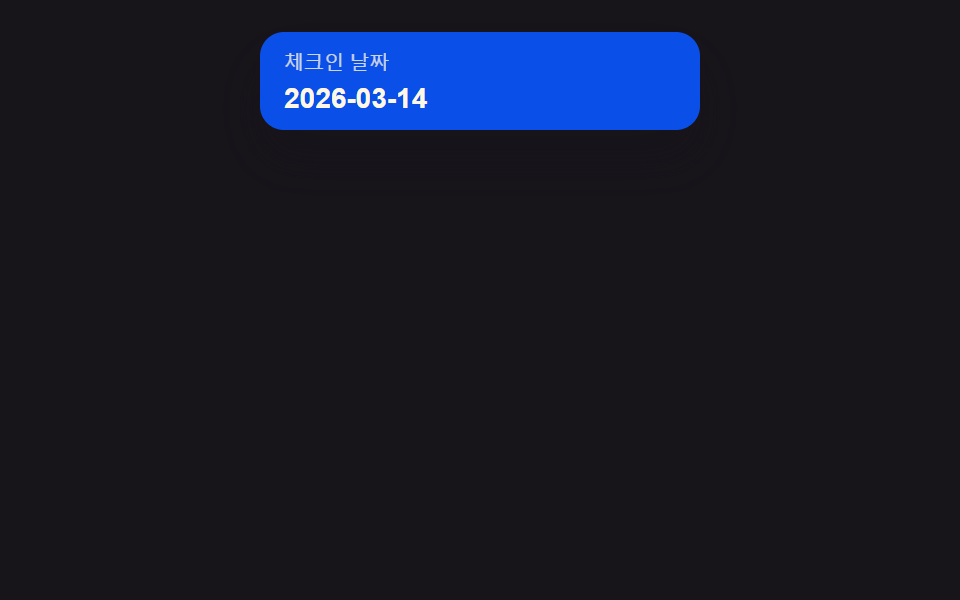 Date Picker UI: 9 Popover & Calendar PatternsDate picker UI: One of nine opens a calendar popover when a focus value turns on, one fades out-of-range dates to unsele See all demos in this post
If you like this effect - similar demos
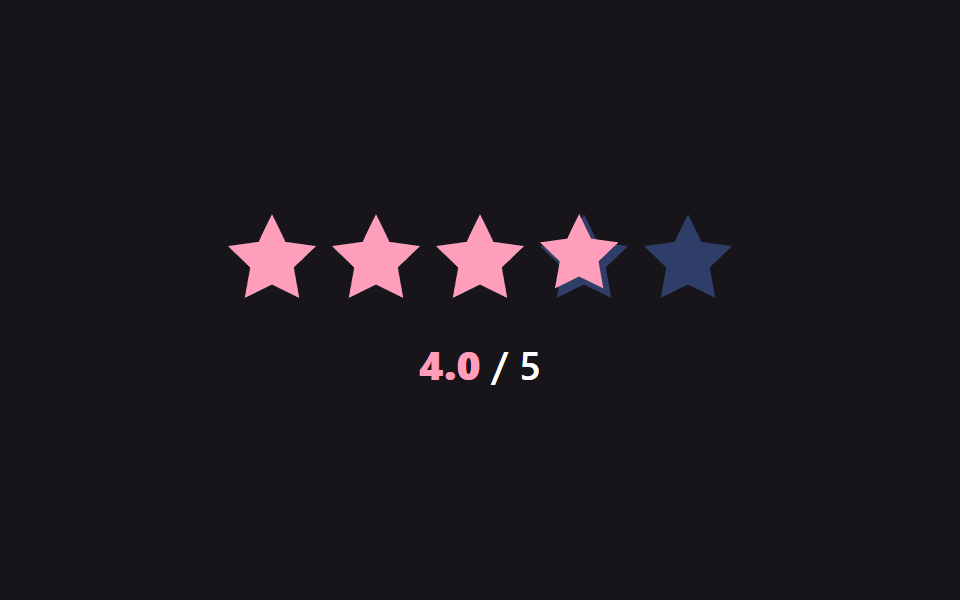 Pickers02 Half-step precision fill — the filled value splits into a whole or half value depending on which half of a star's width the pointer falls inStar Rating UI: 9 Interactive Rating Patterns
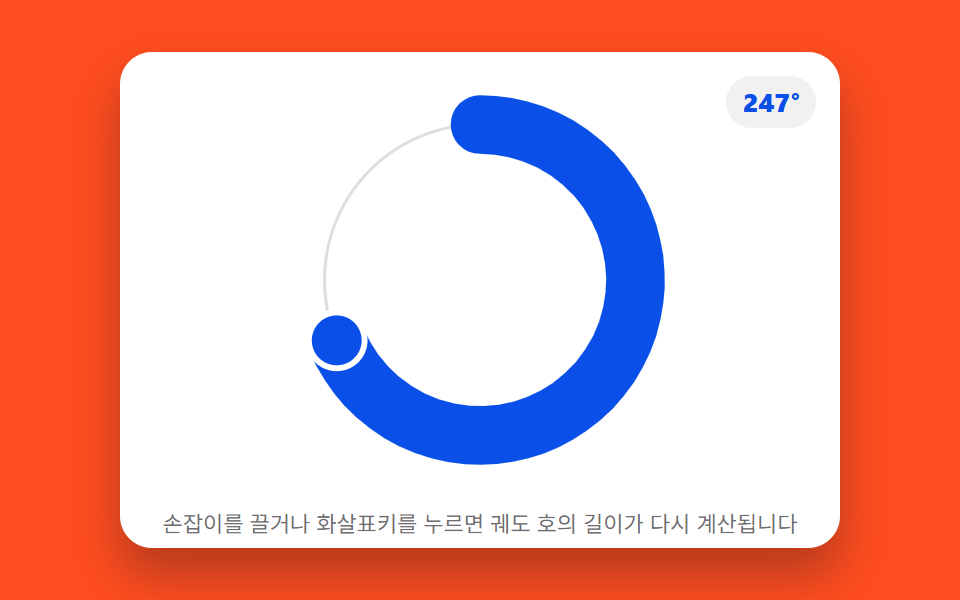 Pickers07 Picker That Turns Its Value Into an Orbit's Arc Length9 Graph Animation CSS Pickers With Live Recompute
 Pickers02 Hue wheel that reads the angle you pressCustom Color Picker: 9 JS Parts, No Library