04A Bar Difficulty Meter With a Gloss Sweep on Change
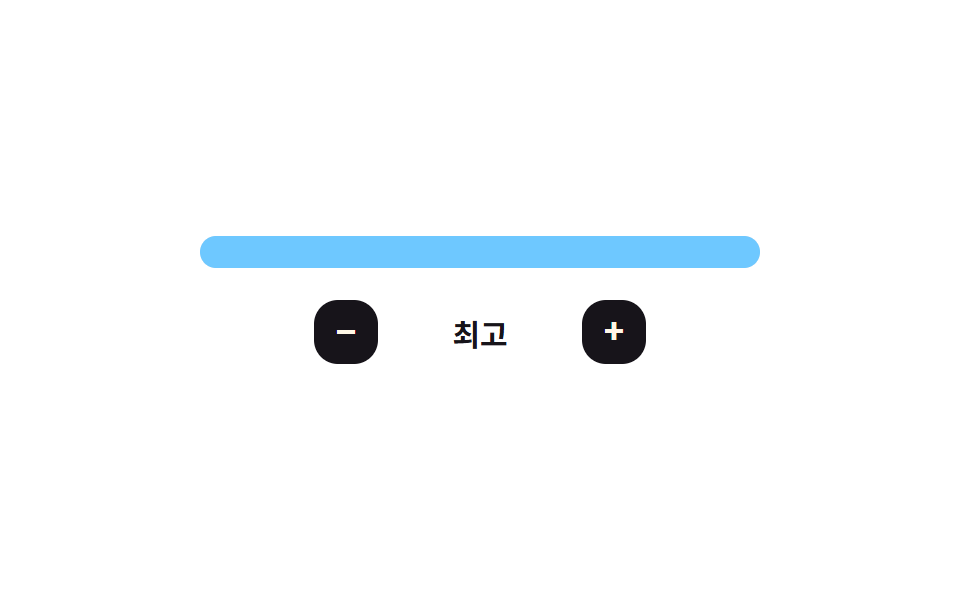
Each time the difficulty changes, a bright band's left-to-right position inside the bar is recalculated every frame as it sweeps across.
Best forA place on a dashboard that shows the current difficulty level at a glance
easeOutCubicsweeppaint
<main class="stage">
<div class="bmf is-demo" id="bmf">
  <div class="bmf__meter" id="bmfMeter" role="slider" tabindex="0"
    aria-label="Difficulty" aria-valuemin="0" aria-valuemax="4" aria-valuenow="2" aria-valuetext="Hard">
    <div class="bmf__fill" id="bmfFill"></div>
    <div class="bmf__gloss" id="bmfGloss"></div>
  </div>
  <div class="bmf__row">
    <button type="button" class="bmf__btn" id="bmfMinus" aria-label="Lower difficulty">−</button>
    <span class="bmf__name" id="bmfName">Hard</span>
    <button type="button" class="bmf__btn" id="bmfPlus" aria-label="Raise difficulty">+</button>
  </div>
</div>
</main>
@use "../../../../site/static/demo-tokens" as *;
// 변수 3개
$duration: $dur-base;
$easing: $ease-out;
$color: $subject-sky;
// 계산 겹: sweep() 이 광택 띠 위치를 easeOutCubic(경과비율) 로 매 프레임 계산한다(JS)
@include stage($stage-paper);
.bmf { width: min(280px, 84vw); color: $subject-ink; text-align: center; }
.bmf__meter {
position: relative; height: 16px; border-radius: $r-sm; overflow: hidden;
background: rgba($subject-ink, .1); cursor: pointer;
}
.bmf__meter:focus-visible { outline: 2px solid $subject-ink; outline-offset: 2px; }
.bmf__fill {
position: absolute; top: 0; bottom: 0; left: 0; width: 60%;
background: $color; transition: width $duration $easing;
}
.bmf__gloss {
position: absolute; top: 0; bottom: 0; left: 0; width: 28px;
background: linear-gradient(90deg, rgba($subject-cream, 0), rgba($subject-cream, .85), rgba($subject-cream, 0));
opacity: 0; transform: translateX(-50%);
}
.bmf__row { display: flex; align-items: center; justify-content: center; gap: $sp-3; margin-top: $sp-4; }
.bmf__btn {
appearance: none; border: 0; border-radius: $r-control; width: 32px; height: 32px;
background: $subject-ink; color: $subject-cream; font-size: 18px; font-weight: 700; cursor: pointer;
transition: transform $dur-quick $ease-pop;
}
.bmf__btn:active { transform: scale(.9); }
.bmf__btn:focus-visible { outline: 2px solid $subject-ink; outline-offset: 2px; }
.bmf__name { font-weight: 700; font-size: 15px; min-width: 78px; }
@media (max-width: 340px) {
.bmf { width: min(240px, 80vw); }
.bmf__name { font-size: 13px; min-width: 64px; }
.bmf__btn { width: 28px; height: 28px; font-size: 16px; }
}
@media (prefers-reduced-motion: reduce) {
// 실사용 경로 적용: 채움 너비 전환을 끄고, 광택 띠는 JS 의 reduce 분기가 아예 돌리지 않는다(위 스크립트)
.bmf__fill { transition: none; }
}html, body {
margin: 0;
overflow: hidden;
}
.stage {
box-sizing: border-box;
min-height: 100vh;
display: grid;
place-items: center;
margin: 0;
background: #ffffff;
font-family: -apple-system, "Segoe UI", "Noto Sans KR", sans-serif;
padding: clamp(8px, 4vw, 24px);
}
.bmf {
width: min(280px, 84vw);
color: #17141a;
text-align: center;
}
.bmf__meter {
position: relative;
height: 16px;
border-radius: 8px;
overflow: hidden;
background: rgba(23, 20, 26, 0.1);
cursor: pointer;
}
.bmf__meter:focus-visible {
outline: 2px solid #17141a;
outline-offset: 2px;
}
.bmf__fill {
position: absolute;
top: 0;
bottom: 0;
left: 0;
width: 60%;
background: #6ec8ff;
transition: width 300ms ease-out;
}
.bmf__gloss {
position: absolute;
top: 0;
bottom: 0;
left: 0;
width: 28px;
background: linear-gradient(90deg, rgba(255, 247, 230, 0), rgba(255, 247, 230, 0.85), rgba(255, 247, 230, 0));
opacity: 0;
transform: translateX(-50%);
}
.bmf__row {
display: flex;
align-items: center;
justify-content: center;
gap: 12px;
margin-top: 16px;
}
.bmf__btn {
appearance: none;
border: 0;
border-radius: 12px;
width: 32px;
height: 32px;
background: #17141a;
color: #fff7e6;
font-size: 18px;
font-weight: 700;
cursor: pointer;
transition: transform 220ms cubic-bezier(0.2, 1.4, 0.4, 1);
}
.bmf__btn:active {
transform: scale(0.9);
}
.bmf__btn:focus-visible {
outline: 2px solid #17141a;
outline-offset: 2px;
}
.bmf__name {
font-weight: 700;
font-size: 15px;
min-width: 78px;
}
@media (max-width: 340px) {
.bmf {
width: min(240px, 80vw);
}
.bmf__name {
font-size: 13px;
min-width: 64px;
}
.bmf__btn {
width: 28px;
height: 28px;
font-size: 16px;
}
}
@media (prefers-reduced-motion: reduce) {
.bmf__fill {
transition: none;
}
}(function () {
var LEVELS = ['Easy', 'Normal', 'Hard', 'Very Hard', 'Extreme'];
var N = LEVELS.length;
var SWEEP_MS = 480;
var root = document.getElementById('bmf');
var meter = document.getElementById('bmfMeter');
var fill = document.getElementById('bmfFill');
var gloss = document.getElementById('bmfGloss');
var name = document.getElementById('bmfName');
var tier = 2;
var raf = 0, t0 = 0;
var reduce = window.matchMedia('(prefers-reduced-motion: reduce)').matches;
function easeOutCubic(t) { return 1 - Math.pow(1 - t, 3); }
// 계산 겹: 채움이 바뀔 때마다 밝은 띠의 위치를 easeOutCubic(경과비율) 로 매 프레임 계산해 왼쪽에서 오른쪽으로 훑는다
function sweep() {
cancelAnimationFrame(raf);
if (reduce) { gloss.style.opacity = '0'; return; }
t0 = performance.now();
gloss.style.opacity = '1';
function step(now) {
var t = Math.min(1, (now - t0) / SWEEP_MS);
gloss.style.left = (easeOutCubic(t) * 100) + '%';
if (t < 1) raf = requestAnimationFrame(step);
else gloss.style.opacity = '0';
}
raf = requestAnimationFrame(step);
}
function paint() {
fill.style.width = ((tier + 1) / N * 100) + '%';
meter.setAttribute('aria-valuenow', String(tier));
meter.setAttribute('aria-valuetext', LEVELS[tier]);
name.textContent = LEVELS[tier];
}
function human() { root.classList.remove('is-demo'); clearInterval(timer); }
function set(t) {
var next = Math.max(0, Math.min(N - 1, t));
if (next === tier) return;
tier = next; paint(); sweep();
}
document.getElementById('bmfPlus').addEventListener('click', function () { human(); set(tier + 1); });
document.getElementById('bmfMinus').addEventListener('click', function () { human(); set(tier - 1); });
meter.addEventListener('pointerdown', function (e) {
human();
var r = meter.getBoundingClientRect();
var ratio = Math.max(0, Math.min(1, (e.clientX - r.left) / r.width));
set(Math.round(ratio * (N - 1)));
});
meter.addEventListener('keydown', function (e) {
if (e.key === 'ArrowRight' || e.key === 'ArrowUp') { e.preventDefault(); human(); set(tier + 1); }
else if (e.key === 'ArrowLeft' || e.key === 'ArrowDown') { e.preventDefault(); human(); set(tier - 1); }
});
var sequence = [4, 1, 3, 0, 2];
var si = 0;
function tick() {
var t = sequence[si % sequence.length]; si++;
tier = t; paint(); sweep();
}
var timer = reduce ? null : setInterval(tick, 900);
paint();
}());import { useEffect, useRef } from 'react';
import styles from './DifficultySelectorBarMeterFill.module.scss';
const LEVELS = ['쉬움', '보통', '어려움', '매우 어려움', '최고'];
const N = LEVELS.length;
const SWEEP_MS = 480;
const SEQUENCE = [4, 1, 3, 0, 2];
const TICK_MS = 900;
export default function DifficultySelectorBarMeterFill() {
const rootRef = useRef<HTMLDivElement>(null);
const meterRef = useRef<HTMLDivElement>(null);
const fillRef = useRef<HTMLDivElement>(null);
const glossRef = useRef<HTMLDivElement>(null);
const nameRef = useRef<HTMLSpanElement>(null);
const plusRef = useRef<HTMLButtonElement>(null);
const minusRef = useRef<HTMLButtonElement>(null);
useEffect(() => {
const root = rootRef.current;
const meter = meterRef.current;
const fill = fillRef.current;
const gloss = glossRef.current;
const name = nameRef.current;
const plus = plusRef.current;
const minus = minusRef.current;
if (!root || !meter || !fill || !gloss || !name || !plus || !minus) return undefined;
let tier = 2;
let raf = 0, t0 = 0;
const reduce = window.matchMedia('(prefers-reduced-motion: reduce)').matches;
function easeOutCubic(t: number) { return 1 - Math.pow(1 - t, 3); }
// 계산 겹: 채움이 바뀔 때마다 밝은 띠의 위치를 easeOutCubic(경과비율) 로 매 프레임 계산해 왼쪽에서 오른쪽으로 훑는다
function sweep() {
cancelAnimationFrame(raf);
if (reduce) { gloss!.style.opacity = '0'; return; }
t0 = performance.now();
gloss!.style.opacity = '1';
function step(now: number) {
const t = Math.min(1, (now - t0) / SWEEP_MS);
gloss!.style.left = (easeOutCubic(t) * 100) + '%';
if (t < 1) raf = requestAnimationFrame(step);
else gloss!.style.opacity = '0';
}
raf = requestAnimationFrame(step);
}
function paint() {
fill!.style.width = ((tier + 1) / N * 100) + '%';
meter!.setAttribute('aria-valuenow', String(tier));
meter!.setAttribute('aria-valuetext', LEVELS[tier]);
name!.textContent = LEVELS[tier];
}
let timer = 0;
function human() { root!.classList.remove(styles['is-demo']); window.clearInterval(timer); }
function set(t: number) {
const next = Math.max(0, Math.min(N - 1, t));
if (next === tier) return;
tier = next; paint(); sweep();
}
function onPlus() { human(); set(tier + 1); }
function onMinus() { human(); set(tier - 1); }
function onDown(e: PointerEvent) {
human();
const r = meter!.getBoundingClientRect();
const ratio = Math.max(0, Math.min(1, (e.clientX - r.left) / r.width));
set(Math.round(ratio * (N - 1)));
}
function onKey(e: KeyboardEvent) {
if (e.key === 'ArrowRight' || e.key === 'ArrowUp') { e.preventDefault(); human(); set(tier + 1); }
else if (e.key === 'ArrowLeft' || e.key === 'ArrowDown') { e.preventDefault(); human(); set(tier - 1); }
}
plus.addEventListener('click', onPlus);
minus.addEventListener('click', onMinus);
meter.addEventListener('pointerdown', onDown);
meter.addEventListener('keydown', onKey);
let si = 0;
function tick() {
const t = SEQUENCE[si % SEQUENCE.length]; si++;
tier = t; paint(); sweep();
}
if (!reduce) timer = window.setInterval(tick, TICK_MS);
paint();
return () => {
plus!.removeEventListener('click', onPlus);
minus!.removeEventListener('click', onMinus);
meter!.removeEventListener('pointerdown', onDown);
meter!.removeEventListener('keydown', onKey);
cancelAnimationFrame(raf);
window.clearInterval(timer);
};
}, []);
return (
<main className={styles.stage}>
<div className={styles.bmf + ' ' + styles['is-demo']} ref={rootRef}>
<div
className={styles.bmfMeter}
ref={meterRef}
role="slider"
tabIndex={0}
aria-label="난이도"
aria-valuemin={0}
aria-valuemax={N - 1}
aria-valuenow={2}
aria-valuetext="어려움"
>
<div className={styles.bmfFill} ref={fillRef} />
<div className={styles.bmfGloss} ref={glossRef} />
</div>
<div className={styles.bmfRow}>
<button type="button" className={styles.bmfBtn} ref={minusRef} aria-label="난이도 낮추기">−</button>
<span className={styles.bmfName} ref={nameRef}>어려움</span>
<button type="button" className={styles.bmfBtn} ref={plusRef} aria-label="난이도 높이기">+</button>
</div>
</div>
</main>
);
}04 A Bar Difficulty Meter With a Gloss Sweep on Change — Measured area 2.773% · moving frames 12/23Original by GODRICH · SCSS and React ship in the zip · Difficulty Selector UI — 9 Computed Patterns
The post this demo lives in
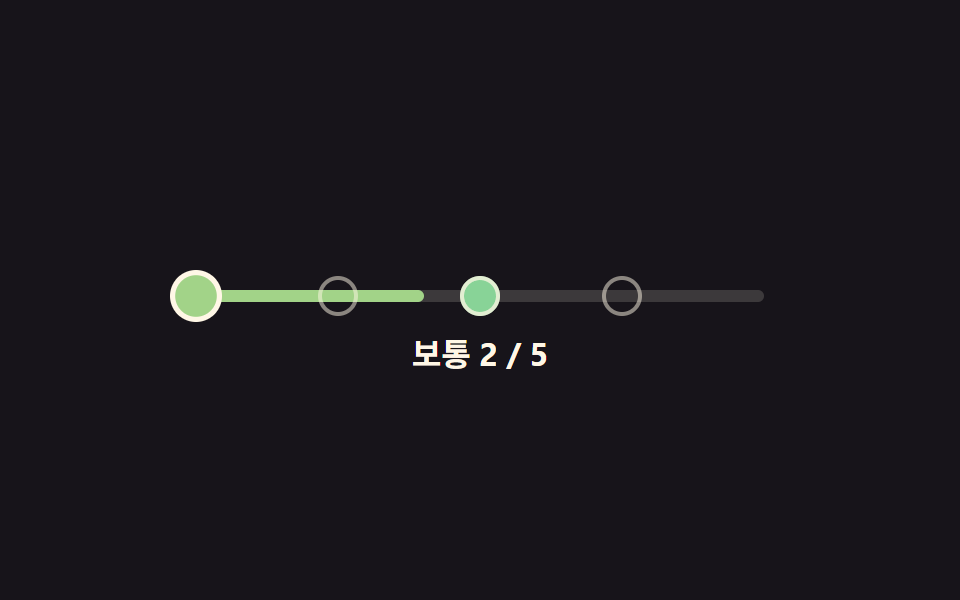 Difficulty Selector UI — 9 Computed PatternsAmong nine difficulty selector ui patterns, a slider handle overshoots then springs back, badge colors come from a hue f See all demos in this post
If you like this effect - similar demos
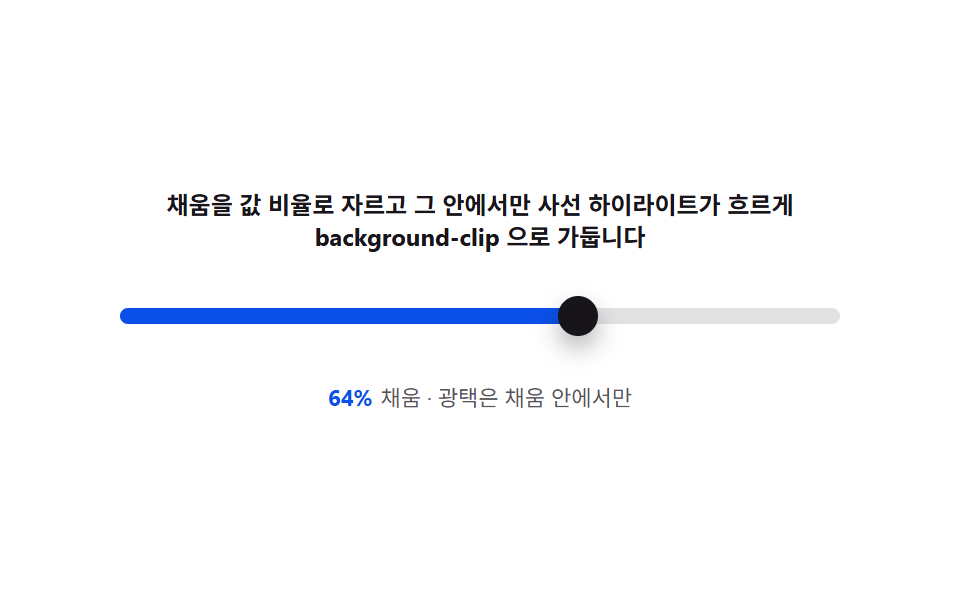 Pickers04 Fill gloss — clipping the filled span to the value ratio and sweeping a highlightCSS Range Slider: 9 Physics-Grade Custom Sliders
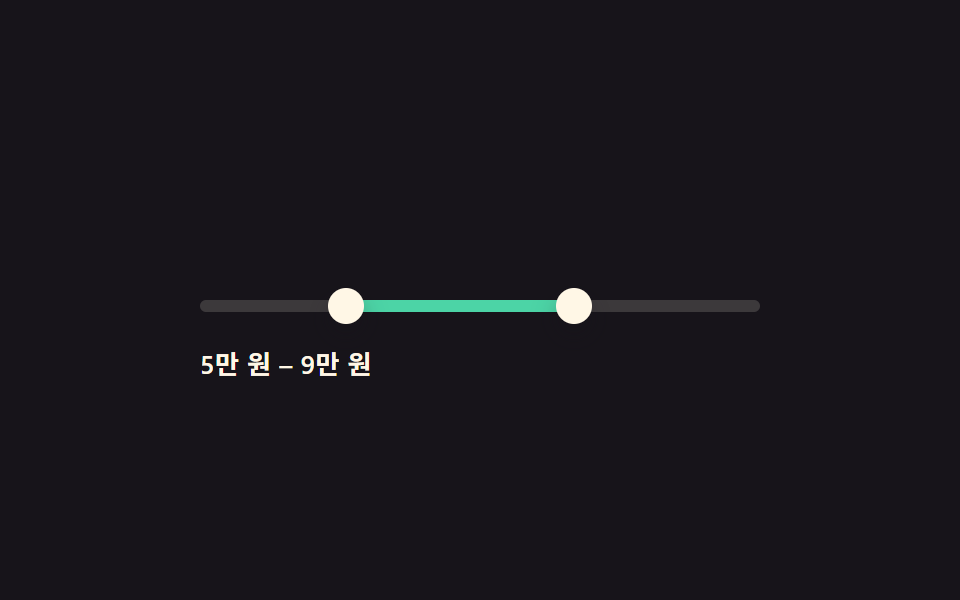 Pickers02 Dual-thumb price range slider9 Date Range Picker UI Patterns — Copy-Paste
 Pickers06 Country and currency select with flags9 Select Dropdown Design Patterns That Really Open