06Range Slider That Picks a Span Over a Histogram Background
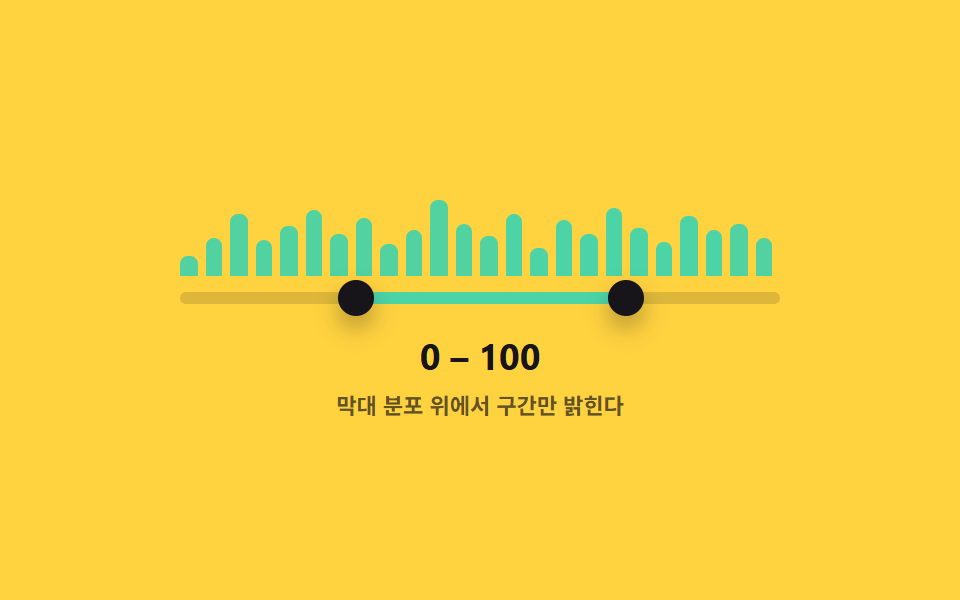
A bar chart broken into value buckets sits right behind the track, so the bar heights show where the span picked by the handles falls within the overall distribution.
Best forA search filter that shows listing counts across price buckets alongside the range
HEIGHTS.forEach()role=slideraria-valuenow
<main class="stage">
<div class="ds is-demo" id="ds">
  <div class="ds__hist" id="hist" aria-hidden="true"></div>
  <div class="ds__track" id="track">
    <div class="ds__fill" id="fill"></div>
    <button type="button" class="ds__thumb ds__thumb--lo" id="thumbLo" role="slider"
      aria-label="Minimum value" aria-valuemin="0" aria-valuemax="100" aria-valuenow="30" aria-valuetext="30" tabindex="0"></button>
    <button type="button" class="ds__thumb ds__thumb--hi" id="thumbHi" role="slider"
      aria-label="Maximum value" aria-valuemin="0" aria-valuemax="100" aria-valuenow="72" aria-valuetext="72" tabindex="0"></button>
  </div>
  <p class="ds__readout"><span id="loOut">30</span> – <span id="hiOut">72</span></p>
  <p class="ds__caption">Highlights only the chosen span over the bar distribution</p>
</div>
</main>
@use "../../../../site/static/demo-tokens" as *;
// 변수 3개
$duration: $dur-loop;
$easing: $ease-out;
$color: $subject-mint;
// 계산 겹: 고정 배열 막대의 중심 좌표가 선택 구간 안인지 매 프레임 재계산해 강조를 다시 칠한다.
@include stage($stage-yellow);
.ds { width: min(300px, 86vw); color: $subject-ink; text-align: center; }
.ds__hist {
position: relative; height: 48px; margin-bottom: $sp-2;
}
.ds__bar {
position: absolute; bottom: 0; background: rgba($subject-ink, .18);
border-radius: $r-xs $r-xs 0 0;
}
.ds__bar.is-in { background: $color; }
.ds__track {
position: relative; height: 6px; border-radius: $r-pill;
background: rgba($subject-ink, .14); margin: 0 0 $sp-4;
}
.ds__fill {
position: absolute; top: 0; bottom: 0; left: 30%; width: 42%;
background: $color; border-radius: $r-pill;
}
.ds__thumb {
position: absolute; top: 50%; left: 30%; width: 18px; height: 18px;
appearance: none; border: 0; border-radius: 50%; background: $subject-ink;
box-shadow: $shadow-press; cursor: grab; touch-action: none; padding: 0;
transform: translate(-50%, -50%); z-index: 2;
}
.ds__thumb--hi { left: 72%; }
.ds__thumb:focus-visible { outline: 2px solid $subject-blue-deep; outline-offset: 2px; }
.ds__thumb:active { cursor: grabbing; }
.ds__readout { margin: 0; font-weight: 700; font-size: 18px; line-height: 1.2; font-variant-numeric: tabular-nums; }
.ds__caption { margin: $sp-1 0 0; font-weight: 600; font-size: 11px; color: rgba($subject-ink, .68); }
.ds.is-demo .ds__thumb,
.ds.is-demo .ds__fill {
transition: left $duration $easing, width $duration $easing;
}
.ds__bar { transition: background $dur-quick $ease-out; }
@media (max-width: 340px) {
.ds { width: min(250px, 82vw); }
.ds__hist { height: 38px; }
.ds__readout { font-size: 16px; }
}
@media (prefers-reduced-motion: reduce) {
.ds.is-demo .ds__thumb, .ds.is-demo .ds__fill { transition: none; }
.ds__bar { transition: none; }
}html, body {
margin: 0;
overflow: hidden;
}
.stage {
box-sizing: border-box;
min-height: 100vh;
display: grid;
place-items: center;
margin: 0;
background: #ffd23f;
font-family: -apple-system, "Segoe UI", "Noto Sans KR", sans-serif;
padding: clamp(8px, 4vw, 24px);
}
.ds {
width: min(300px, 86vw);
color: #17141a;
text-align: center;
}
.ds__hist {
position: relative;
height: 48px;
margin-bottom: 8px;
}
.ds__bar {
position: absolute;
bottom: 0;
background: rgba(23, 20, 26, 0.18);
border-radius: 4px 4px 0 0;
}
.ds__bar.is-in {
background: #4cd4a6;
}
.ds__track {
position: relative;
height: 6px;
border-radius: 999px;
background: rgba(23, 20, 26, 0.14);
margin: 0 0 16px;
}
.ds__fill {
position: absolute;
top: 0;
bottom: 0;
left: 30%;
width: 42%;
background: #4cd4a6;
border-radius: 999px;
}
.ds__thumb {
position: absolute;
top: 50%;
left: 30%;
width: 18px;
height: 18px;
appearance: none;
border: 0;
border-radius: 50%;
background: #17141a;
box-shadow: 0 6px 12px rgba(23, 20, 26, 0.32);
cursor: grab;
touch-action: none;
padding: 0;
transform: translate(-50%, -50%);
z-index: 2;
}
.ds__thumb--hi {
left: 72%;
}
.ds__thumb:focus-visible {
outline: 2px solid #0a4fe8;
outline-offset: 2px;
}
.ds__thumb:active {
cursor: grabbing;
}
.ds__readout {
margin: 0;
font-weight: 700;
font-size: 18px;
line-height: 1.2;
font-variant-numeric: tabular-nums;
}
.ds__caption {
margin: 4px 0 0;
font-weight: 600;
font-size: 11px;
color: rgba(23, 20, 26, 0.68);
}
.ds.is-demo .ds__thumb,
.ds.is-demo .ds__fill {
transition: left 2s ease-out, width 2s ease-out;
}
.ds__bar {
transition: background 220ms ease-out;
}
@media (max-width: 340px) {
.ds {
width: min(250px, 82vw);
}
.ds__hist {
height: 38px;
}
.ds__readout {
font-size: 16px;
}
}
@media (prefers-reduced-motion: reduce) {
.ds.is-demo .ds__thumb, .ds.is-demo .ds__fill {
transition: none;
}
.ds__bar {
transition: none;
}
}(function () {
var MIN = 0, MAX = 100;
// 결정론적 분포 — Math.random 없이 고정 배열로 막대 높이를 정한다 (%, 0~100)
var HEIGHTS = [22, 40, 65, 38, 52, 70, 45, 60, 33, 48, 80, 55, 42, 66, 30, 58, 44, 72, 50, 36, 62, 48, 54, 40];
var root = document.getElementById('ds');
var hist = document.getElementById('hist');
var track = document.getElementById('track');
var fill = document.getElementById('fill');
var lo = document.getElementById('thumbLo');
var hi = document.getElementById('thumbHi');
var loOut = document.getElementById('loOut');
var hiOut = document.getElementById('hiOut');
var v = { lo: 30, hi: 72 };
var bars = [];
HEIGHTS.forEach(function (h, i) {
var bar = document.createElement('div');
bar.className = 'ds__bar';
bar.style.left = (i / HEIGHTS.length * 100) + '%';
bar.style.width = (100 / HEIGHTS.length * 0.7) + '%';
bar.style.height = h + '%';
hist.appendChild(bar);
bars.push({ el: bar, center: (i + 0.5) / HEIGHTS.length * 100 });
});
// 계산 겹: 막대의 실제 중심 위치(%)가 [lo, hi] 구간 안에 들어오는지로 강조 여부를 결정한다.
function paintBars() {
bars.forEach(function (b) {
b.el.classList.toggle('is-in', b.center >= v.lo && b.center <= v.hi);
});
}
function paint() {
lo.style.left = v.lo + '%'; hi.style.left = v.hi + '%';
fill.style.left = v.lo + '%'; fill.style.width = (v.hi - v.lo) + '%';
lo.setAttribute('aria-valuenow', String(v.lo)); hi.setAttribute('aria-valuenow', String(v.hi));
lo.setAttribute('aria-valuetext', String(v.lo)); hi.setAttribute('aria-valuetext', String(v.hi));
loOut.textContent = String(v.lo); hiOut.textContent = String(v.hi);
paintBars();
}
function setLo(n) { v.lo = Math.max(MIN, Math.min(n, v.hi)); paint(); }
function setHi(n) { v.hi = Math.min(MAX, Math.max(n, v.lo)); paint(); }
function pctFromX(x) {
var r = track.getBoundingClientRect();
return Math.round(Math.max(0, Math.min(100, ((x - r.left) / r.width) * 100)));
}
function human() { root.classList.remove('is-demo'); clearInterval(timer); }
function drag(thumb, setter, isLo) {
thumb.addEventListener('pointerdown', function (e) {
human(); thumb.setPointerCapture(e.pointerId);
function move(ev) { setter(pctFromX(ev.clientX)); }
function up() { thumb.removeEventListener('pointermove', move); thumb.removeEventListener('pointerup', up); }
thumb.addEventListener('pointermove', move); thumb.addEventListener('pointerup', up);
});
thumb.addEventListener('keydown', function (e) {
var step = { ArrowRight: 1, ArrowLeft: -1, ArrowUp: 1, ArrowDown: -1 }[e.key];
if (step !== undefined) { e.preventDefault(); human(); setter((isLo ? v.lo : v.hi) + step); }
else if (e.key === 'Home') { e.preventDefault(); human(); setter(isLo ? MIN : v.lo); }
else if (e.key === 'End') { e.preventDefault(); human(); setter(isLo ? v.hi : MAX); }
});
}
drag(lo, setLo, true); drag(hi, setHi, false);
var presets = [[10, 35], [55, 90], [0, 100], [42, 48], [20, 65]];
var pi = 0;
function tick() {
var p = presets[pi % presets.length]; pi++;
v.lo = p[0]; v.hi = p[1]; paint();
}
var reduce = window.matchMedia('(prefers-reduced-motion: reduce)').matches;
var timer = reduce ? null : setInterval(tick, 480);
paint();
}());import { useEffect, useRef } from 'react';
import styles from './DualSliderHistogramTrackBg.module.scss';
const MIN = 0;
const MAX = 100;
const TICK_MS = 480;
// 결정론적 분포 — Math.random 없이 고정 배열로 막대 높이를 정한다 (%, 0~100)
const HEIGHTS = [22, 40, 65, 38, 52, 70, 45, 60, 33, 48, 80, 55, 42, 66, 30, 58, 44, 72, 50, 36, 62, 48, 54, 40];
const PRESETS: [number, number][] = [[10, 35], [55, 90], [0, 100], [42, 48], [20, 65]];
export default function DualSliderHistogramTrackBg() {
const rootRef = useRef<HTMLDivElement>(null);
const trackRef = useRef<HTMLDivElement>(null);
const fillRef = useRef<HTMLDivElement>(null);
const loRef = useRef<HTMLButtonElement>(null);
const hiRef = useRef<HTMLButtonElement>(null);
const loOutRef = useRef<HTMLSpanElement>(null);
const hiOutRef = useRef<HTMLSpanElement>(null);
const barRefs = useRef<HTMLDivElement[]>([]);
useEffect(() => {
const root = rootRef.current;
const track = trackRef.current;
const fill = fillRef.current;
const lo = loRef.current;
const hi = hiRef.current;
const loOut = loOutRef.current;
const hiOut = hiOutRef.current;
if (!root || !track || !fill || !lo || !hi || !loOut || !hiOut || !barRefs.current) return undefined;
const bars = barRefs.current;
if (bars.length !== HEIGHTS.length) return undefined;
const v = { lo: 30, hi: 72 };
const centers = HEIGHTS.map((_, i) => (i + 0.5) / HEIGHTS.length * 100);
// 계산 겹: 막대의 실제 중심 위치(%)가 [lo, hi] 구간 안에 들어오는지로 강조 여부를 결정한다.
function paintBars() {
bars.forEach((el, i) => {
el.classList.toggle(styles['is-in'], centers[i] >= v.lo && centers[i] <= v.hi);
});
}
function paint() {
lo!.style.left = v.lo + '%'; hi!.style.left = v.hi + '%';
fill!.style.left = v.lo + '%'; fill!.style.width = (v.hi - v.lo) + '%';
lo!.setAttribute('aria-valuenow', String(v.lo)); hi!.setAttribute('aria-valuenow', String(v.hi));
lo!.setAttribute('aria-valuetext', String(v.lo)); hi!.setAttribute('aria-valuetext', String(v.hi));
loOut!.textContent = String(v.lo); hiOut!.textContent = String(v.hi);
paintBars();
}
function setLo(n: number) { v.lo = Math.max(MIN, Math.min(n, v.hi)); paint(); }
function setHi(n: number) { v.hi = Math.min(MAX, Math.max(n, v.lo)); paint(); }
function pctFromX(x: number) {
const r = track!.getBoundingClientRect();
return Math.round(Math.max(0, Math.min(100, ((x - r.left) / r.width) * 100)));
}
let timer = 0;
function human() { root!.classList.remove(styles['is-demo']); window.clearInterval(timer); }
function bindDrag(thumb: HTMLButtonElement, setter: (n: number) => void, isLo: boolean) {
function onDown(e: PointerEvent) {
human(); thumb.setPointerCapture(e.pointerId);
function move(ev: PointerEvent) { setter(pctFromX(ev.clientX)); }
function up() { thumb.removeEventListener('pointermove', move); thumb.removeEventListener('pointerup', up); }
thumb.addEventListener('pointermove', move); thumb.addEventListener('pointerup', up);
}
function onKey(e: KeyboardEvent) {
const step = ({ ArrowRight: 1, ArrowLeft: -1, ArrowUp: 1, ArrowDown: -1 } as Record<string, number>)[e.key];
if (step !== undefined) { e.preventDefault(); human(); setter((isLo ? v.lo : v.hi) + step); }
else if (e.key === 'Home') { e.preventDefault(); human(); setter(isLo ? MIN : v.lo); }
else if (e.key === 'End') { e.preventDefault(); human(); setter(isLo ? v.hi : MAX); }
}
thumb.addEventListener('pointerdown', onDown);
thumb.addEventListener('keydown', onKey);
return () => { thumb.removeEventListener('pointerdown', onDown); thumb.removeEventListener('keydown', onKey); };
}
const offLo = bindDrag(lo, setLo, true);
const offHi = bindDrag(hi, setHi, false);
let pi = 0;
function tick() {
const p = PRESETS[pi % PRESETS.length]; pi++;
v.lo = p[0]; v.hi = p[1]; paint();
}
const reduce = window.matchMedia('(prefers-reduced-motion: reduce)').matches;
if (!reduce) timer = window.setInterval(tick, TICK_MS);
paint();
return () => { offLo(); offHi(); window.clearInterval(timer); };
}, []);
return (
<main className={styles.stage}>
<div className={styles.ds + ' ' + styles['is-demo']} ref={rootRef}>
<div className={styles.dsHist} aria-hidden="true">
{HEIGHTS.map((h, i) => (
<div
key={i}
className={styles.dsBar}
ref={(el: HTMLDivElement | null) => { if (el && barRefs.current) barRefs.current[i] = el; }}
style={{ left: (i / HEIGHTS.length * 100) + '%', width: (100 / HEIGHTS.length * 0.7) + '%', height: h + '%' }}
/>
))}
</div>
<div className={styles.dsTrack} ref={trackRef}>
<div className={styles.dsFill} ref={fillRef} />
<button type="button" className={styles.dsThumb + ' ' + styles.dsThumbLo} ref={loRef} role="slider"
aria-label="최소값" aria-valuemin={0} aria-valuemax={100} aria-valuenow={30} aria-valuetext="30" tabIndex={0} />
<button type="button" className={styles.dsThumb + ' ' + styles.dsThumbHi} ref={hiRef} role="slider"
aria-label="최대값" aria-valuemin={0} aria-valuemax={100} aria-valuenow={72} aria-valuetext="72" tabIndex={0} />
</div>
<p className={styles.dsReadout}><span ref={loOutRef}>30</span> – <span ref={hiOutRef}>72</span></p>
<p className={styles.dsCaption}>막대 분포 위에서 구간만 밝힌다</p>
</div>
</main>
);
}06 Range Slider That Picks a Span Over a Histogram Background — Measured area 6.338% · moving frames 21/23Original by GODRICH · SCSS and React ship in the zip · Dual Range Slider UI — 9 Two-Handle Patterns
The post this demo lives in
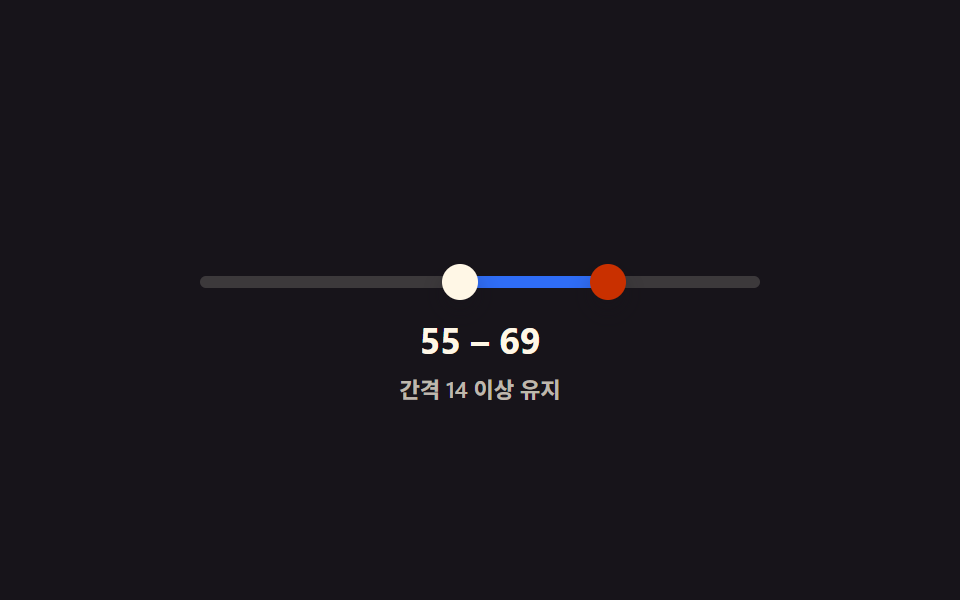 Dual Range Slider UI — 9 Two-Handle PatternsAmong nine dual range slider patterns, one blocks its two handles from crossing, one merges their value bubbles when clo See all demos in this post
If you like this effect - similar demos
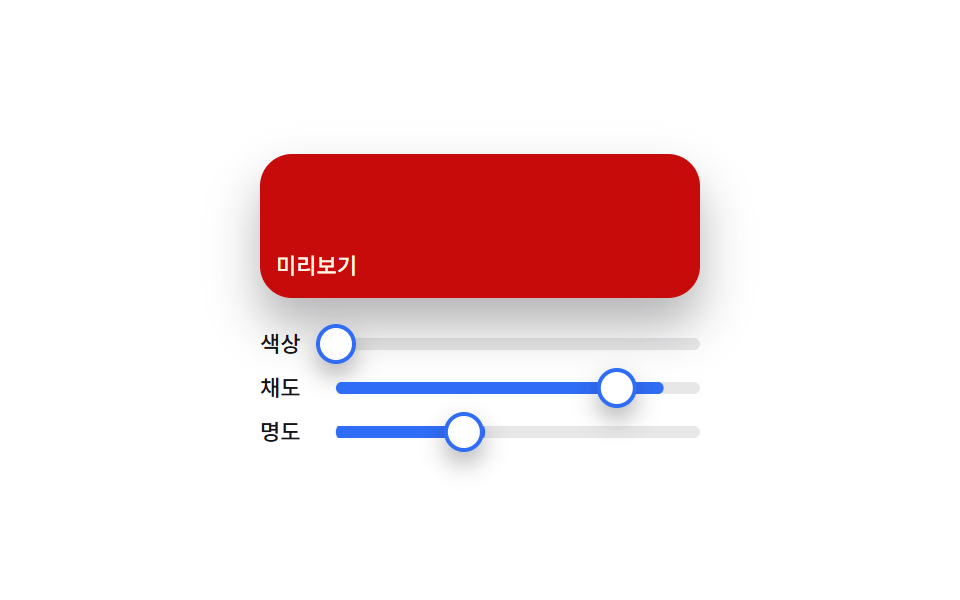 Inputs02 Material slider — a color picker that composes a preview color from three handle positions9 Color Picker Design Patterns (Copy-Paste)
 Inputs01 Match highlight — locating the typed letters inside each suggestion and bolding that spanAutocomplete Input: 9 Search Dropdowns
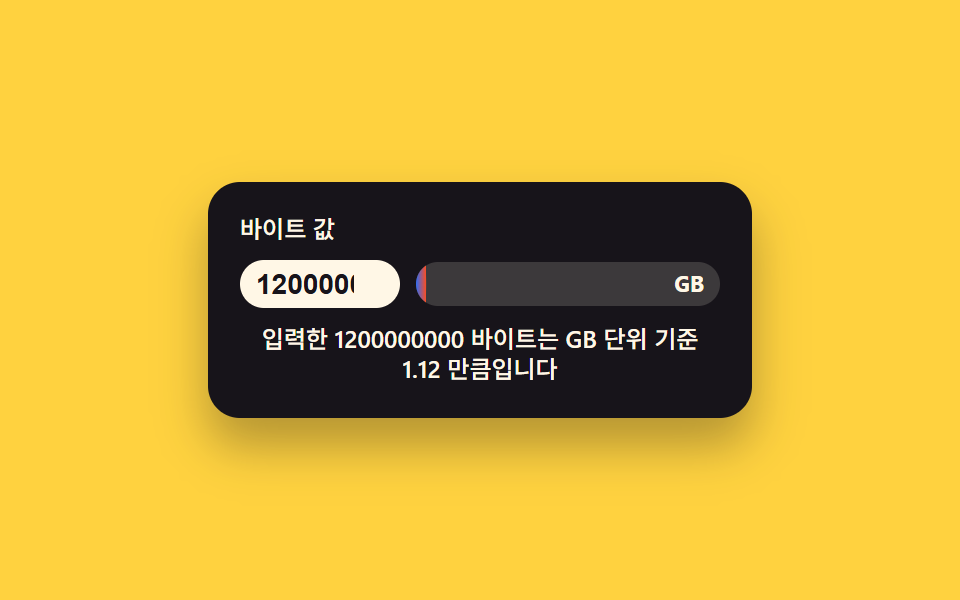 Inputs02 File-size Badge That Picks Its Own Unit From a Byte ValueCSS Calculator Design: 9 Inputs, Unit Converter UI