06Keyboard Nav Where an Arrow-Key Value Moves Focus Across the Grid
A pressed arrow-key value is combined with the grid's row and column counts so one arrow press jumps focus exactly to the right spot on the next row, not just the neighboring cell.
Best forMouse-free input, accessibility-focused forms
measureColsmovesetFocus
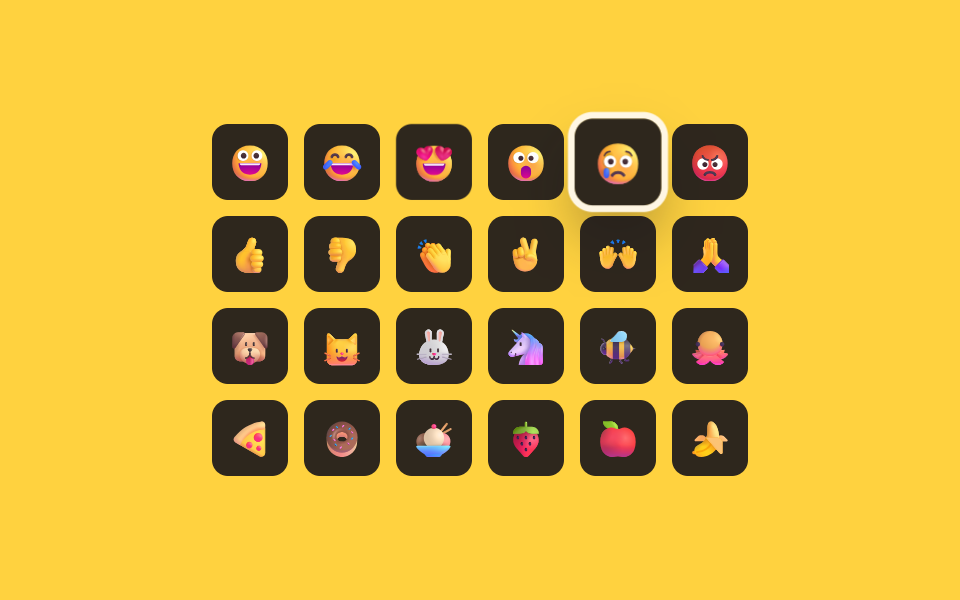
<main class="stage">
<div class="kg is-demo" id="kg">
  <div class="kg__grid" id="kgGrid" role="grid" aria-label="Emoji grid"></div>
  <p class="kg__sr" role="status" aria-live="polite" id="kgLive"></p>
</div>
</main>
@use "../../../../site/static/demo-tokens" as *;
// 계산 겹: index.html measureCols() 가 첫 줄 칸들의 실제 렌더 top 값을 재서 지금 열 수를 구하고,
// move() 가 그 값으로 ArrowUp/Down 이 몇 칸을 건너뛸지 계산한다 — 열 수를 상수로 박아두지 않는다.
@include stage($stage-yellow);
.kg { display: flex; flex-direction: column; align-items: center; justify-content: center; }
.kg__grid {
display: grid; grid-template-columns: repeat(6, 1fr); gap: $sp-2;
}
.kg__cell {
width: 38px; height: 38px; border: none; border-radius: $r-sm;
background: rgba($subject-ink, .90); display: flex; align-items: center; justify-content: center;
font-size: 18px; cursor: pointer; outline: none;
transform: scale(1); transition: transform $dur-quick $ease-spring, box-shadow $dur-quick $ease-out;
}
.kg__cell--active { transform: scale(1.14); box-shadow: 0 0 0 3px $subject-cream, $shadow-raised; }
.kg__cell:focus-visible { box-shadow: 0 0 0 3px $subject-cream, $shadow-raised; }
.kg__sr { position: absolute; width: 1px; height: 1px; overflow: hidden; clip: rect(0 0 0 0); margin: -1px; padding: 0; border: 0; }
@media (max-width: 340px) {
.kg__grid { grid-template-columns: repeat(6, 1fr); gap: $sp-1; }
.kg__cell { width: 26px; height: 26px; font-size: 13px; }
}
@media (prefers-reduced-motion: reduce) {
.kg__cell { transition: none; }
}html, body {
margin: 0;
overflow: hidden;
}
.stage {
box-sizing: border-box;
min-height: 100vh;
display: grid;
place-items: center;
margin: 0;
background: #ffd23f;
font-family: -apple-system, "Segoe UI", "Noto Sans KR", sans-serif;
padding: clamp(8px, 4vw, 24px);
}
.kg {
display: flex;
flex-direction: column;
align-items: center;
justify-content: center;
}
.kg__grid {
display: grid;
grid-template-columns: repeat(6, 1fr);
gap: 8px;
}
.kg__cell {
width: 38px;
height: 38px;
border: none;
border-radius: 8px;
background: rgba(23, 20, 26, 0.9);
display: flex;
align-items: center;
justify-content: center;
font-size: 18px;
cursor: pointer;
outline: none;
transform: scale(1);
transition: transform 220ms cubic-bezier(0.2, 0.8, 0.2, 1), box-shadow 220ms ease-out;
}
.kg__cell--active {
transform: scale(1.14);
box-shadow: 0 0 0 3px #fff7e6, 0 14px 24px rgba(23, 20, 26, 0.32);
}
.kg__cell:focus-visible {
box-shadow: 0 0 0 3px #fff7e6, 0 14px 24px rgba(23, 20, 26, 0.32);
}
.kg__sr {
position: absolute;
width: 1px;
height: 1px;
overflow: hidden;
clip: rect(0 0 0 0);
margin: -1px;
padding: 0;
border: 0;
}
@media (max-width: 340px) {
.kg__grid {
grid-template-columns: repeat(6, 1fr);
gap: 4px;
}
.kg__cell {
width: 26px;
height: 26px;
font-size: 13px;
}
}
@media (prefers-reduced-motion: reduce) {
.kg__cell {
transition: none;
}
}(function () {
var EMOJIS = [
{ ch: '\u{1F600}', name: 'Smile' }, { ch: '\u{1F602}', name: 'Laugh' }, { ch: '\u{1F60D}', name: 'Heart eyes' },
{ ch: '\u{1F62E}', name: 'Surprised' }, { ch: '\u{1F622}', name: 'Crying' }, { ch: '\u{1F621}', name: 'Angry' },
{ ch: '\u{1F44D}', name: 'Like' }, { ch: '\u{1F44E}', name: 'Dislike' }, { ch: '\u{1F44F}', name: 'Clap' },
{ ch: '\u{270C}', name: 'Peace sign' }, { ch: '\u{1F64C}', name: 'Hooray' }, { ch: '\u{1F64F}', name: 'Pray' },
{ ch: '\u{1F436}', name: 'Dog' }, { ch: '\u{1F431}', name: 'Cat' }, { ch: '\u{1F430}', name: 'Rabbit' },
{ ch: '\u{1F984}', name: 'Unicorn' }, { ch: '\u{1F41D}', name: 'Bee' }, { ch: '\u{1F419}', name: 'Octopus' },
{ ch: '\u{1F355}', name: 'Pizza' }, { ch: '\u{1F369}', name: 'Donut' }, { ch: '\u{1F368}', name: 'Ice cream' },
{ ch: '\u{1F353}', name: 'Strawberry' }, { ch: '\u{1F34E}', name: 'Apple' }, { ch: '\u{1F34C}', name: 'Banana' }
];
var root = document.getElementById('kg');
var grid = document.getElementById('kgGrid');
var live = document.getElementById('kgLive');
var synthetic = false;
function human() { if (synthetic) return; if (root.classList.contains('is-demo')) root.classList.remove('is-demo'); }
var cells = [];
EMOJIS.forEach(function (e, i) {
var b = document.createElement('button');
b.type = 'button'; b.className = 'kg__cell'; b.setAttribute('role', 'gridcell');
b.setAttribute('aria-label', e.name); b.setAttribute('aria-selected', i === 0 ? 'true' : 'false');
b.tabIndex = i === 0 ? 0 : -1;
b.textContent = e.ch;
grid.appendChild(b);
cells.push(b);
});
cells[0].classList.add('kg__cell--active');
// 계산 겹: 방향키 하나가 옆 칸(±1)으로 갈지 줄(±열 수)로 건너뛸지는 격자의 실제 렌더 열 수에
// 달려 있다 — 열 수를 상수로 박아두지 않고, 첫 줄에 속한 칸들의 getBoundingClientRect().top 이
// 서로 같다는 사실로 지금 이 순간의 실제 열 수를 측정해서 그 값으로 이동 폭을 계산한다.
function measureCols() {
if (!cells.length) return 1;
var firstTop = cells[0].getBoundingClientRect().top;
var n = 0;
for (var i = 0; i < cells.length; i++) {
if (Math.abs(cells[i].getBoundingClientRect().top - firstTop) < 1) n++; else break;
}
return n || 1;
}
var focusIndex = 0;
function setFocus(i, announce) {
cells[focusIndex].tabIndex = -1;
cells[focusIndex].setAttribute('aria-selected', 'false');
cells[focusIndex].classList.remove('kg__cell--active');
focusIndex = i;
cells[focusIndex].tabIndex = 0;
cells[focusIndex].setAttribute('aria-selected', 'true');
cells[focusIndex].classList.add('kg__cell--active');
cells[focusIndex].focus({ preventScroll: true });
if (announce) {
var cols = measureCols();
var row = Math.floor(focusIndex / cols) + 1;
var col = (focusIndex % cols) + 1;
live.textContent = row + ' row ' + col + ' column, ' + EMOJIS[focusIndex].name;
}
}
function move(key) {
var cols = measureCols();
var next = focusIndex;
if (key === 'ArrowRight') next = focusIndex + 1;
else if (key === 'ArrowLeft') next = focusIndex - 1;
else if (key === 'ArrowDown') next = focusIndex + cols;
else if (key === 'ArrowUp') next = focusIndex - cols;
else if (key === 'Home') next = 0;
else if (key === 'End') next = cells.length - 1;
if (next < 0 || next >= cells.length) return;
setFocus(next, true);
}
var NAV_KEYS = ['ArrowRight', 'ArrowLeft', 'ArrowUp', 'ArrowDown', 'Home', 'End'];
grid.addEventListener('keydown', function (ev) {
if (NAV_KEYS.indexOf(ev.key) === -1) return;
ev.preventDefault();
human();
move(ev.key);
});
var reduce = window.matchMedia('(prefers-reduced-motion: reduce)').matches;
var steps = ['ArrowRight', 'ArrowRight', 'ArrowDown', 'ArrowDown', 'ArrowLeft', 'ArrowUp'];
var si = 0, loopTimer = 0;
function runStep() {
if (!root.classList.contains('is-demo')) return;
var key = steps[si % steps.length];
synthetic = true;
cells[focusIndex].dispatchEvent(new KeyboardEvent('keydown', { key: key, bubbles: true }));
synthetic = false;
si++;
loopTimer = window.setTimeout(runStep, 640);
}
if (!reduce) { loopTimer = window.setTimeout(runStep, 500); }
else { root.classList.remove('is-demo'); }
})();// EmojiPickerKeyboardArrowGridNav — vanilla 판(run/402/demo/06-.../index.html) 의 React 포트.
// 계산 겹: measureCols() 가 첫 줄 칸들의 실제 렌더 top 값을 재서 지금 열 수를 구하고, move() 가
// 그 값으로 ArrowUp/Down 이 몇 칸을 건너뛸지 계산한다 — 열 수를 상수로 박아두지 않는다.
import { useEffect, useRef, useState } from "react";
import styles from "./EmojiPickerKeyboardArrowGridNav.module.scss";
type Box<T> = { current: T };
const EMOJIS = [
{ ch: "\u{1F600}", name: "웃음" }, { ch: "\u{1F602}", name: "폭소" }, { ch: "\u{1F60D}", name: "하트눈" },
{ ch: "\u{1F62E}", name: "놀람" }, { ch: "\u{1F622}", name: "눈물" }, { ch: "\u{1F621}", name: "화남" },
{ ch: "\u{1F44D}", name: "좋아요" }, { ch: "\u{1F44E}", name: "싫어요" }, { ch: "\u{1F44F}", name: "박수" },
{ ch: "\u{270C}", name: "브이" }, { ch: "\u{1F64C}", name: "만세" }, { ch: "\u{1F64F}", name: "기도" },
{ ch: "\u{1F436}", name: "강아지" }, { ch: "\u{1F431}", name: "고양이" }, { ch: "\u{1F430}", name: "토끼" },
{ ch: "\u{1F984}", name: "유니콘" }, { ch: "\u{1F41D}", name: "꿀벌" }, { ch: "\u{1F419}", name: "문어" },
{ ch: "\u{1F355}", name: "피자" }, { ch: "\u{1F369}", name: "도넛" }, { ch: "\u{1F368}", name: "아이스크림" },
{ ch: "\u{1F353}", name: "딸기" }, { ch: "\u{1F34E}", name: "사과" }, { ch: "\u{1F34C}", name: "바나나" },
];
const NAV_KEYS = ["ArrowRight", "ArrowLeft", "ArrowUp", "ArrowDown", "Home", "End"];
export default function EmojiPickerKeyboardArrowGridNav() {
const [isDemo, setIsDemo] = useState(true);
const [focusIndex, setFocusIndexState] = useState(0);
const isDemoRef = useRef(true) as unknown as Box<boolean>;
const synthRef = useRef(false) as unknown as Box<boolean>;
const focusIndexRef = useRef(0) as unknown as Box<number>;
const liveRef = useRef(null) as unknown as Box<HTMLParagraphElement>;
const gridRef = useRef(null) as unknown as Box<HTMLDivElement>;
const loopTimerRef = useRef(0) as unknown as Box<number>;
const cellRefs = useRef({} as { [i: number]: HTMLButtonElement }) as unknown as Box<{ [i: number]: HTMLButtonElement }>;
function human() {
if (synthRef.current) return;
if (isDemoRef.current) { isDemoRef.current = false; setIsDemo(false); }
}
function measureCols(): number {
const n = EMOJIS.length;
if (n === 0) return 1;
const first = cellRefs.current[0];
if (!first) return 1;
const firstTop = first.getBoundingClientRect().top;
let cols = 0;
for (let i = 0; i < n; i++) {
const el = cellRefs.current[i];
if (!el) break;
if (Math.abs(el.getBoundingClientRect().top - firstTop) < 1) cols++; else break;
}
return cols || 1;
}
function setFocus(i: number, announce: boolean) {
focusIndexRef.current = i;
setFocusIndexState(i);
const el = cellRefs.current[i];
if (el) el.focus({ preventScroll: true });
if (announce && liveRef.current) {
const cols = measureCols();
const row = Math.floor(i / cols) + 1;
const col = (i % cols) + 1;
liveRef.current.textContent = row + "번째 줄 " + col + "번째 칸, " + EMOJIS[i].name;
}
}
function move(key: string) {
const cols = measureCols();
const cur = focusIndexRef.current;
let next = cur;
if (key === "ArrowRight") next = cur + 1;
else if (key === "ArrowLeft") next = cur - 1;
else if (key === "ArrowDown") next = cur + cols;
else if (key === "ArrowUp") next = cur - cols;
else if (key === "Home") next = 0;
else if (key === "End") next = EMOJIS.length - 1;
if (next < 0 || next >= EMOJIS.length) return;
setFocus(next, true);
}
function onKeyDown(ev: { key: string; preventDefault: () => void }) {
if (NAV_KEYS.indexOf(ev.key) === -1) return;
ev.preventDefault();
human();
move(ev.key);
}
useEffect(() => {
const reduce = window.matchMedia("(prefers-reduced-motion: reduce)").matches;
const steps = ["ArrowRight", "ArrowRight", "ArrowDown", "ArrowDown", "ArrowLeft", "ArrowUp"];
let si = 0;
function runStep() {
if (!isDemoRef.current) return;
const key = steps[si % steps.length];
const el = cellRefs.current[focusIndexRef.current];
synthRef.current = true;
if (el) el.dispatchEvent(new KeyboardEvent("keydown", { key: key, bubbles: true }));
synthRef.current = false;
si++;
loopTimerRef.current = window.setTimeout(runStep, 640);
}
if (!reduce) { loopTimerRef.current = window.setTimeout(runStep, 500); }
else { isDemoRef.current = false; setIsDemo(false); }
return () => window.clearTimeout(loopTimerRef.current);
// eslint-disable-next-line react-hooks/exhaustive-deps
}, []);
return (
<main className={styles.stage}>
<div className={styles.kg + " " + (isDemo ? styles.isDemo : "")}>
<div
className={styles.grid}
role="grid"
aria-label="이모지 격자"
ref={gridRef}
onKeyDown={onKeyDown}
>
{EMOJIS.map((e, i) => (
<button
key={e.name + i}
type="button"
className={styles.cell + " " + (focusIndex === i ? styles.cellActive : "")}
role="gridcell"
aria-label={e.name}
aria-selected={focusIndex === i}
tabIndex={focusIndex === i ? 0 : -1}
ref={(el: HTMLButtonElement | null) => { if (el) cellRefs.current[i] = el; }}
>
{e.ch}
</button>
))}
</div>
<p className={styles.sr} role="status" aria-live="polite" ref={liveRef} />
</div>
</main>
);
}06 Keyboard Nav Where an Arrow-Key Value Moves Focus Across the Grid — Measured area 6.242% · moving frames 12/23Original by GODRICH · SCSS and React ship in the zip · Emoji Picker: 9 Patterns by One Value
The post this demo lives in
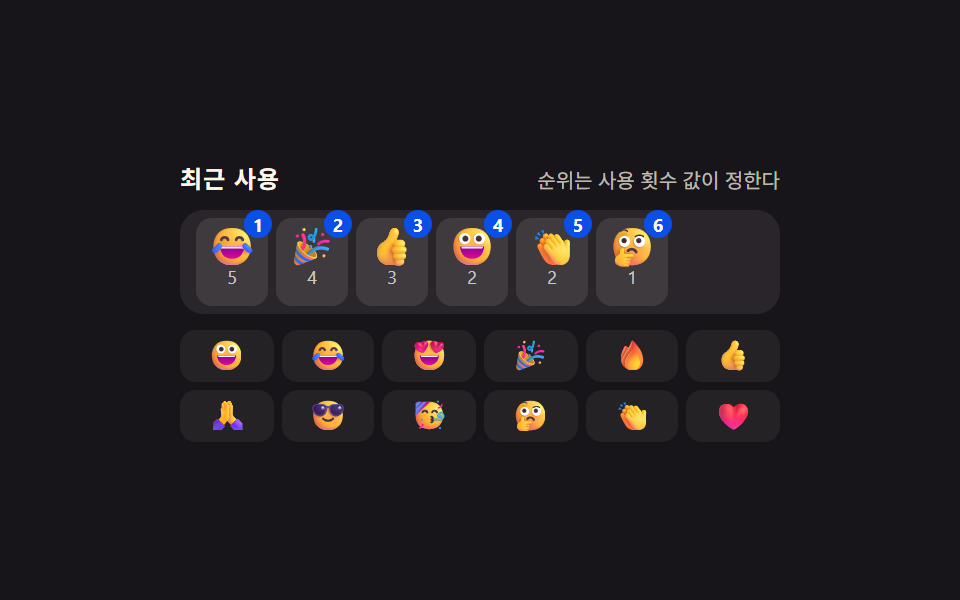 Emoji Picker: 9 Patterns by One ValueNine emoji picker patterns: The panel flips upward only when the space-below value is smaller than its height, variants See all demos in this post
If you like this effect - similar demos
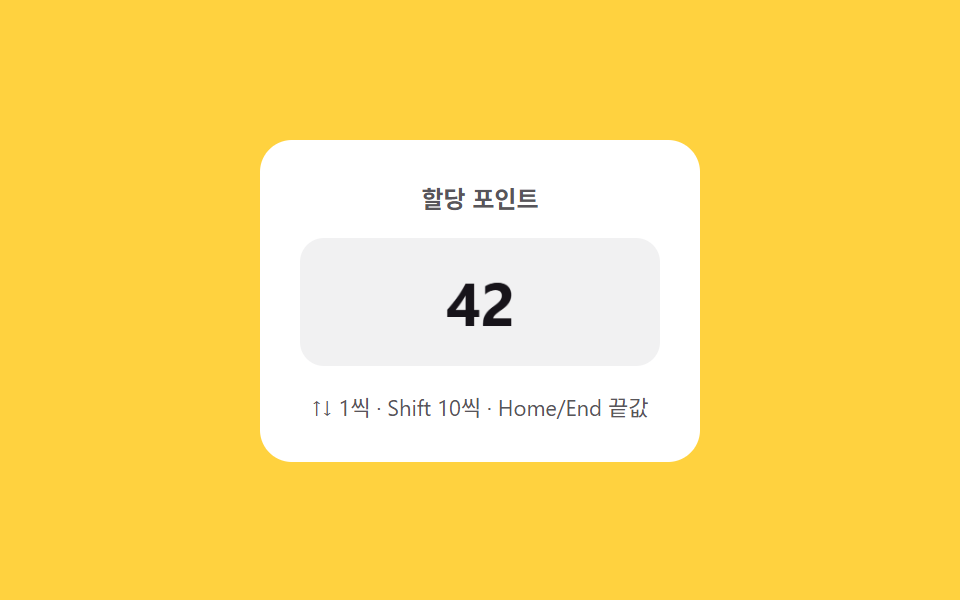 Inputs06 Keyboard jump — arrow keys change the value by one unit, a modifier key by a larger unitNumber Stepper UI: 9 Interaction Patterns
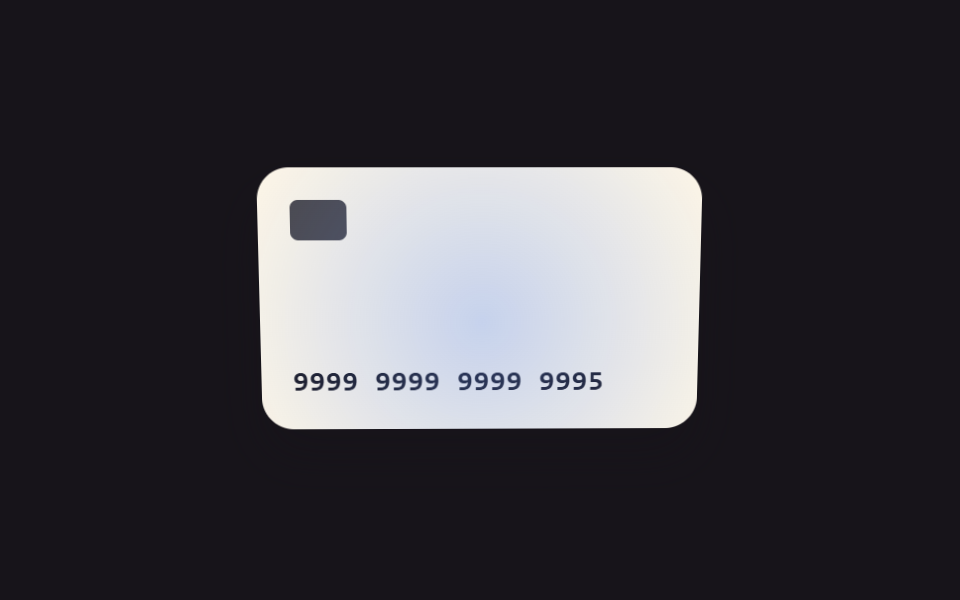 Inputs09 Focus and tilt values linked — as the field's focus-position value moves, the card visual's tilt value follows alongCredit Card Input UI: 9 Patterns
 Inputs03 Keyboard cycling — picking items with arrows and wrapping to the far end via mod arithmeticAutocomplete Input: 9 Search Dropdowns