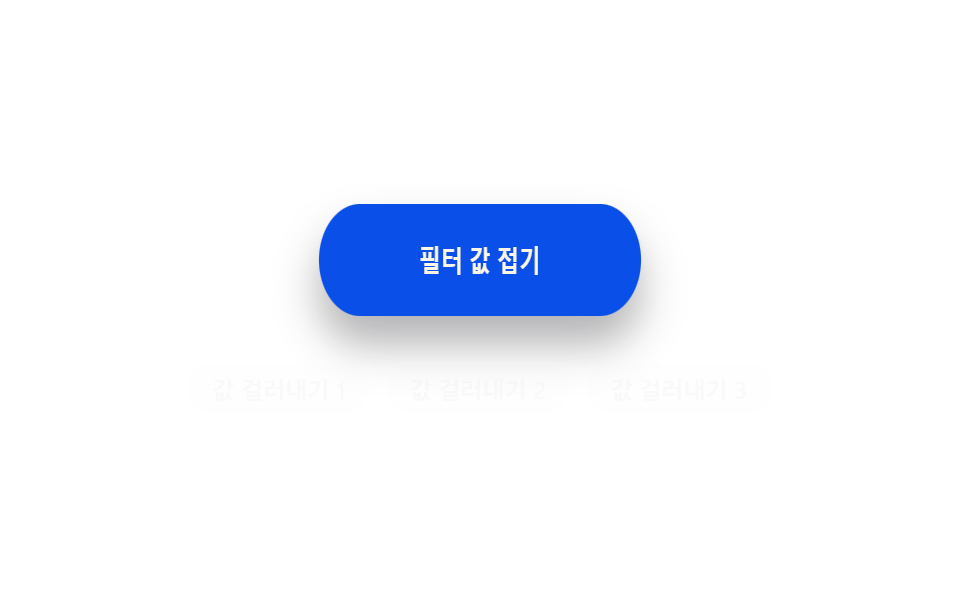
09Elastic snap-back value toggle — when a collapsed value turns on, a shape value shrinks, stretches slightly the other way, then returns to form
When the collapsed value turns on, the shape value shrinks, stretches slightly the opposite way, then returns to form, so the collapse looks elastic.
Best forA filter-collapse button, a comment box close
KDtick
<main class="stage">
<div class="eb is-demo" id="eb">
  <button type="button" class="eb__btn" id="ebBtn" aria-pressed="false">
    <span class="eb__label">Collapse filter value</span>
  </button>
  <div class="eb__chipRow" id="ebRow" aria-hidden="true">
    <span class="eb__chip">Filter value 1</span>
    <span class="eb__chip">Filter value 2</span>
    <span class="eb__chip">Filter value 3</span>
  </div>
</div>
</main>
@use "../../../../site/static/demo-tokens" as *;
// 계산 겹: 형태 값(scaleX)이 CSS transition 이 아니라 index.html 의 스프링 감쇠 계산(K·D)으로
// 매 프레임 결정된다 — 줄어들었다가 반대로 살짝 늘었다가 제 형태로 되돌아온다.
@include stage($stage-paper);
.eb {
display: grid;
gap: $sp-4;
justify-items: center;
}
.eb__btn {
display: inline-grid;
place-items: center;
width: 220px;
height: 56px;
border: 0;
border-radius: $r-pill;
background: $subject-blue-deep;
color: $subject-cream;
font-weight: 700;
font-size: 15px;
cursor: pointer;
box-shadow: $shadow-raised;
will-change: transform;
transform-origin: center;
}
.eb__label {
pointer-events: none;
}
.eb__chipRow {
display: flex;
gap: $sp-2;
opacity: calc(1 - var(--press, 0));
transform: translateY(calc(var(--press, 0) * 8px));
transition: opacity $dur-quick $ease-out;
}
.eb__chip {
padding: $sp-1 $sp-3;
border-radius: $r-pill;
background: rgba($subject-blue-deep, .12);
color: $subject-ink;
font-weight: 600;
font-size: 12px;
}
@media (max-width: 340px) {
.eb__btn { width: 190px; height: 50px; }
.eb__chipRow { flex-wrap: wrap; justify-content: center; }
}
@media (prefers-reduced-motion: reduce) {
.eb__chipRow { transition: none; }
}html, body {
margin: 0;
overflow: hidden;
}
.stage {
box-sizing: border-box;
min-height: 100vh;
display: grid;
place-items: center;
margin: 0;
background: #ffffff;
font-family: -apple-system, "Segoe UI", "Noto Sans KR", sans-serif;
padding: clamp(8px, 4vw, 24px);
}
.eb {
display: grid;
gap: 16px;
justify-items: center;
}
.eb__btn {
display: inline-grid;
place-items: center;
width: 220px;
height: 56px;
border: 0;
border-radius: 999px;
background: #0a4fe8;
color: #fff7e6;
font-weight: 700;
font-size: 15px;
cursor: pointer;
box-shadow: 0 14px 24px rgba(23, 20, 26, 0.32);
will-change: transform;
transform-origin: center;
}
.eb__label {
pointer-events: none;
}
.eb__chipRow {
display: flex;
gap: 8px;
opacity: calc(1 - var(--press, 0));
transform: translateY(calc(var(--press, 0) * 8px));
transition: opacity 220ms ease-out;
}
.eb__chip {
padding: 4px 12px;
border-radius: 999px;
background: rgba(10, 79, 232, 0.12);
color: #17141a;
font-weight: 600;
font-size: 12px;
}
@media (max-width: 340px) {
.eb__btn {
width: 190px;
height: 50px;
}
.eb__chipRow {
flex-wrap: wrap;
justify-content: center;
}
}
@media (prefers-reduced-motion: reduce) {
.eb__chipRow {
transition: none;
}
}(function () {
var root = document.getElementById('eb');
var btn = document.getElementById('ebBtn');
var K = 190, D = 14; // 계산 겹: 스프링 상수·감쇠 — 눌렀다 놓는 순간의 되튐 값을 정한다
var collapsed = false;
var cur = 1, vel = 0, target = 1;
var raf = null;
// 스프링 감쇠 계산: 매 프레임 a = -K*(cur-target) - D*vel — 줄어들었다가 반대로 살짝 늘었다가 제 형태
function tick() {
var a = -K * (cur - target) * 0.001 - D * vel * 0.01;
vel += a;
cur += vel;
if (Math.abs(cur - target) < 0.004 && Math.abs(vel) < 0.005) { cur = target; vel = 0; }
btn.style.transform = 'scaleX(' + cur.toFixed(3) + ')';
var p = Math.max(0, Math.min(1, (1 - cur) / 0.28));
root.style.setProperty('--press', p.toFixed(3));
raf = requestAnimationFrame(tick);
}
function toggle() {
collapsed = !collapsed;
target = collapsed ? 0.72 : 1;
btn.setAttribute('aria-pressed', String(collapsed));
root.classList.toggle('eb--collapsed', collapsed);
}
btn.addEventListener('pointerdown', function () {
root.classList.remove('is-demo');
stopAutoplay();
target = Math.min(target, 0.86); // 누르는 순간 살짝 줄어든다
});
btn.addEventListener('pointerup', function () {
root.classList.remove('is-demo');
stopAutoplay();
toggle();
});
btn.addEventListener('click', function () {
root.classList.remove('is-demo');
stopAutoplay();
toggle();
});
raf = requestAnimationFrame(tick);
var autoTimer = null;
function stopAutoplay() { if (autoTimer) { clearInterval(autoTimer); autoTimer = null; } }
var reduce = window.matchMedia('(prefers-reduced-motion: reduce)').matches;
if (!reduce) { autoTimer = setInterval(toggle, 1200); }
else { collapsed = true; target = 0.72; cur = 0.72; btn.style.transform = 'scaleX(0.72)'; root.classList.add('eb--collapsed'); btn.setAttribute('aria-pressed', 'true'); }
})();import { useEffect, useRef } from "react";
import styles from "./ElasticSnapBack.module.scss";
type Box<T> = { current: T };
const K = 190, D = 14; // 계산 겹: 스프링 상수·감쇠 — 눌렀다 놓는 순간의 되튐 값을 정한다
export default function ElasticSnapBack() {
const rootRef = useRef(null) as unknown as Box<HTMLDivElement | null>;
useEffect(() => {
const root = rootRef.current;
if (!root) return;
const btn = root.querySelector(`.${styles.btn}`) as HTMLButtonElement | null;
if (!btn) return;
let collapsed = false;
let cur = 1, vel = 0, target = 1;
let raf: number | null = null;
function tick() {
const a = -K * (cur - target) * 0.001 - D * vel * 0.01;
vel += a;
cur += vel;
if (Math.abs(cur - target) < 0.004 && Math.abs(vel) < 0.005) { cur = target; vel = 0; }
btn!.style.transform = "scaleX(" + cur.toFixed(3) + ")";
const p = Math.max(0, Math.min(1, (1 - cur) / 0.28));
root!.style.setProperty("--press", p.toFixed(3));
raf = requestAnimationFrame(tick);
}
function toggle() {
collapsed = !collapsed;
target = collapsed ? 0.72 : 1;
btn!.setAttribute("aria-pressed", String(collapsed));
root!.classList.toggle(styles["root--collapsed"], collapsed);
}
function onDown() {
root!.classList.remove(styles["is-demo"]);
stopAutoplay();
target = Math.min(target, 0.86); // 누르는 순간 살짝 줄어든다
}
function onUp() {
root!.classList.remove(styles["is-demo"]);
stopAutoplay();
toggle();
}
function onClick() {
root!.classList.remove(styles["is-demo"]);
stopAutoplay();
toggle();
}
btn.addEventListener("pointerdown", onDown);
btn.addEventListener("pointerup", onUp);
btn.addEventListener("click", onClick);
raf = requestAnimationFrame(tick);
let autoTimer: number | null = null;
function stopAutoplay() { if (autoTimer !== null) { window.clearInterval(autoTimer); autoTimer = null; } }
const reduce = window.matchMedia("(prefers-reduced-motion: reduce)").matches;
if (!reduce) { autoTimer = window.setInterval(toggle, 1200); }
else {
collapsed = true; target = 0.72; cur = 0.72;
btn!.style.transform = "scaleX(0.72)";
root!.classList.add(styles["root--collapsed"]);
btn!.setAttribute("aria-pressed", "true");
}
return () => {
stopAutoplay();
if (raf !== null) cancelAnimationFrame(raf);
btn.removeEventListener("pointerdown", onDown);
btn.removeEventListener("pointerup", onUp);
btn.removeEventListener("click", onClick);
};
}, []);
return (
<div ref={rootRef} className={`${styles.stage} ${styles.eb} ${styles["is-demo"]}`}>
<button type="button" className={styles.btn} aria-pressed="false">
<span className={styles.label}>필터 값 접기</span>
</button>
<div className={styles.chipRow} aria-hidden="true">
<span className={styles.chip}>값 걸러내기 1</span>
<span className={styles.chip}>값 걸러내기 2</span>
<span className={styles.chip}>값 걸러내기 3</span>
</div>
</div>
);
}09 Elastic snap-back value toggle — when a collapsed value turns on, a shape value shrinks, stretches slightly the other way, then returns to form — Measured area 11.242% · moving frames 12/23Original by GODRICH · SCSS and React ship in the zip · Expanding Button UI: 9 Shape-Morph Patterns
The post this demo lives in
 Expanding Button UI: 9 Shape-Morph PatternsExpanding button UI: One of nine grows corner rounding as its open value changes, one spins a plus into a close mark as See all demos in this post
If you like this effect - similar demos
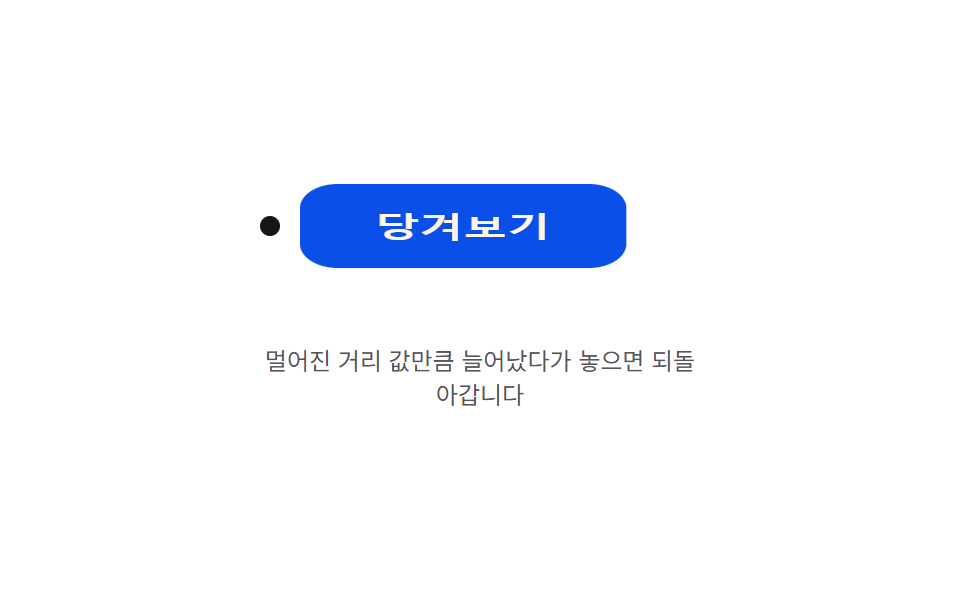 Buttons04 Pull-distance stretch — the button's shape value stretches by an amount tied to how far the pointer's distance value has moved away, then returns when releasedButton Press Animation UI: 9 Calculation Patterns
 Buttons04 Exclusive pressed state — when one button's pressed value turns on, every other button's pressed value turns off at the same instantButton Group CSS: 9 Adjoined Patterns
 Buttons02 Button that unlocks when the form is valid9 button state css patterns, loading to done