04Preview grid — reading aspect ratios and computing a gap-free layout
Carrying each image's naturalWidth-to-naturalHeight ratio into a --ratio CSS variable and passing it to aspect-ratio lets the grid remember each image's shape, and margin math rather than object-fit keeps every tile full inside a square cell; mixed landscape and portrait images never wobble the row height.
Best forProduct photo uploads, portfolio assembly
naturalWidthnaturalHeightCSS custom properties
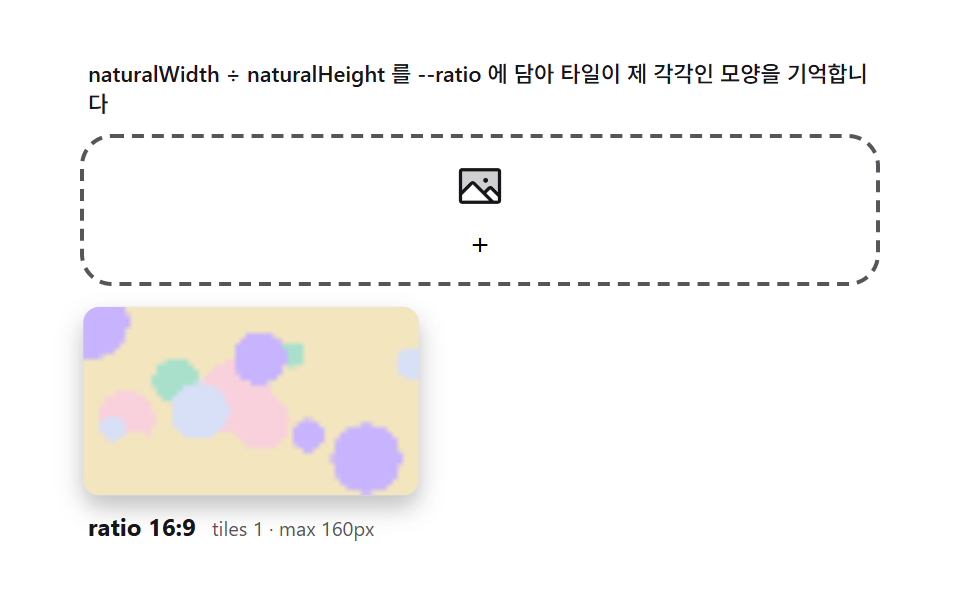
<main class="stage">
<div class="pg" id="pg">
  <p class="pg__hint" id="pgHint">naturalWidth ÷ naturalHeight goes into --ratio so tiles keep their own shapes</p>
  <div class="pg__zone" id="pgZone" role="button" tabindex="0" aria-describedby="pgHint" aria-label="Image dropzone">
    <input type="file" id="pgInput" multiple accept="image/*" class="pg__file" aria-label="Choose file">
    <svg class="pg__ic" viewBox="0 0 256 256" aria-hidden="true"><g fill="currentColor"><path d="M224 56v122.06l-39.72-39.72a8 8 0 0 0-11.31 0L147.31 164l-49.65-49.66a8 8 0 0 0-11.32 0L32 168.69V56a8 8 0 0 1 8-8h176a8 8 0 0 1 8 8" opacity=".2"/><path d="M216 40H40a16 16 0 0 0-16 16v144a16 16 0 0 0 16 16h176a16 16 0 0 0 16-16V56a16 16 0 0 0-16-16m0 16v102.75l-26.07-26.06a16 16 0 0 0-22.63 0l-20 20l-44-44a16 16 0 0 0-22.62 0L40 149.37V56ZM40 172l52-52l80 80H40Zm176 28h-21.37l-36-36l20-20L216 181.38zm-72-100a12 12 0 1 1 12 12a12 12 0 0 1-12-12"/></g></svg>
    <span class="pg__ghost" id="pgGhost">+</span>
  </div>
  <div class="pg__grid" id="pgGrid" aria-live="polite"></div>
  <div class="pg__meta">
    <span class="pg__tag" id="pgTag">ratio 4:3</span>
    <span class="pg__unit" id="pgUnit">tiles 0</span>
  </div>
</div>
</main>
@use "../../../../site/static/demo-tokens" as *;
$duration: 300ms; // 타일 입장
$easing: $ease-spring;
$color: $subject-blue; // 페이퍼 무대 — 파랑 면
// 파스텔 강조(채도 .34 · 명도 +.11) — 타일 캔버스가 파스텔 팔레트로 그려진다
$p-border: #cfd8f5;
@include stage($stage-paper);
.pg {
width: 100%;
max-width: 400px;
display: flex;
flex-direction: column;
gap: $sp-2;
}
.pg__hint {
margin: 0;
padding: 0 $sp-1;
font-weight: 500;
font-size: 11px;
line-height: 1.4;
color: $subject-ink;
}
.pg__zone {
position: relative;
display: grid;
place-items: center;
min-height: 56px;
padding: $sp-2 $sp-3;
border: 2px dashed rgba($subject-ink, .72);
border-radius: $r-card;
cursor: pointer;
overflow: hidden;
transition: border-color $dur-quick $ease-out, background $dur-quick $ease-out;
}
.pg__zone.is-over {
border-color: $color;
background: rgba(47, 109, 246, .08);
}
.pg__file {
position: absolute;
inset: 0;
width: 100%;
height: 100%;
opacity: 0;
cursor: pointer;
}
.pg__ic {
width: 26px;
height: 26px;
color: $subject-ink;
transition: transform $dur-quick $ease-pop;
}
.pg__zone.is-over .pg__ic {
transform: scale(1.15) rotate(-4deg);
}
.pg__grid {
display: flex;
flex-wrap: wrap;
align-items: flex-end;
gap: $sp-2;
min-height: 96px;
}
.pg__tile {
--ratio: 1.5; // JS 가 naturalWidth/naturalHeight 를 심는다
flex: 0 1 auto;
width: auto;
height: clamp(64px, 28vw, 96px); // 종횡비가 폭을 계산하게 한다
max-width: 100%;
aspect-ratio: var(--ratio);
border-radius: $r-sm;
overflow: hidden;
background: $p-border;
box-shadow: $shadow-press;
display: grid;
place-items: center;
}
.pg__tile.is-in {
animation: pgIn $duration $easing both;
}
.pg__thumb {
display: block;
width: 100%;
height: 100%;
}
.pg__meta {
display: flex;
align-items: baseline;
gap: $sp-2;
padding: 0 $sp-1;
}
.pg__tag {
font-weight: 700;
font-size: 12px;
color: $subject-ink;
}
.pg__unit {
font-weight: 400;
font-size: 10px;
color: rgba($subject-ink, .72);
}
@keyframes pgIn {
from { opacity: 0; transform: translateY(8px) scale(.9); }
to { opacity: 1; transform: translateY(0) scale(1); }
}
@media (max-width: 340px) {
.pg { max-width: 280px; gap: $sp-1; }
.pg__hint { font-size: 9px; line-height: 1.25; }
.pg__zone { min-height: 40px; padding: $sp-1 $sp-2; }
.pg__ic { width: 20px; height: 20px; }
.pg__tile { height: clamp(40px, 14vw, 56px); }
.pg__grid { gap: $sp-1; min-height: 48px; }
}
@media (prefers-reduced-motion: reduce) {
.pg__tile.is-in { animation: none; }
.pg__zone, .pg__ic { transition: none; }
.pg__zone.is-over .pg__ic { transform: none; }
}html, body {
margin: 0;
overflow: hidden;
}
.stage {
box-sizing: border-box;
min-height: 100vh;
display: grid;
place-items: center;
margin: 0;
background: #ffffff;
font-family: -apple-system, "Segoe UI", "Noto Sans KR", sans-serif;
padding: clamp(8px, 4vw, 24px);
}
.pg {
width: 100%;
max-width: 400px;
display: flex;
flex-direction: column;
gap: 8px;
}
.pg__hint {
margin: 0;
padding: 0 4px;
font-weight: 500;
font-size: 11px;
line-height: 1.4;
color: #17141a;
}
.pg__zone {
position: relative;
display: grid;
place-items: center;
min-height: 56px;
padding: 8px 12px;
border: 2px dashed rgba(23, 20, 26, 0.72);
border-radius: 16px;
cursor: pointer;
overflow: hidden;
transition: border-color 220ms ease-out, background 220ms ease-out;
}
.pg__zone.is-over {
border-color: #2f6df6;
background: rgba(47, 109, 246, 0.08);
}
.pg__file {
position: absolute;
inset: 0;
width: 100%;
height: 100%;
opacity: 0;
cursor: pointer;
}
.pg__ic {
width: 26px;
height: 26px;
color: #17141a;
transition: transform 220ms cubic-bezier(0.2, 1.4, 0.4, 1);
}
.pg__zone.is-over .pg__ic {
transform: scale(1.15) rotate(-4deg);
}
.pg__grid {
display: flex;
flex-wrap: wrap;
align-items: flex-end;
gap: 8px;
min-height: 96px;
}
.pg__tile {
--ratio: 1.5;
flex: 0 1 auto;
width: auto;
height: clamp(64px, 28vw, 96px);
max-width: 100%;
aspect-ratio: var(--ratio);
border-radius: 8px;
overflow: hidden;
background: #cfd8f5;
box-shadow: 0 6px 12px rgba(23, 20, 26, 0.32);
display: grid;
place-items: center;
}
.pg__tile.is-in {
animation: pgIn 300ms cubic-bezier(0.2, 0.8, 0.2, 1) both;
}
.pg__thumb {
display: block;
width: 100%;
height: 100%;
}
.pg__meta {
display: flex;
align-items: baseline;
gap: 8px;
padding: 0 4px;
}
.pg__tag {
font-weight: 700;
font-size: 12px;
color: #17141a;
}
.pg__unit {
font-weight: 400;
font-size: 10px;
color: rgba(23, 20, 26, 0.72);
}
@keyframes pgIn {
from {
opacity: 0;
transform: translateY(8px) scale(0.9);
}
to {
opacity: 1;
transform: translateY(0) scale(1);
}
}
@media (max-width: 340px) {
.pg {
max-width: 280px;
gap: 4px;
}
.pg__hint {
font-size: 9px;
line-height: 1.25;
}
.pg__zone {
min-height: 40px;
padding: 4px 8px;
}
.pg__ic {
width: 20px;
height: 20px;
}
.pg__tile {
height: clamp(40px, 14vw, 56px);
}
.pg__grid {
gap: 4px;
min-height: 48px;
}
}
@media (prefers-reduced-motion: reduce) {
.pg__tile.is-in {
animation: none;
}
.pg__zone, .pg__ic {
transition: none;
}
.pg__zone.is-over .pg__ic {
transform: none;
}
}// Preview grid(04) — 각 이미지의 naturalWidth/naturalHeight 비율을 CSS 변수 --ratio 에 담아
// aspect-ratio 로 전달하면 그리드가 이미지별로 다른 모양을 기억한다. 타일 안은 object-fit 대신
// 종횡비 계산으로 여백 없이 꽉 찬 타일을 만든다. createImageBitmap 픽셀 읽기가 계산 축이다.
(function () {
var zone = document.getElementById('pgZone');
var input = document.getElementById('pgInput');
var grid = document.getElementById('pgGrid');
var tagEl = document.getElementById('pgTag');
var unitEl = document.getElementById('pgUnit');
var ghost = document.getElementById('pgGhost');
if (!zone || !input || !grid || !tagEl || !unitEl || !ghost) return;
var reduce = window.matchMedia('(prefers-reduced-motion: reduce)').matches;
function mulberry32(a) {
return function () {
a |= 0; a = a + 0x6D2B79F5 | 0;
var t = Math.imul(a ^ a >>> 15, 1 | a);
t = t + Math.imul(t ^ t >>> 7, 61 | t) ^ t;
return ((t ^ t >>> 14) >>> 0) / 4294967296;
};
}
// 가상 이미지 후보 — 종횡비가 제각각(가로·세로·정방·와이드). ratio 계산 결과가 타일 모양을 결정한다.
var IMGS = [
{ name: 'a-wide.png', w: 640, h: 360, seed: 11 },
{ name: 'b-tall.png', w: 360, h: 640, seed: 23 },
{ name: 'c-square.jpg', w: 480, h: 480, seed: 37 },
{ name: 'd-photo.png', w: 800, h: 500, seed: 51 },
{ name: 'e-poster.jpg', w: 400, h: 700, seed: 67 },
{ name: 'f-pano.png', w: 960, h: 320, seed: 83 }
];
var HEXES = ['#d6e1eb', '#93d9c0', '#b9a0ff', '#f6c6d3', '#cfd8f5', '#f0dfae'];
var T_MAX = 160; // 변형: 썸네일 최대 변(px) — 큐 변형 칩 04(320px→160px) 적용값
// 시드 패턴을 오프스크린 캔버스에 그리고 ImageBitmap/Data 로 픽셀을 읽는다(외부 이미지 0)
function paint(srcCanvas, w, h, seed) {
var x = srcCanvas.getContext('2d');
if (!x) return;
var rnd = mulberry32(seed);
srcCanvas.width = w; srcCanvas.height = h;
x.fillStyle = HEXES[seed % HEXES.length];
x.fillRect(0, 0, w, h);
x.fillStyle = 'rgba(23,20,26,.08)';
var step = Math.max(8, Math.round(Math.min(w, h) / 6));
for (var yy = step; yy < h; yy += step) x.fillRect(0, yy, w, 1);
for (var i = 0; i < 14; i++) {
x.fillStyle = HEXES[Math.floor(rnd() * HEXES.length)];
x.beginPath();
x.arc(rnd() * w, rnd() * h, (0.06 + rnd() * 0.16) * Math.min(w, h), 0, Math.PI * 2);
x.fill();
}
}
var srcCv = document.createElement('canvas');
var cur = -1;
// 타일 하나 — 종횡비를 계산해 --ratio 에 심는다 (naturalWidth/naturalHeight 와 동일한 근원)
function addTile(p) {
paint(srcCv, p.w, p.h, p.seed);
var ratio = p.w / p.h;
var el = document.createElement('div');
el.className = 'pg__tile';
el.style.setProperty('--ratio', ratio.toFixed(4));
var cv = document.createElement('canvas');
cv.width = 64; cv.height = Math.max(16, Math.round(64 / ratio));
var cx = cv.getContext('2d');
if (cx) cx.drawImage(srcCv, 0, 0, cv.width, cv.height);
cv.className = 'pg__thumb';
el.appendChild(cv);
if (grid.children.length >= 6) grid.removeChild(grid.firstChild);
grid.appendChild(el);
if (!reduce) {
el.classList.add('is-in');
}
tagEl.textContent = 'ratio ' + gcd(p.w, p.h);
unitEl.textContent = 'tiles ' + grid.children.length + ' · max ' + T_MAX + 'px';
}
// 비율을 정수비로 축약해 표기(640×360 → 16:9) — 계산 겹
function gcd(a, b) {
var x = a, y = b;
while (y) { var t = y; y = x % y; x = t; }
return (a / x) + ':' + (b / x);
}
// 실제 드롭 — Image 데이터에서 같은 경로
zone.addEventListener('dragover', function (e) { e.preventDefault(); zone.classList.add('is-over'); });
zone.addEventListener('dragleave', function () { zone.classList.remove('is-over'); });
zone.addEventListener('drop', function (e) {
e.preventDefault(); zone.classList.remove('is-over');
var fs = e.dataTransfer && e.dataTransfer.files;
if (fs && fs.length) {
var f = fs[0];
if (f.type && f.type.indexOf('image/') === 0) {
var u = URL.createObjectURL(f);
var im = new Image();
im.onload = function () {
addTile({ name: f.name, w: im.naturalWidth, h: im.naturalHeight, seed: 11 + (cur * 2) });
URL.revokeObjectURL(u);
};
im.src = u;
}
}
});
input.addEventListener('change', function () {
var fs = input.files;
if (fs && fs.length && fs[0].type.indexOf('image/') === 0) {
var f = fs[0];
var u = URL.createObjectURL(f);
var im = new Image();
im.onload = function () {
addTile({ name: f.name, w: im.naturalWidth, h: im.naturalHeight, seed: 11 });
URL.revokeObjectURL(u);
};
im.src = u;
}
input.value = '';
});
// 자동 시연 — 후보를 번같아 "드롭". 타일 모양이 매번 다른 것이 보인다.
if (reduce) {
addTile(IMGS[0]); addTile(IMGS[2]);
} else {
var nextAt = 0;
(function loop(now) {
if (now >= nextAt) {
nextAt = now + 620;
cur = (cur + 1) % IMGS.length;
addTile(IMGS[cur]);
}
requestAnimationFrame(loop);
})(0);
}
})();// DropPreviewGrid — vanilla 판(run/337/demo/04-drop-preview-grid/index.html) 의 React 포트.
// 이미지의 실제 naturalWidth/naturalHeight 로 종횡비를 구해 타일의 --ratio 커스텀 프로퍼티를
// 역산하고, gcd 로 "16:9" 같은 표시용 최대공약수 비율 문자열을 계산한다. 썸네일 최대 변은
// 변형 칩 값(160px)을 그대로 문구에 반영한다.
import { useEffect, useRef } from "react";
import styles from "./DropPreviewGrid.module.scss";
export type DropPreviewGridProps = {
duration?: string;
easing?: string;
color?: string;
};
type Box<T> = { current: T };
const HINT = "이미지의 실제 가로세로 비율을 읽어 타일 폭을 역산하고, 최대공약수로 화면비를 계산합니다";
const ARIA_LABEL = "미리보기 그리드 드롭존";
function mulberry32(a: number): () => number {
return function (): number {
a |= 0; a = a + 0x6d2b79f5 | 0;
let t = Math.imul(a ^ a >>> 15, 1 | a);
t = t + Math.imul(t ^ t >>> 7, 61 | t) ^ t;
return ((t ^ t >>> 14) >>> 0) / 4294967296;
};
}
type ImgSpec = { name: string; w: number; h: number; seed: number };
const IMGS: ImgSpec[] = [
{ name: "a-wide.png", w: 640, h: 360, seed: 11 },
{ name: "b-tall.png", w: 360, h: 640, seed: 23 },
{ name: "c-square.jpg", w: 480, h: 480, seed: 37 },
{ name: "d-photo.png", w: 800, h: 500, seed: 51 },
{ name: "e-poster.jpg", w: 400, h: 700, seed: 67 },
{ name: "f-pano.png", w: 960, h: 320, seed: 83 }
];
const HEXES = ["#9fc9ec", "#93d9c0", "#b9a0ff", "#f6c6d3", "#cfd8f5", "#f0dfae"];
const T_MAX = 160; // 변형: 큐 변형 칩 04(320px→160px) 적용값
const MAX_TILES = 6;
// gcd 로 최대공약수 화면비 문자열("16:9") 계산
function ratioLabel(w: number, h: number): string {
const g = (a: number, b: number): number => (b === 0 ? a : g(b, a % b));
const d = g(Math.round(w), Math.round(h)) || 1;
return Math.round(w / d) + ":" + Math.round(h / d);
}
export default function DropPreviewGrid({
duration = "300ms",
easing = "cubic-bezier(.2,.8,.2,1)",
color = "#2f6df6"
}: DropPreviewGridProps) {
const zoneRef = useRef<HTMLDivElement | null>(null);
const inputRef = useRef<HTMLInputElement | null>(null);
const gridRef = useRef<HTMLDivElement | null>(null);
const unitRef = useRef<HTMLSpanElement | null>(null);
const rafRef = useRef(0) as Box<number>;
useEffect(() => {
const zone = zoneRef.current;
const input = inputRef.current;
const grid = gridRef.current;
const unitEl = unitRef.current;
if (!zone || !input || !grid || !unitEl) return;
const reduce = window.matchMedia("(prefers-reduced-motion: reduce)").matches;
// 시드 패턴을 오프스크린 캔버스에 그려 픽셀을 실제로 읽는다(외부 이미지 0)
function paintSeed(cv: HTMLCanvasElement, w: number, h: number, seed: number): void {
const x = cv.getContext("2d");
if (!x) return;
const rnd = mulberry32(seed);
cv.width = w; cv.height = h;
x.fillStyle = HEXES[Math.floor(rnd() * HEXES.length)];
x.fillRect(0, 0, w, h);
for (let i = 0; i < 24; i++) {
x.fillStyle = HEXES[Math.floor(rnd() * HEXES.length)];
x.globalAlpha = 0.5;
x.beginPath();
x.arc(rnd() * w, rnd() * h, rnd() * (Math.min(w, h) * 0.18), 0, Math.PI * 2);
x.fill();
}
x.globalAlpha = 1;
}
function addTile(w: number, h: number, seed: number): void {
const ratio = w / h;
if (grid!.children.length >= MAX_TILES) grid!.removeChild(grid!.children[0]);
const tile = document.createElement("div");
tile.className = styles.tile;
tile.style.setProperty("--ratio", String(ratio));
const srcCv = document.createElement("canvas");
paintSeed(srcCv, w, h, seed);
const thumb = document.createElement("canvas");
thumb.className = styles.thumb;
const tw = 64;
const th = Math.round(tw / ratio);
thumb.width = tw; thumb.height = th;
const tx = thumb.getContext("2d");
if (tx) tx.drawImage(srcCv, 0, 0, tw, th);
const meta = document.createElement("p");
meta.className = styles.meta;
const tag = document.createElement("span");
tag.className = styles.tag;
tag.style.color = color;
tag.textContent = ratioLabel(w, h);
meta.appendChild(tag);
tile.appendChild(thumb);
tile.appendChild(meta);
grid!.appendChild(tile);
if (!reduce) {
requestAnimationFrame(() => tile.classList.add(styles.tileIn));
} else {
tile.classList.add(styles.tileIn);
}
unitEl!.textContent = "tiles " + grid!.children.length + " · max " + T_MAX + "px";
}
function fromReal(f: File): void {
const u = URL.createObjectURL(f);
const img = new Image();
img.onload = () => {
const seed = (f.name.length * 7 + f.size) % 97;
addTile(img.naturalWidth || 1, img.naturalHeight || 1, seed);
URL.revokeObjectURL(u);
};
img.onerror = () => URL.revokeObjectURL(u);
img.src = u;
}
function onOver(e: DragEvent): void {
e.preventDefault();
zone!.classList.add(styles.zoneOver);
}
function onLeave(): void {
zone!.classList.remove(styles.zoneOver);
}
function onDrop(e: DragEvent): void {
e.preventDefault();
zone!.classList.remove(styles.zoneOver);
const f = e.dataTransfer && e.dataTransfer.files && e.dataTransfer.files[0];
if (f && f.type && f.type.indexOf("image/") === 0) fromReal(f);
}
function onChange(): void {
const f = input!.files && input!.files[0];
if (f && f.type && f.type.indexOf("image/") === 0) fromReal(f);
input!.value = "";
}
zone.addEventListener("dragover", onOver as EventListener);
zone.addEventListener("dragleave", onLeave);
zone.addEventListener("drop", onDrop as EventListener);
input.addEventListener("change", onChange);
let cur = -1;
if (reduce) {
addTile(IMGS[0].w, IMGS[0].h, IMGS[0].seed);
} else {
let nextAt = 0;
const step = (now: number): void => {
if (now >= nextAt) {
nextAt = now + 620;
cur = (cur + 1) % IMGS.length;
const p = IMGS[cur];
addTile(p.w, p.h, p.seed);
}
rafRef.current = requestAnimationFrame(step);
};
rafRef.current = requestAnimationFrame(step);
}
return () => {
cancelAnimationFrame(rafRef.current);
zone.removeEventListener("dragover", onOver as EventListener);
zone.removeEventListener("dragleave", onLeave);
zone.removeEventListener("drop", onDrop as EventListener);
input.removeEventListener("change", onChange);
};
// eslint-disable-next-line react-hooks/exhaustive-deps
}, []);
return (
<main className={styles.stage}>
<div className={styles.pg}>
<p className={styles.hint} id="pgHintReact">{HINT}</p>
<div
className={styles.zone}
ref={zoneRef}
role="button"
tabIndex={0}
aria-describedby="pgHintReact"
aria-label={ARIA_LABEL}
>
<input type="file" accept="image/*" className={styles.file} ref={inputRef} aria-label="파일 선택" />
<svg className={styles.ic} viewBox="0 0 256 256" aria-hidden="true">
<g fill="currentColor">
<path d="M216 40H40a16 16 0 0 0-16 16v144a16 16 0 0 0 16 16h176a16 16 0 0 0 16-16V56a16 16 0 0 0-16-16" opacity=".2" />
<path d="M216 40H40a16 16 0 0 0-16 16v144a16 16 0 0 0 16 16h176a16 16 0 0 0 16-16V56a16 16 0 0 0-16-16m0 16v102.75l-26.07-26.06a16 16 0 0 0-22.63 0l-20 20-44-44a16 16 0 0 0-22.62 0L40 149.37V56Zm-176 144v-14.37l52-52l80 80H40Zm176 0h-98.75l-36-36l20-20L200 172.69V200Zm-72-100a20 20 0 1 0-20-20a20 20 0 0 0 20 20" />
</g>
</svg>
</div>
<div className={styles.grid} ref={gridRef} aria-live="polite" />
<p className={styles.metaRow}>
<span className={styles.unit} ref={unitRef}>tiles 0 · max 160px</span>
</p>
</div>
</main>
);
}04 Preview grid — reading aspect ratios and computing a gap-free layout — Measured area 26.197% · moving frames 7/23Original by GODRICH · SCSS and React ship in the zip · Drag and Drop File Upload UI: 9 Computed Dropzones
The post this demo lives in
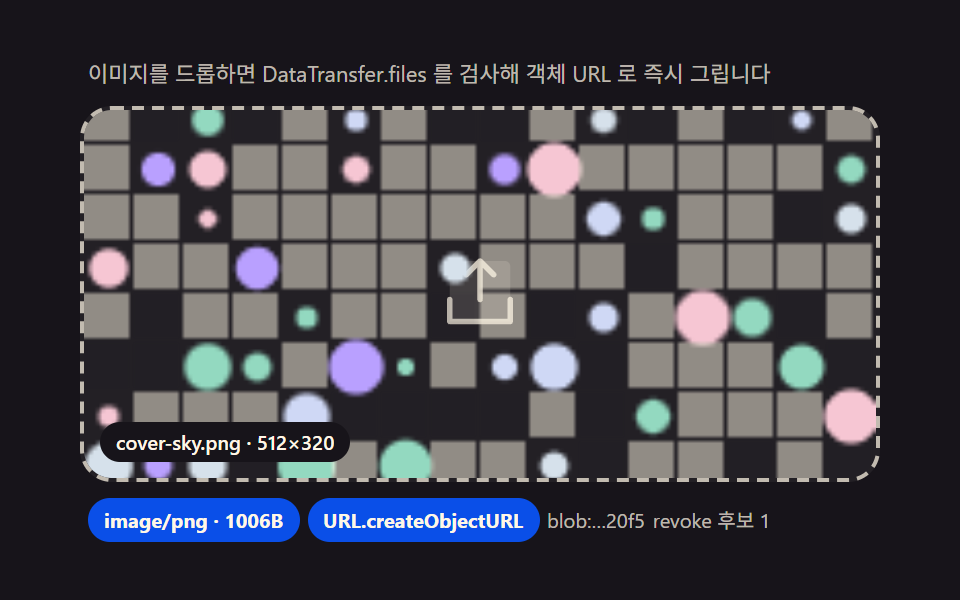 Drag and Drop File Upload UI: 9 Computed DropzonesDropped files turn into previews computed from their bytes: type, size and count drive the layout, images get pixel-read See all demos in this post
If you like this effect - similar demos
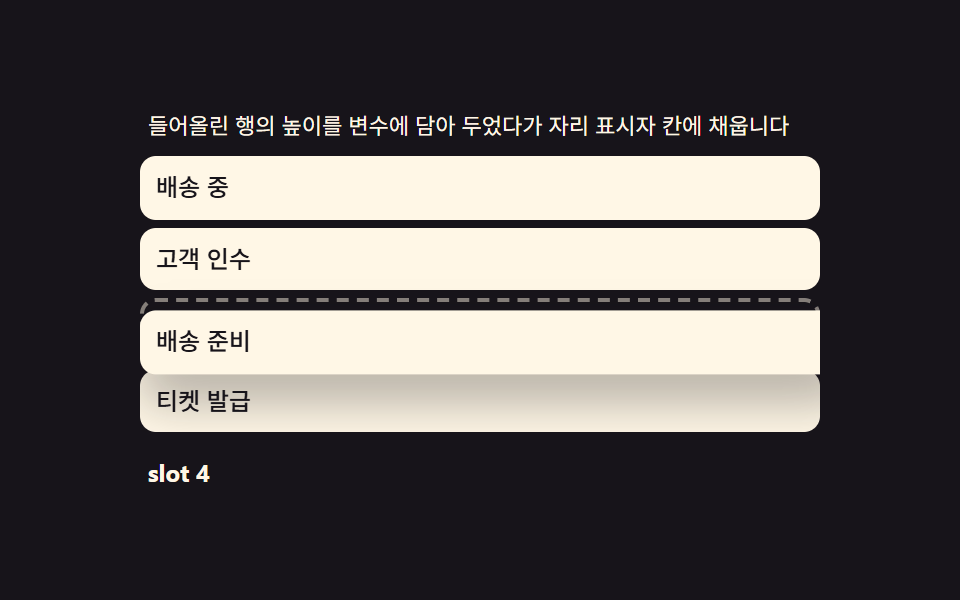 drag09 Drop placeholder — carrying the lifted row's height into a growing gapDrag to Reorder UI: 9 Lists, One Drop Index
 drag01 Grid-Magnet Drag That Pulls an Item Into a Cell Within RangeDrag and Drop Animation CSS: 9 Physics Patterns
 drag07 A Card Whose Layout Changes Clothes As the Width MovesCSS Resize Handle: 9 Demos That Follow Your Grip