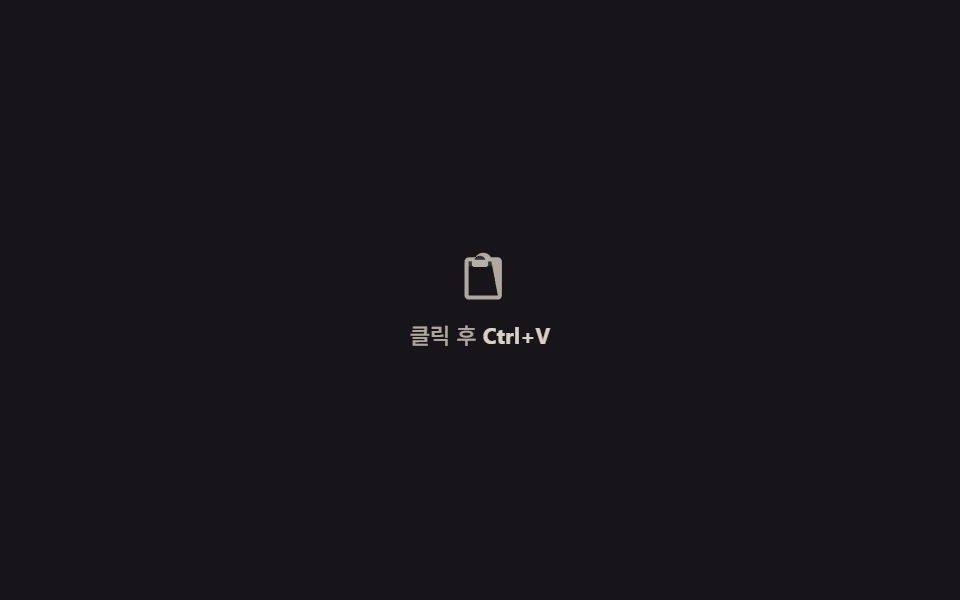
09Paste capture — an upload that starts with Ctrl+V
Focus anywhere on the page, paste a captured screenshot, and clipboardData.items hands the file to the very same progress pipeline as the dropzone — the same ring spins without ever dragging anything.
Best forScreenshot attachments, bug-report forms
pasteclipboardDataDataTransfer
<main class="stage">
<div class="pc is-demo" id="pcRoot" role="group" tabindex="0" aria-label="Upload image by pasting — click, then press Ctrl+V">
  <div class="pc__idle" id="pcIdle">
    <svg viewBox="0 0 256 256" width="26" height="26" aria-hidden="true"><g fill="currentColor"><path d="M216 44h-40.6a36 36 0 0 0-64.8 0H80a12 12 0 0 0-12 12v20a4 4 0 0 0 4 4h112a4 4 0 0 0 4-4V56a12 12 0 0 0-12-12" opacity=".2"/><path d="M216 36h-33.5a44 44 0 0 0-77 0H72a20 20 0 0 0-20 20v168a20 20 0 0 0 20 20h144a20 20 0 0 0 20-20V56a20 20 0 0 0-20-20m-88-8a28 28 0 0 1 26.6 20H101.4A28 28 0 0 1 128 28m88 196H72V56h16v16a12 12 0 0 0 12 12h56a12 12 0 0 0 12-12V56h16Z"/></g></svg>
    <span class="pc__idle-label">Click, then <b>Ctrl+V</b></span>
  </div>
  <svg class="pc__spin" id="pcSpin" viewBox="0 0 120 120" width="52" height="52" aria-hidden="true">
    <circle class="pc__spin-track" cx="60" cy="60" r="48"></circle>
    <circle class="pc__spin-arc" cx="60" cy="60" r="48"></circle>
  </svg>
  <div class="pc__thumb" id="pcThumb">
    <img class="pc__img" id="pcImg" alt="">
    <span class="pc__done-label">Image captured</span>
  </div>
</div>
</main>
@use "../../../../site/static/demo-tokens" as *;
// 붙여넣기 캡처(09) — 드래그 없이 링이 돈다(인디터미네이트, % 없음). 대기 아이콘 → 회전 링 →
// 썸네일 팝인, 세 상태를 opacity 로만 스왑하고 링 회전만 transform 이다.
@include stage($stage-ink);
$pc-text: $subject-cream;
$pc-ring: $subject-sky;
$pc-thumb: $subject-sky;
$duration: $dur-loop;
$easing: $ease-out;
$color: $pc-ring;
.pc {
position: relative;
display: flex; align-items: center; justify-content: center;
width: 100%; height: 100%; min-height: 164px;
}
.pc:focus-visible { outline: 2px solid $pc-text; outline-offset: 3px; border-radius: $r-control; }
.pc__idle {
position: absolute; inset: 0;
display: flex; flex-direction: column; align-items: center; justify-content: center; gap: $sp-2;
color: rgba($pc-text, .78);
opacity: 1;
}
.pc__idle-label { font-weight: 500; font-size: 11px; }
.pc__idle-label b { font-weight: 700; color: $pc-text; }
.pc__spin {
position: absolute; inset: 0; margin: auto;
opacity: 0;
}
.pc__spin-track { fill: none; stroke: rgba($pc-text, .16); stroke-width: 8; }
.pc__spin-arc {
fill: none;
stroke: $pc-ring;
stroke-width: 8;
stroke-linecap: round;
stroke-dasharray: 60 242;
transform-origin: 60px 60px;
}
.pc__thumb {
position: absolute; inset: 22% 30%;
border-radius: $r-card;
overflow: hidden;
background: linear-gradient(135deg, rgba($pc-thumb, .38), rgba($pc-thumb, .14));
opacity: 0;
transform: scale(.7);
display: flex; align-items: flex-end; justify-content: center;
padding-bottom: $sp-2;
}
.pc__img { position: absolute; inset: 0; width: 100%; height: 100%; object-fit: cover; }
.pc__done-label {
position: relative;
font-weight: 600; font-size: 10px;
color: $pc-text;
background: rgba($stage-ink, .5);
padding: $sp-1 $sp-2;
border-radius: $r-pill;
}
.pc.is-idle .pc__idle { opacity: 1; }
.pc.is-idle .pc__spin, .pc.is-idle .pc__thumb { opacity: 0; }
.pc.is-spin .pc__idle { opacity: 0; transition: opacity $dur-quick linear; }
.pc.is-spin .pc__spin { opacity: 1; transition: opacity $dur-quick linear; animation: pcRotate .9s linear infinite; }
.pc.is-done .pc__spin { opacity: 0; transition: opacity $dur-instant linear; }
.pc.is-done .pc__thumb { opacity: 1; transform: scale(1); transition: opacity $dur-quick linear, transform $dur-enter $ease-elastic; }
@keyframes pcRotate {
0% { transform: rotate(0deg); }
100% { transform: rotate(360deg); }
}
// ── 데모 루프 — 대기 → 붙여넣기(8%) → 회전(8~46%) → 썸네일 팝인(46~88%) → 리셋 ──
@keyframes pcIdleFade {
0%, 6% { opacity: 1; }
8% { opacity: 0; animation-timing-function: steps(1, end); }
90% { opacity: 0; }
92% { opacity: 1; animation-timing-function: steps(1, end); }
100% { opacity: 1; }
}
@keyframes pcSpinFade {
0%, 6% { opacity: 0; }
8% { opacity: 1; animation-timing-function: steps(1, end); }
44% { opacity: 1; }
46% { opacity: 0; animation-timing-function: steps(1, end); }
100% { opacity: 0; }
}
@keyframes pcSpinTurn {
0% { transform: rotate(0deg); }
100% { transform: rotate(1080deg); }
}
@keyframes pcThumbPop {
0%, 45% { opacity: 0; transform: scale(.7); }
46% { opacity: 1; transform: scale(.7); animation-timing-function: $ease-elastic; }
58% { opacity: 1; transform: scale(1); }
88% { opacity: 1; transform: scale(1); }
90% { opacity: 0; transform: scale(.7); animation-timing-function: steps(1, end); }
100% { opacity: 0; transform: scale(.7); }
}
.is-demo .pc__idle { animation: pcIdleFade $duration linear infinite; }
.is-demo .pc__spin { animation: pcSpinFade $duration linear infinite; }
.is-demo .pc__spin-arc { animation: pcSpinTurn $duration linear infinite; }
.is-demo .pc__thumb { animation: pcThumbPop $duration linear infinite; }
@media (max-width: 340px) {
.pc__spin { width: 44px; height: 44px; }
}
@media (prefers-reduced-motion: reduce) {
.is-demo .pc__idle, .is-demo .pc__spin, .is-demo .pc__spin-arc, .is-demo .pc__thumb {
animation: none !important;
}
.is-demo .pc__idle { opacity: 0 !important; }
.is-demo .pc__thumb { opacity: 1 !important; transform: scale(1) !important; }
}html, body {
margin: 0;
overflow: hidden;
}
.stage {
box-sizing: border-box;
min-height: 100vh;
display: grid;
place-items: center;
margin: 0;
background: #17141a;
font-family: -apple-system, "Segoe UI", "Noto Sans KR", sans-serif;
padding: clamp(8px, 4vw, 24px);
}
.pc {
position: relative;
display: flex;
align-items: center;
justify-content: center;
width: 100%;
height: 100%;
min-height: 164px;
}
.pc:focus-visible {
outline: 2px solid #fff7e6;
outline-offset: 3px;
border-radius: 12px;
}
.pc__idle {
position: absolute;
inset: 0;
display: flex;
flex-direction: column;
align-items: center;
justify-content: center;
gap: 8px;
color: rgba(255, 247, 230, 0.78);
opacity: 1;
}
.pc__idle-label {
font-weight: 500;
font-size: 11px;
}
.pc__idle-label b {
font-weight: 700;
color: #fff7e6;
}
.pc__spin {
position: absolute;
inset: 0;
margin: auto;
opacity: 0;
}
.pc__spin-track {
fill: none;
stroke: rgba(255, 247, 230, 0.16);
stroke-width: 8;
}
.pc__spin-arc {
fill: none;
stroke: #6ec8ff;
stroke-width: 8;
stroke-linecap: round;
stroke-dasharray: 60 242;
transform-origin: 60px 60px;
}
.pc__thumb {
position: absolute;
inset: 22% 30%;
border-radius: 16px;
overflow: hidden;
background: linear-gradient(135deg, rgba(110, 200, 255, 0.38), rgba(110, 200, 255, 0.14));
opacity: 0;
transform: scale(0.7);
display: flex;
align-items: flex-end;
justify-content: center;
padding-bottom: 8px;
}
.pc__img {
position: absolute;
inset: 0;
width: 100%;
height: 100%;
object-fit: cover;
}
.pc__done-label {
position: relative;
font-weight: 600;
font-size: 10px;
color: #fff7e6;
background: rgba(23, 20, 26, 0.5);
padding: 4px 8px;
border-radius: 999px;
}
.pc.is-idle .pc__idle {
opacity: 1;
}
.pc.is-idle .pc__spin, .pc.is-idle .pc__thumb {
opacity: 0;
}
.pc.is-spin .pc__idle {
opacity: 0;
transition: opacity 220ms linear;
}
.pc.is-spin .pc__spin {
opacity: 1;
transition: opacity 220ms linear;
animation: pcRotate 0.9s linear infinite;
}
.pc.is-done .pc__spin {
opacity: 0;
transition: opacity 140ms linear;
}
.pc.is-done .pc__thumb {
opacity: 1;
transform: scale(1);
transition: opacity 220ms linear, transform 600ms cubic-bezier(0.34, 1.56, 0.64, 1);
}
@keyframes pcRotate {
0% {
transform: rotate(0deg);
}
100% {
transform: rotate(360deg);
}
}
@keyframes pcIdleFade {
0%, 6% {
opacity: 1;
}
8% {
opacity: 0;
animation-timing-function: steps(1, end);
}
90% {
opacity: 0;
}
92% {
opacity: 1;
animation-timing-function: steps(1, end);
}
100% {
opacity: 1;
}
}
@keyframes pcSpinFade {
0%, 6% {
opacity: 0;
}
8% {
opacity: 1;
animation-timing-function: steps(1, end);
}
44% {
opacity: 1;
}
46% {
opacity: 0;
animation-timing-function: steps(1, end);
}
100% {
opacity: 0;
}
}
@keyframes pcSpinTurn {
0% {
transform: rotate(0deg);
}
100% {
transform: rotate(1080deg);
}
}
@keyframes pcThumbPop {
0%, 45% {
opacity: 0;
transform: scale(0.7);
}
46% {
opacity: 1;
transform: scale(0.7);
animation-timing-function: cubic-bezier(0.34, 1.56, 0.64, 1);
}
58% {
opacity: 1;
transform: scale(1);
}
88% {
opacity: 1;
transform: scale(1);
}
90% {
opacity: 0;
transform: scale(0.7);
animation-timing-function: steps(1, end);
}
100% {
opacity: 0;
transform: scale(0.7);
}
}
.is-demo .pc__idle {
animation: pcIdleFade 2s linear infinite;
}
.is-demo .pc__spin {
animation: pcSpinFade 2s linear infinite;
}
.is-demo .pc__spin-arc {
animation: pcSpinTurn 2s linear infinite;
}
.is-demo .pc__thumb {
animation: pcThumbPop 2s linear infinite;
}
@media (max-width: 340px) {
.pc__spin {
width: 44px;
height: 44px;
}
}
@media (prefers-reduced-motion: reduce) {
.is-demo .pc__idle, .is-demo .pc__spin, .is-demo .pc__spin-arc, .is-demo .pc__thumb {
animation: none !important;
}
.is-demo .pc__idle {
opacity: 0 !important;
}
.is-demo .pc__thumb {
opacity: 1 !important;
transform: scale(1) !important;
}
}// 붙여넣기 캡처 — 드래그 없이 Ctrl+V 만으로 클립보드의 이미지를 받는다.
// e.clipboardData(DataTransfer 인스턴스)의 items 에서 image/* 항목을 찾아 파일로 꺼낸 뒤
// 인디터미네이트 링을 잠깐 돌리고 썸네일로 스왑한다(진행률이 없는 즉시 캡처라 % 표시가 없다).
(function () {
var root = document.getElementById('pcRoot');
var idle = document.getElementById('pcIdle');
var spin = document.getElementById('pcSpin');
var thumb = document.getElementById('pcThumb');
var img = document.getElementById('pcImg');
if (!root || !idle || !spin || !thumb || !img) return;
var objectUrl = null;
function process(file) {
root.classList.remove('is-idle');
root.classList.add('is-spin');
if (objectUrl) URL.revokeObjectURL(objectUrl);
objectUrl = URL.createObjectURL(file);
setTimeout(function () {
img.src = objectUrl;
root.classList.remove('is-spin');
root.classList.add('is-done');
}, 620);
}
root.addEventListener('paste', function (e) {
if (!e.clipboardData) return;
var data = e.clipboardData;
if (!(data instanceof DataTransfer)) return;
var items = data.items;
for (var i = 0; i < items.length; i++) {
if (items[i].kind === 'file' && items[i].type.indexOf('image/') === 0) {
var file = items[i].getAsFile();
if (file) { process(file); break; }
}
}
});
['pointerdown', 'focusin'].forEach(function (ev) {
root.addEventListener(ev, function () {
if (!root.classList.contains('is-demo')) return;
root.classList.remove('is-demo');
root.classList.add('is-idle');
});
});
})();// UploadProgressPasteCapture — vanilla 판(run/329/demo/09-upload-progress-paste-capture/index.html) 의 React 포트.
// 드래그 없이 Ctrl+V 만으로 클립보드의 이미지를 받는다. e.clipboardData(DataTransfer)의 items 에서
// image/* 항목을 찾아 파일로 꺼낸 뒤 인디터미네이트 링을 잠깐 돌리고 썸네일로 스왑한다(진행률 없는 즉시 캡처).
import { useEffect, useRef, useState } from "react";
import type { CSSProperties } from "react";
import styles from "./UploadProgressPasteCapture.module.scss";
export type UploadProgressPasteCaptureProps = {
duration?: string;
easing?: string;
color?: string;
spinMs?: number; // 붙여넣기 후 썸네일로 바뀌기까지 회전을 보여주는 시간(ms)
};
type Vars = CSSProperties & { "--duration"?: string; "--easing"?: string; "--color"?: string };
type PasteEvt = { clipboardData: DataTransfer | null };
const IDLE_LABEL = "클릭 후 ";
const IDLE_KEY = "Ctrl+V";
const DONE_LABEL = "이미지 캡처됨";
const ARIA_LABEL = "붙여넣기로 이미지 업로드, 클릭 후 Ctrl+V";
export default function UploadProgressPasteCapture({
duration = "2s",
easing = "ease-out",
color = "#7ec8e3",
spinMs = 620
}: UploadProgressPasteCaptureProps) {
const [demo, setDemo] = useState(true);
const [phase, setPhase] = useState<"idle" | "spin" | "done">("idle");
const [imgUrl, setImgUrl] = useState("");
const objectUrlRef = useRef<string | null>(null);
const vars: Vars = { "--duration": duration, "--easing": easing, "--color": color };
useEffect(() => {
return () => {
if (objectUrlRef.current) URL.revokeObjectURL(objectUrlRef.current);
};
}, []);
function process(file: File): void {
setPhase("spin");
if (objectUrlRef.current) URL.revokeObjectURL(objectUrlRef.current);
const objectUrl = URL.createObjectURL(file);
objectUrlRef.current = objectUrl;
setTimeout(() => {
setImgUrl(objectUrl);
setPhase("done");
}, spinMs);
}
function onPaste(e: PasteEvt): void {
if (!e.clipboardData) return;
const data = e.clipboardData;
const items = data.items;
for (let i = 0; i < items.length; i++) {
if (items[i].kind === "file" && items[i].type.indexOf("image/") === 0) {
const file = items[i].getAsFile();
if (file) { process(file); break; }
}
}
}
function live(): void {
if (!demo) return;
setDemo(false);
setPhase("idle");
}
const rootCls = [
styles.pc,
demo ? styles.isDemo : "",
!demo && phase === "idle" ? styles.isIdle : "",
phase === "spin" ? styles.isSpin : "",
phase === "done" ? styles.isDone : ""
].filter(Boolean).join(" ");
return (
<main className={styles.stage}>
<div
className={rootCls}
style={vars}
role="group"
tabIndex={0}
aria-label={ARIA_LABEL}
onPointerDown={live}
onFocus={live}
onPaste={onPaste}
>
<div className={styles.idle}>
<svg viewBox="0 0 256 256" width="26" height="26" aria-hidden="true"><g fill="currentColor"><path d="M216 44h-40.6a36 36 0 0 0-64.8 0H80a12 12 0 0 0-12 12v20a4 4 0 0 0 4 4h112a4 4 0 0 0 4-4V56a12 12 0 0 0-12-12" opacity=".2"/><path d="M216 36h-33.5a44 44 0 0 0-77 0H72a20 20 0 0 0-20 20v168a20 20 0 0 0 20 20h144a20 20 0 0 0 20-20V56a20 20 0 0 0-20-20m-88-8a28 28 0 0 1 26.6 20H101.4A28 28 0 0 1 128 28m88 196H72V56h16v16a12 12 0 0 0 12 12h56a12 12 0 0 0 12-12V56h16Z"/></g></svg>
<span className={styles.idleLabel}>{IDLE_LABEL}<b>{IDLE_KEY}</b></span>
</div>
<svg className={styles.spin} viewBox="0 0 120 120" width="52" height="52" aria-hidden="true">
<circle className={styles.spinTrack} cx="60" cy="60" r="48"></circle>
<circle className={styles.spinArc} cx="60" cy="60" r="48"></circle>
</svg>
<div className={styles.thumb}>
<img className={styles.img} src={imgUrl || undefined} alt="" />
<span className={styles.doneLabel}>{DONE_LABEL}</span>
</div>
</div>
</main>
);
}09 Paste capture — an upload that starts with Ctrl+V — Measured area 18.947% · moving frames 15/23Original by GODRICH · SCSS and React ship in the zip · File Upload Progress Bar Loader: 9 UI Demos
The post this demo lives in
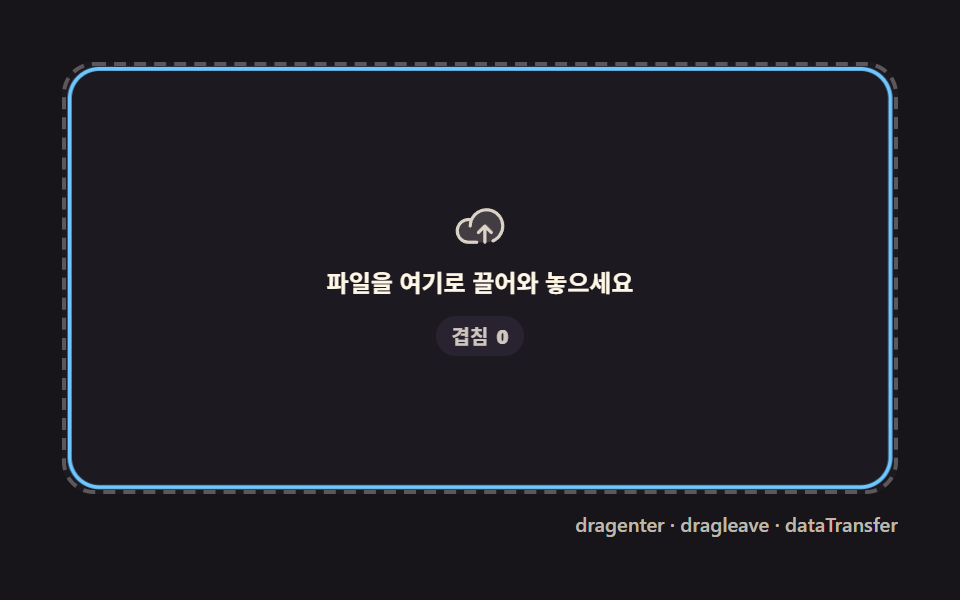 File Upload Progress Bar Loader: 9 UI DemosA file upload progress bar. Drop a file and bytes-over-time become a spinning ring, a speed readout, and a checkmark at See all demos in this post
If you like this effect - similar demos
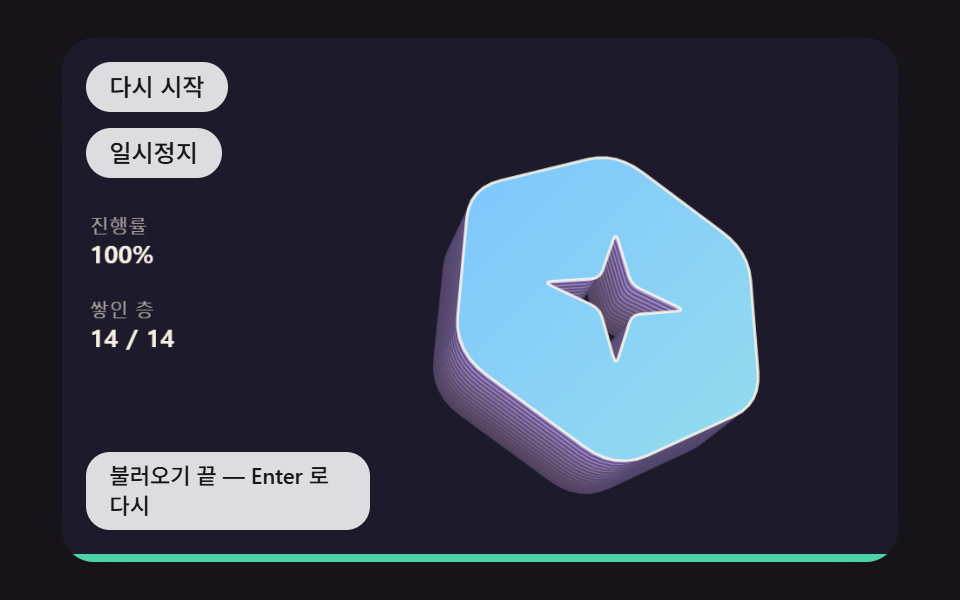 Loaders08 A Loader That Stacks Layers Behind the Logo to Grow Its Depth With ProgressLogo Loading Animation: 9 Progress-Driven Marks
 Loaders01 Route progress bar that crosses the top of the screenPage Loading Animation CSS: 9 Route-Change Demos
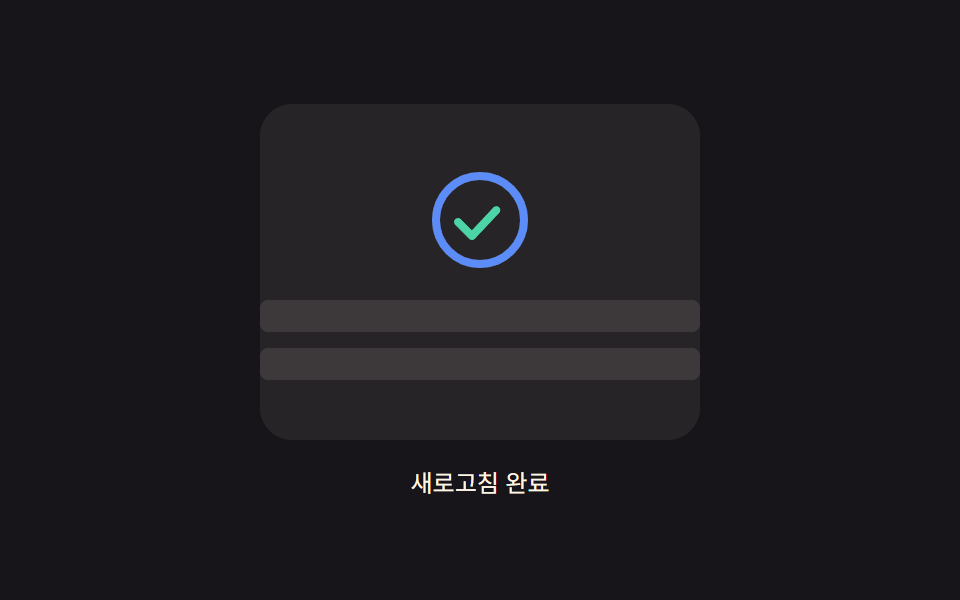 Loaders05 Icon progress ring — an indicator whose circular progress value fills with the pulled distance and morphs into a checkmark once completePull to Refresh CSS: 9 Loading Patterns