03Result count morph — a number interpolating between its old and new value
When the result count changes after a filter update, the display steps from the old count to the new one in even increments instead of jumping.
Best forThe 'N results' label above a product list, a dashboard's filter-summary card
requestAnimationFramesetPropertytextContent
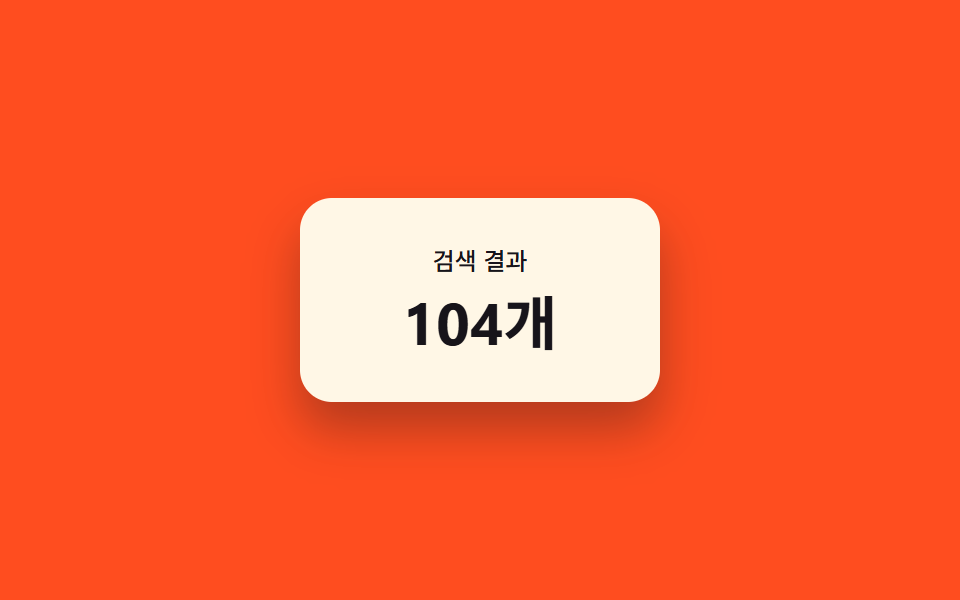
<main class="stage">
  <div class="card">
    <p class="card__label">Search results</p>
    <p class="card__count" id="count" role="status" aria-live="polite">128 items</p>
  </div>
</main>
@use "../../../../site/static/demo-tokens" as *;
$duration: $dur-base;
$easing: $ease-out;
$color: $subject-cream;
@include stage($stage-orange);
.card {
box-sizing: border-box;
min-width: 180px;
padding: $sp-6 $sp-8;
border-radius: $r-card;
background: $color;
box-shadow: $shadow-raised;
text-align: center;
}
.card__label {
margin: 0 0 $sp-2;
color: $subject-ink;
font-weight: 500;
font-size: 12px;
line-height: 1.3;
}
.card__count {
margin: 0;
color: $subject-ink;
font-weight: 700;
font-size: clamp(28px, 8vmin, 40px);
line-height: 1.1;
font-variant-numeric: tabular-nums;
--pulse: 0;
transform: scale(calc(1 + var(--pulse, 0) * .05));
}
@media (max-width: 340px) {
.card { padding: $sp-4 $sp-6; min-width: 140px; }
}
@media (prefers-reduced-motion: reduce) {
.card__count { transform: none; }
}html, body {
margin: 0;
overflow: hidden;
}
.stage {
box-sizing: border-box;
min-height: 100vh;
display: grid;
place-items: center;
margin: 0;
background: #ff4d1f;
font-family: -apple-system, "Segoe UI", "Noto Sans KR", sans-serif;
padding: clamp(8px, 4vw, 24px);
}
.card {
box-sizing: border-box;
min-width: 180px;
padding: 24px 32px;
border-radius: 16px;
background: #fff7e6;
box-shadow: 0 14px 24px rgba(23, 20, 26, 0.32);
text-align: center;
}
.card__label {
margin: 0 0 8px;
color: #17141a;
font-weight: 500;
font-size: 12px;
line-height: 1.3;
}
.card__count {
margin: 0;
color: #17141a;
font-weight: 700;
font-size: clamp(28px, 8vmin, 40px);
line-height: 1.1;
font-variant-numeric: tabular-nums;
--pulse: 0;
transform: scale(calc(1 + var(--pulse, 0) * 0.05));
}
@media (max-width: 340px) {
.card {
padding: 16px 24px;
min-width: 140px;
}
}
@media (prefers-reduced-motion: reduce) {
.card__count {
transform: none;
}
}// 결과 수가 바뀔 때 이전 값과 새 값의 차이를 requestAnimationFrame 으로 나눠 화면 숫자를 그 사이 값으로 다시 그린다(textContent).
// 자동 시연만, 실사용 리스너 없음.
(function () {
var el = document.getElementById('count');
if (!el) return;
var VALUES = [128, 47, 283, 128];
var STEP_MS = 900;
var HOLD_MS = 350;
var idx = 0;
var from = VALUES[0];
function ease(t) { return 1 - Math.pow(1 - t, 3); }
function animate(to, duration) {
var start = null;
function frame(ts) {
if (start === null) start = ts;
var t = Math.min(1, (ts - start) / duration);
var value = Math.round(from + (to - from) * ease(t));
el.textContent = value + 'items';
el.style.setProperty('--pulse', (1 - t).toFixed(3));
if (t < 1) {
requestAnimationFrame(frame);
} else {
from = to;
setTimeout(step, HOLD_MS);
}
}
requestAnimationFrame(frame);
}
function step() {
idx = (idx + 1) % VALUES.length;
animate(VALUES[idx], STEP_MS);
}
setTimeout(step, HOLD_MS);
})();import { useEffect, useRef } from "react";
import styles from "./ResultCountMorph.module.scss";
// 결과 수가 바뀔 때 이전 값과 새 값의 차이를 requestAnimationFrame 으로 나눠 화면 숫자를 그 사이 값으로 다시 그린다(textContent).
// 자동 시연만, 실사용 리스너 없음.
const VALUES = [128, 47, 283, 128];
const STEP_MS = 900;
const HOLD_MS = 350;
function ease(t: number) {
return 1 - Math.pow(1 - t, 3);
}
export default function ResultCountMorph() {
const countRef = useRef<HTMLParagraphElement>(null);
useEffect(() => {
const el = countRef.current;
if (!el) return;
let alive = true;
let idx = 0;
let from = VALUES[0];
let rafId = 0;
let timeoutId = 0;
function animate(to: number, duration: number) {
let start: number | null = null;
function frame(ts: number) {
if (!alive) return;
if (start === null) start = ts;
const t = Math.min(1, (ts - start) / duration);
const value = Math.round(from + (to - from) * ease(t));
el!.textContent = value + "개";
el!.style.setProperty("--pulse", (1 - t).toFixed(3));
if (t < 1) {
rafId = requestAnimationFrame(frame);
} else {
from = to;
timeoutId = window.setTimeout(step, HOLD_MS);
}
}
rafId = requestAnimationFrame(frame);
}
function step() {
if (!alive) return;
idx = (idx + 1) % VALUES.length;
animate(VALUES[idx], STEP_MS);
}
timeoutId = window.setTimeout(step, HOLD_MS);
return () => {
alive = false;
cancelAnimationFrame(rafId);
window.clearTimeout(timeoutId);
};
}, []);
return (
<main className={styles.stage}>
<div className={styles.card}>
<p className={styles.card__label}>검색 결과</p>
<p ref={countRef} className={styles.card__count} role="status" aria-live="polite">
128개
</p>
</div>
</main>
);
}03 Result count morph — a number interpolating between its old and new value — Measured area 1.142% · moving frames 18/23Original by GODRICH · SCSS and React ship in the zip · 9 Filter UI Patterns (Panel Slide to Chip Remove)
The post this demo lives in
 9 Filter UI Patterns (Panel Slide to Chip Remove)Filter ui hides several small jobs. One of nine recomputes chip-row width once a chip disappears, one scales a badge by See all demos in this post
If you like this effect - similar demos
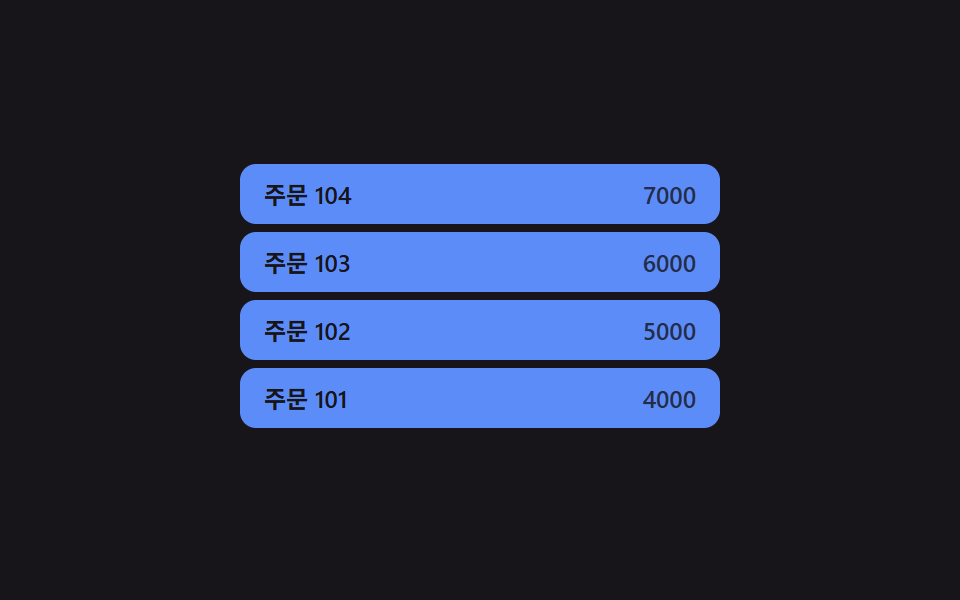 Transitions04 Row-insert and position values changing together — when a new row is added, its position value settles into place while the rows below shift their position values tooCollapsible Table Row: 9 UI Patterns
 Transitions01 Active-indicator slide-morph toggle — when the selected tab changes, the highlight's position and width values shift together from the old spot to the new oneCSS Bottom Navigation Bar: 9 Transition Patterns
 Transitions09 Badge count inertia — a number on the icon that eases toward a changed value frame by frameCart Drawer UI Patterns: 9 Motion Techniques